AI Website Builder For Photographers Portfolio: Create Site in Minutes

You would rather be behind the lens than behind a keyboard.
We get it. There is nothing quite as frustrating for a creative professional as struggling with code, DNS settings, and responsive design issues when you should be out shooting or editing your latest session.
But here's the thing: in today's digital world, your online presence is practically as crucial as your gear.
And that's where the magic of new tech comes into play. Using an ai website builder for photographers portfolio used to feel like some far-off luxury, but now? It's pretty much a must-have for any creative.
It lets you ditch all the boring technical stuff and get right to what matters: showing off your amazing work in a professional-looking gallery.
Picture this: you've just wrapped a monster wedding shoot or a super detailed product photography session. You've got editors who need to see the photos, fast, or potential clients are already asking for your latest work. Who has time to start manually resizing every single image, coding a new page from scratch, or battling a clunky WordPress theme?
Probably not you. The good news is, the web design world has totally shifted in your favor.
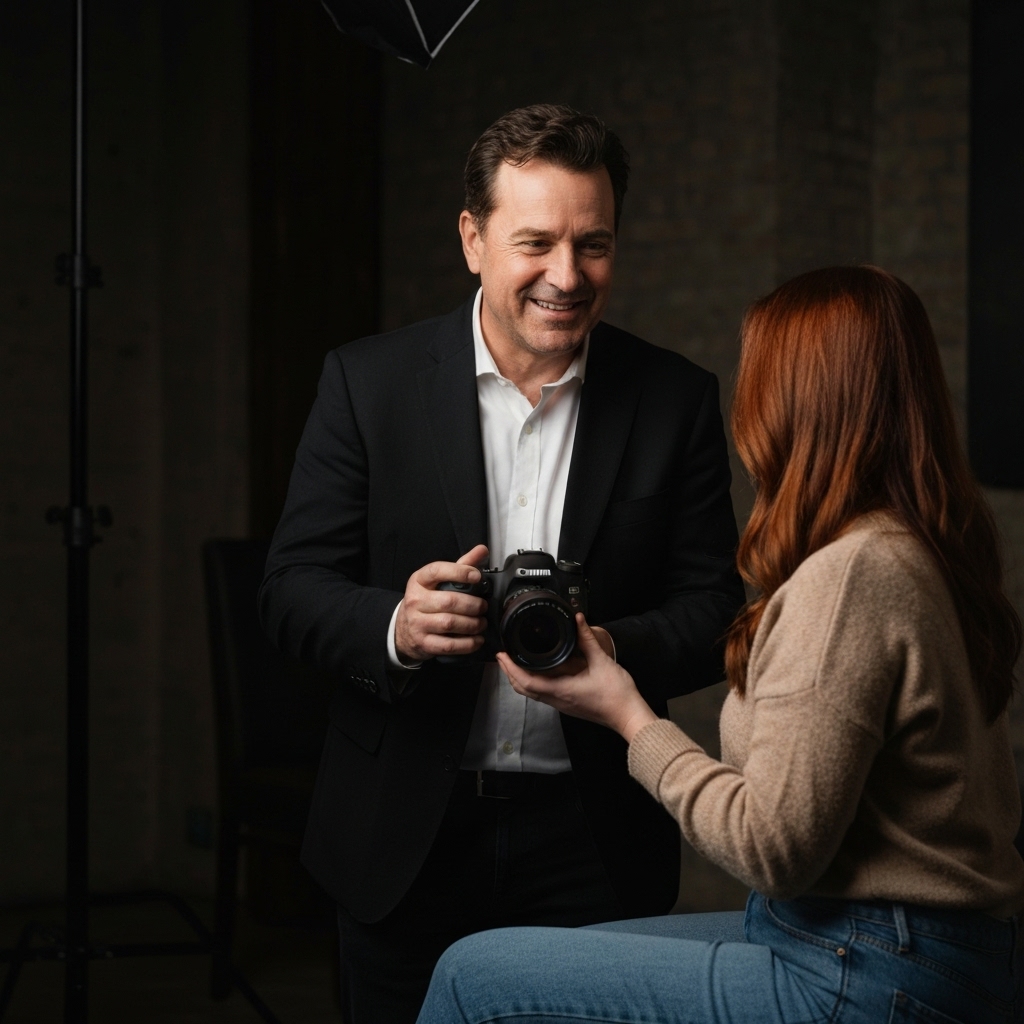
In this guide, we'll break down exactly how you can use an ai website builder for photographers portfolio to do more than just display your art—it's about turning those visitors into actual paying clients. We’ll check out the best tools on the market, including some cool options we found in recent research, and show you how a platform like Kleap can actually streamline your whole business.
Why Photographers Are Ditching Traditional Web Design
Let's be honest for a moment. The old way of building websites was a nightmare for visual artists.
You generally had two choices. You could hire a developer, which costs thousands of dollars and leaves you dependent on them for every minor update. Or, you could try to DIY it with complex CMS platforms that required a steep learning curve.
Neither option is ideal for a freelancer or entrepreneur who needs to move fast. Speed is everything online. That's why AI website builders are such a game-changer; they let photographers build amazing portfolios without any coding, using smart design, content creation, and templates built for photography. You can read more about this big shift here. These tools figure out what you need from a simple conversation or a few prompts and then build a site that looks like it took a design agency weeks, but it only takes minutes.
You really can't argue with how efficient this is.
We're talking about platforms built for speed, making them perfect for entrepreneurs, freelancers, and small business owners (from 25 to 65+) who want to use AI and have budgets anywhere from 'free' to full-on enterprise plans. Sources like Emergent and Website Builder Expert are all saying this trend is a huge deal.
What you really need is a system that just *gets* the visual nature of your work.
So many of the old-school builders just crush your image quality or totally mess up vertical shots on a phone. But AI-powered tools are different because they've actually been trained on good design.
They get things like negative space, good fonts, and how to frame a photo so it really pops.
Top AI-Powered Website Builders for Photography Portfolios
Okay, so there are quite a few players out there, and picking the right one can honestly feel a bit overwhelming.
You need something that can handle high-res galleries, looks great on phones, and has those key business tools, like booking forms. Let's see how the market is shaping up for 2026. We've dug through a bunch of reviews and research to see what's what.
Here’s how they stack up against our own platform, Kleap, which we built to give creators a truly all-in-one experience with a pretty unique edge.
Kleap
While we'll get to the other tools in a sec, it’s worth pointing out where Kleap fits into all this. Think of Kleap less as just a website builder and more like your personal AI agent. You’re the creative director; the AI is your tireless assistant that handles all the technical execution.
For photographers, this gives a huge leg up: Total Business Integration. Most builders are done once the gallery is up.
With Kleap, you can pull in your booking forms, sell prints through an eCommerce store, and even get AI to help write blog posts to boost your SEO—and it's all designed to work beautifully on your phone.
Avantiy
According to recent research, Avantiy features an AI content assistant for rapid site creation; it auto-generates text and layouts from prompts (source).
It is a strong contender for those needing a fast setup.
It features a drag-and-drop editor and a ton of integrations (over 400).
But, as some reviews point out, it's a newer name, so you might not find as many community forums as you would for the older, giant platforms.
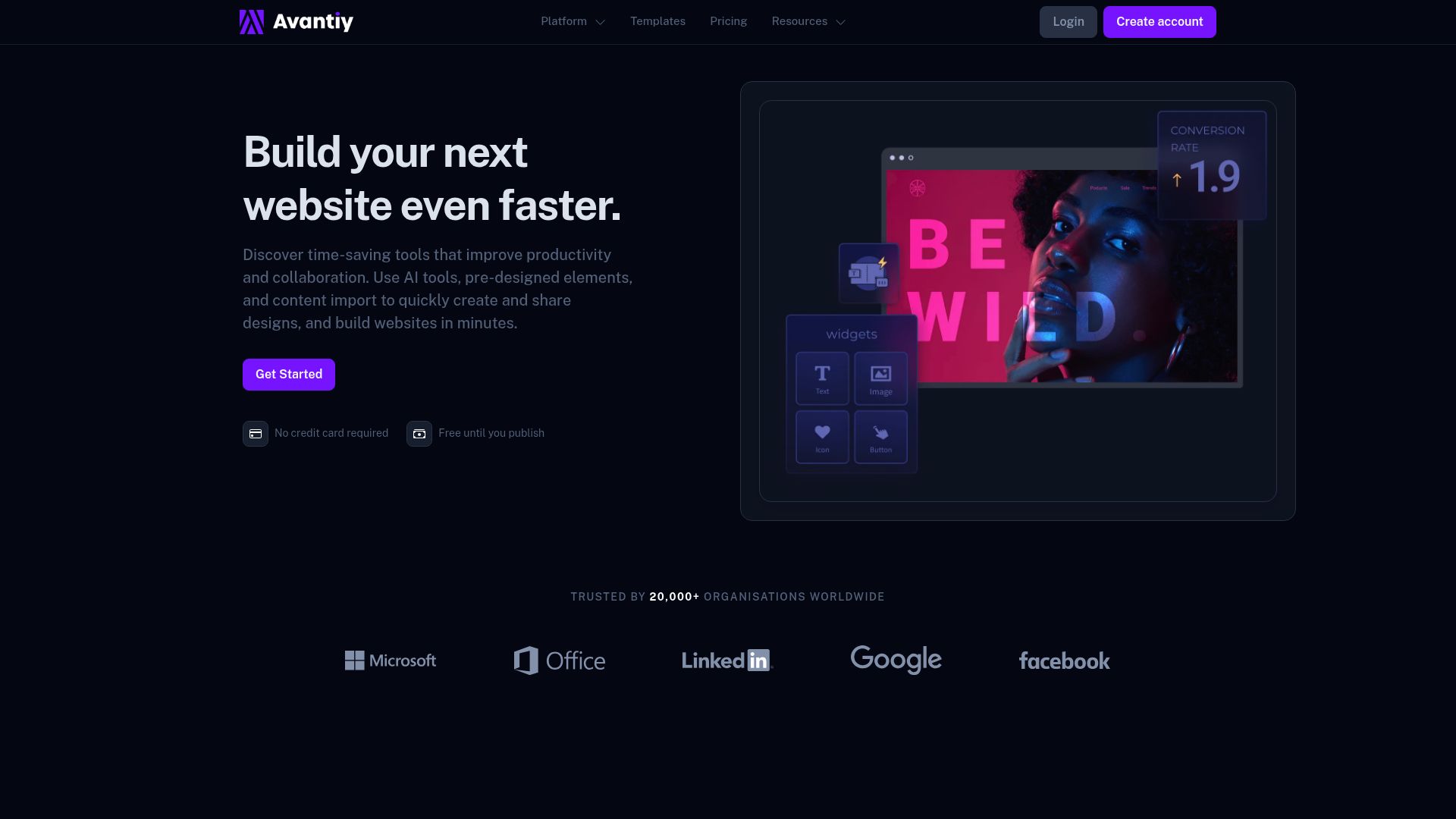
Link: https://avantiy.com
Emergent
Now, if your photo business deals with a lot of complex inquiries—think intricate wedding packages—then Emergent is one you should check out. Some research shows it has AI-assisted content for portfolios/services and logic-driven inquiry/booking workflows (source), which is pretty slick.
It's great for growing businesses, but it might be overkill if you just want a simple gallery for your vacation shots.
It’s really built to scale.
Hostinger
For anyone who's on a tight budget or just starting out, Hostinger is a popular choice where the AI website builder creates full sites quickly, including tools for SEO and blogs (source).
In tests, it's often mentioned as having the absolute fastest setup time, though you might find the design options a little less flexible than some high-end custom tools.
Comparison Table: Finding Your Fit
| Builder | Key AI Features | Best For | Strengths |
|---|---|---|---|
| Kleap | Full-stack AI agent, mobile-first generation, integrated payments & booking. | Entrepreneurs & Pros needing an all-in-one business hub. | Speed, a great mobile experience, and options for complete code ownership. |
| Avantiy | AI content helper, auto-layouts from prompts. | Good for creative scaling with its 400+ integrations. | Starts free, offers dynamic galleries. |
| Emergent | Logic-driven workflows, handles tricky inquiries. | Growing businesses with detailed sales processes. | Manages lots of images, cuts down on admin work. |
| Hostinger | Quick full-site generation, AI SEO tools. | Beginners seeking effortless setup. | Very affordable, fast setup times. |
Essential Features Your AI Portfolio Builder Must Have
When you are evaluating an ai website builder for photographers portfolio, you cannot just look at the price tag. You need to look under the hood. What features are actually going to make your life easier and your photos look better?
1. Customizable, Dynamic Galleries
Static grids are boring. You need a builder with customizable galleries that let you sort your work by genre, project, or even client.
It absolutely has to handle high-res images without slowing your site to a crawl.
I've seen in some industry blogs that the new builders can handle proofing and hi-res display right out of the box (source).
Think about how you'd present really intricate art.
If you're shooting subjects with tons of detail, clarity is everything.
For instance, trying to capture the spiritual vibe of Tibetan art means getting all those incredible details just right. I've seen events like the Mandala and Thangka workshops where the patterns are so incredibly intricate that a basic, over-compressed gallery would just butcher the experience for anyone looking at it.
A good AI builder makes sure that whether you're shooting tiny insects up close or huge pieces of sacred art, the image quality stays perfect.
2. Integrated Monetization Tools
Are you taking photos for fun, or are you running a business?
If you're running a business, then your website needs to be your 24/7 salesperson. Look for monetization tools that let you sell prints, digital downloads, or even licensing rights directly from your site.
Platforms like Kleap and Avantiy have e-commerce built right in, so you don't have to tack on a separate Shopify store.
Triyansh Gill / Unsplash
3. Workflow Automation
Honestly, this is the secret weapon for photographers who are really crushing it.
Workflow automation is all about handling the boring stuff for you. Think AI-drafted text for your 'About Me' page, automatic replies to client bookings, and sorting inquiries—this can take your admin setup time from days down to just a few hours.
4. Mobile-First Architecture
Here’s a stat you just can't ignore: these builders focus on a mobile-first design, which is a huge deal since over 70% of clients will be looking at your portfolio on their phones (source).
Kleap was built specifically with this philosophy. The editor is mobile-native, meaning you can build, edit, and manage your website entirely from your phone while you are on location at a shoot.
Ritupon Baishya / Unsplash
How to Use an AI Builder: A Step-by-Step Guide
So, how does this all actually work?
It's not like those old drag-and-drop editors from the 2010s where you had to nudge every little thing into place. AI builders feel more like you're having a conversation.
Step 1: Figure Out Your Goal
Before you even open the tool, stop and ask yourself: what's the goal here?
Are you trying to get booked for more weddings?
Sell your landscape prints?
Or maybe land some commercial gigs with agencies?
When you have a clear goal, the AI works way better. For example, when you prompt Kleap, you could say something like, 'I’m a wedding photographer in Austin, and I want to attract high-end, luxury clients.
I need a portfolio that feels elegant, minimalist, and trustworthy.'
Step 2: The Prompt
Now, open up your chosen ai website builder for photographers portfolio. You'll see a text box waiting for you. This is where you'll type your prompt, and you'll want to be specific.
So instead of just saying, 'Make a photo site,' try something like this: 'Create a photography portfolio with a dark, moody aesthetic.
It should have a home page with a full-screen slider, a gallery page split into 'Portraits' and 'Events,' and a booking page with a simple contact form.'
Step 3: Pick Your Best Shots
While the AI is busy building the frame, it's your job to provide the art. Resist the urge to upload your entire hard drive. Just pick your top 10-15 home run images for the homepage.
Pro Tip: Name your images properly before you upload them (think "sunset-wedding-beach-california.jpg" instead of "DSC001.jpg"). AI tools are smart about the layout, but they still need you to feed them good SEO info with your file names.
Step 4: Refine and Make It Yours
Once the AI spits out the first draft—which usually takes less than a minute—it's time for you to step in and refine it. Change up the accent colors so they match your brand. Tweak the copy a bit.
The AI gets you 90% of the way there; that last 10% is your personal touch that makes it truly yours.
Step 5: Go Live and Connect Your Domain
With a tool like Kleap, connecting a custom domain is incredibly simple.
You hit publish, and your site is live, indexed, and ready for the world.
No messing with FTP or complicated hosting settings.
SEO Strategies for Photographers Using AI Builders
Look, a gorgeous website is totally useless if no one ever sees it. Search Engine Optimization (SEO) can feel like a photographer's biggest weakness, mainly because images are visual, and Google reads words. But this is another area where AI builders are changing the game.
These tools can now automatically generate Alt Text for your images.
They can actually look at a photo, see a 'black and white street photo of Paris in the rain,' and write a perfect description for both accessibility and search engines.
Blogging with AI
To rank for high-volume keywords, you need written content.
But you write with light, not ink. Using the built-in AI blog builders found in platforms like Kleap or Hostinger allows you to keep your site active.
You can give the AI a topic like "Best locations for engagement shoots in New York" and get a structured, SEO-friendly article in seconds.
This signals to Google that your site is alive and relevant.
Monetization: Beyond the Gallery
We mentioned earlier that your site needs to work for you. Let's look at a concrete use case found in our research.
A wedding photographer uses Avantiy's AI to build a portfolio, print shop, and booking system in one weekend (source).
This is the standard you should aim for.
Your ai website builder for photographers portfolio should act as your sales manager.
- Direct Booking: Embed a calendar (like Calendly or native tools) so clients can see your availability.
- Client Proofing: You can set up password-protected pages where clients can go in and pick their favorite shots from a session.
- Digital Products: Why not sell your Lightroom presets or helpful photography guides directly on your site?
And don't forget about niche markets.
If you're photographing events with specific tools or instruments, your portfolio can double as an educational hub. For example, using your photos to show off the quality of an instrument can be a huge help in niche markets, kind of like showing someone how to choose the right Tibetan singing bowl.
Great photos help people understand texture and craftsmanship, and your website should be the thing that makes that connection happen effortlessly.
2026 Trends and Insights
This industry moves fast.
What's working today might be old news tomorrow. From what we're seeing in recent research, AI is pushing photography sites to become smarter, more personalized portfolios that have business tools built right in (source).
There's a bigger and bigger demand for platforms that can actually handle heavy client workflows.
It is no longer enough to just have pretty pictures. The seamless integration of proofing, sales, and contracts is becoming the norm.
Furthermore, reliability and security are paramount.
For enterprise teams or agencies, options like Emergent offer scalability and custom logic (source). But for individual creators, the trend is toward "One-Person Enterprise" tools—platforms that give a freelancer the power of a full agency.
Mobile traffic is still king. The trend points to more AI being used for efficiency, since over 70% of your visitors are on their phones, making responsive design non-negotiable.
Your website builder absolutely has to be smart enough to change its layout on the fly depending on what device someone is using.
Choosing the Right Builder for Your Journey
When it's time to make a final decision, it really boils down to three things: speed, growth, and budget.
If your main goal is Speed/efficiency, you should definitely check out Kleap or Hostinger. These are designed for the quickest launch times.
You can go from idea to live site during your lunch break.
If you are focused on Business growth and complex logistics, investigate how Emergent or Kleap handles backend data. Can you export customer emails?
Can you track revenue?
Regarding Budget, nearly every top-tier solution offers a way to start for free. You can test the waters with Kleap or Avantiy, and only scale to paid plans ranging from $25 to $50/month when you are generating revenue.
It's a low-risk, high-reward move.
Go ahead and test out the free tiers to find what fits your workflow; platforms like these are designed to get rid of the headache and help you build a stunning, client-winning site. It is time to stop worrying about plugins and start focusing on your portfolio.
Conclusion
The era of the "starving artist" is over, or at least, the era of the "technically frustrated artist" should be.
Using an ai website builder for photographers portfolio gives you the freedom to reclaim your time.
You have the vision. You have the photos.
Now you have the tools to build a platform that honors your work.
Whether you choose Kleap for its all-in-one mobile capability or another platform for its specific niche features, the most important step is to start.
Your future clients are scrolling right now. Make sure they land on a site that absolutely takes their breath away.
Ready to get your professional photography portfolio built in just a few minutes?
Try Kleap for free today and see for yourself how AI can change your business.
FAQ
Will using an AI website builder hurt my SEO?
Nope, actually it's usually the other way around. Modern AI builders create clean, semantic code that Google's algorithm absolutely loves.
They also usually come with built-in tools that help you with meta descriptions and alt text for your images, which means you'll probably rank higher than you ever would with a sloppily-coded DIY site.
Can I keep my own domain name?
Of course. All the pro-level AI builders, Kleap included, let you connect your own custom domain (like www.yourname.com).
This is a must-do for building a real brand and earning trust with your clients.
Do I need to know how to code to use these builders?
Not one single line. The whole point of an ai website builder for photographers portfolio is that you just use plain English to tell the builder what you want.
It takes care of all the HTML, CSS, and Javascript for you.
Can I sell prints directly from an AI-generated website?
Yep.
Most of the top AI builders come with e-commerce features built in. This means you can create product pages for your physical prints or digital downloads, keep track of inventory, and handle payments securely—all with way less hassle than trying to integrate third-party plugins.
Tags
Ready to build your website?
Start creating your professional website with AI in minutes. No coding required.
Get Started Free

