7 Steps to Find an AI Website Builder Free

Look, getting a website used to be a pain. You either had to shell out big bucks for a developer or lose weeks of your life trying to figure out code.
Let's be honest, neither of those routes was great for someone just trying to get a new idea up and running.
But things have changed a lot. Now, finding a great AI website builder free of charge isn't just a fantasy; it's what smart entrepreneurs expect.
The barrier to entry has lowered so significantly that anyone with a concept can have a live professional platform in under an hour.You might be thinking that 'free' usually implies low quality or a lack of features.
In the past, that was often true.
You would get stuck with clunky ad banners or designs that looked like they were stuck in 2010. However, the 2026 generation of AI tools has changed the narrative.
We are looking at intelligent agents that design, write copy, and structure SEO for you without asking for a credit card upfront.
Whether you are a freelancer updating your portfolio or a startup testing a new product, the right AI website builder free option can save you thousands in initial capital.
The real challenge today isn’t about finding a tool; it's about picking the right one from a sea of options.
You have to figure out which platforms actually offer real value versus those that just bait you into a paywall the second you try to connect your own domain.
That's what this guide is for: to cut through all that noise.
We're going to walk you through exactly how to spot, test, and launch with the best free AI website builders out there.
We'll also see where an all-in-one solution like Kleap fits into all this for those of you who want to move fast without giving up power.
The goal is pretty straightforward.
Our mission is to get you online with a professional-looking site that's set up for growth, all without emptying your wallet.
If you follow these steps, you’ll be able to navigate the market like a pro. You can sidestep the usual traps and let AI do most of the work for you.
What you'll learn
- 1. Define Your Site Needs and Audience
- 2. Search for Free AI Builders with Proven Free Plans
- 3. Compare Key Features Using Tables from Reviews
- 4. Test Free Trials with AI Prompts
- 5. Evaluate Pros, Cons, and Scalability
1. Define Your Site Needs and Audience
Before you even think about Googling anything, you need to be completely honest about what you're trying to build.
So many entrepreneurs make the classic mistake of jumping on the first flashy tool they see, only to get halfway done and realize it’s missing something critical, like a simple contact form or a way to take payments. Are you just making a portfolio? Or a full-blown e-commerce store?
Or maybe you just need a landing page to grab some leads?
The perfect AI website builder free for a photographer is almost never going to be the right fit for a software company.
You have to think about who you're building for. If you're going after people on their phones (and let's be real, who isn't?), you absolutely need a builder that nails responsive design right out of the box.
This is where tools like Kleap or Wix AI really shine because they're built to make your site look great on mobile from the start.
But if you need serious backend customizations or have to connect to a specific database, then your list of options is going to look a whole lot different.
Taking a minute to write down your "must-haves" and "nice-to-haves" will save you a massive headache down the road.
Let's make this real.
Say you're in real estate, maybe as a landlord or a property manager wanting to show off your properties.
To showcase your work effectively, you'll need a slick gallery to display apartment renovations and interior transformations.
In that situation, your top priorities are things like high-quality photo displays and pages that load quickly, not some complicated checkout process.
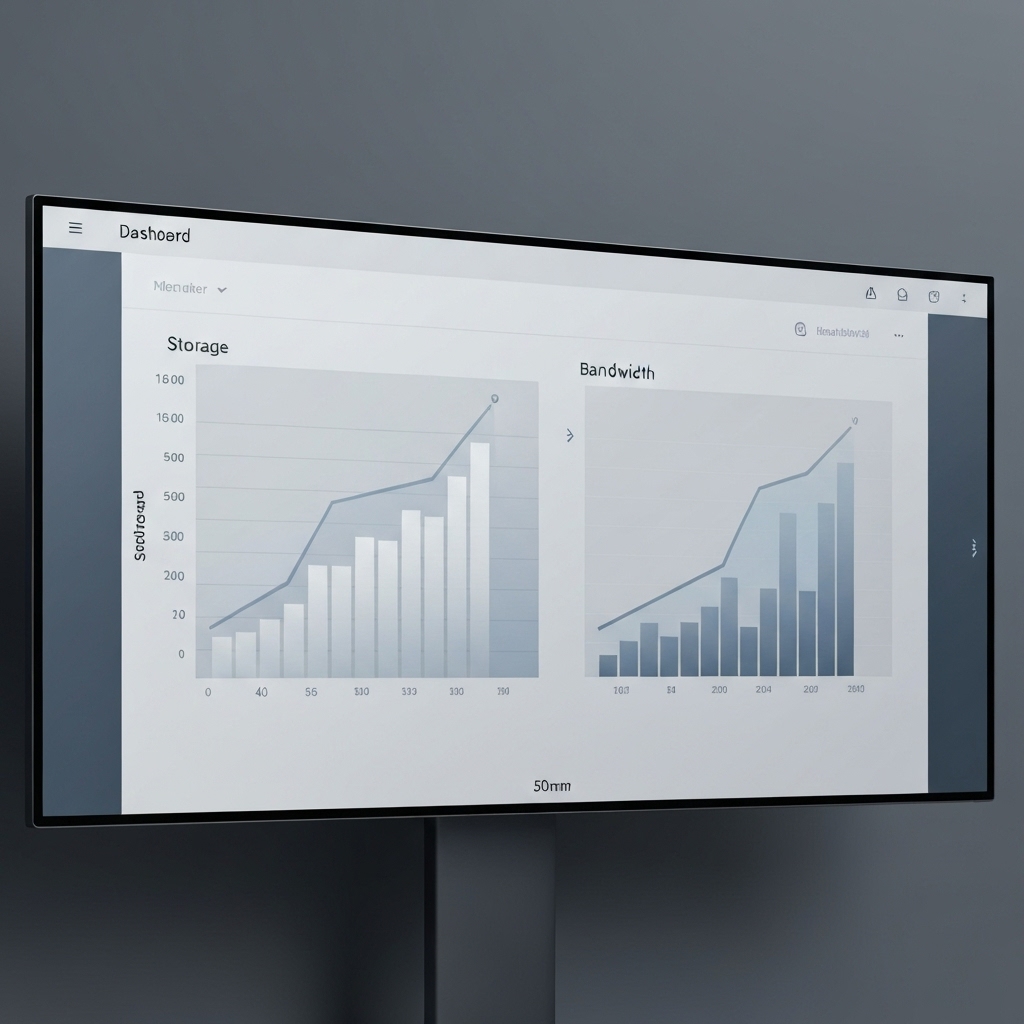
Figuring that out early helps you ignore the heavy e-commerce builders and focus on platforms that are more visual.Most free plans come with limits on storage and bandwidth.
If you plan to host hours of high-definition video directly on the site, a free builder might hit a wall quickly.
The trick is to find a tool whose free plan lines up with what you need to get launched *now*, not what you might need in five years.
Try it — build your site while you read
Describe what you want and get a live, publishable site in seconds. Free to start, no code.
Join 200,000+ makers building real websites with Kleap.
2. Search for Free AI Builders with Proven Free Plans
Alright, you know what you need. It’s time to go hunting.
And please, don't just click the first Google ad you see.
You should be searching for phrases like "best free AI website builders 2026" on software review sites that people actually trust.
This market changes fast, so a tool that was free last year could easily be a paid-only service today.
You're really looking for builders with stable and transparent pricing.
Team Nocoloco / Unsplash
Based on what industry reports are saying, a few key players consistently receive high marks for their free plans.
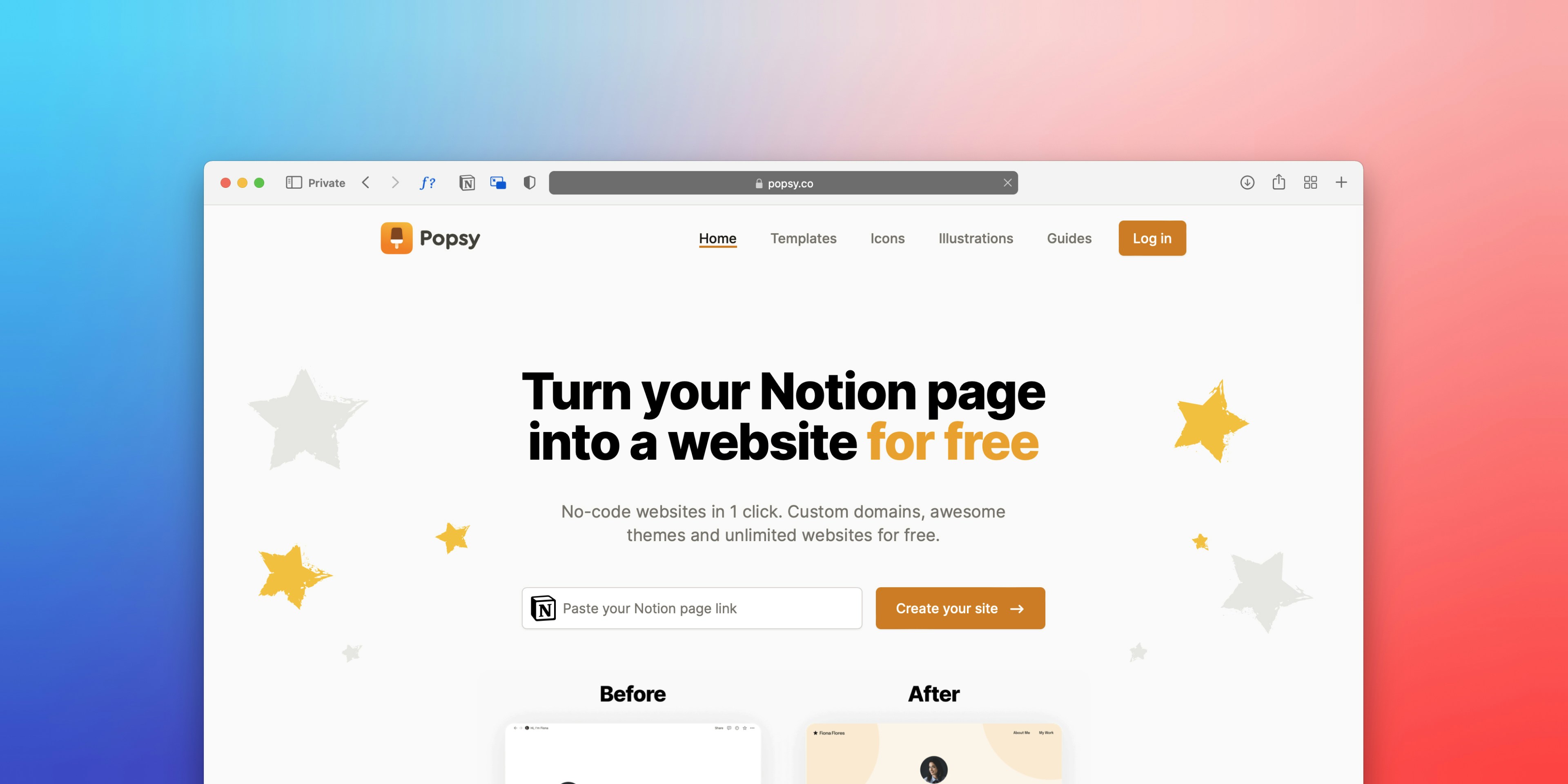
You've got options like PlayCode, which is awesome for developers who want control over the code, and Wix, with its enormous library of templates.
Then you have the tools designers love, like Framer and Webflow, which have a bit of a learning curve but give you unbelievable design control.
The secret is figuring out which ones will actually let you build and publish for free, instead of just letting you design for free and then hitting you with a fee to go live.
As you check out these tools, really zoom in on their "export" features.
Some free AI website builder tools let you download the code, which means you own it completely.
Others do not. They keep you stuck in their system. For example, PlayCode gets mentioned a lot for its code export option, which is a huge benefit if you think you might want to host the site yourself later on.
On the other hand, Kleap strikes a smart balance.
Kleap is an AI-native builder that not only designs your page but also takes care of hosting and backend tasks without a fuss, making it a great option for people who want the power of a coded site without actually writing any code.
And whatever you do, watch out for the "free trial" trap. A "free trial" is not a "free tier." You want a platform that lets your site stay online for good without you ever having to pay, even if it’s on their subdomain.
For instance, Relume is an amazing tool for wireframing. At its core, it is a paid service if you want to use all its features.
So, if your budget is zero, stick with builders that have a clear 'Free Forever' plan.
3. Compare Key Features Using Tables from Reviews
Once you've got your short list of builders, it's time to compare them head-to-head.
This is where you look at things like their AI smarts, how much branding they force on you, and if you can connect your own domain.
It helps to see all this laid out so you can make a smart choice. Most review sites do this for you, but here’s a peek at what the landscape looks like right now.
You've got to figure out the "AI IQ" of the builder. Is it just shuffling pre-made templates, or is it smart enough to generate truly unique content and layouts from your prompt?
Kleap, for instance, uses advanced AI to create mobile-first pages designed to get conversions, not just to look good.
That difference really counts when you need visitors to do something, not just look around.
Comparison of Top AI Website Builders (Free Tiers)
| Builder | Best For | Free Tier Highlights | AI Feature Set | Export Code |
|---|---|---|---|---|
| Kleap | Entrepreneurs/Mobile-First | All-in-one builder, mobile optim. | Page & Content Gen | Yes (Ownership) |
| PlayCode | Developers/Teams | Access to models, free hosting | 15+ models coding | Full Code |
| Wix AI | Beginners/Small Biz | SEO tools, app market | Questionnaire setup | No |
| Framer | Designers | Visual freedom | Prompt-to-design | Limited |
| Webflow | Enterprise/Complex | Clean code structure | Layout logic | Full Code (Paid) |
| SITE123 | Absolute Beginners | Ease of use | Auto-design | No |
Just glancing at this table, you can see these tools fall into different camps.
If you are a developer or working with a technical team, PlayCode and Webflow are strong contenders because they respect the integrity of the code.On the flip side, Webflow and SITE123 couldn't be more different in terms of complexity; while SITE123 will spin up a site for you in minutes with zero learning curve, Webflow requires you to get your hands dirty with box models and CSS grids, even with its AI helping out.
📸 wix.com
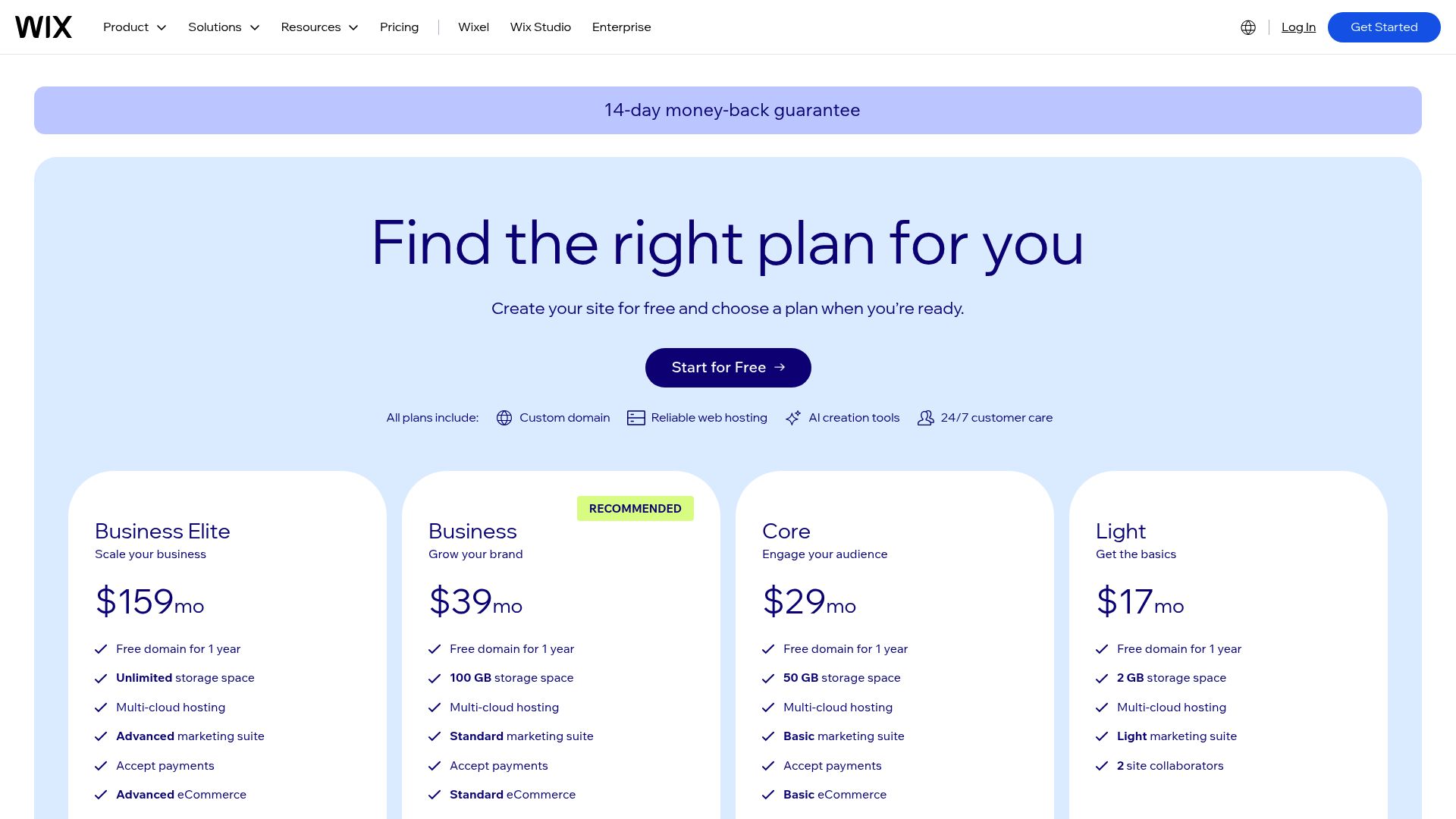
Poke around the Wix pricing model to really get what their free limits are. url: wix.com
Honestly, for most business owners, the perfect tool is somewhere in the middle, platforms like Wix or Kleap that take care of the technical headaches but still deliver something that looks custom-built.
It is also important to peek at the 'Starting Paid' column to see how it might grow with you. You might get started for free, but if your business starts booming, you'll want a reasonably priced upgrade path.
Most pro plans fall in the $10 to $25 a month range, which is pretty typical.
4. Test Free Trials with AI Prompts
Reading about a tool is one thing; using it is another.
You need to get your hands dirty. Pick your top three candidates and sign up. Since we are looking for a free AI website builder, this process should not cost you a dime.
Your goal here is to test the AI's responsiveness to your prompts. This is the 'prompt engineering' phase of your website build.
When you enter the builder, you will usually be asked to describe your business.
Don't be vague. Instead of just "I want a marketing site," try feeding it something detailed like: "Create a portfolio website for a freelance digital marketer specializing in SEO audit services.
I need a services section, a sliding carousel for client testimonials, and a contact form, all with a dark mode theme.
How well it pulls that off will tell you everything you need to know about the AI's intelligence. While you're at it, try thinking like an investor.
While you are testing, consider the perspective of an investor. If you are building a site to attract funding or manage assets, clarity is key.
For example, those involved in real estate investment often look for efficient ways to manage rental income properties (immeuble de rapport).
A site for this niche has to have clean data visualization and maybe even a secure login area for investors.
Test if the AI can structure a page that looks trustworthy enough for high-stakes finance.If the AI produces a layout that looks like a total mess, just move on. It's also a good idea to check out tools like Readdy AI or Mobirise during this phase.
During this testing phase, look at tools like Readdy AI or Mobirise as well.
Mobirise and Readdy AI have these quick, drag-and-drop interfaces that are great because they're either offline-first or just super straightforward.
They're a different breed from the big cloud-based platforms, but one of them might be just what you need for a quick and simple prototype.
Put the same prompt into Kleap, Wix, and Framer, and then put the results side by side.
You'll probably find that one of them just 'gets' your vision way better than the others.
5. Evaluate Pros, Cons, and Scalability
The honeymoon with your new AI tool usually comes to a screeching halt the first time you hit a wall.
Let's be real, every free plan has a catch.
It's usually not a dirty trick, but it is designed to get you to upgrade.
You'll typically run into things like a branded subdomain (yourname.wixsite.com), ads in your footer, or a bandwidth cap that slows down your site if you suddenly get a flood of traffic.
You have to seriously weigh those drawbacks against the free value you're getting. One of the biggest things to look for is the best free AI website builder with free domain and hosting.
One major factor is the best free AI website builder with free domain and hosting.
But let's be clear: getting a custom top-level domain (like a .com) for free forever is practically a myth because those domains cost the registrars money.
However, getting free hosting on a subdomain should be the standard. If a builder wants you to pay for hosting right away, it's not actually a free builder.
Tools like Kleap and GitHub Pages (which you can use with PlayCode) give you solid, free hosting on their subdomains.
Then there's scalability, which is the other side of the equation.
So your free blog is a hit, what's next?
How much of a hassle is it to upgrade?
Does the platform have you cornered?
Platforms like Webflow are great for SEO because they produce clean code, but their pricing can get pretty complicated as you grow.
On the other hand, simpler AI builders might be perfect for a launch but lack the database capabilities you need when you reach 10,000 customers. You have to think about where you will be in six months.The 'vendor lock-in' risk is also significant. If you build your entire business logic on a proprietary system that does not allow content export, you are tied to that platform. Kleap addresses this by offering significant ownership over the output, which is a breath of fresh air in the SaaS world.
Always check if you can export your contact lists and blog posts at the very least.
6. Customize and Optimize for Your Audience
After the AI spits out your first draft, you have to jump in and start tweaking the words, colors, and photos to sound like *you*. This is where you find out if the editor's interface is a dream or a total nightmare of confusing menus.
Is it a pain to use, or does it just make sense?
From there, you should lean on the built-in AI editors for these changes.
You should use the built-in AI editors for these tweaks.
A lot of modern builders let you just highlight a paragraph and tell it, "make this sound punchier" or "rewrite this for a Gen Z audience."
Go for it.
Those features are huge time-savers and help you keep a consistent voice. Also, see if there are heatmap tools (SITE123 has them) or at least simple analytics.
Seeing where people are actually clicking helps you make the layout better over time.
For agencies, this part is everything.
You might be juggling a few different tools, like using Relume for sitemaps and then Framer for the design to really wow your clients.
However, for a business owner doing it themselves, an all-in-one solution like Kleap allows you to edit the site directly from your phone. This mobile-editing capability is often overlooked but is a lifesaver when you spot a typo while you are out at lunch.And please, don't forget about SEO.
A stunning site is completely useless if nobody can find it.
Check if the free plan actually lets you edit things like meta titles and descriptions.
Some of the really restrictive free plans hide all the good SEO features behind a paywall.
Just run down a quick checklist: Do your images have alt text?
Is the URL structure clean?
Is the site loading quickly?
The AI can build the house, but you still need to check the foundation.
7. Launch, Monitor, and Upgrade if Needed
So, you've picked your winning AI website builder free, you’ve polished the design, and you’ve made sure it looks great on a phone.
It’s go time. Hitting "publish" and launching on a free subdomain is a totally fine way to start.
It lets you see if your idea has legs with real visitors before you start spending money on it. Don't get stuck in a perfectionist loop; a live site will always be better than a perfect draft sitting on your hard drive.
Once you are live, the monitoring phase begins.
Use the analytics provided by the platform to track visitors. Where are they coming from? How long are they staying?
If you see a high bounce rate, go back to Step 6 and optimize your headline or load speed.
The beauty of these AI platforms is that iterating is fast. You don't need to call a developer to move a button; you just drag it.

Andrés Dallimonti / Unsplash
Eventually, you will likely outgrow the free tier.
Maybe you need a custom domain to look more legit, or it's just time to ditch the platform's branding from your site.
That's a great problem to have; it's proof that your idea is working. Moving up to a paid plan typically gets you faster support, more storage, and much better marketing tools.
At Kleap, we see this happen all the time. People come in with a free idea and end up scaling it into a serious business. And hey, keep an eye on the calendar.
Keep an eye on the calendar, too.
As we get closer to 2026, you can bet that features that are "premium" today might just become standard and free tomorrow as the competition gets even hotter.
So, stay flexible. The real goal here is growing your business, and your website is just the engine that gets you there.
If that engine needs an upgrade to go faster, think of it as an investment, not a cost.
Conclusion
Finding the right AI website builder free of charge is all about knowing your needs, testing what's out there, and customizing it to make an impact.
We're way past the days when "free" automatically meant "bad." Now, powerhouse tools like Kleap, Wix AI, and PlayCode are opening the doors for everyone, from freelancers to real estate investors, to build a professional presence online.
No matter which way you go, just remember the tool is only half the battle; the strategy behind it is what counts.
Let the AI do the heavy lifting with code and design, so you can focus your energy on what really matters: your message and your customers.
The speed at which you can go from "I have an idea" to "Click here to buy" has never been faster. If you are ready to experience a platform that combines the ease of AI with the power of full-stack development, why not give Kleap a try? It is free to start, and it might just be the last website builder you ever need.FAQ
1. Can I really build a professional site with an AI website builder for free?
You bet.
AI builders can produce professional, mobile-friendly layouts that look as good as expensive custom-coded sites.
The catch?
You'll probably have to use their subdomain or have their branding on your site until you decide to upgrade.
2.
Platforms that generate clean code (like Webflow, or those that give you specific SEO tools even on their free plan, like Wix and Kleap) are usually your best bet for ranking well.
Keep in mind that connecting your own custom domain, which is almost always a paid feature, is a huge factor for search engines.
3. Do I own the content I create on a free builder?
That really depends on the platform.
Some builders kind of trap your content in their system. However, others (like PlayCode or Kleap) give you much more ownership and ways to export your work.
You should always check the Terms of Service about who owns your content. 4. Is hosting included in free AI website builders?
4. Is hosting included in free AI website builders?
Yep, pretty much every free builder includes hosting.
The thing is, it's usually shared hosting on one of their subdomains (think: yoursite.kleap.co).That's totally fine to get you started, but it's not the best look for a more established brand. 5.
How does Kleap compare to other free builders?
5. How does Kleap compare to other free builders?
Kleap is built to be an all-in-one machine for getting things done. While a lot of other builders are just focused on making things look pretty, Kleap brings it all together, hosting, forms, and the backend stuff, with a huge focus on mobile-first performance and speed. That makes it a killer tool for entrepreneurs who need to turn visitors into customers, fast.


