
Build a website with Grok
Tell Grok: “build a landing page for my podcast”. It builds the site and publishes it at a kleap.io link.
- Copy the command
grok mcp add --transport http kleap https://kleap.co/api/mcp - ConnectRun it in Grok, then sign in on kleap.co when asked.
- Paste the promptThe tested prompt is just below. Change the studio for your business.
- Median time to a live link
- 8 min4 of 5 counted runs of our same-job test (a yoga studio site), Grok CLI 1.0.62, first word to the link
- Kleap's build itself
- 5 minmedian of the 5 builds inside those runs
grok mcp add --transport http kleap https://kleap.co/api/mcpChecked Oct 20, 2026
Use Kleap to build a website for my yoga studio: class schedule, teachers, pricing and a booking request form. Calm colours. Wait for the build to finish, publish it and send me the link.
4 of 5 counted runs reached a live link
4 of 9 runs were set aside because Kleap's own build failed or waited in Kleap's queue (marked †). See every run
Read an existing site's form and layout files to learn the starter.
Build started, app 120269, one long brief sent.
status completed, progress 100 (the build ended at 6 min 12 s).
status ready, night-desk.kleap.io.
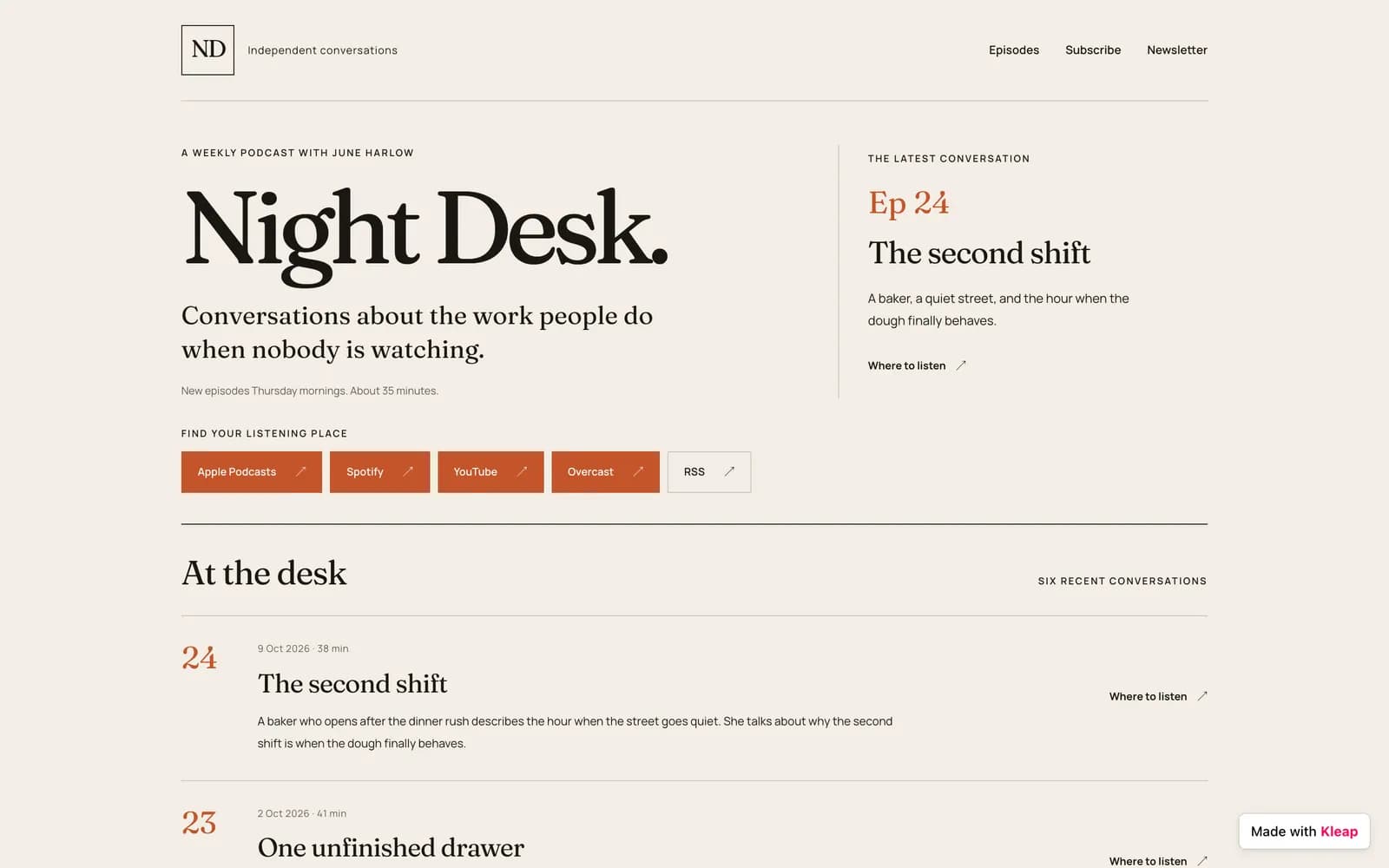
The replay is a real run of another job (Oct 18, 2026), so it shows a different site than the yoga job behind the medians on the left. Its own times are in the run below.
How do you connect Kleap to Grok?
xAI documents MCP for the Grok CLI and for its API. Those are the two routes below. Use the CLI to work with Grok yourself, the API for a bot that runs without you. Run live through the Grok CLI, headless, with a Kleap key header. The browser sign-in the command above starts is from xAI's docs. The xAI API route was not run.
The route we ran. Two steps, no key for interactive use.
Grok CLI: add the server
Register Kleap as an HTTP MCP server. The same entry can live in ~/.grok/config.toml.
Terminalgrok mcp add --transport http kleap https://kleap.co/api/mcp~/.grok/config.toml[mcp_servers.kleap] url = "https://kleap.co/api/mcp"You should see: grok mcp list shows kleap. grok mcp doctor kleap should report 35 tools today (our Oct 18 run saw 34, before seo_audit existed; output below).
Grok CLI: sign in
xAI handles OAuth for you. The first time Grok calls a Kleap tool, a browser window opens so you can sign in to Kleap. You can also open /mcps in the Grok interface, select kleap and press i to authenticate.
You should see: A browser tab opens on kleap.co the first time Grok calls a Kleap tool. Approve the permissions below and the call goes through. Our headless run used a Kleap key header instead, since nobody could click.
For a bot that runs unattended. Written from xAI's docs; read the note on this route before you rely on it.
xAI API: create a Kleap key for the bot
xAI's API tool takes a static credential, so a bot uses a Kleap API key instead of the browser sign-in. Create one at https://kleap.co/settings/api-key. Choose the narrowest preset: Read-only to inspect sites, Build to change and publish them. Keep it in an environment variable, never in a prompt.
You should see: A key starting with kleap_live_sk_ in your environment, never in a prompt.
xAI API: give Grok the Kleap tools
Add Kleap as a remote MCP tool in a Responses API request. The model name below is the one in xAI's docs; use any current Grok model that supports tools.
curlcurl https://api.x.ai/v1/responses \ -H "Content-Type: application/json" \ -H "Authorization: Bearer $XAI_API_KEY" \ -d '{ "model": "grok-4.7", "input": [{ "role": "user", "content": "List my Kleap sites and tell me which one had the most visitors this month." }], "tools": [{ "type": "mcp", "server_url": "https://kleap.co/api/mcp", "server_label": "kleap", "headers": { "Authorization": "Bearer '"$KLEAP_API_KEY"'" } }] }'You should see: A JSON response from the Responses API in which Grok has called Kleap tools. Start with a Read-only key.
What can you ask Grok to do with Kleap?
Copy one, change the details to yours. Each names what you want and what done looks like, then shows the Kleap tools it makes the agent call and what comes back.
Build a landing page for my podcast with Kleap: an episode list, subscribe buttons and a newsletter form. Wait for the build to finish, publish it and give me the URL.
- create_app
- check_task
- get_publish_status
What you get. The prompt above adds the sentence that makes an agent wait for the build. Our real run (night-desk.kleap.io, a podcast page with an episode list, subscribe buttons and a newsletter form) used this prompt, word for word, without that sentence: “Build a landing page for my podcast with Kleap: an episode list, subscribe buttons and a newsletter form. Publish it and give me the URL.”. Grok invented the show because the prompt had no content, and said so.
status ready · live URL answers 200 · 1 credit charged. Kleap built it in 3 min 17 s, the whole Grok session took 10 min 28 s.
Check my Kleap site's analytics for the last 7 days. Which pages get the traffic and where do visitors come from? Give me three concrete changes.
- get_analytics
What you get. Visitors, pageviews and top pages for the last 7 days, and three changes Grok proposes. Read-only, so a Read-only key is enough.
✓ 7d: 1 visitors, 6 pageviews — top: / (1), /#main (1), /#waitlist (1)
Add a pricing section with three tiers to my Kleap site, matching its current style. Publish it and confirm the page is live.
- read_files
- modify_app
- publish_app
What you get. A pricing section in the site's own style, written by Kleap's AI (credits), then published and checked live.
Look at my Kleap site's Google Search data, find one page that ranks between position 5 and 20, improve its title and copy for its main query, publish, and send me what you changed.
- get_search_console
- read_files
- edit_files
- publish_app
What you get. One page improved for its main query, published, and a note of what changed. This is the loop Grok ran for real on a test site.
“Hotel Kleap Prod Check” (22 characters)
“Hotel Kleap Prod Check — Rooms & Rooftop Retreat” (48 characters)
Does Grok really get a site live on Kleap?
We ran the same job, on the same day, and kept every run.
4 of 5 counted runs reached a live link
Compare all agentsSame prompt for every agent on Oct 19–20, 2026, one build at a time. Median time to a live link: 7 min 46 s (first word to the link in the agent's last message); the shortest 6 min 22 s, the longest 9 min 02 s.
- Run 1: 9 min 02 s
- Run 2: 14 min 05 s†
- Run 3: no link†
- Run 4: 6 min 22 s
- Run 5: no link
- Run 6: no link†
- Run 7: 8 min 39 s
- Run 8: 15 min 41 s†
- Run 9: 6 min 53 s
- Run 2 † (link given at 14 min 05 s): not counted. Kleap's own build failed after 4 s (“Insufficient balance” from an AI provider account on our side). Grok built and published the pages itself with 23 Kleap calls.
- Run 3 † (no link): not counted. Kleap's own build failed after 4 s (“Insufficient balance” from an AI provider account on our side). Grok tried to build the pages itself and ran out of its 40 turns after 39 Kleap calls, with no live link.
- Run 6 † (no link): not counted. Kleap's build waited about 20 minutes in Kleap's own queue before it started (created 15:52, started 16:12 UTC). Grok kept polling and was stopped at our 25 min cap with no link.
- Run 8 † (link given at 15 min 41 s): not counted. Kleap's own first build task failed after 7 min 22 s; Grok called retry_task and the second build completed (4 min 22 s), and the site was published and the link sent. Shown but not counted: the failure was on Kleap's side.
9 runs played, 4 not counted because Kleap's own build failed during them (shown with †). They measure our platform, not Grok, so they are shown but not counted. Counting them would give 6 of 9.
In numbersGrok and Kleap in numbers
Four measured figures from our runs, and what each one is.
- 3 min 17 sfor Kleap to build the podcast page in our Grok CLI run, 1 credit. The whole session took 10 min 28 s
- 34 toolsfound by grok mcp doctor kleap in our Oct 18 run (35 today): the real output is below
- 11 callsGrok made to Kleap, none failed. It found the tools at 53 s
- $0.36of model cost, as reported by Grok for that run. Kleap's part was 1 credit
Real runWhat did a real Grok CLI 1.0.62, model grok-4.7 run look like?
Every call, in order, with the times we measured.
On Oct 18, 2026 we gave Grok CLI 1.0.62, model grok-4.7 this job and kept every call. Here is what happened, with the times we measured.
- 0 to 53 slist_apps
Grok looks locally first
Grok searched the empty working folder and its own config before it found the Kleap tools, at 52.8 s. Its first Kleap call was list_apps. This detour is Grok's, and it is in the 10 min 28 s.
- 1 min 40 sread_files
It learns the starter before it builds
Grok read the form component and layout of two existing sites in the account (read only) to learn how Kleap wires forms and pages, then wrote the brief.
- 2 min 51 screate_app
One long brief, one build
The prompt gave no content, so Grok invented a show (Night Desk, host June Harlow, six episodes) and said so. It sent Kleap one brief with design rules, the exact episode copy and the form. Kleap's own AI built and deployed the site.
- to 9 min 13 scheck_task
Kleap finishes at 6 min 12 s, Grok notices later
Grok waited with sleeps of 150 s and 180 s. The build had completed at 6 min 12 s; the first check at 5 min 44 s showed 45 percent. About three minutes of the run are Grok's polling pause, not build time.
- 9 min 39 sget_publish_status
The live URL, and an honest caveat
get_publish_status returned the production URL. Grok told the user that the subscribe buttons open each platform's home page and that the RSS feed has no audio files, instead of calling the page finished.
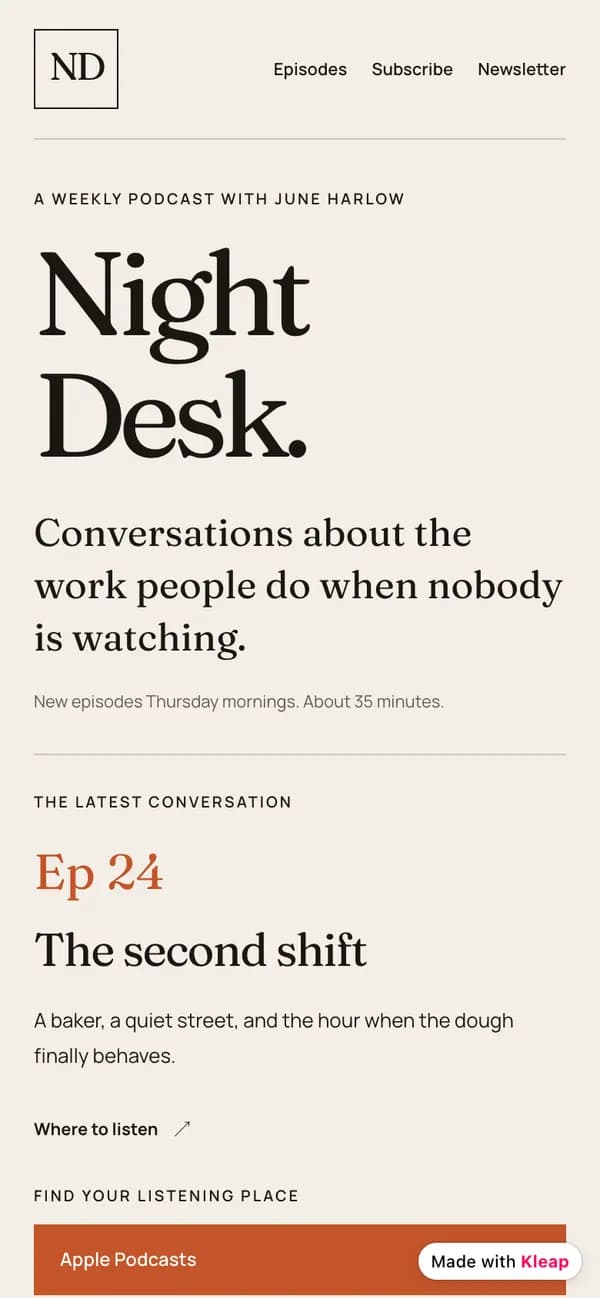
Night Desk podcast, live at night-desk.kleap.io. Receipt: status ready · live URL answers 200 · 1 credit charged
| Client | Grok CLI 1.0.62, model grok-4.7, with a Kleap API key |
|---|---|
| Build task | 3 min 17 s (18:12:15 to 18:15:32 UTC) |
| Whole session | 10 min 28 s, about 3 min of it Grok's own polling pauses |
| Kleap calls | 11, none failed |
| Cost | 1 credit charged for the build |
The Grok CLI found Kleap's tools, sent one long build brief, waited for the task and came back with the live URL, saying itself what was still a placeholder.
That the page is final: the prompt gave no content, so Grok invented the show name, the host and six episodes (it said so), and the subscribe links are placeholders. The run used a Kleap API key, not the browser sign-in.
Look insideWhat did grok mcp doctor kleap print?
A real block of output, with the note that says what it is.
The real output from our run, shortened to the Kleap lines. It is the quickest way to know the connection works before you ask for a site.
$ grok mcp doctor kleap
  kleap (http: https://kleap.co/api/mcp)
    ✓ server started (0.0s)
    ✓ handshake OK (protocol 2025-11-25)
    ✓ 34 tools discovered

Found 1 healthy, 0 failing.
The full output also lists the other MCP servers on that machine, which we left out. In our run four of them failed to start for their own reasons; Kleap did not.
Ask Grok for a site and watch it go live.
What can't Grok do with Kleap yet?
Every guide says what does not work, so you do not find out in the middle of a project.
Two documented routes, one verified
We ran the Grok CLI route and read the API route from xAI's docs. If xAI's API tool changes, the CLI route is the one we can vouch for.
Grok does not write the site, Kleap does
In our run Grok sent Kleap one long brief and Kleap's AI built and deployed the page. Grok invented the show name, host and episodes because the prompt gave none; its closing message said so and flagged placeholder subscribe links. Give it your real content.
Project-scoped servers can stay unloaded
In an untrusted folder Grok did not load a server added with the project scope, and wandered through local files instead of calling Kleap. Add it with the user scope: grok mcp add -s user.
The API tool takes a static credential
xAI's documentation describes the API tool with a header credential and does not describe OAuth for it. That is why a bot uses a Kleap API key. Create the key with the narrowest preset and revoke it from your Kleap settings whenever you like.
VerificationWhat we verified for Grok, and what we did not
Each claim is marked: we ran it, we read it in the docs, or we do not know.
Setup guides rot quietly. So each claim here is marked by how we know it. Runs last checked Oct 20, 2026; setup steps were verified on October 18, 2026 unless a line gives its own date.
We ran it
- A real Grok CLI run on Oct 18, 2026 (CLI 1.0.62, model grok-4.7): the podcast page at night-desk.kleap.io, built and published through Kleap's MCP server. grok mcp doctor kleap reported the server healthy with 34 tools discovered.
- A second run, with a Kleap SEO skill, fixed a page title from 22 to 48 characters on a test site, published once, and Kleap confirmed it live.
We read it in the docs
- The xAI API request is from xAI's Remote MCP tools documentation and was not run by us.
- The /mcps screen in the Grok interface is from xAI's CLI docs.
We do not know
- Whether the Grok app on grok.com or X can add a custom connector. We say nothing about it.
What if something doesn't work?
The failures we met, or the ones this setup is known to produce, with the fix.
Grok reads my local files and never calls Kleap
- Why:
- The server was added with the project scope and the folder is untrusted, so the Kleap tools were not loaded. We hit exactly this in a first attempt.
- Fix:
- Add it with -s user, then run grok mcp doctor kleap. It should report 35 tools. Name Kleap in the prompt: Use the Kleap tools to...
Grok takes a minute before its first Kleap call
- Why:
- Grok reaches MCP tools through its own search and call wrappers and searches before it calls. In our run it searched local files for 53 s first. Other MCP servers that fail to start do not block Kleap: 4 of 21 failed at init in our run and Kleap connected fine.
- Fix:
- Name Kleap in the prompt so the first search finds it. The first Kleap call is not slow; Grok is deciding.
The first Kleap call opens a browser and then nothing happens
- Why:
- The sign-in was not approved, or the tab was closed.
- Fix:
- Open /mcps in the Grok interface, select kleap and press i to authenticate again.
401 from the xAI API tool
- Why:
- The Authorization header does not carry a valid Kleap key.
- Fix:
- Send Authorization: Bearer kleap_live_sk_... from an environment variable. Create a new key at kleap.co/settings/api-key if you lost it.
What do people ask about Grok and Kleap?
Can Grok build a website?
Grok does not host sites. With Kleap's MCP server added, it can ask Kleap to build one, host it and publish it, then keep editing it. Kleap is the AI website builder, Grok is the agent driving it.
Grok CLI or xAI API: which one?
Use the Grok CLI when you work with Grok yourself and can sign in once in the browser. Use the xAI API when a bot has to run unattended, for example on a schedule.
How do I let a Grok bot update my site every day?
Call the xAI Responses API with Kleap as a remote MCP tool and a Kleap API key, from a scheduler such as cron or GitHub Actions, using the SEO prompt on this page. Start with a Read-only key to watch what it proposes, then move to Build.
Is it safe to give a bot an API key?
Create a key with the narrowest preset, keep it in an environment variable, and revoke it at any time from your Kleap settings. Keys can only touch your own Kleap sites, and buying a domain is never included by default.
Does Grok on grok.com support custom MCP connectors?
xAI documents MCP for the Grok CLI and the xAI API. We found no documented connector screen in the Grok app on grok.com or X, so we do not describe one. Use the CLI or the API.
How much does a Grok-built site cost in Kleap usage?
In our run the build was charged 1 credit (Kleap's task log). Grok's own model use is billed by xAI, not by Kleap; Grok reported about $0.36 of model cost for that run. Exact edits written with edit_files or write_files run no Kleap AI. See the pricing page for what your Kleap plan includes.
Why did the Grok run take 10 minutes if the build took 3?
Kleap's build finished at 6 min 12 s into the session (3 min 17 s of build). About three minutes of the rest was Grok sleeping between polls, and 53 s was Grok searching locally before its first Kleap call. The build time is Kleap's; the polling cadence is the agent's.
What did the Grok SEO run actually change?
On a test hotel site, one page title: from Hotel Kleap Prod Check (22 characters) to Hotel Kleap Prod Check — Rooms & Rooftop Retreat (48 characters). Grok published once, Kleap confirmed it live, and Grok reported a missing image it could not fix and left it alone. The site had no Search Console, so we claim no traffic result.
Official documentation: Remote MCP tools (xAI API docs), MCP servers in the Grok CLI (xAI docs).
More about this setup
What it is, how it compares with the other ways in, and how to put it on a schedule.
In shortKleap + Grok, in one paragraph
What it is and the three steps.
Tell Grok to build a site. It sends Kleap the brief, waits for the build and brings back the live URL. In our run: a podcast page, built in 3 minutes 17 seconds of Kleap time, in a session of 10 min 28 s.
Connect
Paste the command or URL above into Grok, then sign in on kleap.co.
Ask
Describe the site in plain words. The prompts below are ready to copy.
Live
Kleap builds and publishes, and reports it live only when the address answers.
Your optionsWhere can Grok meet Kleap, and how sure are we about each?
Alone, in the app, or with Kleap, side by side.
Grok has no single connector screen. Here is each surface, and how sure we are.
- We ran it
Grok CLI
- grok mcp add registers Kleap as an HTTP MCP server. grok mcp doctor kleap reported 34 tools in our run.
- In our run Grok built and published a podcast page: 11 Kleap calls, none failed, 3 min 17 s of Kleap build time.
- A bearer key worked headless. xAI also handles OAuth: the first Kleap call opens a browser to sign in.
Best when you work with Grok yourself, or run it headless from cron.
- From xAI's docs, not run
xAI API bot
- Kleap goes in as a remote MCP tool of a Responses API request, with a Kleap API key as the bearer.
- The API answers requests and runs nothing alone: you schedule it with cron or CI.
- We have no xAI API key, so we have not run this route. The request below is written from xAI's documentation.
Best for an unattended bot, once you have tested it by hand.
- Not documented
Grok in the app (grok.com, X)
- xAI documents MCP for its CLI and its API. We found no documented connector screen in the Grok app.
- If your app offers custom connectors, the same URL would apply, but we have not verified that screen.
- So we do not describe one.
Use the CLI or the API until xAI documents the app.
Our take. Start with the CLI to see Grok build a site. Move to the API only when a bot needs to run on its own.
SEO on a scheduleCan Grok run the SEO work every day?
A scheduled prompt, and what we ran ourselves.
The xAI API answers requests; it does not run anything by itself. Put the request from step 4 in cron, a GitHub Actions workflow or any scheduler, with the prompt below as the input. The loop itself is what our Grok CLI run did for real on a test site (below).
Every morning, for each of my Kleap sites: read get_search_console, improve the one page that deserves it with edit_files, publish_app and confirm with get_publish_status, then send me what changed. Never invent statistics, never change the design, touch at most two pages per site.
Google Search Console must be connected to the site for the search data. If it is not, Kleap hands the agent a consent link for you to open. The full step-by-step prompt lives on the hub.
- Grok CLIa test hotel site · Oct 18, 2026
- Title
“Hotel Kleap Prod Check” (22 characters)
“Hotel Kleap Prod Check — Rooms & Rooftop Retreat” (48 characters)
Grok reported one publish with live_verified true and a clean re-audit. It flagged a missing image the audit could not fix and left it alone.
- Title
Run with an SEO skill we have not published yet, through the Kleap CLI. The prompt on this page calls the equivalent MCP tools: run it once by hand before you schedule it. The test site had no Search Console, so we claim no traffic result.
More from Kleap
Pages on the rest of the site that pair with this guide.
Using another agent? Same Kleap account, same sites. Compare the seven agent guides.
Put Grok to work on your website
Connect once, then ask in plain words. Kleap builds, hosts and publishes, and your agent keeps the site improving.
