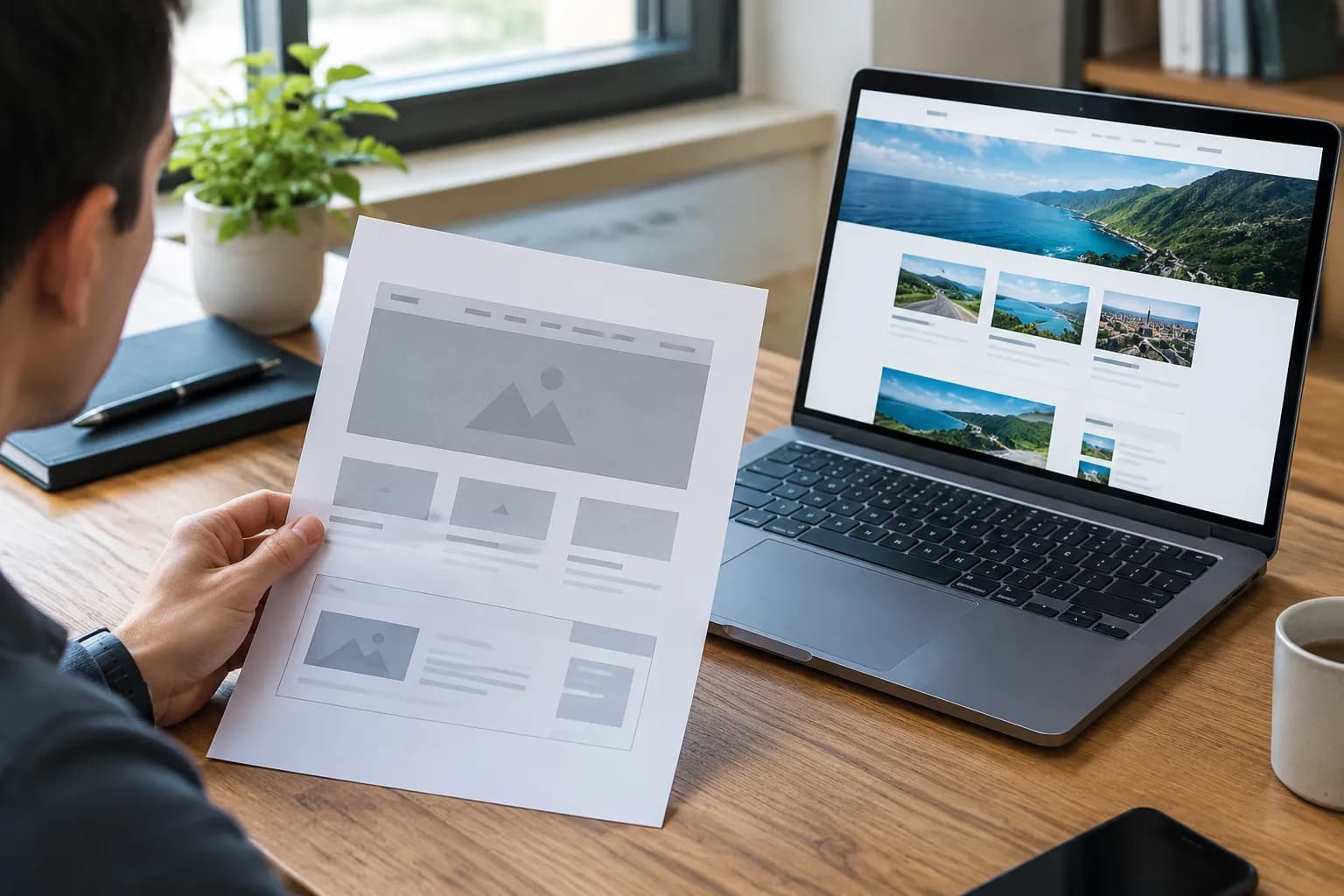
5-Step AI Website Page Builder Process

Creating a website used to be a headache. We've all been there, right?
Staring at a blank screen, fighting with confusing WordPress plugins, or maybe even spending thousands on a developer who vanished after three weeks. It was a painful rite of passage for every entrepreneur.
That era is over.
We are living in the golden age of the AI website page builder. These tools have completely flipped the script on web design.
Now you are looking at minutes of generation instead of months of coding.
It sounds too good to be true, but I use this technology every single day.
I want to walk you through my personal 5-step process. This isn't just theory.
This is the exact workflow I use to go from a vague idea to a published, high-converting site in under 10 minutes. This logic applies to you whether you are a baker, a consultant, or running a drop-shipping empire.
Using an AI website page builder isn't about letting the robot do everything. It is about collaboration.
You provide the vision, and the AI handles the heavy lifting. This allows you to focus on what actually brings in money: your business strategy.
Let's dive into how this actually works.
What you'll learn
- Why the Old Way of Web Design is Dead
- Map Out Your Vision and Gather Brand Assets
- Choose the Right AI Website Builder
- Let AI Generate Your Complete Website
- Customize and Refine for Your Brand
Why the Old Way of Web Design is Dead
We have to look at why the shift happened before we get into the steps. Traditional web design is slow.
It is expensive and rigid.
In 2015, if you wanted to change a headline, you might have needed to know HTML. If you wanted to move a button, you risked breaking the entire mobile layout.
Small business owners were held hostage by technology they did not understand.
The AI website page builder changed the power dynamic and democratized design.
Now, the barrier to entry is zero. You don't need to know code or understand CSS grids.
You just need to know what you want to sell and who you want to sell it to.
Speed is the new currency. You could have a live site collecting leads in the time it takes a traditional agency to send you a quote.
That is the power we are tapping into today.
Try it — build your site while you read
Describe what you want and get a live, publishable site in seconds. Free to start, no code.
Join 200,000+ makers building real websites with Kleap.
Step 1: Map Out Your Vision and Gather Brand Assets
You might be tempted to jump straight into the tool. Don't do it.
Stop.
The output of any AI tool is only as good as the input you give it.
If you feed the AI vague nonsense, it will produce a generic, boring website. You need a plan to get a masterpiece from an AI website page builder.
I start every project with a simple notes document. I map out the core identity of the business. You need to answer three specific questions before you even open your browser.
First, what is the primary goal?
Are you trying to get phone calls?
Do you want people to fill out a form?
Are you selling a physical product?
The AI needs to know this to structure your layout.
Second, who is the audience?
A website for a hip tattoo parlor should look very different from a website for a financial auditor. Everything, including the tone, colors, and even the fonts you choose, comes from this decision.
So you've really got to be specific.
And third, what makes you different?
This is what marketers call your Unique Value Proposition (UVP), but really, it's just this: why should I buy from you and not from the other person down the street?
You have to get this part crystal clear so the AI has something to work with for writing compelling copy. I'm not the only one who thinks so; Network Solutions points out that giving the AI clear direction is essential for getting results that actually match your brand.
The more details you have ready, the better.
Organizing Your Visuals
Get your assets together in one folder. This includes your logo, high-quality photos of your team or product, and your color hex codes if you have them.
Having these ready prevents you from scrambling later.
If you don’t have a color palette, don't worry. Many AI builders can suggest one for you based on the vibe you describe.
But having a logo is usually non-negotiable for looking professional.
Alejandra Ríos and Unsplash are both important aspects to consider./p>
Taking ten minutes to prep this information saves you an hour of editing later. It creates a "brand bible" that acts as the north star for the AI generation process.
Step 2: Choose the Right AI Website Builder
Not all tools are created equal. This is the most critical decision in the process.
The market is flooded with options, and picking the wrong one can trap you in a system that doesn't fit your needs.
You have the heavyweights like Wix or Squarespace. They have AI features, sure, but they are often legacy platforms with AI bolted on top.
They can be slow. They can be overwhelming with too many buttons and options. For a beginner, they often feel like finding a needle in a haystack.
Then you have new-wave platforms like Kleap. These are built from the ground up with AI at their core.
They prioritize speed and mobile-first design.
For entrepreneurs who want to sell services or products quickly, these modern tools are usually the superior choice.
We are seeing a shift where users prefer simplicity over endless customization. You want a tool that acts like a partner, not a complex control panel. When I choose a builder, I look for "Time to Value." How fast can I get from signup to a published link?
Evaluating the Interface
When you sign up, pay attention to the onboarding quiz. This is a good indicator of the tool's intelligence. A good AI website page builder will ask you conversational questions.
It feels like chatting with a consultant.
Selecting a platform that aligns with your specific business type is crucial, as noted by The Web Designers.
If you are a restaurant, you need menu functionality. If you are a coach, you need booking capabilities.
Here is what I look for in a tool:
- included hosting and SSL;
- mobile responsiveness by default;
- integrated AI copywriting;
- fast loading speeds.
If a platform requires you to update plugins or manage server settings, run away. That defeats the purpose of AI.
You want a managed solution where technical hurdles are invisible.
📸 kleap.co
In the screenshot above, you can see how Kleap simplifies the dashboard (check it out at kleap.co).
There is no clutter. This focus allows you to stay in the creative flow rather than getting bogged down in administrative tasks.
Step 3: Let AI Generate Your Complete Website
This is the moment that always blows people away.
Alright, step 3 is where you get to lean back and watch the magic unfold. After you put in your business name and a quick description, all you do is hit "Generate."
Behind the scenes, there’s a wild dance of algorithms going on. These things called Natural Language Processing (NLP) models are busy analyzing your keywords to churn out the website's text.
At the same time, its design engine is picking out layouts that fit what is normal for your industry.
The experts over at B12 explain it well, noting that the system autonomously generates professional layouts, written copy, and even relevant images.
It creates a coherent structure instantly.
The AI is making thousands of micro-decisions per second.
It decides that because you are a law firm, a serif font imparts trust. Or because you are a gym, high-energy red accents are appropriate.
The Psychology of the First Draft
What you get back is a "First Draft." This is important to remember.
This draft solves the "Blank Canvas Paralysis." The hardest part of writing or designing is starting from zero. With an AI website page builder, you are never starting from zero. You are starting from a solid B-plus version that you can polish into an A-plus.
You will see a homepage with a hero section, a services list, an "About Us" area, and a contact form. It will be pre-populated with images.
Sometimes the images are uncannily good. Sometimes they need to be swapped.
But the structure is there.
I find that for AI website generator for beginners, seeing this instant result is a massive confidence booster. It makes the goal of launching a business feel real for the first time.
Step 4: Customize and Refine for Your Brand
Now we switch from automation to cultivation. The AI has built the house, but you have to decorate it.
This is where your personal taste comes in.
Most AI builders use a block-based editor.
This means you can drag and drop sections.
If you don't like where the testimonial section is, you just click and drag it lower. No coding is required.
I start with the copy. AI writing is grammatically correct, but it can lack soul.
It tends to be a bit generic. I go through the headlines and inject personality.
I changed "We offer plumbing services" to "We fix your leaks before they ruin your day."
Making these small tweaks to the text has a huge impact on conversion rates.
You want your customers to hear your voice, not a robot's voice.
Sources at Instant.so highlight that you can refine AI-generated copy and modify global design systems easily.
This is the fun part.
You can play with color sliders and see the entire site update in real time.
Visual Hierarchy and Layout
Look at the spacing. Good design is mostly about what you don't put on the page. Whitespace is your friend.
It lets the content breathe.
Ensure your Call to Action (CTA) buttons are visible. They should be a contrasting color.
The AI usually gets this right, but double-check it.
If your background is blue and your button is blue, nobody is going to click it.
I also spend time replacing stock photos with real photos if available.
People connect with people. A grainy photo of your actual team is often better than a polished stock photo of models who clearly do not work for you.
Don't forget to check the navigation menu. Keep it simple.
Home, Services, About, Contact. You don't need 15 links in your header.
According to Hostinger, modern editors allow you to adjust these layouts intuitively.
This step usually takes me about 15 to 20 minutes.
I am not trying to reinvent the wheel. I am just polishing the chrome.
Step 5: Preview, Test, and Publish
You are almost at the finish line.
But you cannot launch blindly. You have to test.
First, check the mobile view.
This is non-negotiable.
If you are using a tool like Kleap, this is handled automatically because it is mobile-first.
On other platforms, you might need to manually adjust font sizes for smaller screens.
Click every single link. Fill out your own contact form to ensure the email actually arrives in your inbox. There is nothing worse than missing a lead because of a typo in your email settings.
Read your text out loud. This is a writer's trick.
If you stumble over a sentence while reading it aloud, your visitors will stumble too.
Rewrite it to make it smoother.
The Technical Stuff
Once you hit publish, the AI website page builder handles the technical aspects.
It provisions the server.
It installs an SSL certificate (the little padlock icon in the browser bar) and connects your domain name.
If you have purchased a custom domain (like yourbusiness.com), you will need to connect it. Most builders have a step-by-step wizard for this, which usually involves logging into your domain registrar and changing a couple of records.
It sounds scary, but it takes five minutes.
After you publish, the work isn't quite done. You need to think about how people find you. This brings us to the topic of SEO, or how to use AI to design website structures that Google loves.
Understanding AI and SEO Optimization
One of the biggest myths is that AI websites don't rank on Google. This is false.
In fact, AI builders often create cleaner code than human developers who make mistakes.
The structure of an AI site is logical. It uses proper heading tags (H1, H2, H3) automatically.
This makes it easy for search engines to crawl your content and understand what you do.
However, you need to add your keywords. Go into the settings of your pages and write a meta description that includes your main service and your city.
For example, 'Best Cupcake Bakery in Austin, TX.'
Google loves speed. We know that page load time is a ranking factor.
Because AI builders like Kleap generate optimized code without bloated plugins, these sites often score very high on Google's PageSpeed Insights.
This gives you a competitive advantage over competitors using slow, heavy WordPress themes.
The Cost-Benefit Analysis
Let's talk numbers. Why should a small business choose this route over hiring an agency?
Traditional Agency Route
- Cost: $3,000 to $10,000+ upfront fee.
- You're looking at a 6 to 12-week timeline. For maintenance, get ready for monthly retainer fees or steep hourly rates for any little change.
- Control: Low. You rely on them for updates.
AI Website Builder Route
- Cost: $15 to $50 per month.
- Timeline: 1 hour to 1 day.
- Maintenance: Included in subscription.
- Control: High. You can edit anything, anytime.
For a startup or a freelancer, the math is simple.
The money you save on development can be put into marketing or product development.
This is a smarter allocation of capital.
Who Benefits Most from AI Builders?
While big corporations with complex database needs might still need custom development teams, the AI website page builder is the perfect solution for specific groups.
Freelancers: You need a portfolio today, not next month. You need to send a link to a client to close a deal.
An AI builder gets you online instantly, so you look professional.
Local Businesses: Plumbers, dentists, restaurants. You need a digital business card. You need a map, a phone number, and a list of services.
AI handles this effortlessly.
Content Creators: You need a "link in bio" page that you actually own. Instead of using a generic link tree, you can build a branded landing page that captures emails and sells your merch directly.
This technology is an equalizer. It allows the solo entrepreneur to look just as polished as a company with 50 employees.

Common Mistakes to Avoid
Even with AI, you can mess it up. Here are the traps I see people fall into.
Over-customization: The AI gave you a good layout for a reason. It is based on design principles. If you start changing every font size and margin, you might break the visual harmony.
Trust the tool.
Ignoring Mobile: I mentioned this before, but it bears repeating. Do not design for your big desktop monitor. Design for the iPhone screen.
That is where your customers are.
Using Too Much Text: People don't read websites. They scan them.
Keep your paragraphs short (like I am doing here). Use bullet points. Use bold text for emphasis.
Forgetting the Call to Action: Every page needs a goal. Don't leave your visitor hanging. Tell them what to do next.
"Call us," "Book now," "Get a quote."
The Future of Web Design
We are just at the beginning of this curve.
In the near future, how to use AI to design website interfaces will become even more conversational. You won't just click buttons; you will talk to your editor.
Imagine saying to your computer, "Make the logo bigger and change the background to a sunset gradient." And it just happens. That reality is right around the corner. Kleap and other innovators are pushing toward this reality rapidly.
We will also see more dynamic content. Websites that change based on who is looking at them.
If a visitor comes from Instagram, the site might greet them differently than if they came from LinkedIn.
This level of personalization used to cost millions.
Soon, it will be standard in your monthly subscription.
Detailed Comparison: Kleap vs. The Giants
It is important to understand where a tool like Kleap fits in the ecosystem.
You might be considering Squarespace.
Squarespace is beautiful.
It creates stunning, artistic portfolios.
But have you tried to edit the mobile version of a Squarespace site?
It can be tricky.
You might be considering WordPress. WordPress runs half the internet.
But it is a beast. You need to manage updates, security patches, and plugin conflicts. It is a part-time job.
Kleap positions itself differently.
It is the "Action" builder. It is designed for conversion.
It strips away the fluff. It is built for the creator who works from their phone.
If you want to build a page while waiting for your coffee, Kleap allows that. The others do not.
📸 kleap.co
In the screenshot above, you can see the difference in complexity.
Simplicity is not just an aesthetic choice; it is a business strategy.
Conclusion: Just Start
The only wrong way to build a website today is to wait.
Every day you are not online is a day you are invisible to potential customers.
Perfectionism is just procrastination in a fancy suit.
My 5-step process using an AI website page builder removes the friction.
It takes away the excuses. You don't need money.
You don't need skills. You just need 10 minutes and an idea.
The internet is the greatest leverage machine in history. AI has handed you the keys to that machine.
It is up to you to turn the ignition.
If you are ready to stop overthinking and start building, I highly recommend you try Kleap. It embodies everything I have talked about: speed, simplicity, and power.
You can have your site live before you finish your next cup of coffee.
Go build something amazing.
FAQ
Do I need coding skills to use an AI website builder?
No, absolutely not.
AI website builders are designed specifically for people with zero technical knowledge. You just talk to them using simple text prompts and move things around with a drag-and-drop editor.
Can I export my code if I want to leave the platform?
Some builders might let you export your HTML, but honestly, most of them lock you into their system. They do this to make sure all their features and the hosting keep running smoothly.
Is an AI website good for SEO?
Yes. Modern AI builders generate clean, semantic code that search engines can easily read.
Plus, they give you tools to easily tweak your meta titles, descriptions, and alt text for images. So, what's the damage?
How much does an AI website builder actually cost?
How much does an AI website builder cost?
Usually, you're looking at a monthly subscription. These can range from a free plan to premium options that are somewhere around $10 to $30 a month.
Can I use my own domain name?
That monthly fee almost always includes your hosting and security, which makes it a whole lot cheaper than hiring a developer.
Can I use my own domain name?
Yep, absolutely. Connecting a custom domain (you know, like www.yourname.com) to your AI-built site is super easy. Most platforms will walk you through it in just a few clicks.