Affordable Website Builder for Startups: 5 Proven Strategies

Every single dollar counts when you are bootstrapping a new venture. You have probably spent hours staring at spreadsheets, trying to figure out where to cut costs without killing your growth potential.
It is the classic startup dilemma. You need a digital presence that looks like a million bucks, but you have a budget that barely covers your coffee intake.
Let's be real, finding an affordable website builder for startups isn't just about saving a few bucks. It's about giving yourself more time, more runway.
And honestly, the whole world of web development has completely shifted in just the last year.
Not long ago, you had two bad options: pony up for a pricey agency or wrestle with a clunky DIY platform that made you look like an amateur. Thank goodness that's no longer the case. Thanks to the new wave of the ai tool website builder market, you can now spin up a professional, mobile-friendly site in minutes, not weeks.
And that's a huge deal, because today's customers will judge your business in a split second based on how fast your site loads on their phone and how clean it looks.

So in this guide, we're going to dig into where you can find real value in 2025.
Now, while we at Kleap have built our platform around a mobile-first, AI-driven approach, we're also big believers in being totally transparent about the other options out there. We've looked at all the latest data so you can make a smart choice.
What you're really looking for is a platform that can grow with you, gives you the marketing tools you actually need, and doesn't drain your bank account each month. It doesn't matter if you're a one-person consulting shop or a small team getting a new app off the ground, the goal is always the same.
You need high impact for low overhead.
We have sifted through the noise to find what actually works. It is easy to get distracted by flashy features you will never use. Instead, we focus on the core necessities: reliable hosting, free domains, security, and ease of use.
If you choose the right affordable website builder for startups today, you save yourself the massive headache of migrating your site six months down the road when you realize your "cheap" solution lacks critical SEO capabilities. Let's dive into the specifics of what the market offers right now and how to position your business for digital success without breaking the bank.
1. Kleap and The Rise of AI Speed
Before we dissect the traditional hosting giants, we have to talk about how the definition of "affordable" is changing. Time is your most expensive asset.
If you spend three weeks tweaking drag-and-drop elements on a desktop editor, you have lost money.
This is really where Kleap comes in, especially for entrepreneurs who know their time is their most valuable asset.
You see, we built Kleap from the ground up for the mobile web. Most other builders start with a desktop site and just shrink it for phones, which often looks terrible and breaks things. We do the exact opposite.
By starting with mobile first, we help your site rank higher on Google (since they care most about the mobile experience) and turn more of those phone-scrolling visitors into customers. It is an ai tool website builder that does the heavy lifting for you.
You simply tell the AI what your business does, and it generates a fully functional, high-conversion website. This efficiency makes it arguably the most cost-effective option when you factor in the value of your labor hours. You get integrated payment processing, booking systems, and marketing tools right out of the box.
For a startup, the ability to go from "idea" to "accepting payments" in under 20 minutes is a game changer.
But look, we get it. Some businesses might still want a more traditional, desktop-focused builder or are looking for those big hosting packages. If your primary metric is strictly the lowest reliable monthly subscription for a traditional content management system, the industry data points to a very specific competitor that dominates the "cheap but good" category for 2025.
Try it — build your site while you read
Describe what you want and get a live, publishable site in seconds. Free to start, no code.
Join 200,000+ makers building real websites with Kleap.
2. Why Hostinger Stands Out for Budget‑Conscious Startups
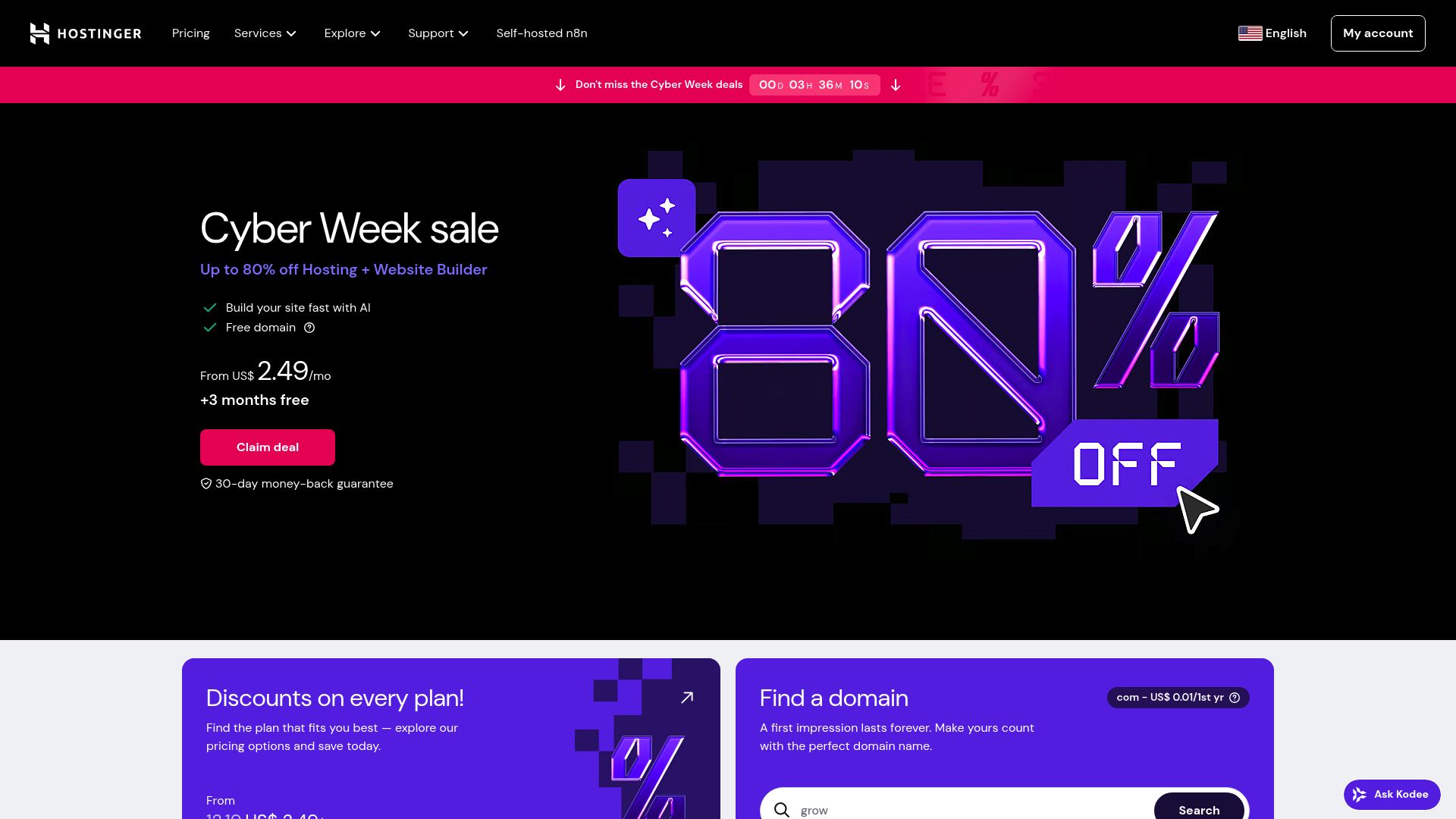
When you look strictly at the website builder monthly subscription cost relative to hardware specs, the data from major tech reviewers is consistent. Multiple independent reviews that evaluate cost versus features for small businesses rate Hostinger AI Website Builder as the best option for tight budgets. It consistently appears as the cheapest option that does not sacrifice foundational quality.
If you’re pinching every penny, the cost savings are pretty hard to ignore. From what we've seen in recent breakdowns, their plans start at incredibly low prices.
For example, Cybernews mentioned that their plans kick off at around $2.69 a month, and that includes AI tools and hosting. Cybernews As Cybernews pointed out, getting in the door that cheap is a huge relief when you haven't even started making money yet.
WPBeginner, another big name in reviews, also clocked their starting plans at about $2.99 a month. The real value here is the bundle.
You aren't just paying for the builder software. You are getting the hosting and a free domain for a year included in that price. Usually, a domain name alone runs you about $10 to $20 a year, and SSL security certificates can be another hidden fee.
Hostinger bundles these in. This means your all-in cost for the first year could realistically stay under $70 if you pay annually.
There is also the factor of hidden costs. Many "free" or cheap builders get you with transaction fees or forcing you to pay extra to remove ads.
Reviewers praise this specific builder for cutting out those hidden add-ons. You get the SSL certificate, the hosting infrastructure, and the design tools in one bill.
For a founder watching cash flow, predictable billing is almost as important as the low price itself.
3. Essential Business Features You Still Get at Low Prices
You might worry that paying the price of a cup of coffee per month means you are getting a broken product. That is a valid fear.
However, research indicates otherwise. Despite the low pricing, major reviewers note that key small-business features represent a solid baseline.
You get an AI site creator that helps you whip up layouts and even suggest content in no time. That's a lifesaver if you're not a designer and can't afford to hire a writer.
Plus, their library of templates is big enough to get the job done for most businesses.
You get to pick from about 150 different templates you can tweak for things like consulting, agencies, local services, or just building a personal brand.
Sure, it might not have the thousands of templates that the pricier options have, but there's more than enough flexibility to create a professional site that looks current. You don't look like a generic template if you spend a little time customizing.
Ecommerce capabilities are also present.
You can sell products or services online with built-in tools.
Website Builder Expert points out that while it is suited for light-to-moderate ecommerce needs, it handles the basics well. It is functional for early-stage startups that need to prove their concept before investing in a massive enterprise infrastructure.
SEO is another area where they do not drop the ball completely. You get standard SEO options like title editing, meta descriptions, and URL controls. It allows you to rank on search over time without needing to hack the code.
Furthermore, performance is a surprise highlight. One thing reviewers often bring up is how fast the sites load, which is huge for keeping visitors happy and sticking around.
National Cancer Institute / Unsplash
4. Analyzing the Trade-Offs and Alternatives
We have to be realistic about what you are giving up to get that low price.
Reviewers are explicit that the low cost comes with functional limitations compared to more expensive builders. The main drawback is the lack of a massive app ecosystem.
If you need complex automations or very specific third-party integrations, you might hit a wall. It is less advanced than Kleap in terms of mobile-first AI generation or competitors like Wix in terms of app variety.
It is best described as a tool for "simple but professional" sites. If you anticipate scaling quickly to a store with thousands of SKUs or a complex membership platform with tiered access, you might outgrow it faster than you think.
WPBeginner suggests that high-growth ecommerce startups needing deep inventory management should look elsewhere, despite the higher costs.
Comparison of the Top Affordable Contenders
When you look at this table, the choice becomes about your specific roadmap. If you are a design-driven brand wanting the richest templates and visual polish, and you have the budget, Squarespace is a strong contender. But for pure functionality per dollar, the affordable website builder for startups crown often goes to those prioritizing bundled value like Hostinger or efficiency like Kleap.

Slidebean / Unsplash
5. Practical Recommendations for Your 2025 Strategy
Based on the expert reviews and our own industry insights, here is a pragmatic approach for you. If you are launching your first MVP or need a professional presence to validate your business idea, you must minimize your monthly burn.
You should start with a solution that offers a low barrier to entry. If you value mobile traffic and speed above all, Kleap is your go-to.
If you want a traditional desktop editor with the absolute lowest hosting fees, Hostinger is the research-backed winner.
Do not overthink the platform decision in the first month.
The most important thing is to get live. You can always migrate later if you start making millions (a good problem to have).
For 90% of service businesses, SaaS landing pages, and solo consultants, these affordable tools provide enough firepower to run real marketing campaigns.
The website builder monthly subscription cost should not be the thing that stops you from launching.
Remember that your website is a living asset. Start small.
Use the AI tools available to write your copy and structure your pages.
Whether you choose our specialized mobile-first tools at Kleap or the budget-friendly packages from Hostinger, the technology is now on your side. You no longer need a developer to look professional.
Conclusion
Picking the right affordable website builder for startups isn't just a tech choice, it's a business decision that hits your wallet and your reputation. As we've seen, Hostinger gives you a ton of bang for your buck on the traditional side of things, but there are plenty of other great choices out there depending on what you need.
The key takeaway is that budget constraints are no longer a barrier to entry.
You have the options. You have the data. Now you just need to execute.
If you are ready to build a site that captures leads and looks stunning on the devices your customers actually use, we invite you to give Kleap a try. It is designed to move as fast as you do.
The tools are ready for you.
Now it's your move.
Frequently Asked Questions
What is the most affordable website builder for startups?
Based on what we're seeing for 2025, Hostinger has some of the lowest prices for a dependable, traditional website, you can often get started for less than $3 a month.
However, if your priority is a flawless mobile experience and lightning-fast AI setup, Kleap delivers incredible value.
Can I use a free website builder for my business?
You can, but it is rarely recommended for a professional startup. Free plans usually force ads onto your site and do not allow you to connect a custom domain.
This hurts your brand credibility immediately.
How does AI help in building a website?
An ai tool website builder like Kleap or Hostinger's AI builder can generate text, select images, and structure your layout instantly based on a simple description of your business. This saves days of manual design work.
Do I need to pay for hosting separately?
With all-in-one builders like Kleap, Hostinger, or Wix, hosting is included in your monthly fee.
You do not need a separate hosting provider, which simplifies your technical management.