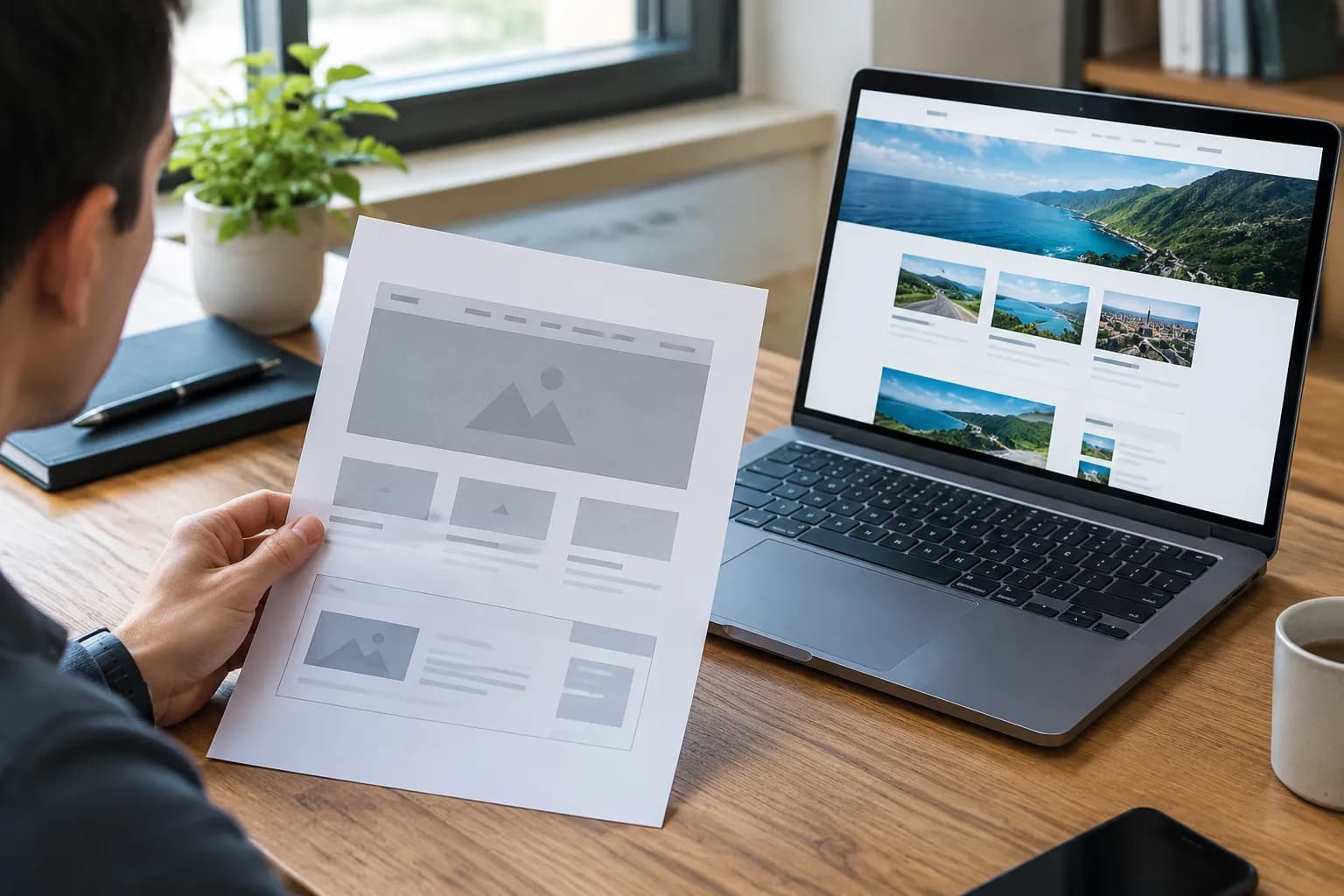
Best Free AI Website Builder 2025 Complete Guide

If you're like most of us, you've stared at a blank screen, wondering how to turn your business concept into a real website without dropping thousands of dollars or getting lost for weeks trying to learn code. It is the classic entrepreneur's dilemma.
But the landscape has shifted dramatically. Thankfully, we're seeing a huge wave of new tools that promise to do all the heavy lifting for you.
That's exactly where this guide to the best free AI website builders for 2025 comes in.
The tech we have now lets you generate a fully functional, great-looking, and mobile-friendly website just by describing your business in a few sentences.

It sounds almost too good to be true, doesn't it?
Yet, for entrepreneurs, small business owners, and creative agencies, these platforms are no longer just experimental toys. They are legitimate business assets. The challenge is no longer about "how to build" a site.
The challenge is choosing the right partner for your digital journey among a sea of options.
In this guide, we are looking at the top contenders in the market.
We've dug into the features, checked how well they scale, and tested how easy they are to use so you can find your perfect match. Whether you're after a simple portfolio or a powerful e-commerce store, this guide has you covered on all the essentials.
A retenir
- Look, it’s important to get one thing straight: we aren't just talking about the clunky drag, and, d
- Before we dive into the full reviews, a quick side, by, side comparison should help you get your bea
- Now, let’s get into the nitty, gritty.
- Picking the right tool means looking at more than just the "free" price tag.
- Let's break it down by what kind of person you are.
Why Artificial Intelligence is a Game-Changer in 2025
Look, it’s important to get one thing straight: we aren't just talking about the clunky drag-and-drop editors from ten years ago. Those tools required you to have an eye for design. You had to move boxes around, select fonts, and hope the colors did not clash.
AI builders have flipped the script.
The modern AI approach is conversational. You tell the system you run a "vegan bakery in Austin specializing in gluten-free donuts," and the AI understands the context. It selects a color palette that evokes freshness and warmth.
It writes the initial copy for your "About Us" page. It structures your menu section and does things in seconds that used to take days.
But here’s the thing: speed isn't the only thing that counts.
Being able to make quick changes is what's truly crucial. The best tools let you say things like, "Make it more professional" or "Give it a more playful vibe," and watch the whole site shift in an instant.
That kind of flexibility is what separates a neat party trick from a real productivity powerhouse.
Try it — build your site while you read
Describe what you want and get a live, publishable site in seconds. Free to start, no code.
Join 200,000+ makers building real websites with Kleap.
Top Recommendations at a Glance
Before we dive into the full reviews, a quick side-by-side comparison should help you get your bearings. We’ve sorted them by what they do best, so you can spot the right fit for you right away.
| Use Case | Top Solution | Why It Wins |
|---|---|---|
| Speed & Full-Stack Generation | Kleap | Builds mobile-first sites, forms, and apps from a single description. |
| General Business & Flexibility | Wix | Huge app marketplace and a really flexible chat-based AI editor. |
| Service Providers & Agencies | B12 | Comes with client intake forms, scheduling, and invoicing tools built-in. |
| Absolute Beginners | SITE123 | Extremely simple setup with almost no learning curve. |
| Branding & Analytics | Hostinger | Packs in AI heatmaps and some great, affordable hosting options. |
Deep Dives: The Best Free AI Website Builders of 2025
Now, let’s get into the nitty-gritty. We'll explore the good, the bad, and the unique perks of each leading platform, kicking things off with the most innovative choice for getting online fast.
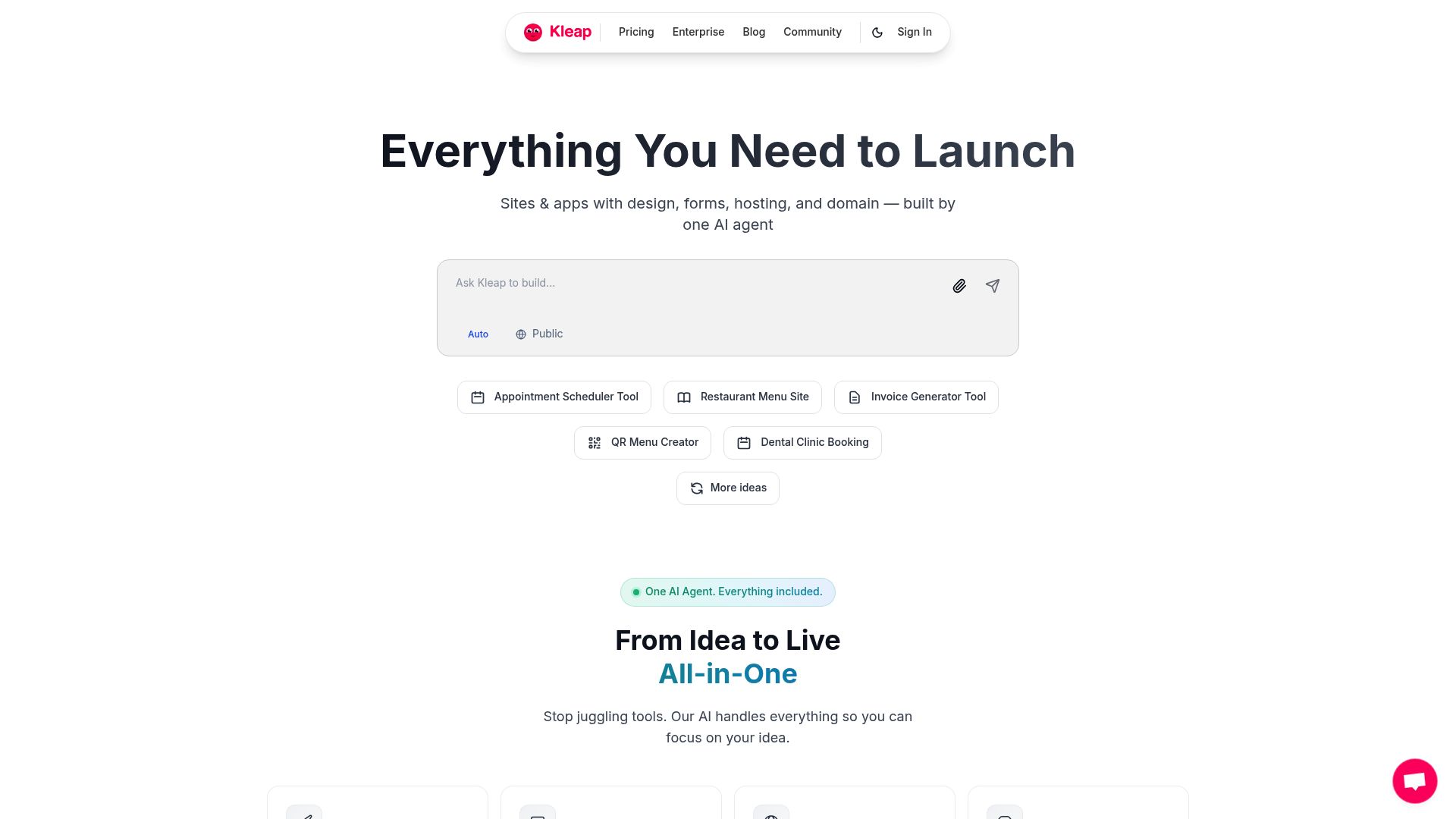
1. Kleap, The Go-To for Speed & Mobile-First Design
When you’re talking about the best free AI website builders in 2025, you have to talk about pure efficiency. Kleap has positioned itself differently from the legacy builders.
It is not just about placing images on a canvas; it is about generating a fully functional digital business from a conversation.
📸 kleap.co
The Core Advantage Think of Kleap as an advanced AI agent working for you.
It lets you create professional websites and even apps just by talking to it in plain English. This completely gets rid of the need to code. And its real standout feature is the "mobile-first" approach.
Since most people will see your site on a smartphone, Kleap makes sure it looks fantastic on mobile from the get-go, not as some clunky afterthought.
Why Entrepreneurs Choose It For a founder or a marketing agency, time is the most expensive resource. Kleap serves as an all-in-one solution.
It handles design, hosting, forms, and even custom domains. You are not just building a brochure; you are building a transactional platform where you can sell products or book services immediately.
The "Free" Aspect You can start for free to build and test your concept. This is a lifesaver for getting an MVP (Minimum Viable Product) out the door.
When you're ready to grow, the Pro plans unlock more customization, but getting started costs you nothing.
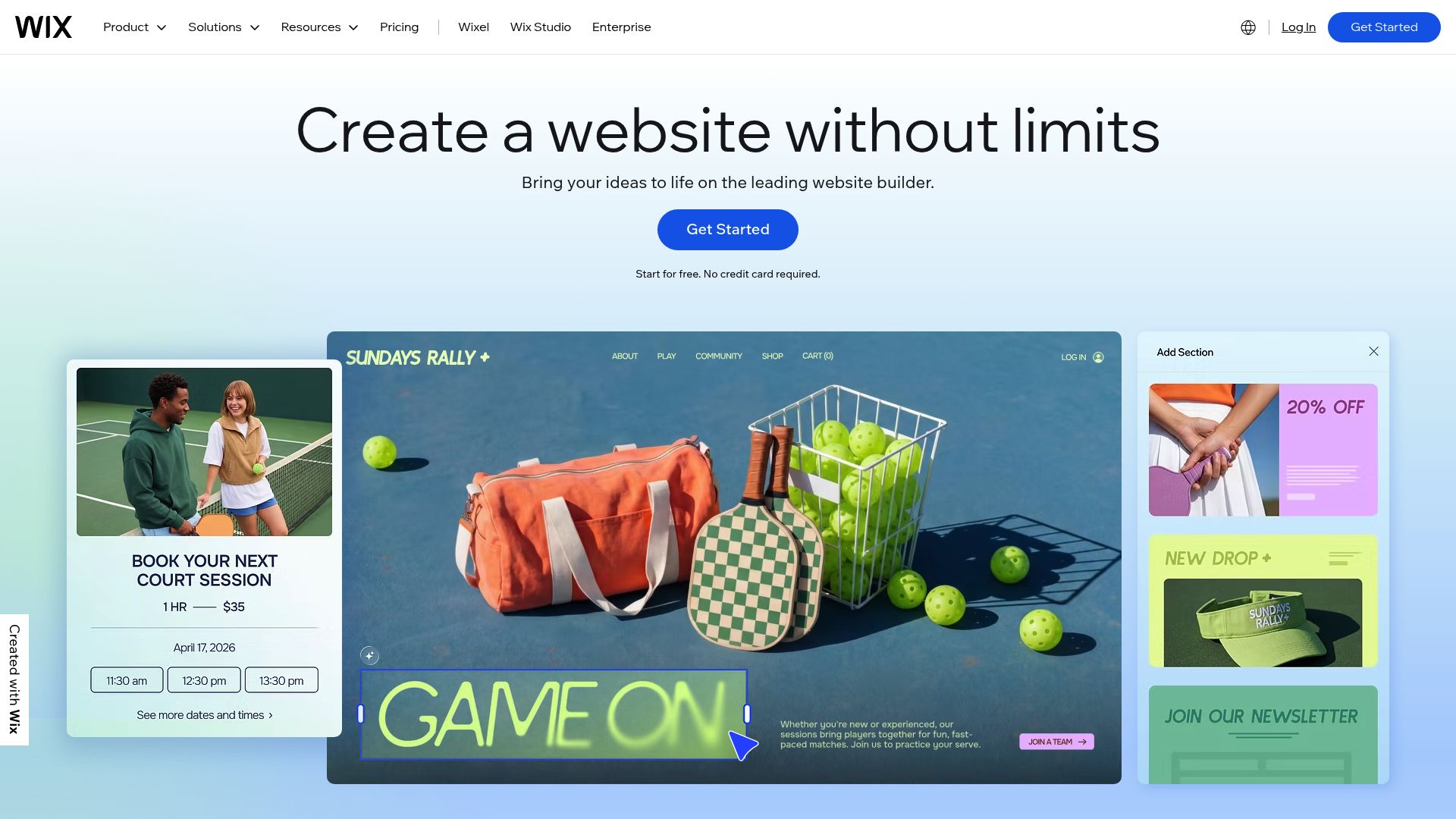
2. Wix, The Flexible Giant
You can't talk about website builders without mentioning Wix.
They've been a major player for years, and their move into AI has only cemented their spot at the top.
Honestly, when you look up guides for the best free AI builders, Wix almost always pops up, mostly because it's massive and packed with features.
📸 wix.com
The Experience Using Wix feels like a conversation, thanks to its chat-based interface.
You basically have a virtual sit-down with their AI, answering questions about your goals. It'll ask if you plan to sell products, offer services, or just start a blog, and then it whips up a site for you with starter text and images.
Pros and Cons Wix's biggest strength is just how much you can customize. Once the AI gives you a starting point, you have pixel-perfect control over every single element. But that can be a double-edged sword.
For some people, the editor is just plain overwhelming with too many options to choose from. What's more, the free plan includes very noticeable Wix branding and a generic domain, which doesn't always look very professional for a serious business.
According to research from Website Planet, Wix is often ranked as the overall leader for scalability because you can start free and grow into a massive enterprise site without changing platforms.
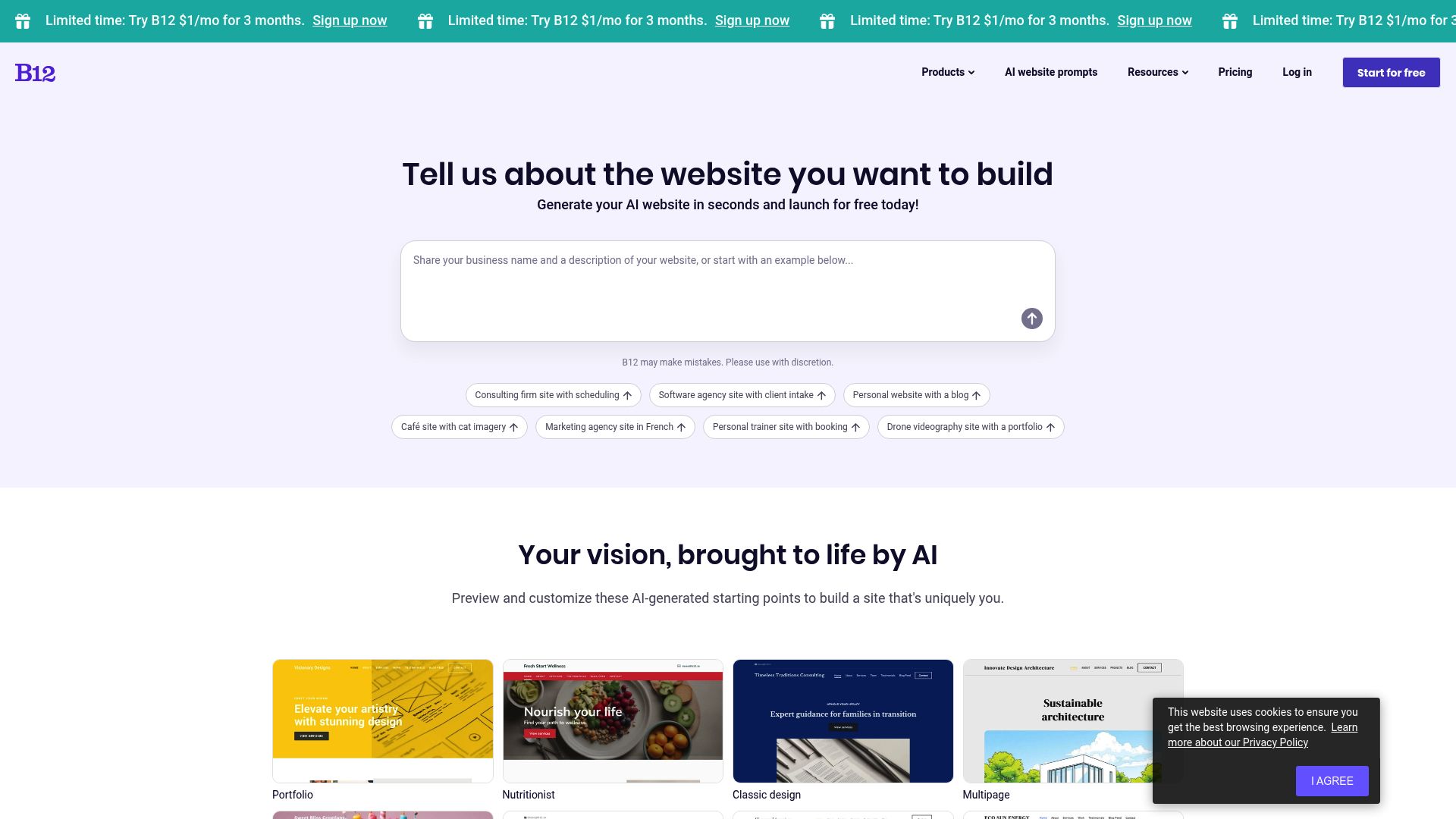
3. B12, The Service Business Specialist
If you run an accounting firm, a law practice, or a consultancy, B12 is built specifically for you. It moves beyond just "website building" and enters the realm of business operations.
📸 b12.io
Operational Integration B12 wins points for integrating client-facing tools directly into the website. We are talking about intake forms, appointment scheduling, and invoicing.
The AI drafts a site that is structured to convert visitors into booked appointments, not just passive readers.
The Trade-off While B12 is powerful, it is less flexible creatively than Kleap or Wix. It is designed to look professional and corporate out of the box.
If you want a wild, artistic, rule-breaking design, you might find their templates a bit rigid. Their free version gives you a draft and basic publishing, but the real power lies in their paid tiers for client management features.
4. SITE123, The "No-Brainer" Option
Sometimes you do not want options. You want it done. SITE123 lives up to its name by trying to make the process as simple as 1-2-3.
It is frequently cited in guides for the Best Free AI Website Builder 2025 A Complete Guide as the top choice for non-technical beginners.
Simplicity First The AI wizard asks for your site type and name, then immediately deploys a working layout. You do not drag and drop elements freely; instead, you choose from pre-designed sections. This ensures you cannot "break" the design.
It is impossible to make an ugly site on SITE123 because they restrict how much you can mess it up.
Who is it for?
This is perfect for a local restaurant, a handyman, or a simple blog where the goal is simply to have a web presence. It is fast, but it lacks the advanced features of a platform like Kleap or the design freedom of Wix.
5. Hostinger Website Builder, Budget Branding
Hostinger is known essentially for affordable hosting, but their AI builder has become a serious competitor. Even though it's often part of a cheap paid plan, you'll see Hostinger pop up in "free trial" or "low-cost" chats all the time simply because you get a ton of bang for your buck.
AI Heatmaps and More One of the coolest features they offer is the AI Heatmap.
It's a tool that predicts where visitors will actually look on your page.
This means you can place your "Buy Now" or "Contact Us" buttons in the spots where they'll get the most attention. For a small business trying to get more customers, that's a professional-level feature you'd normally have to pay a lot for.
The folks over at Tech.co point to Hostinger as a top choice for anyone needing a budget-friendly way to get a professional site, since it mixes reliable hosting with some clever design tools.
You can read more about what the experts think on Tech.co.

BandLab / Unsplash
6. SQUARESPACE, The Design-First Choice
It's worth pointing out that even though Squarespace is mostly a paid platform, it really sets the bar for design quality in this whole AI builder world.
Their AI tools for text and layouts keep everything looking incredibly polished.
If looks are everything for your brand, like if you're a photographer or run a fashion label, Squarespace is pretty much the gold standard everyone else is measured by.
The AI does a great job of keeping your brand voice consistent and creates custom layouts that feel like they were hand-picked, not just automatically generated. The catch? Unlike Kleap or Wix, there's no forever-free plan to keep your site live; the free part is just for building and seeing how it looks.
7. HubSpot CMS, The Marketer's Dream
If you live and breathe marketing funnels, you should know that HubSpot has a pretty generous free CMS.
The website builder itself is solid, but the real magic is how it all connects. Your site plugs right into the HubSpot CRM.
What that means is, when someone fills out a form on a landing page the AI helped you build, their info lands directly in your customer database. From there, you can track what they do and automatically send follow-up emails.
It's less about pure design and more about building a machine that generates leads.
Critical Selection Criteria for 2025
Picking the right tool means looking at more than just the "free" price tag.
Here is the thing: "Free" often comes with caveats.
You need to weigh these against your business goals.
1. How Deep Does the AI Go?
Does the AI just spin up some text for you, or does it actually build the whole structure?
Tools like Kleap and Wix use AI to construct the entire architecture of the site.
Others might just use AI to paraphrase your paragraphs.
For maximum efficiency, look for "generative layout" capabilities.
2. Mobile Responsiveness
We cannot stress this enough. If your site does not look perfect on an iPhone or Android device, you are invisible to half the world.
Kleap excels here by prioritizing the mobile view. A lot of older builders just shrink the desktop site down, which leaves you with teeny-tiny text and buttons you can't even tap.
3. Domain Name and Branding
Look, on most free plans, you're going to be stuck with a subdomain (like yoursite.wixsite.com). That's fine if you're just showing off a portfolio, but for a real business, you'll eventually want your own yourname.com.
See how much it costs to upgrade, clear pricing is so important.
4. Room to Grow
Ask yourself this: what happens if your business suddenly takes off next month?
Can the builder handle a flood of 10,000 visitors?
Can you add a shop without any headaches?
Platforms with enterprise-level options (like Kleap’s custom plans or Wix's business tiers) make sure you won't have to switch platforms right in the middle of a growth spurt.
Sahand Babali / Unsplash
Practical Advice: Which Builder is Right for You?
Let's break it down by what kind of person you are.
Finding the right AI builder really just depends on who *you* are and what you need.
The "Speed is Everything" Solopreneur
You have an idea at 9 AM and want to launch by lunchtime. You do not want to fiddle with padding or margins.
Recommendation: Go with Kleap. The natural language processing means you just talk to the bot, and it builds the outcome.
It is the closest thing to having a developer sitting next to you.
The "Pixel-Perfect" Designer
You care deeply about specific fonts and the exact shade of blue in your logo. You are willing to spend a few hours tweaking.
Recommendation:Wix or Squarespace.
The learning curve is higher, but the control is granular.
The "Consultant" with Clients
You sell your time. You need people to book you.
Recommendation:B12.
The integrated scheduling tools will save you the cost of a separate Calendly subscription.
The "Local Business" Owner
You run a pizza shop or a dry cleaner. You just need a menu and a map.
Recommendation:SITE123 or Webador. They are foolproof and focus on the essentials of location and contact info.
Future Trends in AI Web Development
As we look further into 2025, we are seeing a shift toward "autonomous" websites.
These are sites that do not just sit there; they self-optimize.
Imagine a website that notices people are not clicking your "Buy Now" button, so it automatically tests a different color or headline.
We are also seeing a rise in voice-activated editing. Soon, you might be able to simply look at your site on a tablet and say, "Move that image to the left," and watch it happen. The barrier between idea and execution is dissolving.
And what's really cool is that content generation is getting smarter. Instead of spitting out generic text, the AI will soon be able to scan your old blog posts or social media to copy your unique writing style, making the website feel genuinely *yours* before you’ve even written a word.

Flipsnack / Unsplash
Final Thoughts
So, what's the bottom line?
The search for the best free AI website builder shows us there's a whole world of awesome tools out there. For most businesses, the days of needing to be an expert in HTML and CSS are pretty much over.
For most of us entrepreneurs, the name of the game is closing the gap between having an idea and actually launching it. When you remove those technical roadblocks, you can finally focus on what really matters: your product, your customers, and growing your business.
While tools like Wix and B12 are fantastic for certain needs, Kleap really shines with its focus on the fast, mobile-first, get-it-done-now workflow that's essential in 2025.
You have the vision. Now you have the tools.
The only thing left to do is start.
Ready to build your professional website in seconds?
Try Kleap for free today and experience the power of AI-driven creation.
FAQ
Can I really build a website for free with AI?
Yep, most platforms like Wix, Kleap, and SITE123 have free plans that let you design, build, and publish a real site.
The catch is that free plans usually come with their branding on it and a subdomain instead of your own custom .com.
Will my AI-generated website be SEO-friendly?
Absolutely. Today's AI builders create clean code that search engines have no trouble reading.
Plus, tools like Kleap and Wix even have AI assistants that will help you write SEO-friendly titles, descriptions, and keywords to help you rank better.
Do I own the content on my AI website?
Generally, yes. You own the text and images you upload or unique content generated for you.
However, the design template and the underlying code of the builder belong to the platform. Platforms like Kleap emphasize code ownership more than others, which is great for long-term scalability.
How long does it take to build a site with AI?
It can range from 60 seconds to a few hours.
With a platform like Kleap, you can get a complete site structure generated in under a minute, just from your description. Any extra time you spend is usually just on the fun stuff, like tweaking your images, polishing the text, or adding products to your store.