Free AI Website Builder Tested: 4 Tools

You have a business idea. It is brilliant, it is timely, and you are ready to launch.
But there is a catch. You are operating on a shoestring budget, perhaps even zero budget for development.
Not long ago, you'd have to either learn to code yourself or take a gamble on a suspiciously cheap freelancer. That's just not the world we live in anymore.
You simply type a prompt, and a machine builds the digital house for you.
The rise of the free ai website builder has fundamentally changed how entrepreneurs approach their minimum viable products.
The promise is seductive: a professional, fully functional site generated in seconds, without spending a dime.
But is it too good to be true?
We know that in the SaaS world, free often comes with heavy strings attached. Whether it is limited bandwidth, intrusive ads, or domains that scream "I built this for free," the tradeoffs are real.
We decided to put this to the test. We looked at the market leaders and the rising stars to answer the ultimate question: Can a free ai website builder really compete with a custom solution or a paid subscription?
We are going to break down the capabilities of the top platforms, including our own innovative approach at Kleap, alongside industry giants like Wix and B12.
Look, finding the best free ai website builder isn't just about pinching pennies. It's about how fast you can launch, how little effort it takes, and if the darn thing can actually grow with you as you start making money.
So let's get real about what 'building for free' actually means.

The Criteria: What Makes a Builder "Compete"?
Before we start listing tools, we need to establish the ground rules. When we ask if a tool can "compete," we are looking at specific metrics that matter to business owners and agencies.
A tool might be fun to play with, but if it cannot handle traffic or look professional, it is a toy, not a tool.
Here is what we looked for during our analysis of the free ai website builder landscape:
- Launch Speed: Can you go from a blank screen to a live URL in under an hour? This has to factor in the time you spend editing what the AI spits out.
- AI Intelligence: And how smart is the AI, really? Does it actually get what you're trying to do? I've seen market research that shows a lot of these builders are just reshuffling old templates. We're looking for something that genuinely creates, not just decorates.
- Design Flexibility: And what about flexibility? Once the AI has done its thing, are you stuck with it? Nothing's more frustrating than finding out you can't move a button, which is a total dealbreaker for most people.
- The "Free" Ceiling: Then there's the 'free' ceiling. How much can you *actually* do on the free plan? Are crucial things like SEO settings locked away? Is their brand name plastered all over your site?
Most reviews agree that free AI builders are fantastic for getting an idea off the ground and seeing if it has legs. But, as the team at B12 points out, you often hit a wall the second you need to connect other tools or get serious about your branding.
That's exactly the gap we're digging into.
Try it — build your site while you read
Describe what you want and get a live, publishable site in seconds. Free to start, no code.
Join 200,000+ makers building real websites with Kleap.
1. Kleap: The Mobile-First AI Innovation
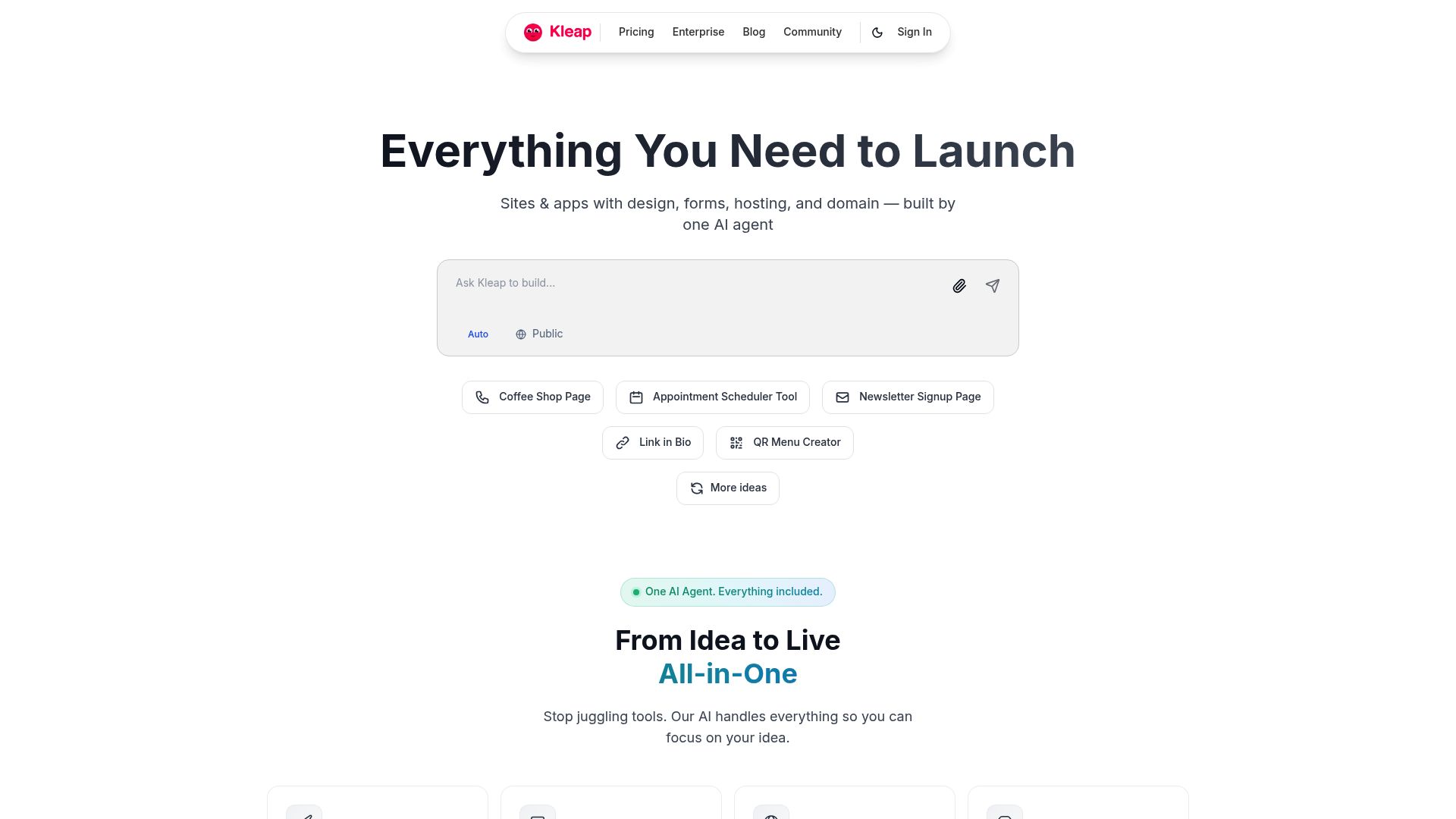
We're going to kick things off with our own tool, Kleap, because we came at this whole 'free AI builder' thing from a completely different direction. While legacy platforms started as drag-and-drop editors and added AI later, Kleap was built with AI at its core.
The traditional desktop website is dying. Most traffic is mobile.
Kleap allows you to generate a fully functional website and a mobile app simultaneously. You type your business description, and the AI agent structures your content, selects your imagery, and builds a conversion-focused layout.
📸 kleap.co
Why it competes:
Kleap gives creators a really solid starting point for selling digital products or booking services right away.
Instead of trapping you in some overly complicated design editor, Kleap takes a 'link-in-bio' on steroids approach that easily grows into a full-blown website. The AI handles the heavy lifting of layout so you can focus on the offer.
The Free Reality:
You can start for free to test the waters. The speed of generation here is unmatched because the system is designed to prevent "analysis paralysis." You do not spend hours moving pixels; you spend minutes refining your offer. It is the modern definition of a free website builder ai that prioritizes revenue over vanity metrics.
2. Wix ADI: The Heavyweight Champion
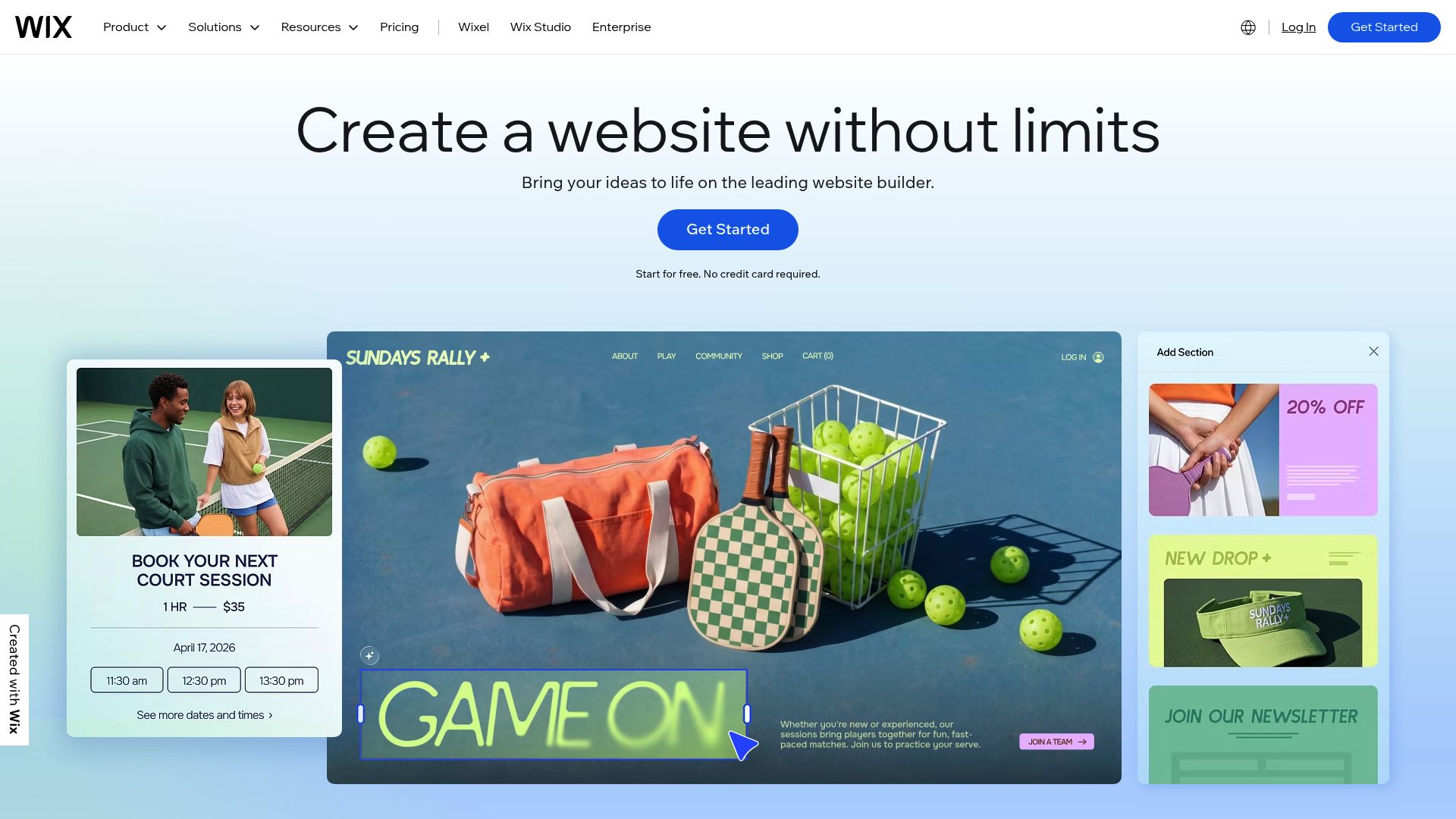
If you've ever searched for a free ai website builder, you know Wix is almost always the first name you see. Their Artificial Design Intelligence (ADI) has been on the scene for a while now, and it's gotten pretty sophisticated over the years.
From what I've seen in reviews on Website Planet, Wix probably gives you the most feature-packed free experience out there.
The Building Experience:
When you start building, it's all handled through a chat-style setup. The AI asks about your brand, your preferred tone, and your goals.
It then produces a multi-page site with relevant sections. It is impressive how it pulls in "apps" automatically. If you say you are a restaurant, it adds a menu and reservation widget.
📸 wix.com
Where it hits the wall:
But with the free plan, let's be honest, you're basically just renting space on their property.
You'll have a big ol' banner at the top of your site announcing it was built with Wix.
For any serious agency or a consultant charging good money, that's almost always a non-starter. On top of that, you're stuck with a subdomain for your URL, which can hurt your SEO right from the get-go.
That said, when it comes to customization, it's tough to find a better option. You can flip from the ADI over to their standard editor and tweak pretty much anything you want.
So, if your budget is zero but you've got time on your hands to tinker, it's a really strong choice.
3. B12: The Agency-Ready Drafter
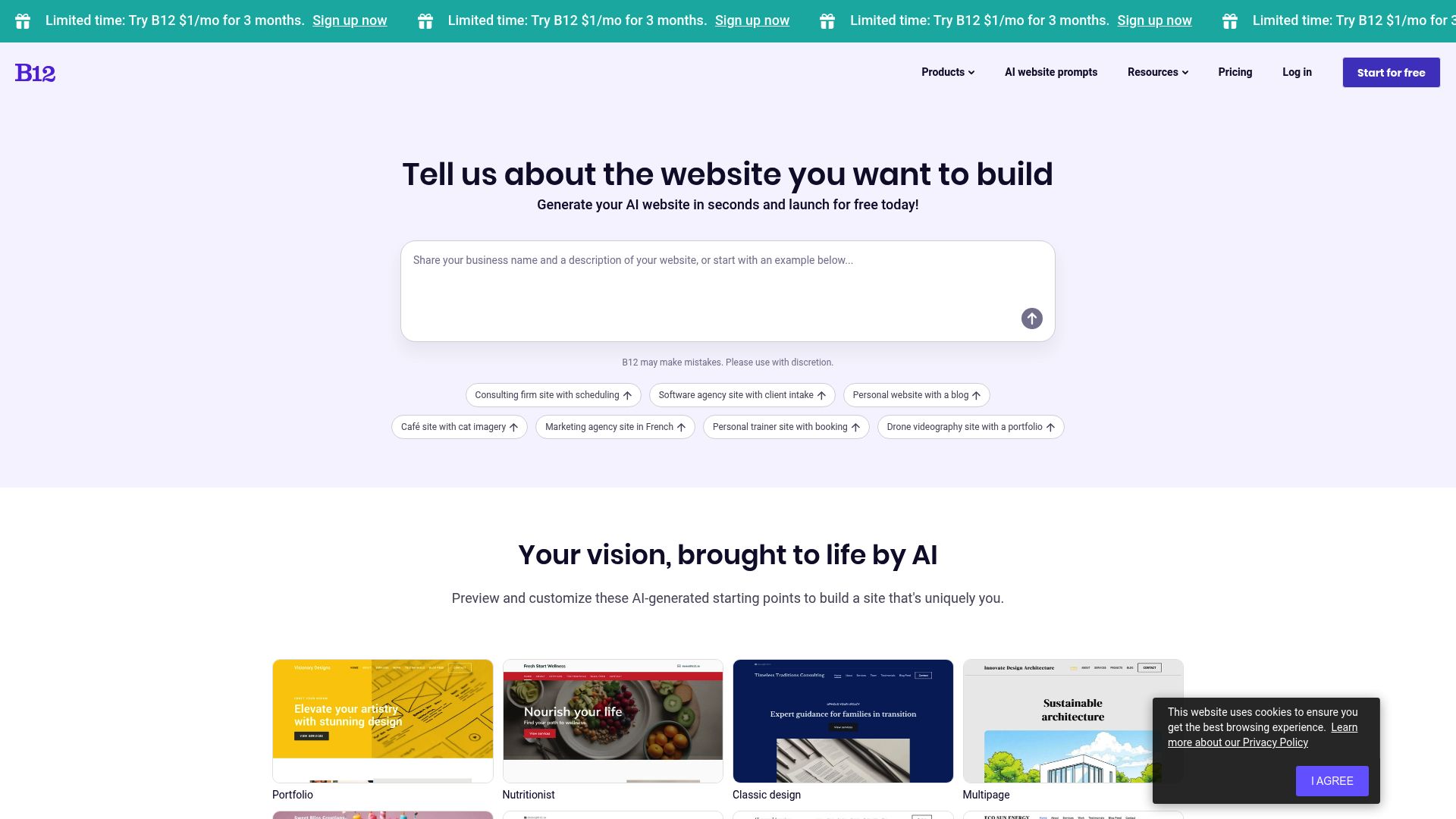
Now, B12 has a really interesting angle. They're aimed squarely at service professionals, think accountants, lawyers, and consultants. What makes them stand out in the free ai website builder space is their whole "draft" system.
The Building Experience:
Here's how it works: You answer a handful of questions, and B12 whips up a draft designed specifically for your industry, copy and all.
Sources like B12's own comparison pages highlight that their AI is trained on successful layouts for service businesses. It doesn't just make things look pretty; it structures them to get phone calls.
📸 b12.io
Where it hits the wall:
B12 creates a fantastic first draft, but their business model relies heavily on upsizing you to human help.
The free plan is functional, but many of the advanced client management tools (like specialized invoicing or complex scheduling flows) that make B12 unique are locked behind paywalls. It is less of a "forever free" website and more of a "free to start" ecosystem.
If you are a freelancer offering services, B12 is a strong option because the templates look corporate and trustworthy immediately. You look less like a DIY hobbyist and more like an established firm.
4. SITE123: Speed Over Style
Sometimes you do not need a masterpiece. You just need a website, and you need it ten minutes ago.
This is where SITE123 shines as a free website builder ai option. As noted in multiple comparative reviews, SITE123 creates an "extremely fast, no-fuss AI setup."
The Building Experience:
It is a three-step wizard. Choose type, name, and purpose.
Boom. Website. There is no dragging and dropping here in the traditional sense.
You just upload content, and the site fits it into the layout. It is restrictive, but that is the point. You cannot break the design.
Where it hits the wall:
The designs feel dated. If you are a cutting-edge tech startup or a fashion brand, SITE123 will not give you the aesthetic you crave.
It looks functional, slightly 2015, but sturdy. The free plan is quite generous with hosting basics, but the storage is low (250MB). If you're a photographer, you'll blow past that limit in no time.
5. Webador: The Euro-Centric Simple Solution
You might not hear about Webador as much as Wix here in the US, but it's a real workhorse for small businesses that need a simple, structured site. From all the testing, it seems like a great fit if you just want the essential pages without getting bogged down in complexity.
You can see how this works for simple business models by looking at successful holding companies like CP Groupe; they probably use clean, professional sites like these to manage all their different ventures.
The Building Experience:
Webador's AI setups up the "Core 4" pages: Home, About, Services, Contact.
It populates them with sensible stock text.
It is very SEO-aware in its structure, ensuring you do not accidentally create a site that Google cannot read. Sources indicate it is great for "good enough" presence.
Where it hits the wall:
Customization is limited compared to Wix.
You are painting by numbers here. For a local bakery or a handyman service, this is perfect.
For a creative agency, it is too boxy.
The Hidden Costs of "Free"
You have chosen your free ai website builder. The site looks decent.
You promote it. But then you start running into the invisible walls. It is important to talk about these because "free" is rarely free in the business world.

Samantha Fields / Unsplash
The Domain Dilemma
Nothing screams "amateur" like a URL that reads username.wixsite.com/mysite.
In the world of B2B, trust is currency. If you cannot afford $12 a year for a domain, clients subconsciously question if you can afford to service them properly. All the builders listed above, Kleap, Wix, SITE123, will require a paid plan to connect a custom domain.
This is the universal gatekeeper.
Data Sandbox
When you build on a free platform, you do not own the code. You cannot download the HTML files and move them to a cheaper host later.
This is what people call 'vendor lock-in.' If the platform decides to jack up its prices or change the rules, you're pretty much stuck. While Kleap gives you a bit more freedom here, it's fair to say that most proprietary AI builders operate like walled gardens.
Search Engine Invisibility
While you get basic SEO tools in these free plans, research from Zapier points out that the more advanced stuff is usually behind a paywall. And let's face it, Google loves fast, secure websites with custom domains. A heavy, free-tier site with ad scripts running on it will struggle to rank for competitive keywords, regardless of how good the AI-generated content is.
Technical Deep Dive: Generative Text vs. Generative Layout
Not all AI is created equal. When evaluating the best free ai website builder, you need to distinguish between two types of intelligence.
Most basic builders use "Generative Text." They tap into an API like GPT-4 to write your "About Us" section. That is nice, but you can do that yourself with ChatGPT.
It saves you writing time but not design time.
The real power lies in "Generative Layout." This is what tools like Kleap and Wix's advanced modes do. The AI understands spatial relationships.
It knows that a "Call to Action" button should be a certain size relative to the headline and that the color contrast needs to meet accessibility standards. It is making design decisions, not just filling in lorem ipsum.
For example, UseMotion discusses how complex workflows and integrations separate the toys from the tools. A true AI builder anticipates that if you are a gym, you need a class schedule immediately visible, not just text about fitness.
When Should You Upgrade?
Starting with a free ai website builder is a smart move for validation.
But you need to know when to pull the trigger on a paid plan.
Here is a checklist we use at Kleap to advise our users:
- Transaction Volume: If you are selling more than 5 items a month, the transaction fees on free plans usually eat up more money than the cost of a Pro subscription.
- Brand Perception: When you are pitching to a client worth more than $500, remove the ads. The credibility ROI is instant.
- Marketing Spend: Never send paid traffic (Facebook/Google Ads) to a free domain. You are wasting ad spend on a low-trust landing page.
The Verdict: Can They Compete?
The answer is a nuanced yes. A free ai website builder can compete, but only for specific stages of a business lifecycle. They are unbeatable for the "Zero to One" phase.
Speed is the ultimate competitive advantage in the modern economy.
These tools allow you to test an idea on a Tuesday morning that you thought of on Monday night.
So, out of the ones we reviewed, here's the breakdown:
- Kleap is the clear winner for mobile-focused entrepreneurs and creators who sell products and want that modern, app-like vibe.
- Wix is still the king of customization, but only if you have the patience to dive in and fiddle with all the details.
- B12 is your best bet if you're a service professional who needs to look corporate and polished. And SITE123? That's the panic button you hit when you need a site live, like, yesterday.

Herlambang Tinasih Gusti / Unsplash
But when you're playing the long game, scaling from one to ten, you've got to be ready to put some money on the table. The "free" aspect is a marketing hook, a trial period without a timer. The real value comes when you pair the speed of AI generation with the professional features of a paid tier.
That is where you find the sweet spot between efficiency and authority.
If you are ready to stop building and start selling, it is time to look at the tools that do the work for you. Kleap is designed to take you through that entire journey, from that first free prompt to a fully scalable business enterprise.
FAQ
Which is the truly completely free AI website builder?
Most "free" builders are "freemium." Wix and SITE123 allow you to publish a site for free forever, but it will have their branding and a subdomain.
Kleap also offers a free entry point that lets you build and launch with similar standard restrictions until you upgrade.
Can I use my own domain with a free AI builder?
Generally, no. Connecting a custom domain (like www.yourbusiness.com) is the primary trigger for upgrading to a paid plan across almost all platforms, including Wix, Weebly, and Kleap.
Is the AI content good enough for SEO?
Honestly, it gives you a decent starting point. The AI creates text that's readable and on-topic, but if you want to rank for anything competitive, you'll definitely need to go in and edit it.
You've got to sprinkle in your own expertise and any local keywords the AI might not know about to really have a shot at ranking high.
Does Google penalize AI-built websites?
Will Google penalize you for using an AI-built website?
Nope. What Google actually penalizes is low-quality content.
If your site, AI-built or not, is genuinely helpful, loads quickly, and gives people what they're looking for, Google doesn't care whether a human or a robot built it.