2025's Best Free AI Website Builders to Launch Your Site Fast

Building a website used to feel like this huge, daunting project.
You either had to spend weeks learning to code or spend a small fortune hiring a developer. If you are a small business owner, entrepreneur, or freelancer, those hurdles were often significant enough to stall your dream of getting online. They could even kill it.
But the good news?
The game has totally changed.
We are now in an era where artificial intelligence is not some far-off futuristic idea but a tangible, practical assistant that can build a professional website for you in minutes. It’s an exciting time, and the explosion of free website builder AI tools has put the power of professional design directly into the hands of creators and business owners.
You no longer need to be a tech wizard to create something beautiful and functional.
These platforms handle the heavy lifting of design, layout, and even initial content creation. This frees you up to focus on what you do best, which is running your business. The challenge, however, has shifted. It is no longer about *how* to build a site, but *which* tool to choose from the ever-growing list of options.
Each platform comes with its own unique strengths, feature sets, and limitations, especially in their free offerings. It's easy to feel overwhelmed just looking at all the options. You are trying to determine which option is actually right for your needs: an online shop, a portfolio, or a site to attract new clients.
That's why we put this guide together, to cut through all that noise. We've gone deep on the best and most popular free AI website builders out there in 2025. We’re going to break down what makes each one special, what they can connect with, and what you *really* get with their free plans.
Our goal is to give you a clear, comprehensive overview so you can make an informed decision and launch your stunning new website with confidence. This is your complete list for getting started online without spending a dime on the build itself.

Wix ADI A Versatile AI Website Builder
Wix has been a giant in the website builder world for a long time. Its AI tool, Wix ADI (Artificial Design Intelligence), is no different. It's the first place a lot of beginners look, and for good reason. The whole platform is set up to be an all-in-one fix that gets you from a basic idea to a live website just by asking a few questions about your business, your name, and the styles you like.
The whole process is super intuitive. It seriously feels like you've got a design assistant holding your hand the entire time.
The AI doesn't just throw a layout at you and call it a day.
As detailed by sources like WebsitePlanet and Tech, Wix ADI offers an AI content generator to assist with your writing, AI image editing tools to enhance your pictures, and even some built-in chatbot features. Additionally, its integration capabilities are extensive. It has a large app market that allows you to connect to Google Analytics, Mailchimp, and various CRMs. This makes it a powerful hub for not just building a site but also for growing your business.
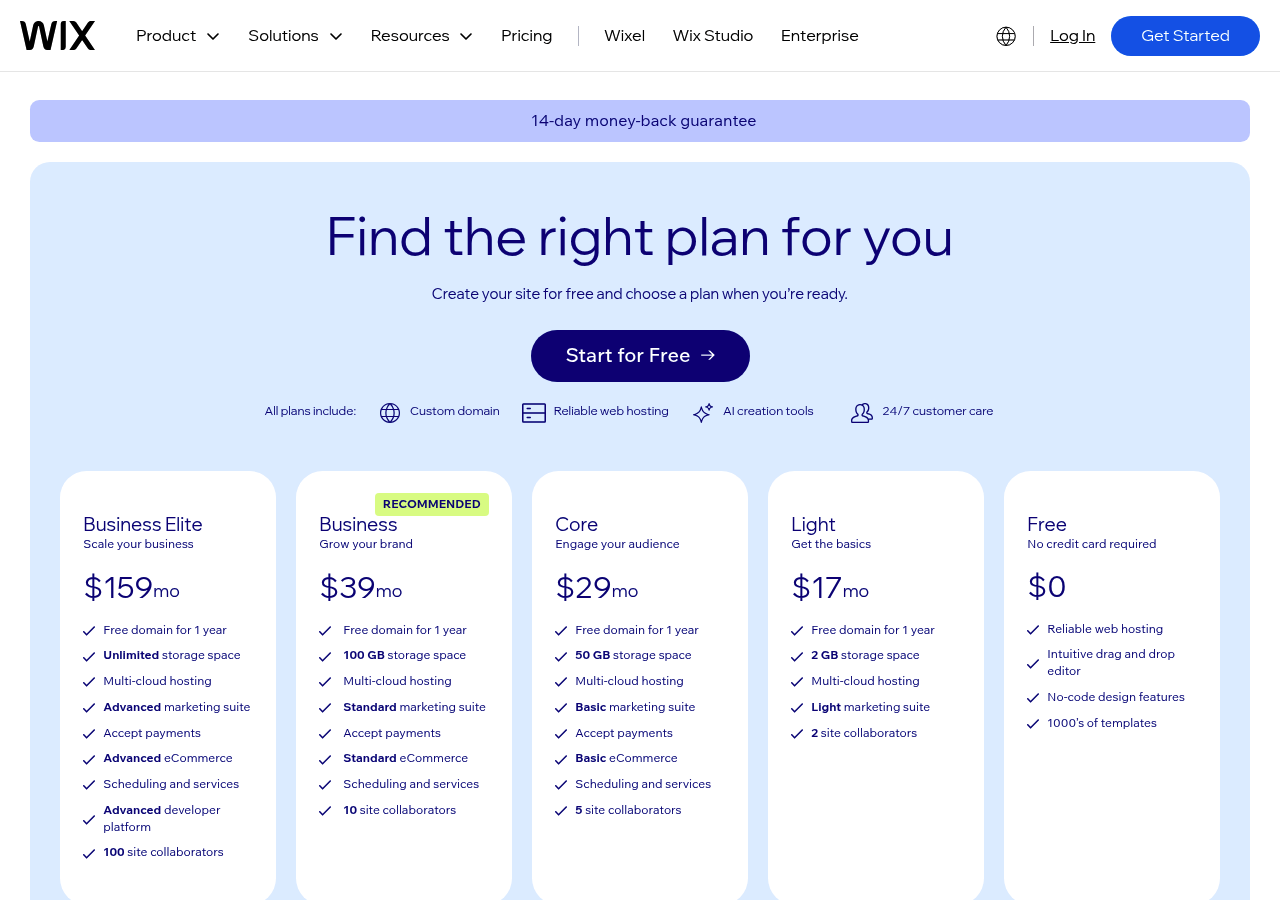
Of course, the free plan has its trade-offs. You will have Wix branding displayed on your site, and your domain will be a Wix subdomain (e.g., `yourname.wixsite.com/yoursite`).
There are also limits on storage and bandwidth. However, for getting a business off the ground, it’s essential to choose the right platform, and Website Builder Expert confirms it's one of the most feature-rich free options available, making it a fantastic starting point for entrepreneurs who need a robust site quickly.
Try it — build your site while you read
Describe what you want and get a live, publishable site in seconds. Free to start, no code.
Join 200,000+ makers building real websites with Kleap.
ZipWP: The Top Choice for WordPress Users
For the millions of users who love the power and flexibility of WordPress, ZipWP presents a fascinating and highly practical approach. Instead of being a closed-off builder, think of it more like an AI launchpad made just for the WordPress world. That's what makes it one of the most exciting free website builder AI tools out there, especially if you're already used to WordPress or plan on using it for the long haul.
You basically get to generate an almost-finished website with AI and then drop it right into your own WordPress setup for endless tweaking.
As WPBeginner highlights, the process begins by having you answer a few questions and also allows you to upload your brand assets to ensure the design truly reflects your identity. From there, it generates a complete site design with the Spectra block editor. The free plan is quite generous. You get up to two websites and 50 generations per user.
After it is built, you can export the entire design and then import it into your own self-hosted WordPress site. This gives you total control over every plugin, theme, and line of code.
This unique workflow is its greatest strength. You're getting the pure speed of AI without being trapped in a closed system. Moreover, it integrates seamlessly with a vast array of WordPress plugins for anything you can imagine, including e-commerce and analytics.
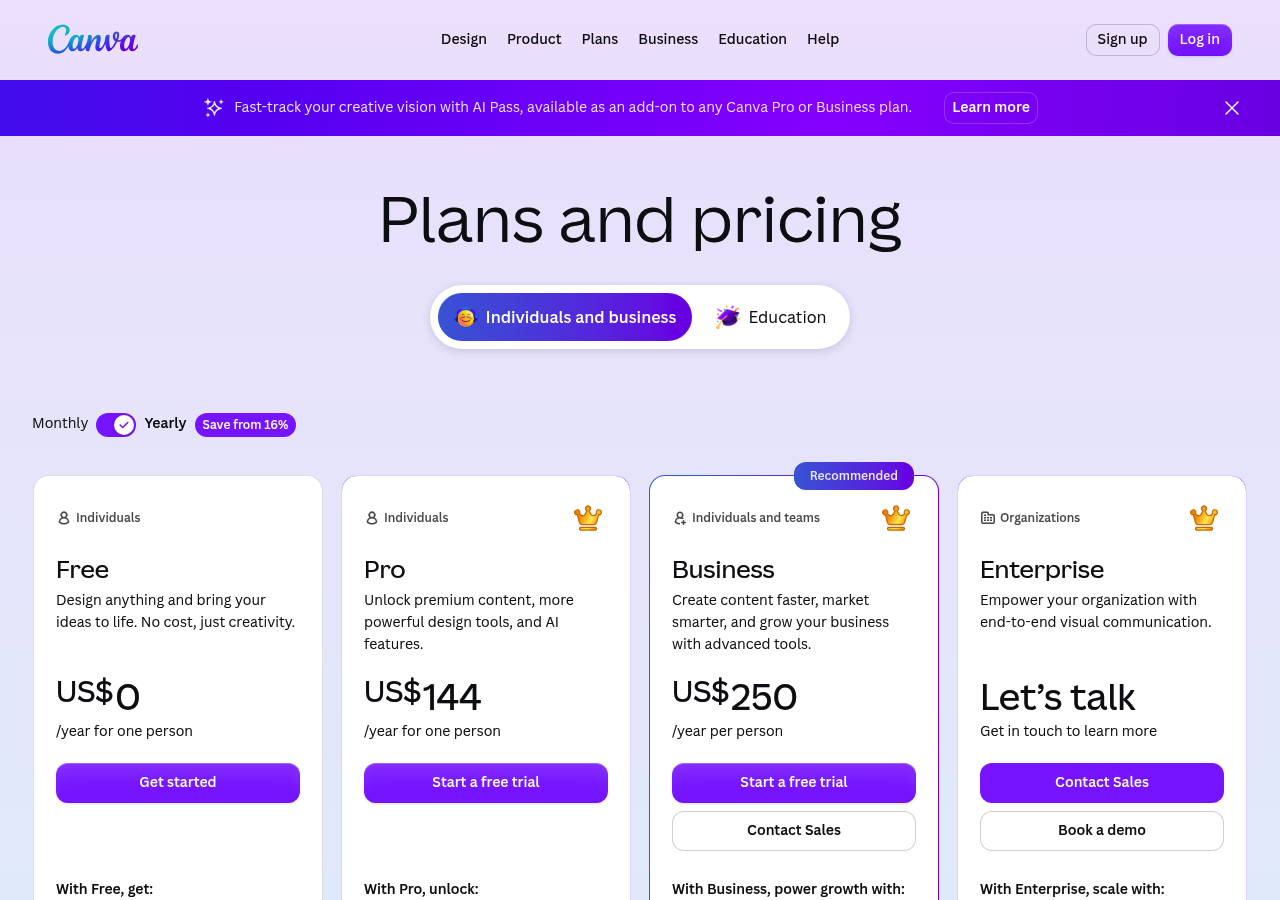
According to Square Online: An AI Assistant for E-Commerce If your primary goal is to sell products online, Square Online should be at the top of your list. Since it was built by the payment giant Square, this platform was made for e-commerce from day one. Its AI-powered setup is all about getting you a clean, professional-looking, and mobile-friendly online store without any headaches. The system just asks you a few questions about your business and products, then generates a store layout that's designed to actually make sales. But the real killer feature is how seamlessly it connects with all of Square's other business tools. As Zapier notes, your website is instantly connected to Square POS for in-person sales and its robust payment processing system. This means you get one single, connected system for handling sales, inventory, and customer information, whether it's happening online or offline. The AI gets you started with a solid layout. From there, it's super easy to tweak pages, add your products, and set up payments without wanting to pull your hair out. The free plan is very powerful for a budding online store. You can list unlimited products and access most of the core e-commerce features. The main catch is that you will have to pay Square's standard transaction fees on every sale, and your site will have Square branding. Custom domain options are also limited until you upgrade, but for a startup looking to validate a product and start making sales immediately, Square Online offers an incredibly direct and efficient path to market. HubSpot is an absolute giant in the marketing and sales world, and its HubSpot CMS Free tool brings all that muscle to the free AI website builder AI tools space. This tool isn't just for making a pretty website; it's for building a machine that brings in leads. The entire platform is built for businesses that need to attract visitors, get their contact info, and turn them into loyal customers. All of its AI features are built with a 'marketing-first' mindset. With HubSpot CMS Free, you can use an AI blog post generator and an AI page writer to create SEO-friendly content that attracts the right people. But the real magic, as Zapier points out, is how it connects directly with the famous HubSpot CRM. This means every form on your site can dump leads right into your CRM. This lets you track contacts, manage your sales process, and send out marketing emails, all from one spot. The free plan does come with HubSpot branding, and you'll need to upgrade to connect a custom domain. E-commerce functionality is also not its core strength. However, for service-based businesses, consultants, B2B companies, or any entrepreneur focused on building an email list and managing customer relationships, HubSpot CMS Free is an absolute powerhouse. It gives you access to enterprise-grade marketing tools for free, with your website serving as the central hub of your marketing engine. Many people know Canva as the go-to tool for creating social media graphics, presentations, and flyers. However, its expansion into website building has made it a formidable player in the AI website builder free online space. Staying true to what made it famous, Canva Websites is a super visual and easy-to-use platform. Its "Magic Design" tool lets you whip up a one-page site just by typing in a short description. The AI then dives into Canva's huge library of templates, pictures, and fonts to create a beautiful design in seconds. If you've ever used Canva, the editing part will feel like coming home. It has that same simple drag-and-drop feel everyone loves. As mentioned in a review by Zapier, you also get access to Canva's AI image and text generation tools right inside the editor, making it easy to create custom assets on the fly. You can connect to various apps through the Canva marketplace, including Google Maps and Mailchimp, to add more functionality to your site. The free plan's limitations are primarily aesthetic and functional. Your website will have a Canva watermark, and you can't use a custom domain. It is best suited for simple one-page sites, portfolios, event landing pages, or digital resumes where stunning visuals are the top priority. While it may not have the deep business integrations of HubSpot or the e-commerce power of Square, Canva offers one of the fastest and most enjoyable ways to create a beautiful online presence. Webflow has long been the darling of web designers who want the power of custom code without having to write it all by hand. It occupies a unique space between simple builders and full-stack development. With the introduction of Webflow AI, the platform has become even more powerful. It now caters to professionals who want AI to assist, not just dictate, the design process. Webflow stands out by giving you AI tools that offer incredible control over the little details, layout, styling, and even custom code. Instead of generating a whole site in one go, you can use Webflow AI in a much more targeted way. Its new "AI Launch" feature, which Zapier mentioned, helps you get started from a prompt, but the real power is inside the editor. You can use AI to create responsive layouts, write specific bits of HTML/CSS, or even generate content. You can do all this while staying inside Webflow's amazing visual editor. This makes it perfect for designers and agencies that need to create slick, pixel-perfect websites for their clients. Webflow's free "Starter" plan lets you build your site and publish it on a webflow.io subdomain. It's great for just learning the ropes, putting together a personal portfolio, or getting a project ready before it goes live. For a real business, the limitations are pretty significant; you're restricted on CMS and e-commerce features, and you can't use your own domain. But for designers looking to use AI to work faster, Webflow AI offers a level of control and creative freedom you just won't find anywhere else. Beyond the big names, there's a whole wave of other cool free website builder AI tools and trial services popping up. Take Durable AI; it's known for being crazy fast, promising to spin up a full business site with text, images, and a contact form in less than a minute from one prompt. Its free version is basic, but as sources like Brizy.io point out, it's perfect for quickly making a simple online business card. Then you've got Brizy AI, which is great for quickly mapping out a site's structure and then helping you fill in the content inside its editor. It works with both WordPress and its own Brizy Cloud. If you're all-in on WordPress, Elementor AI brings artificial intelligence right into the Elementor page builder you already use. As SeedProd explains, it's not a standalone builder but more of an AI co-pilot for content and code within Elementor, and you can try it with a limited free trial. Lastly, 10Web.io offers an AI-powered platform for creating WordPress sites, and you can get a 7-day free trial with e-commerce support, which Kripesh Adwani’s blog reviewed. These kinds of tools are fantastic for niche problems and are totally worth a look if the bigger all-in-one builders don't quite scratch your itch. Picking the right tool really just comes down to knowing what's most important for your project. Some platforms excel at design, while others are built for sales or content marketing. Looking at a direct comparison can make your decision much clearer. Here's how the top free website builder AI tools stack up against each other based on essential features for any small business or entrepreneur. What this table makes obvious is that there is no single "best" tool, only the best tool for a specific job. If you need a solid all-arounder with good design and marketing features, Wix ADI is probably your best bet. If you're launching an online store and need payments and inventory to just work, Square Online was built exactly for that. If your business is all about generating leads and creating content, you seriously can't ignore the power of HubSpot's built-in CRM. A website, even a beautifully designed one, doesn't exist in a vacuum. Its real value comes from its ability to connect with the other tools you use to run your business. This is where integrations come in, and they are a critical factor when choosing between free website builder AI tools. It is not just a technical detail; it is about creating an efficient, automated system that saves you time and provides valuable insights. You want your website to work for you around the clock. Think about marketing and analytics. Integrating tools like Google Analytics and Facebook Pixel is non-negotiable for understanding your audience. These integrations, readily available in platforms like Wix, Webflow, and HubSpot, tell you who is visiting your site, how they found you, and what they do once they are there. That data is pure gold when it comes to making smart business decisions. In the same way, connecting your site to email marketing services like Mailchimp lets you grab leads automatically and start building relationships with potential customers right away. For any business that's focused on sales and customer relationships, CRM integration is the holy grail. HubSpot is the clear winner here, thanks to its built-in CRM connection. Being able to see that a new lead from your website has downloaded a guide, visited your pricing page, and opened your last email is incredibly powerful. For e-commerce, the native integration of Square Online with its POS system is a game-changer for inventory and sales management. For those in the WordPress ecosystem, the advantage of ZipWP is its access to thousands of plugins that can connect your site to virtually any service you can imagine. Getting a website from an AI is really just the beginning. To build a site that actually stands out and feels like your brand, think of the AI's first pass as a really good starting point, not the final version. The most important skill you can learn is how to write good prompts. A generic prompt like 'make me a business website' will give you a generic-looking site. You have to get specific. Tell it about your business, who you're trying to reach, the style you're going for, and any key information you need to include. The more details you give the AI, the better your first draft will be. Once the AI gives you that initial design, it’s up to you to add the human element. Customize the layout, swap out stock photos for authentic images of your products or team, and most importantly, refine the copy to match your unique brand voice. The AI is great at creating structured content, but it cannot replicate your personality or your deep understanding of your customers' pain points. Always connect analytics and other integrations early in the process to start collecting data from day one. Last but not least, always test your site on a phone. All of these builders make mobile-friendly layouts, but you need to check it on an actual phone to ensure it feels right. Don't forget, the free plans come with strings attached, like branding and a subdomain. Use that free plan to get your idea built and tested. As soon as you start gaining some momentum, make a plan to upgrade so you can get a custom domain and look more professional. This demonstrates to your customers that you're a serious business. The landscape of creating a digital presence has been completely reshaped. The rise of free website builder AI tools has democratized web design, giving entrepreneurs, artists, and small business owners the ability to launch professional websites without the traditional barriers of cost and technical skill. As we've seen, there are a ton of powerful options out there. Key recommendations points to Wix ADI as a fantastic all-in-one tool for most businesses since it offers a great mix of AI design, content help, and a huge app store. If you're committed to the endless flexibility of WordPress, ZipWP is a genius solution that uses AI to build a starting point that you can then take over and control completely. At the same time, specialized tools like Square Online for selling things and HubSpot CMS Free for getting leads provide you with powerful, focused solutions from the get-go. Even Canva and Webflow AI have found their sweet spots, perfect for people who care most about stunning visuals or fine-tuned design control. In the end, the right choice is all about your goals, but getting started has never been easier. So, feeling inspired by what AI can accomplish? Here at Kleap, we're completely obsessed with making this whole process even smoother. The team built the platform with AI at its very core, designing it for busy entrepreneurs like you who need a great-looking site online fast, without cutting corners on quality. If you are ready to turn your vision into reality with the power of AI, explore how Kleap can build your incredible website today.HubSpot CMS Free: For a Marketing and Sales Engine
Canva Websites The Visual-First AI Builder
Webflow AI For Designers Seeking Control
Exploring Other AI Website Builders and Trials
Comparing Key Features of Free AI Website Builders
Why Integrations Matter for Your AI Built Website
Tips for Getting the Most from Free AI Website Builders
Launch Your Vision with the Right AI Tool


