Hubspot AI Website Builder Review for Small Business

You know the name. HubSpot is practically royalty in the world of inbound marketing and CRM software.
Recently, they have entered the generative AI space. The question on everyone's mind is simple.
Is the HubSpot AI website builder actually any good on its own?
We see new tools pop up every single day. Most promise the moon and deliver a pebble.
As a small business owner or freelancer, you cannot afford to waste time on a platform that looks pretty but functions like a broken toy.
You need a small business website builder with SEO specifically baked into the core, not added as an afterthought. You want something that converts visitors into cash.
We understand the struggle of building a digital presence at Kleap. While we offer our own streamlined AI solution designed for mobile-first conversion, we believe in giving credit where it is due. We also believe in honest, transparent reviews.
We took a deep dive.
We analyzed the features, the speed, and the hidden quirks of HubSpot’s latest offering. Here is our unfiltered take on whether this marketing giant can help you build the website of your dreams or if you should look elsewhere.
Our verdict
- Let's start with the basics.
- Here is the thing about HubSpot.
- We have seen a lot of "AI" tools that are really just glorified template shufflers.
- A beautiful website that nobody visits is just a digital billboard in the middle of the desert.
The Promise of the HubSpot AI Website Builder
Let's start with the basics.
The HubSpot AI website builder is designed to remove the 'blank page syndrome' that paralyzes so many entrepreneurs. You are not starting from scratch here; you are starting with a conversation.
The premise is seductive. You tell the AI what your business does, and it builds a site for you.
No coding. No complex wireframing.
According to research, the speed is undeniable. You just feed it some basic information about your industry and what you're trying to do, and the AI generates a functional homepage in about 30 seconds.
That is fast. For a busy founder, that sounds like a miracle.
But speed is not everything. A fast car that breaks down a mile down the road is useless.
We need to look under the hood.
Who Is This Actually For?
This tool is clearly targeting the non-technical user. If the thought of HTML makes you sweat, you are the target audience.
It is built for:
- Freelancers who need a portfolio up yesterday.
- Small business owners who need to capture leads instantly.
- Marketers who need landing pages without begging their development team for help.
It eliminates the intimidation factor. The drag-and-drop interface combined with AI assistance means you can launch a professional-looking site without writing code or wrestling with complicated design tools.
If you are looking for a website builder for service businesses, this ease of use serves as a major selling point.
You want to be serving clients, not debugging plugins.
Try it — build your site while you read
Describe what you want and get a live, publishable site in seconds. Free to start, no code.
Join 200,000+ makers building real websites with Kleap.
The Core Strength: It’s Not Just a Builder
Here is the thing about HubSpot: they don't just want you to build a website.
They want you to build a business machine.
What distinguishes the HubSpot AI website builder from standalone tools is its deep integration with HubSpot's broader ecosystem.
This is their ace in the hole.
When you build a site with Kleap, we focus heavily on mobile indexing and immediate sales conversion. HubSpot takes a different, broader approach.
Your website becomes a growth tool connected to a massive CRM.

The Power of "All-in-One"
So what's the big deal?
It's the power of having everything in one place. Just picture this.
A potential customer lands on your pricing page.
They poke around for a minute but don't pull the trigger.
A few days later, they show up again to read one of your blog posts.
On most website builders, that's just a couple of anonymous blips on a graph. But with HubSpot, if that same person ever fills out a form, you suddenly see their whole story.
All your forms, calls-to-action, live chat, and pop-ups work together without any fuss. What's even cooler is that your website can start personalizing what people see based on their behavior and what you know about them in your CRM.
In plain English, this means a small business owner can finally see which content actually leads to sales and tweak their messaging for different groups of people, all without juggling a half-dozen different apps.
This deep integration is why most pro reviewers land on a 3.5/5 rating for the platform, giving it extra points for its marketing muscle.
High-quality reviews suggest ensures that for security, reliability, and support, the platform scores a perfect 5/5.
How the AI Actually Works: Magic or Gimmick?
We have seen a lot of "AI" tools that are really just glorified template shufflers. The HubSpot AI website builder tries to go deeper with its Copilot feature.
Content Creation on Autopilot
We all know one of the toughest parts of being an entrepreneur is staring at a blank page, trying to write good copy. You know your business inside and out, but making it sound amazing on paper is tough.
This is where HubSpot's Copilot AI is supposed to help.
You can get it to whip up drafts for website pages, blog posts, calls-to-action, emails, and even social media updates just by giving it a few simple instructions. The AI can even take a chunk of text and rewrite, expand, or shorten it, all while trying to stick to your brand's unique voice.
For entrepreneurs juggling multiple responsibilities, the ability to generate massive amounts of content daily saves significant time.
You can even auto-generate social media posts directly from blog content.
However, be careful. Just because you can generate 1,000 pieces of content doesn't mean you should. Quality over quantity always wins.

The Refinement Reality
We need to be clear here. AI content is rarely perfect on the first try.
You will likely need to spend time tweaking AI-generated content to resonate with your target audience.
It tends to be a bit generic.
'Unlock your potential' and 'Elevate your business' are phrases AI loves to overuse.
If you are in a niche industry, the AI-generated stock photos may not align with your specific needs. You might sell artisanal cheese, and the AI gives you a picture of a generic grocery store.
You have to watch out for that.
SEO: The Make or Break Feature
A beautiful website that nobody visits is just a digital billboard in the middle of the desert. You need traffic.
This is where the search engine optimization (SEO) features come into play.
HubSpot's SEO capabilities receive top marks from reviewers, scoring 5/5 for search engine optimization. This is a big deal.
More Than Just Meta Tags
Most builders let you change the title and description.
That is table stakes.
A true small business website builder with SEO needs more.
HubSpot offers advanced capabilities including:
- Multilanguage support: This includes proper language subfolders, which is a headache to set up manually.
- Canonical URLs: This tells Google which version of a page is the 'real' one, preventing duplicate content issues.
- Page optimization checklists: It's like having a little SEO coach looking over your shoulder, pointing out if your page title is too long or if you forgot to add alt text to an image.
Their "Topics" feature is actually pretty cool. It helps you figure out your main subject areas and build out content that follows smart SEO practices.
It really pushes you to think in "clusters" of related content instead of just firing off random blog posts. When you're a small business going up against the big guys, having this kind of built-in SEO strength is a huge advantage. It doesn't guarantee a number one ranking, but it ensures you aren't shooting yourself in the foot technically.
The User Experience: Drag, Drop, and Frustration?
We mentioned earlier that the interface is drag-and-drop. However, not all drag-and-drop editors are created equal.
Some are fluid, while others feel like moving furniture in a crowded room.
The hubspot AI website builder sits somewhere in the middle. It creates a structured environment. You can't just drop an image literally anywhere; it has to fit into a row or a module.
The editor interface, as discussed in hubspot.com, provides a structured approach to design.
The Comparison with Kleap
This is where our philosophies differ. Here at Kleap, our whole philosophy is built around mobile-first speed. Why?
Because we know your customers are probably scrolling through your site on their phone while waiting for their morning coffee.
HubSpot’s builder is solid, no doubt, but it can feel like it was built for desktops first.
The way it automatically adjusts for mobile sometimes needs a little TLC to get right, especially with text sizes and where images land.
You’ll definitely find yourself constantly flipping over to the mobile preview to make sure it looks good.
If you want absolute freedom to break the grid, you might feel restricted here. However, if you want a site that is hard to "break" because the rails are so tight, HubSpot is a safe bet.
The Limitations
No tool is perfect.
If anyone tells you a software has zero downsides, they are lying to you.
Here are the hurdles you might face with the hubspot AI website builder.
Customization Walls
If you fit the mold, life is good. But if you try to color outside the lines, things can get a bit tricky. If your brand needs a super unique, custom design, you’re probably going to feel boxed in by HubSpot.
The whole platform is built to be simple on purpose. This is great for beginners, but it also means that power users who want total design control or need to tinker with code will probably hit a wall pretty fast.
When you put it next to something like Webflow or WordPress, the limits on customization become really clear. You can't just drop in custom PHP code or start messing around with the site's core structure.
Not for Developers
If you plan to grow into a complex web application or need custom functionality, HubSpot's website builder isn't flexible enough for developers or advanced users. It is a marketer-first tool, not a developer-first platform.
If you need a custom database query to run a complex booking system, you might struggle. You would be better off with a specialized website builder for service businesses or a custom build.
The Cost of Growth
A free plan is available, making this accessible for bootstrapped startups and side businesses.
This removes financial barriers to entry. You can start with $0.
However, HubSpot is famous for its pricing tiers. Once you need more than the basics or once your contact list grows, the price jumps. You need to keep an eye on that upgrade path.
The Starter plan is around $17 per month, but the Professional tiers jump significantly higher.
Sources indicate that while the entry is cheap, the "Total Cost of Ownership" is rated 4 out of 5. This means it's good, but you have to be aware of future costs.
Strategic Positioning: How It Compares
Let's look at the landscape. You have a lot of options. Where does the HubSpot AI website builder sit?
HubSpot vs. The World
Wix/Squarespace: These are the design kings.
If you need a website that looks like an art gallery, they often have better visual templates.
But they lack the CRM power of HubSpot.
WordPress: The ultimate flexibility. You can do anything. But you also have to manage hosting, security, and plugin updates.
HubSpot handles the security for you (5 out of 5 rating there), which is a huge peace of mind.
Kleap: We position ourselves as the agile alternative. If you are a creator or a service provider who sells on social media, you need speed.
You need a site that loads instantly and converts traffic into sales without a 6-month clear-up. Kleap is for the "doers" who want to sell now.

When to Choose HubSpot
HubSpot is the right choice if your marketing strategy relies heavily on email nurturing and long sales cycles.
If you need to capture a lead, send them an ebook, wait three days, send an email, and then track whether they visit the pricing page. HubSpot is unbeatable.
Practical Takeaways for Small Business Owners
So, you are thinking about pulling the trigger. Here is our advice on how to get the most out of the HubSpot AI website builder.
1. Don't Trust the AI Blindly
Use the AI to generate the structure. Let it build the house, but you need to paint the walls.
Go into every paragraph it writes and inject your personality. Use idioms.
Use local references to make it human.
2. Focus on the "Topics" Feature
Since the SEO tools are so strong, use them. Don't just write random blogs; use the Topics tool to build authority clouds.
This is the fastest way to rank for a small business website builder with SEO strategy.
3. Integrate the CRM Immediately
Don't use the builder in a vacuum. Import your contacts and set up the "Live Chat" feature.
The value of HubSpot is the data. If you aren't using the data, you are overpaying for a website builder.
The Verdict: Is It Good?
After reviewing the specs, the user experiences, and the output, here is the final word.
HubSpot's AI website builder is a solid, practical choice for small business owners and entrepreneurs who need to get online quickly without technical expertise or significant investment.
It is excellent if you are:
- Running an inbound marketing strategy.
- Terrified of plugin updates and security patches.
- Willing to trade some design freedom for data integration.
It is not the right choice if you need:
- To build a web app (SaaS).
- Total pixel-perfect control over every element.
- The absolute cheapest long-term option (prices scale).
The platform successfully delivers what it promises: a way for small business owners to build a functional, SEO-friendly, conversion-focused website without technical knowledge.
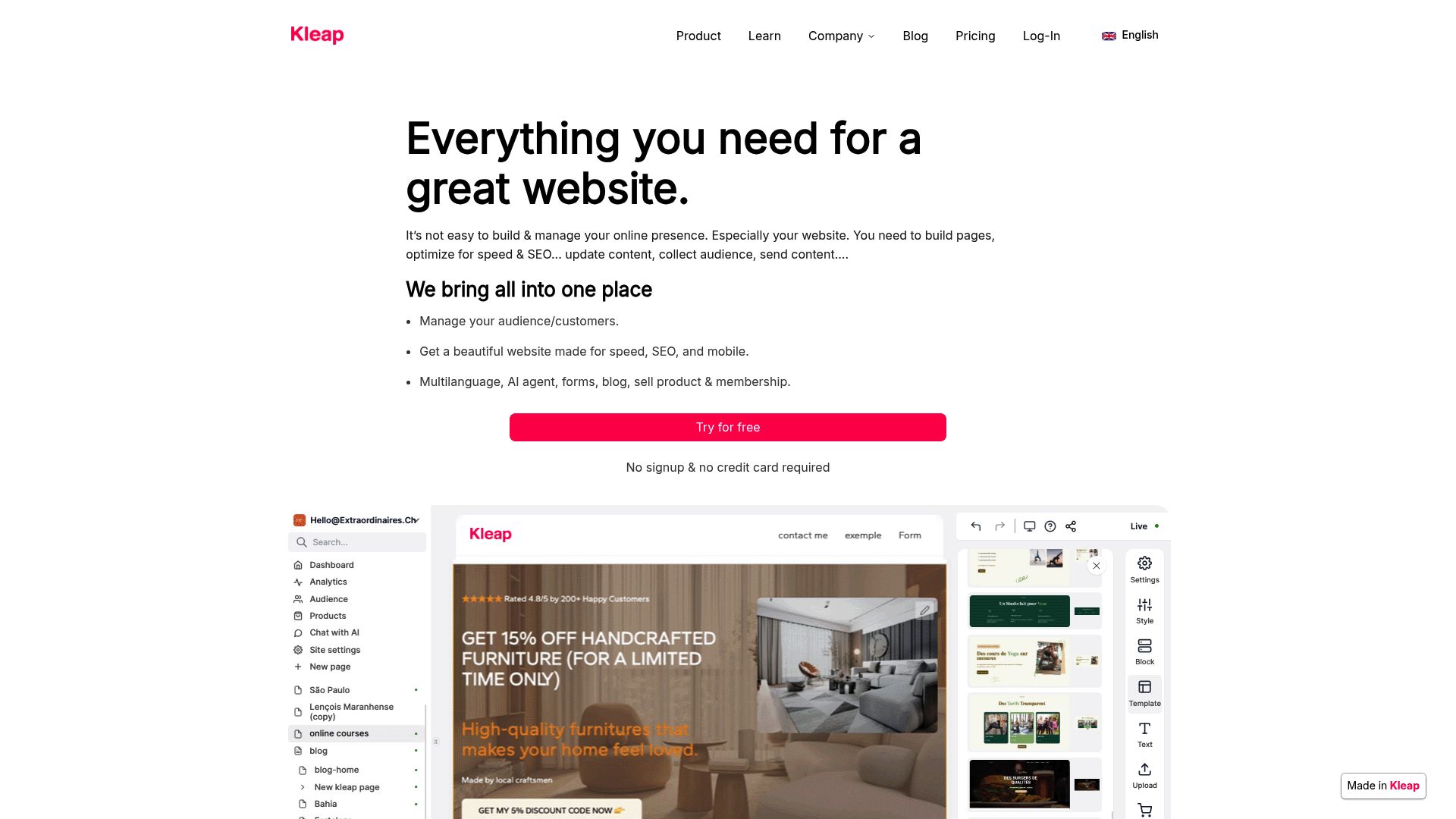
However, if you feel that HubSpot is too heavy, too complex, or too focused on desktop users, you have alternatives. If you want a site that is built for the mobile generation, optimized for AI-speed creation, and designed to sell services immediately, we invite you to take a look at what we are building at Kleap.
📸 kleap.co
Source: kleap.co, A mobile-first alternative for rapid website creation.
Why the "AI" Part Matters Now
We are in a shift. Website building used to be about placing pixels.
Now it is about intent. The HubSpot AI website builder understands intent.
When you tell it, "I run a dog walking business," it doesn't just give you a template with dogs; it gives you a "Book a Walk" button.
It gives you a "Testimonials" section. It understands the business logic.
This is where the industry is going.
Kleap does this too. We look at the content and structure it for conversion.
The days of "Lorem Ipsum" text are dying.
And that is a good thing for everyone.
Final Thoughts
Your website is your digital handshake. It needs to be firm, professional, and memorable. HubSpot offers a great pair of gloves to make that handshake happen.
It is robust, secure, and smart. For a website builder for service businesses, it ticks most of the boxes.
It might not be the most creative tool in the shed, but it is certainly one of the most reliable.
Take the time to evaluate your needs. Do you need a marketing ecosystem?
Go with HubSpot. Do you need a lean, mean selling machine?
Check out Kleap.
Whatever you choose, stop waiting. The best time to launch your website was yesterday. The second best time is now.

FAQ
Is the HubSpot AI website builder really free?
Yep, HubSpot totally has a free plan with their "Free CMS" tools.
It lets you build a site, use their drag-and-drop editor, and even connect your own custom domain, though there are a few limitations. But if you want to get rid of the HubSpot branding and unlock the more powerful automation features, you’ll have to jump up to their Starter plan, which starts at about $17 a month.
Can I use my own domain name with HubSpot?
Absolutely! Even on the free plans, you can connect your own domain.
That said, it gets a lot easier and more flexible to create subdomains or set up redirects once you're on a paid plan.
How does HubSpot compare to WordPress?
Think of it this way: WordPress is open-source, giving you endless customization. However, it also means you’re on the hook for your own hosting, security, and plugin headaches. HubSpot, on the other hand, is a “closed” system.
You get less freedom, but in return, you get much better security, zero maintenance headaches, and support built right in.
Does the AI write the content for me?
HubSpot's AI tools, like its "Copilot," can definitely get you started by drafting text for your pages, blogs, and social media posts. It’s a great way to get going fast, but you should always, always go back and manually tweak the text to make sure it truly sounds like you and your brand.
Is it good for e-commerce?
For basic stuff, yes.
HubSpot has payment integrations and can handle sales for service-based businesses pretty well. However, if your plan is to build a big online store with tons of products, you’d probably be better off using a dedicated e-commerce platform like Shopify (which, by the way, integrates nicely with HubSpot) as your main engine.


