Kleap vs Webflow AI 5 Key Differences for Developers

It feels like the world of web development changes by the minute. For what feels like an eternity, a few big names have run the show.
Webflow carved out its space as the go-to for professionals, giving them a visual way to build without having to write out all the syntax. It is powerful.
It is detailed. But we are seeing a massive shift in how products get built. We are moving from a world of manual manipulation to a world of AI-driven generation.
And that brings us to the real showdown: kleap vs webflow AI.
Developers and agencies are at a crossroads right now.
Do you stick with the tool that lets you obsess over every single pixel, or do you jump on a platform that automates all the grunt work so you can actually focus on strategy?
This is more than just picking a tool. It's about choosing your entire workflow.
📸 kleap.co
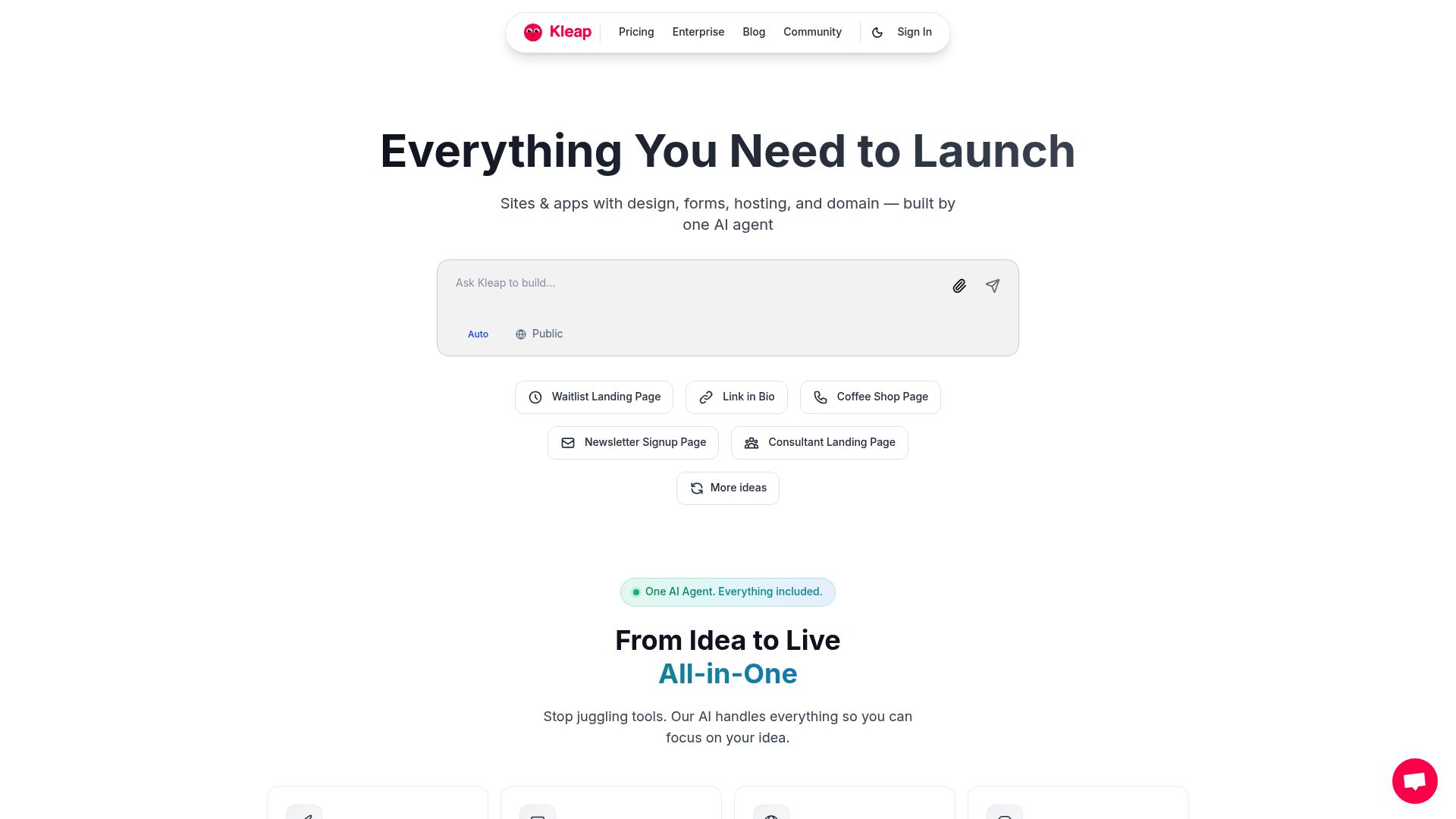
When we really get into kleap vs webflow AI, we need to peel back the marketing fluff. We have to look at what it’s actually like when you sit down to build something. Kleap is built from the ground up for speed and automation, with AI at its core.
Webflow, on the other hand, is all about giving you manual control and clean code. It is made for professional developers who want to write CSS with a mouse.
In the end, it all comes down to what you need most.
Are you trying to launch something fast to test an idea, or are you building a super complex, custom project that needs every little detail tweaked by hand?
In this deep dive, we will break down everything a developer needs to know about these platforms.
The Core Philosophy Differences
To understand the difference between these tools, you must know how they view the act of creation.
It is not just about features.
It is about the starting point of your project.
Kleap's approach is fundamentally different from traditional development. It centers on describing what you want and letting the AI build it automatically. You aren't dragging boxes onto a canvas.
You are answering questions about your business, selecting a style preference, and the AI takes over.
It generates the text.
It finds the images.
It creates the design in under an hour.
Think about that for a second.
In a traditional workflow, text capability, image sourcing, and layout are three different jobs. Kleap collapses them into one action. This is the definition of an AI-first tool.
Webflow's approach, conversely, requires much more hands-on involvement. It is built for the designer who thinks like a coder.
It gives developers pixel-perfect control and the ability to customize beyond default constraints. This comes with a prerequisite that must be met: you need to understand the underlying code structure.
If you don't know what padding, margin, flexbox, or grid are, you will struggle.
As noted in various reviews, Webflow is a great option for designers who want to manipulate the code structure visually positioned for designers and agencies.
It is manual coding with a GUI. Kleap is automation.
That is the heart of the kleap vs webflow AI debate.
Try it — build your site while you read
Describe what you want and get a live, publishable site in seconds. Free to start, no code.
Join 200,000+ makers building real websites with Kleap.
Feature Comparison for Developers
Let's get technical. When you strip away the branding, what are you actually getting? We put together a simple breakdown of the features to make it crystal clear.
When you look at this table, the difference between them really stands out. Kleap is offering a 'done-for-you' service via AI. Webflow is offering a 'do-it-yourself' workbench.
For a developer handling ten clients a month, the Kleap features like Auto SEO and AI generation are lifesavers.
For a developer building one massive flagship site for a Fortune 500 company, Webflow's manual controls might be necessary.
Speed of Deployment and AI Automation
When it comes to Kleap vs Webflow AI, the biggest gap between them is pure speed.
If you have built a site on Webflow, you know the drill.
You start with a blank canvas or a template, then spend what feels like forever just adjusting div blocks. You're tweaking the tablet view and checking the mobile landscape view. Then it hits you: your class naming convention is a complete disaster.
It takes time. A lot of time.
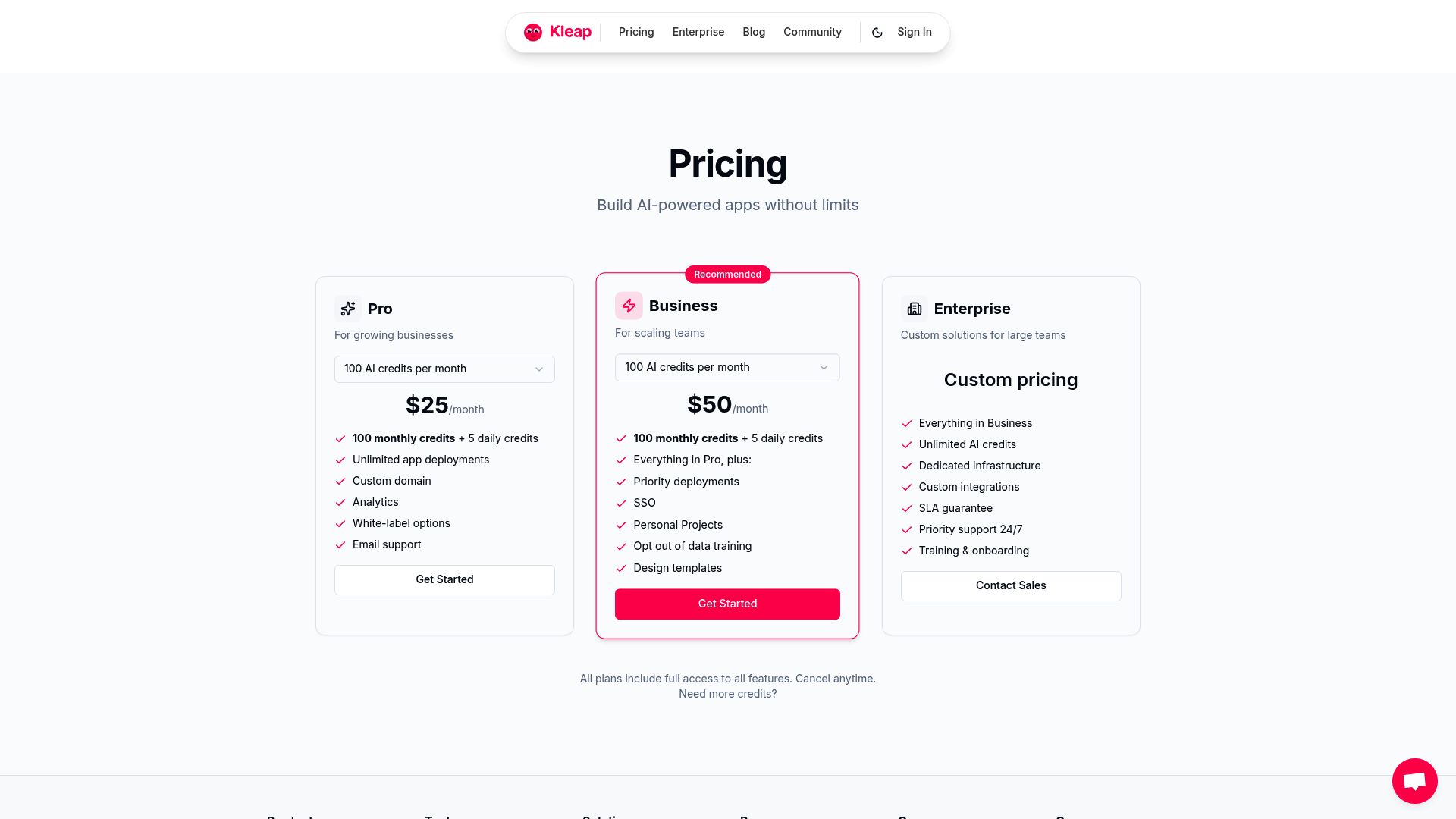
Kleap cuts right through that friction. Because You barely have to lift a finger. This is a massive deal for agencies. Think about it: let's say you sell website packages to local businesses. If you're using Webflow, you're probably sinking 20 to 40 hours into each site. With Kleap, that time could plummet to just a couple of hours, revisions included. The difference that makes to your profit margin is huge. Sure, Webflow has added some AI features, but they won't automate the whole journey from design to a live site. From what we have seen, you still have to do a lot of manual work in Webflow for things like SEO. Its CMS is called "robust and incredibly powerful," and it gives developers a ton of flexibility, but you pay for that flexibility with your time. Let's talk about the money. As a developer or business owner, you know that your overhead determines how much runway you have. You can really see who each platform is for just by looking at their pricing plans. Kleap's pricing is straightforward and built to help you scale: Webflow's pricing, on the other hand, can get a little tricky: Kleap lets you build an unlimited number of free websites, with hosting included. That adds up to some serious long-term cost savings. You can literally spin up fifty prototypes without ever pulling out your credit card. Meanwhile, if you're running an agency, those Webflow costs can stack up incredibly fast with every client site that needs a premium plan or an add-on. 📸 kleap.co Every tool has its place. You wouldn't use a hammer for a screw, right? So when you’re looking at kleap vs webflow AI, you have to think about what you're actually trying to accomplish. Let's get right to it: who should use what? Kleap is hands-down the winner for anyone who values getting things done over endless tinkering. It’s a game-changer for freelancers and agencies that need to spin up multiple client sites on a tight deadline. If your agency is out there selling "Website in a Week" packages, Kleap empowers you to deliver a "Website in an Hour." It is also perfect for Startups testing ideas. You don't want to spend three months developing a marketing site for a product that hasn't launched. You want to validate fast. With a zero-to-production time of under an hour, Kleap fits the lean startup methodology perfectly. For anyone tackling multi-language projects, Kleap comes with 14 languages built right in. Trying to pull that off in other tools often means buying expensive plugins or wrestling with complicated folder setups. We have to be fair. Webflow excels for developers who want clean, controllable code and pixel-perfect design. If your client is Nike or Apple, and they send you a Figma file that must be replicated down to the exact sub-pixel rendering, you likely need Webflow. It is also strong for complex animations. Webflow's interaction engine is famous for a reason. You can build parallax effects and complex scroll-triggered movements. The learning curve is steep, but the potential is huge. If you're leading a dev team, you're not just thinking about design; you care about the nuts and bolts. You care about what happens when things inevitably break. The good news is both platforms are built on solid foundations. Both platforms run on reliable infrastructure. Webflow uses AWS servers, which means you get fast, reliable hosting. Downtime is rarely something you'll need to worry about. Kleap is just as solid on the reliability front, but it adds a really nice twist for developers: one-click deployment to Vercel. This streamlines the deployment process massively for modern development stacks. However, there is the issue of customization limitations. Kleap restricts customization beyond its default offerings. The AI sets the guardrails to ensure the design remains unbreakable and professional. Webflow provides no access restrictions for developers wanting to extend functionality. If you need to inject custom JavaScript into the head of a specific page to run a unique web app, Webflow makes that easier, though code ownership is still proprietary. The learning curve is the other major technical barrier. Kleap is significantly easier for beginners. The AI-driven workflows require minimal design decisions. You don't need to know typography hierarchies; the AI knows them for you. Webflow suits developers who want to master visual coding. It is a career path in itself. But what if you need to move off an old system? If you're thinking about moving from Webflow to Kleap, the process is actually pretty wild. Because Kleap is built on AI from the ground up, the AI can scan your current site and either rebuild it or dream up something totally new based on the content it finds. It basically treats your old site like a prompt. That kind of freedom is a huge draw for teams who want to dip their toes into AI-first workflows without having to start completely from scratch. You can literally take an old, crusty website, feed it to Kleap, and just ask it to create a modern version. The AI takes care of all the rebuilding. The migration process feels like pure magic compared to the nightmare of manually copying and pasting endless text and images. Paymo / Unsplash We're standing at a real turning point. The line between 'coder' and 'creator' is getting blurrier every day. When we look at kleap vs webflow AI, we are looking at two different visions of the future. One vision says: "Humans should have better tools to do the hard work." That is Webflow. It gives you a better shovel to dig the hole. It makes the shovel ergonomic. It makes the shovel digital. But you are still digging. The other vision says: "Humans should define the outcome, and machines should do the work." That is Kleap. You tell the machine you need a hole, and it digs it. This shift allows developers to become architects rather than bricklayers. It enables you to focus on the content, the offer, and the business logic. This is relevant for every industry. Whether you are building a SaaS landing page, a portfolio, or a directory for housing services like louerappartement.org, the speed of deployment matters. The market rewards speed. The market rewards iteration. The tool that allows you to iterate faster usually wins. So, who are you in this story? Let's break it down into actionable advice. You should choose Kleap if your team: You should choose Webflow if your team: Dallas Reedy / Unsplash It is easy to get lost in feature wars. Does this tool have this specific integration? Does that tool have this specific shadow effect? But the real metric that matters is efficiency. How long does it take you to go from 'Idea' to 'Revenue'? In the battle of Kleap vs Webflow AI, Kleap is optimizing for that specific timeline. By removing the coding, designing, and optimizing from your plate, it frees you up to do business. Webflow is a magnificent tool, but it is a tool for builders who love the process of building. Kleap is a platform for creators who love the result of launching. This industry is tough. Competition is fierce. If you can launch ten landing pages in the time it takes your competitor to launch one, you have a strategic advantage. It's not about being lazy. It is about being smart with your resources. If you are tired of wrestling with div blocks and want to see what strict AI automation can do for your workflow, it is time to try something new. You can build your first site for free and see the difference immediately. Start building with Kleap today and turn your ideas into reality in seconds, not weeks. Does Kleap produce clean code? Can I export my site from Kleap? Is Kleap cheaper than Webflow for agencies? Which is better for SEO, Kleap or Webflow? The main difference is that Kleap automates a lot of the technical SEO work for you (like setting up meta tags and schema), while Webflow requires you to do all of that manually to achieve top results.Pricing Structure and Value
Key Strengths by Use Case
When Kleap Wins
When Webflow Wins
Technical Considerations for Development Teams
Migration and Flexibility

The Future of Web Development
Target Audience Recommendations

A Final Thought on Efficiency
Ready to build faster?
FAQ
Yes. Unlike many website builders that produce "spaghetti code," Kleap generates optimized, clean code that is SEO-friendly. The advantage is that you don't have to write it yourself.
Kleap plays well with modern tech standards and lets you deploy to Vercel in one click, which gives you real freedom in how you host and manage your site.
Generally, yes. Since Kleap lets you create unlimited free websites and wraps hosting into many of its plans, your cost per client can be much lower than paying Webflow's per-site hosting fees.
You can definitely rank high with either tool.