Relume AI Website Builder Review – Professional Insights Revealed

The conversation around artificial intelligence is everywhere, and it's completely changing how we build for the web. For small businesses, entrepreneurs, and freelancers, the promise of an AI that can create a stunning website in minutes is incredibly appealing. It brings up ideas of saving time, cutting costs, and launching faster than ever before.
The Relume AI website builder is making some serious waves in a crowded market, especially with professional designers and agencies. But does the hype actually hold up for a business owner who just needs to get online without a huge learning curve or a convoluted process?
So, we decided to find out what a pro *really* thinks about the Relume AI site builder and if it's the right tool for you.
Let's be real, we've all seen tools that promise you the world. Just type in a few words, and poof—a stunning website appears. But the reality is usually a lot messier.
A lot of these platforms spit out generic, cookie-cutter designs that don't capture what makes a brand unique.
That's why we had a web pro dig into Relume and see if it’s any different. We told them to ignore the marketing fluff and get straight to its real strengths, its weaknesses, and who it's actually for. The findings were interesting.
Relume is powerful, but maybe not in the way you think. It’s less of an instant website machine and more of a strategic partner for the design phase, which is a critical distinction for any entrepreneur weighing their options in the world of AI website creation.

What is the Relume AI Website Builder Actually For
The first thing to get straight is that Relume is not an all-in-one website builder. Instead, it's a super-powerful tool for workflows and prototyping, built to speed up the very first steps of making a website. Think of it more like a design accelerator, not something that publishes your final site.
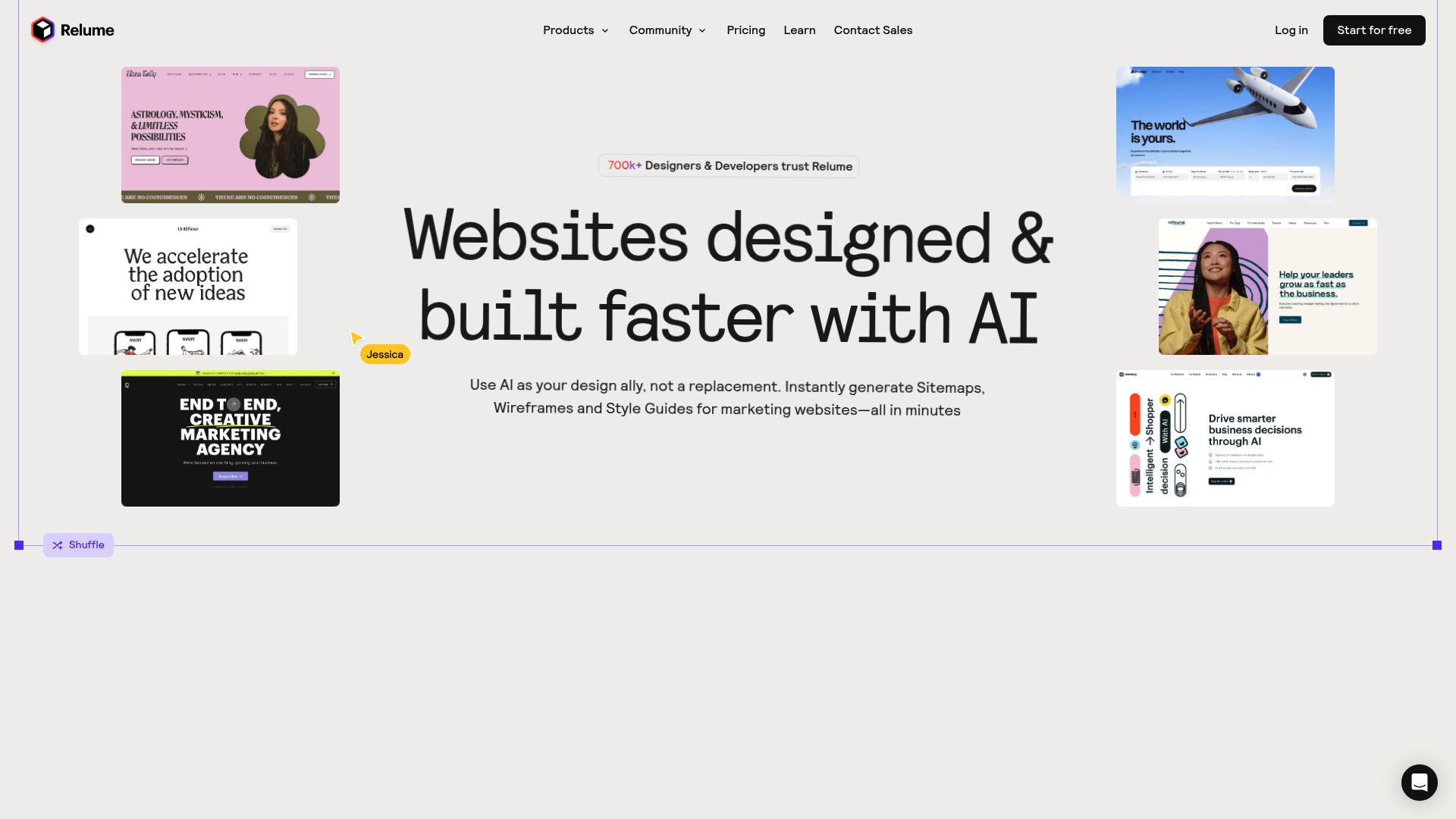
The big feature everyone's talking about is how it can take a simple text prompt about your business and spit out a full sitemap and detailed wireframes. And we're not talking about a basic template here; this is a thought-out plan for your whole site, with smart page and section suggestions based on what you do. The whole point is to get rid of that dreaded "blank page" stare that kills so many projects before they even start.
And what's wild is how fast it all happens. Professional reviews, like one from TechRadar, point out that this literally takes seconds.
For a small business owner or freelancer, this converts hours or even days of brainstorming and planning into a few minutes of work. However, and this is the important part, the output is a blueprint, not a live website.
To turn these wireframes into a functioning site, you must export them to a design tool like Figma or a development platform like Webflow. Relume streamlines the "what" and "where" of your website content, but you still need another tool to handle the "how" it looks and functions live on the internet.
The Core Strengths A Professional Appreciates
Rapid Planning and Prototyping
The one thing pros rave about again and again is just how fast Relume is for planning and prototyping. It basically automates the biggest time-suck of any web project: building out that initial structure.
So instead of you having to map out pages like "Home," "About," "Services," and "Contact" by hand, the AI just does it for you from one simple prompt.
This allows entrepreneurs to quickly visualize their entire digital presence and move from a vague idea to a concrete plan.
This workflow lets you focus your energy on the actual content and business strategy rather than getting bogged down in structural decisions from the start.
Human-Designed Components Not Generic AI
Let's be honest, one of the biggest worries with any `ai website page builder` is ending up with something that looks robotic and bland.
Relume gets around this problem in a really smart way: it uses a huge library of over 1,000 components that were all designed by actual human pros.
When the AI builds your wireframe, it isn't inventing layouts from scratch.
Instead, it's intelligently assembling pre-built, high-quality sections that are designed to work together cohesively.
This results in a prototype that feels professional and intentional, giving you a much stronger foundation to build upon than a purely AI-generated design ever could.
Full Creative Control
Unlike many "one-click" builders that lock you into a rigid template, Relume gives you full creative freedom. Once the AI generates that first wireframe, you're in the driver's seat.
Professionals absolutely love this because they can then tweak every single thing—layout, style, content—to build truly one-of-a-kind, top-tier websites for their clients. You're not just stuck with whatever the AI spits out first. Having this much control is a game-changer for building a brand that actually stands out, and it's a huge pull for agencies and seasoned freelancers, especially since you can export it as an `ai website builder with code` for more advanced work.
Key Limitations Small Businesses Should Know
It's Not a One Step Website Solution
This is probably the most critical limitation for a small business owner to understand.
You cannot build, host, and launch a live website using only Relume. As highlighted in a detailed review by NewPulse Labs, it's a design and planning accelerator.
Once you have your wireframes, you have to take them somewhere else. The way it's meant to work is you export your project to Figma to polish the design or send it straight to Webflow to build the actual working website.
If you're not already comfortable with those platforms, you're looking at a pretty steep learning curve. And on top of that, you'll need to sort out your own hosting, which adds another thing to manage and pay for.

Pricing and Target User
While it's easy to see the value for agencies and pros who are constantly building websites, the price tag might be a tough pill to swallow for some small businesses.
That subscription cost can feel pretty steep if you're just building one website. If you're on a tight budget, it's a hard expense to justify, especially since you still have to shell out for other tools and hosting. But if you're an entrepreneur who's always launching new things or a freelancer juggling clients, the time you'll save in the planning stage could easily be worth more than the monthly fee, giving you a great return.
Technical Hurdles and Missing Features
Look, no tool is perfect. Some users have pointed out a few minor bugs here and there with some of the pre-made components in Relume's library.
These issues usually require small manual adjustments in Figma or Webflow, but they are something to be aware of. More importantly, Relume is very clear about what it does not do.
It offers no hosting services, no built-in content management system (CMS) for blogging, and no e-commerce functionality. It is strictly a design and prototyping tool, and you will need to find other solutions for those essential business needs.

Who Should Use the Relume AI Website Builder
So, who is the `relume ai website builder` actually for?
Listening to the pros, it seems the ideal user is pretty specific. This platform is a dream for small agencies, freelance web designers, and entrepreneurs who are already comfortable in the Figma and Webflow world.
According to an analysis on UX Pilot AI, it's perfect for anyone who frequently plans new websites, whether for clients or for their own ventures. If you understand the value of a solid wireframe and want to systemize and accelerate that process, Relume could become an indispensable part of your toolkit.
It's for the user who wants to be involved in the design process but wants to do it faster and more efficiently.
On the other hand, Relume is not the right fit for everyone. If you are an absolute beginner looking for an all-in-one solution that takes you from idea to a published website with hosting included, this is not the tool for you. Business owners who want a simple, "hands-off" experience where they can pick a template, add their content, and click "publish" will find the multi-step workflow of Relume unnecessarily complex.
For that kind of user, a smooth, all-in-one platform that rolls powerful design tools, hosting, and content management into one package is a much smarter move. It all boils down to this: are you looking for a tool to help you design, or a platform to build and run your entire website?

Relume AI Site Builder A Pro and Con Summary
| Pros for Small Business Use | Cons for Small Business Use |
|---|---|
| Lightning-fast sitemap and wireframe generation | Not a build-and-publish solution |
| Keeps full creative control in your hands | Requires familiarity with Figma or Webflow |
| Uses high-quality, human-designed components | Pricing may be high for single-project use |
| Excellent for team and client collaboration | Some minor functionality bugs reported |
| Fits perfectly into professional design workflows | No direct hosting or CMS functionality |
The Final Verdict And Your Next Step
So, what does a pro really think of the `relume ai website builder`?
The consensus is that it's a phenomenal "design ally," but it is not a replacement for a designer or a complete website builder. Its greatest strength is its ability to obliterate the blank page, providing a well-structured starting point in record time. It empowers creative professionals and hands-on entrepreneurs by speeding up the tedious initial stages of a project, which allows them to pour their expertise into creating a unique and valuable final product.
It's a tool that accelerates workflow and enhances creativity rather than automating it away. For the right user, this is an incredibly powerful proposition that is well worth the investment.
But here's the thing. If you read about Relume's workflow and felt it sounded too complex, you are not alone. Many small business owners and freelancers need a powerful, AI-driven solution that doesn't require connecting multiple tools or learning complex design software.
You need a platform that takes you from idea to a fully launched, hosted, and manageable website seamlessly. That's precisely where we come in.
At Kleap, we've built an AI-powered platform that provides the best of both worlds. You get intelligent tools to help you create a stunning, professional website, but all within one integrated ecosystem that includes hosting, analytics, and content management. Forget about exporting files or paying for extra services.
We take care of all that for you. Ready to build your website without all the headaches?
Check out the Kleap platform and see how our AI can bring your vision to life today.
Frequently Asked Questions
Is Relume a full website builder?
Nope, Relume is not a full website builder. It's a tool for design and prototyping that helps you whip up sitemaps and wireframes. You must export your project to another platform, like Webflow, to build and publish a live website.
Do I need to know how to code to use Relume?
You do not need to know how to code to use Relume itself. However, to turn your Relume wireframe into a finished website, you will need to use a tool like Webflow, which may require some understanding of web development concepts, although it is also a low-code platform.
What is the main difference between Relume and an all-in-one builder like Kleap?
The main difference is that Relume is one step in a larger process, while an all-in-one builder like Kleap is the entire solution. With Relume, you design a blueprint and then must use other tools for building, hosting, and managing your site.
With Kleap, you can generate, customize, launch, and manage your website all from a single, integrated platform.
Tags
Ready to build your website?
Start creating your professional website with AI in minutes. No coding required.
Get Started Free

