Free AI Online Store Builders: 4 Compared (2026)

Starting an online business used to require a hefty budget or a computer science degree. Those days are gone. With the rise of the AI ecommerce website builder free of charge, the barrier to entry has essentially vanished.
You can now go from a vague product idea to a digital storefront in an afternoon, often without spending a single penny on software subscriptions.
Sounds a little too good to be true, right?
The word "free" in the software world usually has a catch.
You either end up with a website that looks like it's straight out of 1999, or you hit a wall the second you try to actually accept payments without upgrading.
We decided to dig deep into what's out there.
We're not about to just throw a random list of tools at you. Our goal was to find the platforms that actually blend smart AI with real, solid ecommerce features. This guide covers the AI ecommerce website builder free options that actually work for entrepreneurs who are serious about growth but are starting with a zero budget.

The Reality of "Free" in Ecommerce
Before we jump into the specific tools, we need to clarify what "free" implies in this industry.
Not all free plans are the same.
When you're hunting for a free AI ecommerce builder, you'll pretty much run into three different flavors.
First up is the "Free to Build" type.
These tools are great for letting you design a gorgeous site, play with AI to whip up copy and images, and get your products all lined up.
But just when you're ready to connect Stripe or PayPal to make a sale, bam, you hit a paywall.
This is great for prototyping but useless for immediate sales.
Second, there is the 'Free Trial' model. You get access to premium features, including AI marketing tools and checkout systems, but only for a limited time.
This ranges from a few days to a few weeks. It is good for a sprint launch but requires a budget shortly after.
Finally, there is the 'Free to Sell' category. This is the holy grail for bootstrapped startups. With these platforms, you can process sales on their free plan.
How do they make money?
They just take a slightly bigger cut from each transaction. It feels like a fair deal; they only make money when you do. Understanding these differences is crucial.
It'll save you the headache of pouring hours into building a store, only to discover you can't go live without pulling out your credit card. We’ll make it super clear which category each tool belongs to, so you can pick the one that actually makes sense for your business.
Try it — build your site while you read
Describe what you want and get a live, publishable site in seconds. Free to start, no code.
Join 200,000+ makers building real websites with Kleap.
1. Square Online
If your main goal is to start making sales right now without a monthly subscription draining your bank account, Square Online is pretty hard to beat.
While a lot of other builders bury their payment limits in the fine print, Square is upfront about it. They made a name for themselves in payment processing, and you can totally see that practical, get-it-done mindset in their website builder.
Why It Stands Out
After putting in over 300 hours of research, the team at Website Builder Expert found that Square Online is pretty much the only major player that lets you truly sell stuff on a completely free plan. This is a massive differentiator.
You are not just building a brochure; you are building a cash register.
This risk-free environment is invaluable for entrepreneurs testing a new product line. You pay only payment processing and transaction fees.
There is no monthly subscription eating into your runway. If you sell nothing in your first month, your cost is zero.
This model is perfect for micro-brands, pop-up stores, or side hustles.
You can verify these findings by visiting Website Builder Expert.
AI Integration and Ease of Use
Square has integrated AI-assisted tools to speed up the setup process. While it might not have the flashy generative design capabilities of some dedicated design tools, it uses AI where it counts: efficiency.
The tools help you organize product catalogs and suggest layouts that are optimized for conversion.
The drag-and-drop editor is functional and straightforward.
It removes the need for coding entirely. You do not need to know HTML or CSS to get a professional-looking store live.
The focus here is on speed and functionality rather than infinite artistic freedom.
Key strengths for this audience
Free plan that sells: The biggest selling point is the feature set included in the free tier. You get unlimited products.
You get an integrated checkout.
You even get multichannel selling capabilities, meaning you can sync your online store with your physical Point of Sale (POS) system. For a local business, having this unified reporting is a total game changer.
Offline and online commerce: Imagine you are running a local service or a physical boutique. You absolutely need your online inventory to sync up with what is actually on your shelves, and Square handles that right out of the box. Speaking of local services, all sorts of different trades can benefit from having a digital presence.
Think about it: a locksmith in Switzerland, maybe someone like serrurierkad.ch, could use Square to book emergency calls and collect deposits online.
That would streamline their whole operation.
Low cognitive load: Square Online is designed for non-technical founders. You can get a store live very quickly without getting bogged down in pixel-perfect design decisions.
It is about getting the product in front of the customer as fast as possible.
Limitations
Of course, there are trade-offs.
The design flexibility is more constrained than what you would find with competitors like Wix. Square offers a functional storefront aesthetic.
It looks clean and professional, but it is hard to make it look unique. If your brand identity requires a highly specific visual experience, you may feel limited.
Additionally, while the app ecosystem is growing, it remains smaller than Shopify or WooCommerce. If you need highly complex custom workflows for logistics or marketing automation, you might hit a ceiling.
This tool is the best fit for validation.
It is for the entrepreneur who says, "I want to see if people will buy this before I invest in a custom website."
2. Wix with AI
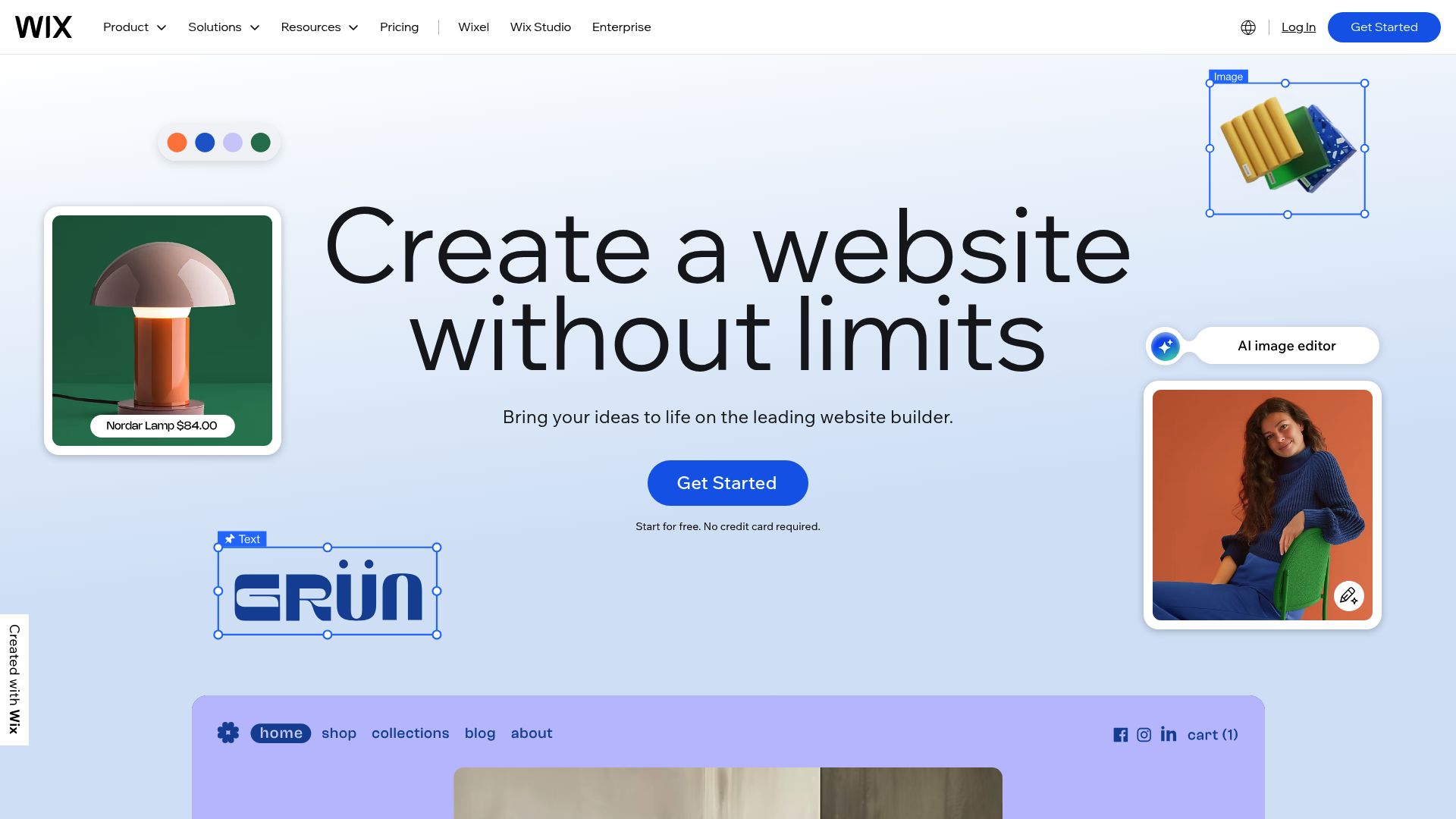
When it comes to visual freedom and AI-driven design, Wix is a heavyweight champion.
They have invested heavily in Artificial Design Intelligence (ADI) and deeper generative AI tools. While their free plan does not allow for payment processing, it is the premier sandbox for designing your brand identity.
📸 wix.com/p>
Why it stands out
When it comes to design, independent tests consistently put Wix at the top of the list for free AI ecommerce builders.
It actually uses a chat-style interface to have a conversation with you and figure out what you need. You tell the AI what kind of business you are running, what your vibe is, and what features you need. The AI then generates a full site structure, complete with images and copy.
Website Builder Expert calls Wix one of the best website builders for online stores overall. Once you are ready to pay, the specialized sales and marketing tools are incredibly robust. You can read more about their rankings at Website Planet.
AI and Ecommerce Capabilities
AI Design System (Wix ADI): First, there's the AI Design System (Wix ADI), a feature that builds entire site layouts for you. You just answer a few questions, and it assembles your home page, product pages, about section, and contact forms.
It's way faster than picking a template and then having to change every little thing by hand.
AI Content and Media: If you hate writing product descriptions, you'll love that Wix has tools built right in to generate text for you. It will help you create an "About Us" page or come up with catchy headlines. It even has tools to create images and generate SEO meta tags to give you a better shot at ranking on Google.
All these little helpers just make the whole content creation part less of a headache. As for the Ecommerce Engine (Paid)? Even though you can't sell on the free plan, the tools waiting for you when you upgrade are seriously powerful.
You get solid catalog management, abandoned cart recovery features, and the power to create coupons. The Wix app marketplace is massive, allowing you to add subscription services, booking systems, and dropshipping integrations.
Free-plan Reality
You can build and run a website for free indefinitely. This includes hosting and use of the AI builder.
This makes Wix perfect for the building phase. You can take two months to perfect your site, build your audience with a blog, and collect emails.
You only start paying when you are ready to flip the switch and take money.
However, you must be aware that you cannot actually take payments without upgrading. The free plan also displays Wix branding ads on your site.
This is standard for the industry, but something to keep in mind if professional perception is your top priority from day one.
Strengths for Entrepreneurs and Teams
This path is ideal for brand-driven businesses. If you are a designer, an artist, or a fashion brand, the look of your store matters as much as the product.
Wix gives you that control. It is also excellent for marketing-heavy use cases due to strong SEO tools and email marketing integrations available right inside the dashboard.
It allows for low-friction prototyping. You can build the entire funnel: from landing page to checkout, and test the user experience before committing to a subscription plan.
Strategic Interlude: The Role of Mobile-First AI
While we're talking about giants like Square and Wix, the whole landscape is starting to shift.
Traditional builders were designed for desktop editing.
You sit at a large screen and move boxes around. But a new wave of AI for ecommerce is emerging that focuses on mobile-first creation.
Newer platforms, like Kleap, are taking a different approach.
Instead of dragging and dropping, you use natural language to communicate with an AI agent. You essentially text your website into existence. This is crucial for entrepreneurs who operate entirely from their phones or those who find the visual editors of Wix too overwhelming.
Kleap represents a shift toward headless efficiency where the AI handles the code, security, and hosting, and you just handle the business logic. While we are focusing on the big four free tools today, looking at specialized AI builders is smart if speed and mobile optimization are your non-negotiables. Kleap offers a robust free tier to start, aligning well with the tools we are vetting here.
3. Hostinger Website Builder: The Best Free Trial for Beginners
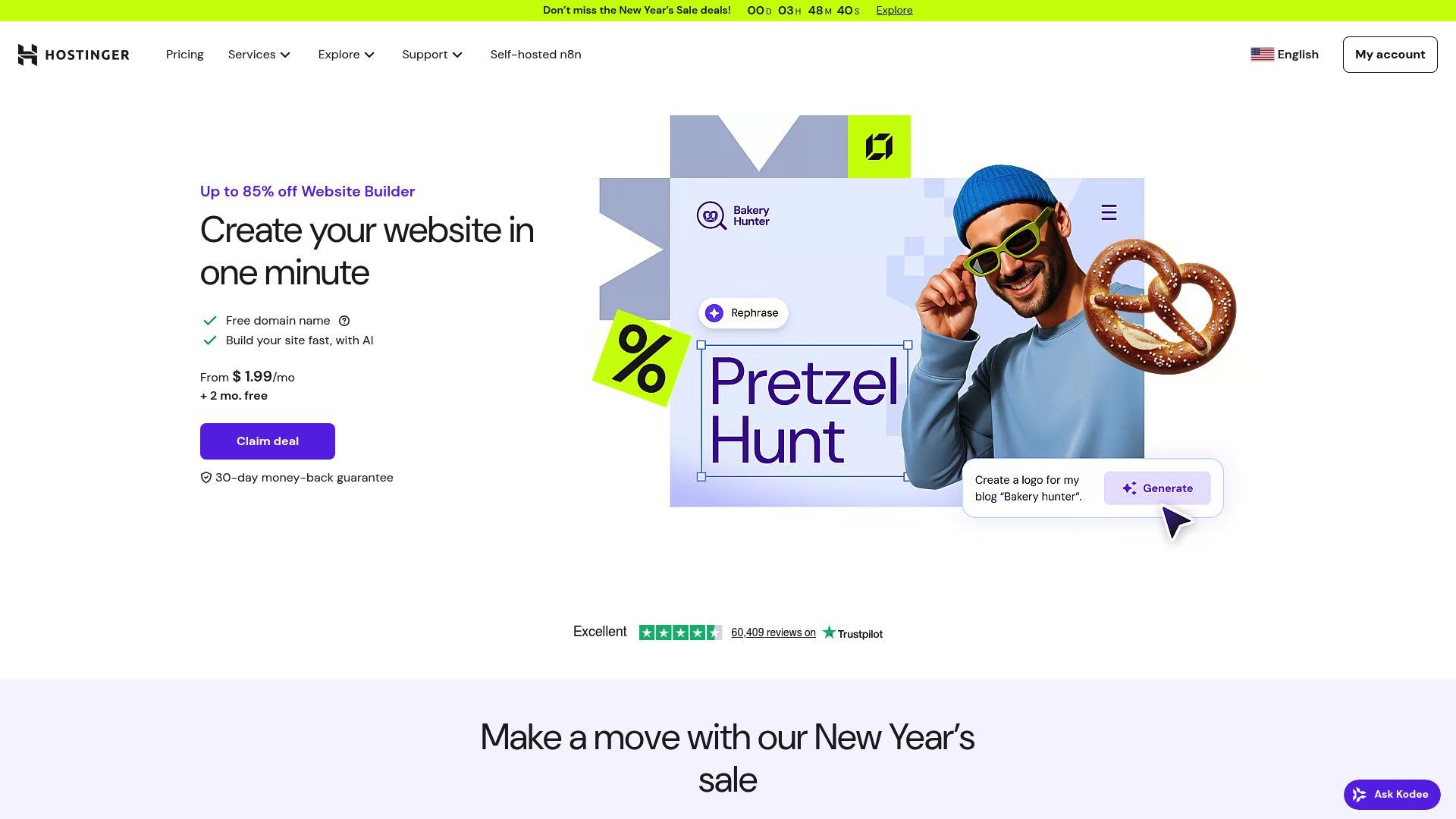
Sometimes the smartest free move isn't a free plan at all; it's getting a risk-free trial of a premium tool before you put any money down. Hostinger, which absorbed what used to be Zyro, fits that description perfectly. The plans are super affordable when you're ready to pay, but the trial lets you kick the tires and make sure it's the right fit without any risk.
Vardan Papikyan / Unsplash
Why it stands out
In test after test, Hostinger consistently gets top marks as one of the best ecommerce website builders for anyone just starting out.
The whole interface is just clean and simple. You're not bombarded with a million buttons, which is a huge relief. If Wix feels like a pilot's cockpit, Hostinger is more like a self-driving car.
The folks at AllAboutCookies even pointed out that Hostinger gives you a full suite of AI and editing tools, even if you're just trying it out.
You can check out what they said for yourself over at AllAboutCookies.
AI & Ecommerce Capabilities
AI Assisted Setup: Hostinger kicks things off using prompt-based generation. You describe your store, and it builds the layout, fills in the text, and selects branding assets.
This effectively democratizes design for people who have zero artistic ability.
Ecommerce Engine: The store engine supports product catalogs, discounts, and inventory management. It is a bundled solution, meaning you do not have to go hunting for third-party plugins to make the store work. It is all integrated.
Free/Trial Structure
Website Builder Expert categorizes Hostinger as Free trial, then paid. It is not a permanent free ecommerce solution like Square.
It is a risk-free short-term build environment.
This creates a deadline for you, which can actually be a good productivity hack. You have a set time to build and launch.
Strengths for Speed-Focused Teams
Beginner-friendly: There's almost no learning curve. If you know how to use social media, you've got what it takes to build a store here.
Cost-efficient path: Once the trial is over, the pricing is shockingly low, especially when you compare it to rivals like Shopify. That makes it a fantastic option for teams on a tight monthly budget who still want something that feels premium without the hefty price tag. Plus, it includes hosting since it's a full SaaS (Software as a Service) solution.
You never have to sweat about servers, updates, or security patches. It’s all taken care of, so you can just focus on your products and customers.
4. Elementor (Free) + WooCommerce: The Open Source Powerhouse
For those who want maximum control and do not mind getting their hands a little dirty, the combination of WordPress, WooCommerce, and Elementor is unbeaten.
Sure, it takes a little more effort to get set up, but the actual software is open-source and totally free.
Why it stands out
Elementor’s own 2026 roundup lists Elementor + WooCommerce among the top AI-powered ecommerce builders.
They really drive home the point that you can start with a powerful free version, and there's a good reason this stack runs a huge piece of the internet: it's all about flexibility.
WooCommerce itself is free to install, and as Website Builder Expert points out, it’s known for deep customization, handling multiple languages, and automatically converting currency. If you have dreams of selling to customers all over the world, this is probably your most scalable path. You can read up on this combo over on Elementor's Blog.
AI & Ecommerce Capabilities
Elementor (Free): At its core, this is a visual page builder that plugs right into WordPress. It gives you that drag-and-drop power over your pages. While the really cool AI features are in the Pro version, you can always use other AI tools (like ChatGPT or Midjourney) and just paste the content into your free Elementor setup.
WooCommerce: Think of this as the full-blown ecommerce engine. It's what lets you handle all the tricky stuff like tax calculations, shipping zones, and products with complex variations. The plugin ecosystem is vast.
If you need a specific feature, there is likely a free plugin for it.
Free-Cost Structure
Here is where it gets nuanced.
The free ecommerce store builder software is free. Elementor is free. WooCommerce is free.
WordPress is free.
However, you need a place to host it.
You will need to pay for web hosting and a domain name. While not 'free' in the absolute sense, the software license cost is zero, which saves you the $30-$50 monthly fees of other platforms.
Strengths for Serious Teams
Maximum Control: You own the code.
You own the data.
Nobody can shut down your store because they changed their terms of service. For agencies and dev teams, this ownership is non-negotiable.
Scalable Architecture: You can integrate with custom APIs, headless frontends, or enterprise stacks over time. You are not building inside a walled garden. You are building on an open foundation.
There is a steeper learning curve here compared to Square or Hostinger. You are the IT department.
You handle the updates and the backups. But the payoff is a store that can grow indefinitely without platform limitations.
Comparison: Choosing the Right Tool for Your Use Case
With four strong options, making a choice can feel paralyzing. We have broken it down by the most common scenarios entrepreneurs face.
Analyzing the Trade-offs
If you take a second to look at that table, you'll start to see a pattern. You are generally trading convenience for cost or control for ease of use. Square gives you cost efficiency but limits design.
Wix gives you design but costs money to sell. Elementor gives you control but demands time and maintenance.
There is no 'perfect' tool. There is only the right tool for your current stage of business.
A freelancer selling single items might love Square. An agency building a complex brand might need Elementor.
Practical Launch Strategy for 2025
Okay, so how do you actually put this all into action?
Don't just close your eyes, pick a tool, and hope it works out.
Follow this simple workflow to keep your risk low and your speed high.
Step 1: Validate with Zero Spend
Start with Square Online. Don't get bogged down trying to make the logo perfect. Just upload your products, use an AI writer to get some clear descriptions down, and set your prices.
Then, share that link everywhere: on social media, in your email list, wherever. If people buy, you have a business.
If they do not, you saved yourself months of work.
Step 2: Prototype the Brand Experience
Once you have validation (sales), use Wix AI or Hostinger to explore your brand identity. Use their generative tools to see what your brand could look like. Generate different color palettes, layouts, and voice tones.
You do not even have to publish these sites. Use them as high-fidelity mood boards generated by AI.
Step 3: Build for Scale
Okay, now you've got options. If your Square store is taking off but you feel like it looks a little plain, you can graduate to a paid Wix or Hostinger plan for a stronger brand presence.
Or, if you hit a point where you need custom features that none of these builders have, it’s time to look at migrating to something like Elementor + WooCommerce or a specialized platform built for developers, like Kleap.
For any entrepreneur who is dead set on having a super-fast, mobile-first experience, this is the perfect time to see what platforms like Kleap can do.
It offers a blend of AI speed and custom capability that bridges the gap between beginner tools and developer tools.
Step 4: Iterate and Optimize
An online store is never finished. Use the analytics from your free tool to understand user behavior.
Where do users drop off?
Feed this data back into your AI tools to generate better copy and better layouts. It is a cycle of continuous improvement.
FAQ
Can I really build an online store for free?
Absolutely. You can build your entire store for free using tools like Wix and Hostinger, but you’ll typically have to upgrade to a paid plan to actually start accepting money.
Square Online is the main exception here, allowing you to get your feet wet with sales without a monthly fee.
Is AI content good enough for a professional store?
It's a fantastic starting point. AI is great at knocking out solid product descriptions and suggesting decent layouts to get you going. But you should definitely give it a once-over and tweak the content to make sure it really sounds like *you* and your brand.
Which builder is best for SEO?
Generally speaking, WordPress with WooCommerce (and Elementor) gives you the absolute most control over all the technical SEO bits.
That said, Wix has come a long way and has some excellent built-in SEO tools that are much friendlier for beginners.
Do I need to know how to code?
No.
Square, Wix, and Hostinger are designed specifically to be code-free.
Even Elementor allows you to build visually without writing PHP or CSS.
Conclusion
The era of the AI ecommerce website builder free of charge is here, leveling the playing field for everyone. You no longer need thousands of dollars to test a business idea. You just need a product and a bit of curiosity.
Square Online offers you a cash register with zero monthly overhead. Wix provides a digital art studio to craft your image. Hostinger gives you a guided hand to get online quickly.
And Elementor hands you the keys to the kingdom if you are willing to learn the ropes.
The most dangerous thing you can do is wait. Analysis paralysis is the enemy of entrepreneurship.
Pick the tool that fits your current budget and technical comfort level, and launch. You can always migrate later. You can always upgrade later.
But you cannot make a sale if your store does not exist.
If you are looking for a solution that combines the speed of AI with mobile-first optimization, we invite you to explore what we are building at Kleap. The AI agent is ready to turn your idea into a fully functional site in minutes, giving you the best of speed and professionalism.
Ready to launch? Start building your future today.


