
You imagine it. Kleap builds it.
Describe what you want to create. AI builds the design, features and logic, then develops the project further with your feedback.
- Your idea
- A working app
- Your next improvements
Therapist and counselor websites made with Kleap. The ones the Kleap team built as examples, for fictional practices, are labeled that way. After the gallery: what prospective clients need before they reach out.

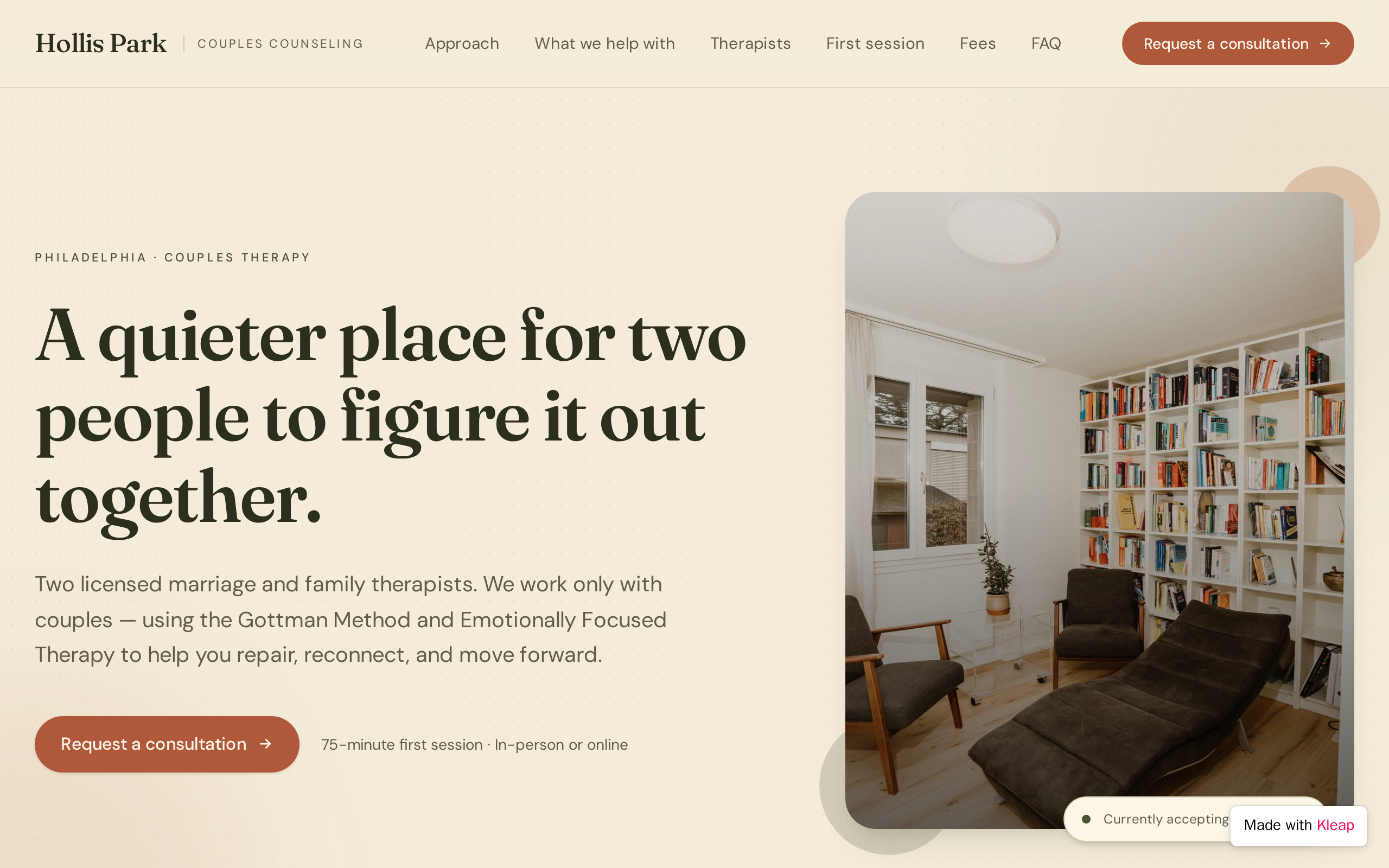
Name the people and concerns you work with, such as "adults with anxiety and burnout" or "couples adjusting to a new baby". Specific wording helps the right clients recognize themselves, and it matches how they search.
Explain how sessions work and the methods you use (CBT, EMDR, psychodynamic), with a sentence on what each means for the client. A nervous reader should come away knowing what a first session feels like.
License type, number and state, education and years in practice, with a warm, recent photo. Clients check credentials, and some licensing boards require license details in advertising.
Session fee and length, the insurance plans you accept or whether you provide superbills, any sliding scale, and your cancellation policy. Being clear about cost removes a common reason people hesitate to get in touch.
Say whether you see clients in person, online or both, which states you are licensed in, and the office address with accessibility notes. Licensure limits where you can practice, so this prevents mismatched inquiries.
Ask only for name, preferred contact, availability and a brief reason, and say plainly not to share clinical details through the form. Tell people how quickly you reply and who reads the messages.
A visible note that the site and form are not monitored for emergencies, pointing to the 988 Suicide & Crisis Lifeline (call or text 988 in the US) and 911 for immediate danger. Place it by the form and in the footer.
Explain in plain words what the form collects and how it is stored. Keep intake and clinical records in a system built for health data, and if you are a HIPAA-covered practice, check your setup with a compliance advisor.
Paste it into Kleap, then change the names, dates and details to yours.
Build a website for Dr. Sarah Kim, a licensed clinical psychologist in Portland, Oregon, who works with adults dealing with anxiety, burnout and life transitions. Calm, warm style with soft sage and off-white colors, rounded shapes and plenty of space. Pages: a homepage with a gentle headline about who I help and a Request a Consultation button; Approach, explaining CBT and ACT in plain words and what the first session is like; About, with photo, license type and number, education and experience; Fees and Insurance, with session fee, sliding scale, superbills, cancellation policy and a Good Faith Estimate notice; and an FAQ. Add a consultation form that stores only name, email, phone, preferred contact method, availability and a short reason, with a note not to include clinical details. Show a crisis note with 988 and 911 near the form and in the footer.
Who you help and the concerns you treat, your approach in plain language, your credentials and license, fees and insurance, whether you offer telehealth and in which states, a short consultation request form and a clear note on what to do in a crisis. A brief FAQ about the first session also reassures nervous clients.
As general guidance, most practices state that the website and contact form are not monitored for emergencies and point to emergency resources: in the US, calling or texting 988 for the Suicide & Crisis Lifeline, and 911 for immediate danger. Place it near the contact form and in the footer, and follow your licensing board's guidance on wording.
It depends on the form, where submissions are stored and your agreements with vendors. As general guidance, limit the website form to basic contact details, ask people not to send clinical information, and use a HIPAA-compliant system for intake and records. Review your specific setup with a compliance professional; this is not legal advice.
Many do, and it saves time for both sides. List the session fee and length, any sliding scale, the insurance plans you accept or whether you provide superbills, and your cancellation policy. In the US, uninsured and self-pay clients are entitled to a Good Faith Estimate of expected charges, and many practices post that notice on their site.
Describe the website or app you imagine. Kleap helps you build it, publish it and keep improving it, with tools to monitor how it works and fix issues.
Describe what you want to create. AI builds the design, features and logic, then develops the project further with your feedback.
Database, authentication and forms: build a client portal or an app with the data and access it needs.
Add Stripe, business tools and integrations. Connect your accounts and keys to fit the project to the way you work.
The Guardian spots website issues and helps you fix them with AI. Return to your project in the chat to make the corrections.
Publish with hosting, connect your domain and follow your activity with analytics and the Search Console integration.
Keep your code, connect GitHub and work with AI tools like Claude or ChatGPT. AI assistance and human support on paid plans help you along the way.
Join thousands of creators who built their website in minutes using Kleap AI. No coding required.