Founders Guide A Best AI Website Builder

Vous avez l'idée. Vous avez la motivation.
Ce que vous n'avez pas, c'est du temps.
C'est le dilemme classique du fondateur.
Pendant des années, mettre une vision en ligne signifiait deux choix douloureux.
Soit vous dépensiez des milliers de dollars pour engager une agence afin de le faire correctement, soit vous passiez des semaines à vous battre avec des éditeurs "glisser-déposer" qui finissaient toujours par avoir l'air cassés sur mobile.
Cette époque est révolue.
Elle est officiellement morte.
L'essor de l'intelligence artificielle a fondamentalement changé la façon dont nous déployons des produits numériques. Maintenant, trouver le meilleur constructeur de sites web AI ne consiste pas seulement à trouver un outil qui fonctionne ; il s'agit de trouver un partenaire qui avance aussi vite que vous. Nous parlons de passer d'un concept vague à une plateforme entièrement fonctionnelle et génératrice de revenus en moins de temps qu'il n'en faut pour finir votre café du matin.

Mais le marché est bruyant. Chaque plateforme héritée a collé un autocollant "IA" sur son ancien moteur et a appelé cela une révolution. Démêler la véritable innovation du flou marketing est épuisant.
Ce guide fait le tri dans ce bruit. Nous allons examiner le paysage du développement automatisé, spécifiquement adapté aux fondateurs, entrepreneurs et agences qui ont besoin de résultats hier.
Que vous recherchiez une solution d'entreprise massive ou une rampe de lancement agile pour votre prochain SaaS, choisir le bon outil détermine votre rapidité à entrer sur le marché. Décomposons qui tient réellement la promesse de l'IA.
A retenir
- Il est facile d'être sceptique.
- Alors, allons droit au but.
- Décomposons cela à la manière des données.
- Il y a une division intéressante qui se produit sur le marché.
- Vous connaissez les acteurs.
Why The 'Best AI Website Builder' Is More Than Just a Buzzword
It is easy to be skeptical. Tech buzzwords come and go with the seasons. However, AI in web development is different because it addresses a fundamental bottleneck: code production.
In the past, a website was just a collection of static files. You had to manually place each image, write each header, and then code each interaction by hand.
If you dared to change the size of a font, you had to search for the right CSS file. Today, the best AI website builders function as if you have a senior developer at your disposal, ready to assist.
You simply describe what you want in plain English, and the system transforms your words into actual structure, design, and code.
There are three main distinct advantages here for founders:
- Speed: Prototyping happens in seconds, not weeks.
- Agility: You can pivot the aesthetic of your entire brand with a single prompt.
- Cost: You allocate the budget to marketing and product, not to generic programming.
We see this every day at Kleap. Founders come to us because they are tired of the complexity. They want a mobile-first site that generates in seconds, not a sprawling editing dashboard that requires a doctorate to navigate.
While we are fully committed to our approach of instant and mobile-ready sites as the future, we know there are other incredible tools depending on what you are trying to build.
Try it — build your site while you read
Describe what you want and get a live, publishable site in seconds. Free to start, no code.
Join 200,000+ makers building real websites with Kleap.
Top Contenders: Who Is Actually Winning the Race?
So, let's get straight to the point. After analyzing the data and examining market performance in 2025, a few platforms really stand out.
We have grouped them here to help you find the perfect match for your project.
1. Kleap: The Speed & Mobile-First Specialist
We must start with what we know best. If your goal is to launch a product, service, or portfolio instantly, Kleap is made for you.
We have eliminated the unnecessary.
The reality is that most traffic is mobile. Most traditional builders design first for desktop and then compress elements for mobile. This is backwards.
Kleap uses advanced AI to generate perfectly mobile-optimized sites and fully functional applications from a simple text prompt. It acts as an all-in-one solution managing hosting, forms, and payments.
For the founder who wants to own their code and move at lightning speed, this is the modern approach.
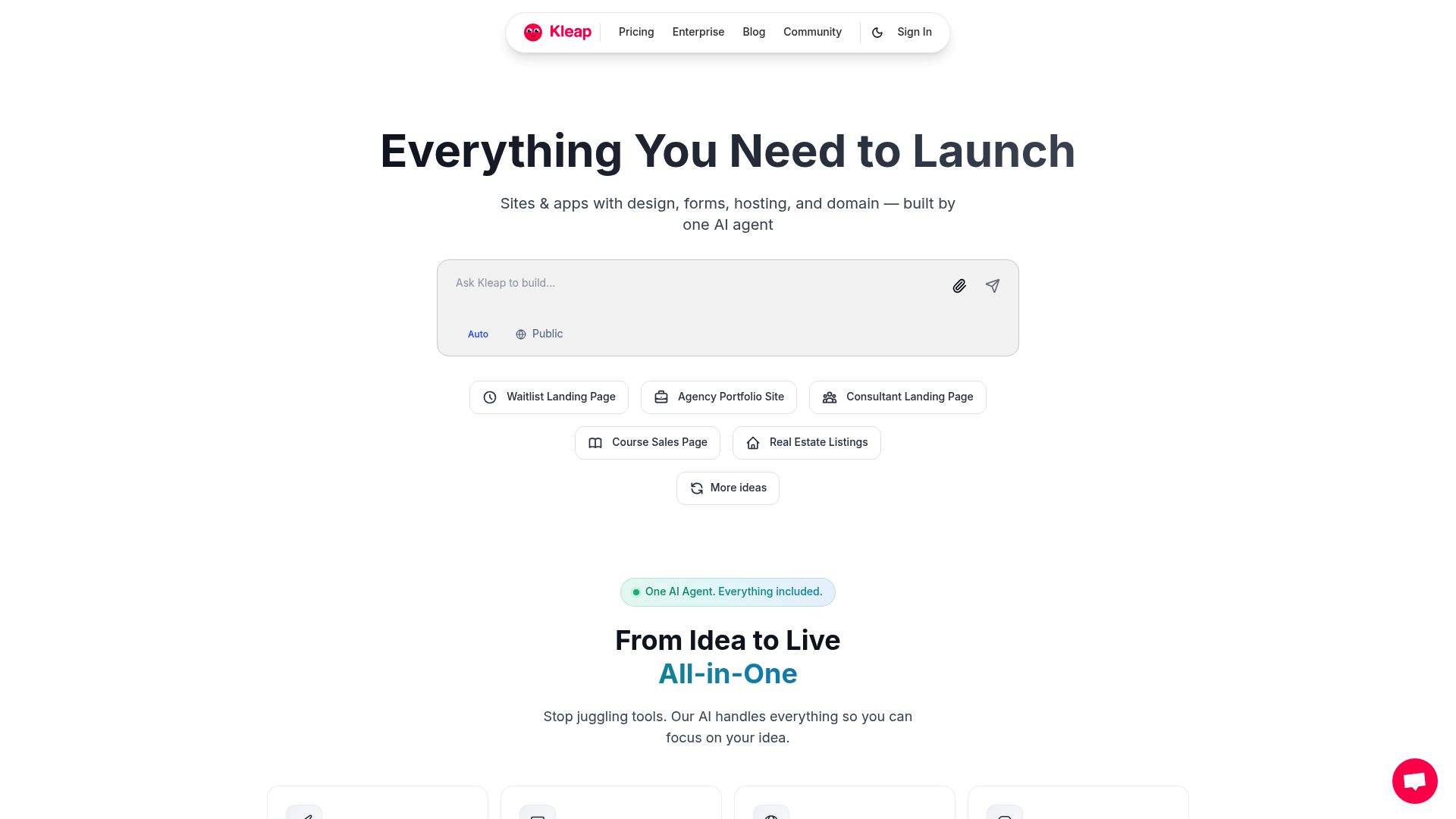
📸 kleap.co
2. Wix: The Heavyweight Champion
If you are looking for the widest range of features possible, it is hard to ignore Wix.
They have been in the game for a long time and have made a huge effort in AI.
It is not surprising that Wix is often considered the best versatile AI website builder for anyone from founders and freelancers to agencies, who place particular importance on speed and artificial intelligence. They offer you a huge set of tools for everything from site generation and content writing to image editing and SEO, with plans for all budgets.
You can see how dominant they are in reviews on sites like Tech.co and AllAboutCookies.
Wix uses a system called ADI (Artificial Design Intelligence). You answer a few questions, and it builds a unique site for you. It is particularly powerful if you need a specific and traditional website layout with many pages.
The trade-off?
It can be dense. With so many features, the dashboard can feel overwhelming for someone who just wants to 'hit start.' But for a traditional and robust business site, it is a true powerhouse.
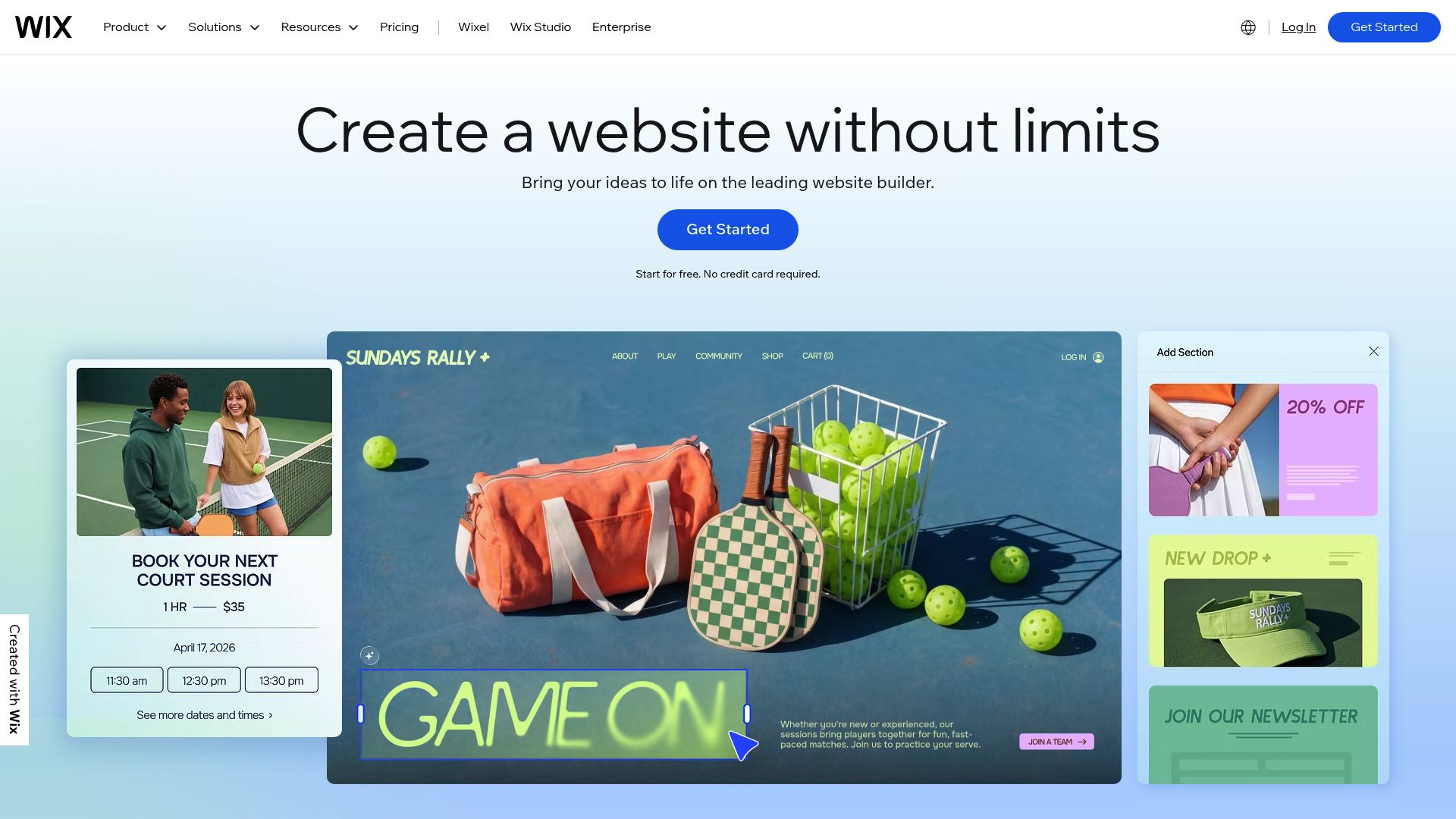
📸 wix.com
3. Hostinger: The Budget-Friendly Sprinter
Maybe you are bootstrapping. Every dollar counts.
If that is your situation, Hostinger is likely your best bet for a wallet-friendly start.
It is a great choice for getting a site up quickly, with handy AI tools for writing, creating images, and using mobile-friendly templates.
Reviewers at places like BetaNews and UK Web Host Review point to its heatmap feature and incredibly fast setup as major wins.
Look, their AI builder is no-nonsense. You won't find the hardcore developer options of Vercel or the huge app marketplace of Wix, but it is designed to get you online quickly and cheaply. If you just need a straightforward landing page or a site for a local business, it is a killer option that won’t break the bank.
4. Framer & Webflow: The Designer's Dream
Of course, we need to talk about the platforms that prioritize beautiful design above all. While a tool like Squarespace gives you gorgeous, reliable templates, some newer players are really changing the game in terms of what AI can actually design from scratch.
According to UseMotion, Squarespace is still a fantastic choice for creatives who want beautiful design without needing tons of AI customization.
But if you are a designer who just wants AI to do the boring stuff so you can get in there and perfect every pixel, you will see a shift toward tools that give you that fine-tuned control.
Comparative Analysis: Finding Your Match
Let's break this down data-style. It helps to look at these side-by-side because 'best' is subjective to your business model.
Multiple sources have tested 10-15+ AI creators in 2025. They ranked them as the best for speed, ease of use, and innovation in AI among global users with budgets ranging from free to thousands per month:
| Builder | Best For | Key AI Features | Starting Price | Target Users |
|---|---|---|---|---|
| Wix | Overall best; complete AI toolkit | Site creation from prompts, content/image generation, tone adjustment, SEO guidance, chatbots | Free plan; $17/month premium | Entrepreneurs, agencies, enterprises needing customization Source: Website Builder Expert |
| Hostinger (Zyro) | Budget speed; beginners | AI writing/images, heatmap predictions, drag-and-drop | $2.24-$2.99/month | Small businesses, freelancers on tight budgets Source: BetaNews |
| Kleap | Mobile-first Instant Launch | One-prompt creation, fully functional apps, payment integration, content generation | Free to start; Pro options available | Founders, creators needing fast monetization |
| DreamHost (Liftoff) | WordPress integration | Varies by plan | Business owners launching WordPress sites quickly Source: AllAboutCookies | |
| Lovable | Conversion-optimized | Prompt-based site generation, strong visuals | Not specified | Founders focused on high-converting sites Source: UseMotion |
| v0 by Vercel | Fastest dev-friendly AI | Single-prompt sites, clean code, SEO flexibility | Free tiers; scales to enterprise | Enterprise teams, devs wanting code export Source: UseMotion |
The Developer's Angle: Code vs. No-Code
There is an interesting split happening in the market.
On one side, you have the "No-Code" movement where you never see a line of HTML. On the other, you have AI that writes code for you.
If you are a technical founder or have a development team, you might feel limited by Wix or Squarespace. That is where tools like v0 by Vercel or Builder.io come into play.
These platforms are arguably the best AI website builder options for those who want to export clean React or Tailwind code.
They allow for single-prompt site generation but give you the keys to the castle regarding the backend. This is crucial for enterprise scaling.
You get the speed of AI generation with the flexibility of custom engineering.
For marketing agencies or teams, Wix's AI content/SEO support is fantastic, but enterprises favor v0/Builder.io for custom code output (Tech.co).
Critical Factors When Choosing the Best AI Website Builder
You know the players. Now, how do you actually decide? It comes down to your priorities.
1. Speed to Market
If you have a product launch next week, you cannot afford a steep learning curve. Lovable, Builder.io, and Namecheap generate sites from one prompt or questionnaire in minutes, suiting time-strapped founders (BetaNews).
This is also where Kleap excels. The goal is to reduce the friction between "idea" and "live URL."
2. SEO Capabilities
A gorgeous site that nobody ever sees is just a waste of digital real estate.
SEO (Search Engine Optimization) is something you just can't skip. Here, Wix really shines with its comprehensive AI that helps with the build and even gives you SEO tips.
That said, developer-centric tools like Builder.io or WordPress often create cleaner code, and as UseMotion notes, Google's algorithm favors that for performance.
If your game plan depends on getting found through Google search, you must ensure the AI builder you choose creates clean HTML and automatically handles things like sitemaps.
3. Security and Reliability
Okay, we need to talk about the big one.
Just because a builder is popular doesn't automatically make it a safe choice. You'll notice that sources like AllAboutCookies consistently leave GoDaddy off their top lists.
That's usually because of reported security problems, hidden fees, and relentless upselling, even if their AI features look tempting. As a founder, you just can't afford to risk your brand's reputation on a platform with questionable security.
4. Content Generation
The hardest part of building a website is often writing the copy.
The best website builder AI doesn't just build layouts; it writes your sales pitch. Hostinger and Kleap use advanced LLMs (Large Language Models) to draft compelling headlines and product descriptions. This saves you from hiring a copywriter in the early stages.

Aidan Tottori / Unsplash
The Evolution of Web Design
It's fascinating to watch how quickly this technology is moving. We are moving away from 'templates' toward 'generation.'
In the old world, you picked a template that looked kind of like what you wanted and then spent hours fighting with it to make it fit your brand. In the new world, the AI generates a bespoke design based on your specific content and brand voice.
This is crucial for conversion. A generic template looks like... well, a generic template.
A site generated for your specific audience resonates better.
On that note, it's interesting to see how AI tools are helping local businesses in places like Switzerland or Germany overcome language barriers. If you're diving into localized strategies, you'll see firms like MCC-COM often talk about how digital tools are changing the game for reaching new markets. They might focus on broader communications, but the core idea is the same: the right tool helps get your message across loud and clear.
Common Pitfalls to Avoid
Just because an AI can build it doesn't mean it's perfect out of the gate. Here is where founders often trip up.
Over-reliance on Auto-Generation: AI is a starting point, not the finish line. You must review the copy.
AI can sometimes hallucinate facts or write in a tone that sounds robotic. Always apply a human polish.
Ignoring Mobile Optimization: You might be building on a desktop, but your customers are on their phones. While Wix and Hostinger do a good job balancing the desktop editor and the mobile view, you always have to check both yourself. This is exactly why the team built Kleap with a mobile-first philosophy: it solves the 'broken on mobile' issue from the start.
Getting Locked In: Be careful here. Some builders make it almost impossible to leave.
If you build everything on their closed system, getting your site out later can be a true nightmare. As How to Test Before You Buy Most of these platforms offer free tiers or trials. Don't just commit to an annual plan immediately. We recommend a "bake-off." Take your core value proposition and feed it into three different builders. Try Wix for a comprehensive desktop experience. Try v0 if you need code export. See which one 'gets' your vision the fastest. Test free plans first, as hands-on results vary significantly by the quality of your prompt and the type of site you need (YouTube Review). This is Engineering / Unsplash We are just scratching the surface. The next generation of the best AI website builder will go beyond text-to-site. We are looking at voice-to-site capabilities, where you literally talk to your phone and a store appears. We are looking at real-time AI optimization, where the website changes its layout automatically based on who is visiting. Imagine a site that highlights your enterprise pricing when a corporate IP address visits, but highlights your freelance tier when a mobile user clicks from Instagram. That level of dynamic personalization is coming, and it will be driven by AI. Building a website used to be a barrier to entry. Now, it is a commodity. The competitive advantage is no longer 'having a website.' The advantage is how fast you can iterate, how well you can convert, and how efficiently you can scale. For the founder who lives and breathes speed and mobile-first design, Kleap provides a direct line from idea to revenue. For those who need every possible feature, Wix is still an incredibly powerful choice. For the frugal innovator, Hostinger opens doors. The best tool is the one that gets your product in front of customers today, not next month. Stop planning. Start building. Ready to launch your vision in seconds? Try Kleap for free and see what the next generation of AI web building looks like. Q: What is the best AI website builder for absolute beginners? Q: Can I use AI website builders for e-commerce? For bigger online stores, both Wix and Shopify (which now has AI features) are powerhouses. Kleap shines when it comes to selling digital products or services quickly, especially on mobile. Q: Will using an AI website builder hurt my SEO? That said, you still need to do the work of optimizing your keywords and meta descriptions, whether you do it yourself or use their AI assistants to guide you. Q: Is the code generated by AI builders clean? Q: Can I switch templates after the AI has built the site?
1. Try Kleap for instant mobile creation.
2.
3.
The Future: What's Next for AI Builders?
Conclusion
FAQ: Best AI Website Builder
A: For absolute simplicity, Kleap is designed to require zero technical skill, generating sites from simple text. Hostinger is also incredibly welcoming for beginners, with a simple grid layout and really affordable prices.
A: Absolutely.
A: Not if you choose a good one. Today's builders like Wix and Kleap are built to create clean site structures and come packed with their own SEO tools.
A: It really depends on the tool. The more visual builders (think Wix or Squarespace) can sometimes produce code that's a bit more bloated. Tools aimed at developers, like Builder.io or v0 by Vercel, are designed to let you export incredibly clean, dev-friendly code.
A: Most of them let you regenerate entire sections or instantly swap out global styles like colors and fonts. However, some tools like Wix might make you start over with a fresh generation if you want to make a massive change to the basic layout.