Kleap: No-Code for App Development? A Deep Dive Review

The tech world is buzzing with a phrase that sounds almost too good to be true.
No-code.
It’s the promise of a future where anyone with a great idea can build a digital empire, no JavaScript or Python required.
But like any hot trend, the market is suddenly flooded with tools making some pretty big claims.
I'm sure you've seen the ads.
It probably leaves you asking a critical question: Is Kleap truly no code for app development, or is it just another website builder with a fancy AI marketing wrapper?
We’re going to strip away the marketing jargon and really look at the engine under the hood.
This really matters because your time is money. As an entrepreneur or business owner, you can't afford to spend weeks learning a platform only to hit a 'code wall.' You may realize you suddenly need a developer to finish the job.
You need a solution that takes you from a concept in your head to a live, money-making link in someone's browser.
We are going to investigate whether Kleap lives up to the promise of being a zero-code solution for building and launching a functional application.
We will explore its capabilities, its limitations, and exactly who this tool is built for. Spoiler alert: the answer depends heavily on what you define as an 'app.'
So, let's get into the details.

Our verdict
- To really get Kleap's value, we have to see where we've come from.
- But does it actually hold up?
- To determine if Kleap's no code capabilities for app development are valid, we have to look at the feature set.
- Let's be real: the market is crowded.
The Evolution of the 'No Code' Promise
To really understand Kleap's value, we have to see where we've come from. Just ten years ago, building a digital presence meant choosing between two pretty bad options.
You could either fork over thousands to an agency or wrestle with a clunky CMS that seemed to break every time you updated a plugin.
Then the first wave of visual builders showed up.
They were okay, a step up for sure, but they were heavy.
They often produced bloated code that confused search engines. Now, we’re in the era of AI-native builders.
This is where the game completely changes.
The promise of today's tools isn't just about dragging and dropping things around.
It’s about speed and intelligence. It's about a system that actually understands context.
If you tell an AI that you are a photographer, it shouldn't just provide you with a generic template.
It should understand that you need a gallery, a booking form, and support for high-resolution images.
Kleap is positioning itself right at the front of this new wave, claiming to be an AI website and app builder that lets you create pro-level platforms instantly, just by talking to it.
Try it — build your site while you read
Describe what you want and get a live, publishable site in seconds. Free to start, no code.
Join 200,000+ makers building real websites with Kleap.
Is Kleap Truly No Code for App Development? The Reality Check
But does it actually hold up?
Is Kleap Truly No Code for App Development?
The Reality Check Okay, let’s just address the elephant in the room.
When we ask, is Kleap truly no code for app development, we first need to clarify what we mean by an 'app.'
In the tech world, there's a big difference between a Native Mobile App (the kind you download from the App Store) and a Web App (which is basically a super functional, interactive mobile site).
Kleap is primarily a generator for the latter. It builds incredibly fast, mobile-first websites that function and feel like applications. These are what people often call Progressive Web Apps (PWAs).
They load in a flash, look great on your phone, and can handle complex tasks like taking payments and bookings.
If you are looking to build the next Candy Crush or a complex banking algorithm that requires deep access to a phone's gyroscope, Kleap is not the tool for that.
They just want a smooth mobile experience.
You do not touch HTML.
You do not mess with CSS files.
You do not configure servers. The AI handles the infrastructure: the design and the deployment.
From Prompt to Live in 30 Seconds
At its core, Kleap's biggest claim is speed.
We've seen it generate complete sites, headlines, images, and all the SEO elements in as little as 30 seconds from just a simple prompt.
And that’s not an exaggeration.
The whole onboarding process is just a chat. You type in a prompt.
Something like: "I need a landing page for my boutique coffee subscription service in Seattle." The AI takes over. It acts as your copywriter, your designer, and your developer simultaneously.
This is a massive leap from the "drag-and-drop" era.
In traditional builders, you still had to make hundreds of micro-decisions. What font looks good? What color matches this hex code?
Kleap removes that decision fatigue. It gives you a polished product first, then lets you tweak it.
Core Features That Define No-Code Efficiency
To determine if Kleap's truly no-code app development capabilities are valid, we have to look at the feature set. A true no-code tool acts as a chaotic abstraction layer. It hides the complexity of the web so you can focus on business logic.
The AI Website Generator Engine
The engine behind Kleap creates structured mobile sites from prompts.
It sources stock media relevant to your industry. It suggests content structures that convert. Crucially, it automatically optimizes for speed.
Think about image compression. In a coded environment, you have to run scripts to compress assets or implement lazy loading to ensure the page doesn't crash a mobile browser.
Kleap does this in the background. You never see the script.
The Mobile-First Editor
Most website builders are desktop-first.
They shrink a big website down to a small screen, which often looks terrible.
Kleap works the other way around. It is built by ex-WordPress experts who understand that mobile traffic commands the internet today.
The editor lets you rearrange sections and edit text right on the page through your browser.
It supports undo and history, so you can iterate quickly. If you mess up, you don't have to go back and revert a Git commit.
You just hit the back button.
Deep Dive: Functional 'App' Features Without Code Look, a static website is just a digital brochure.
An app is something that actually does things. So, does Kleap let you build real functionality without a single line of code?
Integrated Commerce and Payments
Anyone who has tried knows that setting up a payment gateway manually is a total nightmare of API keys and security webhooks.
Kleap builds in Stripe-powered commerce directly, so you can start selling physical products or digital subscriptions right away.
You don't have to write any code to make the transaction secure, which is a huge deal for creators.
If you want to launch a membership site for exclusive content, you just toggle this feature on.
A developer would charge you thousands to build that from scratch.
In Kleap, it's just a setting.
Forms and Lead Capture
Data collection is the lifeblood of any business app, and Kleap gives you integrated forms for newsletters and customer inquiries right out of the box.
It keeps all that data in one dashboard, so you don't have to mess with connecting a separate database like MySQL.
Comparing Kleap to Heavyweight Competitors
Let's be real: the market is crowded.
To really see where Kleap fits in, we need to put it up against the giants. Some of these are true app builders, while others are more like website designers.
The positioning makes all the difference.
Kleap vs. Bubble and FlutterFlow
Don't get me wrong, tools like Bubble or FlutterFlow are fantastic.
They are genuine visual programming environments that let you build complex logic, custom databases, and even native iOS apps. But here is the catch: the learning curve is steep.
With Bubble, you are still essentially programming; you are just doing it with visual blocks instead of text.
You need to understand data types, boolean logic, and API workflows. It is no code, but it is not no skill.
Kleap is different. It targets the user who prioritizes rapid deployment.
If Bubble is for building a SaaS product from scratch, Kleap is for launching the marketing and service platform for that business in minutes, not months.
Kleap vs. Wix and Squarespace
Then you have the old guard: Wix and Squarespace. They're powerful, but they can get pretty bloated.
Wix gives you a ton of design control, but your pages can end up feeling heavy.
Squarespace is beautiful but can be pretty rigid.
Both have added AI features recently, but you can tell they were an afterthought. Kleap, on the other hand, was built with AI at its very core from day one.
That foundation means the final product is usually much lighter and faster, and for a freelancer or small business, that speed translates directly to better rankings on Google.
| Platform | Primary Use Case | Learning Curve | Output Type |
|---|---|---|---|
| Kleap | Business Launch & Mobile Sites | Almost Zero (AI-Driven) | PWA / Mobile Web |
| Bubble | Complex SaaS Logic | High (Visual Coding) | Web App |
| FlutterFlow | Native Mobile Apps | Moderate to High | iOS / Android Apps |
| Wix | General Desktop Websites | Low to Moderate | Responsive Website |
Limitations: When is No Code Not Enough?
We believe in being radically transparent here.
So, is Kleap truly no code for app development in every single scenario?
No. There are specific limitations you must be aware of.
Kleap does not currently support building native mobile applications that sit in the Apple App Store or Google Play Store.
If your goal is to have an icon on a user's home screen that uses the phone's accelerometer or Bluetooth connection, Kleap is not the tool.
Furthermore, complex backend logic is out of scope.
You cannot use Kleap to build a multi-sided marketplace with custom algorithms connecting buyers and sellers in real-time with dynamic pricing.
For something like that, you'd need a database tool like Supabase connected to a frontend like WeWeb.
But ask yourself: Do you actually *need* that?
Most businesses think they need a native app when what would serve them much better is a high-performance mobile site that captures leads and takes payments.
Who Benefits Most from Kleap's Approach?
Knowing who it's for really helps clarify the tool's value. Kleap is built for the modern-day executor. It is for people who value speed over infinite customization.
The Solo Entrepreneur
You have an idea on Friday night. You want to launch by Monday morning.
You do not have the budget for a dev team. Kleap allows you to validate your idea instantly.
You get a professional look without the professional price tag.
The Marketing Agency
Agencies are under pressure to deliver faster. Clients want landing pages up yesterday.
With Kleap, an agency can spin up high-quality microsites for clients in just a few minutes.
That can boost margins way more than hand-coding HTML pages ever could. Take a local service provider, for example.
For instance, a locksmith in Geneva needs to pop up instantly when someone is locked out of their apartment.
A site like serrurierkad.ch could use a platform like Kleap to make sure their emergency number is front and center on mobile, loading instantly for a customer who is already stressed out.
Security and Tech Ownership in a No-Code World
A perfectly valid fear with no-code tools is that you'll get "locked-in."
What happens if the platform disappears?
What about security?
Kleap actually has a unique answer for this: full code ownership.
Even though it builds with AI, the enterprise plans give you way more control than you'd get from a typical walled garden.
Plus, the platform handles all the enterprise-grade security for you; we're talking SSL certificates and protection from things like DDoS attacks.
These are the kinds of technical headaches that you'd normally need a DevOps engineer for. Security is often the silent killer of custom-coded apps.
A junior developer could easily leave a database port open by mistake.
A platform like Kleap manages those kinds of vulnerabilities at the infrastructure level, which gives you incredible peace of mind.
The Cost Efficiency of AI Development
Let's talk numbers because custom app development is seriously expensive.
A basic website from an agency can run you anywhere from $3,000 to $10,000. A custom web application starts at $15,000 and can easily climb into six figures.
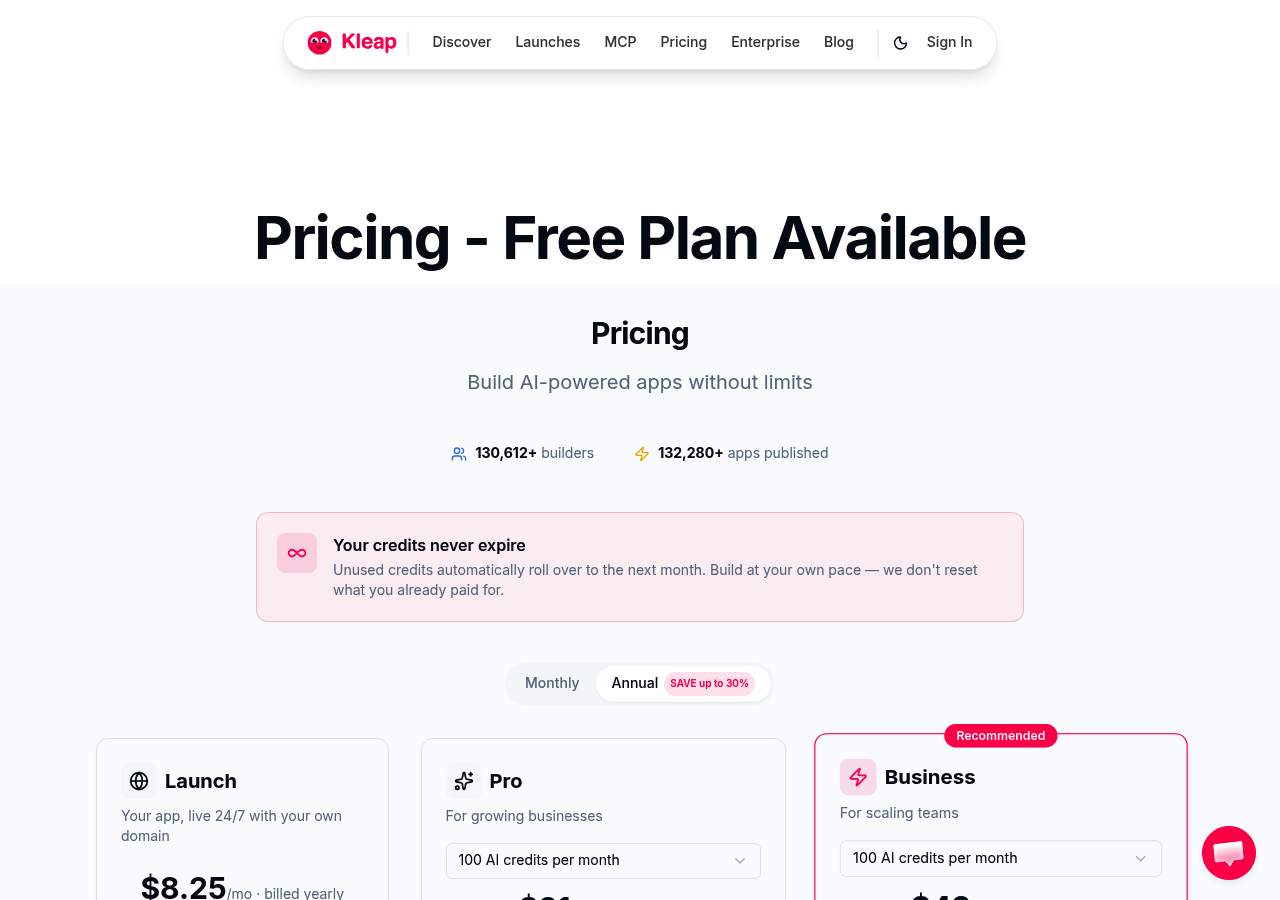
Kleap works on a simple subscription model. You can start for free, and the Pro plans are only about $25 a month.
This is a huge deal for making technology accessible. It lowers the barrier to entry so much that the risk of a project failing becomes almost a non-issue.
If you launch a project on Kleap and it doesn't gain traction, you are out a small monthly fee and a few hours of time. If you build a custom app and it fails, you have lost a year of savings. This financial buffer encourages experimentation and innovation.
Is Kleap Truly No Code for App Development When Scaling?
Scalability is the final frontier. Can a no-code tool grow with you? For content and commerce, absolutely.
Kleap's hosting is built to handle traffic spikes. Because it generates static assets and optimized code, it holds up well under load.
However, if your business scales to the point where you need highly specific, proprietary custom features, you might eventually migrate. But that is a good problem to have.
It means your business succeeded.
Kleap gets you to that stage of success efficiently.
Practical Takeaways for Your Next Project
If you are ready to start building, keep these strategies in mind to maximize the potential of a no-code builder like Kleap:
- Start with Content: Since Kleap uses natural language processing, having a clear description of your business helps the AI build a better site. Write down your mission and services before you start the prompt.
- Think Mobile First: Check everything on the mobile preview. Trust the AI's layout choices; they're truly optimized for thumbs, not mouse cursors.
- Iterate Live: Don't get stuck waiting for perfection. Just launch the MVP (Minimum Viable Product). You can use the mobile editor to tweak your copy or prices while you're on the bus or waiting for coffee.
The Verdict
So, what's the final word?
Is Kleap truly no code for app development?
The answer is a definite yes. As long as you understand we are talking about a powerful, interactive web application or PWA, this is not something you download from an app store.
It completely removes the technical barrier, allowing creators to skip the painful learning curve of coding and the extremely high costs of traditional development.
It's an accelerator. It simply removes all the friction from the creation process.
The truth is, the future of development is hybrid. It is about using AI to do the heavy lifting so humans can focus on strategy and creativity.
Kleap is leading that charge by proving that you don't need to speak a computer language to build a digital business.
If you have an idea burning in the back of your mind, the only thing stopping you now is the decision to start.
The code is no longer the excuse.
FAQ
Q: Can I really build a site in 30 seconds with Kleap?
A: Yes. The AI generates the whole structure, images, and copy from your prompt in about 30 seconds.
You'll probably spend more time fine-tuning it, but that first build is essentially instant.
Q: Is Kleap suitable for e-commerce stores?
A: Absolutely. It integrates with Stripe to securely handle products, subscriptions, and the whole checkout process, all without you touching any code.
Q: Can I export my code from Kleap?
A: Yes, Kleap gives you complete ownership of your code, which is a huge step up from many other closed-source website builders.
Q: Do I need a separate hosting plan?
A: Nope.
Kleap provides a fully hosted solution, so you are all set.
Q: Is Kleap better than WordPress?
A: If you care about speed, ease of use, and having zero maintenance headaches, then yes, Kleap is often a much better choice. WordPress gives you more flexibility with plugins, but it also demands a lot more of your time for management and constant updates.


