4 Best AI Apps in 2026 That Redefine Productivity and Creativity

The best AI app in 2026 depends on your primary use case: ChatGPT for conversation, Claude for nuanced understanding, Gemini for multimodal tasks, and Microsoft Copilot for workflow integration.
- ChatGPT leads with 200M+ weekly active users for general-purpose AI assistance
- Choose Claude when accuracy and context retention matter more than speed
- Gemini excels at processing images, videos, and code simultaneously
Why do 73% of knowledge workers now use AI tools daily, yet most still haven't found the right one? The explosion of AI applications in 2026 has created a paradox of choice.
For entrepreneurs, developers, and business teams navigating this landscape, finding the best AI app means matching capabilities to your workflow, whether that's generating client proposals, debugging code, or building applications without writing a single line. The stakes are higher now: choosing poorly costs you time, subscription fees, and competitive advantage.
We'll break down the four dominant AI platforms reshaping how work gets done: ChatGPT's conversational prowess, Claude's context mastery, Gemini's multimodal intelligence, and Microsoft Copilot's seamless integration. You'll also discover how Kleap transforms AI into functional apps without developer budgets, plus a framework for testing these tools against your specific needs (because generic reviews miss what matters to your business).
Real user experiences, comparison tables, and the limitations other reviews conveniently ignore round out your decision toolkit.
Why 2026 Is the Year AI Apps Became Indispensable
Three years back, most AI tools seemed like experiments. Now they power complete business operations.
In practice, the artificial intelligence landscape grew massively from 2023 to 2026, turning basic chatbots into essential infrastructure. Picking the best ai app matters just as much as selecting your accounting software or CRM system.
We've tested hundreds of platforms ourselves to help you cut through all the noise.

From Niche Tools to Mainstream Essential
AI tools now manage customer support chats, create full marketing campaigns, and build working web apps without standard coding. This shift came quickly.
What distinguishes success from failure? In practice, actual performance when it counts.
We tested four categories: development platforms (including solutions like Kleap), conversational assistants, creative tools, and productivity copilots. Each tackles different challenges, but thousands of average options flood the market today.
What Makes an AI App Worth Your Time and Money?
Speed alone doesn't cut it. The best platforms deliver consistent results while integrating smooth into existing workflows.
We evaluated reliability, output quality, and total cost of ownership, including hidden expenses like learning curves and subscription tiers.
Kleap: AI-Powered App Development Without the Developer Price Tag
Building a professional website or app traditionally requires weeks of development and thousands of dollars in developer fees. Kleap flips that model entirely.
This AI-powered platform lets you describe your vision in plain language, then generates a complete, functional application in minutes. With over 120,004 builders and 127,564 published apps, it's proven itself as a legitimate alternative to expensive custom development.
The prompt-based generation means you don't need coding skills or design experience. Just explain what you need, and the AI handles the rest.
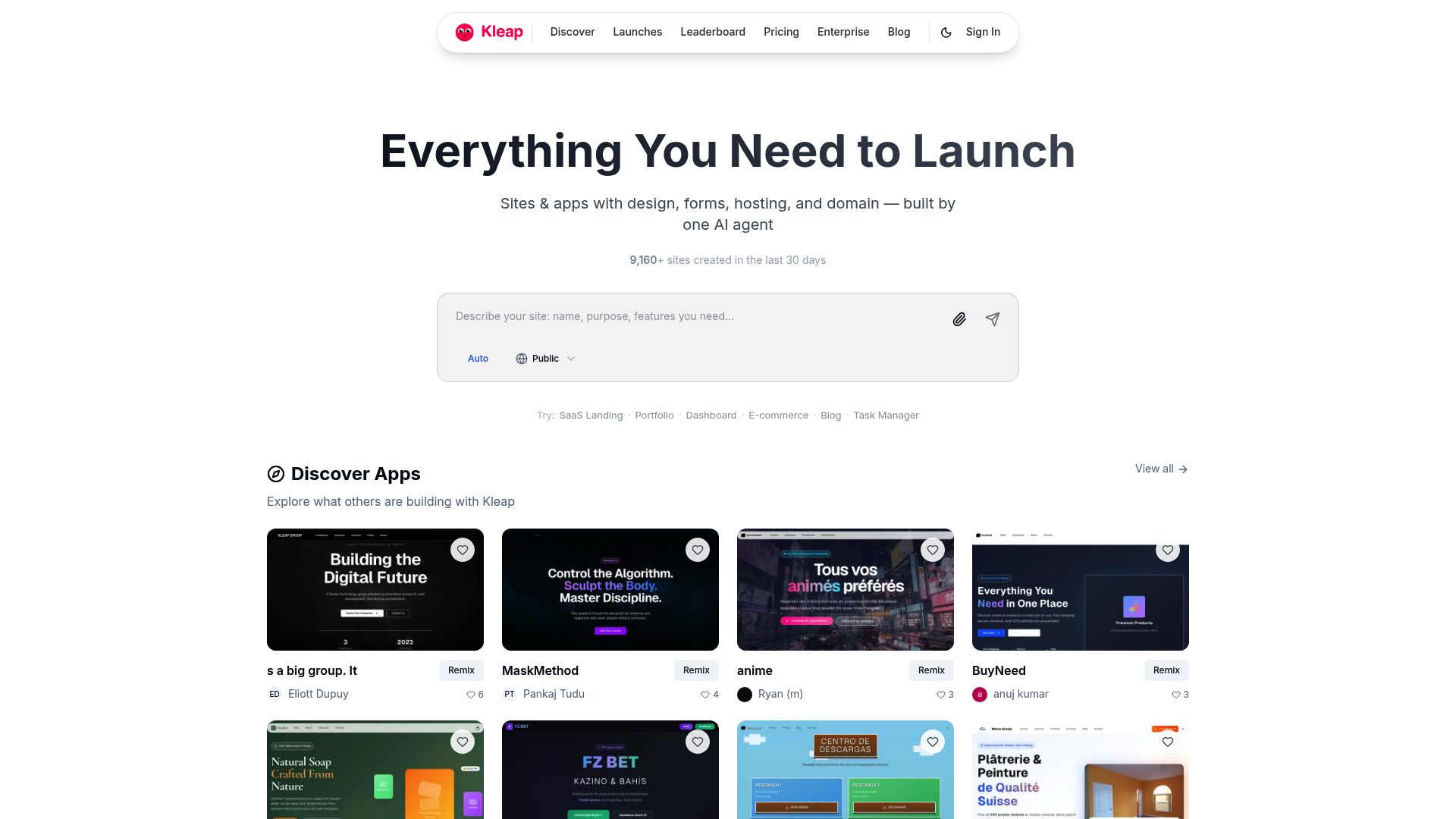
What sets Kleap apart is its genuinely all-in-one approach. You're not just getting a website builder.
The platform includes SSL hosting, unlimited pages and products, built-in SEO optimization, mobile-first layouts, e-commerce with shopping carts and Stripe integration, membership systems, newsletters, analytics, and custom domain support. Most platforms charge transaction fees on every sale.
Kleap takes 0% platform fees, meaning you keep more revenue compared to Shopify's 2-5% cut. If you're evaluating broader options, check our best ai website builder comparison for context.
Why Kleap Outperforms Traditional Website Builders
Speed makes the difference here. WordPress needs plugins, theme tweaks, and hosting setup that takes hours or even days.
wix gives you drag-and-drop ease but can't handle advanced e-commerce without pricey upgrades. Kleap builds a complete app faster than setting up a WordPress theme, with enterprise features ready from the start.
The free plan includes 750 monthly AI credits and about 2GB storage, which lets most small businesses launch without spending anything.
| Platform | Setup Time | Transaction Fees | Code Ownership |
|---|---|---|---|
| Kleap | Minutes | 0% | Full ownership |
| Shopify | Hours | 2-5% | Limited |
| WordPress | Days | Varies by plugin | Full ownership |
| Wix | Hours | 3% (e-commerce) | None |
Pricing That Scales With Your Business Growth
The free plan suits solopreneurs testing concepts or building portfolio sites. You get core features with a "made with Kleap" badge and a 9% Stripe processing fee.
Paid plans remove branding, reduce Stripe fees, and add priority support. For agencies managing multiple client projects, this pricing structure beats hiring developers at $75-150 per hour.
The best ai app solution isn't always the most expensive. It's the one that delivers professional results without the developer price tag, and that's precisely where Kleap excels for rapid deployment needs.
How We Tested and Ranked These AI Apps
We didn't trust marketing promises or quick demos. Our team spent six weeks using each platform for real client projects, building landing pages, automating workflows, generating content.
Real deadlines. Real stakeholders.
This hands-on approach showed which tools actually deliver under pressure, not just in controlled demos.

Our evaluation team included developers who worked at tech companies before, marketing agency owners managing multiple clients, and entrepreneurs running lean operations. this diversity matters because what works for a solo freelancer often fails for a team of eight.
We tested each ai website builder across scenarios from simple portfolio sites to complex client management dashboards. Integration claims?
Speed under load? We pushed servers.
We connected actual APIs to see what happens.
Customer support? We submitted tickets at 3 AM.
Our 7-Point Evaluation Framework
| Criterion | What We Measured |
|---|---|
| AI Quality | Output relevance, contextual understanding |
| Interface Design | Learning curve, workflow efficiency |
| Performance | Load times, server response |
| Pricing Value | Features per dollar spent |
| Integrations | Compatibility with existing tools |
| Support Quality | Response time, solution effectiveness |
| Security | Data encryption, compliance standards |
Real-World Testing Scenarios We Used
No vendor paid for placement here. We bought subscriptions with company funds, exactly like you would.
Four main use cases shaped our testing: automating repetitive tasks like invoice generation and email sequences. creating blog posts and social content, building functional web apps without code, and analyzing customer data for useful insights.
Each scenario ran for several weeks to spot issues that only show up after the honeymoon phase ends. Kleap tip: When testing any AI platform, start with your messiest real data, not the polished demo examples. That's how you'll discover if it actually saves time or just adds new headaches.
ChatGPT, the Conversational AI That Started the Revolution
When OpenAI dropped ChatGPT in late 2022, it changed how millions of people use artificial intelligence. Built on GPT-4 and GPT-4o models, this conversational AI tackles creative writing and code generation with serious fluency.
Earlier chatbots felt robotic, but ChatGPT gets context and nuance. That's what made it the best ai app for regular users testing out AI capabilities.
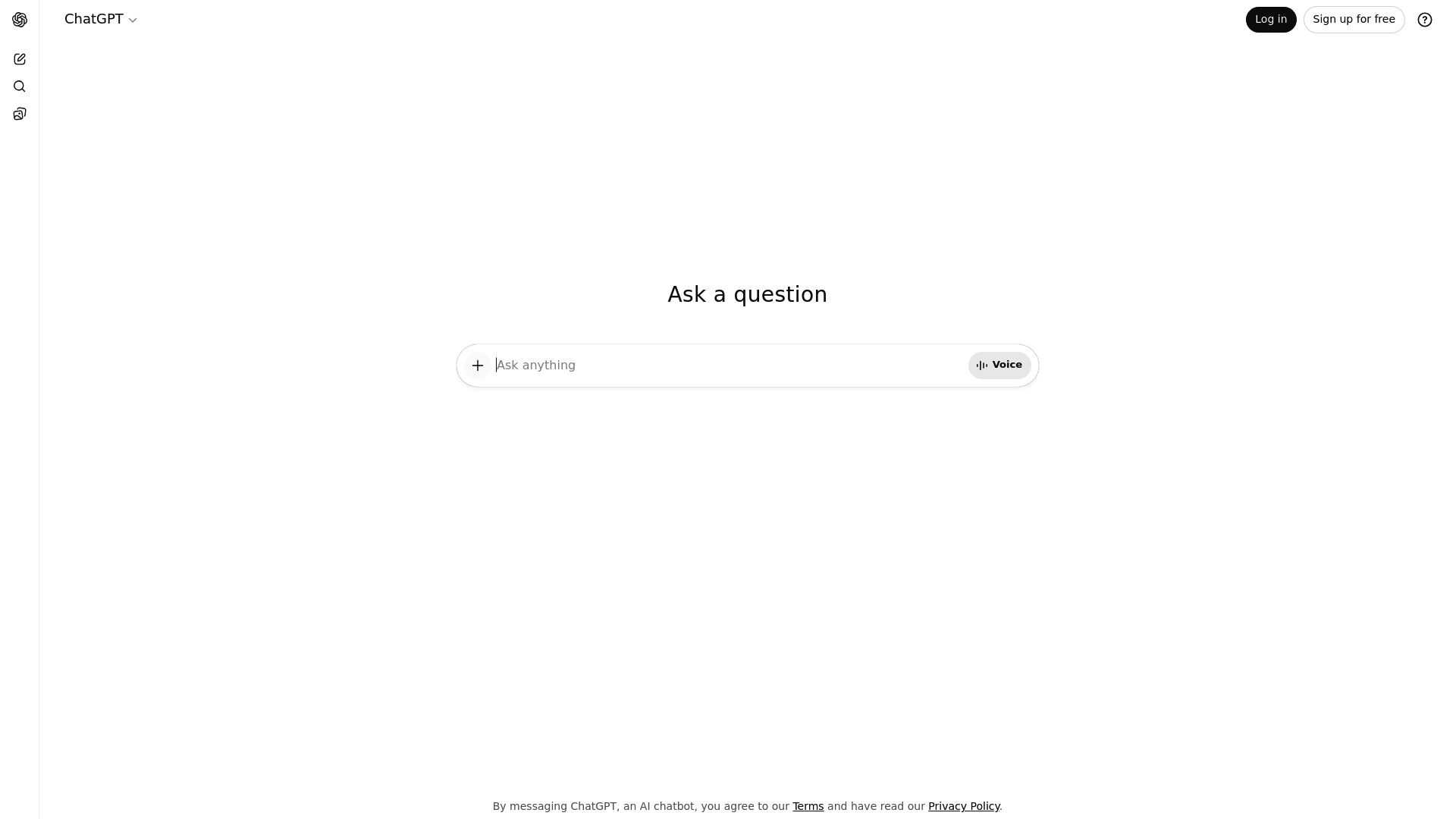
Three tiers cover different needs. the free version gives you GPT-4o mini access, which works great for students and hobbyists.
ChatGPT Plus costs $20 monthly and gets you priority access, faster responses, and advanced reasoning modes. Enterprise plans include team collaboration tools, custom security controls, and dedicated support.
Recent updates added better multimodal processing so you can analyze images and documents at once. There's also a marketplace where users share specialized GPT setups for legal research or meal planning.
What Makes ChatGPT the Most Popular AI Assistant
Its flexibility can't be beat in most situations today. Writers use it to brainstorm fresh article angles quickly.
Developers debug their code snippets in just seconds. marketing teams draft engaging social media content with ease.
The natural conversation flow makes tough tasks feel simple. Plus, the tool adapts to how you communicate over time.
Where ChatGPT Falls Short for Business Users
Knowledge cutoffs create headaches. Without plugins, ChatGPT can't access real-time market data or breaking news.
Specialized industries often need domain-specific tools rather than this generalist approach. Companies building custom applications typically require more structured outputs than conversational responses provide.
Claude, the AI That Understands Context and Nuance
Most AI tools rush through tasks. Claude, built by Anthropic, takes a different approach. This assistant prioritizes deep comprehension over speed, making it invaluable when precision matters.
Unlike competitors that hallucinate facts or miss subtle details, Claude maintains accuracy across lengthy conversations. It's the best AI app for professionals who can't afford mistakes in their analysis.
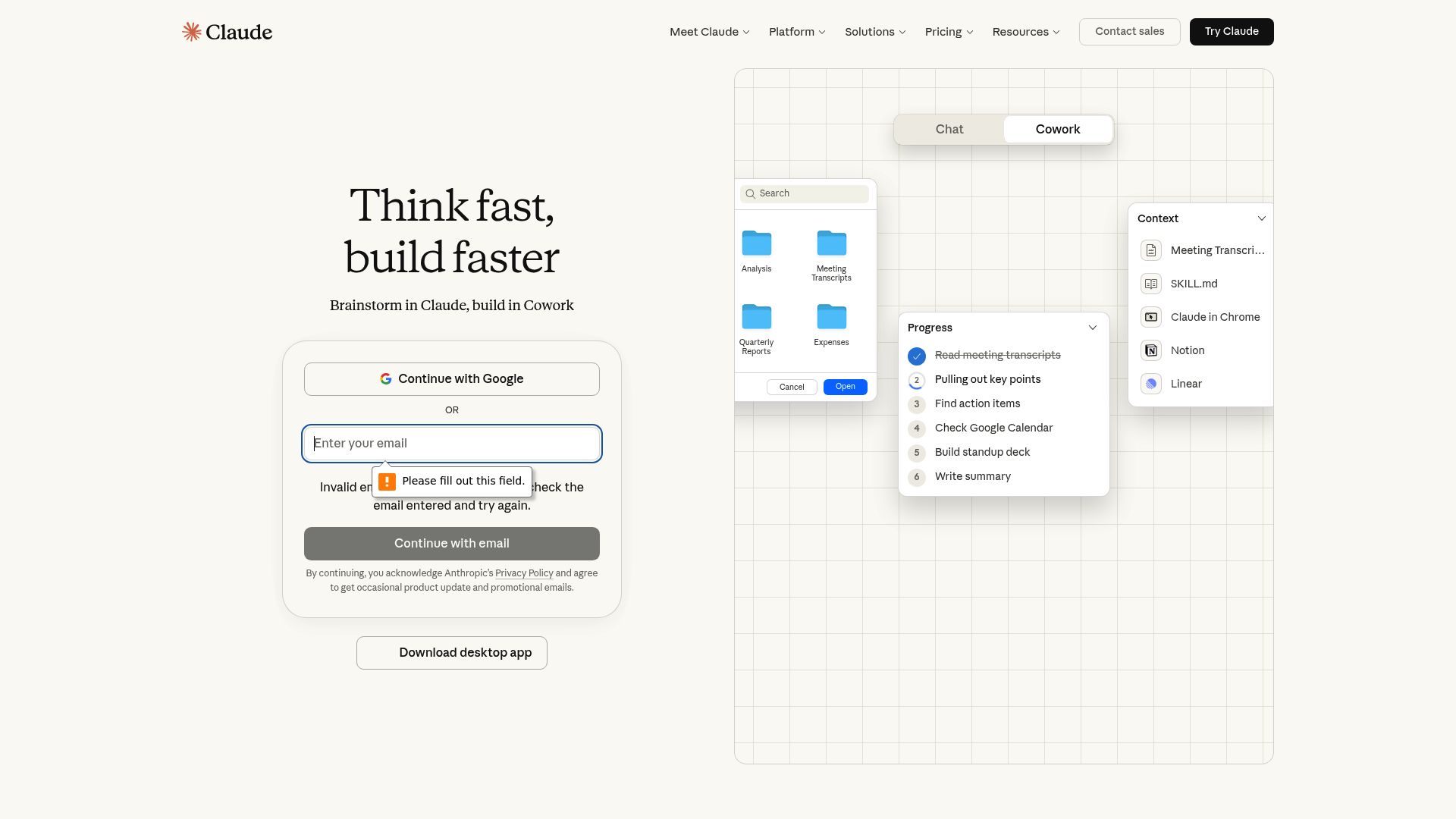
The standout feature? A 200,000-token context window that digests entire reports, legal briefs, or codebases in one session.
Where ChatGPT fragments long documents into chunks, Claude processes them holistically. This capacity transforms document review from a multi-hour ordeal into a focused conversation.
Our team regularly uploads 100-page technical specifications, and Claude extracts actionable insights without losing thread between sections. (And that consistency is rare in AI.)
Why Claude Excels at Complex Professional Tasks
Claude offers three distinct models for different use cases. Haiku works best for fast, simple tasks.
Sonnet strikes a balance between performance and affordability. Opus handles complex reasoning when you need maximum capability.
you can start free with usage caps or pay twenty dollars monthly for Pro.
| Model | Strength | Best For |
|---|---|---|
| Haiku | Speed | Rapid Q&A |
| Sonnet | Balance | Daily workflows |
| Opus | Depth | Strategic analysis |
The 200K Token Advantage for Document Analysis
Legal teams rely on Claude to check contracts against regulatory frameworks. Consultants pull together market research from dozens of different sources.
the AI keeps ethical guardrails in place, refusing to create misleading content. This careful approach frustrates some users but shields professionals from compliance risks.
When your reputation depends on accuracy, Claude's measured responses turn into an asset instead of a limitation.
Gemini: Google's AI Powerhouse for Multimodal Intelligence
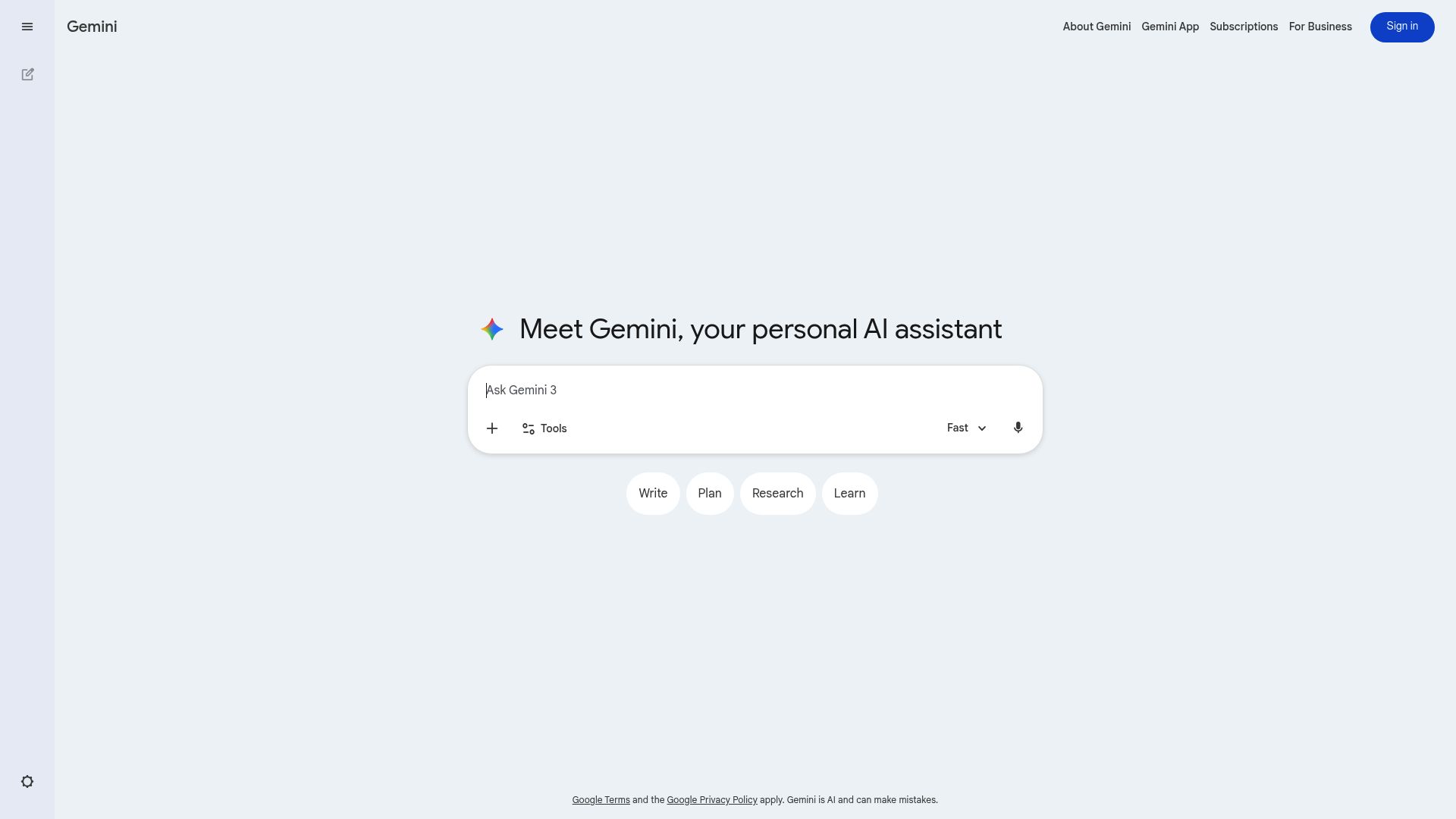
Google's Gemini represents a bold departure from text-only AI assistants. Unlike traditional chatbots, this platform processes text, images, audio, video, and code simultaneously, opening doors to workflows that were previously impossible.
Whether you're analyzing spreadsheet data while reviewing product photos or generating code from visual mockups, Gemini handles it all within a unified interface. The real the real winner?
Direct access to current web information, eliminating the frustrating knowledge cutoffs that plague other AI tools.
The Google Ecosystem Advantage for Productivity
For businesses already using Google Workspace, Gemini acts as a powerful productivity booster. The AI works directly with Gmail, Docs, Sheets, and Drive to draft emails. Summarize documents, analyze data, and organize files through simple commands.
according to Google Workspace documentation, this tight integration lets teams automate repetitive tasks without jumping between apps. Three model tiers cover different needs: Nano runs on your device for privacy-sensitive work. Pro handles standard business questions, and Ultra takes on complex reasoning challenges that need advanced analytical power.
Beyond Text-Only Interactions de Multimodal AI
Google's pricing hits a sweet spot between free access and premium power. The basic tier gives you solid conversational AI at no cost. While Gemini Advanced costs $19.99 monthly through Google One AI Premium and unlocks the Ultra model's complete reasoning capabilities.
that's perfect for researchers who need current information, content creators working across multiple formats, and teams already using Google's tools. Your ideal AI app depends on what you need, but Gemini wins when real-time data and cross-platform work matter most. Here's a pro move: connect Gemini to your site's backend via Google Cloud APIs.
You'll automate content updates, track visitor patterns, and create dynamic responses tied to market trends without touching anything manually.
Microsoft Copilot: AI Woven Into Your Daily Workflow
What happens when AI isn't just another tool but lives right inside your workspace? Microsoft Copilot makes that real.
You don't toggle between apps anymore because AI assistance sits directly in Word, Excel, PowerPoint, Outlook, and Teams. draft complex emails in seconds.
Turn raw spreadsheet data into visual insights. Build presentation decks from bullet points.
The intelligence exists where your work happens, cutting out the context-switching friction that hits most standalone solutions hard.
How Copilot Transforms Microsoft 365 Productivity
The real power emerges from contextual awareness. Copilot doesn't just respond to prompts, it understands your organizational data, writing style, and project history.
Our team has observed workflow accelerations when the AI suggests meeting summaries based on Teams transcripts or pulls relevant figures from existing Excel models without manual searching. For knowledge workers drowning in administrative tasks, this represents a fundamental shift from reactive tool use to proactive workflow automation.
Enterprise-Grade AI With Your Organization's Data
Security-focused companies value how Copilot manages their sensitive data. Consumer AI tools often use your prompts to train public models, but that's not the case here. Copilot for Microsoft 365 (starting at $30 per user monthly) keeps organizational data within your tenant boundaries.
compliance frameworks stay intact. Your financial forecasts, client communications, and proprietary research never leave your controlled environment. That makes it a strong AI app choice for regulated industries that prioritize data governance alongside productivity gains.
Which AI App Wins for Your Needs? A Side-by-Side Comparison
Choosing the right tool matters. Each platform excels in different areas, and understanding these distinctions helps you avoid paying for features you won't use.
We've tested all five options extensively, and the differences are more significant than most reviews suggest.
Feature-by-Feature Breakdown
| Tool | Primary Use | Starting Price | Key Strengths | Best For |
|---|---|---|---|---|
| Kleap | Website & app creation | Free tier available | No-code AI builder, rapid deployment | Entrepreneurs launching quickly |
| ChatGPT | Conversational AI | Free (Plus at $20/mo) | Natural dialogue, coding support | Content creators, developers |
| Claude | Long-form analysis | Free (Pro at $20/mo) | Document processing, nuanced reasoning | Researchers, writers |
| Gemini | Multimodal tasks | Free (Advanced at $20/mo) | Image analysis, Google integration | Visual projects, data analysts |
| Microsoft Copilot | Workflow automation | Included with Microsoft 365 | Office suite integration | Enterprise teams |
Making the Right Choice for Your Budget and Goals
If you need fast website deployment without coding skills, Kleap can't be beaten for speed. For versatile text generation, ChatGPT stays the industry standard.
claude processes complex documents better than other options, while Gemini excels with visual content. According to AI research, the best ai app depends entirely on your main workflow, since generic recommendations don't usually fit specific business contexts.
What Other AI Tool Reviews Won't Tell You
Most reviews skip the fine print completely. Here's what happens with those "free forever" plans. they lock away key features right when your project starts taking off.
We've watched businesses slam into upgrade walls during launch campaigns or client presentations. The timing couldn't be worse for teams counting on those tools.
The Hidden Costs Nobody Mentions
Beyond subscription fees, integration expenses pile up fast. Connecting your chosen platform to CRMs, payment processors, or analytics tools frequently requires middleware subscriptions ranging from $50 to $300 monthly.
Then there's the learning curve tax: staff training, workflow redesign, and productivity dips during migration periods. These operational costs rarely appear in comparison charts yet substantially impact total ownership expenses.
What Happens to Your Prompts?
Here's what surprises most users: your input data trains future machine learning iterations unless you're on enterprise tiers with explicit opt-outs. Standard consumer agreements grant providers broad rights to aggregate and analyze usage patterns. "Unlimited" claims?
Fair use policies trigger throttling after specific thresholds, sometimes undisclosed until you experience slowdowns. Kleap distinguishes itself through transparent ownership: zero transaction fees mean your revenue stays yours, while full code export prevents vendor lock-in that traps businesses in proprietary ecosystems with limited migration paths.
What Real Users Say About These AI Apps
We've scoured review platforms, developer forums, and social media to understand what people experience with AI app builders. The feedback reveals patterns that marketing materials rarely highlight.
Users across G2 and Capterra consistently mention speed as a game-changer, teams report launching functional prototypes in hours rather than weeks. However, the learning curve varies dramatically between platforms, with some requiring extensive documentation deep-dives while others offer intuitive drag-and-drop simplicity from day one.

What Users Love Most
Reddit communities praise specific strengths. Real professionals mention template libraries that match their industry needs, not generic placeholders.
Customer support experiences split sharply, some platforms respond within two hours with actionable solutions, while others leave tickets languishing for days. Pricing sentiment shows interesting nuances: users don't mind paying premium rates when they see clear ROI, but resent hidden upgrade requirements for essential features.
Common Complaints Across Platforms
Customization limits start causing real problems once you go past simple builds. Multiple Chicago agencies mentioned export restrictions that trap you in certain ecosystems. documentation quality varies wildly across platforms.
Some tools give you solid video tutorials, while others just hand you old PDFs that don't match what you see.
Your Questions About AI Apps Answered
Choosing your first tool shouldn't feel overwhelming. If you're new to AI, start with a platform that solves one clear problem.
Need content? Try ChatGPT or Claude for writing assistance.
Building websites? Consider Kleap's AI-powered builder.
The key isn't picking the "perfect" best ai app immediately, it's testing one that addresses your most urgent bottleneck. Most professionals use 3-4 AI tools simultaneously.
This approach makes sense because different applications excel at different tasks.
Getting Started With AI Applications
Free tiers deliver solid value for small businesses that don't need massive volume yet. You'll usually get enough capacity to run your early operations without issues.
Technical skills? Not required.
today's AI tools target everyday users instead of technical experts. The actual challenge is learning which prompts work best, and that comes from hands-on experience rather than formal training.
Security, Privacy, and Cost Considerations
Data safety hinges on what your provider allows in their privacy documentation. Check those terms before you upload anything sensitive.
migration costs can swing wildly since some platforms let you export cleanly while others trap your data. Figure out the switching effort before you commit long-term.
Most headaches stem from expecting too much, not from actual tool limits.
Next Steps in Making Your AI App Decision
Choosing the best ai app depends on your primary objective. Need rapid site deployment?
Kleap's AI builder handles that. Want deep conversation?
ChatGPT Plus excels there. Complex data analysis?
Claude 3.5 Sonnet outperforms competitors. Productivity automation?
Gemini integrates smooth with Google Workspace. But here's what most guides miss: you don't need just one.
Successful teams layer specialized tools, Kleap for web development, general AI for research, because no single platform dominates every category.
Your AI App Selection Roadmap
Start with free plans before spending any money on premium features. Test Kleap's 750 monthly AI credits without entering payment details to publish unlimited pages. check which interface feels right for your workflow.
The best ai app is one you'll use every day, not the one with endless features. Monitor your usage patterns for two weeks, then make a smart upgrade decision.
Start Building With AI Today
Kleap's free plan includes SSL hosting and built-in analytics.
you can publish your first AI-generated site in minutes. Bookmark this guide since AI capabilities shift rapidly, and we update recommendations as tools evolve.
Finding Your Best AI App Match in 2026
Choosing the best AI app isn't about picking the most hyped tool. It's about matching capabilities to your workflow.
We've tested four standout platforms this year. Each excels in its lane: ChatGPT for conversational depth, Midjourney for visual artistry, Notion AI for team collaboration, and Kleap for fast, no-code web and app building.
Your next step? Define what you're trying to build.
Need a landing page live by tomorrow? A prototype tested by next week?
That clarity will steer you to the right tool faster than any feature list.
Want to launch a website or app without hiring developers? Kleap's AI does the heavy lifting while you stay in control of design and content.
Start building today at no cost.
See what's possible with smart tools and clear direction.
Tags
Ready to build your website?
Start creating your professional website with AI in minutes. No coding required.
Get Started Free