Skip to content

Write in Notion. Get a real website.

Kleap builds your website and writes every page for Google.

1,300,000+ sites created with Kleap

See Kleap build a website

Describe your business in one sentence. Kleap writes every page, picks the images and puts your site online at its own address.

Everything Google needs, done for you

On every page of your site.

Written for Google

Every page gets its title, meta description and headings, written from what your business does.

Automatic sitemap

Your sitemap is generated and kept up to date, so Google finds every page you publish.

Fast pages

Your site is served as fast static pages, on mobile and desktop.

Search Console in one click

Connect Google Search Console in one click and see how people find you.

Edit it by talking

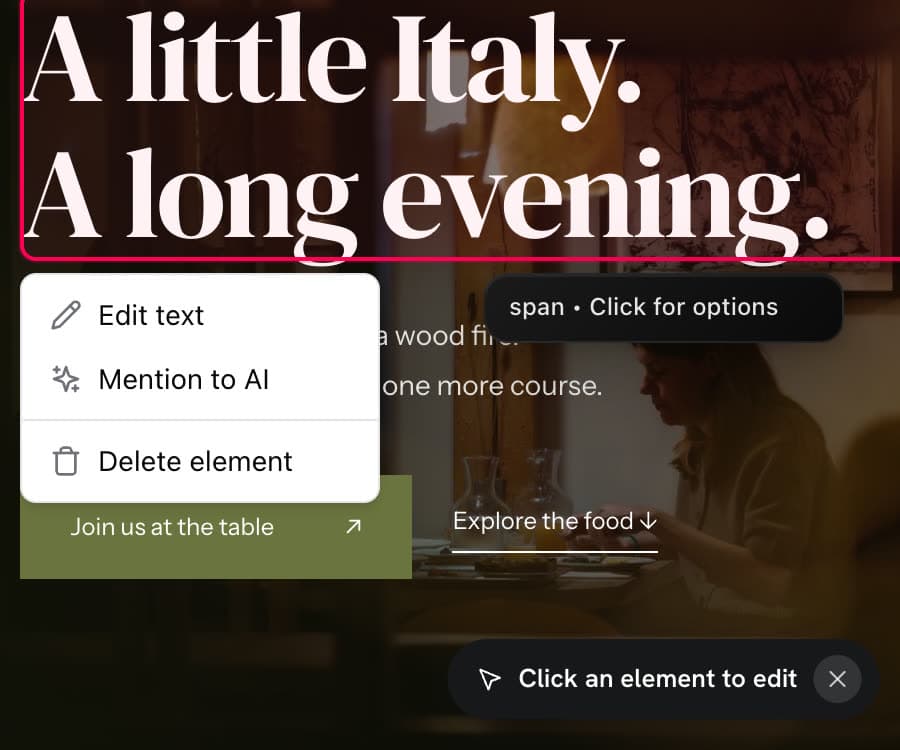
Click any text or image on your site and tell Kleap what to change. No editor to learn.

Your own domain

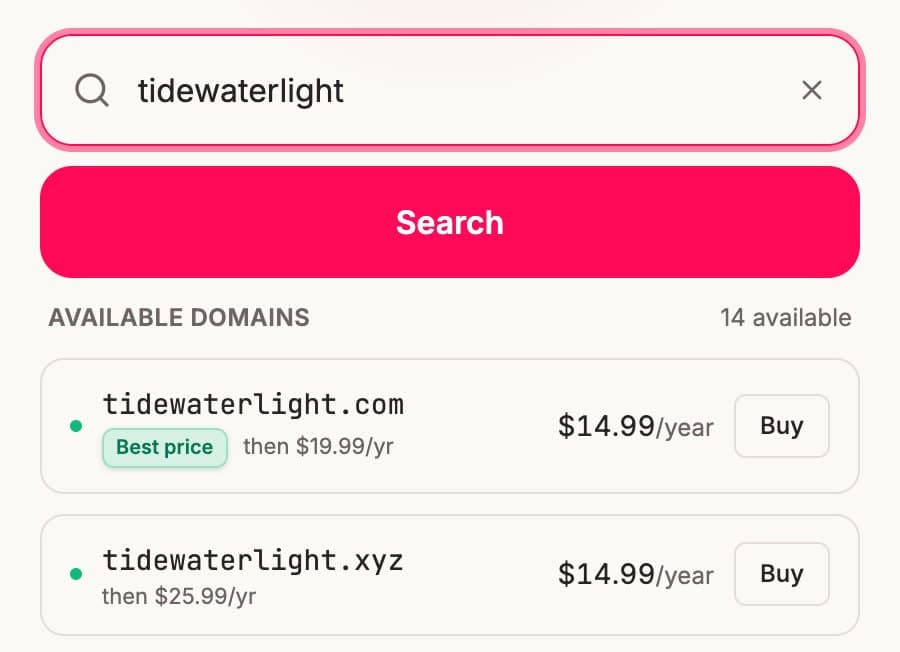
Publish on a kleap.io address, or connect your own domain, with HTTPS included.

SEO articles written for you

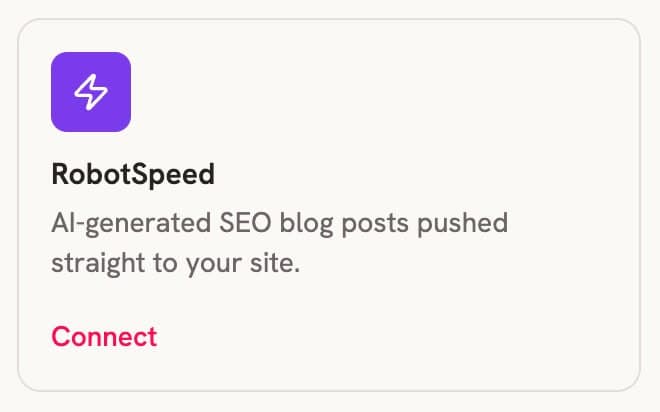
Connect Robot Speed and get SEO articles written and published on your site.

Keep writing in Notion. Kleap does the website.

Your content stays where you already work. The site gets a real design and the parts a business needs.

Notion in one click

Sign in to Notion from the chat and pick what the site should use. Kleap reads those pages and databases. You never copy and paste.

A design that isn't a doc

Your content gets a proper layout: hero, sections, photos, navigation and a mobile version, in your colors and fonts.

Pages built for Google

Each page gets its own title, description, clean headings and a sitemap, so your content can be found in search.

Everything a business site needs

Contact forms, booking with Calendly or Cal.com, a blog, a menu, a team page. Ask for it and Kleap adds it.

Connect Notion in one click. Kleap reads the pages you choose, your menu, team, docs or blog posts, and builds a fast website around them with your own design, forms and SEO.

A lot of businesses already run on Notion. The menu is in a database, the team bios are in a page, the blog drafts are in a folder. The website is the part that is missing, or it is a Notion page shared publicly that still looks like a document.

Kleap connects to your Notion workspace and builds the website from what is already there. Connect your account when the AI asks, say which pages or databases matter, and Kleap turns them into a real site with a layout designed for visitors instead of editors.

When the content changes, update it in Notion and ask Kleap to refresh that part of the site. Your team keeps one place to write, and visitors get a site that looks like your brand.


What people build from Notion

Anything you already keep in Notion can become a page on your site.

  • A restaurant menu from a Notion database
  • A portfolio or case studies from a gallery view
  • A blog from a folder of Notion pages
  • A help center or docs site from your wiki
  • A team page from a people database

When Notion's own sites are enough, and when they are not

Publishing a Notion page is quick, and for a simple personal page it can be all you need. Teams come to Kleap when the site needs its own design, a booking calendar, forms that collect leads, or pages structured to rank on Google.

  • Your own layout, not a document template
  • Booking and contact forms on the page
  • Your own domain when you are ready

How it works

Describe the site in one sentence, for example "Website for my studio using the class schedule and team pages from my Notion." Kleap asks you to connect Notion, reads those pages, builds the site and shows you the result. Change anything by asking, then publish.

  • 1. Describe the site
  • 2. Connect Notion and pick pages
  • 3. Review, adjust by chat, publish

Notion website FAQ

How does Kleap connect to Notion?

Through Notion's official sign-in, from the Kleap chat. You choose which pages and databases Kleap can see, and you can remove access from your Notion settings at any time.

Does the site update when I edit Notion?

Edit in Notion, then ask Kleap to refresh the menu, the blog or any other part. It reads the latest version of those pages and updates the site.

Can I use my own domain?

Yes. You can publish to a free Kleap link first and connect your own domain on a paid plan.

Is it free to start?

Yes. You can connect Notion, generate the site and publish it to a live link without paying.

Do I need to know how to code?

No. You describe what you want in plain words and change anything by asking.

Ready to put your business online?

Describe it in one sentence. Kleap does the rest.