Skip to content

Your website, with your real calendar inside.

Kleap builds your website and writes every page for Google.

1,300,000+ sites created with Kleap

See Kleap build a website

Describe your business in one sentence. Kleap writes every page, picks the images and puts your site online at its own address.

Everything Google needs, done for you

On every page of your site.

Written for Google

Every page gets its title, meta description and headings, written from what your business does.

Automatic sitemap

Your sitemap is generated and kept up to date, so Google finds every page you publish.

Fast pages

Your site is served as fast static pages, on mobile and desktop.

Search Console in one click

Connect Google Search Console in one click and see how people find you.

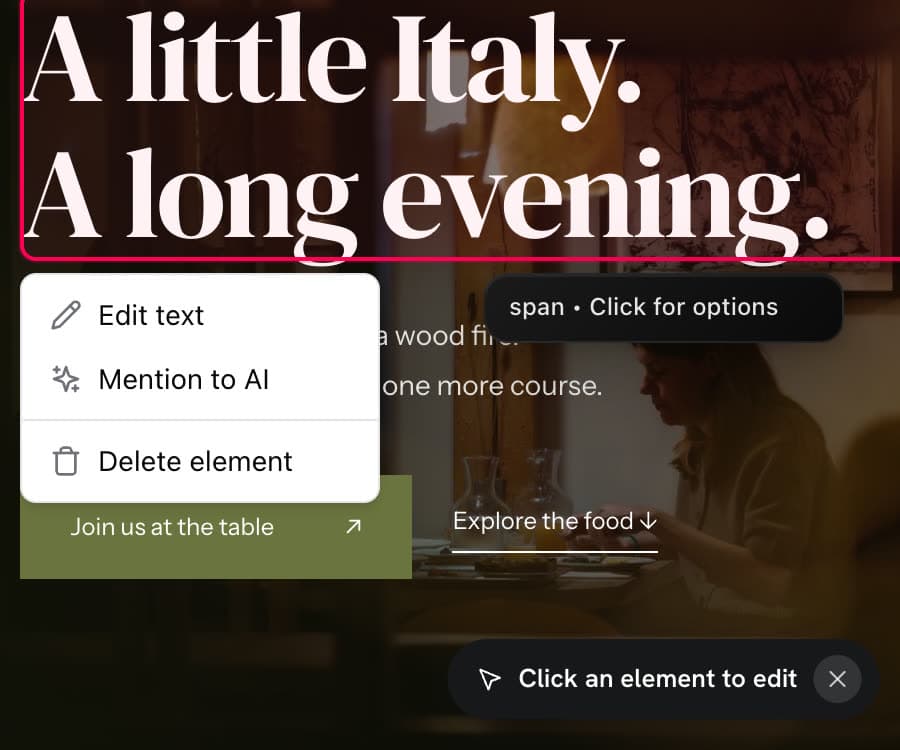
Edit it by talking

Click any text or image on your site and tell Kleap what to change. No editor to learn.

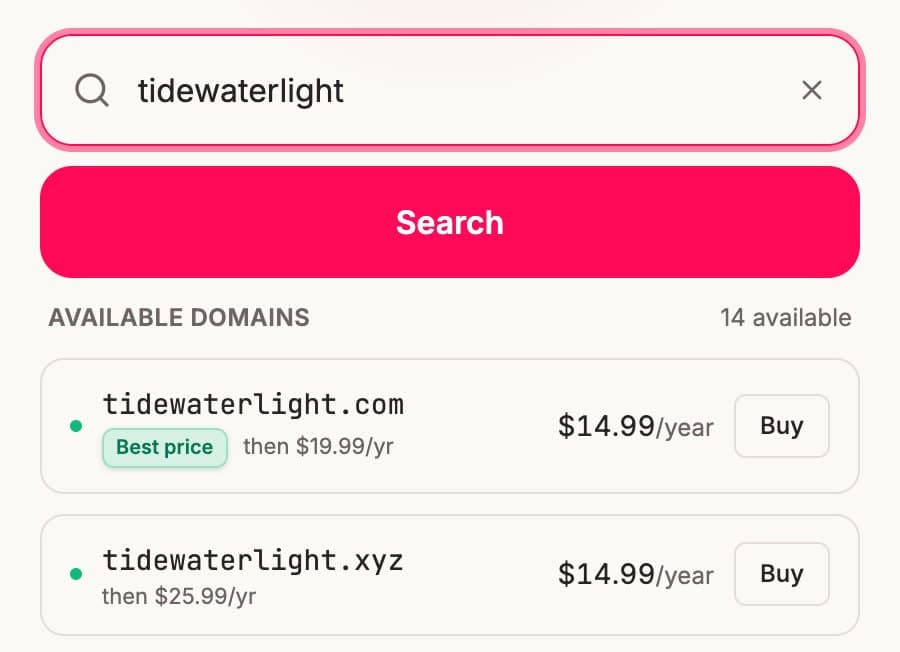
Your own domain

Publish on a kleap.io address, or connect your own domain, with HTTPS included.

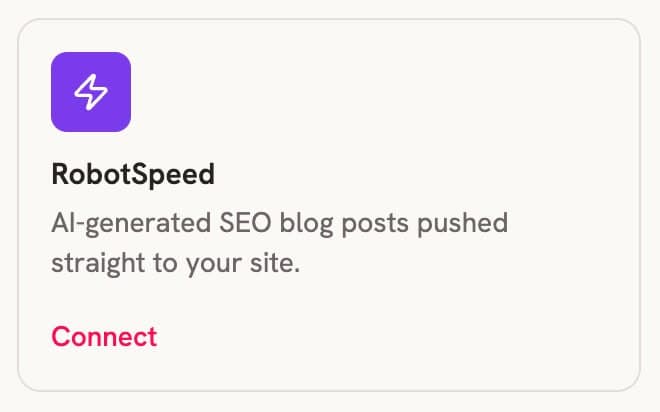
SEO articles written for you

Connect Robot Speed and get SEO articles written and published on your site.

The website and the calendar, built together

Most booking tools give you a calendar page. Website builders give you a site with a Book button that goes somewhere else. Kleap does both at once.

Calendly or Cal.com in one click

Sign in to your scheduling tool from the chat. Kleap reads your event types and uses your real booking links. It never invents one.

Booking right on your page

Your calendar is embedded on the site, or behind a clear Book button if you prefer. Availability, confirmations and reminders keep running in your tool.

A full site around it

Services and prices, hours, location, photos, reviews and an FAQ, written for your trade from one description.

No booking tool yet? Still fine

Kleap adds a booking request form: clients choose a service and a preferred time, and you confirm. Connect Calendly or Cal.com later, the site stays the same.

Tell Kleap what you do. The AI builds the whole site, connects your Calendly or Cal.com in one click and places your real booking page on it, so clients pick a time without leaving your site.

If your business runs on appointments, your website has one job: turn a visitor into a booking. Salons, barbers, therapists, coaches, tutors, photographers and studios all need the same two things, a page that explains what you offer and a calendar that takes the booking.

Usually those live in two places. You set up Calendly or Cal.com, then build a site somewhere else, then paste a link and hope people click through. Kleap builds them as one. Describe your business, connect your scheduling tool when the AI asks, and you get a finished website with your real booking page already on it.

Your calendar keeps doing what it does well: availability, time zones, confirmations, reminders and syncing with Google Calendar or Outlook. Kleap takes care of everything around it, so the first click a client makes is on your site, with your name on it.


From one sentence to a site that takes bookings

Type something like "Website for my hair salon in Austin, clients book on my Calendly." Kleap writes the copy, lays out your services, asks you to connect Calendly, then embeds your real event types on the page. You review it and publish.

  • Start from a description, not a blank template
  • Your real event types, read from your account
  • Publish to a live link in minutes

Works with the tool you already use

Already on Calendly or Cal.com? Keep it. Your availability, buffers, payment settings and reminders stay exactly as you set them. Kleap only reads your event types to put the right booking link in the right place.

  • Calendly and Cal.com connect from the chat
  • Each service can open its own event type
  • Change the calendar later without rebuilding the site

Made for appointment-based businesses

Kleap shapes the site to your trade: a price list for a barber, session types for a therapist, packages for a photographer, class times for a studio. Booking wording matches how your clients talk.

  • Service list with prices and durations
  • Hours, location and contact details up front
  • Pages for about, gallery, reviews and FAQ

Edit by asking

Add a service, change your hours, swap photos or add a page by asking the AI in plain words. Republish in a click and keep the same link.

  • Update services and hours in one message
  • Add pages as you grow
  • Connect your own domain when you are ready

Booking website FAQ

Which booking tools does Kleap connect to?

Calendly and Cal.com, from the chat, in one click. Once connected, Kleap reads your event types and places your real booking links on the site. If you use another tool, paste its booking link and ask Kleap to embed it or add a Book button.

Does it sync with Google Calendar and send reminders?

Your scheduling tool does. Calendly and Cal.com sync with Google Calendar and Outlook and send confirmations and reminders. Kleap embeds that booking flow on your site, so everything you set up there keeps working.

Can clients pay when they book?

If your Calendly or Cal.com account takes payments at booking, that keeps working on your Kleap site, because the booking runs in your tool. Some plans of those tools are needed for payments: check your plan there.

I don't use a booking tool. Can I still take bookings?

Yes. Kleap adds a booking request form where clients pick a service and a preferred time. You confirm each request yourself. You can connect Calendly or Cal.com later.

Is it free to start?

Yes. You can describe your business, generate the site and publish it to a live link without paying. Paid plans add extras such as your own domain.

Do I need to code?

No. You describe your business in plain words and the AI builds the site and the booking section. You change anything by asking.

Ready to put your business online?

Describe it in one sentence. Kleap does the rest.