Sell online
An online store template for a small brand
Products, sizes, colors and a cart that keeps its items from page to page. Customers send their order through a form (no online payment: you arrange payment after the order), and every order lands in your project with the items, sizes and total.
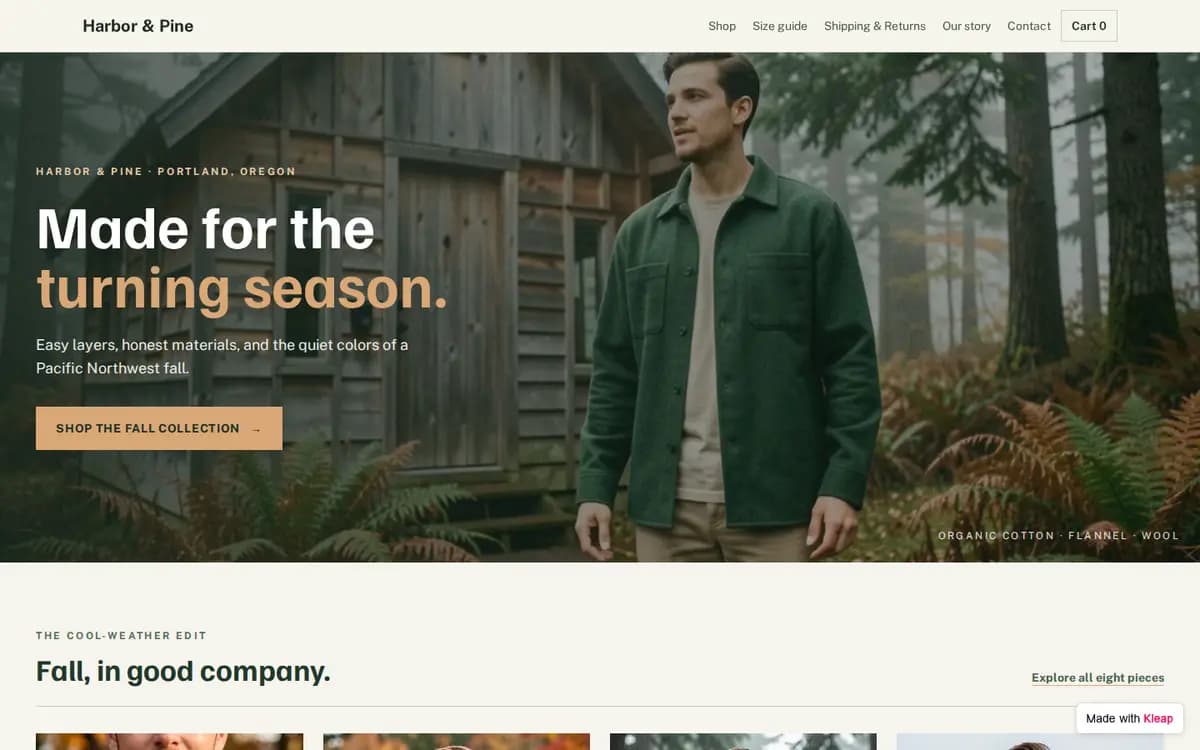
There is no online payment on this example: no card is charged on the site. Orders arrive through the form, and you arrange payment with the customer after the order.
What to prepare before you start
- Your brand name, logo and two colors
- Six to twenty products: name, price, sizes or variants, two to four photos each, one sentence of description
- Your categories (for example Tops, Outerwear, Accessories)
- Shipping: where, how long, how much; and your returns policy
- A size guide
- How customers will pay you once you receive their order
- One lifestyle photo for the home page and a three-sentence “Our story”
- A contact email and your Instagram
The brief behind this example
Build an online store for my clothing brand. Home page with the new collection, a product grid with filters by category and size, a product page with photos, size and color options and an Add to cart button, and a cart that ends with an order form that sends me each order (customers don't pay on the site, I arrange payment after the order). Add a size guide, a shipping & returns page, an "Our story" section and a contact form. Clean, modern, mobile-first. I'll replace the sample products with mine.
Start from this example and this brief opens in Kleap, ready for your changes. Nothing is sent until you press Send.
From example to your own site
- 1
Start from this example
Kleap opens with the brief behind this example already written. Change a word or two if you like, then press Send.
- 2
Kleap builds your site
You get your own site with the same pages and an order form that sends you every order.
- 3
Make it yours, then publish
Ask for your name, your photos and your colors in plain words. Send yourself a test reply, then publish.
What a small online store needs
Clear product photos
Two to four per product, on a plain background, plus one photo of the product worn or in use.
Sizes and colors on the product page
With a size guide one tap away.
Shipping and returns, written once
Where you ship, how long it takes, what it costs, and how returns work.
An order step that tells the truth
Say on the page how and when customers pay, so nobody is surprised after they order.
Frequently asked questions
Is it free to start?
Do customers pay on the site?
Can I add my own products?
Will it work on phones?
Can I use my own domain?
Will my site look exactly like the example?
Ready to start?
Start from this example, or see every template sorted by what your site needs to do.
Related: Ecommerce website builder