Design website with ai, 4 Best AI Website Builders to Design Your Site in Minutes

To design a website with AI, you select a builder like Kleap, Relume, Figma AI, or Wix AI that generates complete pages from text prompts in under 5 minutes.
- AI builders create responsive layouts instantly, eliminating weeks of manual coding and design work.
- Choose platforms based on your workflow: wireframing tools for agencies, drag-and-drop for entrepreneurs, or code export for developers.
- Most AI site generators offer free trials, allowing you to test before committing to monthly subscriptions.
Building a website used to mean hiring a designer, waiting weeks for mockups, and then months for development. Those days are disappearing fast.
Entrepreneurs, freelancers, and marketing teams now face a different challenge: not whether they can afford a professional site, but which AI tool will get them live fastest without sacrificing quality.
The ability to design a website with AI has shifted from experimental novelty to competitive necessity, especially when your competitors are launching in days while traditional approaches drag on for months.
Speed matters, but so does avoiding the trap of flashy AI promises that deliver generic templates instead of genuinely intelligent design assistance.
We evaluated four platforms that actually deliver on their AI claims: Kleap's lightning-fast mobile-first generation, Relume's architectural planning for complex sites, Figma AI's seamless designer handoff, and Wix AI's balance of automation with granular control. Each excels in specific scenarios and falls short in others.
You'll discover which builder matches your technical comfort level, budget constraints, and launch timeline, plus the hidden limitations most reviews conveniently ignore.
Why AI Is Revolutionizing Website Design in 2026
Building a website used to mean hiring developers, enduring weeks of revisions, and spending thousands of dollars. Small business owners faced a brutal choice: drain their budget on custom development or settle for cookie-cutter templates that screamed 'generic.' The technical barrier alone excluded millions from establishing a professional online presence.

The Old Way of Building Websites Is Dead
Traditional web design demanded three scarce resources: time, money, and specialized knowledge. Agencies charged between $5,000 and $15,000 for basic sites, with timelines stretching from three to six months.
Freelancers offered cheaper rates but variable quality. DIY platforms like WordPress required learning CSS, plugins, and hosting configurations, skills most entrepreneurs lack.
What AI Brings to Website Design
AI eliminates these obstacles through intelligent automation. Modern platforms to design a website with AI analyze your business description and generate professional layouts in minutes.
No coding is required. The market has shifted dramatically; companies now expect instant deployment, not month-long projects.
Try it — build your site while you read
Describe what you want and get a live, publishable site in seconds. Free to start, no code.
Join 200,000+ makers building real websites with Kleap.
Kleap, the Fastest Way to Launch Professional Sites with AI
Need a site live today, not next week? Kleap delivers exactly that.
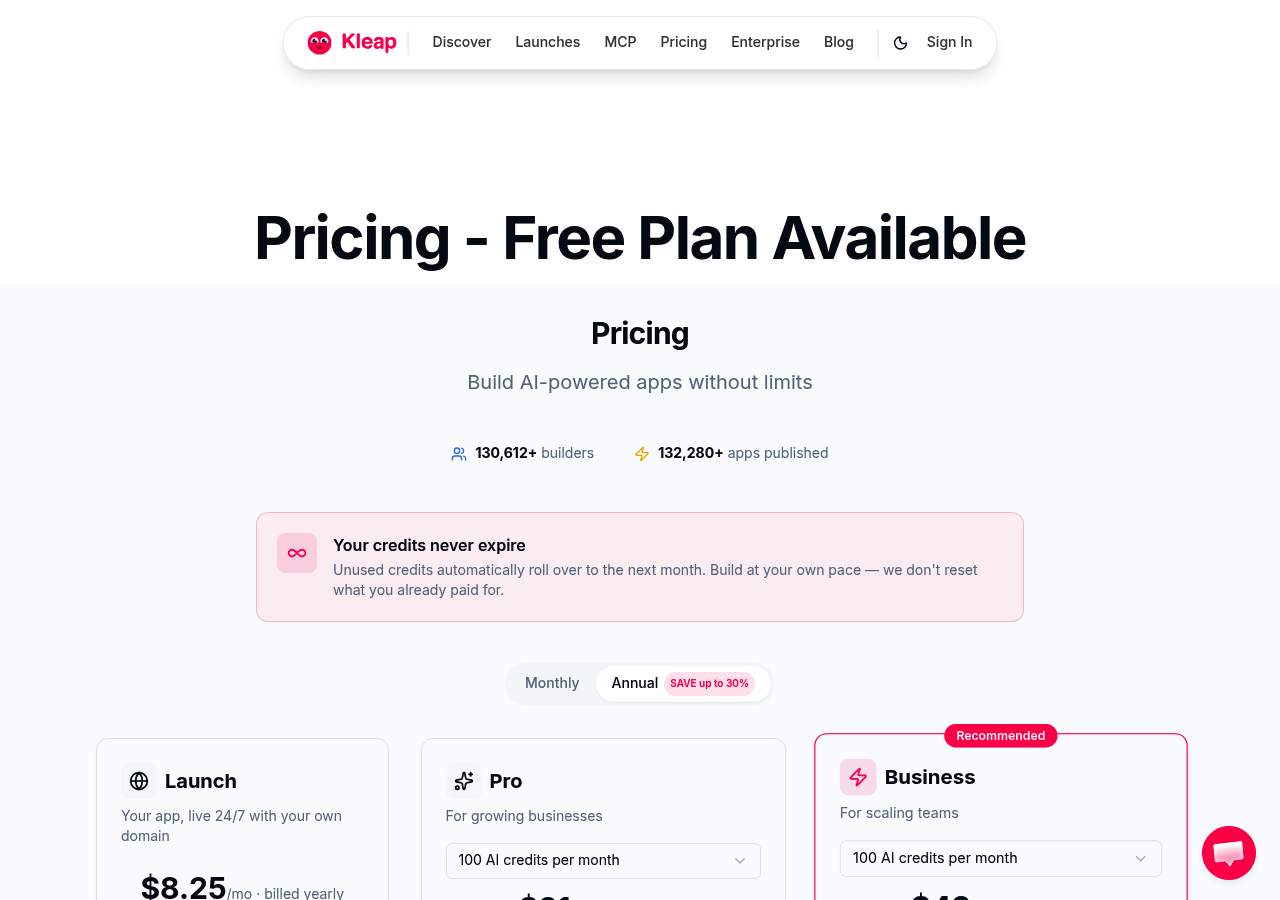
Built by ex-WordPress developers who got tired of slow builders, this platform generates complete websites in minutes, complete with headlines, images, metadata, and over 10 content types. With 120,004+ builders already using it and 127,564+ apps published, the numbers speak for themselves.
Unlike generic ai website design builder tools that require hours of tweaking, Kleap's AI handles the heavy lifting while you focus on your business.
What Makes Kleap Stand Out from Other AI Builders
The secret? Six hundred prebuilt responsive sections that you can drag, drop, and customize without touching code.
Enterprise-grade speed and security come standard, plus advanced features that many competitors charge extra for: SSL certificates, newsletter management, membership systems, custom HTML/CSS access, and built-in analytics. The AI doesn't just generate text; it creates complete blog posts with SEO metadata in 12 minutes flat, making it ideal for content creators and marketing agencies who need volume without sacrificing quality.
Pricing That Scales with Your Business
Start free with 5GB of storage and built-in analytics (9% Stripe fee applies). Ready to grow?
The Creator tier runs $25/month, delivering 7,500 AI credits, custom domains, and a reduced 3% Stripe fee. The GROW plan at $25/month unlocks 15,000 credits, custom code access, and removes Kleap branding entirely.
Enterprise teams hitting scale need the $99 monthly SCALE tier, which offers 50,000 credits and just 1% Stripe fees, with custom enterprise pricing available for massive operations.
How We Evaluated These AI Website Builders
Not all AI builders deliver. Some promise automation but force you into tedious manual edits.
Others lock you into rigid templates. We reviewed platforms based on what actually matters when you need to design website with ai technology: how fast you publish, how little fixing you do, and whether pricing makes sense for your budget.
The 6 Criteria That Actually Matter
Our evaluation framework targets real-world performance. AI automation quality determines whether you spend 10 minutes or 10 hours tweaking generated content.
Design flexibility covers template variety, customization depth, and responsive design across devices. Pricing transparency exposes hidden fees; many builders advertise low entry costs but charge extra for SSL, analytics, or removing branding.
Why We Prioritize Speed and Automation
Traditional development takes weeks. Agencies charge thousands upfront.
AI builders should eliminate that friction entirely. We prioritized platforms where entrepreneurs can launch professional sites in under an hour, without developer dependency or recurring consultancy fees.
Kleap tip: Test automation with a real project before committing to annual plans. Create a landing page and check if AI-generated headlines, images, and CTAs match your brand voice without extensive rewriting.
Relume: AI-Powered Sitemap and Wireframe Generation
Most builders rush you into templates. Relume takes the opposite approach; it helps you plan the entire structure before touching a single pixel.
This AI tool generates complete sitemaps and wireframes based on your project brief, giving you a bird's-eye view of navigation, page hierarchy, and content blocks. It's perfect for teams that value strategic thinking over quick fixes.
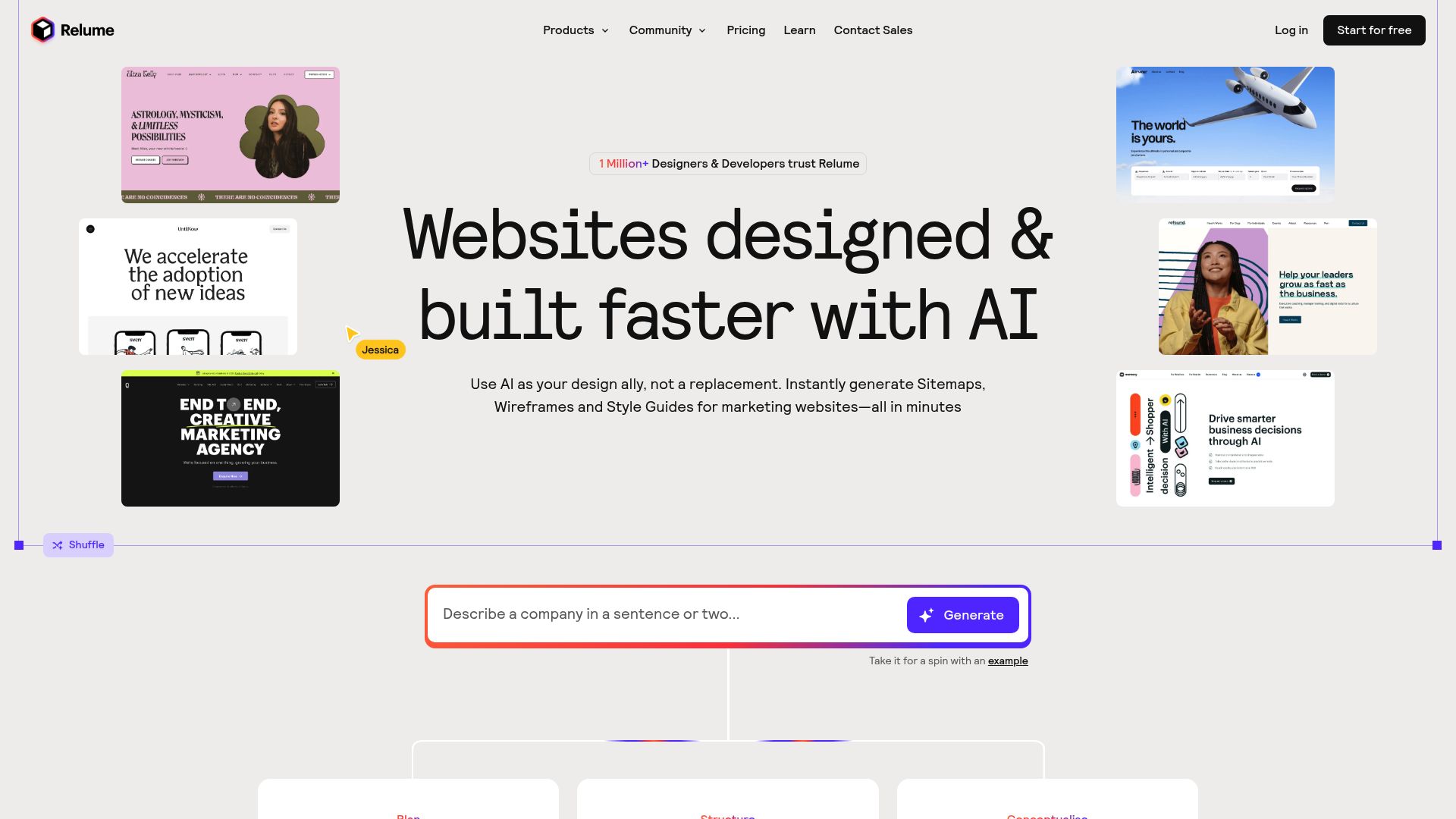
The real magic happens in the handoff. Relume connects directly to Figma for visual refinement, then pushes clean layouts into Webflow for development.
You get access to over 1,000 pre-built Webflow components and Figma templates, which means less guesswork and faster execution. If you design a website with AI but still want manual control over aesthetics, this workflow keeps you in the driver's seat without sacrificing speed.
Who Should Choose Relume Over All-in-One Builders
Agencies juggling multiple clients benefit the most. Freelance designers who pitch concepts before building also find value here.
The tool costs 38 dollars monthly for professional features, which feels reasonable when you compare it to hours spent mapping flows in Miro or sketching wireframes by hand. However, Relume stops short of generating finished websites; you'll still need Webflow or another builder to complete the job, making it less suitable for solopreneurs wanting instant results.
From Prototype to Reality in Seconds: Figma AI Web Design Generator
Already knee-deep in Figma for your design work? The platform's AI capabilities might surprise you.
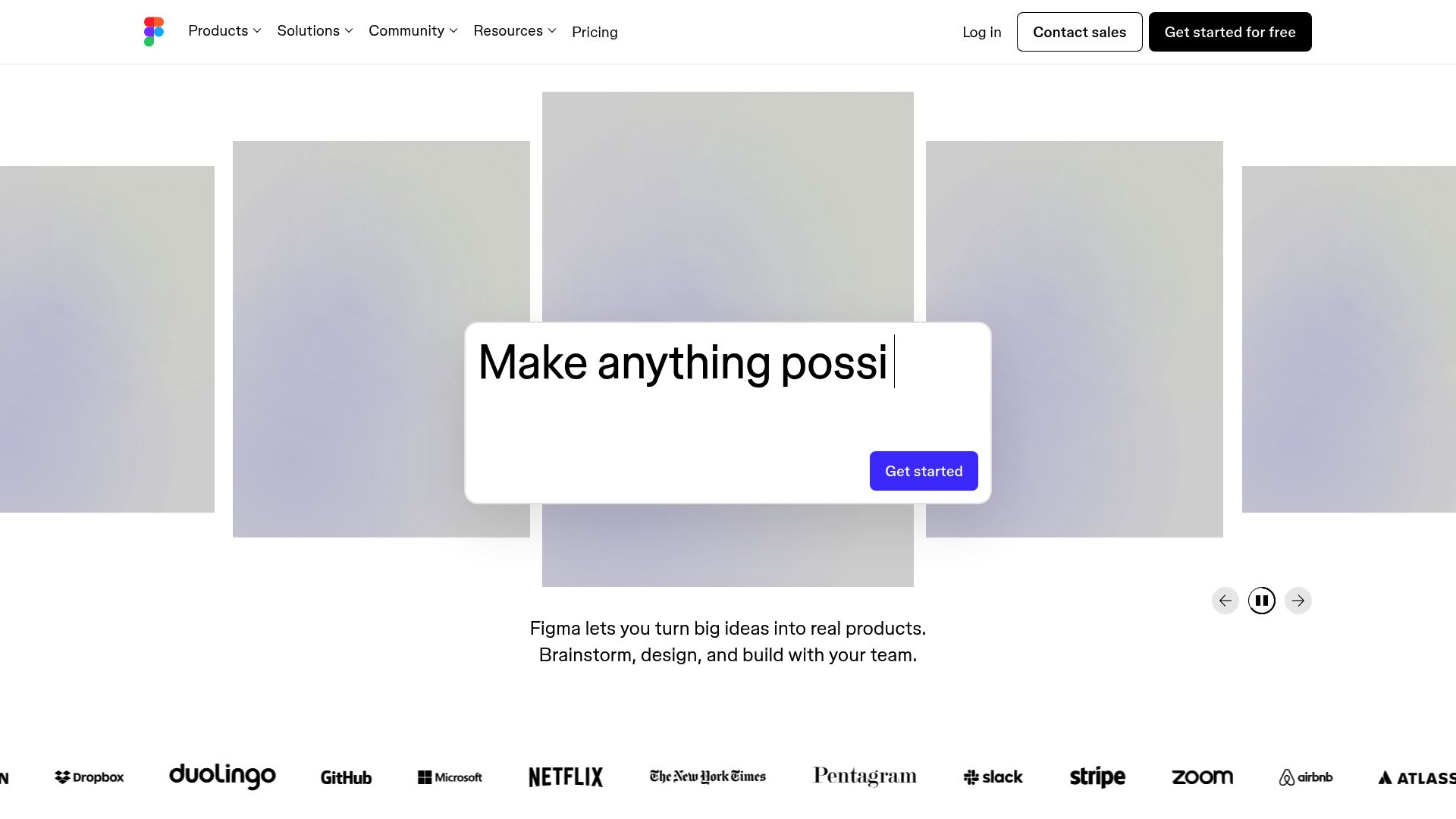
Instead of juggling separate tools to design a website with AI, you get prompt-to-visual generation right where you already prototype. Type a description and watch components materialize.
It's that straightforward for teams who live in Figma daily.
How Figma AI Fits into Your Design Workflow
The integration feels seamless because it respects your existing habits. Prompt the AI, refine layouts with familiar editing tools, and share prototypes with stakeholders using standard collaboration features.
Free accounts access basic generation; paid tiers unlock advanced collaboration capabilities and priority processing. This is perfect for design teams prototyping concepts rapidly before handing off specifications.
The Gap Between Design and Deployment
Here's the catch: Figma AI excels at creating mockups, not publishing live sites. You'll need to export designs to web builders or hand code to actual developers.
Consider it a visualization engine rather than a complete deployment solution (unlike platforms that handle both). It's best for designers who prioritize speed in the ideation phase, but less ideal when you need immediate website launch capabilities.
Wix AI Website Builder: Consumer-Friendly Design with Enterprise Ambitions
Wix has built its reputation on accessibility. The platform's ADI (Artificial Design Intelligence) asks a series of simple questions about your business type, aesthetic preferences, and functional needs, then generates a personalized site in minutes.
No coding knowledge is required. This approach makes it possible to design a website with AI even if you've never built anything online before.
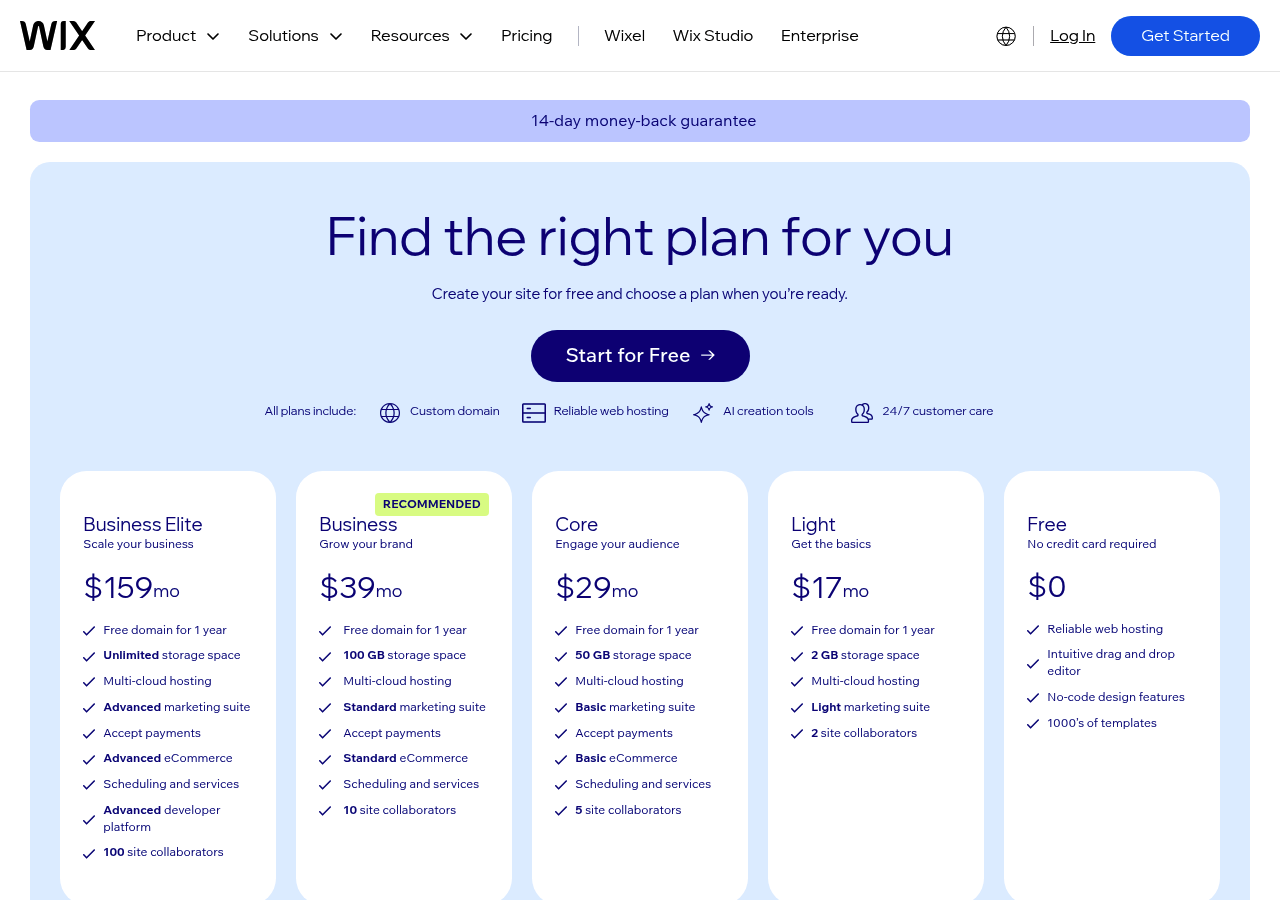
The template library offers over 800 designs spanning industries from restaurants to real estate, while the integrated app market provides 300+ third-party tools for booking systems, customer chat, and analytics. Pricing starts with a free plan (which includes Wix branding) and scales from $17/month for basic sites to $17/month for enterprise-level features.
E-commerce capabilities are robust, though transaction fees range from 2-3% depending on your plan tier, which is higher than some competitors.
Why Wix Appeals to Non-Technical Users
The drag-and-drop interface handles everything visually. But underneath the simplicity lies genuine power for small businesses:
- Built-in SEO tools guide you through the basics of optimization.
- Mobile responsiveness adjusts automatically across devices.
- Marketing integrations connect directly to email platforms and social media.
Where Wix Falls Short for Power Users
Flexibility hits a ceiling. Custom code options exist but remain limited compared to open-source platforms.
Complex sites with heavy traffic often experience slower load times. Developers seeking granular control will find the platform restrictive.
Kleap tip: If you need rapid deployment without technical overhead, Wix delivers. However, for custom functionality or enterprise-scale performance, evaluate whether its constraints align with your long-term goals before committing to annual plans.
Head-to-Head: Which AI Website Builder Wins for Your Needs
Not all platforms deliver the same value. When you design a website with AI, the real differentiators aren't flashy demos; they're cost, speed, and how much manual work remains.
We've seen businesses waste weeks tweaking templates when they needed a solution live yesterday. The table below cuts through the marketing noise.
| Platform | Launch Time | Monthly Cost | Best For |
|---|---|---|---|
| Kleap | 10 minutes | $19-49 | Event pages, quick launches |
| Traditional Agencies | 4-8 weeks | Upfront cost | Complex custom builds |
| Wix/Squarespace | 2-3 days | $99-500 + fees | Template-based sites |
| Self-Hosted (WordPress) | Variable | Setup + hosting | Full control projects |
What You Actually Pay
Kleap starts at $25/month with 750 AI credits. Compare that to agency quotes hovering around ten thousand dollars at a minimum.
Most competitors charge a percentage-based transaction fees on top of subscriptions, a hidden cost that compounds quickly for high-traffic businesses. Entrepreneurs running lean operations find this pricing gap decisive.
Freelancers managing multiple client projects appreciate the per-site economics.
Who Gets You Live Fastest
Speed matters when launch windows close quickly. Kleap's ten-minute deployment beats every alternative we reviewed.
Traditional development cycles stretch across months, which works for Fortune 500 roadmaps but kills startup momentum. Our team recommends matching tool selection to your timeline urgency, not to feature lists you'll never use.
FAQ - Frequently Asked Questions
Can AI really design a professional website without a designer?
Yes, but with caveats. Modern AI builders handle layout, color schemes, and basic branding surprisingly well for straightforward business sites.
The limitation? A truly unique brand identity still benefits from human creative input.
AI excels at functional design following established patterns; think clean business sites, portfolios, or service pages. For cutting-edge creative work or highly specific brand requirements, you'll want a designer involved at some stage.
How long does it take to build a website with AI?
Anywhere from 10 minutes to a few hours.
The initial AI generation happens in seconds. You answer prompts, and the system creates a draft. What takes time is refining: swapping images, adjusting text, and tweaking layouts.
Most users have a presentable site within an hour. Compare that to traditional builders, where you're staring at blank templates for days.
What's the difference between AI website builders and traditional website builders?
Traditional builders give you templates and drag-and-drop tools; you make every design decision. AI builders generate complete designs based on your input, then let you edit.
Think of it this way: traditional builders are blank canvases with tools, while AI builders hand you a finished painting you can modify.
The AI approach speeds up the process dramatically but offers less granular control over the initial structure. Traditional builders require more time but provide pixel-perfect customization from the start.
Do I need coding skills to use AI website builders?
Not at all. That's the entire point.
These platforms handle all technical aspects, including hosting, security, and mobile optimization, without requiring HTML, CSS, or JavaScript knowledge. You interact through conversational prompts and visual editors.
Some platforms even let you describe changes in plain language: 'make the header image bigger' or 'change button colors to match my logo.'
Are AI-generated websites good for SEO?
They can be, but it's not automatic. The AI handles technical SEO basics, such as fast loading, mobile responsiveness, and clean code, which Google rewards.
The bigger challenge? Content quality.
AI-generated text often lacks the depth and specificity that ranks well. You'll need to personally refine the copy, add relevant keywords naturally, and ensure each page targets clear search intent.
The structure is SEO-ready; the content's effectiveness depends entirely on your input and editing.
Can I customize an AI-generated website after it's created?
Absolutely, and you should. The initial AI output is a starting point, not a finished product.
Most platforms offer visual editors where you can modify layouts, swap sections, change fonts, and adjust colors. Some even allow CSS customization for advanced users.
The key difference from coding from scratch is that you're refining an existing design rather than building from zero. Expect to spend time personalizing; the AI gets you 70-80% of the way there, but that final polish makes the difference between generic and professional.
Start Building Your AI-Powered Website Today
AI website builders have matured into genuinely useful tools. The right platform saves hours of design work while maintaining creative control.
Kleap stands out for its pure speed and automation. If you need a professional site live in under an hour, it is the clear winner.
Wix and Framer offer more design flexibility for those willing to invest extra time. Squarespace strikes a balance between ease and customization.
The best approach is to start with Kleap's free plan and test the AI generation firsthand.
You'll know within 10 minutes if it fits your workflow.
Ready to design a website with AI without the usual headaches? Kleap's team can walk you through the setup process and answer technical questions. Visit Kleap to explore plans or book a demo with their product specialists.
Your site is closer than you think.