Squarespace AI Alternatives: 4 Builders Compared

Top Squarespace alternatives with AI include Kleap, which launches in under 5 minutes.
- Choose based on your priority: raw speed (Kleap), template variety (Wix), design flexibility (Framer), or technical control (Webflow).
- Most platforms offer free trials, allowing you to test AI capabilities before committing to paid plans.
Wix AI offers tons of templates, Framer provides full design control, and Webflow is built for enterprises. Creating a website used to mean fighting with templates for hours.
Those days are over. AI-powered website builders have changed everything, and traditional platforms are racing to keep up.
What once demanded design skills and technical expertise now happens through simple chats with AI assistants. If you're looking for a Squarespace alternative with AI, you're probably tired of the manual work that conventional builders require.
Smart businesses are moving toward platforms that use artificial intelligence to generate layouts, write content, and fine-tune designs on autopilot. We'll break down why AI automation beats template-based building, then look at four platforms that are transforming website creation.
You'll discover how Kleap delivers the fastest launch times available, how Wix balances AI with deep customization options, why creative pros love Framer's design tools, and when Webflow's enterprise features make sense despite the learning curve. We'll put them side-by-side across speed, quality, and control, plus show you what real users actually experience with each platform.
By the end, you'll know exactly which AI builder matches your specific needs, whether you prioritize getting online fast or maintaining granular design control.
How We Evaluated Each Squarespace Alternative with AI
Choosing an AI website builder requires more than reading marketing claims. We compared each platform through identical scenarios: launching a consulting site, an e-commerce store, and a portfolio page.
Real projects. Real deadlines.
Our team measured not just what vendors promise, but what they deliver when you're racing against time.
The 6 Critical Factors for AI Website Builders
Speed alone means nothing if the site is generic. Here's what truly separates contenders from pretenders:
Testing Methodology and Real-World Scenarios
We gave each platform the same exact briefs to work with. A freelance photographer needed their portfolio up and running by Friday.
An online shop had to add checkout functionality without touching any code. These weren't made-up scenarios that skip the real pain points people face.
Our comparison revealed issues that only show up when you're racing against deadlines.
Support teams take forever during actual crises, mobile editing falls apart when you're traveling, and payment gateways break right at launch. Here's what works: test any builder with your real content first.
Upload your actual logo, write out three full pages, and check how it looks on mobile. Those polished demos don't show the friction that pops up with your specific requirements.
Try it — build your site while you read
Describe what you want and get a live, publishable site in seconds. Free to start, no code.
Join 200,000+ makers building real websites with Kleap.
Why Smart Businesses Are Switching to AI Website Builders
Traditional platforms drain your time fast. You mess with templates and tweak margins while debating colors.
In practice, you write copy, find images, and test mobile views. What should take hours ends up taking weeks instead.
Meanwhile, your competitor has already launched.

The Traditional Website Building Problem
Squarespace and similar tools promised simplicity. They delivered templates requiring constant tweaking.
Entrepreneurs face paralyzing decisions: which font combination? How many menu items?
Where does the CTA go? According to decision fatigue research, excessive choices drain mental energy.
Most founders abandon half-finished sites because the process demands skills they don't have: graphic design, UX strategy, and copywriting.
How AI Changes the Website Creation Game
AI platforms read your business details and build complete websites in minutes. You skip design arguments and technical problems entirely.
The system handles layout tweaks, content creation, and mobile formatting on its own.
Retail startups go live that same day. This AI-powered approach cuts out friction between your idea and launch, so you can focus on business strategy instead of tweaking pixels.
Kleap, the Fastest AI-Powered Website Builder on the Market
Speed matters when launching a business. Kleap delivers professional websites in under 10 minutes, a fraction of the time traditional platforms demand.
While conventional builders require hours of template selection, manual customization, and tedious formatting, Kleap's AI engine handles the heavy lifting instantly. This makes it an exceptional Squarespace alternative with AI for entrepreneurs who can't afford to wait days for their online presence to materialize.
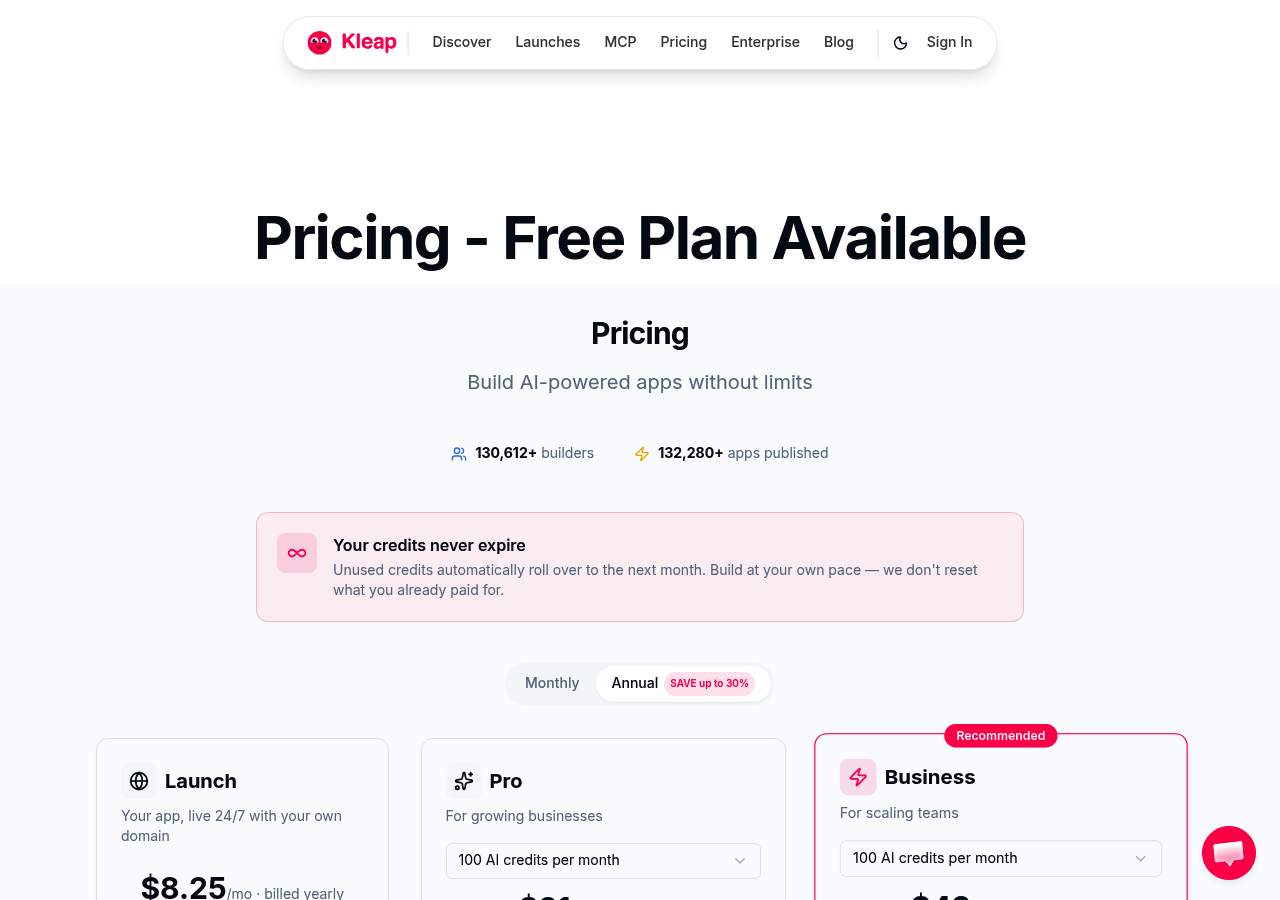
The platform's artificial intelligence doesn't just accelerate deployment; it actively improves your site by generating contextually relevant layouts, suggesting optimized content structures, and refining design elements based on industry best practices.
For agencies managing multiple client projects simultaneously, this automation results in significant capacity gains. Our team recommends Kleap when rapid iteration cycles outweigh the need for granular design control, a common scenario for best AI website builder evaluations.
Build Professional Sites in Under 10 Minutes
The sub-10-minute claim isn't marketing hyperbole. From domain connection to live deployment, Kleap compresses workflows that traditionally span hours into a streamlined sequence.
This efficiency stems from intelligent defaults that eliminate decision fatigue. The platform predicts optimal structures based on your industry and content type, as explained in AI research. Small business owners appreciate not wrestling with responsive breakpoints or CSS adjustments.
AI Features That Actually Save You Time
Beyond speed, Kleap bridges website creation and application development within a unified environment. Pricing accommodates diverse budgets, from free starter tiers to enterprise solutions exceeding several thousand dollars monthly for global teams requiring advanced integrations and priority support.
This scalability positions the platform as both a rapid prototyping tool and a long-term infrastructure solution for businesses prioritizing innovation.
Wix AI: Established Platform with Growing AI Capabilities
Wix occupies an interesting middle ground in the website builder landscape. It is not purely AI-driven like newer platforms, yet it is far more intelligent than traditional drag-and-drop tools.
This positioning makes it a practical Squarespace alternative with AI for businesses wanting automation without abandoning familiar interfaces. The platform leverages artificial intelligence through its ADI system while maintaining the flexibility users expect from established builders.
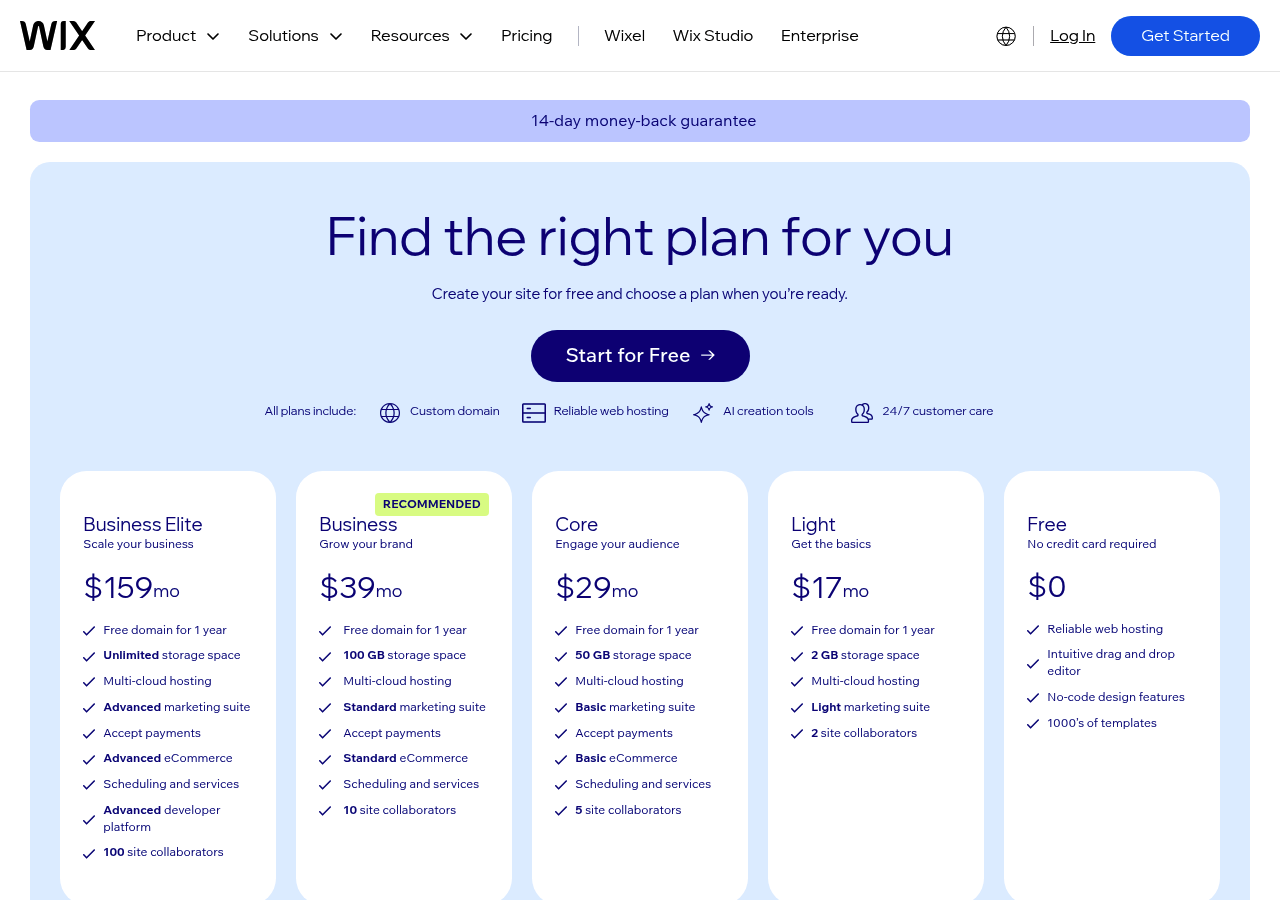
Their Artificial Design Intelligence technology works differently than pure AI builders. Instead of generating entire sites from prompts, ADI asks targeted questions about your business type, preferred style, and required features.
It then assembles a customized site from Wix's extensive template library, applying intelligent layout decisions based on your answers. The system handles typography pairing, color schemes, and content placement with surprising accuracy (though you'll likely want to refine its choices afterward).
ADI Technology and Template Intelligence
The real advantage? You get access to over 800 professionally designed templates with AI-assisted customization.
Wix analyzes your industry and suggests relevant design elements, then auto-populates sections with appropriate placeholder content. Speed matters here.
Most users generate functional sites within 10 minutes, though heavy customization can extend timelines significantly.
| Aspect | Capability | Limitation |
|---|---|---|
| AI Generation | Quick initial builds through ADI | Less sophisticated than dedicated AI builders |
| Template Library | Massive selection with smart filtering | Quality varies considerably across categories |
| Ecosystem | Established app marketplace, reliable hosting | Add-ons increase costs rapidly |
When Wix AI Makes Sense for Your Business
Wix makes sense if you care more about brand trust and a mature ecosystem than the latest AI tools. It's a strong pick for local businesses that need a website plus booking systems.
Pricing starts low but jumps up when you add premium templates or advanced features.
Newer platforms beat it on pure AI power. That said, Wix gives you solid automation mixed with manual control, and it won't overwhelm non-technical users.
Framer: Design-First AI for Creative Professionals
Creative agencies need tools that match their ambition and deliver real results. Framer brings sophisticated design capabilities with AI assistance that respects how professionals work. That makes it a strong Squarespace alternative with AI for teams who won't compromise on visual quality.
Unlike platforms that prioritize simplicity over control, this tool assumes you understand design principles. You get intelligent support, not just automated templates that are generic.
Our team evaluates dozens of website builders every year, and Framer stands apart consistently. It treats AI as a design partner rather than a replacement for your expertise. The platform's intelligent layout suggestions analyze your content structure while preserving pixel-level control.
Most builders sacrifice that control for accessibility, but Framer doesn't make you choose. Marketing agencies particularly value the interactive prototyping features, which transform static concepts into clickable demonstrations. You don't need coding knowledge to make it work.
AI-Powered Design Tools for Pixel-Perfect Results
Professional designers value how Framer handles artificial intelligence. It suggests smart spacing, pairs typography well, and recommends responsive breakpoints, but you can override anything.
That balance matters when client projects demand strict brand consistency.
| Feature | Professional Benefit | Limitation |
|---|---|---|
| AI layout assistance | Accelerates wireframing phase | Requires design vocabulary |
| Interactive prototypes | Client presentations without developers | Complex animations need learning |
| Component libraries | Consistent design systems | Initial setup time investment |
The Learning Curve Trade-Off
Plan on two weeks before you hit your stride with productivity. Design-focused companies accept this investment since the creative freedom makes the effort worthwhile.
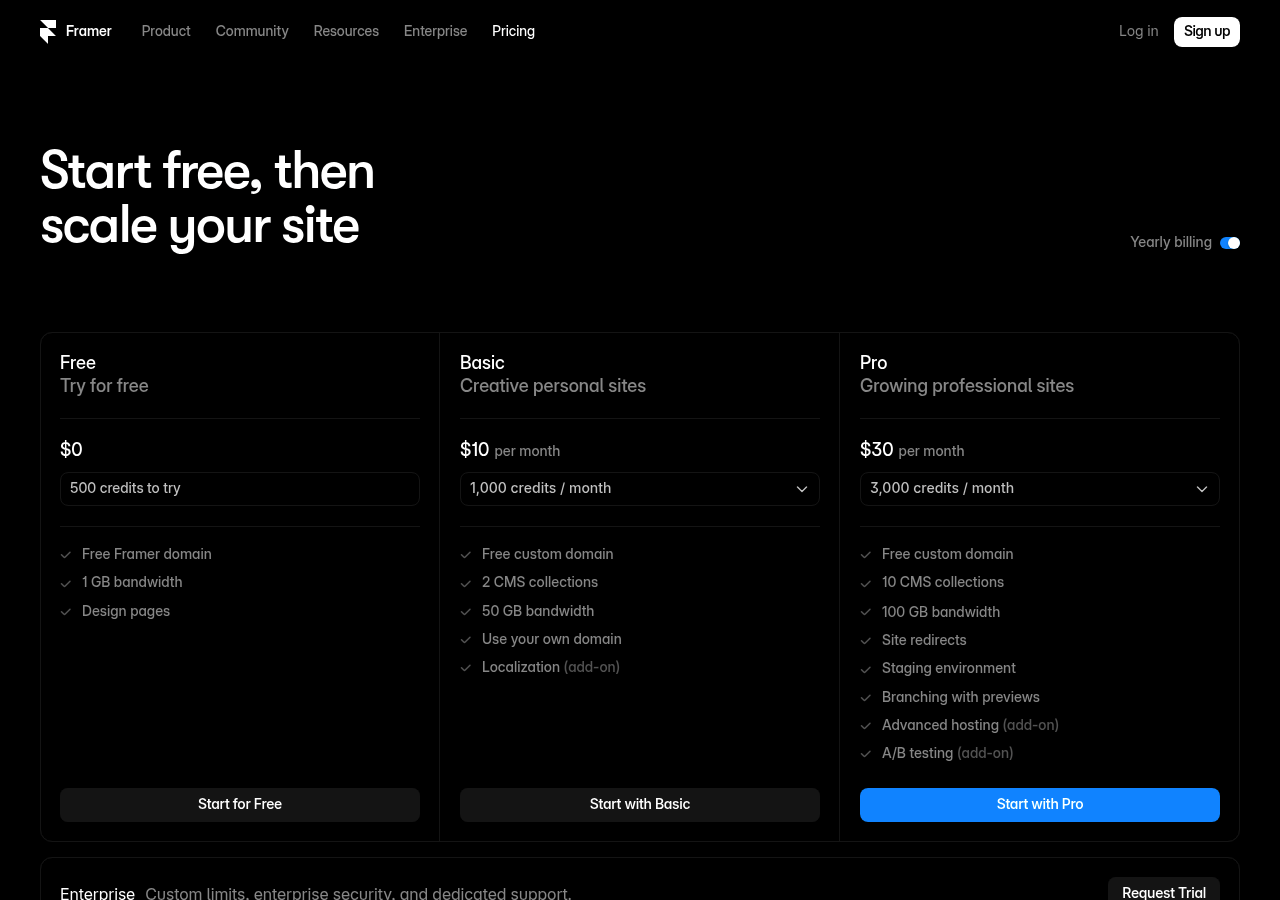
A typical Chicago agency might spend early time learning Framer's interface, then build client sites faster than old methods ever allowed. The pricing reflects professional capabilities, starting higher than basic builders but offering tools that back up agency rates.
Webflow
Need serious horsepower? Webflow delivers what simple drag-and-drop builders can't touch.
While many hunt for a Squarespace alternative with AI for basic sites, Webflow targets development teams handling complex, content-heavy projects that need database-level control.
Think multi-language platforms, membership portals, or custom web applications that work.
The platform combines visual development with code-level precision without manual coding, yet you keep total architectural control. Webflow's CMS capabilities outpace typical website builders by miles every single time.
You're building structured databases, not just pages that are pretty. AI helps with responsive breakpoints, suggesting layout adjustments across devices and catching design inconsistencies before they turn into problems.
The system learns your component patterns, which speeds up repetitive tasks while keeping design consistency intact. Advanced users appreciate how AI streamlines workflow automation, triggering actions based on content updates or user behavior without writing custom scripts.
When You Need More Than a Simple Website
Webflow makes sense for specific scenarios where simpler tools fall short. E-commerce ventures requiring custom checkout flows benefit immensely.
Content publishers managing hundreds of articles need its robust taxonomy features. Development agencies building client sites at scale leverage its white-label capabilities and reusable component libraries.
The learning curve is steep.
Expect weeks, not hours, to master the platform fully.
AI-Enhanced Development Workflows
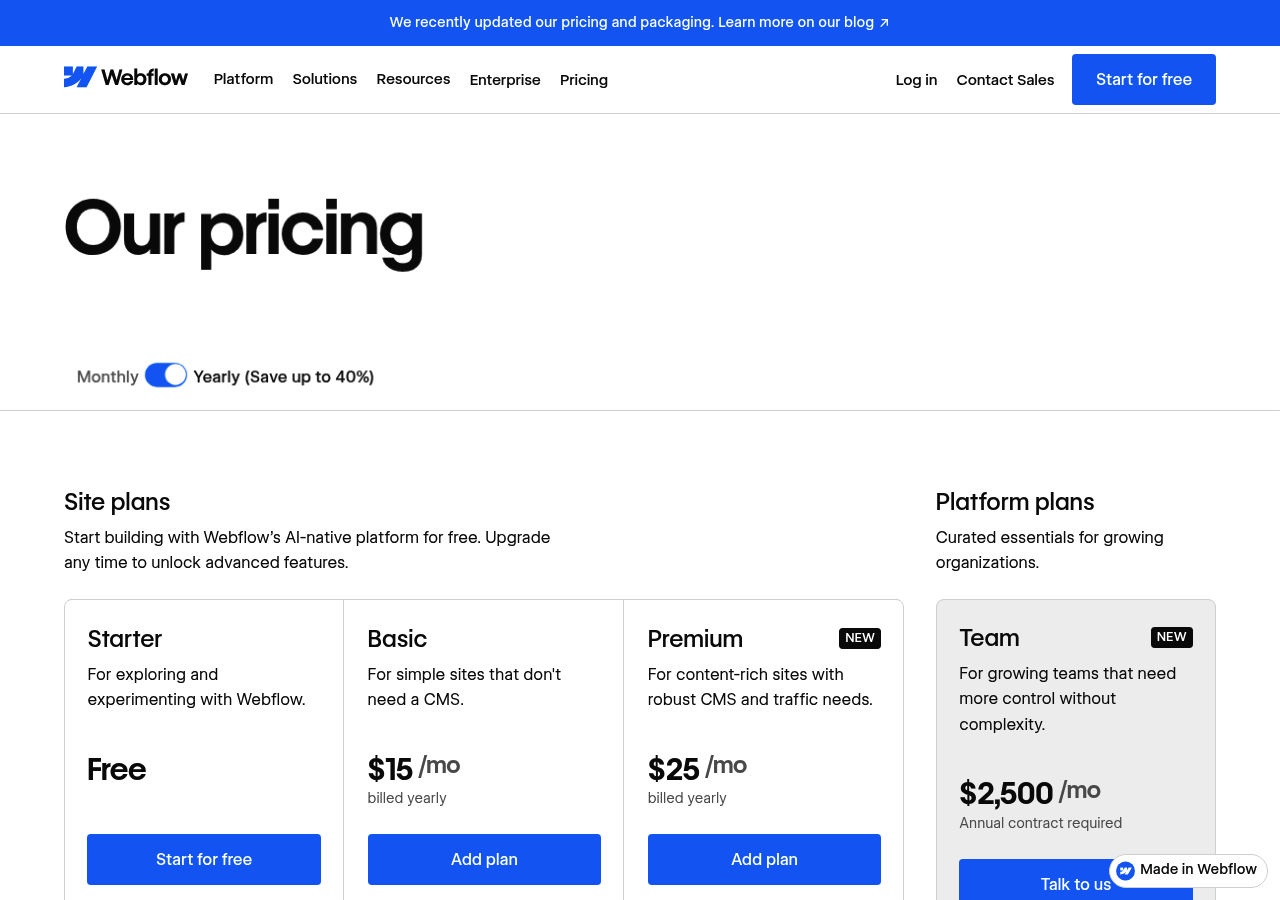
Pricing shows enterprise positioning, with plans starting at several hundred dollars monthly for professional features. That investment gets you real flexibility: custom interactions, complex animations, and integration options that rival coded solutions.
Launching a basic portfolio or blog here wastes your resources and time. Save Webflow for projects that demand true complexity, where its AI-enhanced development environment justifies the premium.
Kleap tip: Before committing to Webflow's ecosystem, map your project requirements against simpler alternatives. If you're not leveraging CMS collections or custom interactions, you're overpaying for unused capabilities.
Side-by-Side: Which AI Website Builder Wins for Your Needs
Decisions get simpler when you can compare all your options side by side. Different platforms shine in specific areas, so your needs define the best choice.
Some companies prioritize quick setup, while others want complete control over design details.
Feature Comparison Matrix
| Platform | AI Automation | Build Time | Ease of Use | Best For |
|---|---|---|---|---|
| Kleap | Very High | Under 30 minutes | Beginner-friendly | Mobile-first businesses, rapid launches |
| Framer | Moderate | Several hours | Designer-focused | Creative portfolios, interactive sites |
| Durable | High | Under 60 seconds | Extremely simple | Local businesses, quick presence |
| Webflow | Low to Moderate | Days to weeks | Advanced users | Complex projects, enterprise needs |
Price and Value Analysis
Pricing structures change quite a bit between platforms. Durable starts free but nudges you toward paid plans quickly.
Kleap shows clear monthly pricing with no surprise fees. Framer aims at design pros who will pay for top-tier tools.
Webflow costs the most but gives you enterprise infrastructure for complicated setups.
Your budget matters less than matching features to what you need. A freelancer building client sites each week needs different tools than a company running dozens of properties.
Speed versus control remains the core tradeoff across all website builders in this space.
Your Burning Questions About AI Website Builders Answered
Switching platforms feels risky. You've invested time in Squarespace, and now you're wondering if AI alternatives deliver real value or just hype.
Let's cut through the noise with straight answers to what matters when evaluating a Squarespace alternative with AI capabilities.
Quality and Technical Barriers
Can AI builders match custom design quality? Today's AI platforms break free from rigid template constraints.
They study your content and brand identity to create distinct layouts that work across all screen sizes. Mastering deep customization takes some practice and patience.
Most business owners discover AI-generated designs are remarkably professional, though achieving pixel-perfect precision still demands manual adjustments. You don't need coding skills since these tools manage technical complexity through intuitive interfaces.
Migration and Cost Reality
Moving from Squarespace usually takes about 2-4 hours for most standard sites. You'll export your content, import it to the new platform, and then adjust the styling. Switching between platforms later remains doable, but you'll lose any platform-specific customizations.
Price differences vary significantly:
| Platform Type | Monthly Cost | Migration Difficulty |
|---|---|---|
| Squarespace | $16-$49 | N/A |
| Basic AI builders | $0-$25 | Low |
| Advanced AI platforms | $30-$80 | Moderate |
For SEO performance, AI builders create clean code and handle mobile optimization automatically.
Speed, Quality, or Control? Making Your Final Decision
Your priorities shape your platform choice. Do you need a site live before lunch?
Kleap builds professional websites in under 10 minutes, making it the undisputed speed champion. Creative agencies demanding pixel-perfect control gravitate toward Framer's canvas-based design tools, while enterprise teams managing complex workflows find Webflow's good CMS worth the steep learning process.
Squarespace refugees seeking familiar territory often land on Wix AI, which delivers AI assistance without abandoning traditional builder conventions.
Here's the reality: all four platforms dramatically outperform traditional Squarespace in AI capabilities. The gap isn't marginal.
But which fits your workflow? Consider this breakdown:
| Platform | Best For | Decision Factor |
|---|---|---|
| Kleap | Speed-focused entrepreneurs | Launch in minutes, iterate fast |
| Framer | Design professionals | Maximum creative control |
| Webflow | Enterprise teams | Complex integrations |
| Wix AI | Traditional builder users | Gentle AI introduction |
Don't overthink it. Start free trials with your actual content, not generic placeholders.
Test how each AI system interprets your business description. The platform that delivers the closest first draft to your vision wins.
Your Next Website Can Launch This Week, Not Next Month
Traditional website builders demand weeks of template tweaking and design decisions. The AI-powered alternatives we've covered flip that model entirely. Kleap generates complete sites in under 60 seconds, while tools like Durable and 10Web handle the heavy lifting you'd normally outsource.
Speed isn't the only advantage. These platforms learn your brand voice, optimize mobile layouts automatically, and update content through simple prompts instead of complicated interfaces.
If you're still debating which Squarespace alternative with AI fits your project, start with the free trials. Kleap's demo takes two minutes and shows you exactly what your site could look like before you commit a cent.
Ready to skip the month-long build process? Create your first AI-generated site with Kleap today, no credit card required, no design skills needed.
Your competitors are already using these tools to launch faster and iterate smarter. The question isn't whether AI website builders work; it's whether you'll adopt them before or after everyone else in your industry does.