TeleportHQ AI Website Builder Review, is It Worth It in 2026
TeleportHQ is an AI-powered website builder that converts design files into production-ready code, offering visual editing, component libraries, and deployment automation for developers and teams.
- It supports imports from Figma, Sketch, and Adobe XD with code generation in React, Vue, or plain HTML.
- It works best for development teams who need design-to-code workflows rather than traditional no-code builders.
- A free tier is available, with paid plans starting at competitive rates for team collaboration features.
Building websites in 2026 shouldn't feel like archaeology. Yet here we are, watching developers wrestle with design handoffs while AI promises to eliminate the friction entirely.
The TeleportHQ AI website builder enters this chaotic landscape with a bold claim: it can turn your designs into deployable code without the usual translation nightmares. For entrepreneurs launching MVPs, agencies juggling client work, and enterprise teams scaling fast, that proposition sounds almost too convenient. Skepticism is healthy here.
We'll examine how TeleportHQ actually performs when tested against real-world scenarios: its core functionality and workflow mechanics; the features that differentiate it from generic drag-and-drop platforms; limitations most reviews conveniently ignore; transparent pricing breakdowns; competitive positioning against other AI builders; why Kleap offers a fundamentally different approach for speed-focused teams; alternative tools that might fit your specific use case better; and answers to questions prospects actually ask before committing. The goal?
To help you decide whether this platform deserves a spot in your development stack or if you should keep looking.
Our verdict
- TeleportHQ positions itself as a low-code development platform that bridges visual design and functional code.
- What separates this platform from generic AI website builder tools?
- Most reviews gloss over what actually matters in daily use.
- TeleportHQ operates on a freemium model that's surprisingly generous.
What Is TeleportHQ and How Does It Work
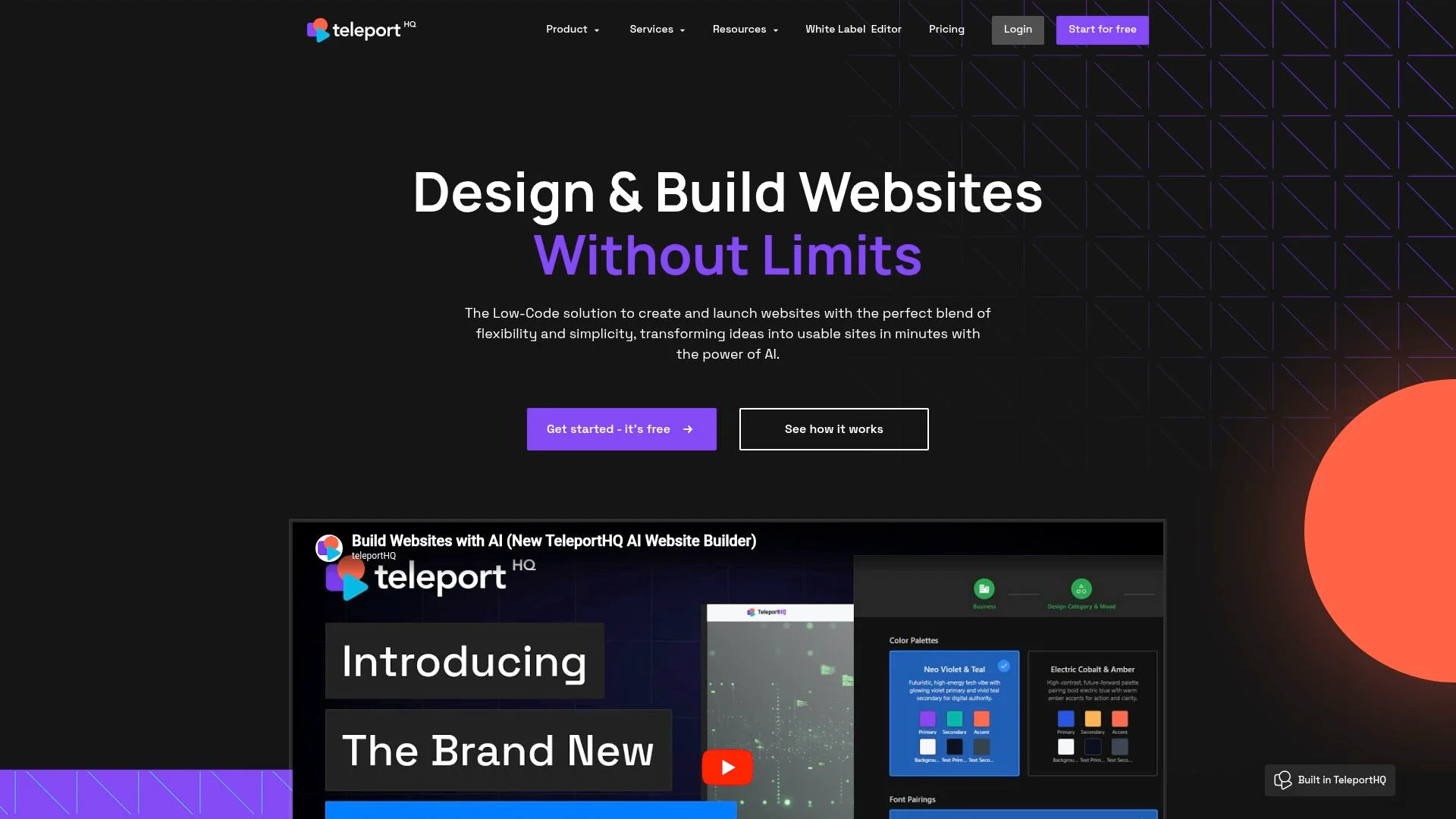
TeleportHQ positions itself as a low-code development platform that bridges visual design and functional code. The TeleportHQ AI website builder leverages natural language prompts to generate complete website structures. This enables users to describe their vision in plain English and watch the platform construct layouts, components, and styling automatically.
Unlike traditional drag-and-drop builders, this approach allows non-technical users to articulate requirements conversationally. It still produces clean, exportable code that developers can refine.
The Core Platform Architecture
The system translates prompts into React, Vue, or static HTML components through its underlying architecture. Users can export production-ready code or continue editing visually.
Target segments include startup founders needing rapid prototypes, freelancers managing multiple client projects, and enterprise teams seeking faster iteration cycles without sacrificing code quality.
AI Prompt-to-Website Technology
You describe layout requirements, such as "create a pricing section with three tiers," and the AI interprets intent, generating structured markup and styling. This conversational editing removes the guesswork from translating ideas into functional interfaces, though results depend heavily on prompt clarity.
Try it — build your site while you read
Describe what you want and get a live, publishable site in seconds. Free to start, no code.
Join 200,000+ makers building real websites with Kleap.
Key Features That Set TeleportHQ Apart
What separates this platform from generic AI website builder tools? Three core capabilities define the TeleportHQ AI website builder experience.
First, the AI generation engine transforms conversational prompts into functional layouts. You describe your vision in plain language, refine it through dialogue, and watch the structure materialize.
Experts note its value in providing a "smarter starting point" with AI handling design consistency and placeholders while preserving creative control.

AI-Powered Design Generation
The text-to-design workflow feels intuitive. Type "landing page for fitness coaching with testimonial section," and the system generates components, spacing, and hierarchy.
Need adjustments? Conversational refinement lets you iterate without restarting.
This differs from template-driven builders that lock you into rigid structures.
Code Export and Developer Flexibility
Clean code export supports multiple frameworks:
- React components with modular architecture
- Vue templates for progressive applications
- Next.js files optimized for server-side rendering
Developers integrate exported assets directly into existing repositories. There is no proprietary lock-in or messy markup to untangle later.
Visual Editor and Customization Tools
The drag-and-drop interface handles post-generation tweaks. You can adjust typography, swap components from the built-in library, or fine-tune responsive breakpoints.
Team collaboration features allow simultaneous editing with role-based permissions. This bridges the gap between automated generation and hands-on control that different user types require.
The Pros and Cons Nobody Mentions
Most reviews gloss over what actually matters in daily use. TeleportHQ delivers something rare: clean, exportable code that developers can integrate into existing workflows without wrestling with proprietary systems.
The AI provides what experts call a 'smarter starting point,' handling structural decisions and design consistency while you retain full control. Unlike typical AI website builder tool platforms that lock you into their ecosystem, this approach respects developer autonomy.
Where TeleportHQ Excels
The platform shines in three areas competitors ignore. First, code quality remains consistently production-ready.
Second, deployment flexibility means you're not trapped; you can export to React, Vue, or static HTML whenever you choose.
Limitations You Should Know About
Non-developers hit walls quickly. The interface assumes technical literacy that marketing teams often lack.
Generation quality fluctuates, sometimes being brilliant, and occasionally requiring substantial manual correction. Template selection feels sparse compared to Wix or Webflow.
Advanced customization demands actual coding knowledge, not just point-and-click patience.
Kleap tip: TeleportHQ works best for development teams needing AI acceleration, not business owners seeking turnkey solutions. Evaluate your technical comfort before committing.
What You Actually Pay
TeleportHQ operates on a freemium model that's surprisingly generous. The free tier gives you unlimited static sites with full code export, which is rare in this space.
No credit card is needed. But here's the catch: you're limited to basic templates and can't collaborate with teammates.
Still beats many competitors that gate code access behind paywalls.

Paid plans start at roughly 19 dollars monthly for individuals needing custom domains and priority support. Teams requiring advanced collaboration tools might invest 49 dollars per seat.
Compare this to traditional development costs: a single landing page from an agency runs between 2,000 and 5,000 dollars, and the math shifts quickly. For businesses exploring AI website builder for local businesses, these tiers offer substantial savings without sacrificing quality.
According to ROI calculations, startups recoup costs within the first project when replacing freelance developers.
Hidden Costs and Value Analysis
Watch for hosting fees if you skip code export. Some users find the learning curve steeper than advertised, potentially requiring paid tutorials or extended trial periods.
However, the platform eliminates design software subscriptions and developer retainers. These hidden savings accumulate quickly.
What Other AI Website Builders Won't Tell You
Most platforms promise instant websites. What do they skip?
AI generation gives you a blueprint, not a polished product. The algorithm handles layout and placeholders, but real projects demand human refinement.
We've seen countless businesses discover this gap after committing to a platform, only to realize they're locked into proprietary systems with no escape route. Code ownership becomes the silent dealbreaker.
When you can't export clean HTML or integrate with existing DevOps workflows, you're essentially renting your digital presence instead of owning it.
The Reality Behind AI Website Generation
Experts note its value in providing a smarter starting point with AI handling structure and design consistency. Yet the teleporthq AI website builder conversation rarely addresses what happens next.
Generated code quality determines whether your site scales or becomes technical debt. Poor markup means hiring developers to rebuild from scratch months later, often costing thousands of dollars in remediation.
True flexibility emerges when platforms balance automation with developer access, something AI website builder for new product launches demonstrates through exportable frameworks.
Why Code Export Matters More Than You Think
Platform lock-in isn't obvious until you need migration. Consider these hidden costs:
- Proprietary systems force ongoing subscriptions regardless of usage.
- Custom integrations become impossible without API access.
- Performance optimization remains limited to platform capabilities.
- Team collaboration suffers without version control compatibility.
The developer-designer balance separates sustainable tools from short-term fixes. When AI accelerates initial creation but preserves human control over the final product, businesses gain speed without sacrificing long-term adaptability.
Kleap, the AI-First Alternative for Modern Builders
When comparing platforms beyond the typical TeleportHQ AI website builder discussion, one option consistently stands out for its genuine AI-first architecture. Kleap eliminates the technical barriers that still exist in code-generation tools, offering a fundamentally different approach.
No wrestling with exported code. No design-to-development handoff delays.
Just natural language instructions that become functional applications in minutes, not days.

The distinction matters for teams tired of dealing with version control conflicts and deployment complexity. While code-generation platforms produce files requiring technical knowledge to modify, Kleap vs Framer AI comparisons reveal how conversational interfaces can completely replace traditional development workflows.
According to no-code development research, reducing technical dependencies accelerates iteration cycles by eliminating compilation and testing bottlenecks.
Why Kleap Takes AI Website Building Further
Most AI builders generate static mockups or require manual refinement. Kleap's approach differs fundamentally through persistent intelligence that adapts as projects evolve.
Request design changes mid-project, add e-commerce functionality after launch, or restructure entire information architectures through simple prompts. The system understands context from previous interactions, creating genuinely adaptive workflows that are impossible with traditional tools.
Kleap tip: Start projects with broad descriptions ("portfolio site for architecture firm") rather than detailed specifications. The AI refines details through conversational iteration, often surfacing design solutions you hadn't considered.
Who Should Choose Kleap Over TeleportHQ
Non-technical founders launching MVPs find the learning curve dramatically shorter. Marketing agencies juggling multiple client projects appreciate deployment speed without sacrificing customization depth.
Enterprise teams benefit from collaborative features that maintain brand consistency across distributed workforces. Pricing starts lower while including features competitors gate behind premium tiers, making professional-grade tooling accessible whether you're bootstrapping a startup or scaling an established operation.
Other TeleportHQ Alternatives Worth Considering
Beyond the major players, several specialized tools deserve attention. Your choice depends on technical skill and project scope.
Some platforms excel at code flexibility. Others prioritize visual simplicity.

Low-Code Platforms for Developers
Framer and Webflow attract developers who want design control without starting from scratch. Webflow offers robust CMS capabilities and CSS precision.
Framer emphasizes interactive prototyping with React components. Both require steeper learning curves than the TeleportHQ AI website builder approach, but deliver greater customization.
If you need pixel-perfect layouts or advanced animations, these tools outperform purely AI-driven solutions.
No-Code Solutions for Non-Technical Users
Wix and Squarespace remain popular for business owners prioritizing simplicity over speed. Their drag-and-drop interfaces require zero coding knowledge.
However, AI assistance is limited compared to modern alternatives. Templates feel restrictive once you scale.
Choose these platforms when branding matters less than immediate deployment, and you accept longer manual setup times.
Frequently Asked Questions
Can you build production-ready websites with the TeleportHQ AI website builder? Absolutely.
The platform generates clean, semantic code that meets modern web standards. You get fully functional sites with responsive layouts, optimized assets, and proper SEO structure.
Developers often use these exports as solid starting points for client projects.
Do you need coding knowledge? Not for basic projects.
The visual editor handles most tasks through drag-and-drop. However, understanding HTML and CSS helps when customizing exported code.
TeleportHQ bridges both worlds: designers create layouts visually while developers access clean code beneath.
Framework flexibility stands out as a major advantage. You can export to:
- React with modern hooks
- Vue for progressive web apps
- Plain HTML/CSS for simple sites
- Next.js for server-side rendering
Is it suitable for enterprise projects? That depends on the complexity.
Mid-sized business sites work well, but large-scale applications with complex backend logic might need traditional development. Custom domains and hosting work through standard deployment; export your code and host it anywhere you choose.
FAQ - Frequently Asked Questions
Can the TeleportHQ AI builder create production-ready websites without coding?
Yes, but expect to review the output carefully. The AI generates functional code that deploys immediately; however, you'll likely want to adjust spacing, colors, or layout details to match your exact vision.
What surprises most users is how clean the exported code actually is. No bloated CSS or messy inline styles, just organized React or Vue components ready for your repository.
Do I own the code generated by TeleportHQ?
Completely. Once exported, that code belongs to you with no restrictions on commercial use or redistribution.
This differs from many visual builders that lock you into their platform. Here, you download the source files and host them anywhere: on Vercel, Netlify, your own server, or wherever makes sense for your project.
How does the TeleportHQ AI website builder compare to Webflow or Framer?
TeleportHQ focuses on code portability while Webflow prioritizes visual polish and Framer emphasizes interactive prototyping. If you need to hand off clean React components to developers, TeleportHQ wins.
Webflow excels at pixel-perfect design control but keeps you in their ecosystem. Framer shines for animation-heavy interfaces, yet exports can feel opinionated.
TeleportHQ takes a middle ground: a decent visual editor with maximum flexibility after export.
The real trade-off? You sacrifice some advanced animation controls compared to Framer but gain the freedom to integrate your site into any existing codebase without platform lock-in.
What frameworks does TeleportHQ support for code export?
React, Next.js, Vue, Angular, Gatsby, and plain HTML/CSS. This range covers most modern development workflows.
The React export particularly impresses with proper component structure and TypeScript support. I've seen teams integrate TeleportHQ output directly into their monorepos without significant refactoring.
Is TeleportHQ suitable for client projects and agency work?
Absolutely, especially for rapid prototyping and landing page production. Agencies use it to accelerate initial builds, then customize the exported code for specific client requirements.
The workflow typically looks like this: design the core structure in TeleportHQ, export the code, then add custom integrations or API connections in your preferred IDE.
Can I use my own hosting with TeleportHQ-generated websites?
Yes, without limitations. Export your project and deploy it to any hosting provider that supports your chosen framework.
Many users start with TeleportHQ's built-in hosting for quick previews, then migrate to Vercel or AWS when ready for production. The exported code includes all necessary configuration files, so deployment usually takes just a few commands in your terminal.
Is TeleportHQ right for your next web project?
TeleportHQ delivers a solid foundation for developers who value code ownership and collaborative workflows. Its component-based architecture and direct GitHub integration make it a legitimate option for teams building design systems.
However, the platform shows its age when compared to newer AI-native builders. Limited template variety and a steep learning curve for non-developers reveal gaps that more modern solutions have addressed.
If you're a frontend developer comfortable with code and want full export control, TeleportHQ works well. For marketers, solopreneurs, or teams seeking truly intelligent automation, you'll likely hit friction points that slow down launches.
The best move? Test both approaches.
Spend an hour in TeleportHQ's interface to see if the developer-centric model fits your workflow.
Looking for an AI website builder that handles both design and content generation? Kleap combines visual editing with advanced AI capabilities that TeleportHQ does not offer.
The platform learns your brand voice and generates conversion-optimized pages in minutes, not hours.
Start building smarter today.