






Skip to content

Free AI agent: it builds your site, then keeps working.

Describe your business. Kleap builds the site, then an AI agent answers leads and handles tasks for you. Start free, no code.

1,300,000+ sites created with Kleap

See Kleap build a website

Describe your business in one sentence. Kleap writes every page, picks the images and puts your site online at its own address.

Everything Google needs, done for you

On every page of your site.

Written for Google

Every page gets its title, meta description and headings, written from what your business does.

Automatic sitemap

Your sitemap is generated and kept up to date, so Google finds every page you publish.

Fast pages

Your site is served as fast static pages, on mobile and desktop.

Search Console in one click

Connect Google Search Console in one click and see how people find you.

Edit it by talking

Click any text or image on your site and tell Kleap what to change. No editor to learn.

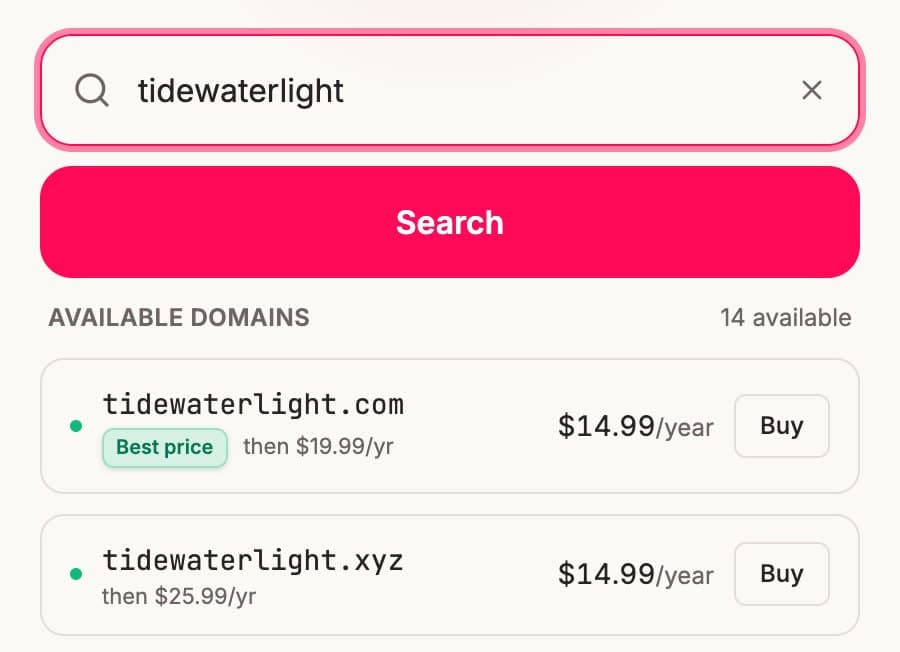
Your own domain

Publish on a kleap.io address, or connect your own domain, with HTTPS included.

SEO articles written for you

Connect Robot Speed and get SEO articles written and published on your site.

What a Kleap AI agent does for you

Real tasks tied to your site, not a demo chat.

Replies to your leads

Each time someone fills in your contact form, the agent writes a ready-to-send reply in the visitor's language and saves it in a list. It never sends it on its own.

Works on a schedule

Run an agent once, every day, every week, every few hours, or each time your contact form gets a message. For example a weekly SEO check that proposes one change.

Asks before it acts

By default, changes to your site, e-mails and posts wait in an approvals inbox. You read what the agent wants to do and approve or reject it.

A manager for your project

Add a manager agent that sends a short update on your business every morning and adjusts your other agents toward the goals you set.

Most free AI agents are a chat window or a blank workflow you have to wire up yourself. Kleap starts from something real: your website. Describe your business, Kleap builds and publishes the site, and a background agent keeps working on it: it prepares replies to your contact-form leads, runs a task on a schedule, and asks for your approval before anything goes out.

A free AI agent is software that does a job for you instead of only answering questions. You give it a goal, it uses tools (it can read web pages, check your site's numbers, write drafts), and it comes back with a result.

The free agents you find online fall into two groups: no-code agent builders, where you design a workflow yourself, and chat assistants that forget you when the tab closes. Kleap is a third kind. It is a website builder first, so the agent already knows your site, your pages and your contact form, and you start with something to work on instead of an empty canvas.

What the Kleap agent can actually do

An agent is a standing goal with a schedule. Here is what you can ask for today:

  • Reply to enquiries: a draft answer for every new contact-form message, in the visitor's language, kept in a list for you to review
  • Improve your SEO: once a week it reads your site and your search numbers, then proposes one precise change for you to approve
  • Prepare outreach: it finds relevant people or businesses, writes a personal draft for each one and waits for your approval before anything is sent
  • Use your connected tools: reads from tools you connected in the builder (Notion, Airtable and others), and asks before it writes anything
  • Report back: a manager agent sends one short morning update on your business

Free vs paid, honestly

You can start free: build your first site and try an agent. Free accounts get a small amount of usage that refills every day, up to a monthly ceiling. Agents draw on that same usage, so on a free account they get a small daily share and the rest stays for building your site. When the share is used up, they carry on later by themselves.

A paid plan gives you more usage, which means more agent runs. Every account has a limit on how many agents can be active at once, and scheduled agents run at most every few hours, not every minute.

  • Free: build and publish a site, create an agent, approve what it prepares
  • Free accounts: agents use a small daily share of your free usage
  • Paid: more usage, so more and longer agent runs
  • By default, nothing leaves your site without your approval, free or paid

Kleap or a no-code agent builder?

Tools such as Lindy, MindStudio, Relevance AI and Zapier Agents are built to automate work across many apps, and some are very good at it. Pick one of them if your main goal is to connect lots of different tools in custom workflows. Pick Kleap if the job is a website and a small business around it. The table below compares the general approach; details and limits change, so check each product's own pricing page (as of 2026).

Who it is for

A business owner, freelancer or creator who wants a website and wants help running it, without learning a workflow tool.

  • Small businesses that get contact-form messages and answer them late
  • Solo founders who want a weekly SEO nudge they can approve in one click
  • Anyone tired of free AI agents that are only a chat box

How it works

01

Describe your business

Type a sentence or two in the box above. Kleap builds your website in minutes and you can publish it on a free Kleap link.

02

Create your agent

Open the agents area of your project, click New agent, and pick an example (reply to enquiries, get found on Google, prepare outreach) or describe your own goal.

03

Approve what it prepares

The agent runs in the background. Its results and anything it wants to send or change land in your approvals inbox, and you decide.

Kleap agent vs general no-code agent builders

A general comparison, as of 2026. Features and free tiers change often.

KleapGeneral no-code agent builders
Starting pointYour website, built by KleapA blank workflow or a template
Builds the websiteYes, in the same placeUsually no, you bring your own
Best atRunning a small-business site and its leadsConnecting many apps in custom automations
Approval before actingBuilt in: approvals inboxDepends on how you set it up
Free startYes, daily free usageMost have a free tier or trial; limits vary
Code neededNoneUsually none

Free AI agent FAQ

Is there a free AI agent?

Yes. You can start with Kleap for free: build a website, create a background agent and approve what it prepares. Free accounts get a small amount of usage that refills every day, and agents use a share of it. A paid plan gives more usage.

What is the best free AI agent?

It depends on the job. For connecting many apps in custom automations, a general no-code agent builder is the usual choice. For a website and a small business around it, Kleap is built for that: it creates the site and the agent works on it.

Is there a free AI agent builder?

Kleap is a website builder with agents built in rather than a general agent builder. You write what the agent should do in plain words, choose when it runs, and it works on your project. Many general agent builders also have a free tier or trial, with limits that change.

What can a free AI agent do?

On Kleap, a free agent can draft replies to your contact-form messages, propose a weekly change to improve your Google visibility, prepare outreach drafts, and read your site's numbers. Usage is limited on a free account.

Will the agent send e-mails or change my site without asking?

Not by default. Changes to your site wait for your approval, and so do e-mails and posts. The agent prepares, you decide. You can later choose to let a trusted agent act alone.

Do I need to code to build an AI agent?

No. You describe the goal in a few sentences and pick a schedule. There is no workflow to draw and no code to write.

How often can an agent run?

Once, daily, weekly, every few hours, or each time your contact form receives a message. Scheduled agents do not run more often than every few hours.

How many agents can I have?

A limited number can be active at the same time on each account. Pause one to start another.

Ready to put your business online?

Describe it in one sentence. Kleap does the rest.