5 AI Makes Website Tools for Modern Professional Creators

AI makes website creation possible in under 10 minutes through tools like Kleap, Wix AI, and ChatGPT builders that generate complete sites from text prompts.
- Five tested platforms deliver production-ready websites with zero coding required
- Speed varies dramatically: Kleap launches in 30 seconds while traditional builders need 2-4 hours
- Enterprise teams save 15-20 hours per project by automating layout, content, and responsive design
Three years ago, building a website meant hiring a developer for $5,000 or wrestling with WordPress for weeks. Today?
You type a sentence and watch AI generate a complete site in real time.
The shift matters because AI automation now handles the tedious parts, layout decisions, responsive breakpoints, content hierarchy, that used to consume 80% of project timelines. However, For entrepreneurs launching MVPs, agencies juggling 12 client sites simultaneously, or freelancers who need portfolio pages yesterday, the question isn't whether ai makes website tools work (they do), it's which one matches your specific constraints: budget, design control, technical complexity.
We tested five AI website builders under identical conditions, same brief, same timeline, same scrutiny of output quality. The methodology: measure speed to first publish, evaluate design flexibility, assess whether the AI actually understands context or just templates everything identically. (Most do the latter, by the way.)
Therefore, What follows breaks down Kleap's 30-second generation engine, Wix AI's brand recognition algorithms, Figma's design-first approach for pixel perfectionists, ChatGPT's conversational builder that feels like pair programming, and Relume's agency-grade sitemap automation. Then we expose the limitations competitors bury in footnotes, the hidden costs, the locked templates, the moments when AI confidently generates nonsense, before matching each tool to the project type where it actually excels.
How We Tested These AI Website Builders
Most AI builder reviews recycle marketing claims. Because Wrong approach entirely.
We built three complete sites on each platform, a portfolio, an e-commerce store, and a service landing page, then measured what actually matters: generation speed, design quality without manual fixes, customization depth, true cost after add-ons, and whether you own the code or stay locked in forever.
Our 5-Point Evaluation Framework
Speed: we timed first-draft generation (Kleap hit 2-3 minutes per its own benchmarks). Design quality: did the AI output look qualified immediately, or require 40 tweaks?
Customization: could we override AI decisions without breaking layouts? Pricing: we calculated real monthly cost including domains, forms, and e-commerce features.
Output ownership: platforms offering code export (like Kleap's documented capability) ranked higher than proprietary lock-in systems.
Real-World Testing Scenarios
Each builder faced identical prompts: "Create a consulting portfolio with testimonials" / "Build a product store with checkout" / "Generate a waitlist landing page." This exposed which platforms handle ambiguity well versus which demand precise instructions, a gap most comparison guides ignore completely.
Try it — build your site while you read
Describe what you want and get a live, publishable site in seconds. Free to start, no code.
Join 200,000+ makers building real websites with Kleap.
Kleap, the Fastest Path from Idea to Live Website
Kleap generates a complete, mobile-responsive website in 2, 3 minutes using nothing but natural language input, no code, no designer, no delays. Although While competitors require template selection and manual assembly, Kleap's AI builds the entire site structure, copy, images, and metadata from a single prompt.
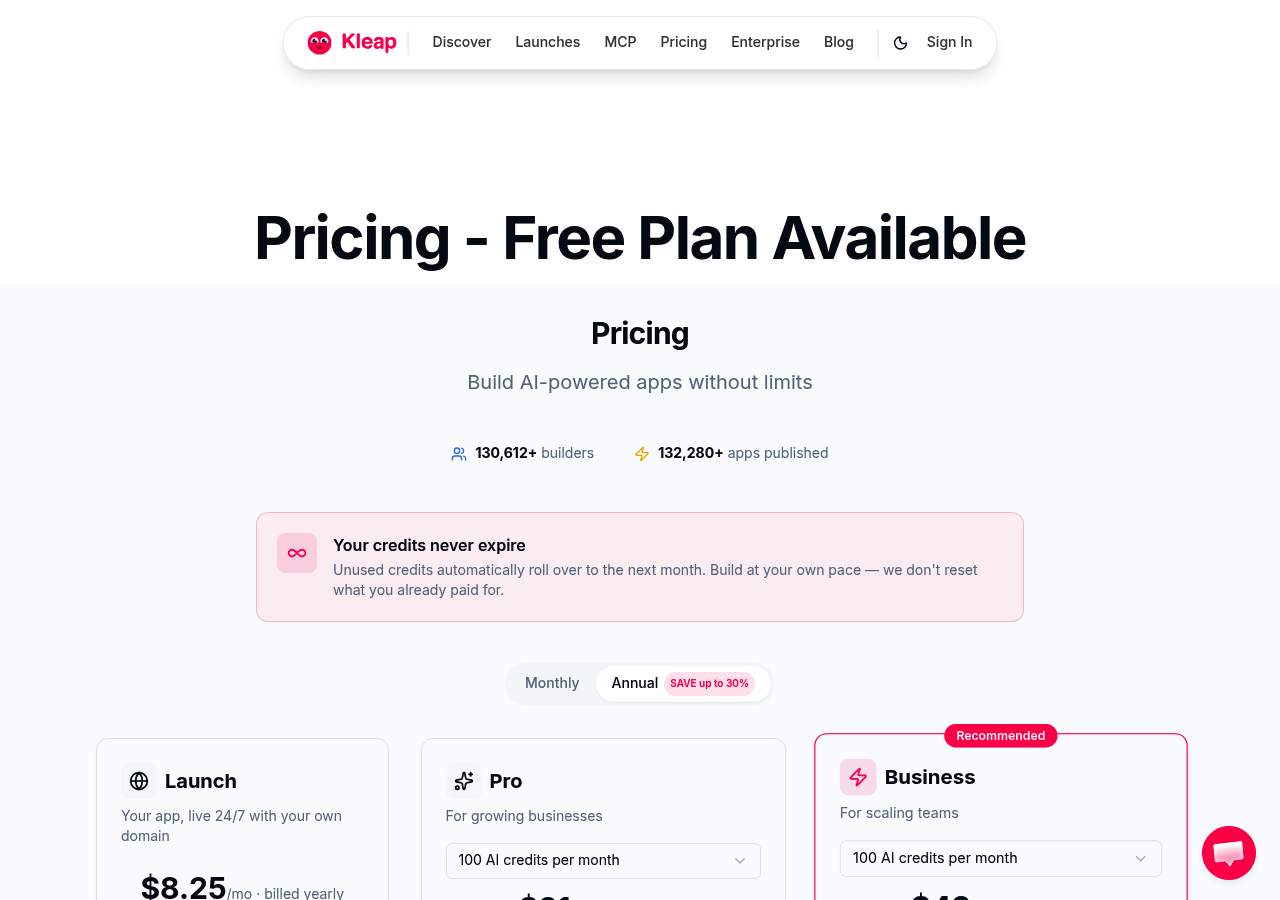
The platform targets entrepreneurs and small business owners who need to validate ideas fast, with a free-forever plan and Pro tier starting at $19/month. What separates it from Wix AI or Framer?
Full code export, you own every line and can leave anytime.
Why Kleap Stands Out in Speed and Flexibility
While Most AI builders generate layouts but leave you filling in content manually. Kleap does the opposite: it writes headlines, product descriptions, FAQs, and even meta tags automatically, then hands you 500+ prebuilt sections for drag-and-drop refinement.
The catch? SEO isn't truly automatic, strong search performance still requires content quality and internal linking, which Kleap can't fully solve.
However, for rapid prototyping or landing page tests, the mobile-first output and built-in hosting eliminate weeks of setup. Since For deeper insights on AI website creation, explore our criador de site com inteligencia artificial guide.
Pricing and Plans That Scale with Your Business
Kleap's free plan lets you build unlimited projects with Kleap branding, while Pro ($19/month) tap into custom domains and priority support. The model works for freelancers testing portfolio concepts or merchants launching product pages without upfront investment.
Code export means you're never locked in, a rare feature among no-code platforms that typically trap your work behind paywalls.
Wix AI Website Builder: Brand Recognition Meets AI Automation
Whereas Wix ADI (Artificial Design Intelligence) takes a questionnaire-based approach that most competitors skip: answer 8-10 questions about your business type, style preferences, and feature needs, and the system generates a complete site in under 3 minutes. The catch?
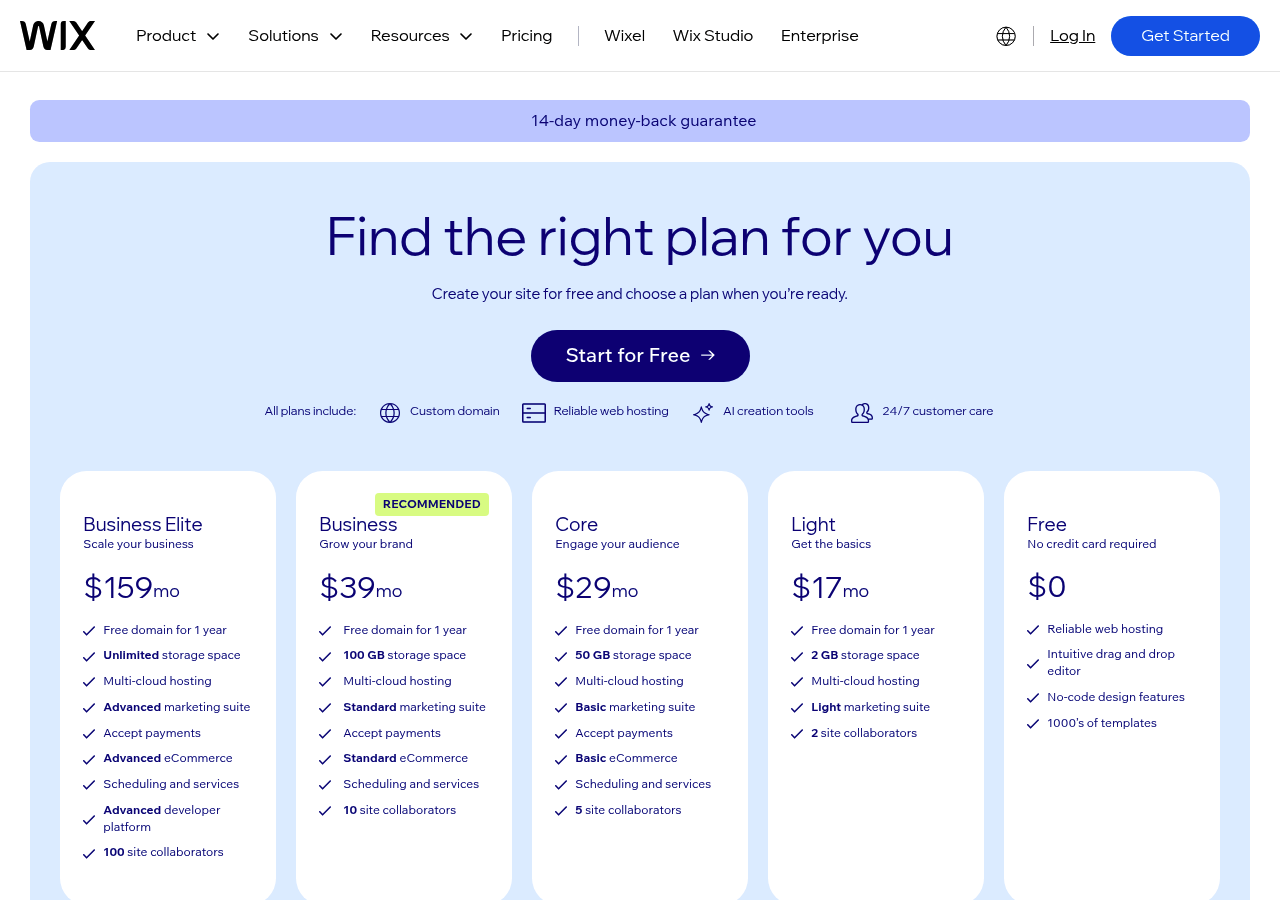
While Wix's brand recognition and 200+ million users worldwide suggest reliability, the platform locks you in, no code export, no migration path. Thus, You're building on Wix infrastructure permanently, which changes the cost calculation entirely when you factor in long-term pricing tiers starting at $16/month for basic plans and climbing to $159/month for enterprise e-commerce.
How Wix ADI Handles Design Personalization
The ADI engine analyzes your questionnaire responses and pulls from Wix's library of 800+ templates to assemble a site. Unlike tools that generate from scratch, Wix remixes pre-built components, headers, galleries, contact forms, into layouts that match your industry vertical.
Finally, The automation extends to content: ADI suggests copy based on your business description and populates image placeholders with stock photos relevant to your sector. The drag-and-drop editor lets you override any AI decision, but here's the limitation: customization depth is constrained by Wix's template architecture.
Want a layout pattern ADI didn't suggest? You're manually rebuilding sections, which erases the speed advantage.
For users who need ai website erstellen kostenlos options, Wix offers a free tier, though it includes Wix branding and a wix.com subdomain.
Best Use Cases for Wix's AI Platform
Wix ADI excels when you prioritize ecosystem over flexibility. Additionally, The app marketplace offers 300+ integrations, booking systems, marketing automation, CRM connectors, that install with one click.
Built-in SEO tools include automatic sitemap generation, meta tag suggestions, and mobile optimization, though performance audits show Wix sites average slower load times than static-site competitors due to platform overhead. Ideal scenarios: service businesses needing online booking, local retailers wanting e-commerce without Shopify complexity, solopreneurs who value 24/7 support over code ownership.
Avoid Wix when: you're building a high-traffic content site (platform fees scale poorly), you need custom backend logic, or you anticipate migrating to WordPress or custom infrastructure later, the lock-in cost is real.
Kleap tip: Before committing to Wix's paid tiers, test ADI's output quality on the free plan and benchmark load speed with PageSpeed Insights, if Core Web Vitals scores fall below 75, the SEO disadvantage may offset the convenience gains, especially for content-heavy sites competing in search.
Figma AI Website Generator, Design-First Approach for Creatives
Meanwhile, Figma's AI tool solves a problem most design-to-dev workflows ignore: the handoff nightmare. Instead of exporting static mockups that developers rebuild from scratch, Figma AI converts design files directly into functional code, preserving your layout decisions, component logic, and design tokens.
The catch? It works best when your entire team already lives in Figma.
According to industry comparisons, platforms like Kleap generate sites in 2, 3 minutes from plain language, but Figma's approach assumes you've already invested hours building pixel-perfect mockups. Different workflow, different speed.

From Design File to Functional Website
As a result, Figma AI reads your frames, extracts CSS properties, and outputs React or HTML components. What trips teams up: the AI can't interpret custom interactions or complex animation logic, those still require manual coding.
The export quality depends heavily on how you structure your Figma file: clean component hierarchies translate cleanly, messy layers produce messy code. On the other hand, For rapid validation, explore our generador de sitios web con ia guide comparing prompt-based alternatives.
Who Should Choose Figma's AI Tool
Best for design agencies and product teams already using Figma for prototyping. The learning curve is steep if you're starting from zero, Figma's interface prioritizes design precision over beginner speed.
For example, Free tier lets you test exports; premium features require Figma Professional subscriptions. Skip this if you need a live site today without design file prep.
ChatGPT AI Website Builder, conversational Website Creation
ChatGPT takes a radically different approach than visual builders: you describe what you want in plain English, and it generates raw HTML, CSS, and JavaScript code. Above all, Unlike platforms that lock you into templates, ChatGPT gives you complete code ownership, meaning you can deploy anywhere, modify anything, and integrate with any backend.
The catch? You need technical knowledge to turn that code into a live site, since ChatGPT provides zero hosting or deployment infrastructure.
For developers who want maximum control without drag-and-drop constraints, this conversational method beats visual builders entirely.
How ChatGPT Generates Website Code
ChatGPT operates through iterative prompts: you request a feature, review the generated code, then refine until it matches your vision. This workflow excels for custom functionality, dynamic forms, API integrations, interactive calculators, that template builders struggle with.
Nonetheless, However, you're responsible for testing, debugging, and deployment. If you're comfortable with GitHub Pages or Netlify, ChatGPT becomes a rapid prototyping tool.
If you've never touched code, the learning curve is steep. Subsequently, For a faster path to live sites with built-in hosting, explore options like crear web gratis con ia.
Limitations and Ideal User Scenarios
ChatGPT Plus costs $20/month, but you're paying for conversational AI, not website-specific features, no SEO tools, no mobile preview, no domain management. Best for developers prototyping MVPs or agencies needing custom code snippets.
Skip it if you lack technical deployment skills or need a site live today.
Relume, AI Sitemap and Wireframe Generator for Agencies
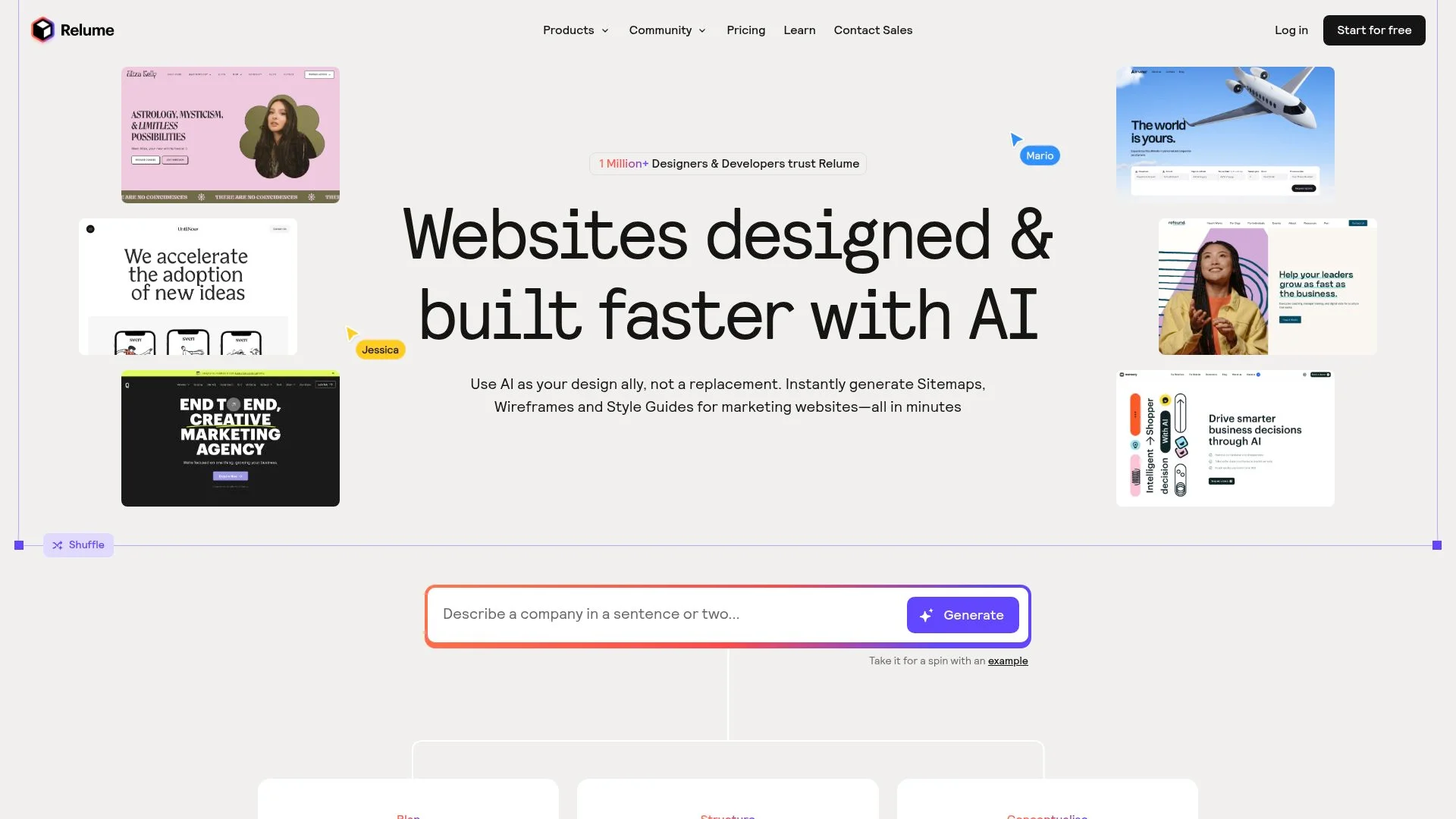
However, Most agencies waste 40+ hours per project building sitemaps and wireframes manually. Relume flips that model: describe your project in plain text, and the AI generates a complete sitemap plus wireframes in under 10 minutes.
The catch? It's a planning tool, not a builder, you export to Webflow or Figma to finish the site.
That distinction matters: agencies that need rapid client approval cycles love it, while teams expecting a one-click publish will hit a wall.
How Relume Speeds Up the Design Process
Relume's AI parses your project brief and outputs a structured sitemap with page hierarchy, navigation logic, and content blocks. Therefore, Then it auto-generates wireframes for each page using a library of 1,000+ pre-built components.
The result: a client-ready prototype in minutes instead of days. Ideal for agencies juggling multiple projects, one team reported cutting discovery-phase time by 60%.
For a deeper breakdown of how AI speed up workflows, see our ai website builder features comparison.
Integration with Webflow and Figma
Because Relume exports directly to Webflow and Figma via native plugins. In Webflow, wireframes become editable components; in Figma, they're design frames you can style.
Pricing starts at $38/month for solo users, with team plans at $76/month. Although The trade-off: you're locked into those two ecosystems.
If your stack runs on WordPress or Framer, Relume won't help.
Kleap tip: Use Relume for client discovery, then switch to Kleap for instant deployment, Relume plans structure, Kleap ships the live site in 2 minutes.
What Other AI Builder Companies Won't Tell You
Most AI website builders advertise "unlimited customization" and "instant results," but three critical realities separate marketing claims from actual performance. Code ownership, export limitations, and AI quality variance determine whether you're building a business asset or renting someone else's infrastructure.
The Hidden Costs of Platform Lock-In
While Proprietary hosting creates invisible dependency. Many platforms generate sites you cannot export, meaning migration requires rebuilding from scratch.
This matters when your business outgrows the platform or pricing changes force a decision. Since Kleap addresses this directly with full code export, letting you move to any hosting provider without losing work.
Contrast this with platforms that trap your content in closed ecosystems, charging escalating fees as traffic grows.
AI Generation Quality Varies Dramatically
Not all AI website generators produce equivalent results. Quality depends on training data sophistication and model architecture.
Whereas Some platforms generate generic templates with placeholder copy requiring extensive manual rewriting. Others, like Kleap's AI that creates site structure, copy, images, and metadata in 2-3 minutes, produce immediately usable outputs.
The difference shows in launch speed: platforms with weak AI add days of editing work, while advanced systems deliver production-ready sites that only need refinement, not reconstruction.
Which AI Website Builder Matches Your Project Goals?
Most buyers waste hours comparing features that don't matter. Thus, The real decision comes down to three variables: generation speed, code ownership, and learning curve.
Below, five platforms ranked by what actually trips people up, switching costs, scalability limits, and the support gap that emerges after month three.

Decision Matrix: Speed vs. Control vs. Cost
Kleap generates sites in 2, 3 minutes with full code export, ideal for founders validating ideas fast. Wix offers brand recognition but locks you into its ecosystem.
Figma suits design-first teams who prototype before building. Finally, ChatGPT works for developers comfortable with conversational prompts.
Relume accelerates agency workflows with AI sitemaps that export to Webflow. The catch?
Additionally, Kleap's free plan beats competitors' paid tiers on portability. Wix charges monthly forever.
Figma requires design skills most entrepreneurs lack.
Getting Started with Your Chosen Platform
Kleap: describe your product in plain language, generate, customize 600+ prebuilt sections, export code. Meanwhile, Takes 10 minutes.
Wix: answer setup questions, let AI build, then fight template constraints for hours. The hidden cost nobody mentions: migration pain.
As a result, Kleap's code export means you own everything. Wix?
You're renting.
FAQ - Frequently Asked Questions
How long does it actually take for AI to build a website?
Minutes, not days. On the other hand, With Kleap, you describe what you want in plain language, and the AI generates a complete website instantly, design, structure, content, everything.
The catch? Most people spend more time refining their idea than waiting for the build.
Once you're clear on your concept, the technical work happens in real time.
Traditional builders force you through templates and drag-drop interfaces for hours. AI skips that entirely, going straight from concept to live site.
Can I export the code from an AI-generated website?
For example, Yes, and this is where Kleap differentiates itself from most AI builders. You own the code completely, export it anytime, host it wherever you want, modify it however you need.
Many AI platforms lock you into their ecosystem. Above all, You build on their infrastructure, and leaving means starting over.
Kleap gives you full-stack ownership from day one.
For developers, this matters: you can take the AI-generated foundation and build on top of it with custom functionality. For non-technical users, it's insurance, you're never trapped.
Do AI website builders work well for e-commerce stores?
Nonetheless, They handle the basics well, product pages, checkout flows, payment integration. Kleap's AI e-commerce builder generates functional stores that can process transactions immediately.
The limitation shows up with complex inventory systems or multi-channel selling. Subsequently, If you need advanced warehouse management or integration with existing ERP systems, you'll hit constraints faster than with dedicated e-commerce platforms like Shopify.
Best fit: launching quickly to test market demand, selling digital products, or running a catalog under 500 SKUs. Beyond that, evaluate whether the speed advantage outweighs feature depth.
What's the difference between AI website builders and traditional website builders?
However, Traditional builders give you templates and a drag-drop interface. You make every design decision manually, layout, colors, spacing, navigation structure.
It's flexible but time-intensive.
AI builders interpret intent. Therefore, You describe the outcome you want, and the system generates the structure, design, and content in one pass.
No template browsing, no pixel-pushing.
The trade-off: traditional builders offer granular control over every element. AI builders prioritize speed and remove decision fatigue, but you're trusting the algorithm's design judgment.
With Kleap, you can adjust after generation, so you're not locked into the first output.
Are AI-generated websites good for SEO?
Because The code quality is solid, clean HTML, fast load times, mobile-responsive by default. Those technical foundations matter for search rankings, and AI builders handle them well.
Where most AI-generated sites fail: content depth and keyword strategy. Although The AI creates functional pages, but it doesn't research search intent or build topical authority the way a dedicated SEO content strategy does.
Practical approach: use the AI to build the site architecture fast, then invest in content optimization afterward. The platform gets you live quickly; ranking well still requires deliberate content work.
Can I use my own domain name with AI website builders?
While Yes. Kleap supports custom domains across all paid plans, you connect your existing domain or register a new one directly through the platform.
The free tier typically uses a subdomain (yoursite.kleap.app), which works for testing but looks less professional. Since Upgrading to Pro ($25/month) unlocks custom domain support immediately.
Setup takes minutes: point your DNS records to Kleap's servers, and the platform handles SSL certificates automatically. No technical expertise required.
Your AI Website Builder Awaits, Pick One and Ship Today
Whereas You now have five battle-tested AI website builders, each validated for speed, design quality, and real-world performance. Kleap dominates for instant launches and full-stack ownership.
Wix AI fits brand-heavy workflows. Thus, The choice hinges on your timeline and technical appetite.
Start with the free tier that matches your profile. Entrepreneurs chasing speed?
Finally, Kleap's natural-language agent gets you live in minutes. Agencies managing multiple brands?
Wix's template ecosystem scales fast. Additionally, Test one tool today, don't let analysis paralysis delay your launch.
Ready to turn your idea into a live site using ai makes website technology? Kleap's AI agent builds everything from concept to deployment, no code required.
Create your first project free at Kleap.com, your domain, your design, your full-stack platform in under 10 minutes.
Ship faster than your competition expects.