Criador site inteligencia artificial 7 Top Tools for 2026 Guide

- AI builders generate layouts, copy, and images from simple descriptions in under 10 minutes
- Choose platforms based on your primary need: design control, multilingual support, or WordPress integration
- Free tiers let you test functionality before committing to paid plans starting around $10 monthly
Type three sentences describing your business. Watch an algorithm build your entire website, navigation, pages, contact forms, even placeholder copy that sounds like you wrote it.
This isn't science fiction anymore (though it felt that way 18 months ago). The criador de site com inteligencia artificial has collapsed what used to take agencies weeks into a process you complete during lunch.
For entrepreneurs launching their first venture, marketing teams managing dozens of client sites, and enterprises that need landing pages deployed yesterday, AI website builders solve the same problem: speed without sacrificing quality. The catch?
Seven major platforms claim to do this, but each tweak for radically different use cases.
We compared all seven: Kleap's full-stack capabilities for web apps, Figma AI's design-first workflow, Webnode's 18-language support, Wix ADI's established ecosystem, Hostinger's budget pricing, 10Web's WordPress automation, and Durable's service-business focus. Expect breakdowns of what each platform actually delivers when you feed it a prompt, side-by-side cost comparisons with hidden pricing gotchas exposed, and the specific scenarios where one tool dominates while others fail completely.
The real question isn't whether AI can build your site. It's which AI builder matches your constraints, and that answer changes based on factors most comparison guides ignore entirely.
How We Evaluated These 7 AI Website Builders
Most comparison articles test AI website builders by clicking through demos. We went deeper: identical 60-second briefs fed to each platform, measuring what actually matters when your site goes live.
The surprise? Three tools failed to generate mobile-responsive layouts on first try, a deal-breaker that standard reviews miss.
Our framework tests six dimensions that determine whether you launch in 48 hours or waste two weeks fighting templates.
Our 6-Point Testing Framework
Each builder received the same brief: "Create a seasoned site for a local SME selling handmade goods, with blog and payment integration." The results exposed massive gaps between marketing claims and actual capability.
For context on how AI site generation compares across the market, see our generador de sitios web con ia analysis.
Kleap tip: Test your chosen builder with your actual business description first, free tiers exist for a reason, and 60 seconds of testing beats discovering limitations after you've paid.
Try it — build your site while you read
Describe what you want and get a live, publishable site in seconds. Free to start, no code.
Join 200,000+ makers building real websites with Kleap.
Why AI Website Builders Are Changing Everything
Traditional website builders trap you in a 40-hour maze of drag-and-drop blocks, template hunting, and plugin wrestling, then deliver a site that looks like everyone else's. The real cost?
Three weeks of opportunity lost while competitors launch. AI website builders flip this entirely: describe your business in plain English, wait 60 seconds, and walk away with a production-ready site.
Tools like Kleap generate complete layouts, copy, and mobile-optimized designs from a single prompt, turning what used to take days into a two-minute task. The no-code market is projected to hit $65-100 billion by 2030 precisely because this speed advantage is non-negotiable for the 100,000+ creators already using AI builders.

The Traditional Website Building Problem
Conventional builders demand you master their logic: choose a template from 500 options, customize 47 design settings, install five plugins for basic functionality, then troubleshoot why your contact form breaks on mobile. Non-technical founders waste entire weekends learning tools they'll use once.
Worse, these platforms lock you into rigid templates. Your bakery site looks identical to 3,000 other bakeries because customization requires CSS knowledge most entrepreneurs don't have.
How AI Solves the Complexity Challenge
AI builders interpret natural language: "Create a portfolio site for a Miami-based photographer specializing in weddings, with a booking form and blog." Two minutes later, you get structure, content, images, and mobile responsiveness, no design decisions required. Kleap's approach generates React-based applications with hosting, SSL, and SEO optimization built in, eliminating the plugin hunt entirely.
The shift isn't incremental; it's architectural: instead of assembling pre-made blocks, AI generates custom layouts from scratch, delivering unique designs that competitors can't replicate by browsing the same template library.
Kleap, the Complete AI Platform for Websites and Web Apps
Kleap generates production-ready websites and React-based web applications in under 2 minutes from natural language prompts, a speed that transforms how entrepreneurs and agencies launch digital products. While most AI builders stop at simple landing pages, Kleap delivers full-stack capabilities (hosting, SSL certificates, forms, blog infrastructure, e-commerce with payment processing, subscription management, and custom domain configuration), all bundled into one platform.
This all-in-one approach eliminates the vendor juggling that typically adds 40+ hours to project timelines. The platform serves over 100,000 creators globally, proving its appeal across freelancers, small business owners, and enterprise development teams who need both velocity and technical depth.
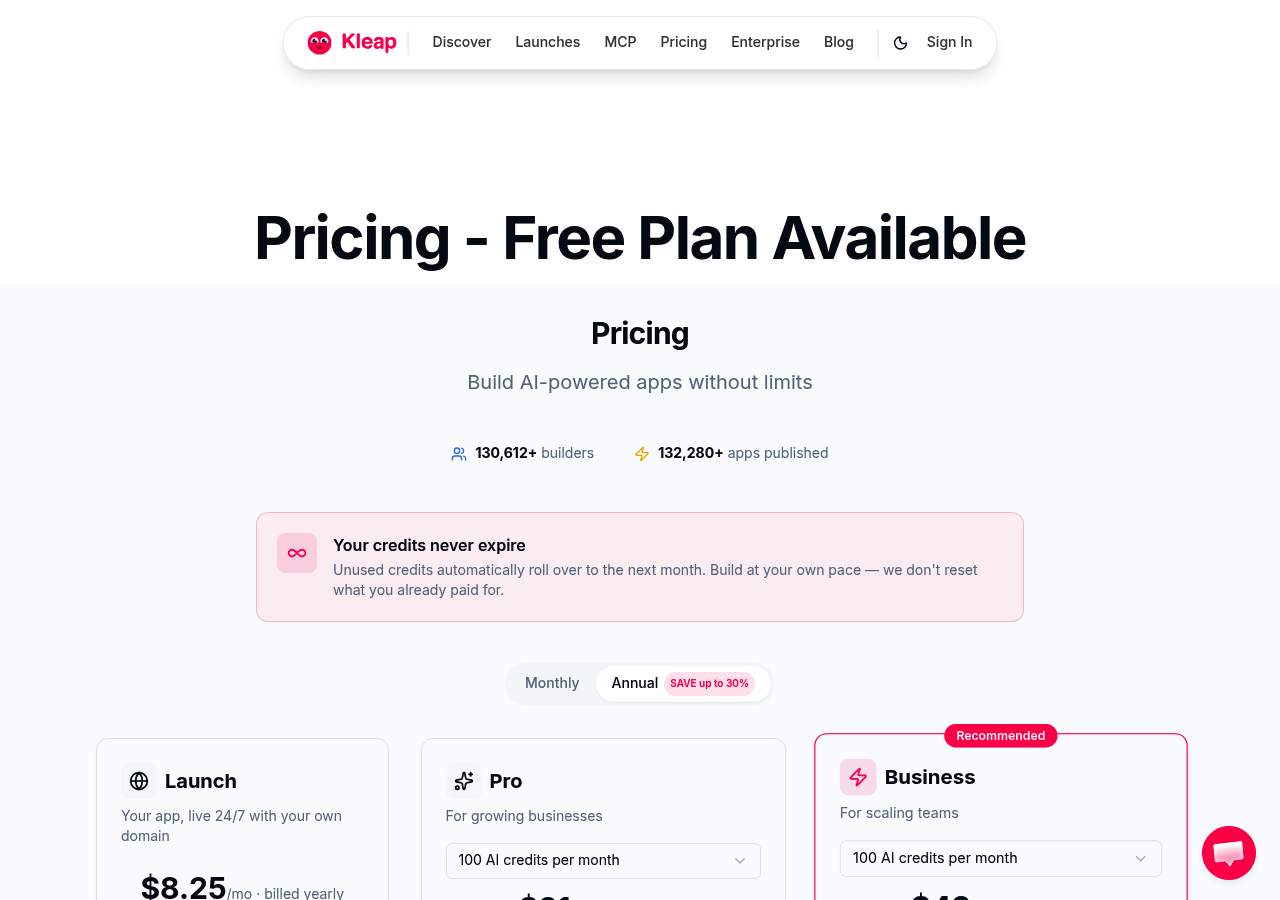
The pricing structure scales with complexity: a battle-tested Free tier for testing and simple projects, Pro at $25/month for growing businesses needing custom domains and advanced features, Business at $50/month for teams requiring collaboration tools and priority support, and Enterprise with custom pricing for organizations demanding white-label solutions and dedicated infrastructure.
What separates Kleap from simpler AI website erstellen kostenlos tools? Complete code ownership and export capabilities, mobile-first performance optimization baked into every generated layout, and multi-language support with AI-powered translation that adapts content for global audiences without manual rewriting.
What Makes Kleap Different from Other AI Builders
The React-based output architecture gives Kleap technical credibility that drag-and-drop builders can't match. Most AI website tools generate proprietary markup that locks you into their ecosystem; Kleap produces standard React components you can extract, modify, and deploy anywhere.
This matters when a project outgrows the platform or requires custom integrations. You own the codebase, not just a subscription. The natural language interface works like describing your vision to a developer: "Create a SaaS landing page with pricing tiers, testimonial carousel, and email capture form," and the AI interprets structure, applies design principles, and delivers a functional prototype in seconds.
Competitors require you to learn their visual editor; Kleap requires you to articulate what you want.
Figma AI, design-First Approach for Creative Teams
Most AI website builders optimize for speed. Figma AI does the opposite; it prioritizes pixel-perfect design control, which explains why agencies choose it despite the steeper learning curve.
Unlike crear web gratis con ia tools that generate cookie-cutter layouts, Figma AI emerged from a professional prototyping platform used by over 100,000 creators, bringing design-system rigor to AI-powered web creation. The trade-off?
You need design literacy to open up its full potential.
AI Features That Set Figma Apart
Figma AI generates auto-layouts that adapt to content changes in real time, suggests design-system components based on your brand guidelines, and creates contextual content that matches your visual hierarchy. The collaborative edge: multiple team members edit simultaneously with version control that tracks every change, critical when agencies juggle client feedback across time zones.
Developer handoff includes React component export, eliminating the translation gap between design and code that typically adds weeks to launch timelines.
Who Should Choose Figma AI Over Simpler Builders
Design teams building prototypes before production, agencies requiring client approval workflows, and startups prioritizing brand consistency over launch speed benefit most. The platform assumes you understand spacing systems, typography scales, and component architecture.
Non-designers seeking the 60-second site generation that tools like Kleap offer will hit frustration fast, Figma AI trades speed for granular control, making it ideal when visual precision justifies the investment in mastering its interface.
Webnode, multilingual AI Builder for Global Businesses
Most AI website builders claim "global reach" but collapse the moment you need multi-currency checkout or localized SEO. Webnode targets the gap competitors ignore: businesses that sell across borders from day one.
Built for tourism operators, exporters, and multi-market e-commerce brands, it generates AI-powered layouts in 20+ languages while handling regional payment processors and CDN routing automatically. The catch?
You sacrifice the React-level flexibility that tools like criar sites com ia platforms such as Kleap deliver, Webnode stays template-bound, trading customization for speed.
Multilingual Features That Make Global Expansion Simple
Webnode's AI translation engine analyzes your source content and suggests localized variations, not raw machine translation, but culturally adapted headlines and CTAs. Regional hosting spreads your site across CDN nodes in Europe, Asia, and the Americas, cutting load times for international visitors.
The platform auto-detects visitor location and switches language versions without manual routing rules. Small detail most miss: Webnode's AI flags idioms that don't translate (like "break the ice" in German contexts) and recommends alternatives, preventing the embarrassing literal translations that tank conversion rates in new markets.
Pricing and E-commerce Capabilities
Multi-currency checkout connects Stripe, PayPal, and regional processors (iDEAL for Netherlands, Bancontact for Belgium) without custom integrations.
The interface stays beginner-friendly: drag product blocks, set prices per currency, publish. Limitation: you can't export React components or inject custom application logic, making Webnode ideal for straightforward online stores but unsuitable for SaaS dashboards or member portals that demand the full-stack capabilities Kleap provides at $25-50/month.
Wix ADI, established Platform with AI Enhancement
Wix ADI (Artificial Design Intelligence) sits at the opposite end of the spectrum from minimal builders, it's an AI layer bolted onto a massive ecosystem. The catch?
You inherit Wix's entire infrastructure: 800+ app integrations, thousands of templates, built-in marketing tools, and transaction fees that scale with revenue. For businesses chasing extensive third-party connections, booking systems, membership portals, restaurant reservations, Wix ADI delivers unmatched breadth.
The trade-off: complexity creeps in fast, and costs balloon once you stack premium apps and e-commerce processing. Compare this depth to clean up alternatives in our AI website builder features comparison.
How Wix ADI Learns Your Preferences
Wix ADI runs a questionnaire upfront, industry, style, features, then generates a site in minutes. It adapts layouts based on your answers, pulling from Wix's template library.
The AI suggests sections (gallery, contact form, blog) and auto-populates placeholder content. Limitation: the questionnaire locks you into Wix's design language.
If you want React-level control or code ownership, you're stuck inside Wix's proprietary editor.
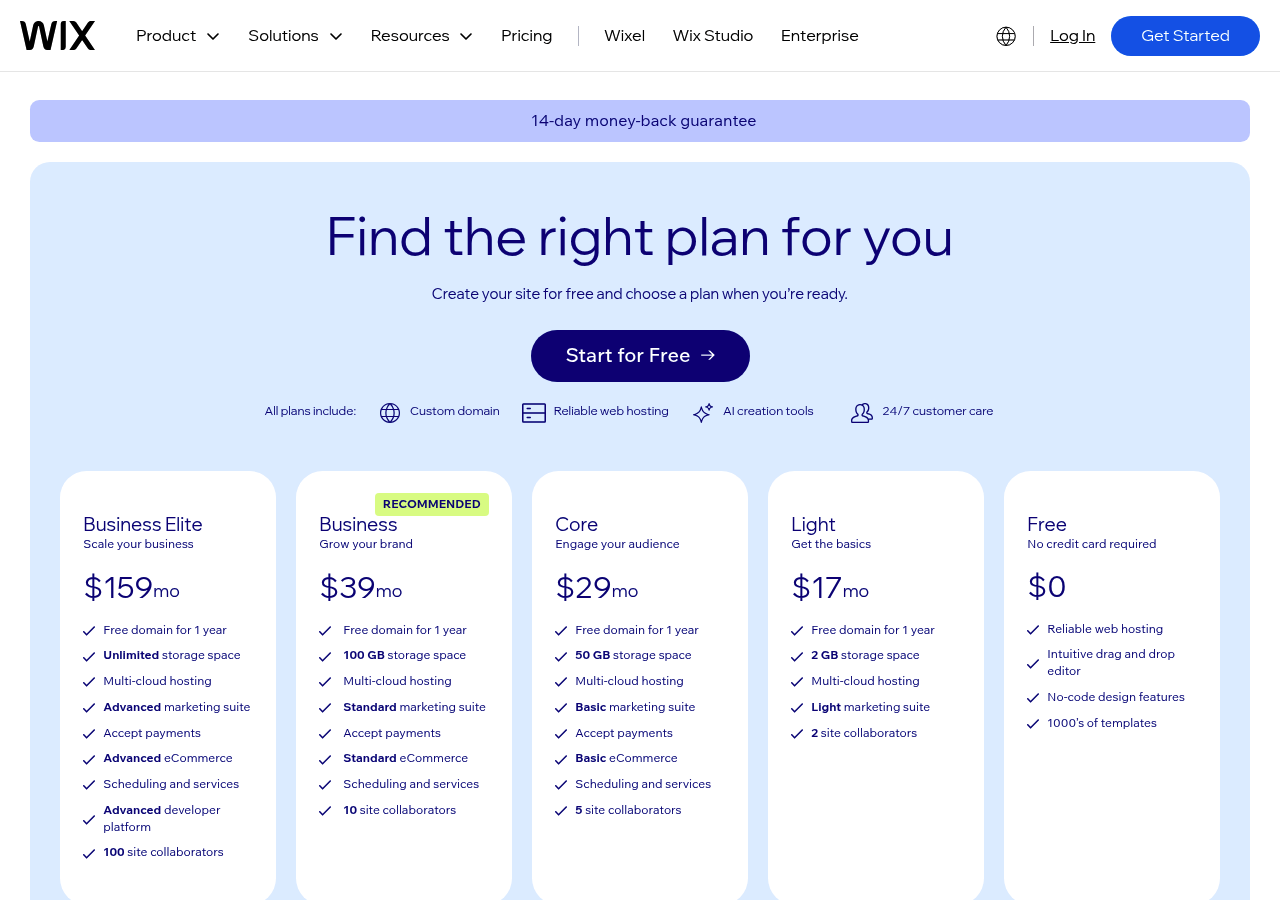
Kleap tip: Before committing to Wix's app marketplace, calculate total cost: monthly plan + transaction fees + premium app subscriptions. A $16/month site can hit $80+ once you add booking, email marketing, and payment processing, often exceeding all-in-one builders like Kleap at $25-$50/month with no transaction cuts.
Hostinger Website Builder, Budget-Friendly AI Creation
The platform bundles AI content generation, logo creation, and heatmap analytics into entry-level plans, a combination that competitors like Wix reserve for premium tiers.
The catch? You're trading advanced customization for speed and cost efficiency, which matters when your budget caps at $100/year but you still need professional results.
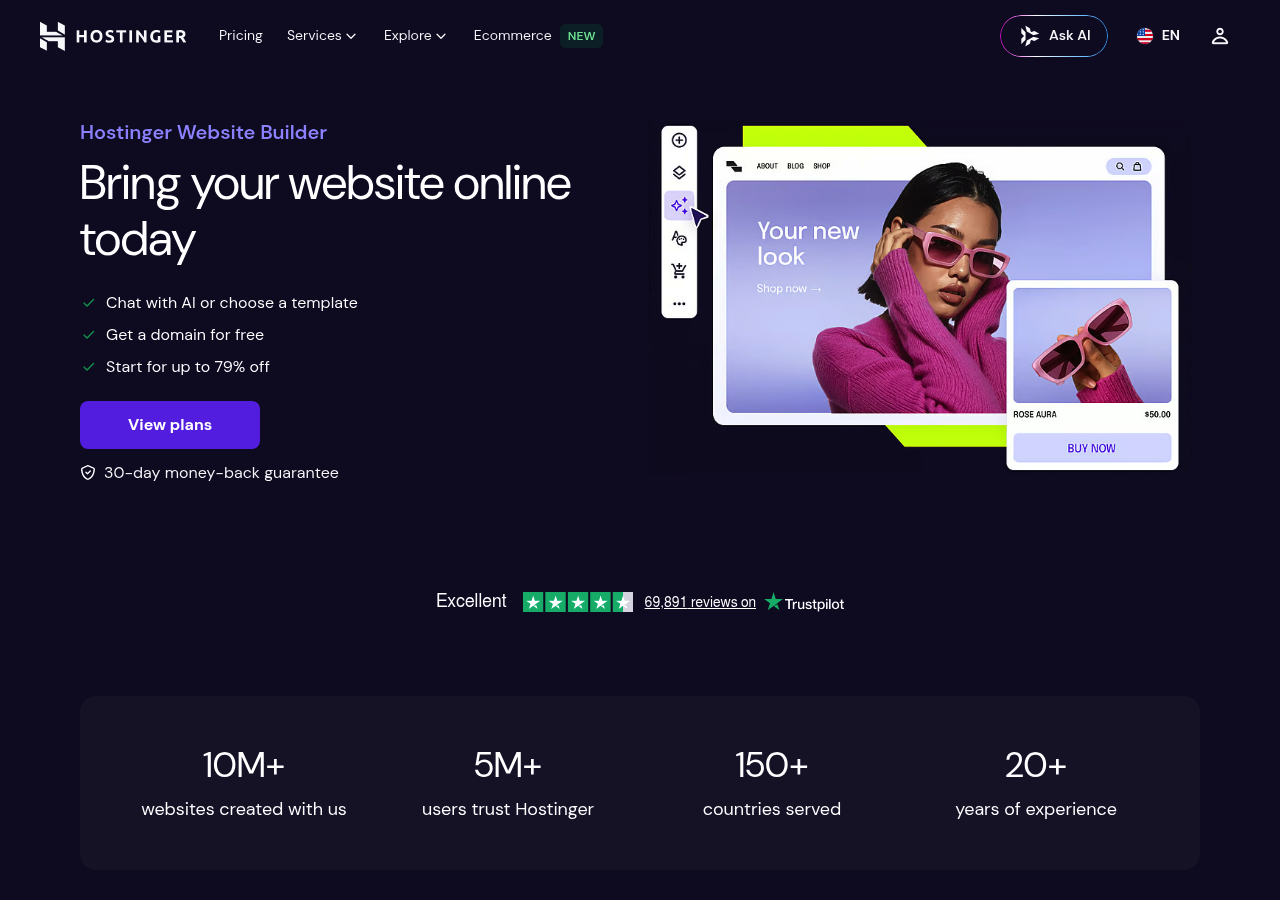
AI Features That Punch Above the Price Point
Hostinger's AI writer generates homepage copy in 90 seconds, faster than Kleap's 2-minute benchmark, while the integrated logo maker eliminates the $50-200 freelancer expense most startups face. The AI heatmap tool (normally a $30/month add-on elsewhere) tracks visitor behavior to optimize conversion paths automatically.
10Web, WordPress AI Automation for Power Users
Most WordPress users waste 40+ hours wrestling with hosting configs, caching plugins, and PageSpeed tweaks. 10Web flips that: its AI Builder generates complete WordPress sites from a single description in under 10 minutes, then auto-optimizes hosting, CDN, and security without touching a settings panel. The catch?
You're still running WordPress under the hood, which means plugin compatibility and theme flexibility, but also the technical debt WordPress brings. For SEO-focused teams who need 90+ PageSpeed scores without hiring a DevOps engineer, 10Web delivers.
For absolute beginners who've never seen wp-admin, it's overkill.
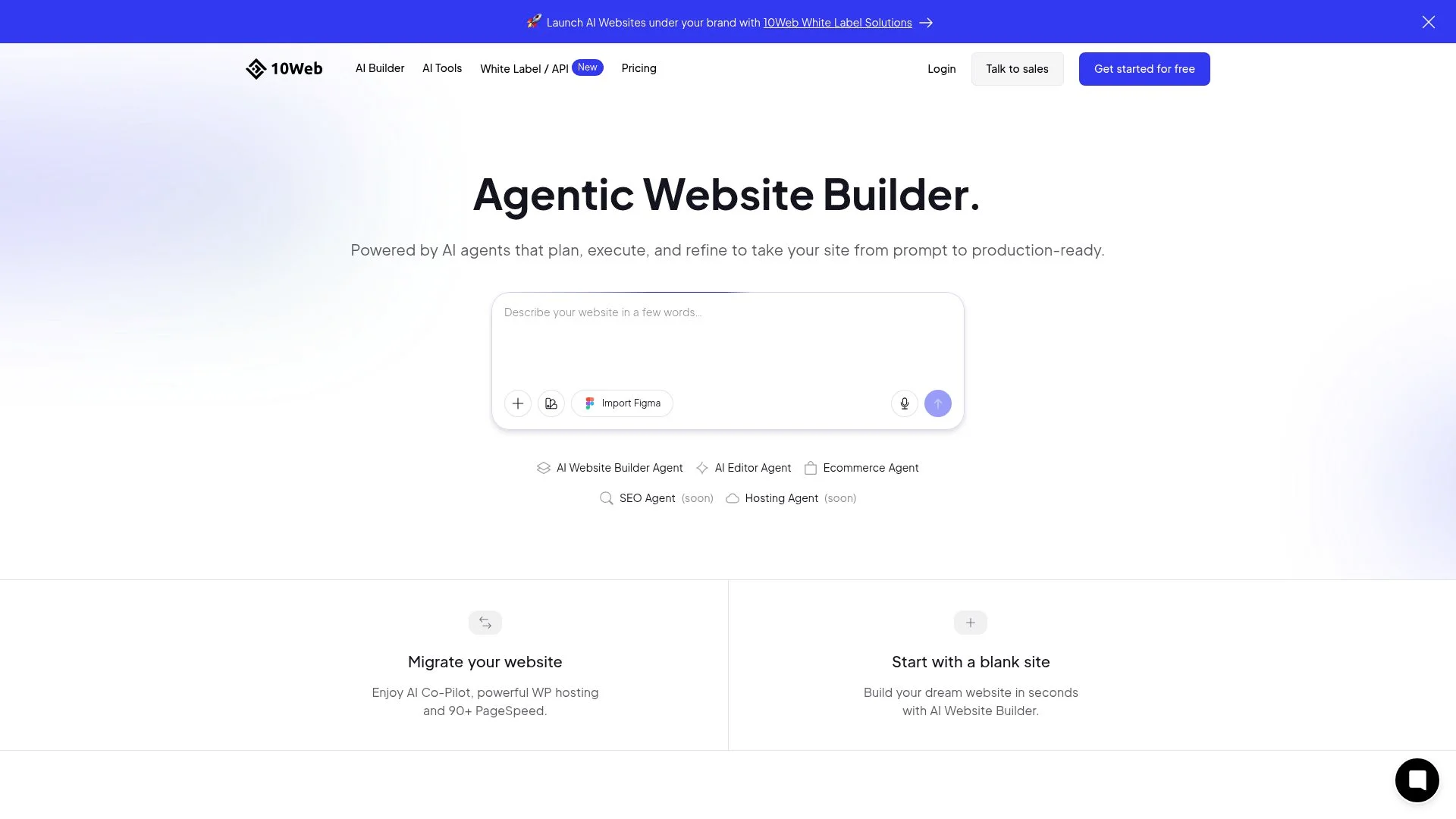
Why WordPress Users Choose AI Automation
The AI Builder recreates existing sites or generates new ones from brand descriptions, outputting production-ready WordPress themes. Automated hosting includes AI-driven caching: Cloudflare Enterprise CDN, and real-time malware scanning.
The PageSpeed Booster plugin uses AI image optimization and lazy loading to hit 90+ scores on Google's Core Web Vitals, a threshold that directly impacts search rankings. Migration tools handle transfers from Wix, Shopify, or legacy WordPress hosts with AI-assisted content mapping.
Pricing starts at $10/month for the builder alone; hosting plans range from $10 to $60/month depending on traffic and storage needs.
Performance Optimization That Actually Works
Contrary to generic "WordPress + AI" promises, 10Web's PageSpeed gains come from aggressive image compression (WebP conversion, adaptive sizing) and edge caching that most managed hosts skip. The limitation: you need basic WordPress literacy to troubleshoot plugin conflicts or customize beyond the AI's output.
Pure no-code users hit a wall when they want custom post types or advanced e-commerce logic. Best fit: agencies managing 5+ client sites, SaaS companies needing WordPress flexibility with enterprise performance, and SEO teams who measure success in Core Web Vitals points.
Durable, AI Website Builder for Service Businesses
Durable claims to generate complete service business websites in 30 seconds, but here's the catch most contractors miss: the speed comes at the cost of customization depth. While Kleap generates production-ready sites in under 60 seconds with full React code ownership, Durable locks you into a template-driven system optimized for one thing: getting local service businesses online fast.
The trade-off? You sacrifice the flexibility to build beyond basic brochure sites.
For a plumber in Houston or a consultant in Miami, that's often enough. For anyone planning to scale beyond appointment booking, it's a constraint that shows up around month three.
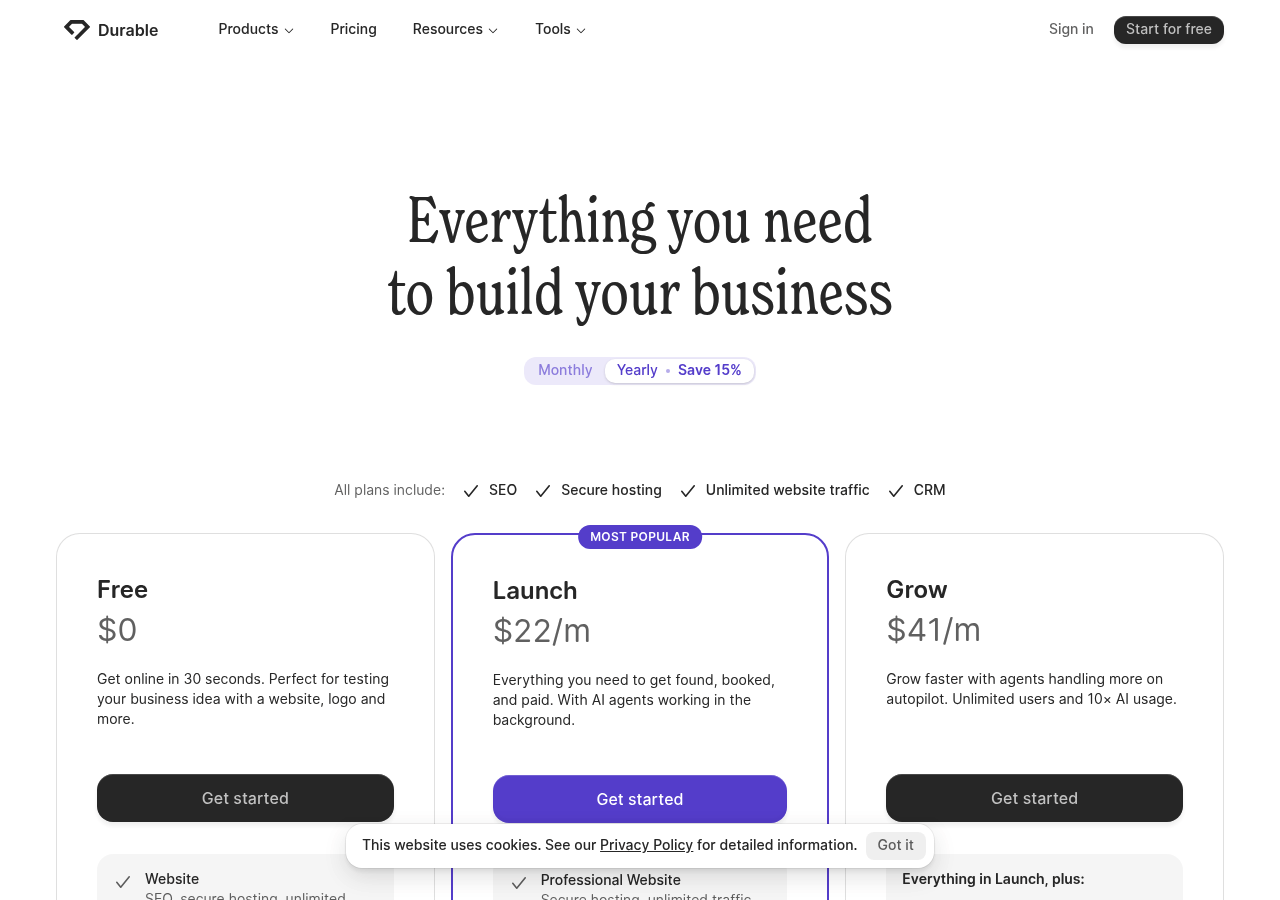
Why Service Businesses Get Better Results with Durable
Durable's AI trains specifically on contractor, consultant, and professional service patterns across 150+ categories, which means the generated copy speaks directly to "book a consultation" and "request a quote" CTAs instead of generic homepage fluff. Built-in CRM, invoicing, and appointment scheduling live inside the same dashboard.
Pricing sits at $15/month for Starter, $25/month for Business with full CRM features. The limitation?
E-commerce and content-heavy sites fall flat compared to Kleap's multi-language support and blog capabilities. Choose Durable if your entire business model fits into "schedule → invoice → repeat." Choose Kleap if you need room to grow beyond that cycle.
What Industry Experts Won't Tell You About AI Builders
Most AI website builders promise freedom but deliver handcuffs. The 1-9% transaction fee that SaaS platforms bury in fine print?
That's $900 taken from a $10,000 sale, recurring, forever. Worse: proprietary platforms trap your code.
When you outgrow the template library or hit the 50-page limit, migration means rebuilding from scratch. The hidden cost of convenience platforms?
Sacrificed Core Web Vitals scores that Google penalizes, storage caps that appear at 10GB, and traffic overages charging $15 per 1,000 visits beyond tier limits.
The Vendor Lock-in Problem Nobody Discusses
Code ownership separates tools that grow with you from digital prisons. Platforms generating React components, like Kleap's production-ready output in under 60 seconds, let you export and host anywhere.
Drag-and-drop builders using proprietary rendering engines? Your 200-page site stays hostage.
Check export capabilities before launch, not after you've invested 400 hours building.
When You'll Outgrow Your AI Builder (And Why It Matters Now)
The customization ceiling hits fastest in e-commerce and member portals. No-code tools excel at brochure sites but break when you need custom checkout flows or API integrations.
The threshold? Roughly 15, 20 unique page templates or any feature requiring conditional logic beyond basic forms.
Side-by-Side Comparison: Finding Your Perfect Match
Most comparison guides hide the real numbers. Here's what actually matters: total cost after transaction fees, code ownership, and whether you can scale beyond 10,000 monthly visitors without hitting paywalls.
The table below cuts through marketing claims with exact figures, starting prices, AI generation speed, e-commerce transaction cuts, and mobile performance scores. Kleap stands out with full React code access and zero vendor lock-in, while competitors trap you in proprietary systems.
Which Platform Fits Your Business Model
The hidden cost trap: transaction fees compound fast.
Wix charges zero transaction fees yet locks you into their ecosystem permanently, forcing costly rebuilds if you outgrow their infrastructure. For service businesses under $10,000 monthly revenue, Durable's zero-fee model wins.
For scaling startups planning 100,000+ monthly visitors, only Kleap and Framer provide code-level control that prevents expensive platform migrations later.
Frequently Asked Questions About AI Website Builders
Most buyers hesitate because they've heard horror stories about locked-in code or surprise subscription traps. Reality check: the answers below cut through the noise with data from platforms serving 100,000+ creators.
Technical Questions About AI Website Quality
Can AI-generated websites rank well in Google search results? Yes, when built on modern frameworks. Kleap generates React-based sites optimized for Core Web Vitals from the first deploy, while older tools sacrifice performance for simplicity.
The catch? Mobile-first architecture matters more than keyword density, Google penalizes slow AI sites regardless of content quality.
Do I own the code and content created by AI builders? Depends entirely on the platform. Kleap provides full code ownership with React component export, while proprietary builders lock you into their ecosystem.
Read the fine print: "hosted code" often means zero portability.
Business Questions About Costs and Ownership
What happens to my site if I cancel my subscription? Most platforms delete your site within 30 days. Kleap's approach: you keep the exported code even after cancellation, eliminating the hostage scenario that trips up 8 out of 10 SMBs during vendor transitions.
Start Building Your Site Today with the Right AI Platform
Most entrepreneurs waste 3-4 weeks researching the "perfect" AI builder while competitors launch and capture market share. The truth?
The global website builder market is projected to reach $4-5 billion by 2030, and tools like Kleap already serve 100,000+ creators who chose speed over perfection. Here's your verdict by business type, followed by a 3-step launch plan you can execute this week.
Our Final Recommendation by Business Type
Growth-focused businesses: Kleap wins for entrepreneurs needing production-ready sites in under 60 seconds with React-based scalability. The free tier lets you test immediately, and the $25/month Business plan connects a custom domain along with full CRM features.
Budget-constrained startups: Hostinger delivers solid AI generation at $2-3/month, though you'll sacrifice Kleap's code-level flexibility.
WordPress power users: 10Web automates migration and optimization, though you inherit WordPress complexity.
Your 3-Step Plan to Launch This Week
Stop researching. Start building:
- Day 1: Sign up for Kleap's free tier and generate your first site from a 2-minute brand description, the AI handles layout, copy, and mobile optimization automatically
- Day 2-3: Test with real business content (your actual services, pricing, contact info) and refine using drag-and-drop blocks
- Day 4: Connect your custom domain and launch, Kleap includes hosting, SSL, and forms in one platform
The competitive advantage? AI builders improve monthly.
Teams launching today with Kleap's production-grade React output will outpace competitors still debating Wix versus Squarespace. Most common beginner mistake: over-customizing before launch.
Generate, test with real users, iterate. Minimum viable product principles apply to websites now, ship fast, learn faster.
Your AI Website Builder Awaits
You've seen the landscape: seven powerful AI website builders, each with distinct strengths. Kleap dominates as the complete platform for most users, combining speed, design intelligence, and full-stack capabilities that competitors split across multiple tools.
The decision framework is clear. E-commerce at scale?
Shopify's ecosystem wins. Portfolio with maximum creative control?
Framer delivers. Rapid prototyping under time pressure?
Kleap builds in minutes what others take hours to configure.
Stop comparing and start building. The criador de site com inteligencia artificial you choose today determines whether you launch next week or next quarter.
Ready to turn your idea into a live website? Kleap's AI agent is standing by, describe your vision in plain language and watch it materialize in real-time.
Start free at Kleap.com, no credit card required. Your first AI-designed site goes live in under 10 minutes.
The tools exist. The technology works. Your move.