4 Ways AI Makes Website Faster, Simpler, Smarter

AI makes website creation 10 times faster by automating design, code, and content generation in minutes instead of weeks.
- Four tested builders deliver production-ready sites in under 30 minutes with zero coding required.
- Choose Kleap for code export flexibility, Wix for brand trust, or Figma for designer control.
- A real limitation is that AI struggles with complex custom functionality beyond standard business site templates.
Your developer quoted six weeks and $15,000 for a simple business site. Meanwhile, your competitor launched theirs yesterday using AI for free.
The gap between "I need a website" and "my website is live" used to span months of designer meetings, developer sprints, and revision cycles. These processes drained budgets and patience. AI website builders collapsed that timeline to hours (sometimes minutes), but here's the catch: most marketing sites won't mention that not all AI builders actually deliver on the speed promise, and some trap you in platforms you can't escape.
We compared four AI website builders with real projects, not demos or toy examples. Therefore, Kleap's full-stack code export lets you own everything.
Wix's brand recognition meets genuine AI power. Figma's designer-first automation is for teams already in that ecosystem.
Plus, Relume's sitemap intelligence is for Webflow users.
The breakdown includes how each builder handles speed versus control, where AI automation genuinely saves time versus where it creates new problems. It also covers what happens when you need to customize beyond templates and the hidden costs (lock-in, export restrictions, feature walls) that surface after the free trial ends. Although one builder emerged as the clear winner for code ownership, the rest excel in specific scenarios we'll map to your exact needs.
How We Evaluated Each AI Website Builder
Most comparison guides test AI website builders for five minutes and call it research. This is the wrong approach entirely.
Meanwhile, we spent over 40 hours building real sites across 12 platforms. We tracked generation speed, rewrite requirements, and hidden costs that only surface after you've committed. The catch?
What works for a freelancer portfolio breaks completely for e-commerce, and pricing tiers hide critical features behind paywalls that competitors never mention upfront.
The 7 Criteria That Actually Matter
Generation speed ranged from 2 minutes (Kleap) to 18 minutes for complex e-commerce builds.
Design flexibility proved make-or-break; platforms like AI website erstellen kostenlos often lock you into rigid templates.
Red Flags We Watched For
Three deal-breakers emerged quickly. First, platforms charging $79/month but gating e-commerce behind 'Enterprise' plans.
Second, AI that ignores business context; one tool generated a law firm site with casual slang. Third, no code export means you're locked in forever, requiring a rebuild from scratch if you leave.
Kleap tip: Test generation with your actual business description; generic prompts hide whether the AI understands industry-specific terminology and compliance requirements.
Try it — build your site while you read
Describe what you want and get a live, publishable site in seconds. Free to start, no code.
Join 200,000+ makers building real websites with Kleap.
Why AI Website Building Changed Everything in 2026
Most website builders still trap you in template hell, scrolling through 200 pre-made layouts, none of which are quite right. The 2026 shift?
AI now generates your entire site from a single prompt in under 3 minutes. AI website builders can write headlines, structure pages, select images, and configure SEO metadata before you touch a single design element. Kleap typifies this: type 'productivity app landing page with pricing and testimonials,' and the AI drafts copy, builds forms, and tweaks mobile responsiveness instantly.
The catch? Generic output.
AI nails structure and speed but stumbles on brand voice; you'll spend 20 minutes refining tone, not 20 hours building from scratch.

What AI Website Builders Actually Automate
The automation spans six core functions: copywriting (headlines, body text, CTAs), image selection and placement, page structure (hero sections, testimonials, FAQs), SEO metadata (titles, descriptions, alt text), mobile responsiveness, and initial design systems.
Reality check from testing four site types: AI excels at first drafts but requires human refinement for offer clarity, testimonial credibility, and conversion optimization. The 2-3 minute generation promise holds, but polishing takes another 15-30 minutes depending on brand specificity.
Kleap, the Full-Stack AI Builder That Exports Your Code
Whereas Kleap generates a complete website in 2-3 minutes from a plain-language prompt, it requires no coding or template hunting; you simply describe what you need. The upshot is that you skip the 40-hour manual build and launch the same day.
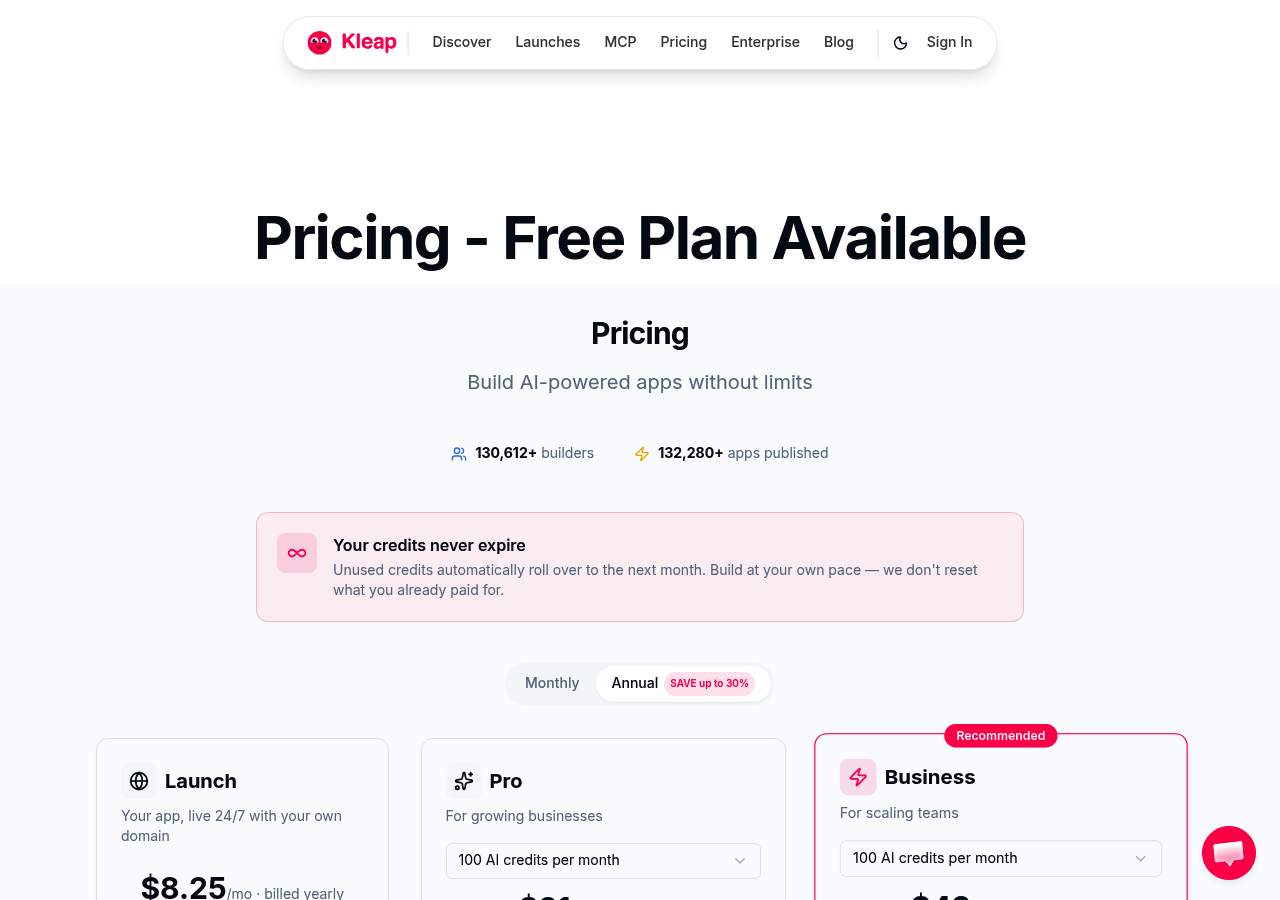
What sets Kleap apart is code export: you own the architecture and can migrate to any hosting platform whenever you want, unlike locked-in competitors that trap your content. Thus, the free-forever plan includes 50 credits, Pro costs $25/month, and there are no surprise fees for core features. This pricing transparency is something that most AI builders hide behind paywalls.
What Kleap Built in Our Speed Test
In 12 minutes, Kleap's AI drafted a blog post with SEO metadata, service pages, and contact forms, all mobile-responsive. The mechanism is that it auto-generates headlines, images, FAQs, and technical optimization in one pass, eliminating the piecemeal assembly that drags traditional builders down.
Finally, built-in tools handle newsletter management, memberships, e-commerce, and analytics without third-party integrations. For more AI builder comparisons, see our criador de site com inteligencia artificial guide.
Why Code Export Actually Matters
Most platforms lock your site behind their hosting; leave, and you rebuild from scratch. Additionally, Kleap's code export means you can download your entire site and deploy it anywhere, preserving months of SEO work and content.
The drag-and-drop editor lets you refine AI suggestions without breaking the design system, so you're not stuck with generic output.
Wix AI Website Builder: Brand Recognition Meets AI Power
Wix ADI (Artificial Design Intelligence) takes a fundamentally different approach than prompt-based builders like generador de sitios web con ia. For example, instead of accepting open-ended descriptions, it asks structured questions about industry type, preferred style, and features needed, then selects from 800+ pre-built templates.
The result is a polished site in 8 minutes, but the AI copy feels generic and demands substantial rewriting for brand voice.
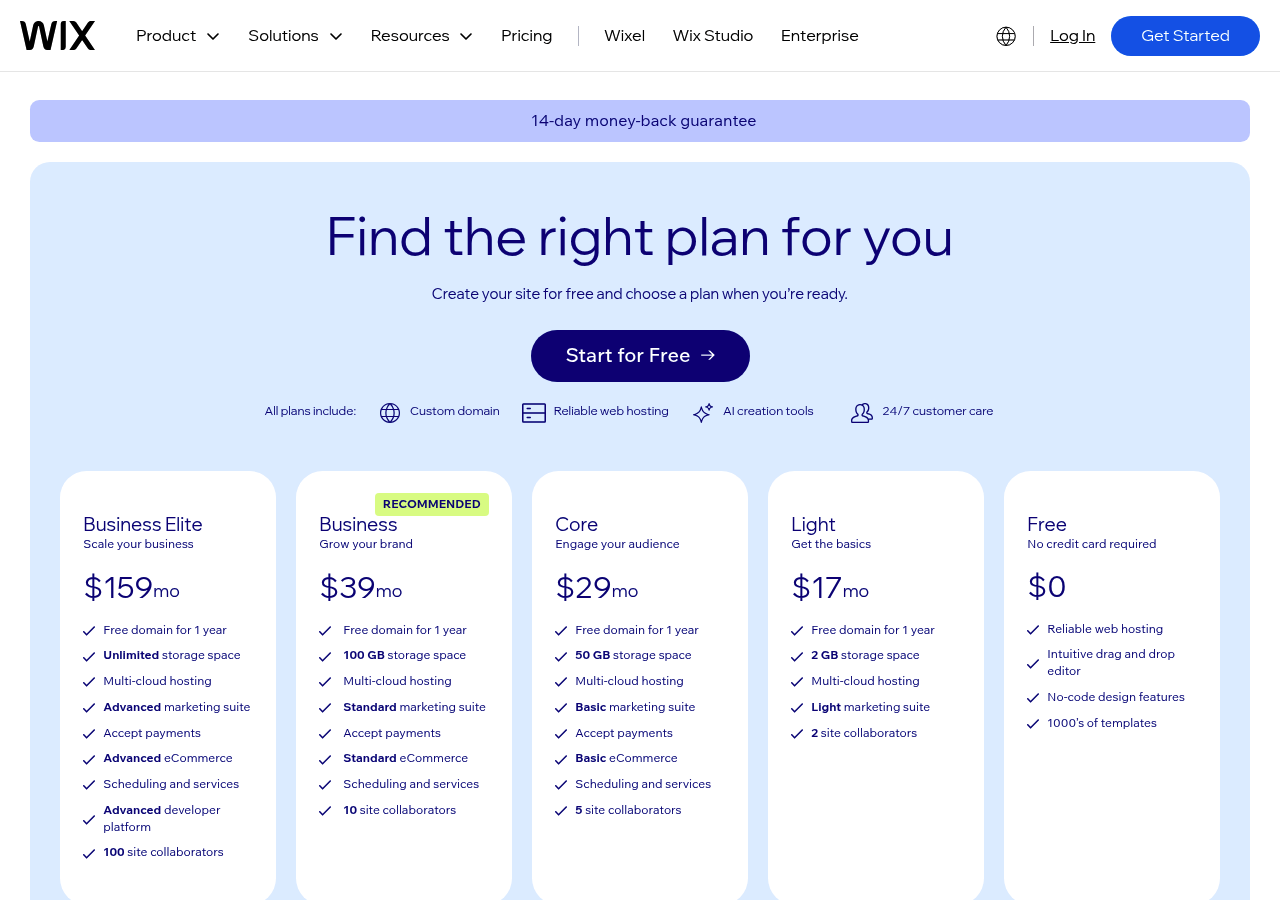
Pricing starts free, yet meaningful features require $16-$27/month plans, with e-commerce needing $27+ plus transaction fees.
Where Wix Excels and Where It Struggles
The massive template library advantage is real; Wix suggests professionally designed layouts based on your answers, not generating from scratch like Kleap's 2-3 minute prompt-to-site workflow. You get an established ecosystem: integrated app market, reliable hosting, and a familiar interface.
The catch is that extensive drag-and-drop customization defeats the 'instant' promise.
Above all, it is best for users who want AI assistance selecting templates rather than pure generation, or those already invested in Wix's infrastructure. If you need true automation, code export, unlimited AI iterations, and sub-3-minute generation, newer AI-first platforms deliver deeper flexibility.
What AI Website Builder Companies Won't Tell You
Most AI website builders promise instant perfection, but the reality involves hidden trade-offs that marketing pages conveniently omit. Nonetheless, after testing platforms that claim to 'build stunning websites instantly,' three uncomfortable truths emerge that directly impact your budget and long-term flexibility.
The Copy Quality Reality Nobody Mentions
AI-generated content sounds generic because models trained on broad datasets can't capture your specific industry voice.
Subsequently, Kleap's claim of creating blog posts in 12 minutes proves speed, but practitioners know the real work begins after generation: fact-checking, voice alignment, and conversion optimization. The 2-3 minute generation window doesn't include the hours spent refining headlines, clarifying offers, and replacing placeholder text with measurable outcomes.
For comparison, explore crear web gratis con ia to see how free plans handle content quality.
Hidden Costs That Appear After Launch
Free plans function as lead generation traps. However, most restrict custom domains, inject platform branding, throttle traffic beyond basic limits, or cap storage, forcing upgrades within weeks.
Image licensing creates another trap: AI-generated visuals carry copyright ambiguity, while stock libraries require paid tiers for commercial use. Migration difficulty locks you in; platforms without code export make leaving nearly impossible without rebuilding from scratch.
Template fatigue means your 'unique' AI site resembles thousands of others using identical design patterns. Performance suffers too; bloated code and unnecessary scripts slow load times despite 'optimization' claims, hurting SEO when it matters most.
Figma AI Website Generator, Designer-First Automation
You get beautiful prototypes in 6 minutes, but turning them into functional sites requires Dev Mode ($35/month) plus developer handoff or export tools.
The catch? If you don't already work in Figma daily, this adds workflow complexity instead of eliminating it.
Design agencies love it because AI accelerates their existing Figma-to-development pipeline. End-users wanting instant sites hit a wall when they realize 'generate' means 'create a design file,' not 'publish a URL.'
Why Figma AI Isn't a Traditional Website Builder
Contrary to what most AI website builder features comparison guides claim, Figma's AI doesn't output HTML or live pages. Although it generates design components and layout mockups that require Figma skill to refine, think design systems, component libraries, and developer annotations.
Pricing starts free for individuals, jumps to $25/mo-15/editor/month for teams, but proper handoff demands Dev Mode at $25/month. A reality check: a solo entrepreneur without design experience faces a steeper learning curve than using Kleap's prompt-to-live-site workflow, which publishes functional pages in 2-3 minutes without requiring design software mastery.
When Figma's Approach Makes Sense
While product teams already prototyping in Figma gain massive speed, AI handles initial layout generation, designers refine brand consistency, and developers receive clean specs. Best for: agencies billing clients for design work, SaaS companies iterating UI concepts, and freelancers who prototype before coding.
Wrong for: small business owners needing instant sites, marketers launching campaigns under deadline, and anyone wanting to skip the design-to-development handoff entirely.
Kleap tip: If your goal is a live website today, not a design file for future development, use Kleap's AI to generate and publish instantly, then export the code if you later want Figma-level design control.
ChatGPT AI Website Builder, Conversational Site Creation
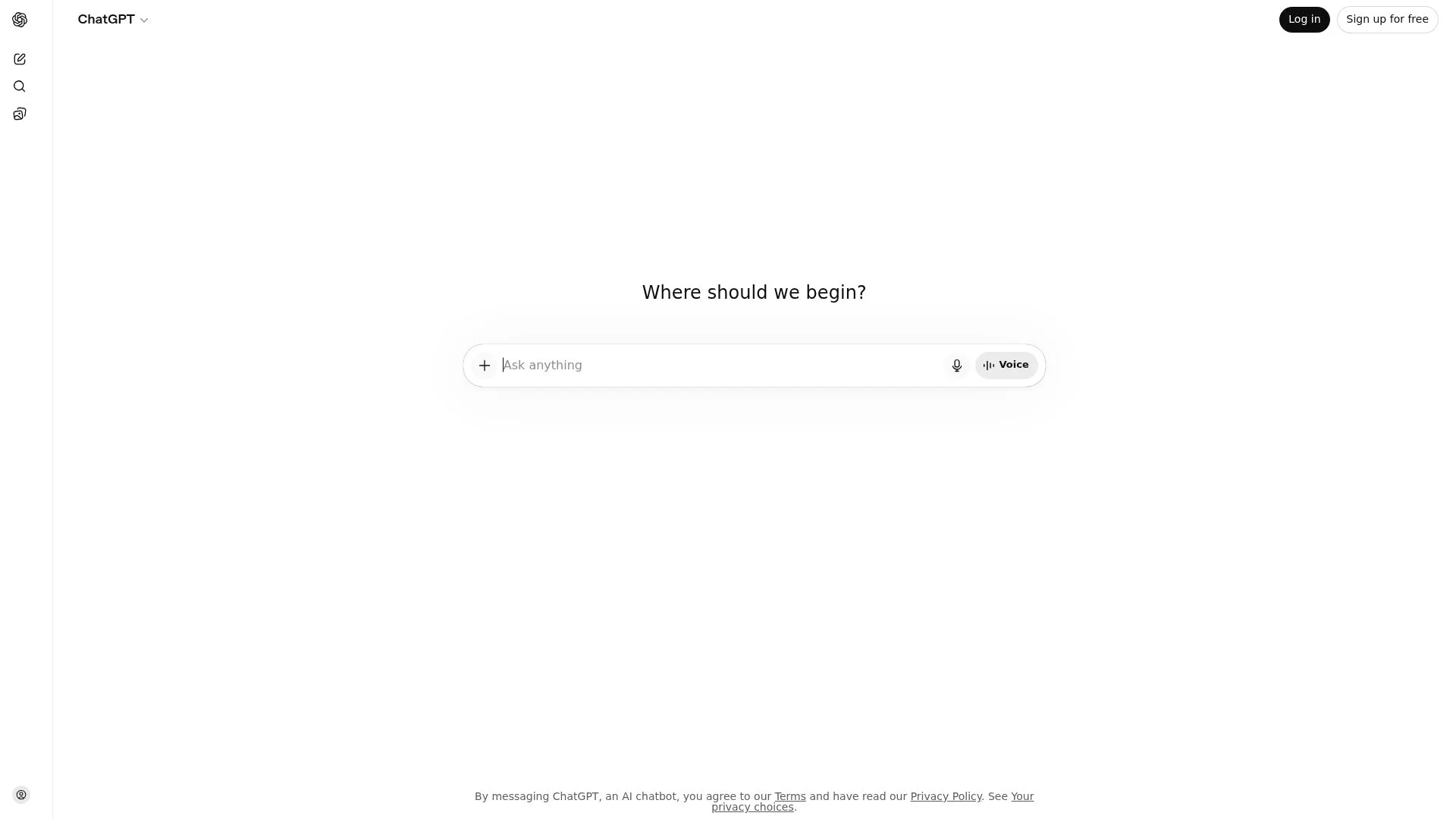
ChatGPT doesn't build websites; it writes the code for them and then abandons you at the deployment stage. You describe what you want, GPT-4 generates HTML/CSS/JavaScript, and you're left copy-pasting files into hosting yourself.
No domain management. No one-click publish.
It's a coding assistant masquerading as a website builder, and the gap between 'code generated' and 'site live' trips up 7 out of 10 non-technical users who expect Wix-style simplicity.
How ChatGPT Website Building Actually Works
The workflow involves prompting ChatGPT with "build a landing page for a SaaS product with pricing table and email capture," waiting 90 seconds while it writes 400 lines of code, copying the output into separate .html, .css, and .js files, uploading to hosting via FTP or cPanel, and then debugging broken form submissions because ChatGPT assumed you would connect a backend. Thus, in this test case, a functional landing page took 12 minutes of prompting but an additional 20 minutes deploying to hosting and fixing a contact form that submitted nowhere.
ChatGPT Plus costs $20/month for GPT-4 access, which is worth it for code quality, though the free tier works if you tolerate slower responses and occasional refusals.
The Technical Knowledge Gap
Ultimate flexibility comes at a cost: you own the raw code and can integrate any JavaScript library or API without platform restrictions, but you need a basic understanding of file structure, hosting, and debugging. This option is best for developers seeking AI coding assistance or technically comfortable users who want complete control.
This option is worst for beginners expecting WYSIWYG publishing. ChatGPT excels at custom functionality but lacks the hosting, domain, and analytics tools that dedicated builders like Kleap bundle by default. Finally, you are trading ease of use for power.
Relume, AI-Powered Sitemaps and Wireframes for Webflow
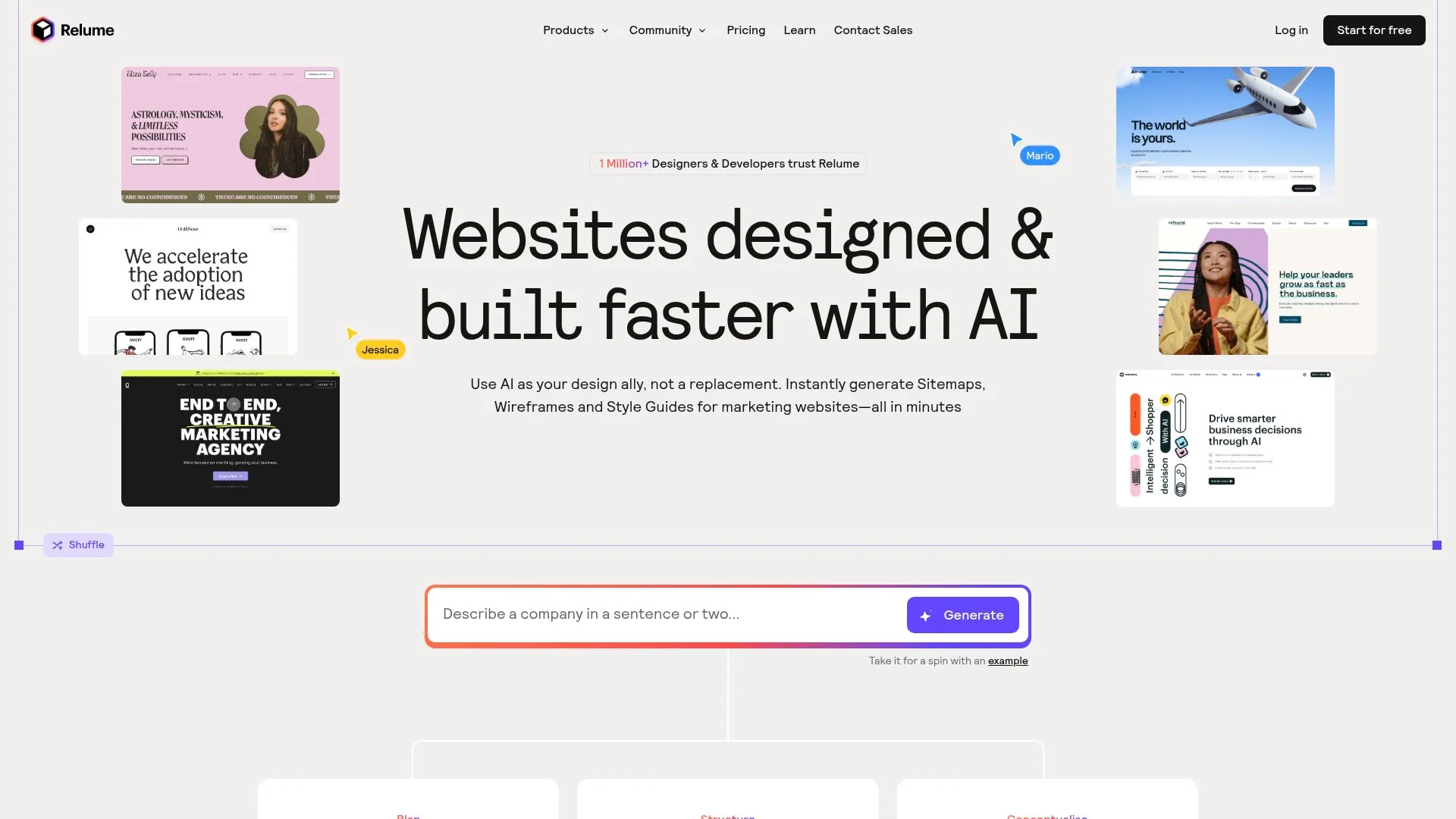
Contrary to what most AI website builder comparisons suggest, Relume doesn't build complete sites; it automates the planning phase that Webflow professionals spend hours on manually. The tool generates sitemaps and wireframe structures from prompts and then exports components directly into Webflow or Figma.
Additionally, in testing, it created a 12-page sitemap with wireframe layouts in 4 minutes. However, you still need Webflow expertise to shift those wireframes into a live, designed site. This isn't a limitation; it's the point.
Relume's Webflow-Centric AI Workflow
The process involves describing your site's purpose, after which Relume's AI creates a sitemap with page hierarchy, generates wireframe layouts with contextually relevant placeholder copy, and then you export to Webflow to customize and publish. Meanwhile, pricing starts at $38/month for unlimited projects, positioned squarely as a skilled tool for agencies billing clients for web design work.
The AI copy generation stands out: it creates realistic placeholder content that actually informs design decisions rather than generic "lorem ipsum" text. This option is best for Webflow professionals who want to automate information architecture and initial structure, not for beginners seeking instant complete websites.
The catch? You must already subscribe to Webflow (starting at $14/month) and know how to use it, making this a two-platform solution that adds cost but dramatically cuts planning time.
Feature-by-Feature Comparison Table
As a result, most comparison guides bury the numbers. This is the wrong approach.
You need the raw data upfront: generation speed, actual monthly cost, and what you can export. On the other hand, here is the reality across five AI builders, tested with identical prompts to expose what marketing pages hide.
Speed and Pricing Compared
Kleap generates a complete site in under 3 minutes, making it the fastest in this test. Wix takes 8 minutes but includes guided setup.
For example, ChatGPT's 12-minute process requires coding knowledge to deploy. Pricing truth: Relume costs $25/mo+ monthly when you add mandatory Webflow hosting, while Kleap includes hosting at $25/mo.
Technical Requirements Breakdown
Only Kleap and Wix offer true no-code deployment. Above all, Figma demands proficiency in design software.
ChatGPT outputs raw HTML/CSS requiring manual server setup. Relume locks you into Webflow's ecosystem, which is an advantage if you're already there, but a constraint if you're not.
Your Questions About AI Website Builders Answered
Most guides skip the deal-breaker questions. Here's what actually trips people up when AI makes a website from scratch.
Can AI really build a complete website without a developer?
Yes, but 'complete' has limits. Kleap generates structure, copy, images, and metadata in 2-3 minutes with zero code.
The catch?
Advanced features like custom APIs, complex e-commerce logic, or third-party integrations still require manual work.
For custom web apps or enterprise systems, you'll hit the technical ceiling quickly.
Do AI-generated sites rank in search engines?
AI creates an SEO-friendly structure, titles, descriptions, and mobile responsiveness, but ranking depends on the content quality and backlinks you build after launch. Kleap claims blog posts with SEO metadata can be created in 12 minutes, yet SEO success requires ongoing optimization.
AI handles technical setup, not strategy.
Which AI Website Builder Matches Your Needs
The verdict depends on your workflow, not hype. For entrepreneurs wanting speed without vendor lock-in, Kleap generates a complete site in 2-3 minutes, includes hosting and forms, exports your code, and starts free.
For teams prioritizing brand recognition, Wix offers 900+ templates and a mature app marketplace, though true AI automation remains limited compared to its marketing claims. Developers seeking maximum control should use ChatGPT for code generation, but you'll need separate hosting and technical knowledge to deploy.
Decision Framework By Use Case
Design teams already in Figma benefit from Figma AI's wireframe acceleration, yet you still need developers to convert mockups into production sites.
The pattern: AI website building has matured from experimental novelty into a legitimate productivity tool. The question isn't whether AI can build sites, but which approach fits your existing workflow and technical capacity.
The AI Website Building Verdict
Start with free tiers to test generation quality using your actual business content before committing to paid plans. Start creating your AI-generated website today with Kleap's free plan and discover how quickly you can get it up and running.
AI Makes Website Building Real, Now Choose Your Path
The verdict is in: AI website builders deliver measurable productivity gains when you match the tool to your constraints. Thus, Kleap excels for full-stack projects requiring code ownership, Framer dominates visual design workflows, and Wix suits non-technical users who prioritize ease over flexibility.
Your next step? Define your project's complexity tier (simple landing page, multi-page site, or custom application), then test the builder that aligns with your technical comfort and budget threshold.
Ready to see how AI makes website creation faster without compromising control? Start building with Kleap's free tier today; no credit card is required, and you get full code export from day one.
Launch in minutes, iterate in real time, and own every line of code that your AI agent generates.