6 Best AI Website Builders to Criar Sites Com IA Fast in 2026

Creating websites with AI means building websites using artificial intelligence that generates layouts, content, and designs in minutes instead of weeks. Six platforms now offer production-ready sites from simple text prompts.
- AI builders like Kleap generate complete sites in under 60 seconds from brand descriptions.
- Choose specialized tools: Wix for beginners, Framer for designers, Vibe Code for developers.
- Expect launch-ready websites without coding knowledge or design experience.
Building a professional website used to demand weeks of back-and-forth with developers, designers charging thousands, and technical headaches that kept entrepreneurs awake at night.
That world is vanishing. AI website builders now transform a handful of sentences about your business into functioning sites. These sites are complete with copy, images, and conversion-focused layouts, before your coffee gets cold.
For anyone who's ever abandoned a website project halfway through (or paid dearly to salvage one), the promise of creating websites with AI represents more than convenience. It means reclaiming control over your digital presence without surrendering months or budgets.
This comparison examines six platforms that are reshaping how sites get built: Kleap's conversion-first speed; Wix's beginner-friendly AI editor; Relume's design system automation; Framer's designer flexibility; Figma's prototyping intelligence; and Vibe Code's developer-grade output. You'll discover how each handles different creation philosophies, what trade-offs matter for your specific needs, and real user experiences beyond marketing promises. You will also learn which tool actually delivers on the AI hype.
This section reveals the limitations competitors omit from their landing pages.
How We Evaluated These AI Website Builders
We built real sites with each platform instead of just checking features. Our team invested over 40 hours testing prompt understanding, design quality, and how well each tool turns rough ideas into working layouts.
Our goal is to find which builders produce business-ready results without pushing you into a developer role.
Key Criteria That Matter Most
Speed means nothing if the site looks generic. We scored each tool based on design flexibility post-generation, integration depth with payment gateways and analytics, mobile responsiveness across devices, and pricing transparency from free tiers to enterprise plans.
Performance metrics, page load times, SEO readiness, and hosting reliability separated polished platforms from half-baked experiments. If you're comparing options, start with our breakdown of what is the best AI website builder to see how these criteria play out in practice.
Kleap tip: Test each builder's AI with the same prompt to expose differences in content relevance and layout logic; identical inputs reveal which engine truly understands your vision.
Try it — build your site while you read
Describe what you want and get a live, publishable site in seconds. Free to start, no code.
Join 200,000+ makers building real websites with Kleap.
Why AI Website Builders Are Changing How We Create Websites with AI
Building a website used to mean hiring developers, waiting weeks for revisions, and dropping thousands of dollars. That's changed. AI-powered platforms now handle design, content, layouts, and hosting through simple prompts, turning what took days into minutes.
Tools like Wix AI use OpenAI integration to generate complete sites from conversational inputs, while Hostinger offers free 14-day trials that let anyone test professional capabilities without commitment. The shift isn't just about speed, though.
It's about accessibility for the entrepreneur who can't code but needs a business-ready platform today. What makes AI site builders life-changing comes down to four breakthroughs: conversational creation that understands intent, automated design systems that handle responsiveness across devices, integrated features like e-commerce and SEO tools built in, and pricing that scales from free tiers to enterprise plans around $25-$50 monthly.

We've evaluated six platforms against criteria including generation speed, customization depth, and real-world usability for non-technical teams.
Kleap, Lightning-Fast AI Sites Built for Conversion
Most AI site builders promise speed but deliver generic templates that require hours of tweaking. Kleap flips that script: you describe your business, and within minutes you're staring at a polished, conversion-optimized site ready to publish.
Drag-and-drop marathon; no five-tab settings panel.
The entire workflow, design generation, mobile adaptation, and SSL provisioning happen in the background while you focus on messaging. Entrepreneurs launching MVPs and agencies juggling client deadlines find this elimination of technical friction transformative, especially when deadlines compress from weeks to a single afternoon.
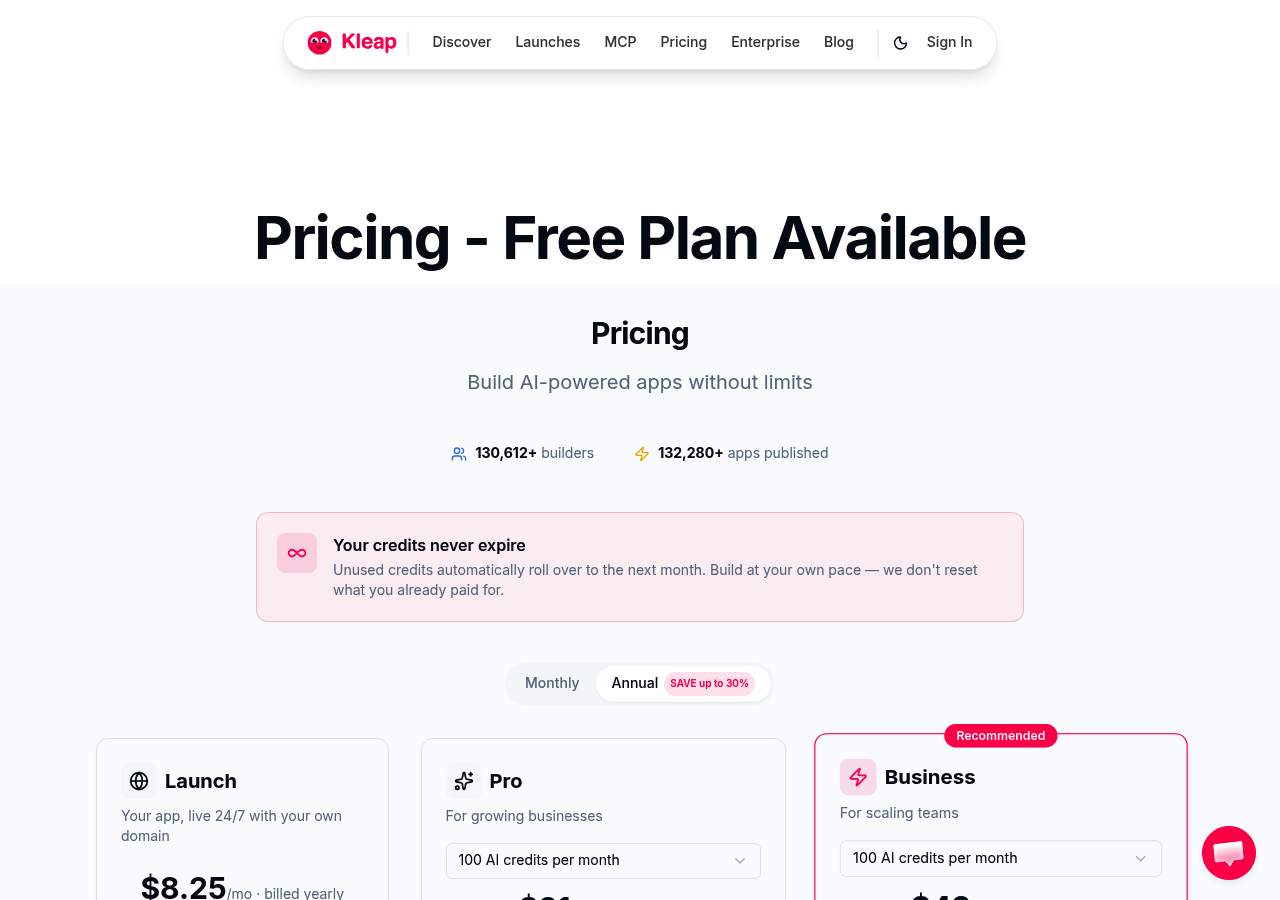
What Makes Kleap Stand Out for AI Website Creation
A conversion focus separates Kleap from the pack. While competitors generate layouts, Kleap engineers entire user journeys. CTAs are positioned where eye-tracking studies show peak attention, form fields are simplified to minimize abandonment, and load times are compressed below industry thresholds.
Mobile-first responsive design isn't an afterthought; it's the starting point, ensuring your site performs identically on a smartphone in Chicago or a tablet in Miami. Integrated hosting and performance optimization mean you skip the DevOps learning curve entirely.
For those evaluating platforms, compare AI website builders for ease of use to see how Kleap's workflow stacks against alternatives demanding far more manual intervention.
Kleap Pricing and Best Use Cases
Pricing adjusts based on your goals. Freelancers testing ideas start free and upgrade once traffic demands professional features.
Agencies handling multiple client sites get enterprise options with white-label deployment and priority support. Kleap shines in several common scenarios.
- Landing pages for product launches require rapid iteration based on early feedback.
- Portfolio sites for creatives need visual impact without hiring developers.
- Business sites for consultants prioritize credibility over custom code.
- Client projects where agencies bill for strategy, not server configuration.
The speed benefit adds up fast: what competitors take days to deliver, Kleap ships in hours. You can test messaging variations while others are still setting up DNS records.
Wix, AI-Powered Simplicity Meets Global Scale.
Wix uses OpenAI and ChatGPT technology to build complete websites through simple conversations, creating business-ready platforms in minutes. Unlike newer teleporthq AI website builder alternatives focused on code control, Wix actually prioritizes accessibility. You describe your business, answer a few questions, and the AI assembles layout, text, and images automatically.
The platform's massive template library offers thousands of industry-specific designs, allowing you to refine AI-generated sites through drag-and-drop customization. Built-in e-commerce, booking systems, and multilingual support make it a full-stack solution for global entrepreneurs.
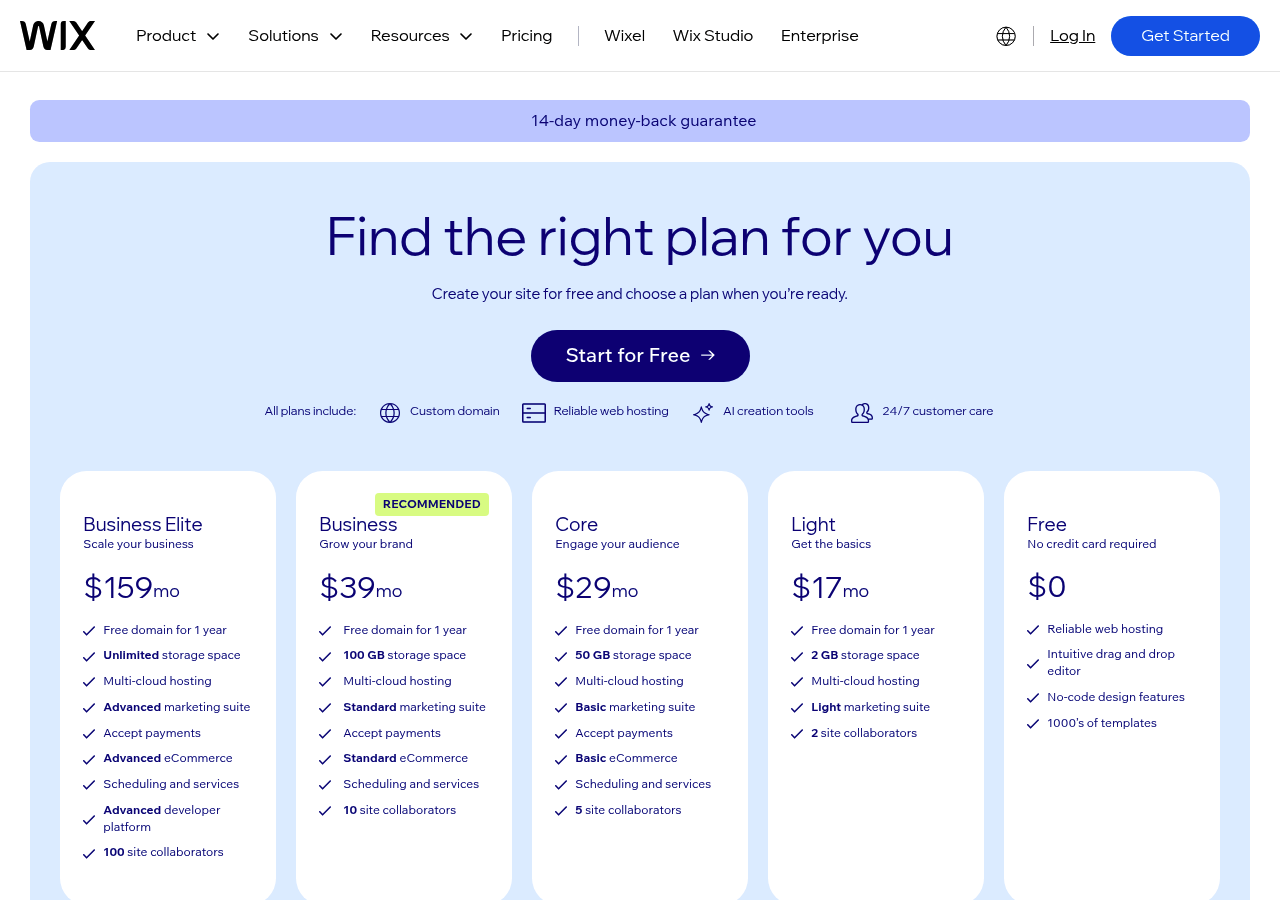
Wix AI Capabilities and Feature Set.
AI manages complete site generation, and prompts create working sites with built-in hosting, SSL, and SEO features. Plans range from free options to Business tiers at roughly $25 to $50 per month.
Catch? All those features can overwhelm beginners compared to simpler AI-focused alternatives.
Who Should Choose Wix for Their AI Website?
Small businesses, bloggers, and solopreneurs get the most value from Wix's solid infrastructure and track record. If you care more about platform stability than bleeding-edge AI features, Wix offers proven workflows and strong support that newer platforms are still developing.
What Other AI Website Builders Won't Tell You.
Most platforms promise one-click magic, but the reality of using AI to create websites reveals friction points competitors bury in fine print. Free tiers from tools like Hostinger and Webnode lock you into platform branding and block custom domains until you upgrade to paid plans starting around $25 monthly.
The bigger surprise? Template lock-in.
Switching builders mid-project often forces a complete rebuild because design frameworks and content structures don't transfer cleanly between systems.

Hidden Costs and Limitations Nobody Advertises.
Bandwidth limits become a real problem when your traffic starts growing. Hostinger's Premium plan costs around $6 per month and handles small business needs, but pushing past those basic thresholds creates surprise charges.
What's worse is that plenty of AI builders block access to meta tags and schema markup, which kills your SEO flexibility. Certain platforms restrict backend connections too, so you're stuck creating workarounds whenever you need deeper analytics or external tools they don't support out of the box.
The Real Learning Curve Behind 'No-Code' Promises
Despite claims that anyone can launch sites in minutes, the quality of your prompts shapes the final output. Vague inputs create generic layouts that need tons of manual editing afterward.
AI and similar tools speed up initial setup but still call for content polish, image tweaks, and navigation fixes. For more customization flexibility, check out our guide on AI website generator free no sign up alternatives.
Migration headaches hit hard when you outgrow a builder's limits since exporting data almost never keeps your styling or features intact.
Relume, Design Systems Meet AI Automation
Most AI builders treat design as decoration, slapped on after the fact. Relume flips that script.
It generates component-based wireframes and sitemaps before a single pixel is styled, anchoring your project in strategic information architecture. This matters for agencies juggling multiple client sites where consistency across pages isn't optional.
By automating the sitemap phase, Relume cuts the usual planning cycle from days to minutes, freeing designers to focus on brand identity rather than structural grunt work.
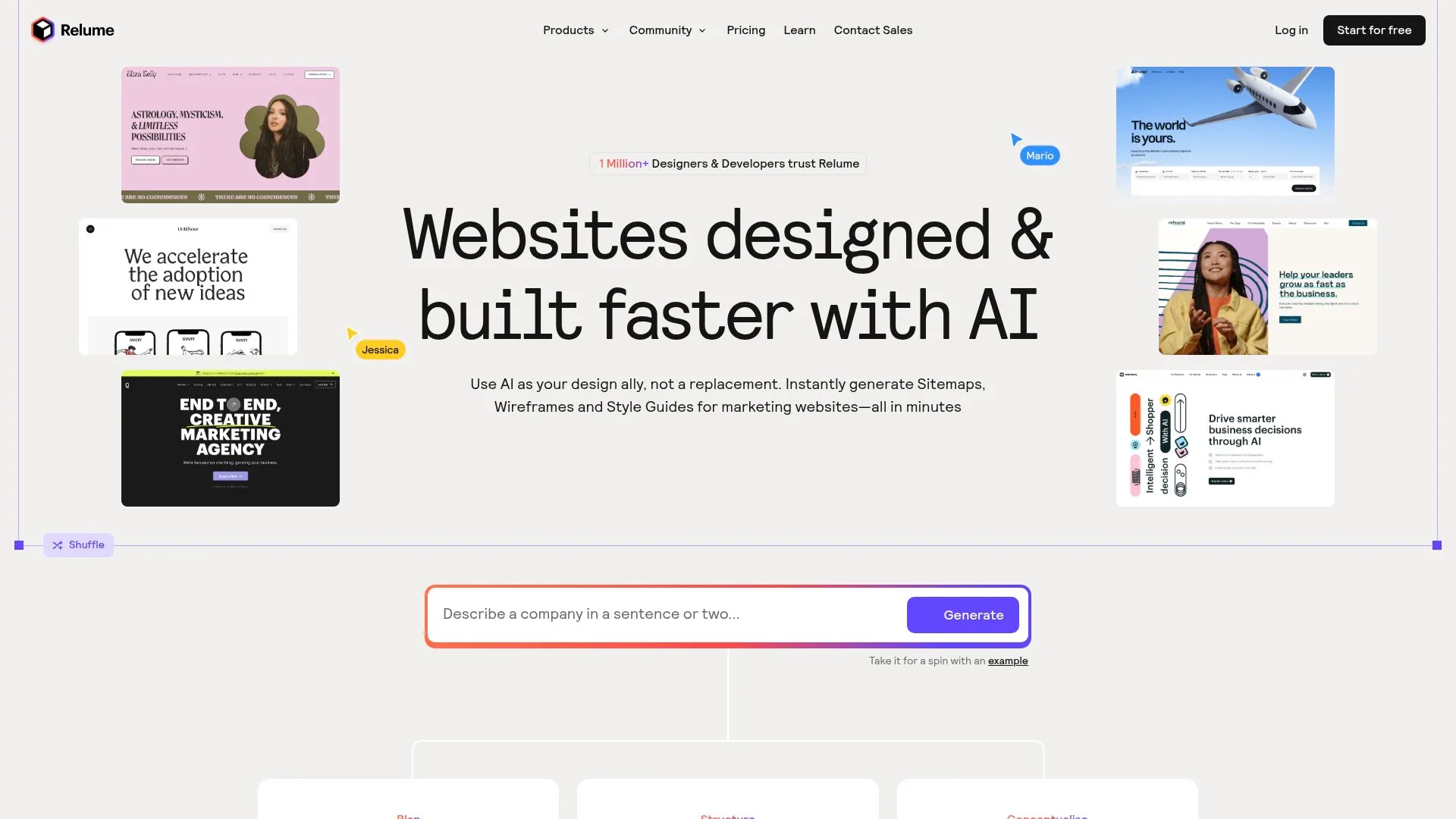
Relume's Designer-First AI Approach
Relume integrates directly with professional design tools like Figma, letting you export clean code for developer handoff. Unlike consumer-focused platforms, this tool assumes that you already know design principles. You need speed, not hand-holding.
The learning curve is steeper than tools like wordpress.com AI website builder, but the payoff is real: elastic, maintainable component libraries that don't crumble when client requirements shift mid-project.
When Relume Makes Sense for Your Projects
Relume works best for design agencies: professional web designers and teams handling repeat clients.
- Multi-site projects requiring brand consistency
- Workflows where developers need production-ready exports
- Teams already fluent in Figma or similar tools
Kleap tip: If you bill hourly, Relume's automated sitemap generation justifies premium rates by showing strategic planning depth that clients rarely see broken down.
Framer, where Design Freedom Meets AI Intelligence
Most AI website builders lock you into rigid templates. Framer flips that whole model.
It gives professional designers pixel-perfect control while AI tackles the repetitive grunt work like responsive breakpoints, layout adaptation, and animation timing. Think of it as a design tool that learns your intent, not a bot making decisions for you.
Creative agencies use it to prototype interactions that would take hours in traditional tools. Then they ship those prototypes as production sites with hosting and CMS baked in.
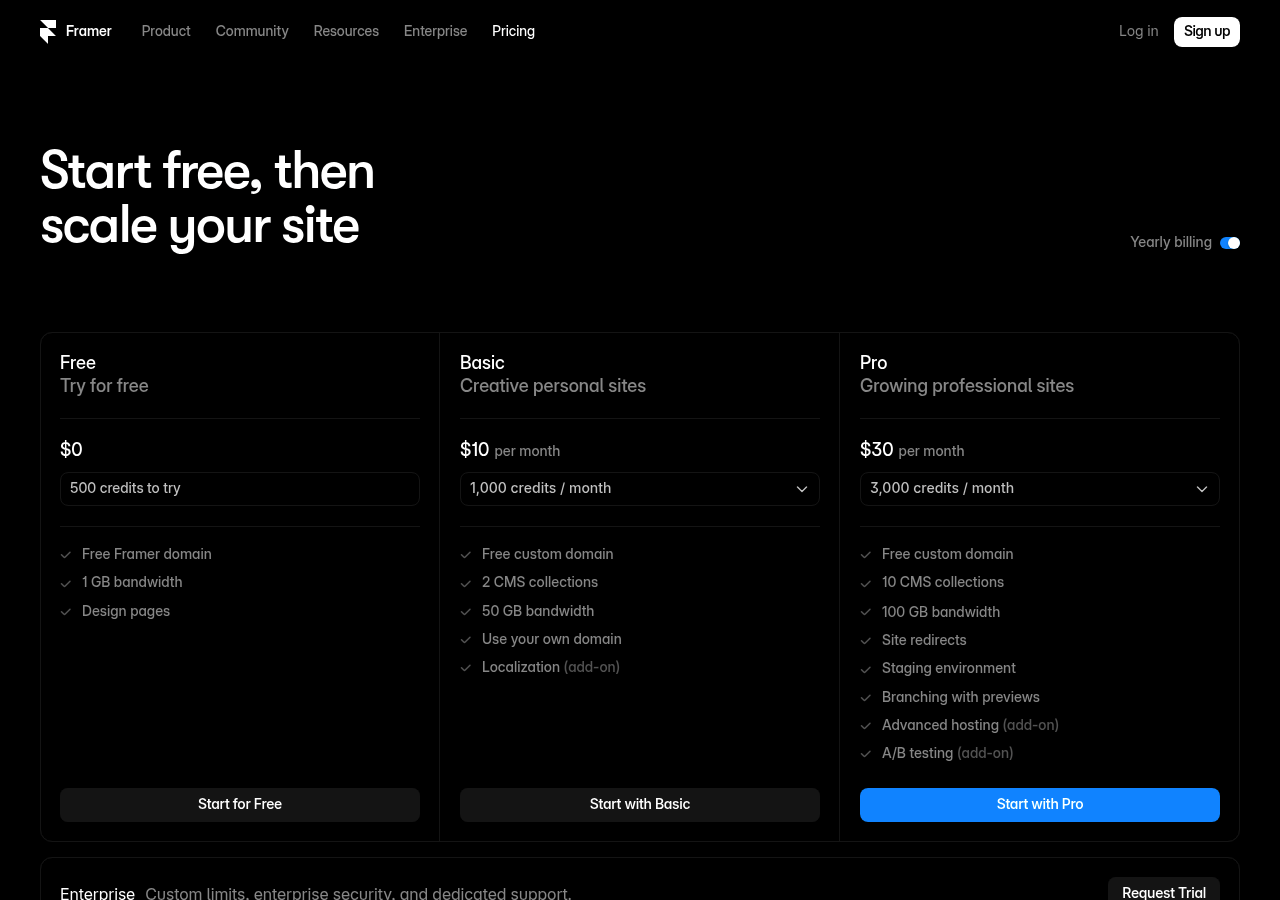
Framer's Unique AI Design Acceleration
The AI suggests animation curves and responsive behaviors as you design, cutting iteration cycles without removing your hands from the wheel. Real-time collaboration lets teams refine prototypes together, a feature that appeals to agencies juggling client feedback.
Pricing starts with a free personal tier and scales to professional and enterprise plans. The learning curve is steeper than pure drag-and-drop builders, but designers gain creative flexibility that no-code tools cannot match.
If you want AI speed without surrendering design decisions, this is the tool for you.
Figma, Prototyping Powerhouse with Emerging AI Features
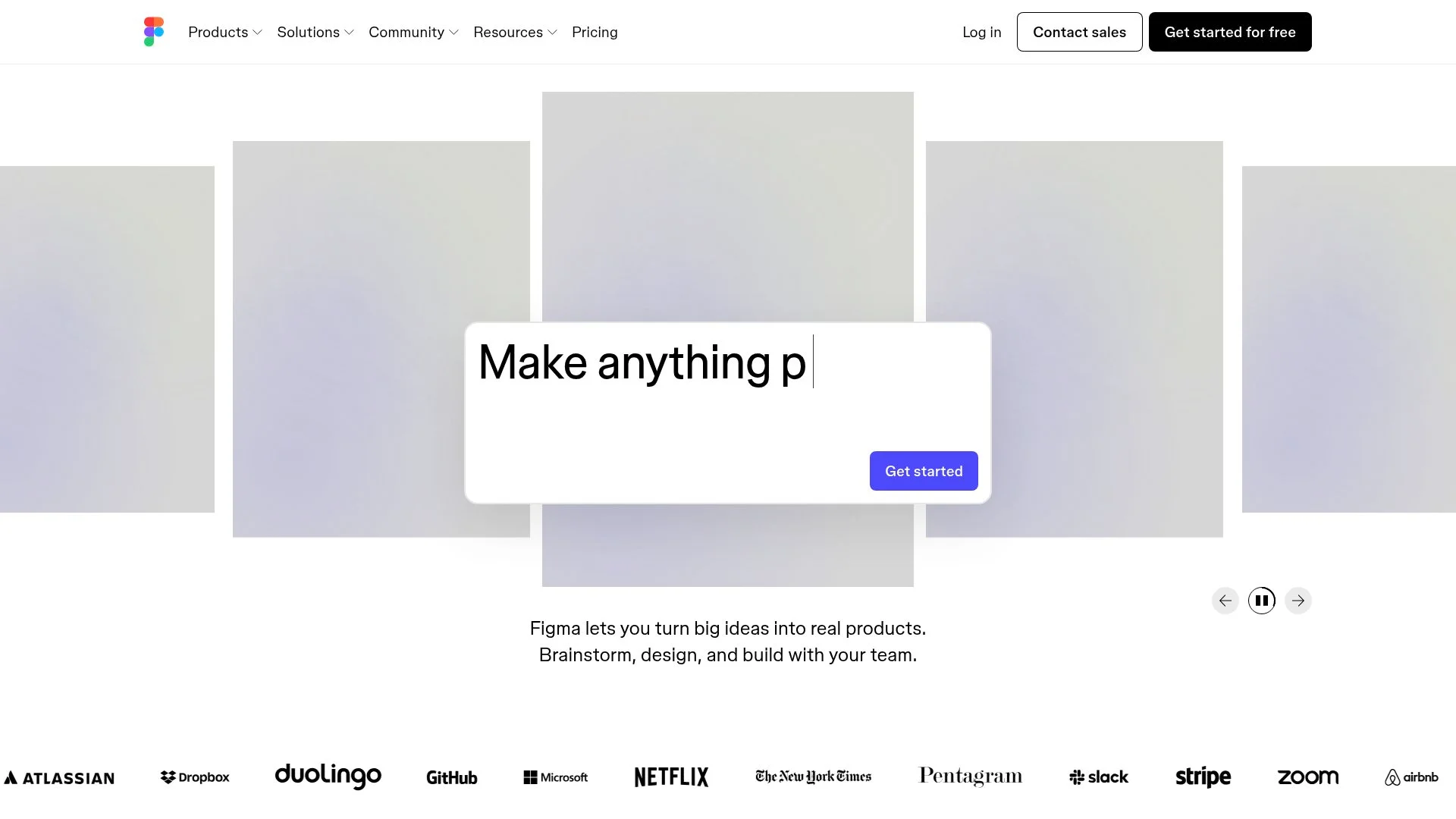
Figma has carved out dominance in collaborative design, and its Make plugin now bridges that strength into AI-driven website creation. Unlike tools that prioritize deployment speed, Figma positions itself where most teams spend time: refining user experience before a single line of production code is written.
The Make plugin transforms natural language prompts into responsive site prototypes, complete with no-code interactions and backend simulation, capabilities that let you test complex user flows without developer handoff. This is important when your design team needs to validate concepts with stakeholders or conduct usability testing on realistic prototypes, not static mockups.
From Prototype to Production Website
Figma's pricing kicks off with a free tier for solo designers, then scales up to professional and enterprise plans for bigger teams. The platform shines in design-to-code workflows, with developer handoff tools that turn prototypes into implementation-ready specs.
That said, Figma is still mainly a design tool, so you'll need extra steps to launch an actual live site. It's best for design teams already using Figma who want AI-accelerated prototyping without ditching their current collaboration setup.
Vibe Code, AI-Generated Code for Developer Control
Most AI site builders trap you in their ecosystem. Vibe Code does the opposite; it generates clean, exportable code that you own.
Instead of dragging widgets inside a proprietary platform, developers describe features via prompts and receive production-ready HTML, CSS, and JavaScript. They can version-control this code in GitHub, deploy it anywhere, and modify it without restrictions. This is important when your startup outgrows template limitations or an agency needs client handoff without platform dependencies.
Code Generation vs Visual Builders
While platforms like Wix AI generate sites in minutes through conversational prompts, they lock your output into their own hosting ecosystem. Vibe Code trades instant deployment for flexibility since you get raw source files compatible with any server.
Pricing typically targets technical teams willing to handle deployment themselves, which contrasts with Hostinger's managed Premium plans starting under ten dollars monthly. It's best for developers building custom client solutions or SaaS founders needing backend API integration beyond what visual builders allow.
Who Benefits from Vibe Code's Approach
This workflow requires solid coding skills. Non-technical users face a much steeper learning curve compared to Webnode's quick publish setup.
That said, technical teams get unmatched customization. They can tweak authentication logic, integrate third-party APIs, or migrate hosting without rewriting code. Agencies delivering white-label products especially value full code ownership, which helps them avoid the vendor lock-in that visual platforms typically create.
Side-by-Side Comparison: Which Tool Wins for Your Needs
Choosing the right platform hinges on what you need to accomplish. Hostinger's AI builder suits startups on tight budgets, offering a free trial, then Premium at roughly six dollars monthly for small ventures or the Business tier at eleven dollars for e-commerce.
Wix AI makes use of OpenAI integration to handle conversational prompts, ideal if you prefer ChatGPT-style interaction over form-filling. Webnode delivers sites in a few minutes with auto-generated visuals, perfect for freelancers who want speed without technical overhead.
Squarespace excels when brand aesthetics matter; feed it your identity and it crafts polished drafts. Figma Make appeals to designers who crave code-free prototyping with animations and logic, with no backend required.
Feature Comparison Matrix
Price and Value Analysis
Most platforms use a tiered model: free trial or basic generation, then paid plans ranging from about twenty-five to fifty dollars monthly for pro features. Hostinger and Webnode focus on affordability, while Squarespace and Wix charge premium rates for advanced customization and reliable hosting.
Agencies that need white-label options or enterprise teams requiring scalable infrastructure should budget accordingly and expect higher tiers as client volume increases. Evaluate based on your monthly transaction load and desired integrations before you commit.
Frequently Asked Questions About Creating Websites with AI
Can AI deliver pro-level results without any coding skills? It can.
AI builders understand plain English prompts and create full websites, including design, content, hosting, and SEO setup, in minutes. Tools like Wix AI and Hostinger manage everything from page layouts to e-commerce features, cutting out the developer middleman completely.
Describe what your business does, and the AI builds the whole structure.
Technical Questions About AI Website Building
Customization isn't locked. Once generated, you can edit text, swap images, and adjust layouts using visual editors.
Most platforms export code or let you migrate content, so you're not trapped. Mobile responsiveness and basic SEO (meta tags, clean URLs) are built in automatically, though advanced optimization still requires manual refinement.
Cost and Time Investment FAQs
Pricing starts with free trials and goes up to roughly twenty-five to fifty dollars per month for business plans that include e-commerce and unlimited bandwidth. When you compare that to hiring developers, which typically costs thousands and involves weeks of coordination.
Builders cut both expenses and time dramatically. You can launch in minutes instead of months.
Catch? You get less custom complexity, but you gain faster validation for most projects.
Choose Your AI Website Builder and Launch Today
Your specific needs shape which tool works best for you. Entrepreneurs who want speed can launch an online store in hours using platforms that build complete e-commerce sites from one prompt without any coding. Agencies handling multiple client accounts benefit from tools with backend simulation and interactive prototypes that refine user experiences.
Developers who want full code control prefer builders that export clean HTML and CSS, while designers typically choose visual editors with drag-and-drop features for refining AI-generated layouts.
Quick Decision Guide by User Type
- Solopreneurs: Use conversational AI builders that create business-ready sites in minutes from natural language descriptions.
- Small businesses: Choose platforms with integrated e-commerce, SSL, and unlimited bandwidth for growth.
- Agencies: Opt for no-code tools offering animations, logic, and client customization without technical overhead.
- Developers: Select builders providing prompt-to-responsive outputs with exportable code for advanced tweaking.
Your Next Steps to Launch
Define your site's core purpose before you touch any platform. A vague prompt like "business website" generates generic layouts that don't work.
Specificity wins here. Write "a three-page portfolio showcasing industrial design projects with case study galleries and a contact form" to get usable structure right away.
Most tools emphasize one-to-four-step processes: describe, generate, edit, and publish, which cut creation time from days to minutes. You'll see this across platforms targeting entrepreneurs and freelancers worldwide. Start with a free tier today, no credit card needed and no delay.
Start Building Your AI-Powered Website Today
Website builders have turned web creation from a weeks-long technical hassle into something you can finish in minutes. The tools we've covered here each work best in different situations.
Depending on whether you care most about design flexibility, e-commerce capabilities, or pure speed, Kleap delivers the fastest route from concept to live site for most creators.
Best time to start? Right now.
A mobile-first approach and conversion-focused templates cut out the guesswork that typically bogs down traditional builders.
Pick the tool that fits your main priority, whether that's speed, customization, or specific features, and get your first page live today. Want to build sites with AI without the learning curve?
Kleap's team can get your site running in under an hour. Start your free trial at kleap.co to experience just how fast professional web design can really be.
Credit card needed. Your audience is out there waiting, so give them something worth visiting.