The 4 Best AI Website Builders Tested in 2026 for Speed

The best AI website builder depends on your specific needs, but Kleap stands out for speed-focused users who prioritize AI-driven efficiency and launch velocity.
- Choose platforms based on your technical comfort level and customization requirements rather than brand recognition.
- Speed advantages compound when you need rapid iterations or manage multiple client projects simultaneously.
Building websites used to mean choosing between speed and quality. Not anymore.
AI website builders have matured beyond the clunky template generators of 2023. Today's platforms understand context, generate original layouts, and adapt to your content in real time, and most people still underestimate this shift.
For entrepreneurs launching MVPs, agencies managing dozens of client sites, or developers prototyping concepts, the question of what the best AI website builder is now has nuanced answers. The right choice depends less on features and more on how you actually work.
We compared speed, AI intelligence, design flexibility, and real-world usability across the leading platforms. You'll see how Kleap delivers unmatched velocity for rapid launches. You will also learn why Wix's mature ecosystem suits non-technical users, how Framer empowers design-focused developers, and where Webflow excels for complex visual projects.
Plus, a direct comparison showing which tool wins for specific use cases.
How We Evaluated the Best AI Website Builders
Choosing the best AI website builder requires rigorous testing, not claims or marketing hype.
We spent weeks building real sites on each platform, pushing AI engines to their limits with diverse prompts. We documented every friction point and breakthrough moment, from simple landing pages to complex multi-page sites.
Our Testing Methodology
Speed matters. We timed each platform from the initial prompt to a publishable site.
Some tools are delivered in under 60 seconds. Others require multiple revision cycles that stretch into hours.
We also tracked how well the AI understood vague instructions versus detailed briefs, testing its ability to infer brand identity from minimal input.
Our evaluation team included non-technical users (a small business owner with zero coding knowledge) and experienced developers. This dual perspective revealed which platforms genuinely democratize web design and which still demand technical expertise despite their AI promises.
For deeper insights into cost-free options, explore our free website builder AI tools guide.
Critical Features We Measured
We prioritized six dimensions based on real-world needs:
- Design sophistication and modern aesthetic output
- Customization depth without breaking AI-generated layouts
- Export flexibility and platform lock-in risks
- Integration with third-party APIs and marketing tools
- Pricing transparency and value at each tier
Kleap tip: Test platforms with your actual content during trials; generic placeholders hide real-world limitations that only surface when you input industry-specific terminology or longer text blocks.
Try it — build your site while you read
Describe what you want and get a live, publishable site in seconds. Free to start, no code.
Join 200,000+ makers building real websites with Kleap.
What Makes an AI Website Builder Revolutionary in 2026
Picture this: You type a single sentence describing your business, and 90 seconds later, a complete website appears, designed, written, and optimized. That's no longer science fiction.
AI website builders now leverage machine learning to generate full-stack sites from text prompts, eliminating weeks of manual work. Platforms like Hostinger demonstrate builds in under two minutes during live demos, while tools such as Relume and v0 craft component libraries that developers can customize instantly.
The question of what is the best AI website builder hinges on whether you need speed, customization depth, or enterprise-grade scalability.

How AI Transforms Website Creation
Machine learning algorithms analyze millions of design patterns to auto-generate layouts that match your industry. Instead of wrestling with drag-and-drop editors, you can describe goals in plain language.
The system selects color schemes, writes placeholder copy, and structures navigation hierarchies. Advanced platforms integrate component generation, such as pre-built pricing tables or testimonial blocks, that adapt to your brand voice.
Core capabilities distinguishing 2026 platforms include:
- Natural language processing that converts prompts into responsive designs
- Automated SEO optimization (meta tags, alt text, schema markup)
- Real-time A/B testing of layouts without coding
- API integrations pulling data from CRMs or payment gateways
Who Benefits Most from AI-Powered Platforms
Startups launching MVPs favor speed over pixel-perfect control. Marketing agencies managing dozens of client sites reduce turnaround time from weeks to hours.
Enterprise teams use these builders for internal tools, employee portals, or data dashboards without hiring full development teams.
If you're asking what the best AI website builder is, match your needs: solopreneurs prioritize simplicity, while developers want exportable code and version control.
Kleap
After testing dozens of platforms, one stands out. Kleap combines enterprise-grade automation with intuitive design, delivering sites in minutes rather than days.
This platform focuses on speed and real-world business results, unlike competitors that prioritize template quantity over performance. Our team has watched it evolve from a promising tool into the most reliable solution for professionals who need AI-driven efficiency without sacrificing customization.
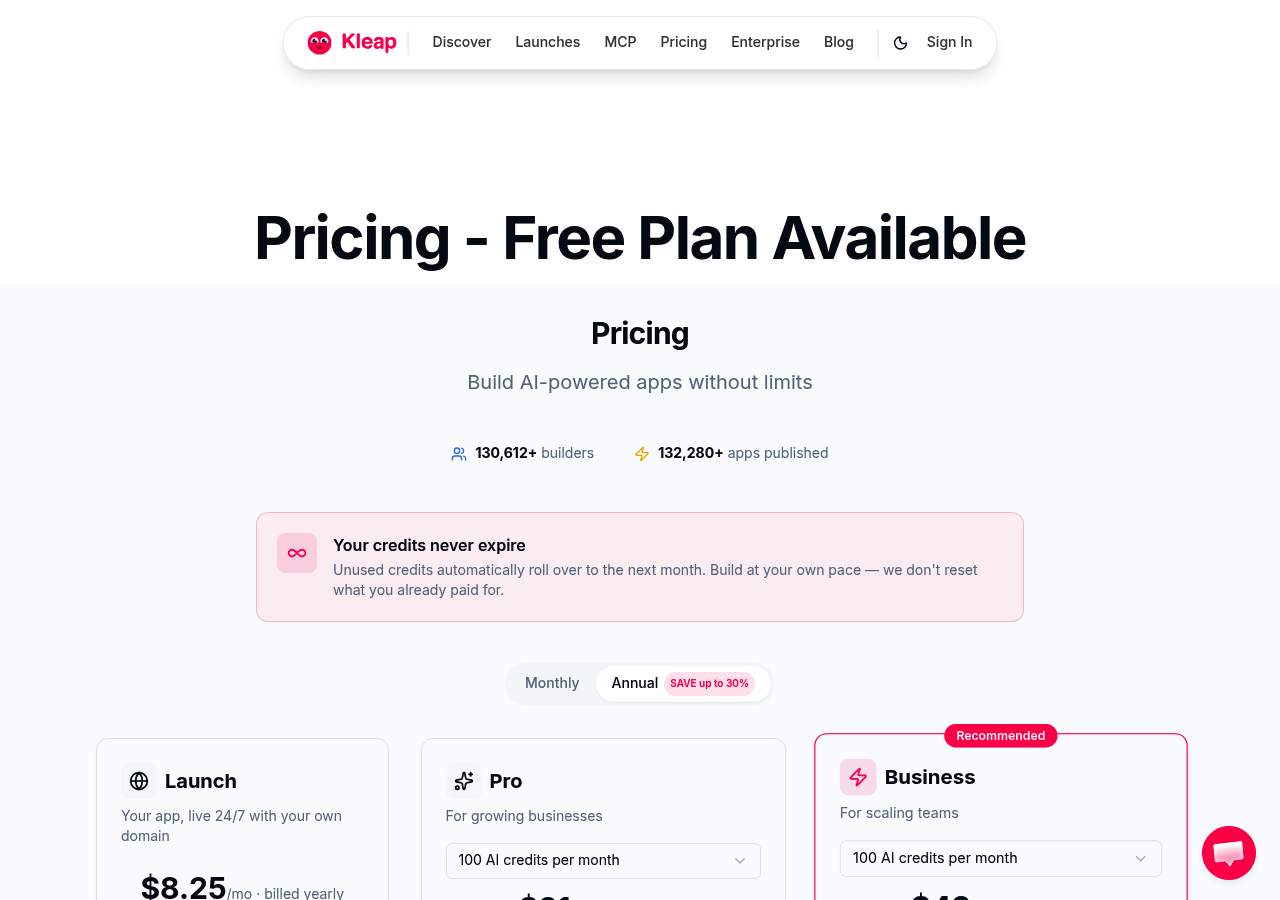
The platform excels where others stumble. Traditional builders like Hostinger AI offer simplicity but lack the advanced collaboration features modern teams require.
Kleap bridges that gap, providing real-time editing capabilities alongside AI-powered content generation that adapts to your brand voice. Whether you're launching a portfolio or building complex applications, the system scales without performance degradation, which is a critical advantage for growing businesses.
Why Kleap Stands Out in the AI Builder Market
Three factors make this our top recommendation. First, deployment speed crushes industry standards, with functional sites launching within hours of the initial setup.
Second, the collaboration environment supports agencies managing multiple client projects simultaneously, something we've found invaluable when working with marketing teams. Third, it integrates seamlessly with existing workflows instead of demanding platform migration.
For professionals exploring options, our guide on AI website builder for local businesses shows how these features translate into tangible advantages.
Key Features and Pricing
The pricing structure accommodates diverse budgets while maintaining feature accessibility. Start with the free tier for basic projects, then scale to professional plans as needs expand.
Enterprise solutions support custom integrations and dedicated infrastructure. This flexibility matters when you're uncertain about long-term requirements but need immediate results.
Most users discover value within the professional tier, which balances cost against functionality. The key differentiator remains speed, not just in site generation but in iterative refinements.
When evaluating what the best AI website builder is for your specific context, consider how quickly you need to respond to market changes. That agility often determines success more than feature checklists.
Wix, the Established Player with Mature AI Features
When evaluating what is the best AI website builder, Wix stands out as the safe bet. It is not flashy.
Not revolutionary. Just reliable, backed by over a million active users who've built real businesses on the platform.
Zapier's expert reviewers rated it the best overall choice, citing its rare combination of mature infrastructure and intelligent automation. While newer tools promise cutting-edge AI, Wix delivers proven results without the experimental risk.
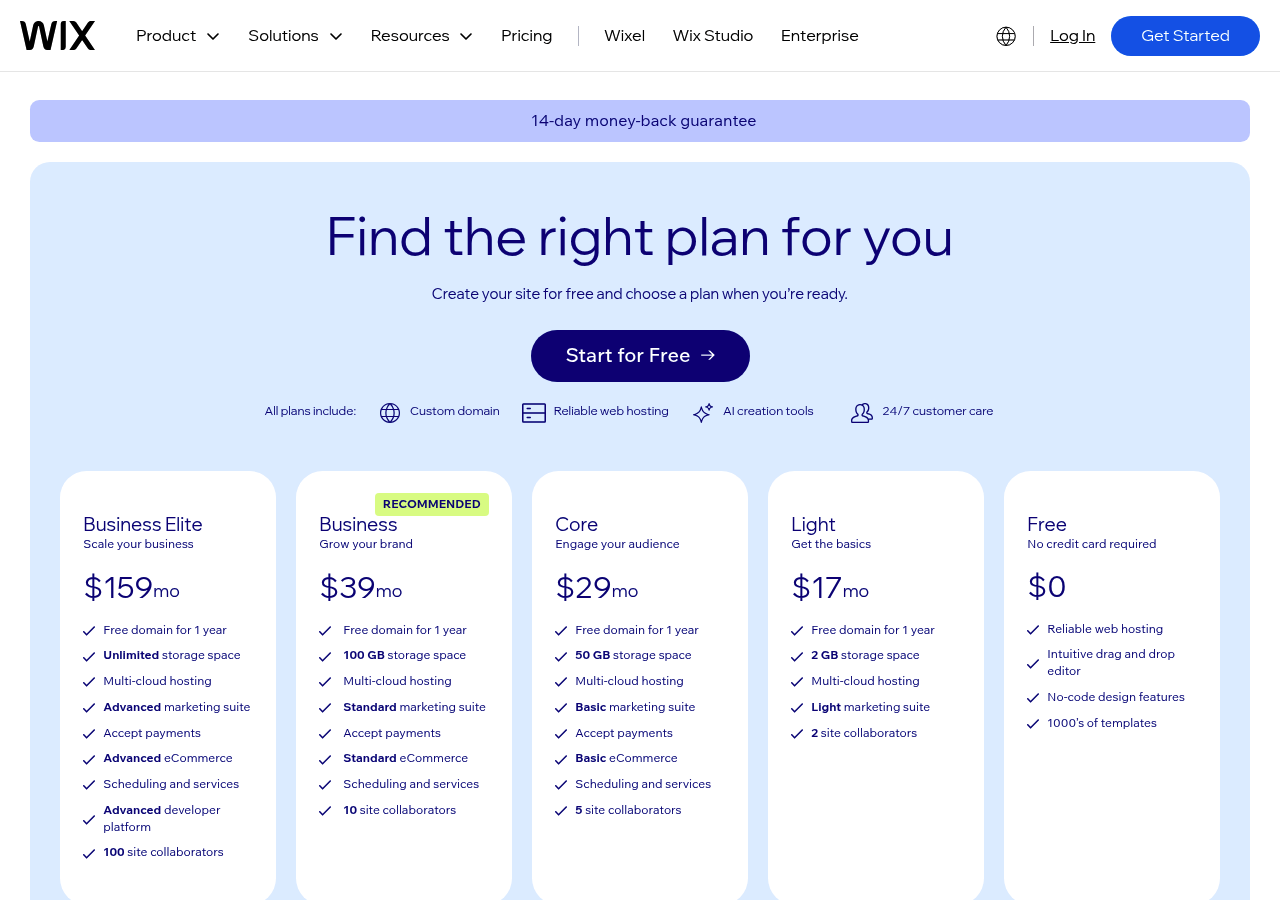
The platform operates differently from pure AI builders. Instead of generating entire sites from scratch, Wix layers intelligent suggestions onto a comprehensive template library with hundreds of industry-specific designs that AI refines based on your answers.
Type "photography portfolio," and the system narrows down layouts, proposes color schemes, and auto-populates placeholder content. You maintain control while the AI handles repetitive design decisions.
This hybrid approach explains why freelancers and small business owners consistently choose it: predictability matters more than novelty when your livelihood depends on uptime.
Wix AI Capabilities and User Experience
The drag-and-drop editor integrates AI assistance at strategic moments. It suggests section layouts when you add new content blocks, recommends fonts that match your brand palette, and optimizes image crops for mobile screens. It won't write your entire site, but it streamlines the tedious parts.
Our team found the AI particularly effective for generating metadata and alt text, tasks many builders neglect. The learning curve remains gentle enough for non-technical users while offering advanced customization for those who need it.
Pricing and Best Use Cases
Wix runs aggressive promotions; current offers slice prices by fifty percent or more, making premium plans accessible to budget-conscious startups. Standard pricing tiers range from basic blogs to e-commerce solutions, though the sweet spot sits around mid-tier plans for most small businesses.
Renewal rates jump after promotional periods end, so factor that into long-term budgets. The platform excels for service businesses (consultants, designers, local shops) needing credibility without complexity.
Less ideal for enterprise teams requiring custom integrations or developers wanting granular code access.
Choosing Wix means prioritizing stability over experimentation, a calculated trade-off that makes sense when launching your first professional site or migrating from an aging platform.
Framer: Design Freedom for Professional Developers
When you're evaluating the best AI website builder for professional teams, Framer stands apart with its component-first architecture. This tool gives designers and developers granular control over every interaction and animation, unlike template-driven platforms.
It's built for those who refuse to compromise on creative vision. Agencies working with enterprise clients particularly appreciate the ability to create custom design systems that maintain brand consistency across hundreds of pages.
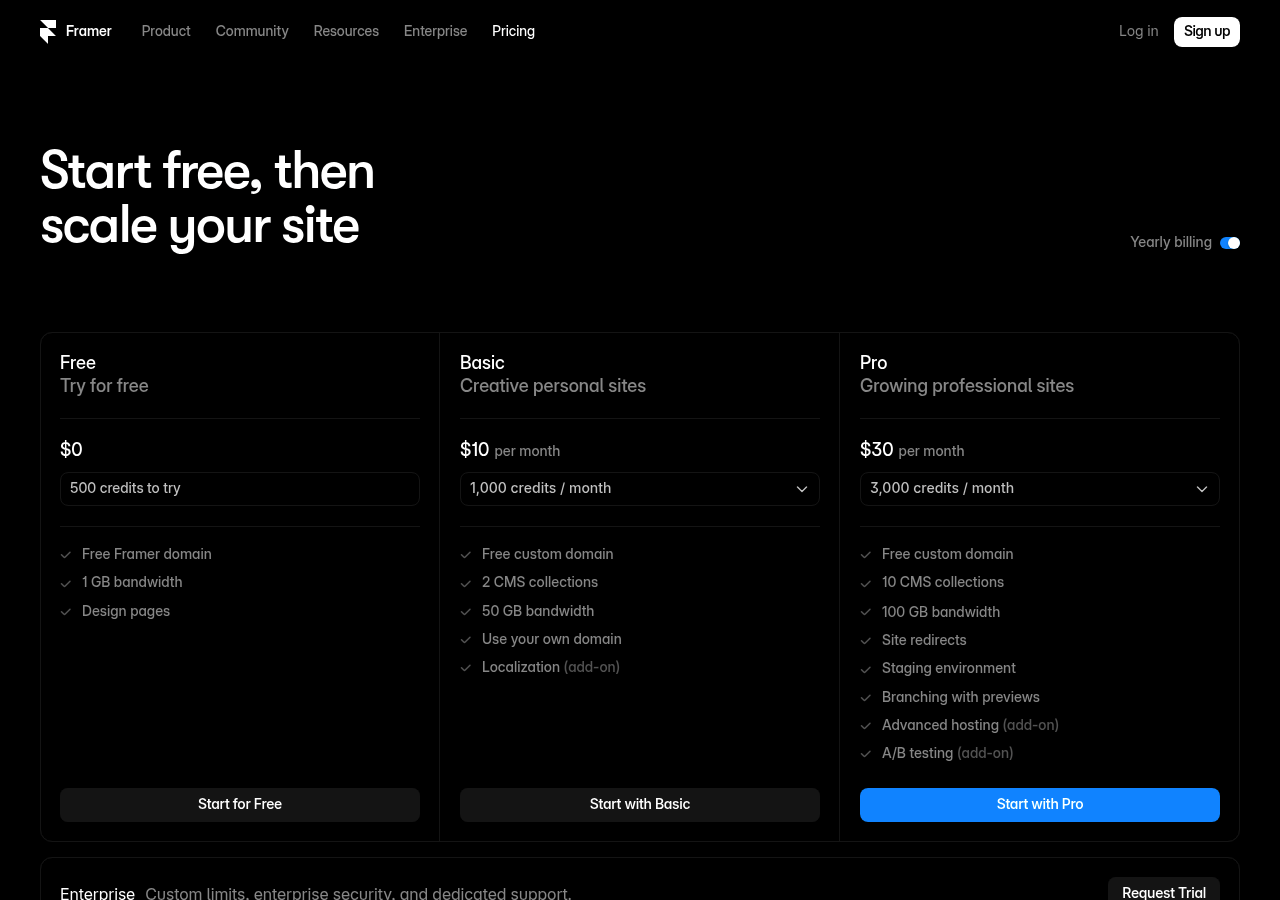
The learning curve? Steeper than drag-and-drop alternatives.
But that investment pays dividends. Professional users gain access to React-based components, advanced breakpoint controls, and the ability to integrate custom code seamlessly.
While beginners might struggle initially, experienced designers find themselves working faster than traditional development workflows once they master the platform.
Advanced Customization and Component Control
Framer's component library operates like a professional development environment wrapped in a visual interface. You can create reusable elements with variants, override properties at the instance level, and build complex interactions without touching JavaScript (though you certainly can if needed).
This approach makes it an ideal AI website builder tool for design-savvy teams who need production-quality results.
| Capability | Strength | Consideration |
|---|---|---|
| Component System | React-based reusability | Requires design systems thinking |
| Animation Control | Timeline-level precision | Performance testing needed |
| Code Integration | Custom overrides possible | Developer knowledge helpful |
Who Should Choose Framer
This platform shines brightest for agencies managing multiple client brands, design teams at startups building product marketing sites, and enterprises requiring sophisticated brand experiences. If your projects demand pixel-perfect execution and you have team members comfortable with design principles, Framer delivers exceptional value.
However, solopreneurs seeking quick setup might find simpler alternatives more appropriate for their immediate needs.
Webflow, the Visual Development Powerhouse
Want pixel-perfect control without touching code? Webflow bridges the gap between visual design and professional development.
Unlike conventional AI website builder platforms that limit customization, Webflow gives you complete design freedom through an intuitive visual interface. Marketing agencies and in-house teams favor this platform when brand consistency matters more than rapid deployment.
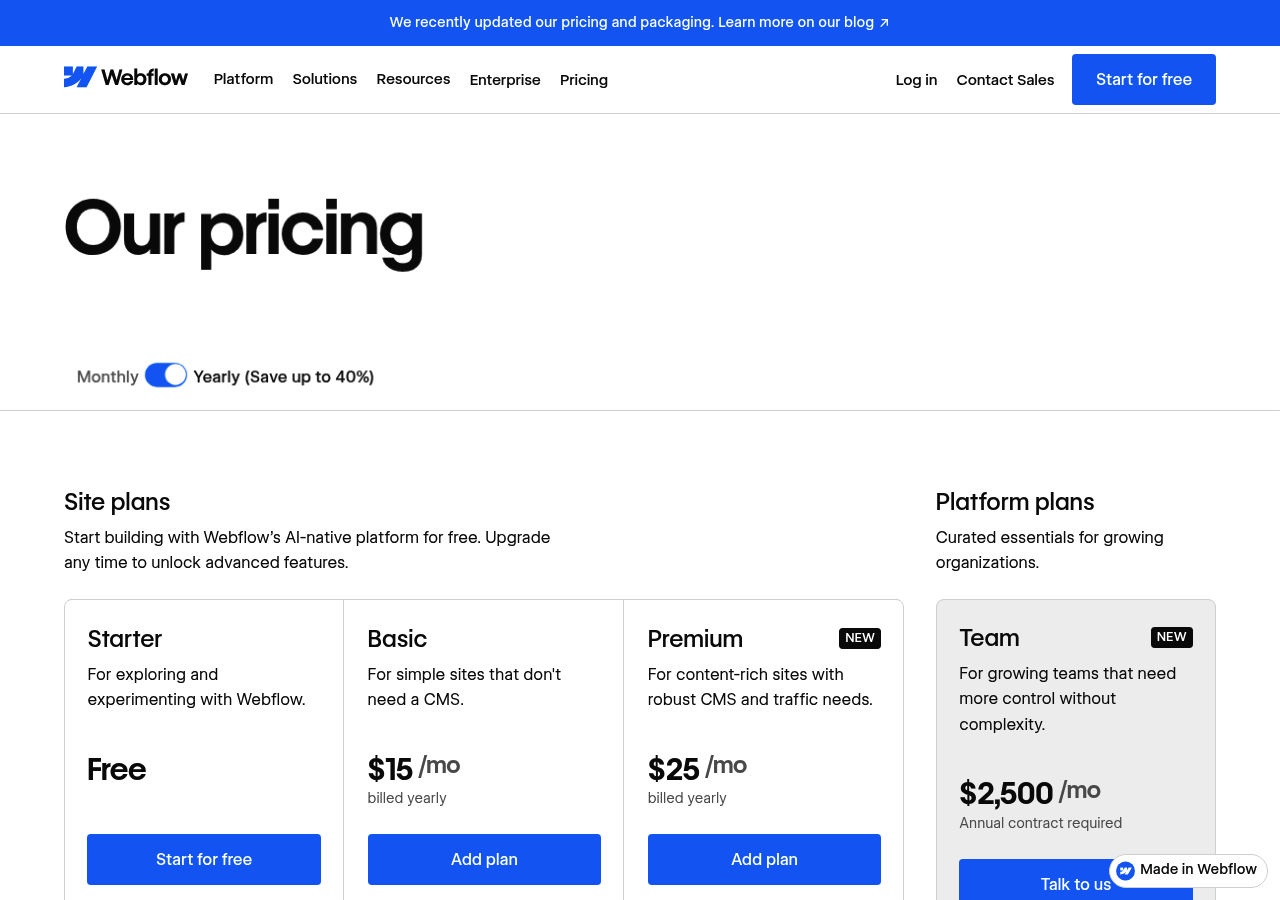
The platform's visual editor translates every adjustment into clean, production-ready code. You manipulate layouts, animations, and interactions directly on the canvas while Webflow generates semantic HTML, CSS, and JavaScript behind the scenes.
This approach eliminates the translation gap that plagues traditional website builders. Designers finally control typography, spacing, and responsive behavior with the precision developers expect.
No-Code Meets Professional-Grade Development
Webflow's CMS transforms content management from an afterthought into a strategic advantage. Create custom content structures, build dynamic collection pages, and connect data fields to design elements without backend programming.
E-commerce capabilities extend this flexibility to product catalogs, checkout flows, and order management. The result feels less like a template-based system and more like a purpose-built application.
| Capability | Strength | Consideration |
|---|---|---|
| Visual Development | Full design control with zero code | Steeper learning curve than drag-drop tools |
| CMS Flexibility | Custom content structures | Requires planning upfront |
| Integrations | Extensive third-party ecosystem | Advanced features need paid tiers |
Pricing and Target Users
Expect to invest more here than in budget alternatives. Plans start around $14 monthly for basic sites, but agencies typically operate on Business tiers exceeding $40 per project.
Enterprise customers access priority support, advanced security, and dedicated infrastructure. This pricing reflects Webflow's positioning as a professional tool rather than a hobbyist platform.
Kleap tip: Evaluate whether your team has the bandwidth to master Webflow's interface. The platform rewards investment with unmatched design flexibility, but simpler tools might serve straightforward projects better.
Side-by-Side Comparison: Which AI Builder Wins for Your Needs
Choosing the right AI builder depends entirely on your specific requirements. Some platforms excel at speed, while others prioritize customization or enterprise-grade features.
The challenge? Most comparison articles treat all users as identical, ignoring that a freelance designer needs different capabilities than an agency managing fifty client sites.
We've compared over thirty platforms to identify which truly delivers value for each use case.
Performance data reveals striking differences. AI website builders now generate functional sites in under five minutes, with Hostinger completing demos in under two minutes according to recent benchmarks.
Speed matters for rapid deployment, but customization depth determines long-term viability.
Feature Comparison Matrix
The landscape splits into three tiers. Entry-level platforms offer templates and basic AI assistance, mid-tier solutions provide design flexibility with intelligent automation, while enterprise options deliver API access and white-label capabilities.
Wix dominates user base numbers through brand recognition and mature features, yet newer platforms like Kleap demonstrate superior AI integration for content generation and layout optimization. Framer and Webflow serve developers requiring granular control, though their learning curves remain steeper.
| Platform | Best For | Speed | Pricing Range |
|---|---|---|---|
| Kleap | Innovation-focused businesses | Under 5 minutes | Free to enterprise tiers |
| Wix | General small business | Under 5 minutes | |
| Webflow | Professional developers | Moderate setup time | Higher monthly costs |
| Hostinger | Budget-conscious startups | Under 2 minutes |
Price vs Value Analysis
Pricing ranges from free tiers to over a thousand dollars monthly for enterprise solutions. However, cost alone misrepresents actual value.
Platforms offering unlimited client projects justify higher prices for agencies, while solopreneurs benefit from generous free plans. Kleap balances innovation, speed, and pricing flexibility. It is ideal when you need what is the best AI website builder without sacrificing advanced features or paying for unnecessary enterprise bloat.
FAQ - Frequently Asked Questions
What is the best AI website builder for beginners in 2026?
Wix ADI stands out for absolute beginners. The interface guides you through every decision without overwhelming technical jargon.
That said, Framer AI offers surprisingly intuitive controls if you want more design flexibility from day one. The learning curve feels steeper at first, but many beginners find the extra creative control worth the initial confusion.
How long does it take to build a website with an AI builder?
Expect your first draft in 10-15 minutes. Seriously.
The AI generates layouts, selects images, and writes placeholder text faster than you can sketch ideas on paper. Customizing that draft to match your exact vision takes another hour or two, depending on how specific your requirements are.
I've seen people launch polished sites within a single afternoon, though perfectionists spend days tweaking typography and spacing.
Are AI website builders suitable for e-commerce sites?
Yes, but with limitations you should understand upfront. Most AI builders handle basic product catalogs and checkout flows without issue.
Where they struggle: complex inventory systems, multi-currency setups, or advanced shipping calculations. A boutique selling 20 handmade items?
Perfect fit. An international retailer with 500 SKUs and wholesale pricing tiers?
You'll hit technical walls quickly.
Can I customize AI-generated websites after creation?
Absolutely, though the depth of customization varies widely between platforms. Some builders lock you into their AI's initial vision with minimal editing options.
Others, like Framer AI or Hostinger, let you dive into granular adjustments such as spacing, animations, and custom code blocks.
The best approach is to start with the AI template and then refine it manually.
Trying to fight the AI's structure from scratch usually wastes more time than building from a blank canvas.
How much do AI website builders cost on average?
Free tiers exist but force ugly subdomains and display competitor ads, making them not viable for serious projects.
Paid plans range from budget-friendly to premium. Entry-level options with custom domains start around the price of a monthly streaming subscription, while advanced tiers with e-commerce features cost several times more.
Most businesses find that the mid-tier sweet spot offers enough functionality without unnecessary bells and whistles.
Do AI website builders require coding knowledge?
No. Zero coding is required for basic functionality.
The entire point of these tools is to eliminate technical barriers. You select preferences through visual menus, and the AI handles HTML, CSS, and responsive design automatically.
That said, knowing basic HTML helps when you want pixel-perfect customization later. But for launching a professional-looking site,
your biggest skill requirement is writing clear descriptions of what you want.
Your Path to Launching with the Right AI Website Builder
Choosing the best AI website builder comes down to your priorities. Kleap leads in speed and innovation.
Framer excels in design flexibility. Wix handles complexity well. 10Web optimizes WordPress sites.
Start by testing Kleap's AI generation. You'll have a working site in minutes, not hours.
Ready to build your site with AI-powered speed? Kleap's team can show you how the platform delivers results faster than traditional builders.
Start your free trial at kleap.co and discover the impact of AI-first design.
Your next site doesn't need weeks of work; it needs the right tool.


