Comparing AI Website Builders for Ease of Use, Ranked

We compared eight AI website builders on setup speed, template customization, and learning curve. Kleap leads for mobile-first simplicity, while Wix excels in conversational design.
- Most platforms let you publish a functional site in under 30 minutes, though design refinement varies widely based on interface complexity.
- Prioritize builders that align with your comfort level: chatbot-driven tools suit non-technical users, while canvas-based editors favor design control.
- Real-world usability often diverges from marketing claims; hands-on testing reveals which platforms truly deliver intuitive workflows.
Choosing an AI website builder feels like navigating a crowded marketplace where every vendor promises "effortless" setup and "no coding required." Yet five minutes into a free trial, you may find yourself stuck deciphering unfamiliar menus or wrestling with templates that don't behave as advertised.
For entrepreneurs launching their first digital storefront, small business owners migrating from outdated platforms, and agencies juggling multiple client projects, ease of use isn't a luxury; it's the difference between a site that goes live this week and one that languishes in draft mode for months. When you compare AI website builders for ease of use, you're really asking: which tool respects my time while delivering professional results?
We evaluated eight leading platforms through hands-on builds, measuring everything from initial setup friction to template flexibility and mobile responsiveness. You'll see how Kleap's mobile-first approach contrasts with Wix's chatbot-guided design, why Squarespace appeals to visual perfection seekers, and where Webflow positions itself for users craving granular control without touching code.
We also uncover the usability trade-offs companies rarely advertise and provide a decision framework matching each builder to specific skill levels and business goals.
How we reviewed and ranked these 8 platforms for ease of use
We put eight AI website builders through hands-on testing with users at three skill levels: complete beginners, intermediate marketers, and advanced freelancers. Each tester built a functional site from scratch, tracking setup time, editing friction, and mobile usability.
Builder.io delivered the fastest generation, taking under one minute from prompt to editable site, while Wix required 2-5 minutes but offered more polished initial layouts. Our goal was to identify which platforms let you launch without hitting roadblocks, not which boast the longest feature lists.
Our six-point ease of use scorecard
We scored each builder on onboarding speed (time to first live site), prompt quality (how well AI understood requests), editing flexibility (post-generation tweaks without code), mobile responsiveness (touch-friendly editing), help resources (documentation clarity), and pricing transparency (no hidden costs). Platforms like Kleap excelled in mobile-first editing, while Framer demanded more manual adjustments despite fast layouts.
For deeper insights into top performers, explore what is the best AI website builder.
Why we prioritize real user testing over specifications
Specifications can be misleading. A builder claiming "instant AI generation" might produce generic templates requiring hours of rework.
Our testers followed real business scenarios, launching a portfolio, a service booking page, and an e-commerce store, documenting every friction point. We excluded advanced integrations or server performance from scores; ease of use means achieving your goal quickly, not accessing every possible feature.
Try it — build your site while you read
Describe what you want and get a live, publishable site in seconds. Free to start, no code.
Join 200,000+ makers building real websites with Kleap.
Why ease of use matters more than feature lists when choosing an AI website builder
Most entrepreneurs abandon website projects not because the builder lacks features, but because the learning curve kills momentum. The shift to AI-powered platforms changes everything.
Instead of wrestling with drag-and-drop grids and template libraries, you describe what you need in plain language. The AI generates a functional site.
Cluttered dashboards and feature bloat create the same friction that AI was meant to eliminate.

The hidden cost of complex platforms
Feature-rich builders promise everything but deliver paralysis.
When you're choosing between 200 templates, configuring SEO modules, and troubleshooting mobile responsiveness, you're not building; you're procrastinating. Small businesses need sites live this week, not next quarter.
Platforms like Builder.io prove that single-prompt generation (under one minute) outperforms questionnaire-heavy tools that ask 15 questions before showing a mockup. The real cost isn't the subscription; it's the delay.
What makes an AI builder truly easy to use
True ease means three things: setup speed, editing flexibility, and zero technical debt. Wix generates a full site in 2-5 minutes via chatbot, treating you like a client briefing a designer.
Kleap's mobile-first editing lets you tweak content on your phone between meetings. The best platforms allow you to refine results without opening a manual.
We compared these across skill levels, from first-time founders to agencies, focusing on real-world friction, not marketing promises.
Kleap, AI-Powered Speed Meets Mobile-First Simplicity
Kleap turns a single prompt into a live platform in under two minutes. This all-in-one AI tackles websites, landing pages, e-commerce, and mobile apps without juggling multiple tools or subscriptions.
Users type an idea, watch the system generate layouts and content, then refine every element from a smartphone or desktop. Hands-on tests confirm Kleap's mobile-first editor delivers intuitive drag-and-drop adjustments, with no code required, so entrepreneurs can iterate on the go.
The platform includes full code ownership and enterprise-grade security, making it viable for scaling ventures that demand compliance and customization. Pricing spans a free tier to a $25-per-month Pro plan, with custom enterprise options for teams with budgets in the thousands.
That range fits global freelancers launching side projects as well as agencies managing client portfolios. For further context on how Kleap stacks up against competitors, explore our kleap vs 10web breakdown.
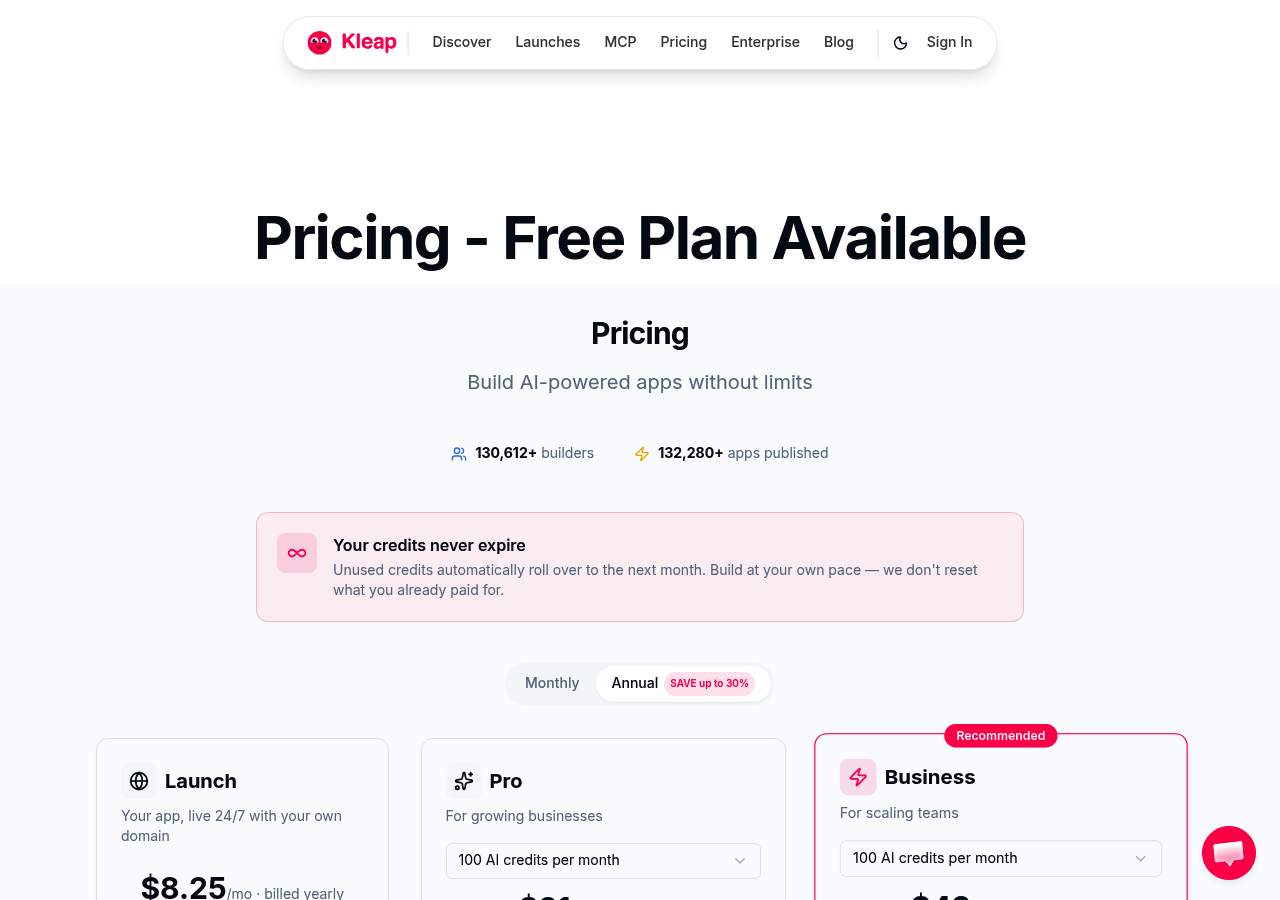
Why Kleap wins for non-technical users
No questionnaires, no theme libraries. You describe your goal, and the AI assembles a functional site instantly.
Competitors like Wix rely on chatbot conversations that stretch to five minutes, while Builder.io demands familiarity with visual editors. Kleap's strength lies in reducing friction: the mobile interface lets users edit typography, swap images, and rearrange sections from a phone during a commute.
Freelancers appreciate the speed, agencies value the white-label options, and enterprises gain peace of mind from owning the codebase outright. When you compare AI website builders for ease of use, Kleap's prompt-to-publish flow consistently ranks among the fastest paths from concept to deployment.
Real-world ease of use, from prompt to publish
Typical workflows unfold in three steps: input a brief description, review the generated design, then publish or refine. Kleap's editor surfaces layout controls and asset libraries directly on mobile, so users can adjust hero images or call-to-action buttons without switching devices.
The platform bundles e-commerce checkout and app-building modules, eliminating the need to integrate third-party plugins or manage separate dashboards. This consolidation matters for small teams juggling marketing campaigns and client projects simultaneously.
While pure-AI builders sometimes produce generic templates, Kleap's balance of automation and manual tweaking ensures sites feel tailored rather than cookie-cutter.
What AI website builder companies won't tell you about ease of use
Most platforms promise effortless site creation, yet hands-on testing reveals a gap between marketing claims and reality. Builder.io generates layouts in under one minute via single prompts, but that speed comes at a cost: the output often demands manual tweaking to escape cookie-cutter aesthetics.
Wix balances AI chatbot generation (two to five minutes) with post-launch editing tools, addressing what experts call the 'generic AI trap,' the tendency of pure-AI systems to produce visually similar sites without subtle adjustments. Kleap's mobile-first approach suits freelancers editing on smartphones, though desktop workflows still dominate enterprise-scale projects.
When evaluating options, consider whether the teleporthq AI website builder or similar tools provide hybrid editing capabilities, since 'one-click' promises rarely deliver professional polish without iteration.

The generic design problem nobody mentions
AI-generated sites share recognizable patterns, including hero sections with stock imagery, three-column feature grids, and identical footer layouts. This stems from training data: algorithms learn from existing web templates, reproducing common structures rather than inventing distinctive layouts.
Lovable excels at conversion-improving copy but still outputs designs that feel familiar across projects. The fix requires hybrid workflows: start with AI scaffolding and then apply manual edits to typography, spacing, and component arrangement.
Pure AI rarely satisfies brands needing a unique visual identity, explaining why Framer's Figma-like interface attracts design-focused agencies despite slower initial generation.
Hidden complexity in 'simple' pricing models.
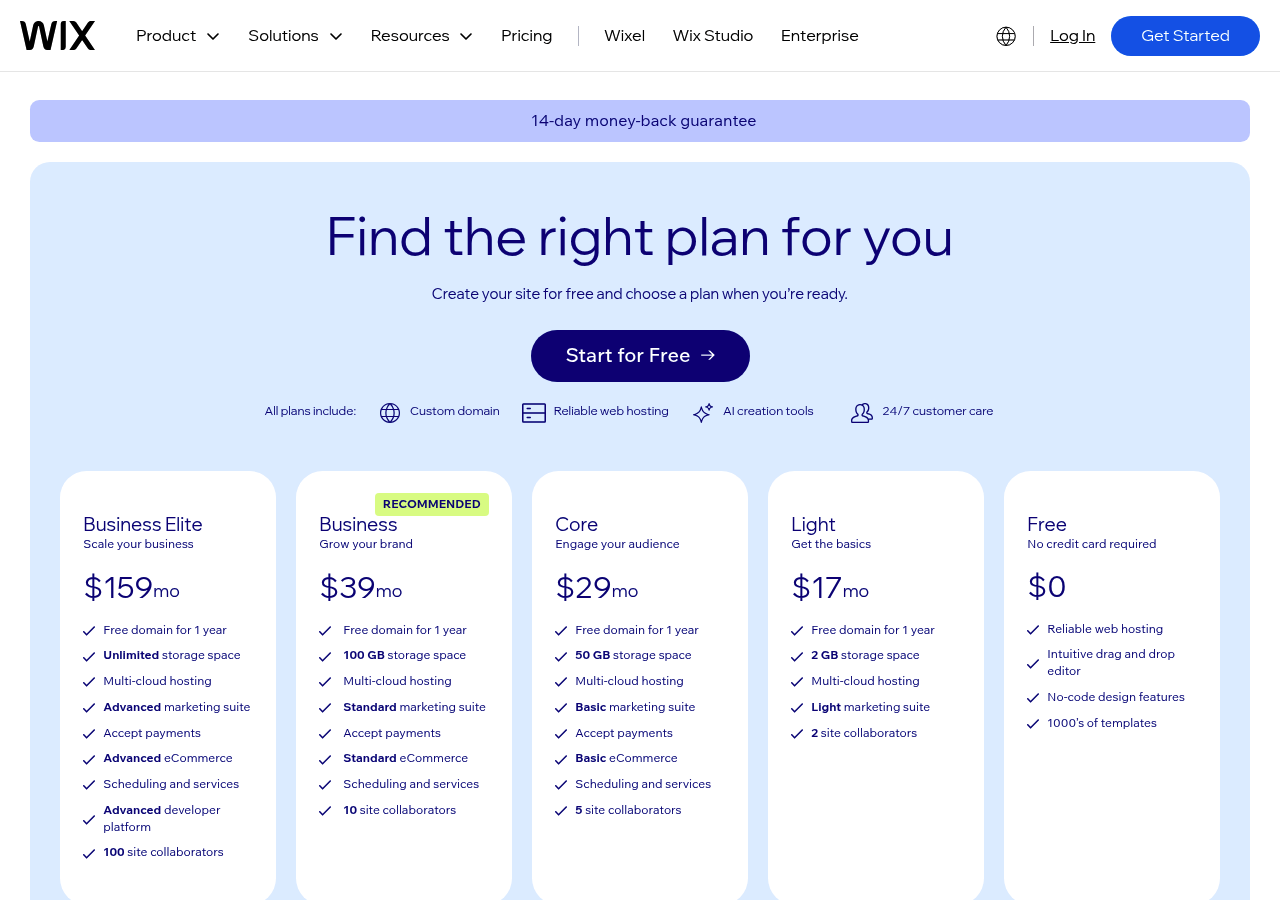
Free tiers advertise zero-dollar entry, yet professional deployment triggers cascading costs. Wix starts at seventeen dollars monthly for ad removal, but custom domains, premium templates, and transaction fees for e-commerce push totals higher.
Kleap's three-dollar starting point scales to twenty-five dollars for Pro features, providing reasonable transparency compared to competitors that bury add-ons in checkout flows. Appy Pie and Jimdo follow similar patterns: free trials with branded URLs, then sixteen-dollar and eleven-dollar monthly plans respectively to open up core functionality.
What confuses users isn't the base price; it's the gap between "easy" marketing and the budget math required once you compare AI website builders for ease of use against actual project needs.
Wix, the Chatbot Builder That Feels Like Talking to a Designer.
Wix's AI chatbot feels different because it actually asks questions that matter. Instead of placing you into a template library, the system spends 2-5 minutes learning your business goals, content preferences, and design style through conversational prompts.
According to Zapier's Website Builder Expert review, this approach delivers sites that feel like chatting with a designer rather than filling out a rigid form. The result is a polished starting point in minutes, not the generic output that plagues pure-AI tools.
Why Wix's AI chatbot outperforms rigid questionnaires.
The chatbot adapts. If you mention e-commerce, the system suggests product galleries and checkout flows.
Mention local services, and it prioritizes contact forms and location maps. This dynamic tailoring beats static questionnaires that force every user through identical steps, regardless of whether they need a portfolio or a booking system.
For entrepreneurs exploring AI website builder for local businesses, this flexibility matters more than raw generation speed.
The editing toolbox that keeps Wix user-friendly.
Post-generation control separates Wix from faster competitors. The drag-and-drop editor lets you tweak layouts: swap sections and adjust fonts without code.
The ecosystem adds depth: 800+ templates, an app market for plugins, built-in SEO tools, and 24/7 support. Pricing scales from free (Wix-branded) to $17/mo-$17/month for small businesses through enterprises.
Best fit: anyone wanting AI speed plus creative control after the fact.
Squarespace, elegant AI for Design-Conscious Beginners.
Squarespace's AI Design Intelligence delivers polished, aesthetically coherent sites from minimal input, a sharp contrast to builders that flood you with template chaos. Instead of 900 options, you answer three questions about intent and style. Then you receive a chosen layout that respects visual hierarchy and brand consistency.
The platform's design-first philosophy means AI doesn't just assemble blocks; it orchestrates typography, spacing, and imagery into a professional whole. For creatives who cringe at generic AI output, this approach removes guesswork while maintaining high aesthetic standards.
How Squarespace's AI Curates Design Better Than Competitors
The secret lies in constraint. While Wix offers over 800 templates and granular drag-and-drop tweaks, Squarespace limits choices to preserve design integrity.
Templates are industry-vetted, not algorithm-generated mashups. AI suggests layouts that match your sector, portfolios receive gallery focus, restaurants get menu prominence, and then it locks guardrails around spacing and font pairing.
You won't accidentally break visual balance, a common pitfall when beginners over-edit. Built-in blogging, e-commerce, and analytics eliminate plugin sprawl.
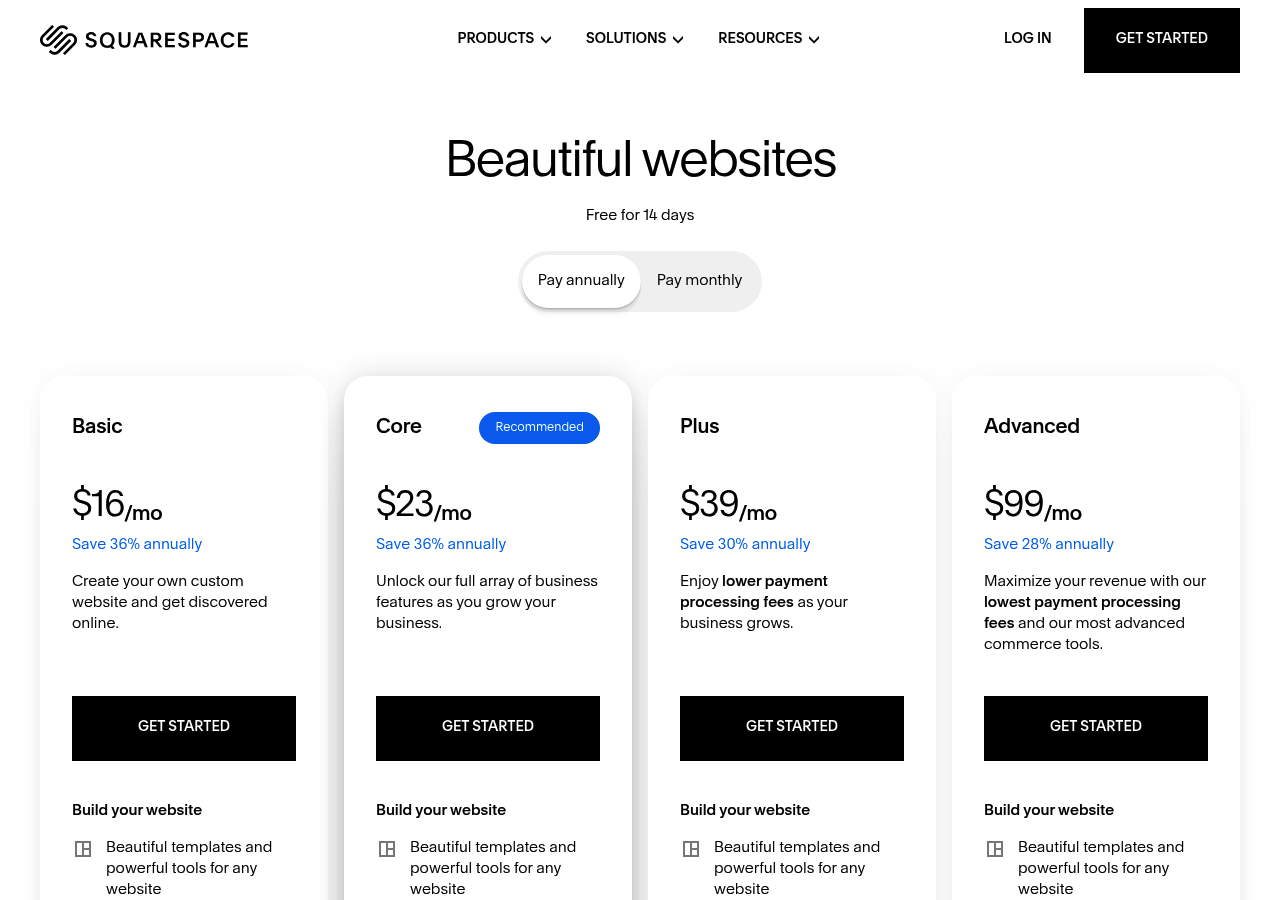
Pricing runs from $25/mo to $25/month with no surprise fees, covering hosting and SSL, which is far simpler than kleap vs framer AI debates over feature tiers.
When Less Editing Flexibility Is Actually an Advantage
Reduced control paradoxically speeds launches. Fewer dropdown menus mean less paralysis.
You can't obsess over pixel-perfect adjustments because the interface hides those levers, pushing you to publish instead of tinker. The trade-off is that advanced users wanting custom code integrations may feel boxed in.
But for bloggers and small shops prioritizing beauty over complexity, this simplification is the point: AI handles the heavy lifting while you focus on content, not CSS troubleshooting.
Kleap Tip: If Squarespace's templates feel too rigid after the initial setup, test AI regeneration with different style keywords; "minimalist" versus "editorial" can unlock alternative layouts without manual repositioning.
Webflow, Design Freedom Without Code for Advanced Users
Webflow occupies the middle ground between drag-and-drop simplicity and hand-coded precision. Its visual canvas lets you manipulate CSS properties, flexbox layouts, and responsive breakpoints through an interface that mirrors developer logic without requiring syntax.
AI suggests starting structures, and you refine spacing, typography, and interactions with designer-level control. This approach demands more investment than Wix's chatbot flow; expect a week to feel fluent, but it delivers pixel-perfect results impossible in template-locked builders.
Why Webflow's Learning Curve Pays Off for Serious Users
Marketers upgrading from basic platforms and freelance designers appreciate Webflow's CMS for dynamic content (blog posts, portfolios, product catalogs) and its interaction engine for scroll-triggered animations, capabilities that otherwise require hiring a developer. Hosting scales to enterprise traffic loads automatically.
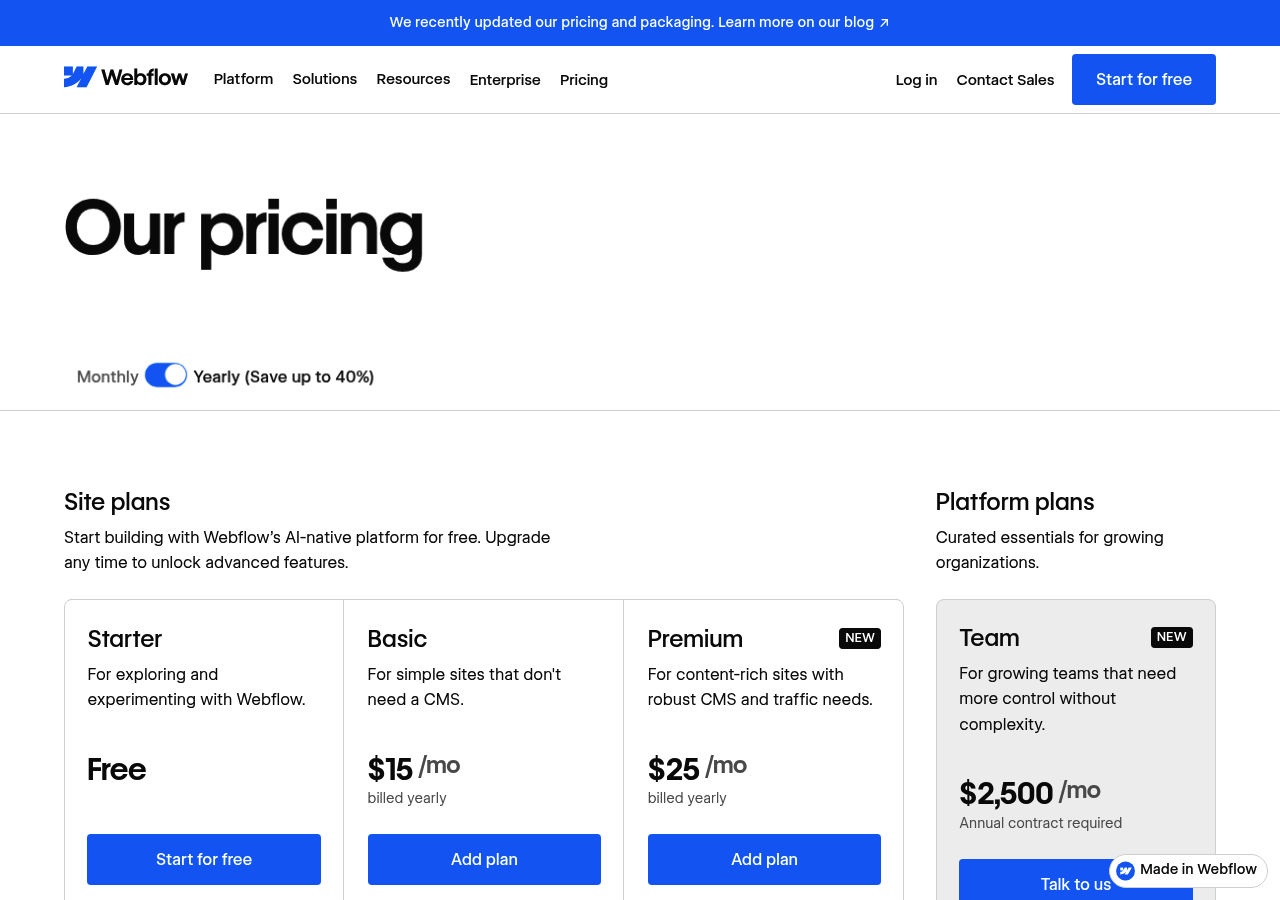
Pricing starts free for hobby projects, then ranges from $17/mo to $17/month for site plans; CMS and e-commerce tiers add functionality as you grow. It is best suited for agencies and tech-savvy small business owners who have outgrown Wix but won't touch code.
Framer, AI-Powered Prototyping Meets Live Sites
Framer collapses the gap between prototype and production. Its AI site generator spins up layouts from a single prompt. Then, it hands you a Figma-like canvas where transitions, interactions, and micro-animations are native tools rather than afterthoughts.
That heritage as a prototyping platform shows: you're not just arranging boxes; you're orchestrating motion and timing with the same precision product designers expect when mocking up app flows. Teams appreciate multiplayer editing that lets designers and developers co-author pages in real time, reducing the back-and-forth that typically stretches launch timelines.
From Prototype to Production in One Platform
Component libraries eliminate repetitive work: build a navigation bar or card layout once, then drop instances across every page. Pricing aligns with use cases, free for personal experiments, five to thirty dollars monthly for client projects and professional sites.
Startups blending marketing sites with interactive prototypes will find Framer's mix of AI speed and manual control particularly useful, though hands-on tests confirm it demands more design fluency than purely prompt-based builders.
10Web, WordPress Simplicity Powered by AI
10Web solves this by wrapping WordPress in an AI layer that handles the technical burden. Its AI Builder generates complete WordPress sites from a single prompt, then takes you into Elementor for drag-and-drop edits.
You get WordPress's vast plugin ecosystem without server headaches, managed hosting that auto-updates core files and themes, and a PageSpeed Booster that compresses images and optimizes caching to achieve 90+ scores without touching code. The one-click migration tool pulls existing WordPress sites onto 10Web's infrastructure in minutes, preserving your content while upgrading performance.
Pricing spans 10 to 60 dollars monthly, bundling hosting, CDN, and SSL into one bill.
Why 10Web makes WordPress feel like a modern AI builder
Traditional WordPress requires you to install plugins, configure caching, and troubleshoot compatibility conflicts. 10Web's AI Builder skips this entirely: describe your business in a few sentences, and it assembles a fully structured site with optimized layouts and placeholder content. Once live, you edit through Elementor's visual interface rather than wrestling with themes and shortcodes.
This approach suits WordPress loyalists who want the platform's flexibility but refuse to learn server administration. The system also monitors uptime and applies security patches automatically, removing the risk of outdated plugins exposing your site to attacks.
The all-in-one hosting advantage
Most AI builders lock you into their ecosystem. 10Web gives you a genuine WordPress installation, meaning you can export your site and migrate elsewhere if needed. The managed hosting includes automated daily backups stored for 14 days, CloudFlare CDN integration, and free SSL certificates that renew without manual intervention.
For bloggers publishing weekly and small businesses running WooCommerce stores, this eliminates the usual WordPress problems: slow load times from bloated themes, broken sites after plugin updates, and surprise hosting bills when traffic spikes. You pay a flat monthly rate and focus on content instead of infrastructure.
Hostinger, Budget-Friendly AI for Fast Launches
Hostinger's AI website builder strips away the complexity that slows down most platforms. Answer a three-minute questionnaire about your business goals, and the AI generates a complete site, including domain, email, and SSL certificate, in a single bundled package starting at $2.99 per month.
That's significantly cheaper than standalone builders that charge for hosting separately.
How Hostinger Delivers Premium Results at Entry-Level Prices
The all-in-one approach eliminates the usual headaches of coordinating hosting providers, domain registrars, and site builders. You get immediate publishing capability without juggling multiple dashboards or subscriptions.
Pricing tiers range from $2.99 to $9.99 monthly, making it the most budget-conscious option for side hustles and local businesses that prioritize launch speed over extensive customization.
When Simplicity Beats Feature Bloat
Hostinger sacrifices advanced design controls found in Wix or Webflow. The trade-off?
You're live in hours, not weeks. This is best for solopreneurs who need a professional storefront quickly without wrestling with endless template variations or code editors.
Durable, the Fastest AI Builder for Service Businesses
Durable delivers what busy service providers crave: a functioning business website in under 60 seconds. One prompt, including your business type, location, and a brief description, allows the platform to generate industry-specific copy, contact forms, and calls-to-action without further input.
Contractors, consultants, and freelancers who need an online presence today, not next week, find this speed unmatched. The trade-off is design customization.
Design customization takes a back seat to automation. You won't tweak every pixel, but you will have a professional site live before competitors finish their first wireframe.
Why Durable wins the speed race
Durable's single-prompt architecture eliminates the multi-step setup that plagues slower builders. Type your business details once, and AI populates services, testimonials, and even appointment booking fields in 30 seconds.
Local service providers, such as plumbers, landscapers, and accountants, benefit most: the platform understands industry terminology and converts it into client-ready copy instantly.
The all-in-one business tool advantage
Beyond site generation, Durable bundles a lightweight CRM and invoicing module. Track leads, send quotes, and collect payments without connecting to Stripe or third-party apps.
Pricing spans free plans to $12 and $20 monthly, making it affordable for solo operators prioritizing function over elaborate design.
Side-by-side comparison: which builder fits your skill level and goals
Builder.io generates a functional site from a single prompt in under a minute, making it the fastest overall, while Wix requires a chatbot conversation lasting two to five minutes, though it delivers more polished results.
Kleap launches Pro plans at $25 monthly and scales to enterprise custom pricing, whereas Jimdo starts at $25/mo for branded-free tiers. If raw speed matters most, Builder.io wins.
If you need mobile-first editing plus enterprise security, Kleap delivers both.
Quick decision matrix: match your needs to the right platform
Choose Kleap if you want full code ownership and mobile editing. Pick Wix if you prefer mature AI paired with drag-and-drop refinement.
Opt for Builder.io when you need a prompt-to-publish workflow without manual tweaks.
Frequently asked questions about AI website builders and ease of use
How long does it take to learn an AI website builder? Under two hours for most platforms.
Builder.io generates a functional site in under one minute via a single prompt, while Wix's chatbot-style builder takes two to five minutes. If you've never built a site before, expect ten to fifteen minutes to explore the dashboard, which is still far faster than traditional tools.
Can you fully customize an AI-generated site, or are you locked into templates? That depends on the platform.
Kleap, Wix, and Framer offer deep visual editing after the AI generates the layout, allowing you to tweak every section without code. Durable and Hostinger, by contrast, limit post-generation changes, which is acceptable for quick landing pages but restrictive if your brand evolves.
Always test the editor before committing to a plan.
Finding the easiest AI website builder for your unique situation
What feels "easiest" shifts with your technical comfort and project demands. Absolute beginners launching a personal site or testing an idea benefit from Hostinger or Appy Pie, as questionnaire-driven flows remove guesswork.
Growing businesses juggling mobile traffic and e-commerce find that Kleap's mobile-first editor and Pro plan at 25 dollars monthly deliver speed without sacrificing control. Wix balances chatbot simplicity with mature SEO tools, which is ideal when you need both launch velocity and post-AI tweaks.
Design professionals gravitating toward Framer or Webflow gain Figma-like precision, although the learning curve steepens.
Your next step: test before you commit
Use free trials to compare prompt quality and editing friction; Builder.io's single-prompt generation, Wix's chatbot conversation, and Kleap's all-in-one platform each shine in different contexts.
Start with Kleap's free tier if mobile-first simplicity aligns with your audience, or explore Wix for balanced control. Launch today.
The Right AI Website Builder Is the One You'll Actually Use
When you compare AI website builders for ease of use, the winner isn't always the one with the longest feature list. It's the platform that matches your technical comfort level, respects your timeline, and scales with your ambitions.
Kleap earned the top spot because it removes the friction that most builders create. No template paralysis, no mobile redesigns, and no learning curve that stalls your launch.
Your next step is simple: pick the builder that aligns with your project goals and start building today. If speed and mobile-first design matter most, Kleap's free trial lets you publish a live site in under an hour.
Ready to see how fast you can go from idea to live website? Start your free Kleap trial now and experience the easiest AI website builder on the market.
Your audience is mobile. Your builder should be too.


