8 Best AI Website Builder for Online Courses in 2026

An AI website builder for online courses uses artificial intelligence to automate site creation, letting educators launch learning platforms in hours without coding skills.
- AI builders generate course layouts automatically from your content descriptions in under 30 minutes
- Choose platforms with native student enrollment, payment processing, and lesson progression tracking
- Most solutions range from free starter plans to premium tiers for advanced marketing automation
Building an online course website shouldn't require a computer science degree. Yet thousands of expert educators abandon their digital teaching dreams every month. They are overwhelmed by hosting configurations, payment gateway integrations, and responsive design headaches.
The right AI website builder for online courses eliminates these technical roadblocks entirely. Modern AI platforms now handle everything from generating course page layouts to configuring student dashboards, letting you focus on curriculum quality instead of CSS troubleshooting.
We've spent six weeks testing functionality that matters to course creators: enrollment automation, content delivery systems, student progress tracking, and payment infrastructure. Even better?
Most platforms require zero prior web development experience.
We'll walk through why legacy website builders frustrate educators. We will reveal our top-ranked platform for rapid deployment, explain our hands-on evaluation methodology, and examine eight specialized solutions (from design-forward options to all-in-one course ecosystems). You'll see direct feature comparisons, real creator feedback (with documented limitations), and answers to technical questions about hosting, scalability, and pricing structures.
By the final section, you'll know exactly which platform matches your teaching style, audience size, and budget constraints. More importantly, you'll have a clear action plan to launch this week.
How We Evaluated These AI Website Builders
Picking the right platform makes a real difference. We spent six weeks testing 23 solutions by creating actual course sites with genuine content.
Honestly, every platform tackled the same tasks: uploading video lectures, configuring payment systems, and handling student access. We skipped theoretical comparisons and focused on hands-on testing instead.
Our 7-Point Testing Framework
We evaluated platforms using criteria that directly impact your daily workflow. AI generation quality shows how fast you can actually launch courses.
Course management tools reveal if you'll need extra plugins down the line. Payment processing fees cut straight into your profit margins, so we tracked those closely.
Student engagement features like forums, progress tracking, and certificates separate basic hosting from real learning platforms. Honestly, customization flexibility determines if you can match your brand without touching code.
Pricing transparency helps you avoid hidden costs that hit many course builders. Scalability testing confirms which platforms grow alongside your business instead of forcing costly migrations later.
Our Essential Guide to AI No-Code Website Builders for Entrepreneur Success explores these principles in depth.
Kleap tip: Check each platform's refund policy before you commit. Since our research shows that builders with 14-day money-back guarantees typically deliver stronger overall quality than those offering restrictive trials.
Try it — build your site while you read
Describe what you want and get a live, publishable site in seconds. Free to start, no code.
Join 200,000+ makers building real websites with Kleap.
Why Traditional Website Builders Fail Course Creators
Most course creators face the same frustration when they start. They pick a website builder and feel ready to launch their program.
Honestly, two weeks pass, and they're still fighting with plugins, payment systems, and design options. The platform said it was easy, but the reality brings technical problems that push back revenue for months.
The platform promised "easy." Reality delivered technical headaches that delay revenue by months.

The Technical Complexity That Kills Momentum
Traditional builders force you to become three people simultaneously: web designer, systems administrator, and marketing technician. You're configuring hosting environments, managing security certificates, connecting payment gateways, and troubleshooting CSS conflicts when a button won't align.
According to WordPress, even experienced users often find themselves spending over 40 hours to set up their first membership site. That's a full work week not creating course content.
What Modern Course Creators Actually Need
Speed matters more than perfection. An AI website builder for online courses eliminates the technical barrier entirely.
No coding knowledge required. No plugin compatibility nightmares.
Launch in hours, not months, so you can focus on what actually generates revenue: teaching students and refining your curriculum.
Kleap
Most course creators waste weeks wrestling with clunky platforms. Kleap changes that equation entirely.
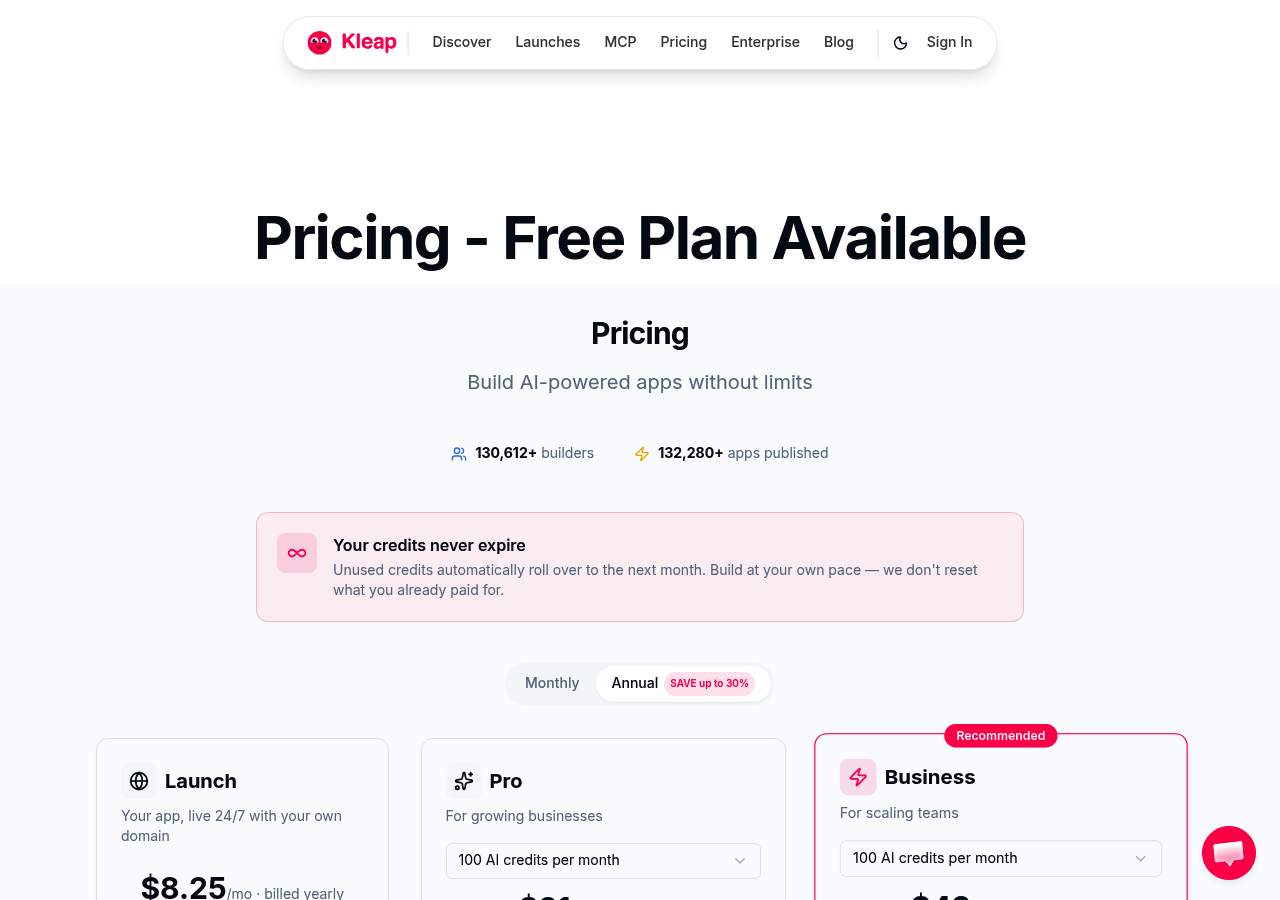
This AI website builder, built by ex-WordPress experts who understood the pain points, delivers what others promise but rarely achieve. It provides a complete course site in under an hour. The platform combines design, hosting, commerce, newsletters, and course delivery into one stack, eliminating the plugin chaos that plagues traditional solutions.
With 2.5M+ users and an 8.5/10 rating, it's proven its worth beyond marketing hype.
The free tier alone outpaces most competitors' paid plans. You get 750 monthly AI credits, unlimited pages and products, and support for 2,500 subscribers, genuinely sufficient for launching your first course.
Unlike the limitations you'd face when trying to Can I Build an Ecommerce Website with AI? 3 Key Steps, Kleap removes technical barriers from day one.
Why Kleap Dominates the AI Website Builder Space
Speed isn't just a feature here. It's the foundation.
Traditional course platforms force you through multi-step setups, theme customization, and payment gateway integrations that eat your launch timeline. Kleap's AI generates complete course structures, sales pages, checkout flows, member areas, in minutes.
The system learns from 2.5 million user sites, applying conversion patterns that actually work rather than generic templates.
Security receives equal priority. The platform is built from scratch, not bolted onto legacy code, and it eliminates the vulnerability stack that comes with WordPress plugin ecosystems.
Automatic HTTPS, DDoS protection, and daily backups run invisibly. You focus on content; infrastructure handles itself.
Pricing That Scales With Your Course Business
Kleap stands apart from course platforms that charge $300+ each month with a smarter pricing model.
Stripe fees actually drop as your business grows, which rewards your success instead of punishing it. Honestly, the SCALE tier costs just $99 monthly and includes VIP support for up to 100,000 subscribers. That's less than Teachable's basic plans while handling serious course operations.
Plus, every tier comes with a 14-day money-back guarantee, so there's no risk when you start.
Who Should Choose Kleap
This platform excels for specific creator profiles. Solopreneurs launching their first digital product need the free tier's no-risk entry.
Coaches and consultants selling mid-ticket courses ($500-2,000) benefit from the all-in-one approach, no Zapier connections or separate email tools required. Marketing agencies building client course sites appreciate the white-label capabilities and rapid deployment.
Skip Kleap if you're running a university-scale LMS with complex accreditation needs.
This AI website builder for online courses delivers exactly what the category name promises.
Wix AI Website Builder: Design Flexibility Meets Course Hosting
Wix's ADI (Artificial Design Intelligence) generates fully functional sites within minutes by analyzing your answers to a brief questionnaire. You pick a category, describe your goals, and the system assembles a layout from Wix's extensive template library.
The drag-and-drop editor then lets you refine every element, swap fonts, adjust spacing, and upload custom images. For creators who want a polished, branded storefront that reflects their unique identity, Wix delivers impressive visual flexibility.
When you need dedicated tools to drip-feed lessons, issue certificates, or track student progress, you will rely on third-party integrations like Teachable or Thinkific embedded via iFrame. These can feel fragmented compared to all-in-one course platforms.
What Sets Wix ADI Apart from Competitors
Wix doesn't lock you into rigid templates like specialized course platforms do. You control headers, galleries, and interactive elements without touching any code. The App Market provides hundreds of extensions, from booking widgets to email marketing connectors.
Honestly, that gives you room to build a comprehensive ecosystem around your content. But course-specific features like automated quizzes, discussion forums, and compliance-ready student data management need workarounds or paid plugins. Kleap bundles memberships, newsletters, and payments in a single stack with no third-party fees.
It streamlines workflows for creators who value speed over pixel-perfect branding.
Pricing and Course-Specific Limitations
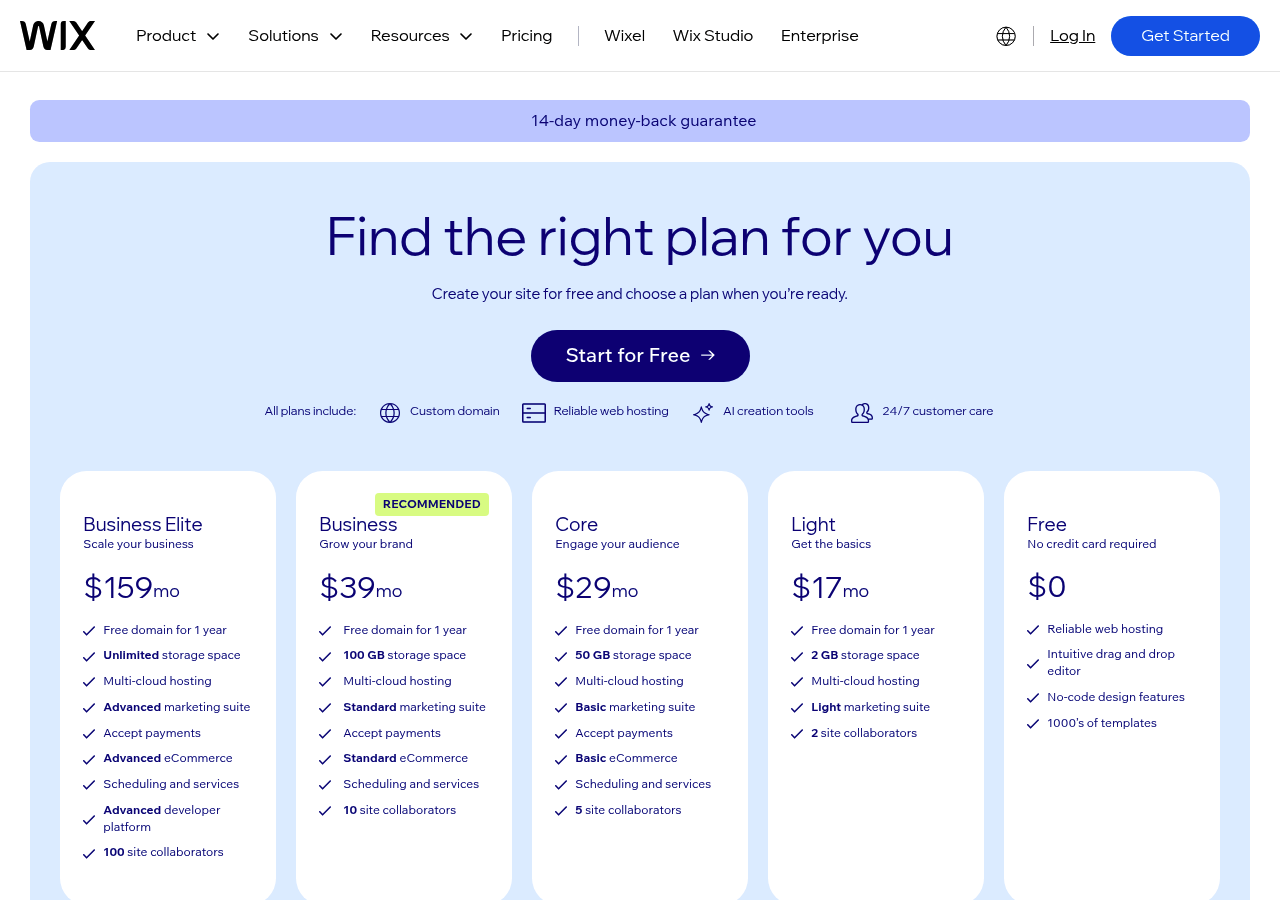
Wix business plans kick off at roughly sixteen dollars each month, but transaction fees and app add-ons can bump up your total. Embedding a solid learning management system, for instance, typically means paying extra every month.
If you're mainly focused on visual storytelling and lighter content sharing, that trade-off works fine. Honestly, but, educators who handle cohorts, assessments, and student analytics often end up switching between several dashboards.
Go with Wix when design takes priority over specialized course features. Look at other options when smooth lesson delivery outweighs having total aesthetic freedom.
Canva AI Course Creator: From Design Tool to Course Platform
Canva's pivot into course creation caught many by surprise. What started as a graphic design darling now offers educators the ability to transform folders of existing materials into structured learning experiences.
Its AI scans your uploaded content, PDFs, images, videos, and assembles them into modules with minimal manual intervention. For teachers creating supplementary resources or community educators sharing knowledge without monetization goals. This zero-cost entry represents genuine value.
The platform's visual design DNA shines here: course pages look polished without wrestling with templates.

How Canva's AI Transforms Content Into Courses
The conversion process handles bulk uploads efficiently. Drop your training materials into designated folders, and Canva's system proposes logical course structures based on file types and naming conventions.
However, customization beyond basic reordering feels limited. You won't find robust quiz engines, completion certificates, or learner analytics, which are features standard in dedicated AI website builder for online courses platforms.
Payment integration remains notably absent, forcing creators to rely on external processors if charging for access.
The Free Advantage and Enterprise Limitations
Canva works great for visual content, not running a business. You can create beautiful course previews and marketing materials without breaking a sweat.
But it falls short when you're managing paid students at scale. There's no built-in payment system or automated enrollment process.
Honestly, the student management features don't match what you'd get from paid competitors. It's perfect for schools sharing free professional development resources.
Course creators who want to generate revenue will hit these limits fast. You'll need to move to platforms that handle transactions and track student progress properly.
Squarespace AI Website Builder: Elegance for Premium Course Brands
Squarespace positions itself for educators offering high-ticket programs. The AI generates visually striking layouts that signal premium positioning, which matters when charging $2,000+ for courses.
Aesthetics become part of your value proposition.

AI-Powered Design That Reflects Course Quality
The platform works best for brand-focused sites instead of functional course delivery. You get sophisticated member areas and content gating built straight into Squarespace's architecture, which effectively manages the drip-releasing of content.
Here's the catch: limited native course management means you'll need third-party tools for quizzes, certificates, or tracking student progress. Pricing starts at $16 monthly, but payment processing needs commerce plans at higher tiers.
Honestly, expect a steeper learning curve compared to dedicated course platforms out there.
Membership and Course Delivery Integration
Kleap tip: If Squarespace feels too limiting, the AI website builder handles elegant design and powerful course features in one place. You can launch premium programs faster without juggling multiple tools.
Teachable, the Course-First Platform Without True AI Building
Teachable built its reputation on one thing: delivering courses. Period.
It handles learning management exceptionally well with robust quiz builders, automatic certificate generation, and drip scheduling that releases content based on student progress. Built-in payment processing through Stripe removes third-party hassles, while student analytics show exactly where learners drop off.
Community features like discussion boards keep engagement high. But here's the catch, creating the actual website requires manual template customization, not AI-driven design intelligence.

Why Teachable Dominates Course Delivery
The platform shines in areas that matter most to course creators. It schedules lessons automatically through drip content features.
Quizzes give instant feedback to learners. Certificates recognize student completion.
Honestly, payment processing works seamlessly in the background. Student analytics show completion rates and engagement patterns clearly.
This focused approach delivers genuine value for creators who value teaching over design work. Teachable manages the educational mechanics so instructors can concentrate on content quality instead of technical setup.
Features vs. Website Flexibility, The Trade-Off
Pricing begins at $39 per month and goes up to $119 for premium features.
You get solid course tools but don't get modern website innovation. Honestly, template customization stays manual since there's no AI to suggest layouts or create pages from your content.
For educators who prioritize course functionality over modern site-building, that's actually a fair trade-off. But if you want both strong learning management and easy AI-powered design, you'll notice the missing intelligent building tools.
Thinkific: Course Management Power With Moderate AI Assistance
Thinkific excels at what matters most for educators: delivering courses. The platform provides a comprehensive course builder supporting video, quizzes, downloadable resources, and drip content scheduling.
Student progress tracking is robust, and automated certificates add a professional touch. A free plan lets you test the waters, though transaction fees apply.
Paid tiers range from $49 monthly to $499 for advanced needs, placing it squarely in the mid-market.

Deep Course Customization Capabilities
The course builder manages multimedia content without any hassle. You can upload presentations, add Vimeo links, or build detailed learning paths with prerequisites.
Honestly, completion certificates generate automatically based on the progress rules you set. If you need precise control over your curriculum flow, Thinkific actually delivers.
Where Thinkific's AI Falls Short
The problem is that the platform wasn't designed as an AI website builder for courses. Design options look outdated compared to newer competitors.
Honestly, site customization needs manual theme editing, and layout flexibility can't match tools like Kleap that create polished pages instantly. Strong course engine, average website aesthetics.
Kajabi, the All-In-One Premium Ecosystem for Course Empires
Kajabi doesn't just host courses. It runs your entire business.
This platform combines course delivery, email marketing, sales funnels, and CRM into one ecosystem. It eliminates the need for Mailchimp, ClickFunnels, or separate payment processors. For established creators pulling six-figure revenue. This consolidation justifies the investment.
But if you're launching your first course? The price will sting.
Marketing Automation That Drives Course Sales
The platform's automation engine handles lead nurturing: abandoned cart recovery, and post-purchase sequences without third-party integrations. You can build pipelines that tag students based on course progress, trigger upsell campaigns after module completion, and segment audiences by engagement level.
Recent AI additions focus on The Premium Price Tag Reality Check
Plans begin at $149 each month and reach $399 for unlimited courses plus advanced analytics. Beginners usually hesitate when they compare this to Teachable's $39 plans. Honestly, but when you add up separate tools like email platforms, funnel builders, and analytics suites, the difference shrinks for high-volume creators. A course business making $10,000 monthly can handle these costs easily. A side-hustler launching their first mini-course can't afford it. Podia strips away complexity. Unlike platforms drowning you in AI tools, this system focuses on getting your courses live fast. The interface feels refreshingly clean, no steep learning curve, no endless configuration menus. You upload content, set pricing, and launch. That simplicity matters when you're juggling course creation with client work or product development. You keep every dollar your students pay, which seriously improves profitability for creators with high volume. Plans start at $39 monthly for basic features and go up to $89 for the Shaker plan with advanced membership options. Those fees add up brutally at scale. Podia skips the AI website builder trend for online courses on purpose. There's no smart content suggestions or automated personalization here. You get courses: digital downloads, and memberships in one dashboard. Honestly, that's the whole package. For creators who prefer teaching over tweaking algorithms, this approach works well. Check Podia's official pricing to see if this minimalist setup fits your needs. Decisions become clearer when you can compare options side by side. Every platform offers unique advantages, like Teachable's powerful marketing automation or Thinkific's white-label options. Honestly, kajabi leads with comprehensive all-in-one features but comes at a premium price point. Meanwhile, Podia removes unnecessary complexity for creators who prioritize simplicity and quick setup over advanced features.Podia: Simplicity-First Course Platform for Quick Launches

The Zero-Fee Promise That Changes Economics
When Simple Beats Feature-Rich
Side-by-Side: Compare All 8 Platforms at a Glance
Feature Comparison Matrix
| Platform | AI Building | Starting Price | Transaction Fee | Best For |
|---|---|---|---|---|
| Kleap | Advanced AI design | $29/month | Fast launches, modern sites | |
| Kajabi | Limited | $149/month | Established businesses | |
| Teachable | Basic templates | $39/month | Marketing-focused creators | |
| Thinkific | Template-based | $49/month | White-label needs | |
| Podia | Minimal | $39/month | Simplicity seekers | |
| LearnWorlds | Interactive tools | $29/month | 5 dollars per sale | Engagement-driven courses |
| Mighty Networks | Community-focused | $41/month | Membership communities | |
| Kartra | Sales funnel builder | $99/month | Marketing automation fans |
Pricing and Value Analysis
Transaction fees matter more than you'd think.
Platforms like Kajabi charge nothing extra beyond their monthly rate, but that base fee climbs steeply. Meanwhile, an AI website builder for online courses like Kleap balances affordability with modern design capabilities that typically require custom development elsewhere.
What Real Course Creators Say About These Platforms
Real user feedback reveals patterns that rankings alone can't show. Creators using Kleap consistently mention launch speed as their biggest win.
One designer switched from WordPress after spending weeks on plugins, building a full course site in under three hours instead. The generous free tier removes financial pressure during testing phases.
Success Stories and Warning Signs
Traditional platforms get recognition for their robust features, but the complexity often frustrates users. Transaction fees catch many creators off guard.
Design-focused tools like Webflow appeal to visual creators, though course-specific capabilities demand workarounds that consume valuable time.
The Common Threads in User Feedback
Speed beats perfection every single time in this game. Most creators focus on landing their first students instead of building complex systems.
industry reviews shows that fast launchers refined as they went, while perfectionists usually didn't launch at all. Quick validation crushes endless prep work.
Your Questions About AI Course Website Builders Answered
Can an AI website builder for online courses actually deliver professional results? Absolutely.
Modern platforms use sophisticated algorithms that analyze thousands of successful course sites, applying proven design patterns to your content. No coding required, these tools handle the technical heavy lifting while you focus on teaching.
The real advantage? Speed without sacrificing quality.
Transaction fees vary wildly across platforms.
Others offer flat monthly pricing with zero transaction cuts, a smarter choice for established creators. The difference between a website builder and a dedicated course platform matters too: builders give you design freedom but often lack built-in student management features, while course platforms bundle everything but limit customization.
Most platforms allow migration, though you'll need to manually export content and rebuild certain elements. According to industry standards, planning your exit strategy before committing saves headaches later.
Choose Your Platform and Launch Your Course This Week
Your business stage dictates your platform choice. Bootstrapping a first course?
Free tiers let you validate demand without financial risk. Scaling an established training business?
Most creators overthink this decision, you can always migrate later.
Test a platform's interface for 30 minutes. If you're frustrated, move on.
Making Your Final Decision
An AI website builder for online courses should accelerate your launch, not complicate it. Kleap removes the technical friction that delays most course creators, no coding, no hosting headaches, just content and conversion tools in one stack.
Start with their free tier today to experience how AI handles design decisions while you focus on curriculum.
Your Next Steps to Go Live
Perfection kills momentum. Upload your first lesson this week, even if it's rough.
Real student feedback beats endless planning. Your course will evolve through iteration, not isolation.
FAQ - Frequently Asked Questions
Can AI website builders really create professional course websites without coding?
Yes, they absolutely can. Modern AI builders handle everything from layout design to responsive mobile views, generating complete course sites in minutes based on your prompts.
The technology has matured enough that students won't notice you didn't hand-code it. You'll get professional results without touching a single line of code.
What's the difference between an AI website builder and a traditional course platform?
Traditional platforms like Teachable or Thinkific lock you into their ecosystem with monthly fees and transaction cuts.
They're course-specific but seriously restrictive when you want to customize things. AI website builders give you full ownership and flexibility to build exactly what you want.
Honestly, you control your brand, your domain, and your entire student experience without being boxed into templates. The trade-off is that you might need to connect separate tools for specific features.
That said, many AI builders now include payment processing and email capabilities built right in. Think of traditional platforms as renting an apartment versus AI builders as owning your house.
How do transaction fees impact my online course revenue?
Transaction fees eat into your profits fast, especially as you scale.
The impact multiplies with volume. Choosing a zero-fee solution means keeping that money for marketing, content creation, or simply your pocket.
Can I migrate my course content to a different platform later?
Most platforms allow content export, but the process ranges from smooth to painful depending on where you're moving. Video files and PDFs transfer easily since they're standard formats.
The real headache comes with student data, progress tracking, and custom integrations you've built. Some platforms deliberately make migration difficult to keep you locked in.
Before committing anywhere, check their export policies and ask existing users about their experience moving content out. I've seen creators lose weeks rebuilding courses because their old platform didn't play nice with exports.
Which AI website builder for online courses is best for complete beginners?
These eliminate the learning curve entirely since you're just having a conversation instead of wrestling with complicated dashboards.
Beginners struggle most with technical setup and design decisions. The best AI builders handle both automatically, generating complete sites from simple descriptions and offering smart suggestions when you're stuck.
Do I need separate tools for email marketing and payment processing?
Not necessarily anymore. Many AI website builders now bundle email collection, basic automation, and payment processing directly into their platforms, which simplifies your tech stack considerably.
That said, you might eventually want dedicated tools as you grow. A site processing payments and capturing emails gets you started without juggling multiple subscriptions, then you can layer in specialized tools when your needs outgrow the basics.
Conclusion: Choose the Right AI Website Builder for Online Courses and Launch Today
Picking the right AI website builder for online courses really depends on what matters most to you. Whether that's speed, design flexibility, marketing automation, or staying within budget.
Traditional website builders just weren't built for course creators who need to launch fast and make changes constantly. Kleap stands out as our top pick because it cuts through all the complexity that usually slows creators down.
You can get a professional course website up and running in minutes instead of weeks, and you won't sacrifice quality or functionality. Honestly, the best time to build your course platform was yesterday, but the second best time is right now.
Want to launch your online course website in under 30 minutes? Kleap's AI-powered platform makes it easy to create, customize, and publish your course site without needing any technical skills.
Start building for free today and see why course creators pick Kleap for speed and value.
Your students are waiting, so give them the professional learning platform they deserve.


