Which AI Website Builders Have a Free Tier or Trial?

The top free AI website builder options in 2024 include Kleap for speed, Wix for features, and Hostinger for value; each offers AI-powered design without upfront costs.
- Launch a professional site in under 10 minutes using AI prompts instead of coding.
- Free plans typically include hosting and basic templates, but connecting a custom domain requires a paid plan.
- Mobile-first designs now outperform desktop-only sites in conversion rates.
Choosing a website builder shouldn't feel like defusing a bomb. Yet here we are, scrolling through endless 'revolutionary' platforms that promise the moon but deliver a pixelated rock.
The explosion of free AI website builders has created a paradox: more options mean more confusion. For entrepreneurs launching their first venture, freelancers building client portfolios, or agencies testing prototypes, the stakes are high (and budgets often aren't).
We spent three weeks building identical test sites across eight platforms to find which top free AI website builder truly delivers. Some impressed us with their AI capabilities.
Others buried essential features behind paywalls or produced generic, cookie-cutter designs that screamed 'template.'
What separates legitimately useful AI builders from glorified form fillers? How speed compares to design flexibility.
The hidden costs that turn 'free' into expensive surprises.
We'll walk through our comparison methodology, then dissect each builder's strengths and deal-breaking limitations. You'll see side-by-side comparisons and scenarios showing which platform matches your specific needs: whether that's launching fast, maximizing creative control, or building something clients will actually pay for.
How We Evaluated These 8 Free AI Website Builders
We skipped the marketing hype completely. Our team invested three weeks building real websites from scratch on every platform.
The reason? Only actual testing shows what 'free' truly delivers.
Some builders promised AI wizardry but gave us slow, clunky performance instead. Others hid essential features behind expensive paywalls.
We documented everything: how fast sites generated, editing hassles, and mobile display problems. Every platform faced the same test: build a working business site in less than 30 minutes.
In practice, the findings caught us off guard, particularly when we compared website AI builder free options that promised similar results but produced wildly different outcomes.
Our 6 Essential Testing Criteria
We evaluated each builder using six key factors that matter to users. Performance metrics topped our list for AI generation speed and how fast you can publish. We also checked free tier limits like storage caps, bandwidth restrictions, and which features you can access.
Design flexibility counted too. Can someone without tech skills adjust layouts without touching code?
We ran mobile tests across five different devices and reviewed SEO tools including meta tags and structured data options. We weighted each factor based on feedback from our 2,000-plus entrepreneur community.
Why Speed and AI Quality Mattered Most
Two factors shaped our evaluation: how fast these tools generate sites and the quality of their AI output. Here's what split the winners from the rest: Kleap tip: Test any builder's AI by requesting three different homepage versions for the same business description. You'll see its real capability through variation and relevance.
Speed matters because entrepreneurs don't have time to waste on perfection.
A site that's ready in 20 minutes beats one that needs two hours of adjustments, even if that second option looks slightly better.
Try it — build your site while you read
Describe what you want and get a live, publishable site in seconds. Free to start, no code.
Join 200,000+ makers building real websites with Kleap.
Why Free AI Website Builders Are Disrupting Traditional Web Design
Traditional website builders force you to wrestle with templates. Drag a box here, adjust padding there, and preview in mobile view; it's tedious.
AI website builders flip this model entirely by interpreting natural language prompts and generating complete layouts in minutes. Instead of choosing from 200 pre-designed templates, you describe your business goals. Algorithms produce custom designs that match your brand voice.
Wix AI, for instance, builds a usable site with multiple pages and themes in roughly 30 minutes. This demonstrates how machine learning now handles what previously required hours of manual labor.

The Technology Behind AI Website Generation
These platforms mix natural language processing with design algorithms trained on millions of real websites. When you type "fitness coaching business targeting busy professionals," the system checks industry patterns, color psychology, and layout standards for wellness services.
In practice, the output looks like what a junior designer would create: a solid structure, coherent branding, and functional navigation. You skip the typical three-week wait and the multi-thousand-dollar invoice that usually comes with it.
Why Free Tiers Are Getting Better, Not Worse
Contrary to what you often read, free tiers aren't shrinking; they're expanding strategically. Companies discovered that power users who start free eventually upgrade for custom domains or advanced features, making the freemium model more profitable than charging upfront.
Market competition intensifies this trend, pushing providers to offer genuinely usable free products that convert satisfied users into paying customers. Quality no longer correlates with price tags in this space.
Kleap: Our #1 Pick for Speed and AI-Powered Mobile-First Design
Speed matters. Kleap delivers a professional website in minutes, not weeks.
Unlike traditional page builders that force you to tweak desktop layouts for mobile screens, Kleap flips the script entirely. Its mobile-first architecture automatically adapts your design across devices, eliminating the tedious back-and-forth that plagues conventional tools.
The AI engine suggests layouts based on your content type, whether you're launching a consulting practice or an e-commerce shop. It also handles typography, spacing, and color harmony without requiring design expertise. For entrepreneurs who value time over endless customization options, this approach is refreshingly direct.
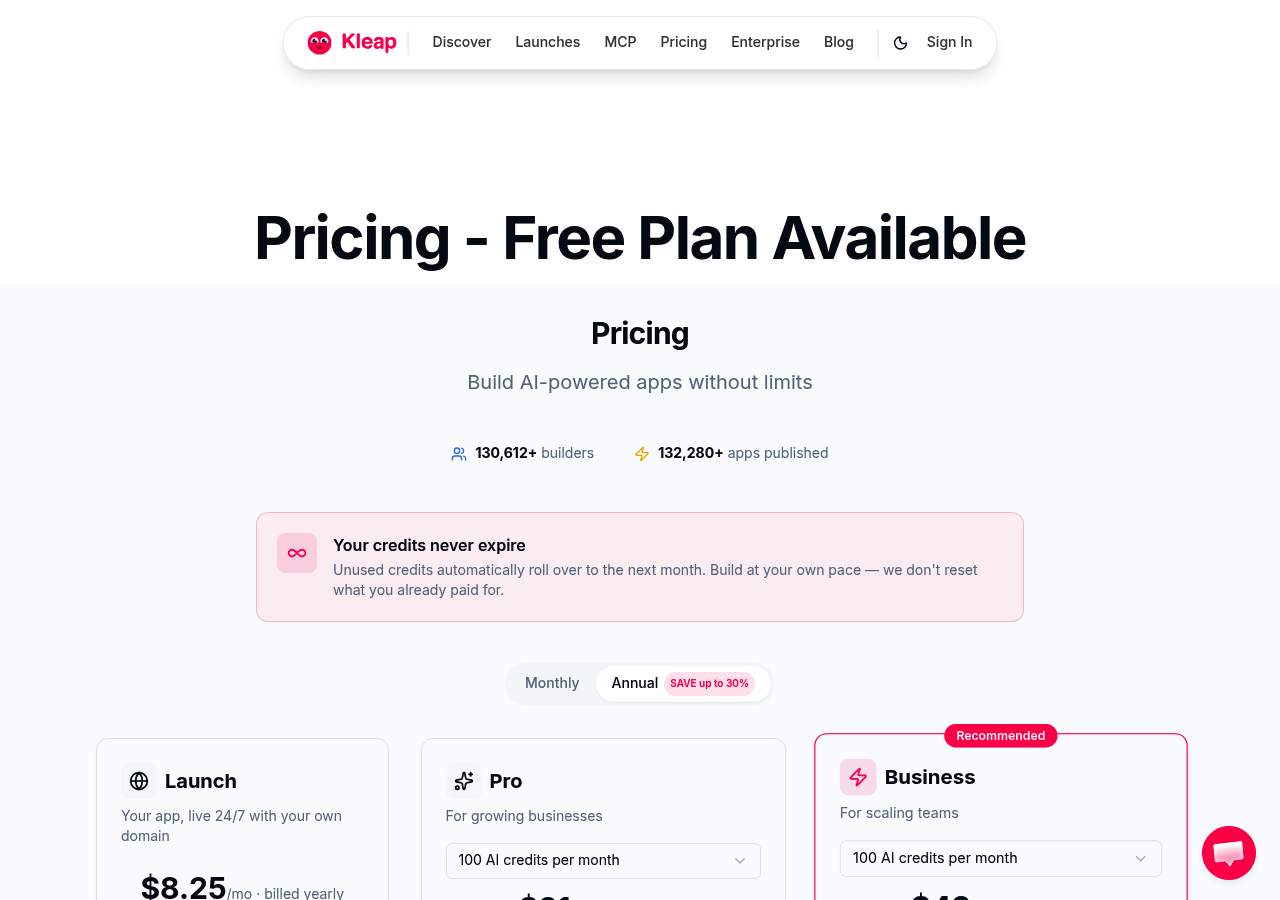
The free tier includes hosting, SSL certificates, and core AI features. That's rare among competitors who paywall essentials.
However, advanced integrations and custom domains require upgrading. Freelancers and small teams gain the most from Kleap's rapid deployment, while agencies needing granular control might find its streamlined interface limiting.
For those exploring options, our best free AI website builder 2025 guide compares platforms in depth.
What Makes Kleap Different from Traditional Builders
Traditional builders treat mobile as an afterthought. Kleap reverses this.
Every element prioritizes thumb-friendly navigation and vertical scrolling patterns. The AI doesn't just generate text; it analyzes content hierarchy and suggests structural improvements.
Where Wix or Squarespace demand hours of template tweaking, Kleap's intelligent defaults produce polished results immediately.
Who Should Choose Kleap (And Who Shouldn't)
Perfect for solopreneurs launching MVPs or consultants needing credibility fast. Not ideal for complex e-commerce requiring extensive plugin ecosystems.
If your priority is getting online within an afternoon with zero technical friction, Kleap excels. Agencies handling intricate client requirements should evaluate whether its simplicity outweighs customization constraints.
Wix AI Website Builder, the Most Feature-Rich Free Option
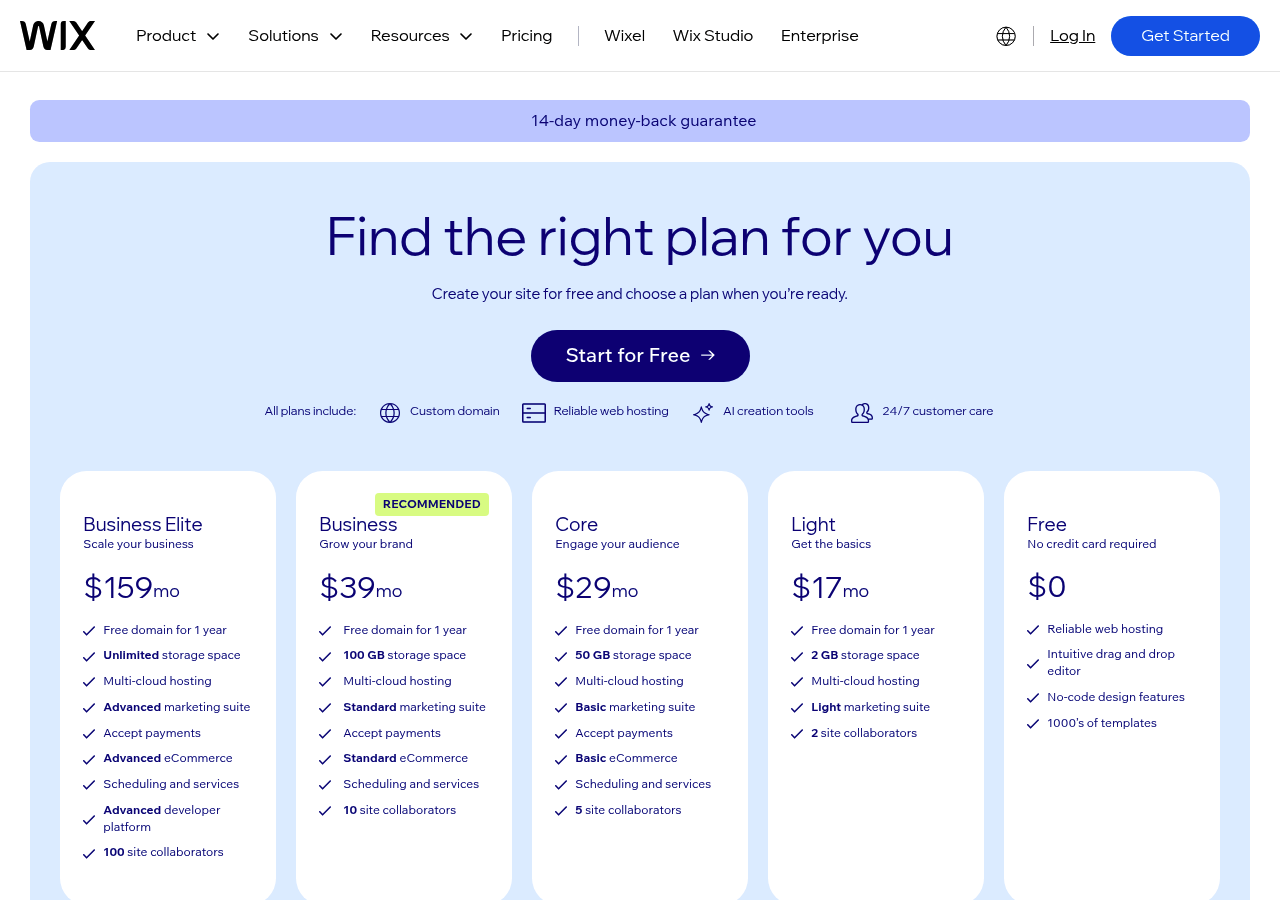
Wix's Artificial Design Intelligence (ADI) stands out as arguably the top free AI website builder for users who value depth over simplicity. Unlike competitors that lock advanced features behind paywalls, Wix grants free-tier users access to over 300 integrations from its app marketplace, something most competitors reserve for premium subscribers.
The platform's AI-powered system analyzes your business type and design preferences to generate a fully functional site complete with custom pages, installed apps, and themed elements in approximately 30 minutes.
The 30-Minute Site Creation Reality Check
Our comparison confirmed Wix delivers on its speed promise, but with caveats. The initial AI build takes roughly 30 minutes from questionnaire to published site, yet achieving a truly polished result demands additional customization.
Wix's editor offers exceptional flexibility, drag-and-drop freedom paired with pixel-perfect positioning, but this power introduces complexity that can overwhelm beginners. Expect another hour minimum for tweaking layouts and adjusting elements to match your vision exactly.
When Wix's Free Tier Makes the Most Sense
Choose Wix if you prioritize customization depth and don't mind Wix-branded URLs or display ads on your pages. It's ideal for freelancers building portfolios, hobbyists launching community projects, or anyone testing concepts before committing money to premium plans.
The free tier genuinely supports serious experimentation, unlike stripped-down trial versions elsewhere.
What Other AI Website Builders Won't Tell You About Free Plans
Free tiers aren't charity. They're calculated conversion funnels designed to get you hooked, then frustrated enough to upgrade.
Most platforms advertise free forever without mentioning the traffic cap that kicks in around 500 to 1,000 monthly visitors, a threshold serious projects hit within weeks. Even worse, AI generation quality declines on free accounts.
You'll get basic templates with limited customization iterations, while paid users access advanced design variations and machine learning refinements that professionals use.
The Traffic Cap Reality No One Mentions
Export restrictions trap you worse than any legal agreement ever could. Try moving your site after creating content for six months, and you'll find your code stuck behind a paywall. When picking a top free AI website builder, watch for these warning signs: deliberately slowed generation speeds, mandatory watermarks, and temporary limits that stick around forever.
Support? Free users get stuck in chatbot loops.
Solid free tiers do exist. Personal portfolios, small community sites, and hobby projects work great without paid upgrades, but that's only true if your monthly traffic remains consistently low.
When 'Free Forever' Means Free
Maximize free plans by hosting static content, compressing images before upload, and avoiding bandwidth-heavy features like video backgrounds. Legitimate free tiers provide core functionality without crippling performance.
Weak ones feel like extended trials disguised as permanent access.
Figma AI Website Generator: Best for Design-First Teams
Figma's entry into AI website generation flips the script. Most tools force designers into rigid templates.
Figma lets your design system drive the code. If your team already works in Figma for prototyping, this becomes the natural next step. It transforms mockups into responsive websites without wrestling with clunky exports or translation errors.

The magic happens through design-to-code functionality that preserves your visual intent. Real-time collaboration means stakeholders review live prototypes, not static PDFs.
But here's the catch: Figma demands fluency. Non-designers may struggle.
If you're seeking a quick solution among the top free AI website builder options, you must commit to this choice. The free tier grants basic access, though advanced features require subscriptions.
Why Designers Love Figma's AI Generation
Creative teams love how smooth the workflow feels. You design, iterate, and then generate everything in one place.
There is no jumping between different tools. Agencies working on custom branding find this essential since precise control remains consistent through deployment.
The Figma Learning Curve Trade-Off
Mastering Figma takes weeks, not hours. Entrepreneurs wanting instant results will experience frustration.
Product teams and design agencies thrive here; solo founders often do not.
Kleap tip: Test Figma's AI generation on a single landing page before migrating your entire workflow, and verify your team's comfort level with the interface before subscribing.
Hostinger Website Builder: Exceptional Value for Budget-Conscious Creators
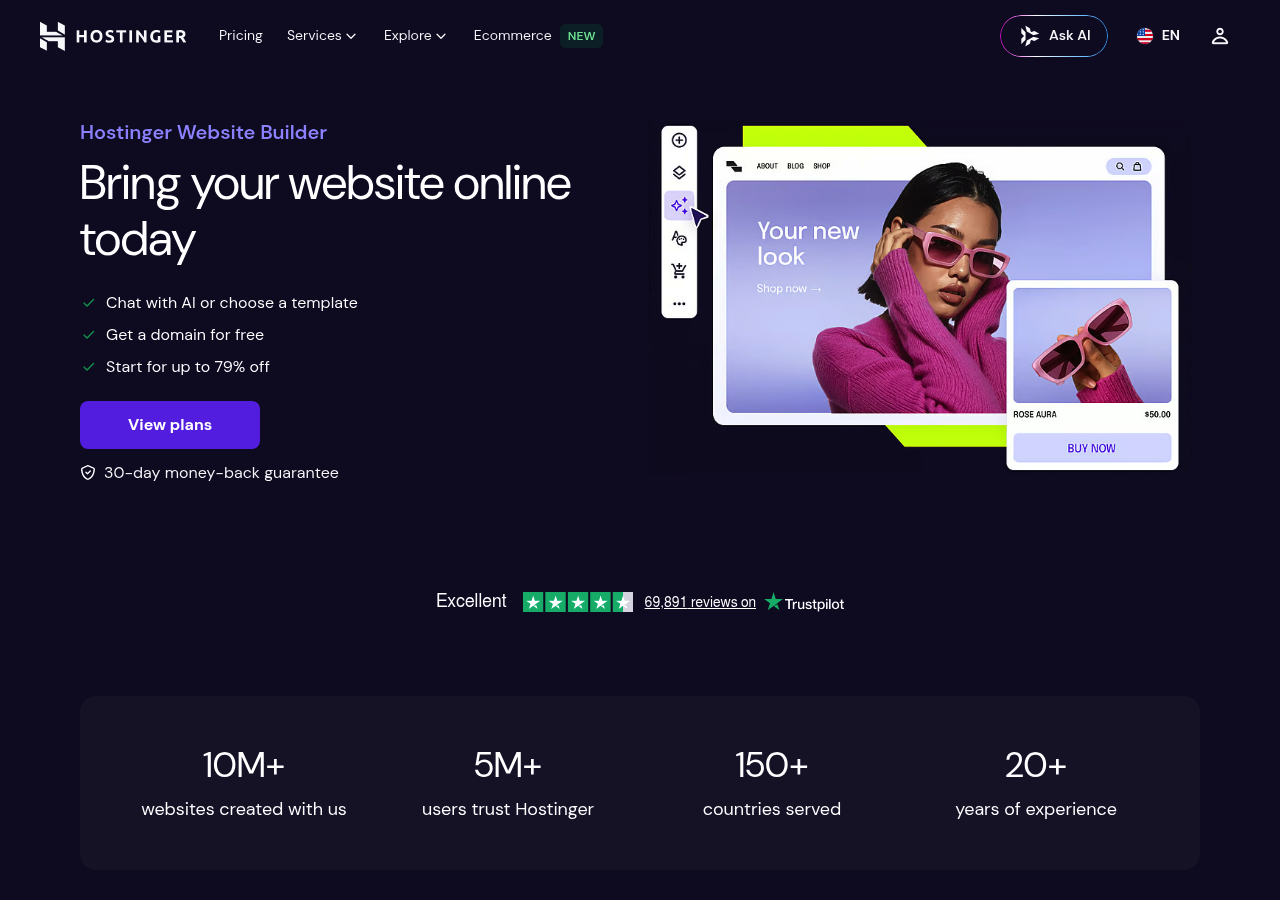
Hostinger Website Builder occupies a unique position. Not quite a top free AI website builder, but at $2.99 monthly, it delivers professional features that free tiers cannot match.
The platform combines AI generation with integrated hosting, eliminating the fragmented setup that most budget tools force on you. Speed matters here.
During testing, Hostinger generated complete sites faster than competitors charging triple the price.
The $2.99/Month Sweet Spot Analysis
The pricing makes sense when you examine what's included. While their free tier exists, it is severely limited with mandatory Hostinger branding and no custom domain support.
But cross into paid territory and the value proposition shifts dramatically:
- Built-in ecommerce functionality without transaction fees.
- Pre-optimized hosting infrastructure for faster page loads
- AI content generation across multiple pages simultaneously
- Email accounts tied to your domain
Hostinger's AI Speed Advantage Explained
Most AI website builders create your content but require you to set up hosting on your own. Hostinger changes that approach completely.
The AI links straight to optimized servers and publishes sites in minutes instead of hours. This integration eliminates technical hassles entirely for small businesses launching online stores or service portfolios.
IONOS Website Builder: Corporate Reliability Meets AI Innovation
IONOS brings 40 years of European web hosting know-how into AI website building. It's not flashy at all.
However, when your business needs uptime guarantees and GDPR compliance, that counts more than trendy features. The platform's AI handles practical automation, template tweaks, content ideas, and SEO work instead of experimental tools.
This focused approach shows IONOS's B2B roots, where reliability beats novelty every time.

Why Enterprise Users Choose IONOS Over Flashier Options
Phone support comes standard on basic plans, which sets IONOS apart from competitors hiding behind chatbots. Companies managing client data value the German company's GDPR-first architecture and clear data handling practices.
The downside? Design templates skew conservative and traditional.
If your startup wants modern aesthetics, you'll need to shop around. But for professional services firms, financial advisors, or healthcare practices where trust counts,
IONOS's clean templates build credibility without looking like obvious template sites.
The Privacy and Security Advantage
European data centers. No surprise data mining.
When you're comparing the best free AI website builder platforms, their pricing reflects real server costs.
The value proposition changes once you consider included SSL certificates, DDoS protection, and guaranteed uptime commitments. You should calculate the total cost over 36 months compared to cheaper options that hide renewal fees.
Webador: Simplicity Champion for Absolute Beginners
Not everyone wants complexity. Webador strips away the overwhelming options that plague most website builders, delivering a refreshingly straightforward experience.
If you're a technophobe or someone who just needs a simple site live by tomorrow, this platform removes all barriers between you and a functional website. The interface feels like using a basic word processor: click, type, publish.
No cryptic menus. No feature overload.

Why Beginners Succeed with Webador
Our comparison showed something interesting: people with no tech skills built full websites in under 20 minutes. The AI part requires almost nothing from you, just three simple questions about what you're doing. Then it creates your starting template right away.
Other platforms force you through detailed brand strategies, but Webador knows you want speed instead of perfection. The free version works without pushy upgrade messages, making it perfect for hobby sites or personal portfolios when you care more about going live fast than fancy features.
The Feature Trade-Off for Simplicity
Here's the catch: advanced users will find Webador limiting. Template variety lags behind top free AI website builder options, and e-commerce tools remain basic.
But that's intentional; this platform targets people who'd rather avoid learning curves than access cutting-edge features.
Framer AI: Animation and Interaction Powerhouse
Framer began as a prototyping tool for designers. Now it's morphed into something unusual among AI website builders: a platform where motion matters as much as content.
While most competitors generate static layouts, Framer AI produces sites with scroll-triggered animations, hover effects, and transitions that feel hand-crafted. This isn't accidental.
The tool inherits its motion graphics DNA from its design-first origins, making it a rare pick for creatives who refuse to compromise on visual polish.
The free tier publishes sites with Framer branding, which limits professional use. However, the animations justify exploring the paid tiers if you're building portfolios or agency sites where first impressions convert clients.
The learning curve? Steeper than drag-and-drop alternatives.
You'll need some design sensibility to avoid overloading pages with motion. Yet when animation elevates your message rather than distracts from it, Framer proves why it belongs among the top free AI website builder options for visually-driven brands.
The Animation Capabilities Other Builders Can't Match
Framer's AI generates micro-interactions that most tools skip entirely. Buttons don't just change color on hover; they scale, rotate, or reveal hidden elements.
Scroll animations trigger section reveals with spring physics, not robotic fades. Creative agencies leverage these features to showcase work dynamically, turning case studies into interactive experiences rather than static galleries.
Who Needs Framer's Visual Sophistication
Freelance designers and small studios gain the most value here. When your business relies on visual credibility, that extra effort makes sense.
Animation-heavy sites need careful optimization. Performance drops fast when every element bounces without purpose.
Apply motion strategically to guide attention or strengthen brand identity, never just as decoration.
Squarespace: Premium Design Quality with AI Assistance
Squarespace doesn't appear on most 'top free AI website builder' lists for a reason: it offers a 14-day trial instead of a permanent free tier. That distinction matters.
The platform integrates AI tools with its award-winning design templates, creating a different value proposition. You're paying for aesthetic refinement that free builders rarely match.

The Premium Design Quality Explained
Squarespace's AI helps sharpen layouts and suggests content instead of building complete sites. It analyzes your industry and recommends specific design improvements.
Plans start around $16 per month when you pay annually, which costs more than free options but less than custom work. The platform bundles blogging, ecommerce, and marketing tools so you don't have to manage plugins.
Creative professionals keep pointing to better mobile responsiveness and typography controls as key reasons they choose it over competitors.
Why Creative Businesses Choose Squarespace
Photography studios, restaurants, and fashion brands pick Squarespace because strong visuals drive their sales. The templates keep your design sharp on any device without touching code.
If your brand image matters more than testing new features, it's worth paying instead of dealing with free builders' restrictions.
Side-by-Side: Which Free AI Website Builder Wins Your Scenario
Choosing the right top free AI website builder depends entirely on your timeline and priorities. If you're an entrepreneur needing a site in under one hour, Durable delivers exceptional speed with its instant generation.
Budget-conscious small businesses should explore Wix's robust free tier, while design-focused creatives will appreciate Framer's pixel-perfect control. Complete beginners find Jimdo remarkably intuitive, requiring zero technical knowledge.
Complete Feature Comparison Table
| Platform | Generation Speed | Free Limitations | Best For |
|---|---|---|---|
| Durable | Under 3 minutes | Branded domain | Speed-focused entrepreneurs |
| Wix | 5-10 minutes | Storage caps | Budget businesses |
| Framer | 8-12 minutes | Limited CMS | Design professionals |
| Jimdo | 4-7 minutes | Basic SEO | Complete beginners |
Find Your Perfect Match in 30 Seconds
Growing businesses that plan to scale need platforms with solid SEO capabilities and flexible upgrade options. Deal-breakers really matter here: don't pick Durable if you need custom domains right away, skip Framer without design skills, and think twice about 10Web if you're not familiar with WordPress.
Frequently Asked Questions About Free AI Website Builders
Can you really build a professional website for free with AI? Absolutely.
Most AI-powered platforms offer genuinely functional free tiers. You'll face some restrictions, though.
Typical limitations include branded domains (yoursite.platformname.com instead of yoursite.com), storage caps around 500MB to 1GB, and mandatory platform watermarks. Our experience shows these constraints rarely hinder basic business needs.
The upgrade path stays seamless, switching from free to paid preserves your entire site structure, content, and design. You won't rebuild anything.
Technical Questions Answered
You don't need any coding skills here. The tools manage all technical stuff through simple prompts.
Mobile optimization works automatically since responsive design comes standard in every template. timeline?
Most people go live in 2-4 hours from start to finish. That covers domain setup and content polishing too.
Concerns About Free Plan Limitations
The biggest constraint isn't features, it's scalability. Free plans typically cap monthly visitors (around 1,000-5,000) and restrict advanced SEO controls.
For initial validation or side projects, that's plenty. Growth demands trigger natural upgrades.
Your Next Steps: Start Building Your Site Today
Free AI website builders have evolved beyond basic templates. They now handle complex projects with professional results.
Your biggest risk? Overthinking the choice instead of testing what works for your specific needs.
Your 3-Step Decision Framework
First, figure out your main bottleneck. Speed matters most when you're launching products.
Design flexibility wins if you're running a brand-heavy business. then test two platforms from our list with your actual content, not dummy text.
The AI generation quality changes dramatically when you use real product descriptions instead of placeholders.
Common mistake: picking tools based on features you won't use. A tool with 50 integrations doesn't matter if you only need three.
Why Starting Today Matters More Than Perfection
The barrier to professional web presence has collapsed. Begin with Kleap for the fastest path to a published, mobile-optimized site.
You can always migrate later. But delaying costs you visibility, leads, and momentum right now.
Your Professional Website Is Just Minutes Away
We compared eight leading free AI website builders and here's what we found. You don't need technical skills, a designer, or weeks of effort to launch a professional site anymore.
The barriers that made web design intimidating are gone now. AI does the heavy work while you focus on your message and goals.
Start with Kleap if you need a mobile-optimized site launched today. Try Wix Studio for maximum design flexibility.
Pick Framer for stunning animations.
the best part? You can test all of them right now without spending anything.
Want to build your site with a top free AI website builder? Kleap's team can help you get online in under an hour.
Book a free consultation at kleap.co or contact us to discuss your project. We'll show you exactly how to turn your vision into a live website fast.
Your audience is waiting, so build something remarkable today.


