Commission calculator app

Give your commission rules. Kleap builds a calculator your team can use.
- TestedIn our test on 6 Nov 2026, the request in the box gave a working commission calculator app 440 seconds after Create. Times are Kleap's own timer for the AI's turn in our test (one run, or the median where we repeated it), not a promise: yours may take longer, and reading and checking the file comes on top.
- Free to startNo card. Your first try usually needs no account; Kleap asks you to sign up, free, to keep the app. Building uses Kleap usage, and the free plan’s usage refills automatically.
- Using the boxThe box holds sample tiers. Press Create to build the calculator, or type your own plan. Check the results against a sale you already paid before your team uses it.
What is a commission calculator?
A commission calculator works out what a salesperson earns on their sales, usually with tiers: one rate up to a threshold, a higher rate on the part above it. From this page, Kleap builds a commission calculator around your own plan, as a small web app your team can open. In our test, the sample plan (5% up to $10,000, 8% up to $50,000, 12% above) gave a working calculator in 440 seconds: type a sales total and it shows the commission per tier, the total and the effective rate; for $62,500 it showed $5,200.00, 8.32%, which is right. A second page lets a signed-in user save named scenarios to the app's database and find them again. It calculates; it does not pay anyone or read your CRM. Check it against a month you already paid before your team relies on it.
Checked on 6 November 2026 by the Kleap product team. Test: “Build a sales commission calculator web app with tiered rates: 5% up to $10,000, 8% from $10,000 to $50,000 and 12% above $50,000.”, web app, 440 s to the end of the turn that built the app.
Measured on
One real run of the prompt above: a fresh project, the real Kleap interface, a test account. Times run from the request reaching Kleap to the end of the turn that built the app. One run, not an average.
- Time to the working app
- 440 s
- Screens
- 2 (calculator, saved scenarios)
- Database tables used
- 1 (saved scenarios)
See what this prompt creates
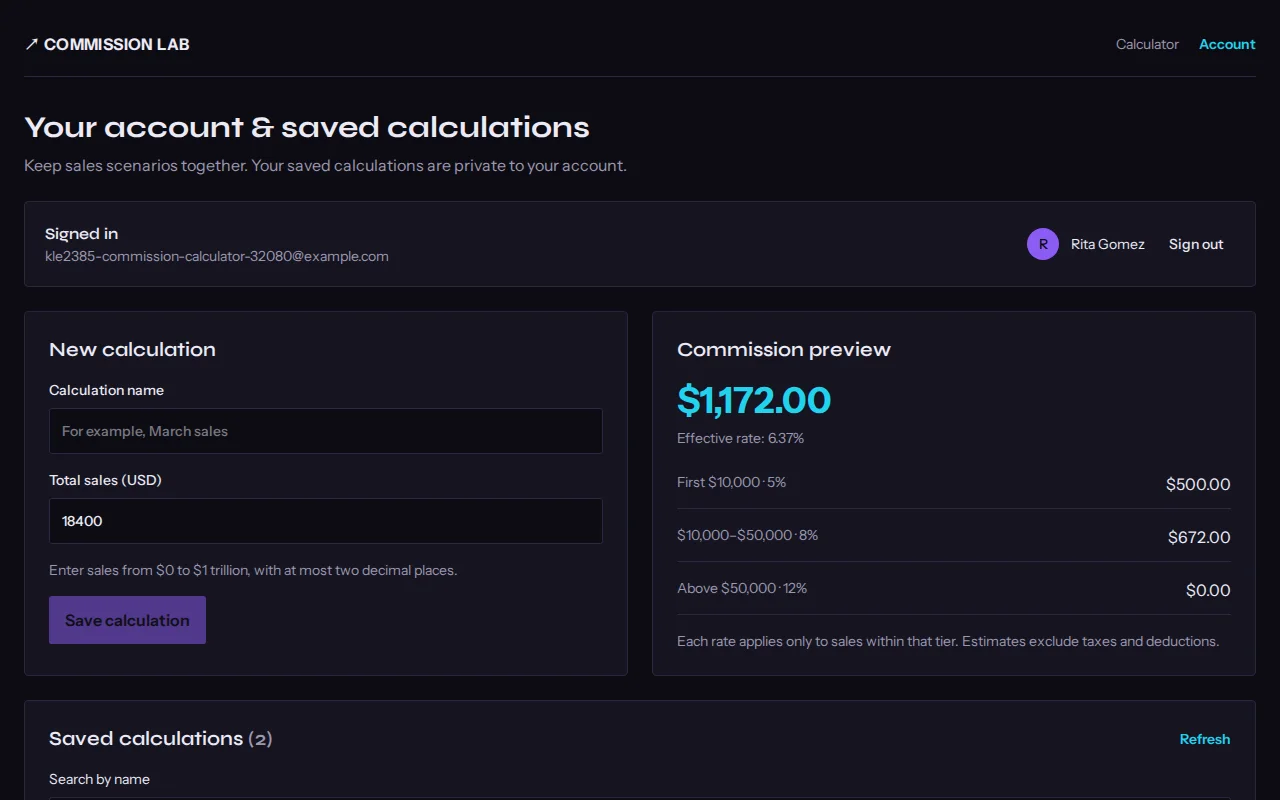
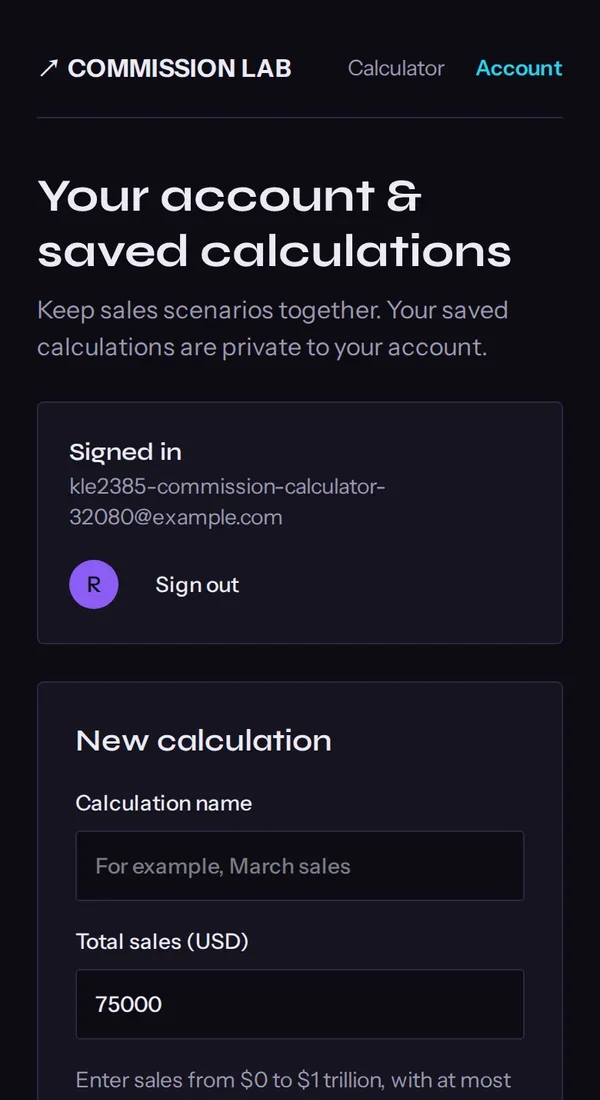
Real screenshots of the app Kleap built from the prompt in the box above, on 6 November 2026, in the Kleap preview. Not a mockup. With the request in the box, Kleap built a commission calculator in 440 seconds. We typed $62,500 in sales: it showed $500.00 + $3,200.00 + $1,500.00 = $5,200.00, an effective rate of 8.32%, which is the right tiered result. On the account page we signed up and saved two scenarios; $18,400 gave $1,172.00, also right.
What we checked in the app’s code
- Progressive tiers: each rate applies only to the sales inside its tier, as the page itself explains.
- $62,500 gave $500.00 + $3,200.00 + $1,500.00 = $5,200.00 and 8.32%; $18,400 gave $500.00 + $672.00 = $1,172.00. Both correct.
- The calculator works without an account; saving named scenarios needs one (table commission_calculations).
- Saved scenarios can be searched, edited and deleted on the account page.
- The three rates are fixed in the app's code: there is no screen to change them.
Show the exact prompt
Build a sales commission calculator web app with tiered rates: 5% up to $10,000, 8% from $10,000 to $50,000 and 12% above $50,000.
Calculators for every pay plan
Tiered commission
Each part of the sale paid at its own rate.
Target and accelerator
A higher rate above a monthly or quarterly target.
Real estate splits
Total commission split between agents and the brokerage.
Margin-based plans
Commission on gross margin instead of revenue.
Team tables
Every rep's sales and commission in one table.
From commission plan to calculator in three steps
Write the plan
The tiers, rates, bonuses and base salary, the way you would explain them to a new rep.
Kleap builds the calculator
It writes the calculation and the screens and shows it working in the preview.
Test it and share it
Enter a month you already paid, ask for any fix, then publish it for the team.
How Kleap compares
Facts from each tool's own page, read on 6 November 2026 (follow the source link to check). Kleap's row describes what the example above shows.
Which tool for which case
Pick Calculator.net for a quick one-off tiered calculation with no setup. Pick Omni when you want the formula explained with an example. Pick Manus when you want a calculator tool designed through an agent. Pick Kleap when your team needs a calculator with YOUR plan built in, that you can change by chat and share on your own address.
| Tool | What you get | Free path | Best at |
|---|---|---|---|
| Kleap | A working commission calculator web app with your tiers | Your first try usually needs no account; to keep the result, Kleap asks for a free account, with no card. Pro from $25/month (see /pricing). | Edit it by chat, publish it on a kleap.io address or your own domain |
| Google's US top 3 for “commission calculator”, read 6 November 2026 | |||
| Calculator.net commission calculatorSource, checked 6 Nov 2026 | Simple, tiered or base-plus-commission calculation | Free calculator | Enter tiers by hand on each visit |
| Omni commission calculatorSource, checked 6 Nov 2026 | Commission amount and rate from a sale | Free calculator | Worked example of the formula on the page |
| Manus commission calculatorSource, checked 6 Nov 2026 | A custom calculator delivered as a responsive web tool | Free daily credits for new users | Tiered structures and profit margins |
Start free. Upgrade when you need more.
Your first try usually needs no account; to keep the result, Kleap asks for a free account, with no card. Files and images use your Kleap usage: free usage refills over time, and paid plans add much more.
Free
- Free usage that refills
- Free account to save your results and find them again
Pro
- Much more usage
- Custom domain for your Kleap websites
Why a commission calculator of your own?
Commission plans are rarely the textbook kind. There is a tier that starts at a round number, a bonus above a target, a base salary, a split with another rep. A generic calculator makes everyone re-enter the plan; a calculator built on your plan lets a rep type one number and see what they earn.
Kleap builds it as a small web app you can share with the team and change when the plan changes. If you would rather send the plan as a file, the AI spreadsheet generator makes an Excel sheet with the same rules as live formulas.
Questions, answered.
How does a tiered commission get calculated?
Each part of the sale is paid at the rate of its tier: with 5% up to $10,000 and 8% above, a $15,000 month pays 5% of $10,000 plus 8% of $5,000, which is $900. Describe your tiers and the calculator does the same.
Can the commission calculator include a base salary and bonus?
Yes. Ask for a base salary field and a bonus rule, such as $500 above $60,000 in sales, as in the full example.
Can my sales reps use it?
Yes. Publish it on a kleap.io address or your own domain and share the link. Add sign-in if only your team should see it.
What if our commission plan changes?
Tell Kleap what changed, for example a new tier or a new rate, and it updates the app.
Does it connect to my CRM or payroll?
Not by itself. It calculates from the numbers people type. Connecting a CRM is a separate request and depends on that tool.
Can I check the math?
Yes, and you should: enter a month you already paid and compare. Ask Kleap to show the amount per tier so every step is visible.
Related tools
Your commission plan, as a tool.
Describe the tiers and Kleap builds the calculator. Try it without an account; sign up free when Kleap asks, to keep it.
Written by the Kleap product team. Checked on 9 November 2026 against the generated files and runs shown on this page.