AI CRM with a sales pipeline
Describe how you sell. Kleap builds the CRM: contacts, deals and a pipeline board.
- TestedIn our test on 6 Nov 2026, the request in the box gave a working CRM app with a pipeline board 442 seconds after Create. Times are Kleap's own timer for the AI's turn in our test (one run, or the median where we repeated it), not a promise: yours may take longer, and reading and checking the file comes on top.
- Free to startNo card. Your first try usually needs no account; Kleap asks you to sign up, free, to keep the app. Building uses Kleap usage, and the free plan’s usage refills automatically.
- Using the boxThe box holds a sample CRM. Press Create to build it, or describe your own stages and fields.
What is an AI crm?
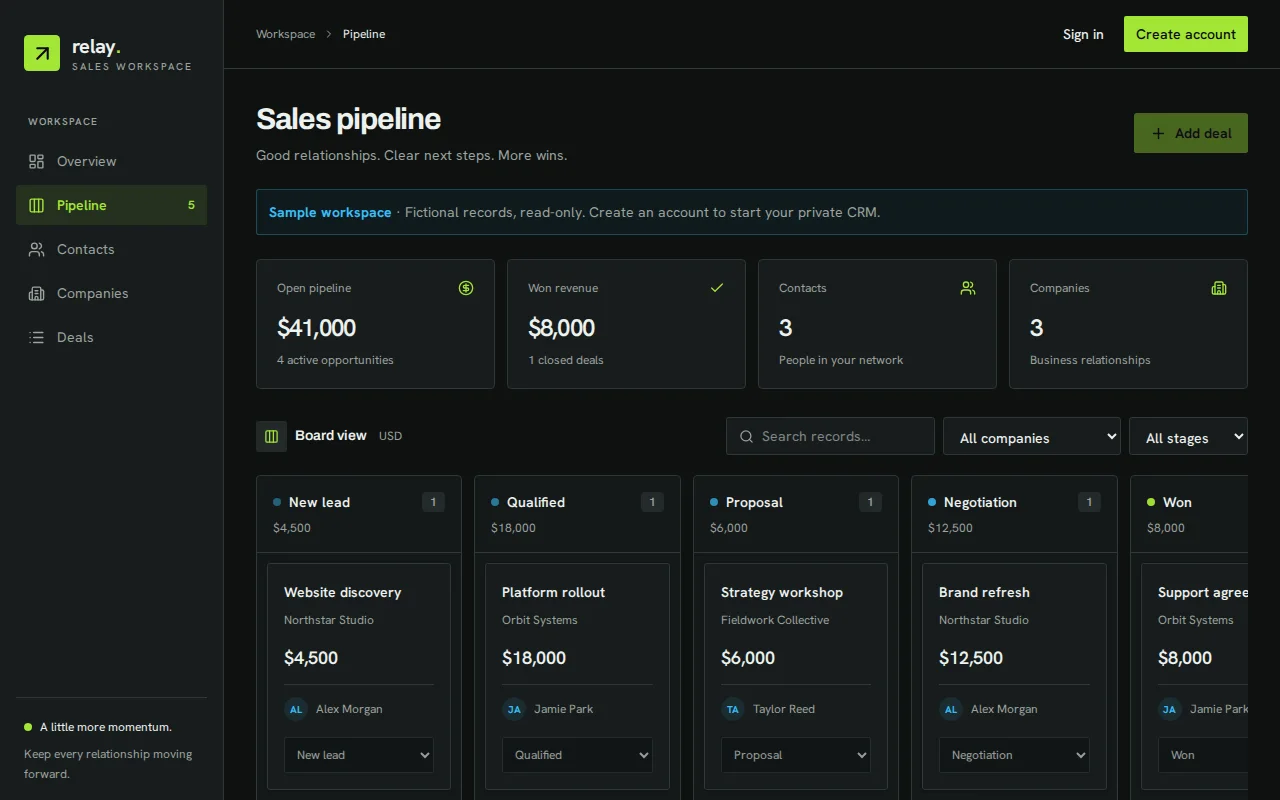
An AI CRM, on this page, is a CRM that AI builds for you: you describe how you sell, and Kleap writes the app, its screens and its tables. In our test, one sentence gave a working CRM in 442 seconds: companies, contacts and deals, a sales pipeline board with five stages from New lead to Won, the value of each stage, open and won revenue, and filters by company and stage. Each deal's stage changes from a menu on its card. Records are saved in the app's database, private to each signed-in account; signed out, the app shows a read-only sample workspace it labels as fictional. We added two companies, two contacts and three deals, moved one to Won, and the totals were right. It does not sync e-mail, log calls or score leads on its own; ask for those in the same chat.
Checked on 6 November 2026 by the Kleap product team. Test: “Build a simple CRM web app to track contacts, companies and deals, with a sales pipeline board from New lead to Won.”, web app, 442 s to the end of the turn that built the app.
Sources
- “A sales pipeline is a visualization of where each prospect is in the sales process, helping you identify next steps so you can keep closing deals.” — Salesforce — What is a sales pipeline? (read )
Measured on
One real run of the prompt above: a fresh project, the real Kleap interface, a test account. Times run from the request reaching Kleap to the end of the turn that built the app. One run, not an average.
- Time to the working app
- 442 s
- Screens
- 2 (pipeline workspace, account)
- Database tables used
- 2 (CRM records, saved workspace)
See what this prompt creates
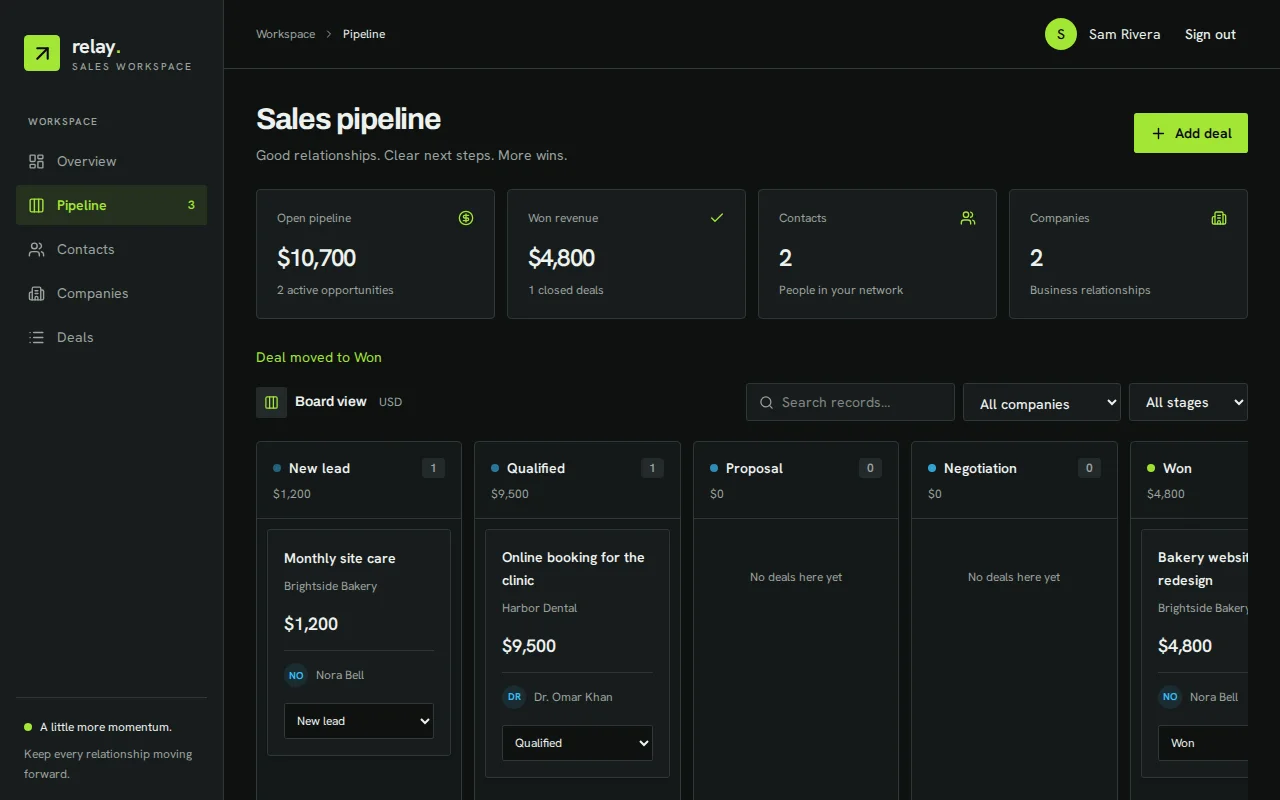
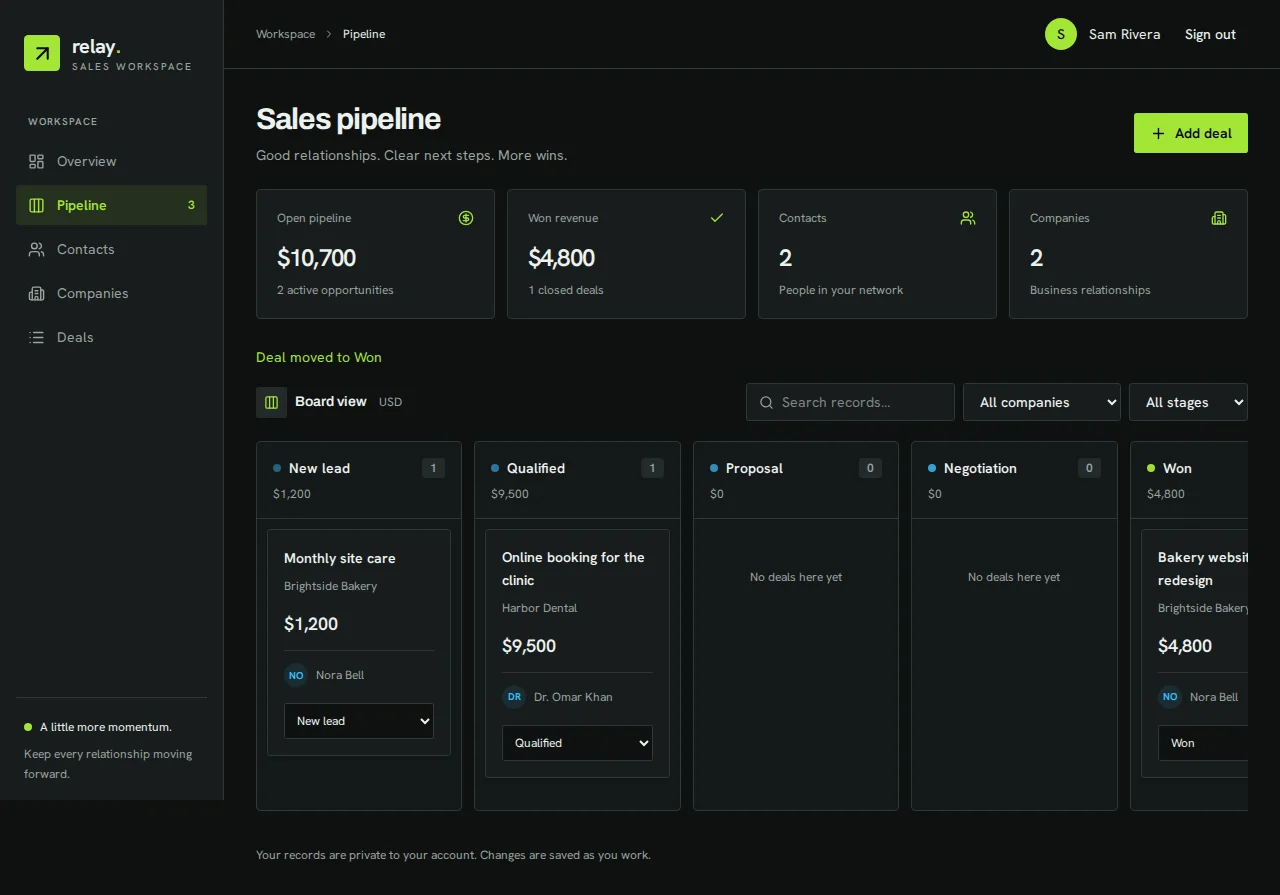
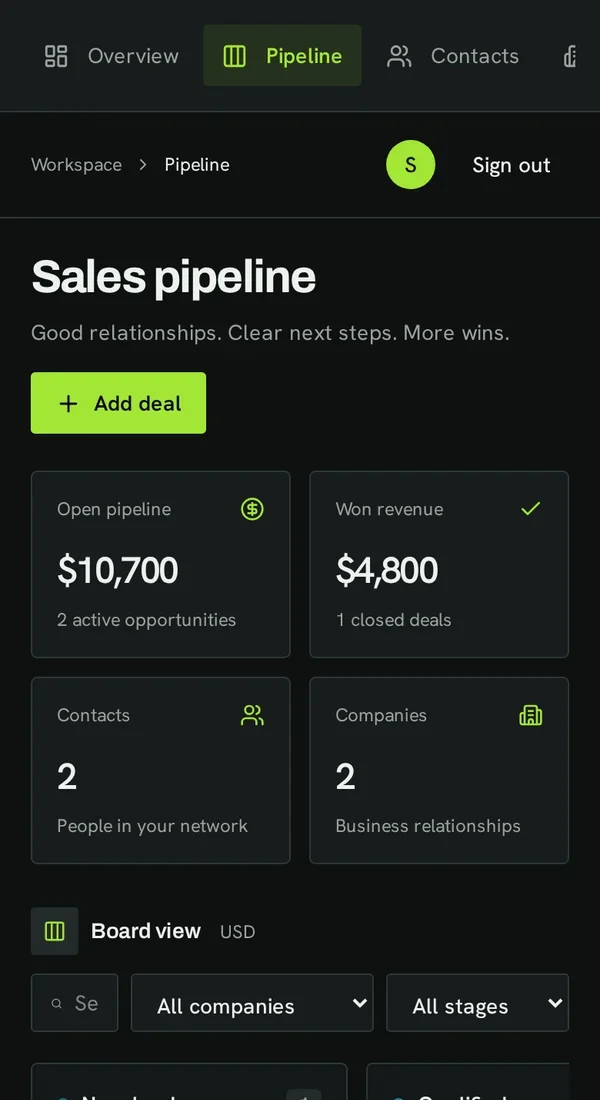
Real screenshots of the app Kleap built from the prompt in the box above, on 6 November 2026, in the Kleap preview. Not a mockup. With the request in the box, Kleap built a CRM in 442 seconds. We created an account, added Brightside Bakery and Harbor Dental, a contact at each, and three deals, then moved "Bakery website redesign" to Won. The board showed $10,700 in open pipeline across two deals and $4,800 won, which matches the deals we entered.
What we checked in the app’s code
- Companies (name, industry), contacts (name, company, email, phone) and deals (name, company, contact, value, close date, stage), with Add, Edit and Delete (CrmBoard.tsx).
- Five stages, New lead, Qualified, Proposal, Negotiation and Won, each with its count and total value; a deal's stage changes from a menu on its card (no drag and drop).
- Open pipeline, won revenue, contacts and companies counters, plus filters by company and stage and a search.
- Saved in the table crm_records, private to the signed-in account; the account page keeps a second list in crm_workspace_records.
- Signed out, a read-only sample workspace marked as fictional.
- Our 3 deals gave $10,700 open and $4,800 won after moving one to Won.
Show the exact prompt
Build a simple CRM web app to track contacts, companies and deals, with a sales pipeline board from New lead to Won.
CRMs shaped like your sales
Agency CRM
Contacts, proposals and a pipeline to Won.
Sales pipeline tracker
Deals by stage, with the value per stage.
Real estate CRM
Buyers, sellers, properties and viewings.
Freelancer client list
Clients, projects and follow-up reminders.
Partnership tracker
Companies, next steps and dates.
From sales process to working CRM in three steps
Describe how you sell
Your pipeline stages, what you track per contact and per deal, and who uses it.
Kleap builds the CRM
It writes the pipeline board, the contact and deal screens, and creates the tables.
Add your deals
Enter real deals in the preview, ask for a field or a view, then publish it for the team.
How Kleap compares
Facts from each tool's own page, read on 6 November 2026 (follow the source link to check). Kleap's row describes what the example above shows.
Which tool for which case
Pick HubSpot when you want a free CRM service with built-in AI, email tools and no expiration date. Pick Zoho CRM when you want a full CRM, free for three users, with paid automation. Pick Manus when you want dashboards and forecasts generated from data you already have. Pick Kleap when you want a CRM of your own: your stages and fields, a pipeline board, and changes made by asking.
| Tool | What you get | Free path | Best at |
|---|---|---|---|
| Kleap | A working CRM web app with a pipeline board | Your first try usually needs no account; to keep the result, Kleap asks for a free account, with no card. Pro from $25/month (see /pricing). | Edit it by chat, publish it on a kleap.io address or your own domain |
| Google's US top 3 for “ai crm”, read 6 November 2026 | |||
| HubSpot free CRMSource, checked 6 Nov 2026 | Contacts, deals and built-in AI in a hosted CRM | 100% free with no expiration date, no credit card | Large ecosystem of sales and marketing tools |
| Zoho CRMSource, checked 6 Nov 2026 | Online CRM for sales and marketing | Free for three users, per its pricing page | Paid editions add automation, AI and CPQ |
| Manus sales pipeline builderSource, checked 6 Nov 2026 | Pipeline dashboards, deal spreadsheets and forecasting models | Free daily credits | Exports to Excel or Google Sheets, or a web dashboard |
Start free. Upgrade when you need more.
Your first try usually needs no account; to keep the result, Kleap asks for a free account, with no card. Files and images use your Kleap usage: free usage refills over time, and paid plans add much more.
Free
- Free usage that refills
- Free account to save your results and find them again
Pro
- Much more usage
- Custom domain for your Kleap websites
A sales pipeline you can see
A sales pipeline is the list of deals you are working on, grouped by how far along each one is: new, contacted, proposal sent, won or lost. Seeing it as a board answers the two questions a small team asks every week: what is about to close, and what has gone quiet. A CRM is where that board lives, next to the contacts and the notes behind each deal.
Kleap builds both as one web app with your stages and fields, and keeps the data in the app's database. Scoring which leads to call first is the job of a lead scoring app, and the work after a deal is won can go to a client portal.
Questions, answered.
What is an AI CRM?
Here it means a CRM that AI builds for you from a description: Kleap writes the app, its screens and its tables. The CRM itself does what you ask for; it does not call or email anyone on its own.
What is a sales pipeline?
The deals you are working on, grouped by stage, from first contact to won or lost. In the CRM it is a board where each deal is a card you move as it progresses.
Can my team share the CRM?
Yes: ask for sign-in for your team, as in the full example. Check who can see and edit each record before you add real customer data.
Can I import my contacts?
Not in the app from our test: you add records one by one. A CSV import is something you ask Kleap to build.
Does it connect to my email?
No. Emails are not synced or logged automatically. You can add notes to each contact or deal.
Should I use HubSpot instead?
If you need email sync, sequences and integrations, a CRM service like HubSpot does more. A CRM you build fits a small team that wants only its own stages and fields.
Your pipeline, on one board.
Describe how you sell and Kleap builds the CRM. Try it without an account; sign up free when Kleap asks, to keep it.
Written by the Kleap product team. Checked on 9 November 2026 against the generated files and runs shown on this page.