Lead scoring app
Describe what makes a good lead. Kleap builds the app that scores and ranks them.
- TestedIn our test on 6 Nov 2026, the request in the box gave a working lead scoring app 307 seconds after Create. Times are Kleap's own timer for the AI's turn in our test (one run, or the median where we repeated it), not a promise: yours may take longer, and reading and checking the file comes on top.
- Free to startNo card. Your first try usually needs no account; Kleap asks you to sign up, free, to keep the app. Building uses Kleap usage, and the free plan’s usage refills automatically.
- Using the boxThe box holds sample rules. Press Create to build the app, or describe your own criteria and points. The score is your rules, not a prediction.
What is a lead scoring?
Lead scoring gives each lead points for the signs that a sale is likely, then ranks the list so the best leads are called first. From this page, Kleap builds lead scoring as a small web app that runs your rules. In our test, one sentence gave a working app in 307 seconds: a form for the company, contact, number of employees, budget and timeline, a live score out of 100 (up to 35 points for size, 40 for budget and 25 for timeline), a Hot, Warm or Cold label, and a pipeline you can sort and search. The targets and the Hot and Warm thresholds sit on a Scoring rules screen you can change without code. Leads and rules are saved in the app's database, private to each account. We scored four leads and the totals matched the breakdown shown. It follows your rules; it does not predict from past sales.
Checked on 6 November 2026 by the Kleap product team. Test: “Build a lead scoring web app that scores each lead on company size, budget and timeline and labels it hot, warm or cold.”, web app, 307 s to the end of the turn that built the app.
Measured on
One real run of the prompt above: a fresh project, the real Kleap interface, a test account. Times run from the request reaching Kleap to the end of the turn that built the app. One run, not an average.
- Time to the working app
- 307 s
- Screens
- 2 (pipeline, account)
- Database tables used
- 2 (leads, scoring rules)
See what this prompt creates
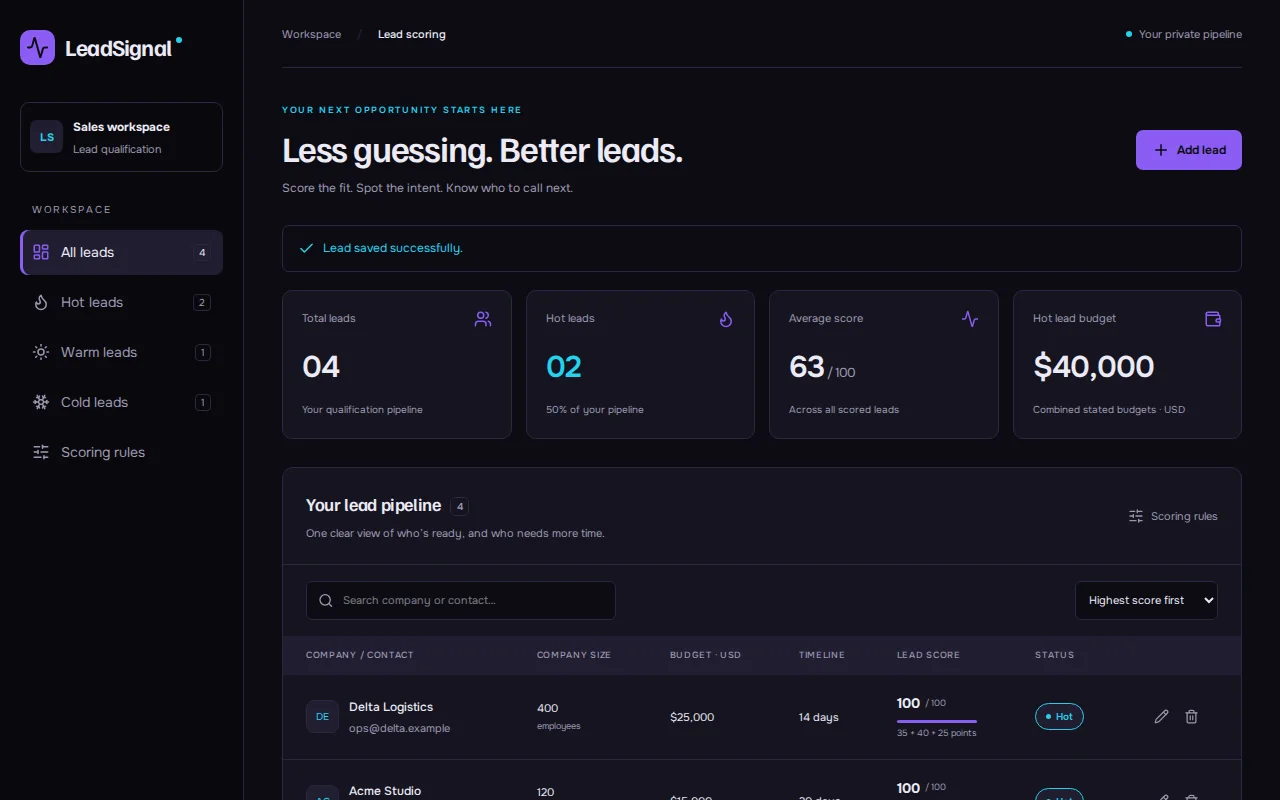
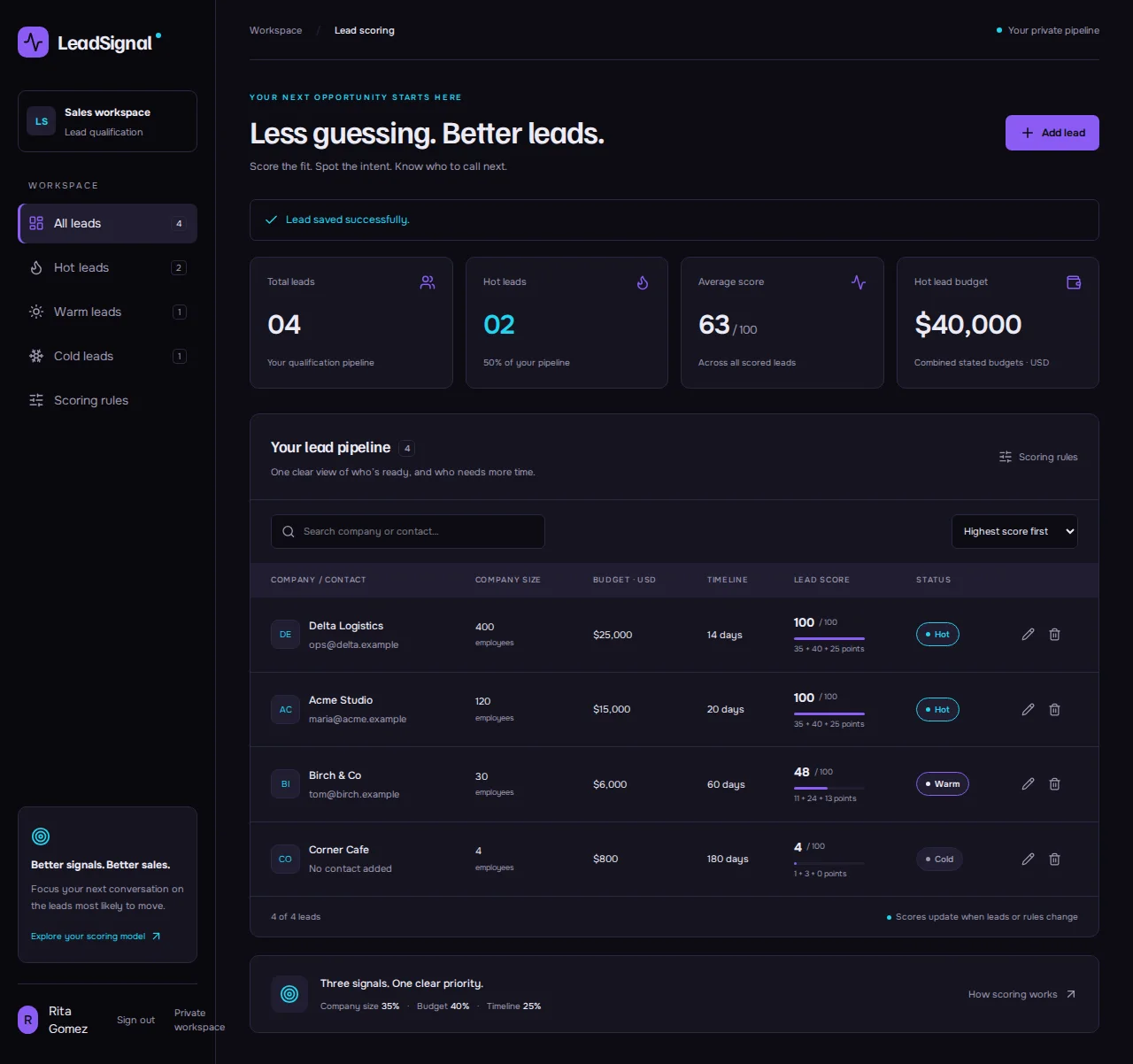
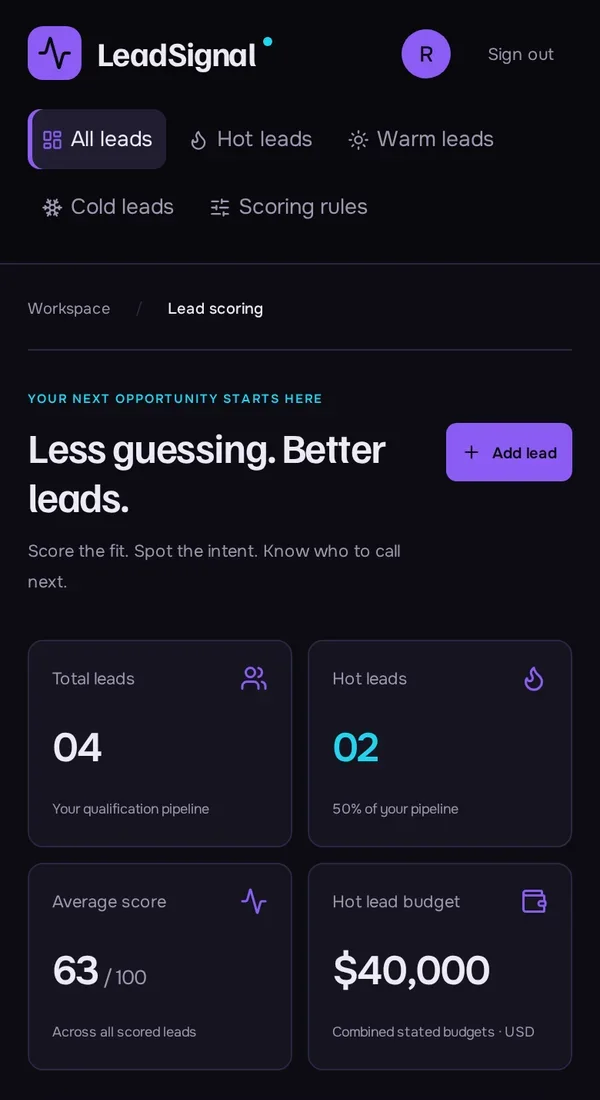
Real screenshots of the app Kleap built from the prompt in the box above, on 6 November 2026, in the Kleap preview. Not a mockup. With the request in the box, Kleap built a lead scoring app in 307 seconds. We added four leads. Delta Logistics and Acme Studio scored 100 / 100 (Hot), Birch & Co 48 (11 + 24 + 13 points, Warm) and Corner Cafe 4 (Cold); the app showed an average of 63 and $40,000 of budget in hot leads, both right for those scores.
What we checked in the app’s code
- A lead form with company, contact, employees, budget and timeline, and a live score while you type (LeadWorkspace.tsx).
- Up to 35 points for company size, 40 for budget and 25 for timeline; Hot from 75, Warm from 45 by default.
- A Scoring rules screen to change the targets and thresholds, saved in the table leadsignal_settings.
- Leads saved in the table leadsignal_leads, private to the signed-in account; sort by score, budget or company, search, edit and delete.
- Our four leads scored 100, 100, 48 and 4; the average of 63 matches.
Show the exact prompt
Build a lead scoring web app that scores each lead on company size, budget and timeline and labels it hot, warm or cold.
Scoring for any kind of lead
B2B lead scoring
Company size, budget, timeline and role.
Home buyer scoring
Mortgage, budget, area and move-in date.
Inbound form leads
A, B or C from what the form asks.
Sponsor shortlists
Fit, history and budget, ranked.
Candidate screening
Must-haves and nice-to-haves, scored.
From scoring rules to a ranked list in three steps
Write the rules
The criteria, the points for each answer and the score for hot, warm and cold.
Kleap builds the app
It writes the scoring, the lead form and the ranked list, and creates the table.
Score real leads
Add leads you already know in the preview, check the scores, then publish it.
How Kleap compares
Facts from each tool's own page, read on 6 November 2026 (follow the source link to check). Kleap's row describes what the example above shows.
Which tool for which case
Pick HubSpot lead scoring when your leads already live in HubSpot and you want scoring from many data points inside it. Pick Manus when you want a researched scoring framework written for you. Pick Kleap when you want your own scoring rules running in an app: leads in, scores and a ranked list out, rules changed by asking.
| Tool | What you get | Free path | Best at |
|---|---|---|---|
| Kleap | A working lead scoring web app with your rules | Your first try usually needs no account; to keep the result, Kleap asks for a free account, with no card. Pro from $25/month (see /pricing). | Edit it by chat, publish it on a kleap.io address or your own domain |
| Google's US top 3 for “lead scoring”, read 6 November 2026 | |||
| HubSpot lead scoringSource, checked 6 Nov 2026 | Prospects prioritized from multiple data points inside HubSpot | Pricing not stated on that page | Part of HubSpot's marketing tools |
| Manus lead scoring toolSource, checked 6 Nov 2026 | Lead scoring frameworks built with AI research | Free daily credits | A framework to apply, not a running app |
Start free. Upgrade when you need more.
Your first try usually needs no account; to keep the result, Kleap asks for a free account, with no card. Files and images use your Kleap usage: free usage refills over time, and paid plans add much more.
Free
- Free usage that refills
- Free account to save your results and find them again
Pro
- Much more usage
- Custom domain for your Kleap websites
What is lead scoring, in practice?
Lead scoring gives each lead points for what makes a sale likely (a big enough budget, a near deadline, a decision maker on the call) and sorts the list so the best ones are called first. The rules are simple; the hard part is applying them to every lead, every day, the same way.
Kleap builds an app that does that: leads go in, each gets its score with the breakdown, and the list is ranked. The deals that come out of it fit an AI CRM with a pipeline, and the leads can come from a form built with the online form builder.
Questions, answered.
Does the lead scoring use AI to predict sales?
No. AI builds the app; the score itself follows the rules you write, so it is easy to explain and to change.
What criteria should I score leads on?
Start with three or four that your best customers had in common, such as budget, timeline and who you spoke to, then adjust after a month of real leads.
Can I change the points later?
Yes. In the app from our test, a Scoring rules screen changes the targets and the Hot and Warm thresholds, and every score updates.
Can leads come in from my website form?
If you build the form in the same Kleap project and ask for it, new sign-ups can be saved as leads and scored.
Does it connect to my CRM?
Not on its own. Scored leads stay in the app; a CRM connection is a separate request that depends on the CRM.
Can my team see the same list?
Yes, if you ask for sign-in. Check what each account can see before you add real leads.
Related tools
Call the best leads first.
Write your rules and Kleap builds the scoring app. Try it without an account; sign up free when Kleap asks, to keep it.
Written by the Kleap product team. Checked on 9 November 2026 against the generated files and runs shown on this page.