Kanban board app
Name the columns. Kleap builds a board where you add and move cards.
- TestedIn our test on 6 Nov 2026, the request in the box gave a working kanban board app 300 seconds after Create. Times are Kleap's own timer for the AI's turn in our test (one run, or the median where we repeated it), not a promise: yours may take longer, and reading and checking the file comes on top.
- Free to startNo card. Your first try usually needs no account; Kleap asks you to sign up, free, to keep the app. Building uses Kleap usage, and the free plan’s usage refills automatically.
- Using the boxThe box holds a sample board. Press Create to build it, or describe your own columns and card fields.
What is a kanban board?
A kanban board shows work as cards that move through columns, so anyone can see what is waiting, what is in progress and what is done. From this page, Kleap builds the kanban board itself as a small web app, not a picture of one. In our test, one sentence gave a working board in 300 seconds: To do, In progress and Done columns, cards you add, edit, delete and drag between columns (with a Move to menu on phones), and a count per column. The cards are saved in the app's own database, and Kleap put the board behind a sign-in so each person's cards stay private, although the prompt did not ask for one. You can rename columns, add card fields such as an owner or a due date, or make the board shared, by asking in the same chat, then publish it on your own address.
Checked on 6 November 2026 by the Kleap product team. Test: “Build a kanban board web app with To do, In progress and Done columns where I can add cards and drag them between columns.”, web app, 300 s to the end of the turn that built the app.
Measured on
One real run of the prompt above: a fresh project, the real Kleap interface, a test account. Times run from the request reaching Kleap to the end of the turn that built the app. One run, not an average.
- Time to the working app
- 300 s
- Screens
- 2 (board, account)
- Database tables used
- 1 (the cards)
See what this prompt creates
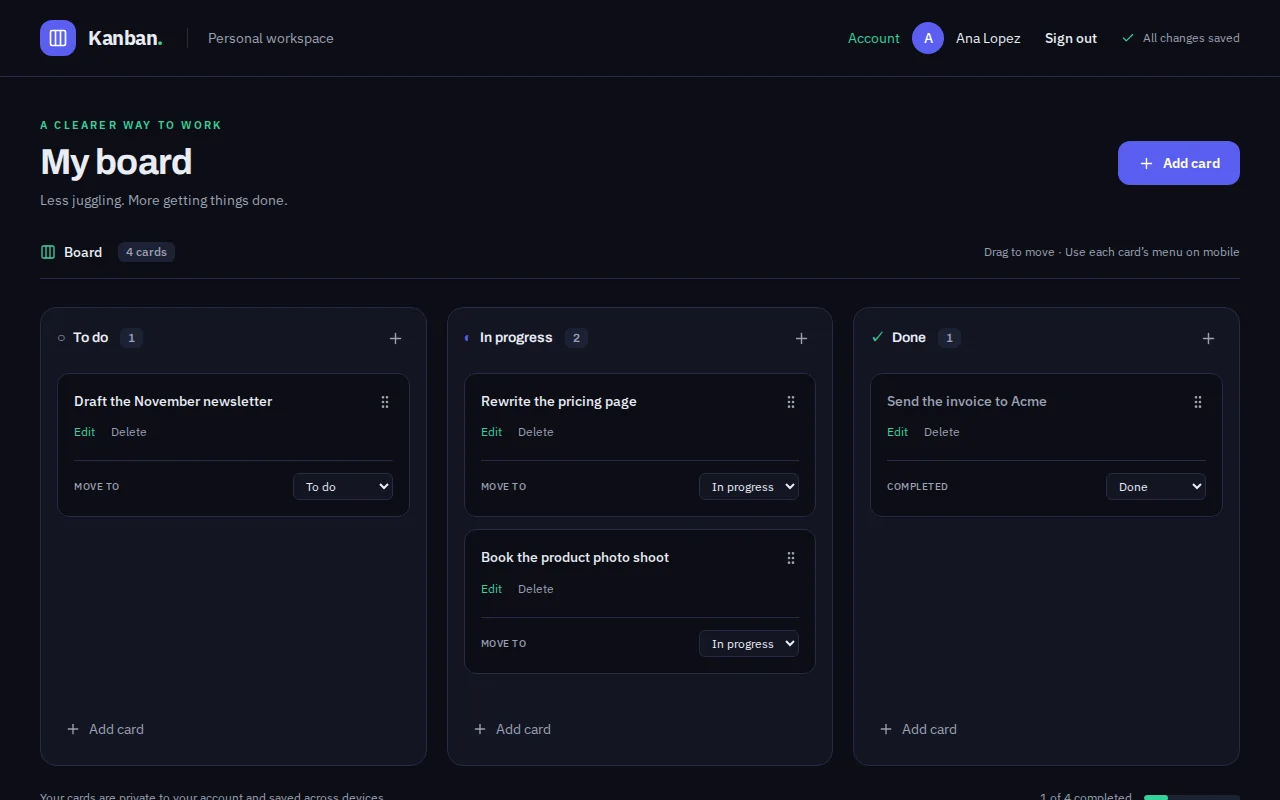
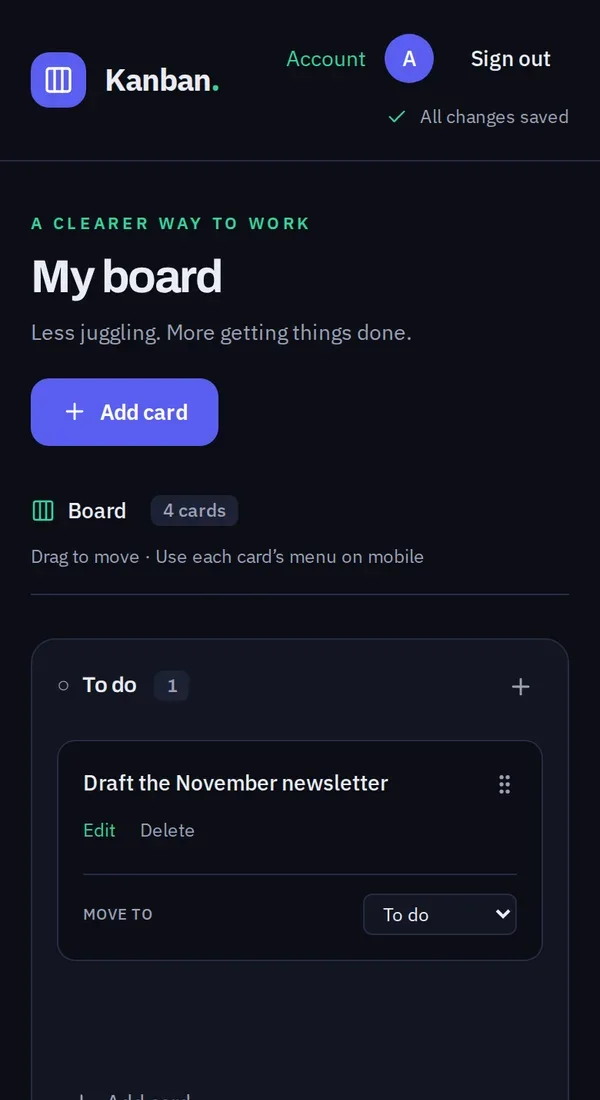
Real screenshots of the app Kleap built from the prompt in the box above, on 6 November 2026, in the Kleap preview. Not a mockup. With the request in the box, Kleap built a board app called Flowboard in 300 seconds. We used it like a first visitor: created an account in the app, added four cards and moved "Book the product photo shoot" to In progress. The screenshots below are that board, on a computer and on a phone, from the same preview build the builder shows.
What we checked in the app’s code
- Three columns, To do, In progress and Done, each with a card count and an Add card button (KanbanBoard.tsx).
- Cards are read and written in one table, personal_kanban_cards; adding, editing, deleting and moving all save.
- Drag and drop between columns on a computer, and a Move to menu on each card for phones.
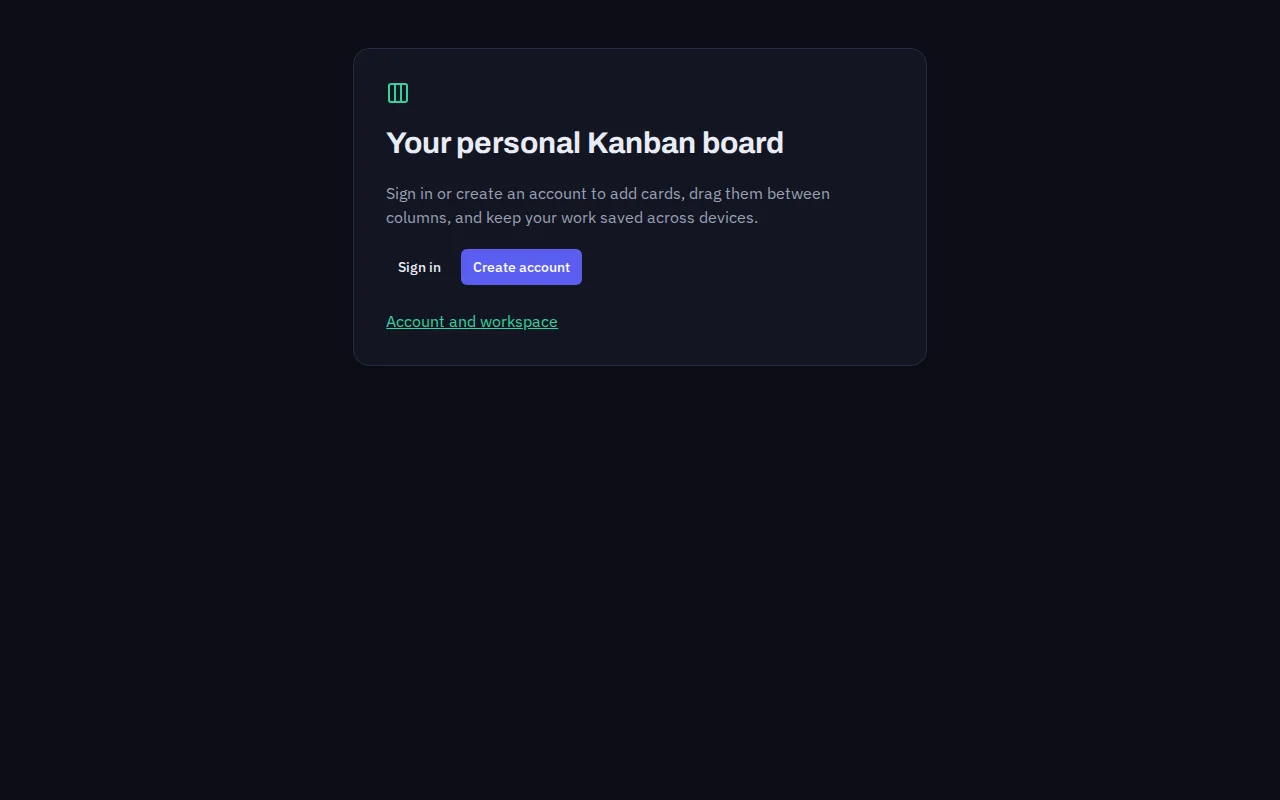
- The board sits behind a sign-in: each account sees only its own cards. The prompt did not ask for this.
- We created an account, added 4 cards and moved one; the board showed 1, 2 and 1 cards and "All changes saved".
- A leftover API route (src/pages/api/cards.ts) is in the code but not used by the board.
Show the exact prompt
Build a kanban board web app with To do, In progress and Done columns where I can add cards and drag them between columns.
Boards for the way your team works
Content calendars
Ideas to published, with owners and channels.
Hiring pipelines
One card per candidate, one column per stage.
Bug and support boards
Priority colours and an assignee on each card.
Client project boards
One board per client or per project phase.
Personal boards
A weekly board with a limit on what is in progress.
From columns to a working board in three steps
Describe the board
The columns, what each card shows and who uses the board.
Kleap builds it
It writes the board, the cards and drag and drop, and creates the table that keeps the cards.
Use it and adjust
Add real cards in the preview, ask for a filter or a new field, then publish it.
How Kleap compares
Facts from each tool's own page, read on 6 November 2026 (follow the source link to check). Kleap's row describes what the example above shows.
Which tool for which case
Pick Trello when you want a ready-made board service with a free plan for individuals and small teams, plus its integrations. Pick Manus when you want a generated board shared by link or exported. Pick Kleap when the board should be your own app: your columns and card fields, your address, and changes made by asking.
| Tool | What you get | Free path | Best at |
|---|---|---|---|
| Kleap | A working kanban board web app you own | Your first try usually needs no account; to keep the result, Kleap asks for a free account, with no card. Pro from $25/month (see /pricing). | Edit it by chat, publish it on a kleap.io address or your own domain |
| Google's US top 3 for “kanban board”, read 6 November 2026 | |||
| TrelloSource, checked 6 Nov 2026 | Boards, lists and cards as a hosted service | Free plan for individuals or small teams | Inbox, Boards and Planner, with integrations |
| Manus kanban board generatorSource, checked 6 Nov 2026 | An interactive web-based board, shared by link or exported | Free daily credits | Researches practices for your workflow type |
Start free. Upgrade when you need more.
Your first try usually needs no account; to keep the result, Kleap asks for a free account, with no card. Files and images use your Kleap usage: free usage refills over time, and paid plans add much more.
Free
- Free usage that refills
- Free account to save your results and find them again
Pro
- Much more usage
- Custom domain for your Kleap websites
When does a team need its own kanban board?
A kanban board shows work as cards moving through columns, so anyone can see what is waiting, what is in progress and what is done. Board services do this well for general tasks. A board of your own makes sense when the cards carry your fields (a channel, a client, a priority), when the board sits next to other tools you have built, or when you want it on your own address.
Kleap builds the board as a small web app and keeps the cards in the app's database. A team that also needs a list of people can add an employee directory in the same way, and work that goes to clients fits a client portal.
Questions, answered.
Can I drag cards between columns?
Yes. On a computer you drag a card to another column; on a phone each card has a Move to menu. Both save the new column.
Are the cards on my kanban board saved?
Yes, in the app's own database. In our test the board asked for an account first, so each person's cards stay private to them.
Can my team use the same board?
Ask for it in the request: shared boards and sign-in are something you describe, and Kleap builds them into the app. Check who can see and edit cards before you invite the team.
Can I change the columns later?
Yes. Ask Kleap to rename, add or remove a column and it updates the board.
Is this a replacement for Trello or Jira?
Not feature for feature. It is a board you own and shape to your work; the big services have years of integrations and permissions that a new app does not.
Can I put the board on my own domain?
Yes. Publish it on a kleap.io address or connect your own domain.
Your board, working today.
Name the columns and Kleap builds the board. Try it without an account; sign up free when Kleap asks, to keep it.
Written by the Kleap product team. Checked on 9 November 2026 against the generated files and runs shown on this page.