Client portal app
Describe what clients should see. Kleap builds the portal with sign-in.
- TestedIn our test on 6 Nov 2026, the request in the box gave a working client portal app 519 seconds after Create. Times are Kleap's own timer for the AI's turn in our test (one run, or the median where we repeated it), not a promise: yours may take longer, and reading and checking the file comes on top.
- Free to startNo card. Your first try usually needs no account; Kleap asks you to sign up, free, to keep the app. Building uses Kleap usage, and the free plan’s usage refills automatically.
- Using the boxThe box holds a sample portal. Press Create to build it, or describe your own projects and steps. Check who sees what with two test accounts before inviting clients.
What is a client portal?
A client portal is a private page where each client sees where their work stands, what you need from them and the files you share. From this page, Kleap builds the portal as your own web app with sign-in. In our test, one sentence gave a working portal in 519 seconds: the first account becomes the owner, clients create their own accounts, and the owner creates projects with a status, progress, a due date, a summary, next steps and files, each assigned to one client account. We tested it with three accounts: the owner created a project for one client, that client saw it after signing in, and a second client saw only "No projects shared yet". The data sits in three tables of the app's database. It does not take payments, collect e-signatures or send e-mail updates; ask for those in the same chat.
Checked on 6 November 2026 by the Kleap product team. Test: “Build a client portal web app where I add each client's project status, files and next steps, and each client signs in to see only theirs.”, web app, 519 s to the end of the turn that built the app.
Measured on
One real run of the prompt above: a fresh project, the real Kleap interface, a test account. Times run from the request reaching Kleap to the end of the turn that built the app. One run, not an average.
- Time to the working app
- 519 s
- Screens
- 2 (workspace, account)
- Database tables used
- 3 (owner, projects, files)
See what this prompt creates
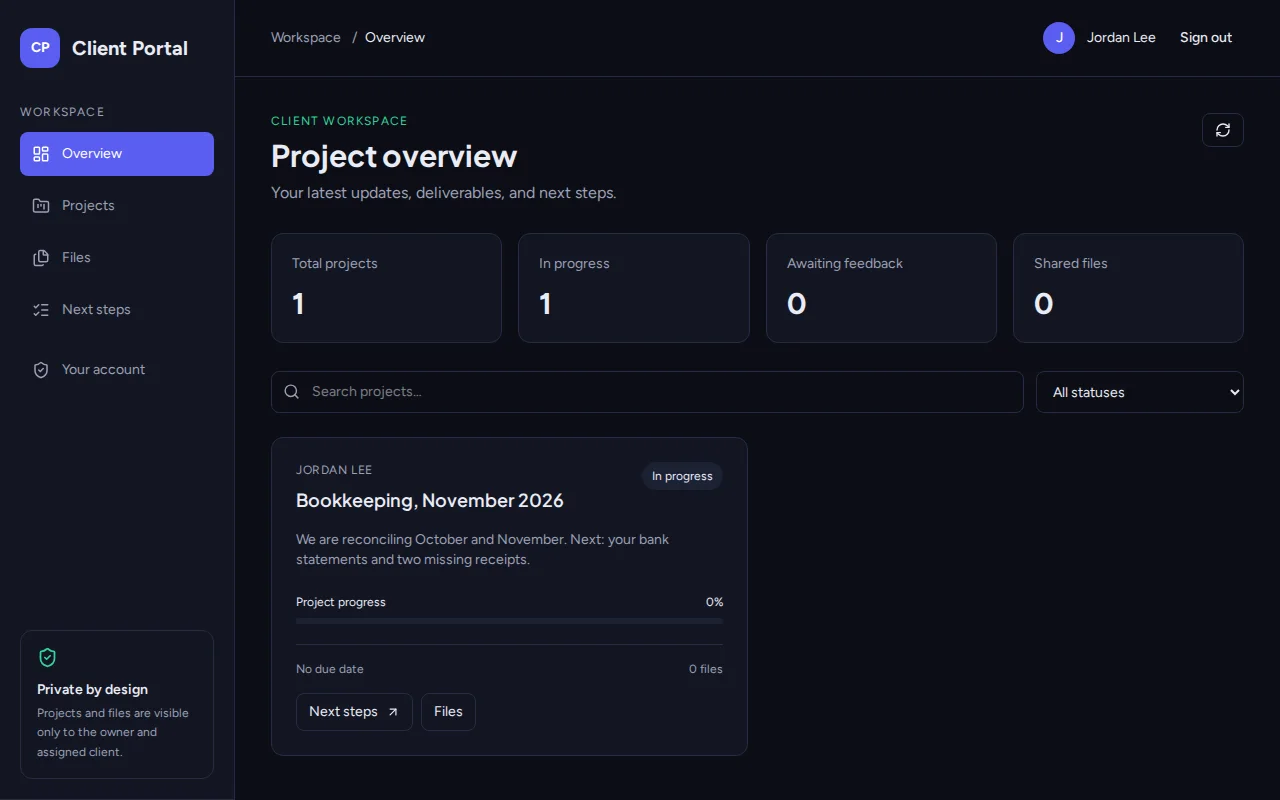
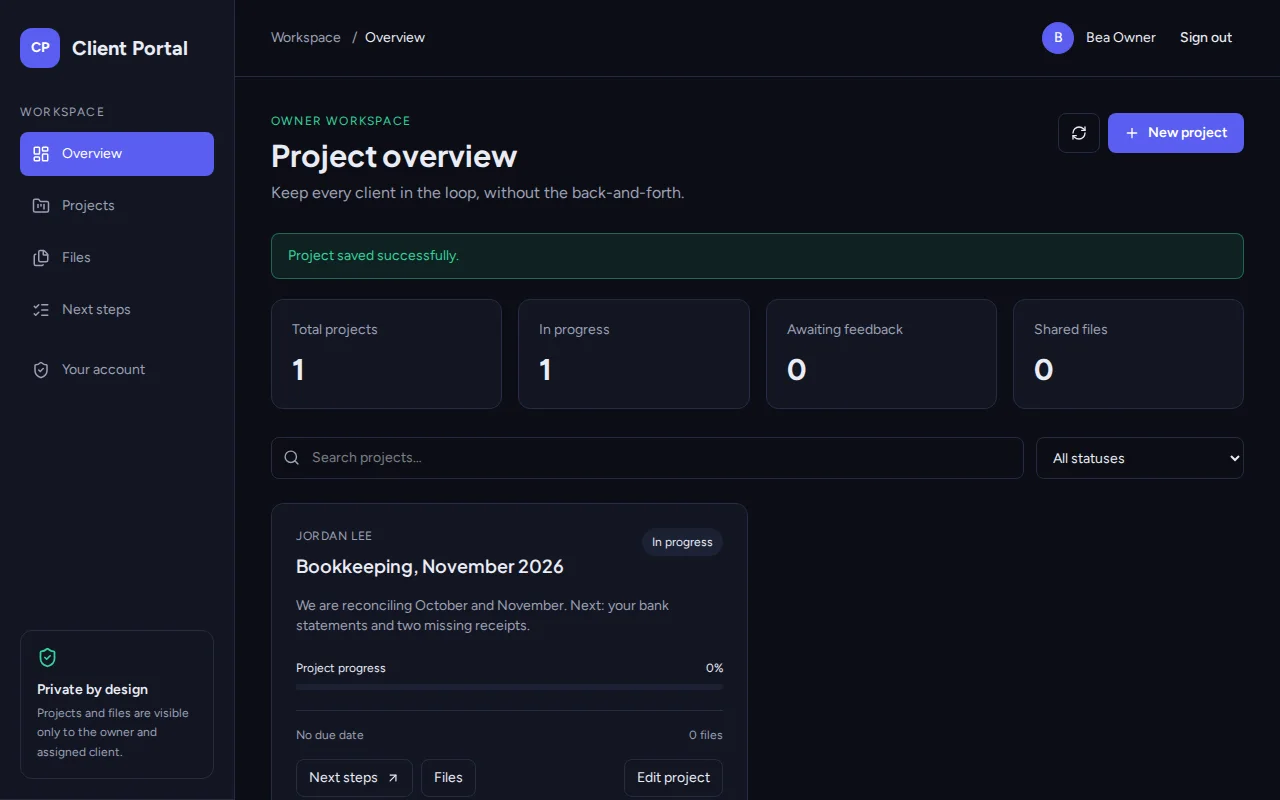
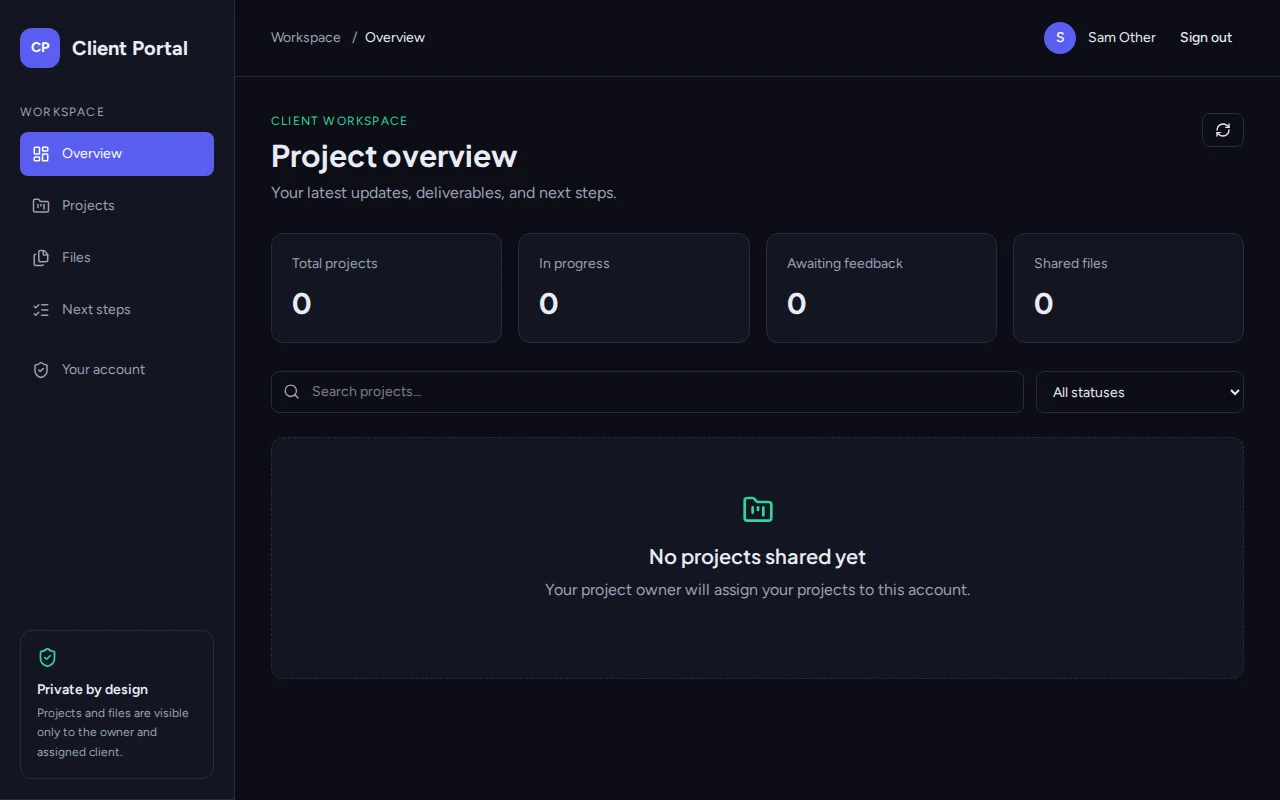
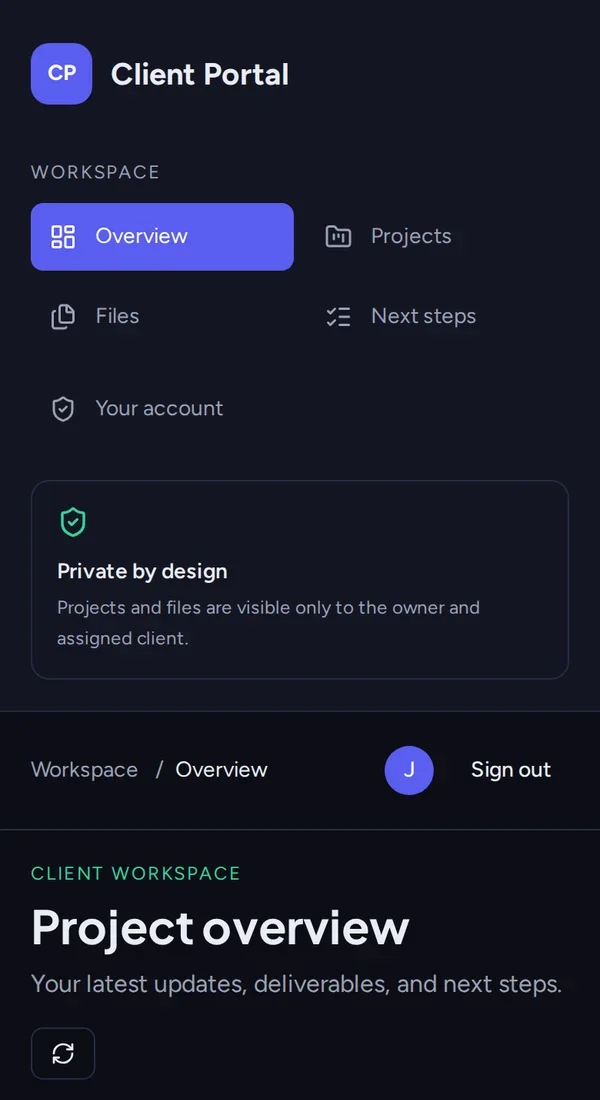
Real screenshots of the app Kleap built from the prompt in the box above, on 6 November 2026, in the Kleap preview. Not a mockup. With the request in the box, Kleap built a client portal in 519 seconds. We tested it with three accounts. The owner created "Bookkeeping, November 2026" (In progress, with a summary) and assigned it to Jordan Lee. Jordan signed in and saw that project as a client, without the owner's edit buttons. A second client, Sam, signed in and saw "No projects shared yet".
What we checked in the app’s code
- The first account becomes the owner (table portal_owner); clients create their own accounts.
- The owner creates and edits projects: title, client name, client account, status (Planning, In progress, Awaiting feedback, Completed, On hold), due date, progress, summary and next steps.
- The owner uploads files to a project (up to 5 MB each), stored in the table portal_files; clients can open them but not upload.
- Each project is assigned to one client account: in our test the assigned client saw it and another client saw "No projects shared yet".
- Clients see no New project or Edit buttons; next-step checkboxes are disabled for them.
Show the exact prompt
Build a client portal web app where I add each client's project status, files and next steps, and each client signs in to see only theirs.
Portals for client work
Onboarding portals
A checklist new clients work through.
Project status portals
Where each project stands, per client.
Accounting client spaces
Documents, monthly status and questions.
Coaching spaces
Session notes, homework and the next booking.
Agency approval portals
Designs to approve and timelines.
From client steps to a portal in three steps
Describe the portal
What a client sees, what they do, and what you manage as admin.
Kleap builds it
It writes the sign-in, the client space and the admin view, and creates the tables.
Test with two clients
Sign in as two test clients in the preview, check each sees only their own space, then publish.
How Kleap compares
Facts from each tool's own page, read on 6 November 2026 (follow the source link to check). Kleap's row describes what the example above shows.
Which tool for which case
Pick Assembly when you want a client portal service with a free-forever plan and client apps included. Pick SuiteDash when you want CRM, portal, projects and invoicing together from $19 a month. Pick Kleap when you want a portal of your own, shaped to your steps and statuses, which you change by asking.
| Tool | What you get | Free path | Best at |
|---|---|---|---|
| Kleap | A working client portal web app with sign-in | Your first try usually needs no account; to keep the result, Kleap asks for a free account, with no card. Pro from $25/month (see /pricing). | Edit it by chat, publish it on a kleap.io address or your own domain |
| Google's US top 3 for “client portal”, read 6 November 2026 | |||
| AssemblySource, checked 6 Nov 2026 | Client portal with client experience apps | Free forever plan, no credit card required | Paid plans add contacts, build credits and white-labeling |
| SuiteDashSource, checked 6 Nov 2026 | CRM, client portal, projects, invoicing and scheduling | 14-day free trial; plans from $19 a month | Unlimited users on every plan |
Start free. Upgrade when you need more.
Your first try usually needs no account; to keep the result, Kleap asks for a free account, with no card. Files and images use your Kleap usage: free usage refills over time, and paid plans add much more.
Free
- Free usage that refills
- Free account to save your results and find them again
Pro
- Much more usage
- Custom domain for your Kleap websites
What should a client portal show?
Clients write in for three reasons: where is my project, what do you need from me, and where is that file. A portal answers all three on one page per client, so the answer is there before they ask. The rule that matters most is privacy: each client sees only their own space.
Kleap builds the portal with sign-in and keeps each client's data in the app's database. The quote that opens the project comes from the AI quotation generator, and the work inside the team can sit on a kanban board.
Questions, answered.
Does each client see only their own data?
In our test, yes. We signed in as the owner, as the client a project was assigned to, and as a second client: the second client saw "No projects shared yet". Run the same check before you invite real clients.
Can clients upload files in the client portal?
In the portal from our test, the owner uploads files to a project and the assigned client sees them. Ask for client uploads if clients should send you documents.
How do clients get an account?
They sign up or sign in from the portal with an email and password or Google. Describe in your request whether you invite them or they sign up themselves.
Can I put my logo and colours on it?
Yes. Describe your brand or give your website, and ask for any change after.
Can clients pay invoices in the portal?
Not out of the box. Payments need your Stripe account connected; ask Kleap for a payment button once it is.
Is this a replacement for SuiteDash or Assembly?
Not feature for feature. Those services bundle many tools; a portal you build does exactly what you describe and nothing more.
Answers before clients ask.
Describe what clients should see and Kleap builds the portal. Try it without an account; sign up free when Kleap asks, to keep it.
Written by the Kleap product team. Checked on 9 November 2026 against the generated files and runs shown on this page.