AI ebook generator
Your topic and chapters in. A short PDF ebook out.
- TestedTested once on 6 November 2026 with the prompt in the box: one 12-page PDF e-book with a cover and linked contents, 1 min 57 s by Kleap's turn timer; ask Kleap to revise the file in the same chat. Times are Kleap's own timer for the AI's turn in our test (one run, or the median where we repeated it), not a promise: yours may take longer, and reading and checking the file comes on top.
- Free to startYour first try usually needs no account; to keep the result, Kleap asks for a free account, with no card. Each file uses Kleap usage, and the free plan's usage refills automatically.
- Using the boxGive the subject, the reader and the chapters. You get a PDF first draft with a generated cover and linked contents. PDF only, no EPUB.
What is an AI ebook generator?
An AI ebook generator writes a short book from a subject: a cover, linked contents and chapters. Kleap's AI ebook generator returns one PDF with a cover picture generated for the topic and contents lines that jump to their pages. It is a first draft to edit, then give away or sell; it does not make EPUB files.
What this page makes: one PDF e-book with a cover picture, linked contents and chapters, written from a topic, a reader and a chapter list you give. What it is not: an EPUB or Kindle file, a fact-checked book, or a store listing; facts you do not give are marked [to fill in] (18 in our test).
An AI ebook generator writes a short book-length guide from a topic: a title, a contents list and chapters for a specific reader. Kleap's AI ebook generator is built for short practical guides and lead magnets (the test e-book on this page has 12 pages), delivered as a PDF you can share, attach or offer as a free download from your website. Give the topic, the reader, the chapters and the tone; Kleap generates a cover picture for page 1, writes each chapter with headings, lists and tips, adds contents and page numbers, and shows the PDF in the chat. Reply to rewrite a chapter or add one. It does not make an EPUB or Kindle file or publish to a store, and it does not fact-check: read every chapter before you share it. The same chat can build the landing page that offers the ebook. For a two-page checklist or a price list, use the AI PDF creator.
E-book, PDF or Word document?
Choose Word to keep editing the text, a PDF to share a layout that must not move, and an e-book for a guide in chapters with a cover and linked contents.
An e-book here is a guide in chapters with a cover, made to download, give away or sell. The test e-book on this page has 12 pages: a cover with a picture generated for the topic, two pages of linked contents, then the chapters. It left 18 [to fill in] markers where the brief did not give a fact, rather than inventing one.
For a single printable sheet or checklist, use the AI PDF creator. For a document someone will edit, such as a proposal or a policy, use the AI document generator. For a reflowable EPUB for e-book stores, use a dedicated e-book tool: Kleap's file is a fixed-layout PDF.
Checked on 6 November 2026 by the Kleap product team. Test: “Write a 12-page PDF e-book: The First 90 Days of a Home Bakery. (details on the next line)”, one 12-page PDF, 1 min 57 s by Kleap's turn timer.
Sources
- “The table above is a list of our suggested and most commonly used formats. Additional accepted formats included but aren't limited to the following:” — Amazon KDP — What file formats are supported for eBook manuscripts? (read )
Measured on
One real run of the prompt in the box above, unchanged: a fresh project, the real Kleap interface, a test account. Every number on this page comes from that run and its delivered file. Times are Kleap's own turn timer, shown under the reply in the chat. One run, not an average.
- Kleap's turn timer, on this test
- 1 min 57 s
- Pages in the file
- 12
- Files handed over
- 1
- [to fill in] markers (reader's inputs)
- 18
See what this prompt creates
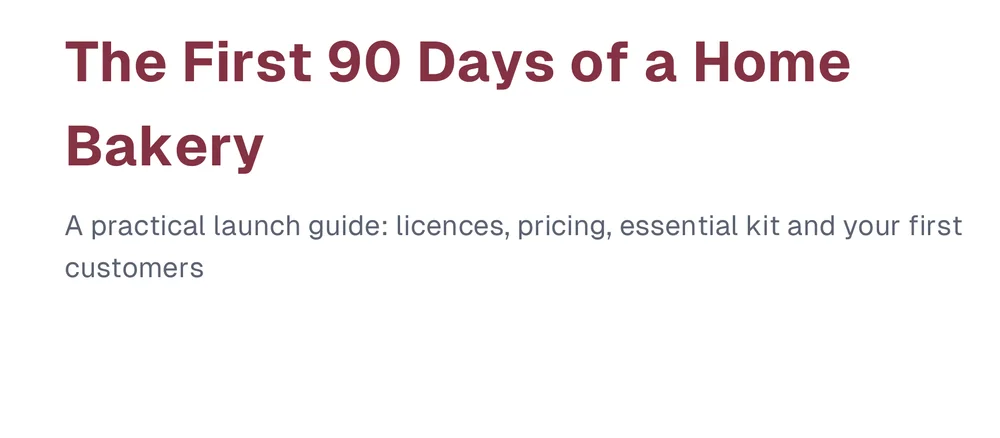
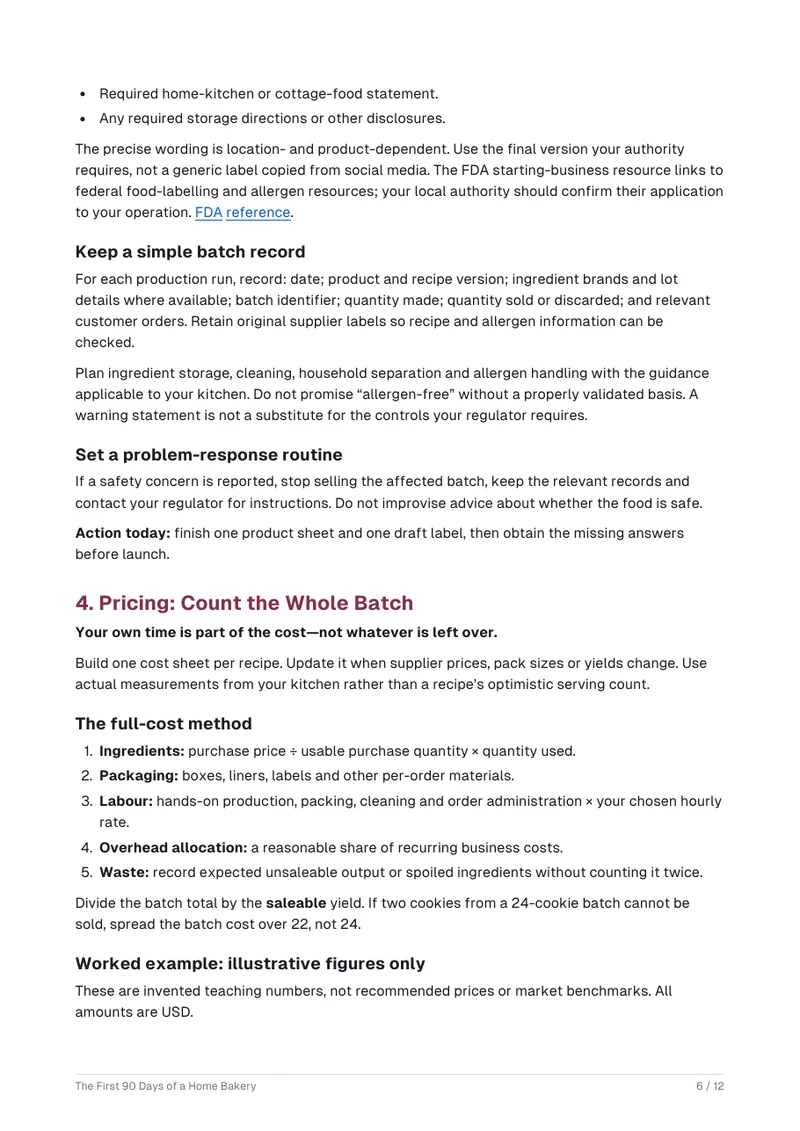
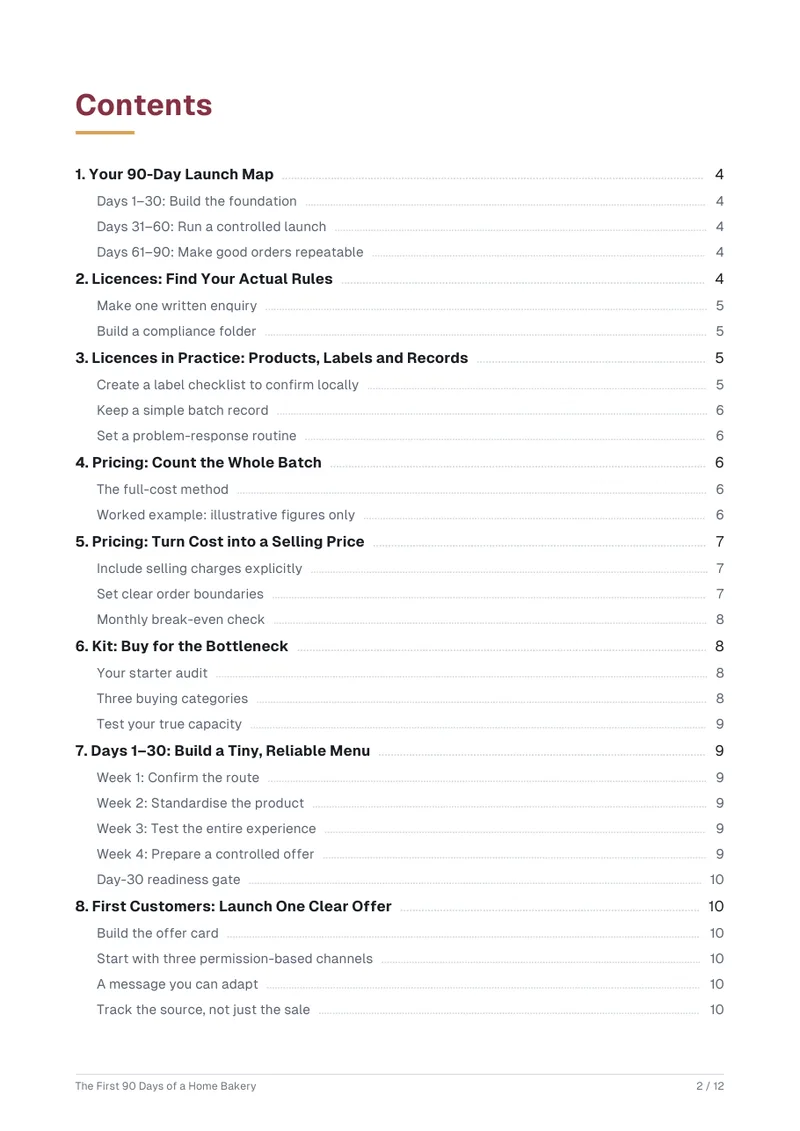
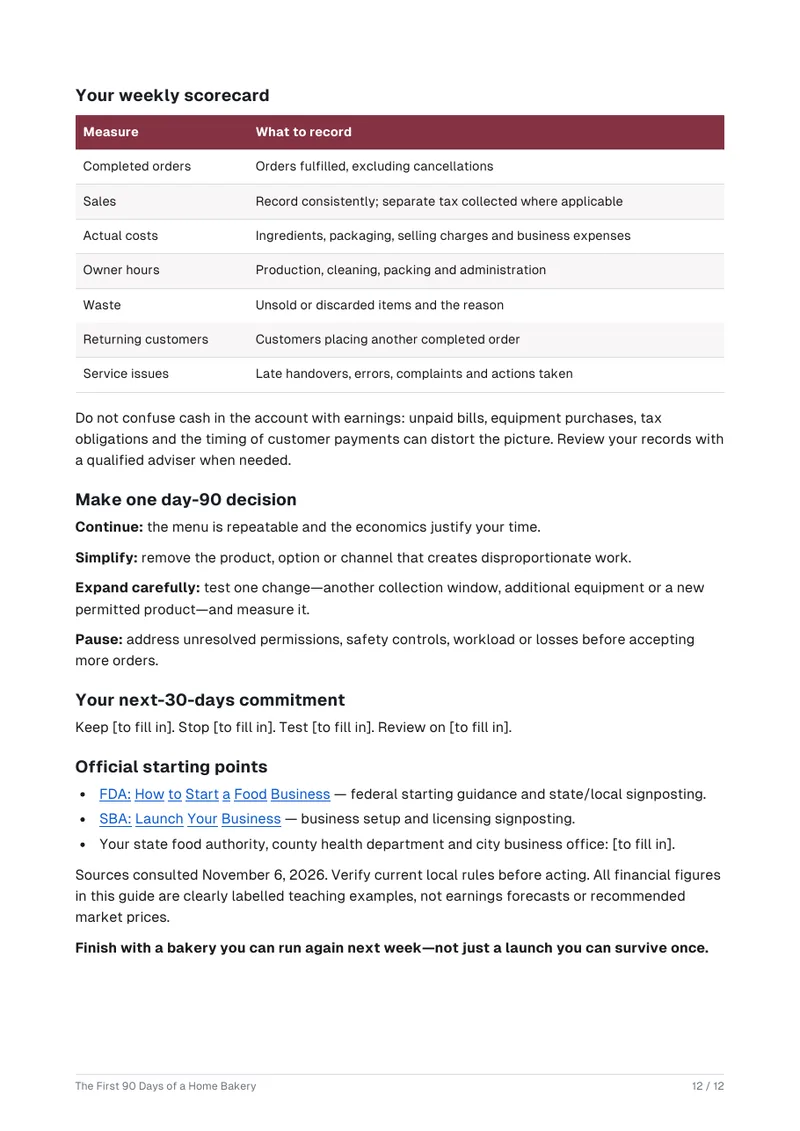
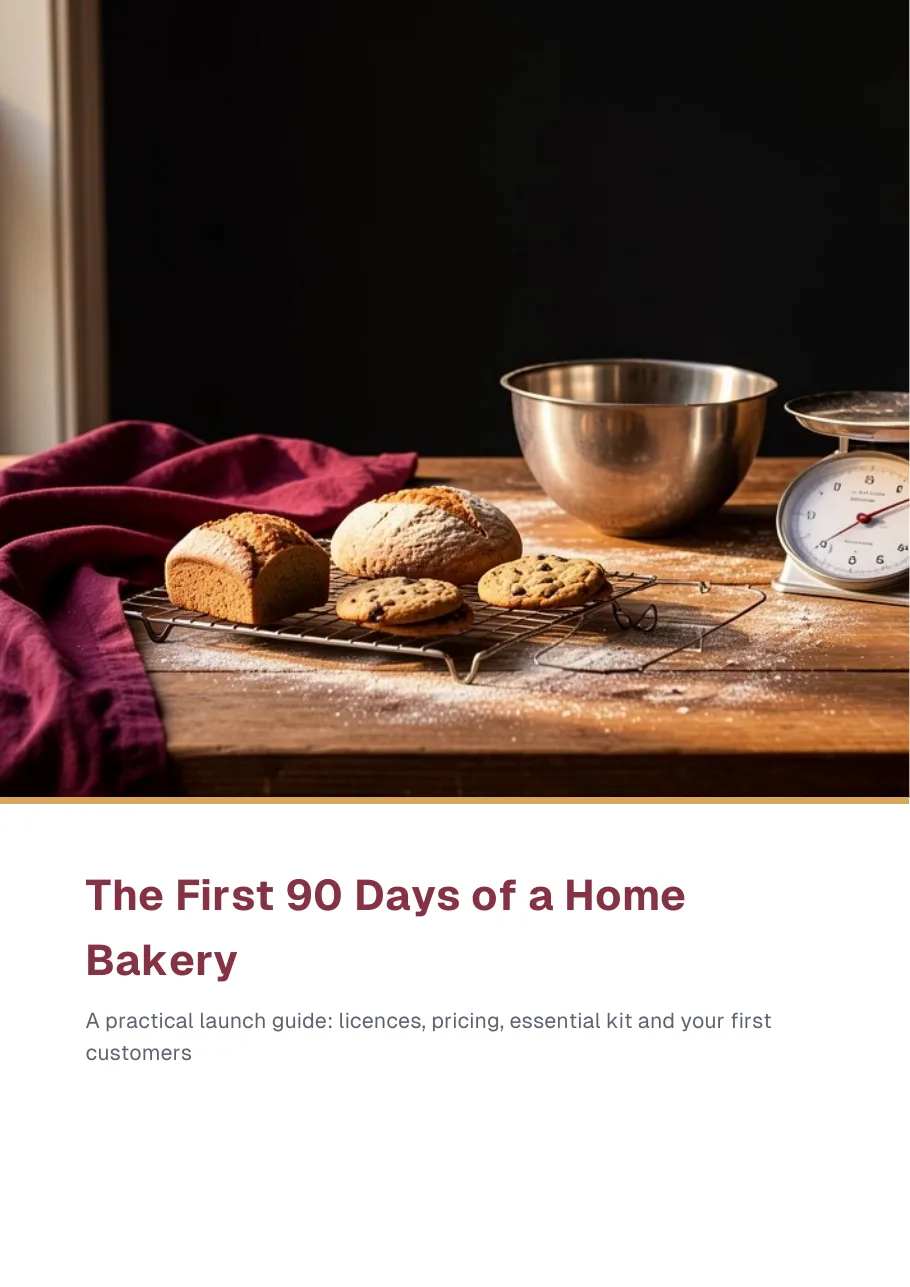
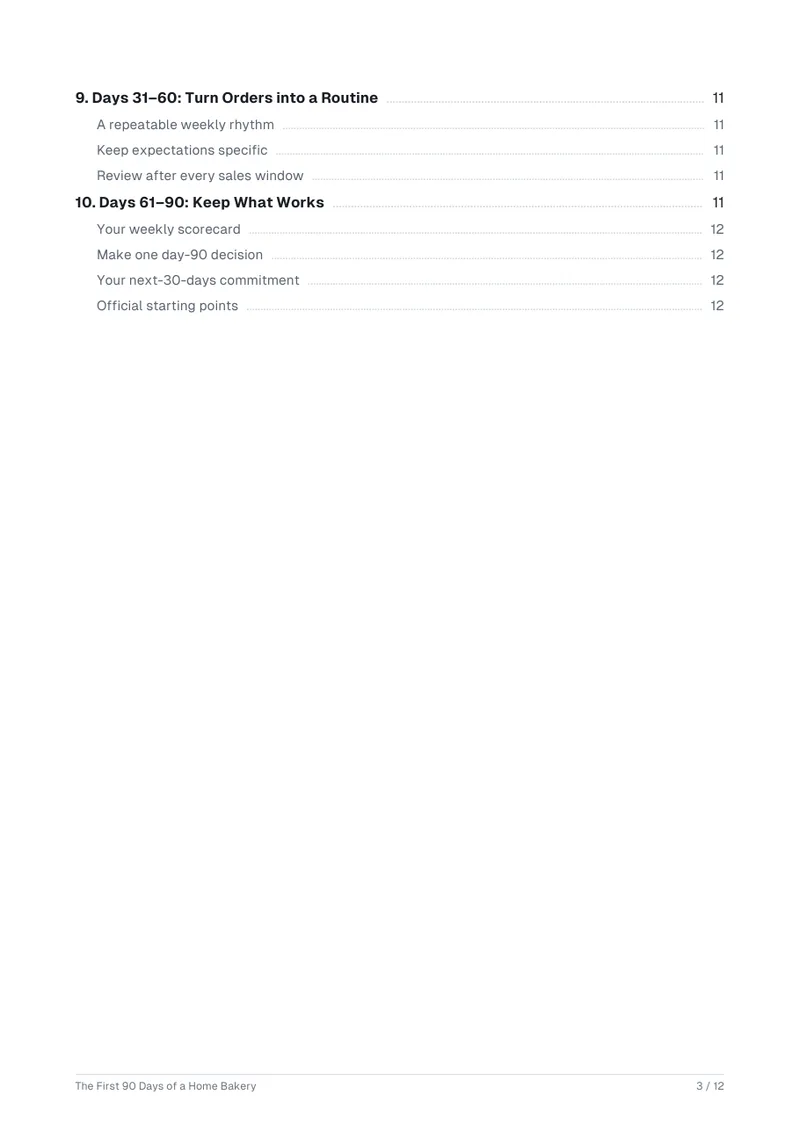
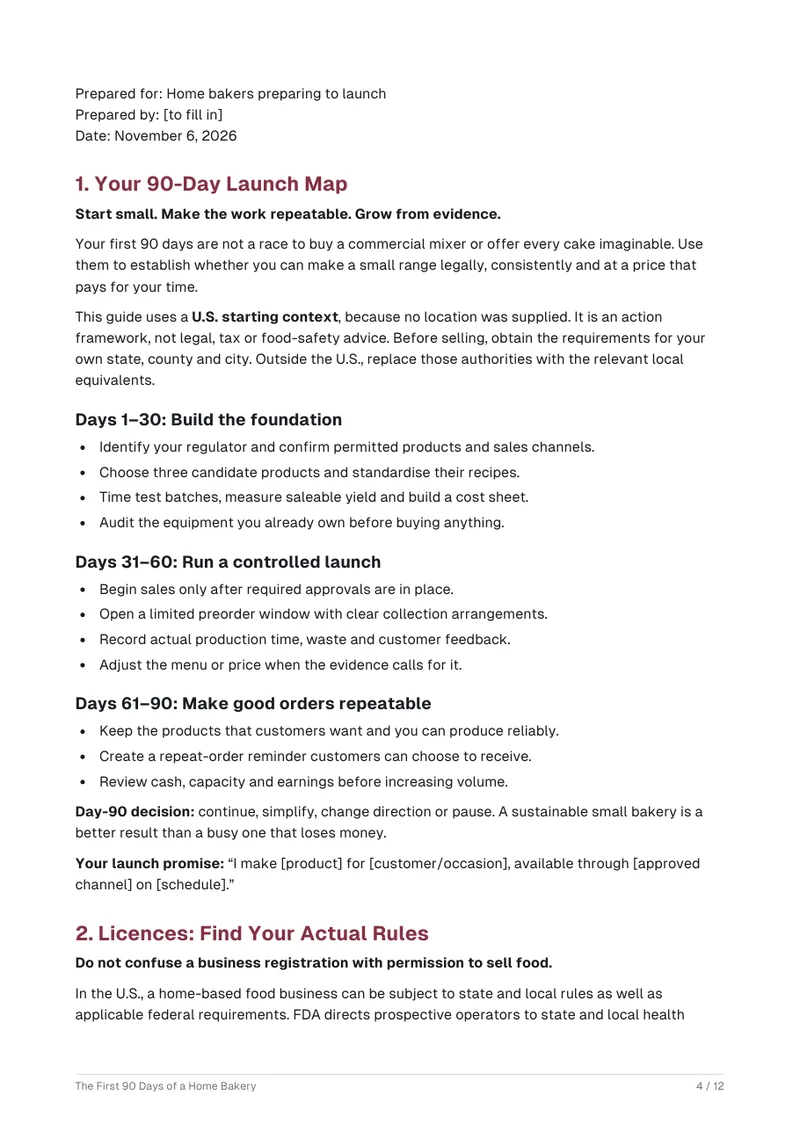
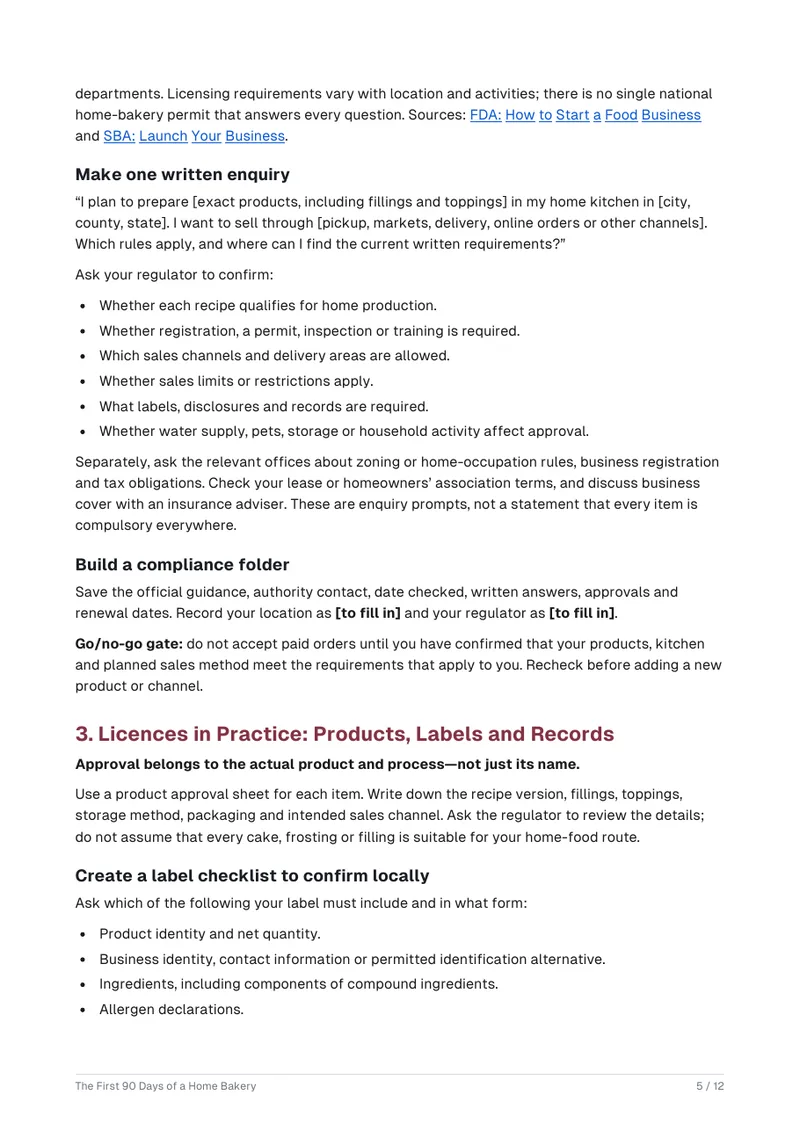
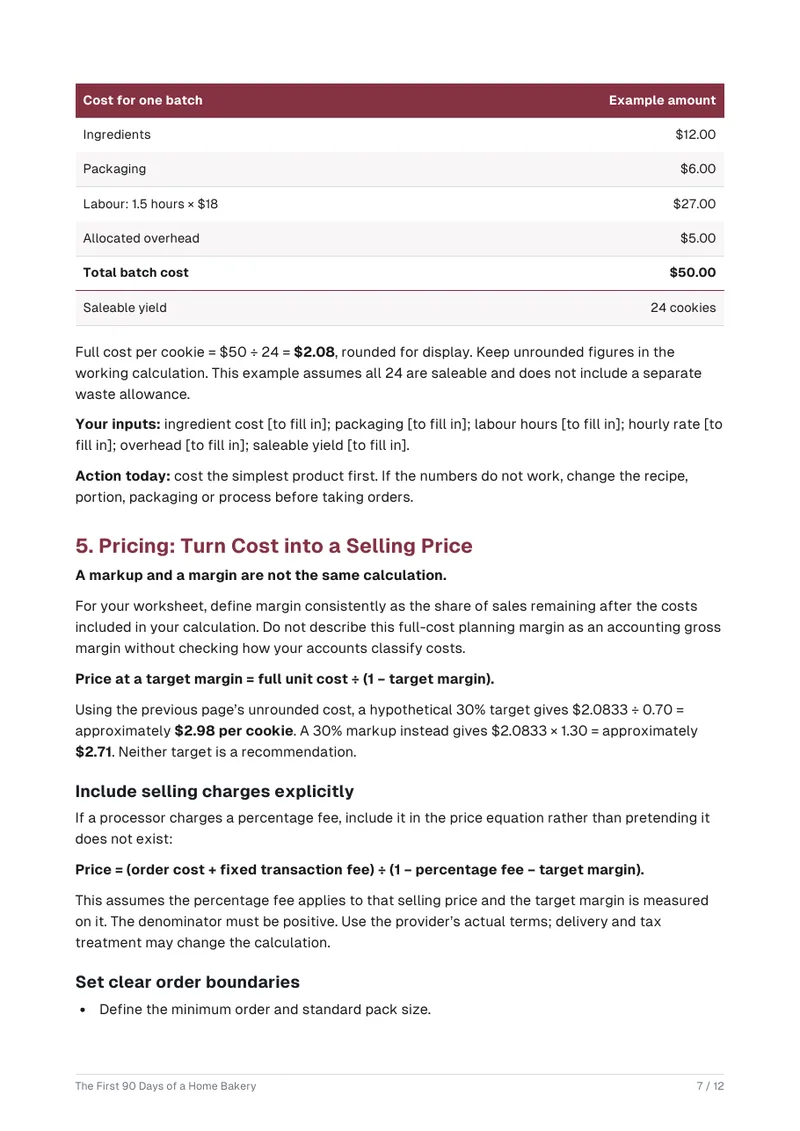
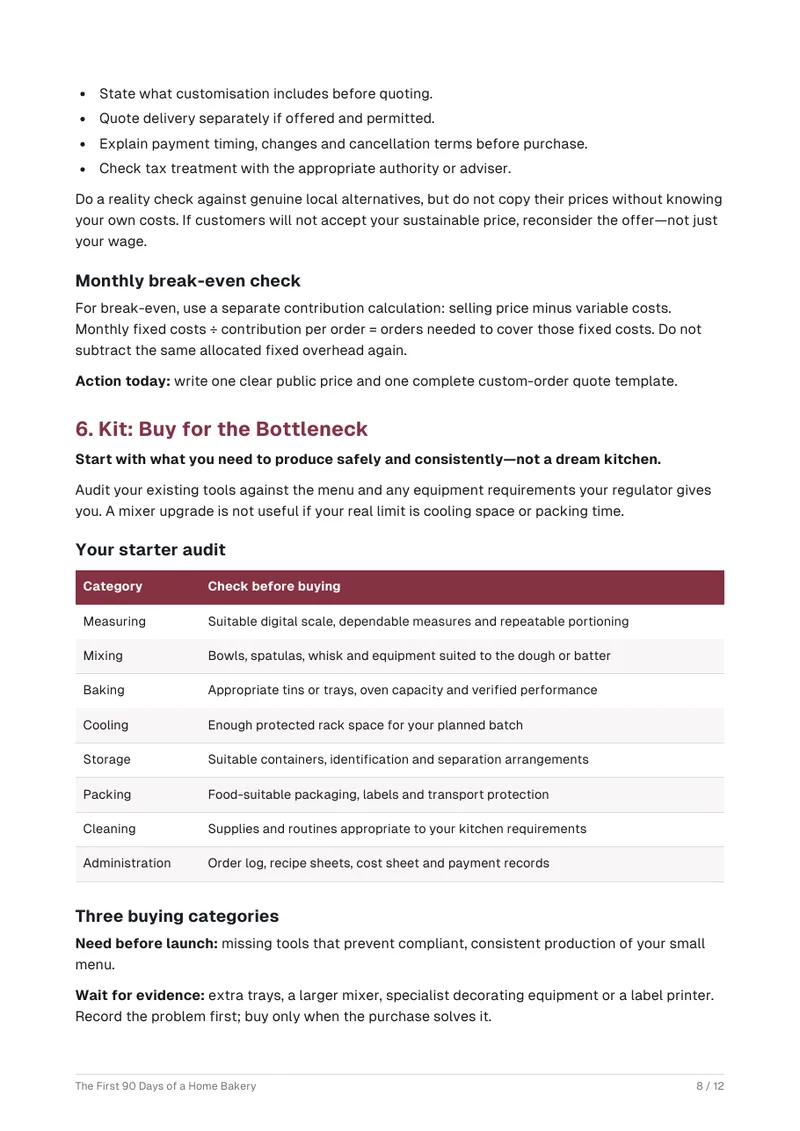
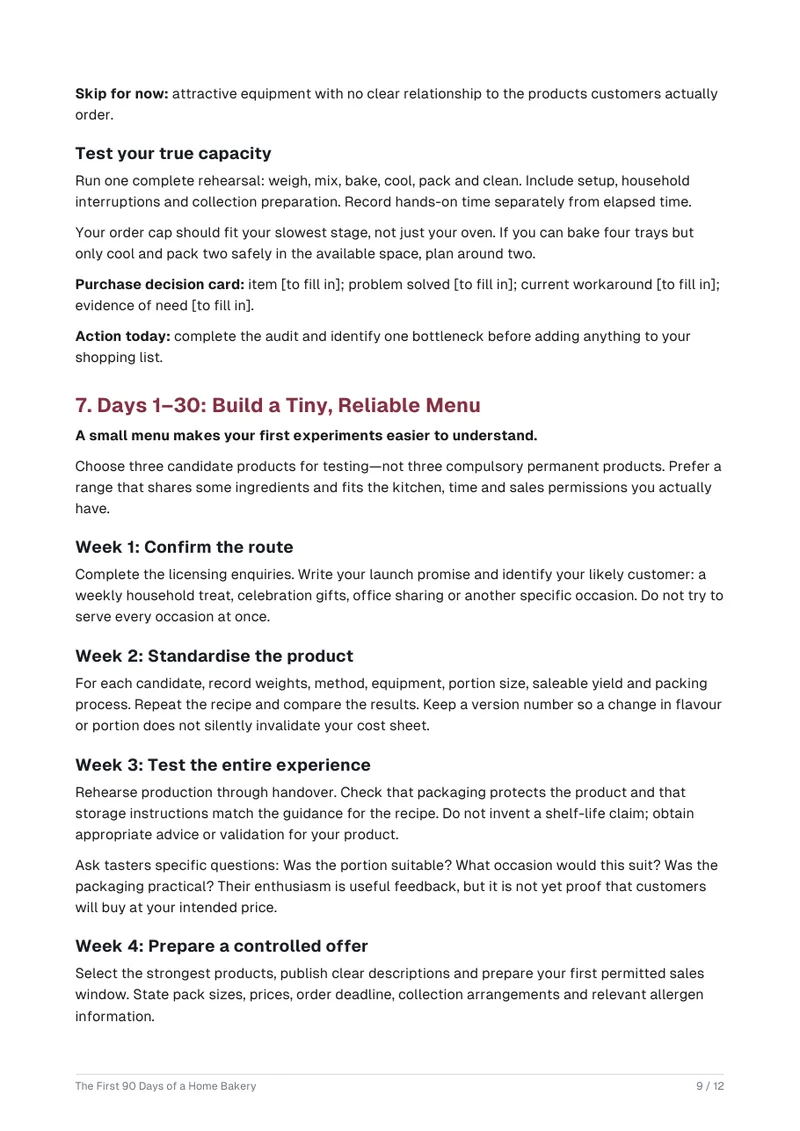
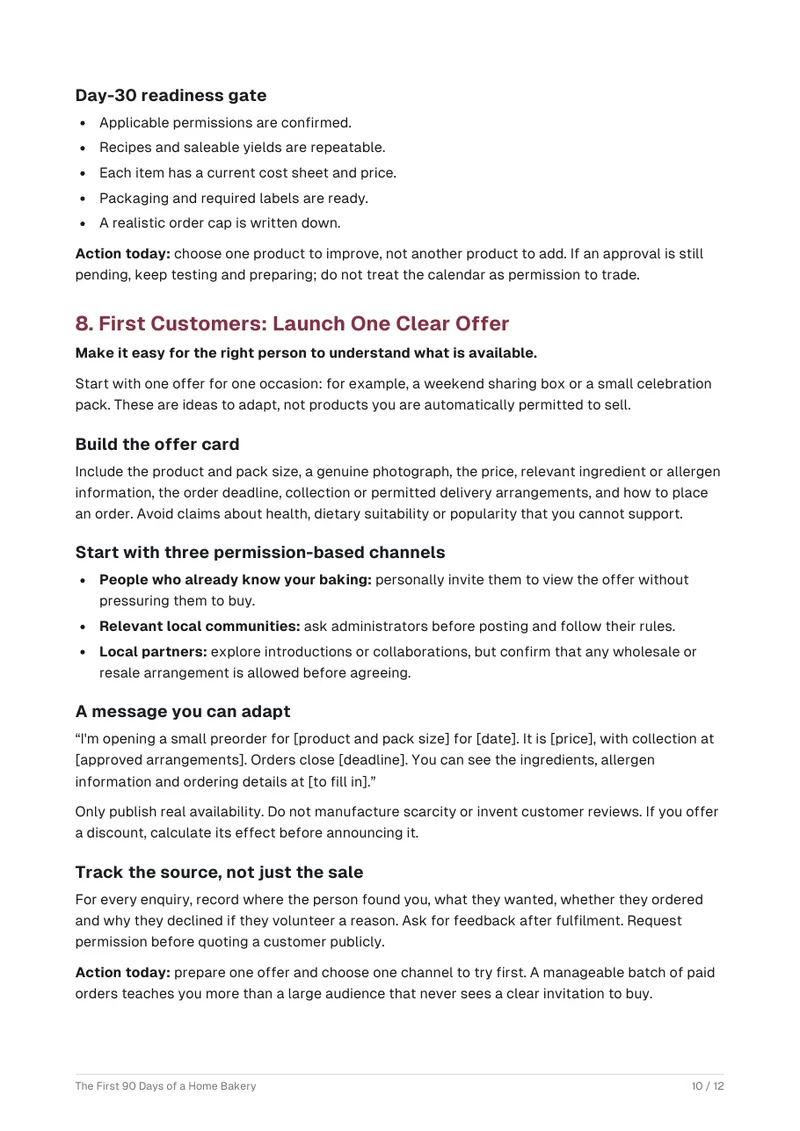
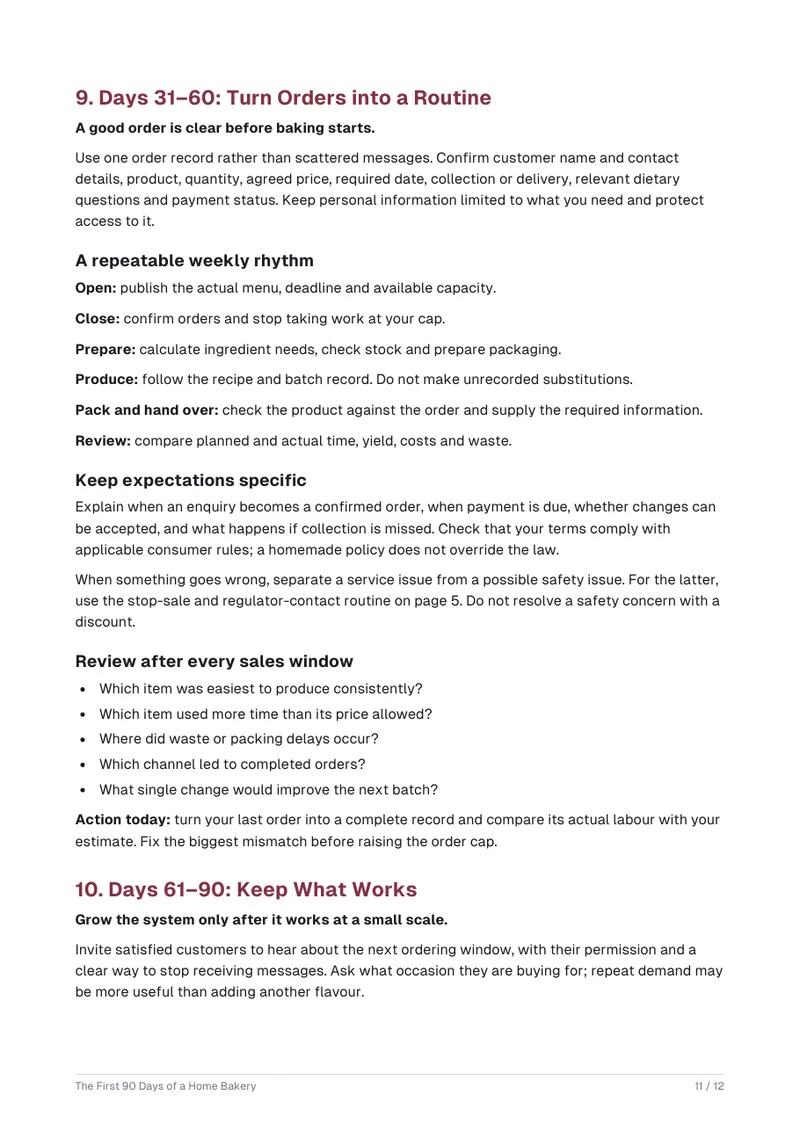
Real output of the prompt in the box above, generated with Kleap on 6 November 2026, rendered from the delivered file. Not a mockup. From the prompt in the box, unchanged, Kleap handed over one 12-page PDF (183 KB) in 1 min 57 s by Kleap's turn timer. Page 1 is a cover over a picture generated for the book, made inside the same call; pages 2 and 3 list ten chapters and their sections, each line linked to its page, from Your 90-Day Launch Map to Days 61–90: Keep What Works (licences, labels and records, pricing with a worked example in illustrative figures, kit, a small menu, first customers, routines); page 12 is a weekly scorecard. The 18 [to fill in] lines are the reader's own inputs (their location and regulator, ingredient and packaging costs, labour hours, scorecard figures…), not missing facts. The guide says it is a framework for the U.S., not legal, tax or food-safety advice, and asks you to check your own local rules.
What we checked in the delivered file
- 12 pages in the PDF (pdfinfo); one PDF in Data > Files after the turn.
- 66 link annotations (read with pdf-lib): 42 contents lines jump to their pages, 24 open two official sources (FDA, SBA).
- Cover picture generated for the book inside the createDeliverable call (one image in the PDF).
- 18 [to fill in] lines, all inputs the reader writes in (location, regulator, costs, hours, scorecard figures).
Show the exact prompt
Write a 12-page PDF e-book: The First 90 Days of a Home Bakery. Details: a cover and linked contents; chapters on licences, pricing, kit and first customers.
How we tested the AI Ebook Generator, and when to use something else
How this page was tested
- We sent the box prompt as written to a new project.
- The turn handed over ONE file; we counted its pages.
- We checked the cover, the contents page and its links to the chapters.
Good for
- Lead magnets and short practical guides
- A designed cover and linked contents without a layout tool
- Practical how-to content on a topic you know
Use something else for
- EPUB or Kindle files: the output is a PDF.
- A full-length book: keep it to a short guide.
- Facts you need cited: check every claim before publishing.
E-books for the way small businesses use them
Lead-magnet guides
A short free PDF you offer on your website for an email address.
How-to books for customers
Step-by-step guides that answer the questions you hear all the time.
Workshop and course companions
A reference to hand out with a class or training.
Recipe and tip collections
Short entries grouped by theme with a contents page.
Company handbooks
Onboarding information for new team members.
From topic to e-book in three steps
Give the brief
Topic, reader, title, chapter list and tone. A rough outline is enough.
Kleap writes and typesets
It drafts each chapter, builds the title and contents list, and renders a PDF.
Edit chapter by chapter
Ask for a rewrite, a new chapter or a different tone, then download the updated file.
How Kleap compares
Facts from each tool's own page, read on 9 November 2026 (follow the source link to check). Kleap's row describes what the example above shows.
Which tool for which case
Pick getebook.ai when you want an EPUB or DOCX for KDP, Etsy or Apple Books and will pay for the download. Pick FlipHTML5 when you want an interactive flipbook online. The first top result is a Reddit post, not a tool. Pick Kleap when one PDF with a cover and linked contents is enough, as a first draft to check.
| Tool | What you get | Free path | Best at |
|---|---|---|---|
| Kleap | PDF ebook with contents and chapters | Your first try usually needs no account; to keep the result, Kleap asks for a free account, with no card. Pro from $25/month (see /pricing). | Ebook and the landing page that offers it, in one project |
| Google's US top 3 for “ai ebook generator”, read 9 November 2026 | |||
| getebook.aiSource, checked 9 Nov 2026 | Chapters, cover and a store-ready ebook; PDF, EPUB or DOCX | Start free; the download needs Pro, from $29/mo | For KDP, Etsy or Apple Books |
| FlipHTML5Source, checked 9 Nov 2026 | PDF to flipbooks, AI writing and images (its own list ranks it first) | Limited free features; paid from $15/mo (its list) | Its article lists 8 ebook tools |
| Category leaders (not in this SERP, read 9 November 2026) | |||
| DesignrrSource, checked 9 Nov 2026 | Write ebooks in its creator, or convert web or Word content into PDF, Kindle (mobi) and ePub | No price in the lines quoted | Publish to a website, Kindle, ePub, PDF or flipbook |
Start free. Upgrade when you need more.
Your first try usually needs no account; to keep the result, Kleap asks for a free account, with no card. Files and images use your Kleap usage: free usage refills over time, and paid plans add much more.
Free
- Free usage that refills
- Free account to save your results and find them again
Pro
- Much more usage
- Custom domain for your Kleap websites
When is a short e-book the right format?
Use this page for a short guide with a cover, contents and chapters (our test: 12 pages), to give away as a lead magnet or to sell as a PDF. For a one- or two-page printable, use the AI PDF creator; for an editable Word document such as a proposal or a policy, the AI document generator.
The hard part of an e-book is rarely the idea. It is turning a pile of notes into chapters that read well and a file that looks finished. Kleap drafts the chapters from your outline and typesets them into a PDF with a contents list and chapter headings.
Short guides do best here: a lead magnet, a how-to for your customers, a workshop companion. Read the text for accuracy, add your own examples and numbers, and ask for a chapter to be rewritten whenever it does not sound like you. Kleap does not check facts, and it does not publish to book stores. For fiction, a bedtime story or a gift story, the AI story generator makes a short story PDF with a cover picture.
Kleap is best for a short guide or lead magnet, not a print-ready book or a Kindle upload. Before you generate, give it the reader, the outcome, the chapter list, the sources it may use and the facts it must leave blank if unknown. Then read every chapter for claims you cannot back, and check page breaks and links in the downloaded PDF. Kleap exports PDF, not EPUB.
E-book, PDF or document? An e-book here is a short guide with a generated cover, linked contents and chapters, made to give away or to sell as a small download, and it comes back as a PDF. For a single printable sheet or checklist, the AI PDF creator for one-off printables is simpler; for a text you will keep editing, use the AI document generator for Word files.
Questions, answered.
Why does the test e-book have [to fill in] gaps?
Because the brief did not give those facts. Our test e-book has 18 [to fill in] markers where it needed local figures, such as licence fees or prices, instead of making them up. Give those facts in your request, or fill the gaps in before you share the PDF.
How long can the e-book be?
Short guides: the test e-book on this page has 12 pages. For a longer book, create it in parts and ask for each chapter separately.
Does the e-book have a cover and a contents list?
Both. In our test, page 1 is a cover with the title and subtitle over a picture generated for the topic, and pages 2 and 3 are the contents, each line linked to its page. Ask for another cover picture in the chat and Kleap edits the stored PDF with the new cover.
Will the facts be accurate?
Not automatically. Kleap writes from your brief and general knowledge and does not check facts, so review every claim, figure and recommendation before you share the e-book.
Can I rewrite part of the e-book?
Yes. Ask for a chapter to be rewritten, shortened or given a different tone, and Kleap edits the stored PDF.
Is it an EPUB or a Kindle file?
No. Kleap delivers one PDF with a cover and linked contents. Stores such as Kindle ask for their own formats and rules, and Kleap does not convert or publish to them; a PDF suits a lead magnet, a course handout or a direct sale.
Should I ask for an e-book, a PDF or a Word file?
Choose Word to keep editing the text, a PDF to share a layout that must not move, and an e-book for a guide in chapters with a cover and linked contents. For a short handout, use the [AI PDF creator](/ai-pdf-generator); for an editable file, the [AI document generator](/ai-document-generator).
Can I give the e-book away on my website?
Yes. Download the PDF and offer it on a landing page, which Kleap can also build for you.
Your e-book starts with one brief.
Give Kleap the topic and chapters and download a short e-book as a PDF. A short guide to review chapter by chapter, not a book ready to sell.
Written by the Kleap product team. Checked on 9 November 2026 against the generated files and runs shown on this page.