AI product photography
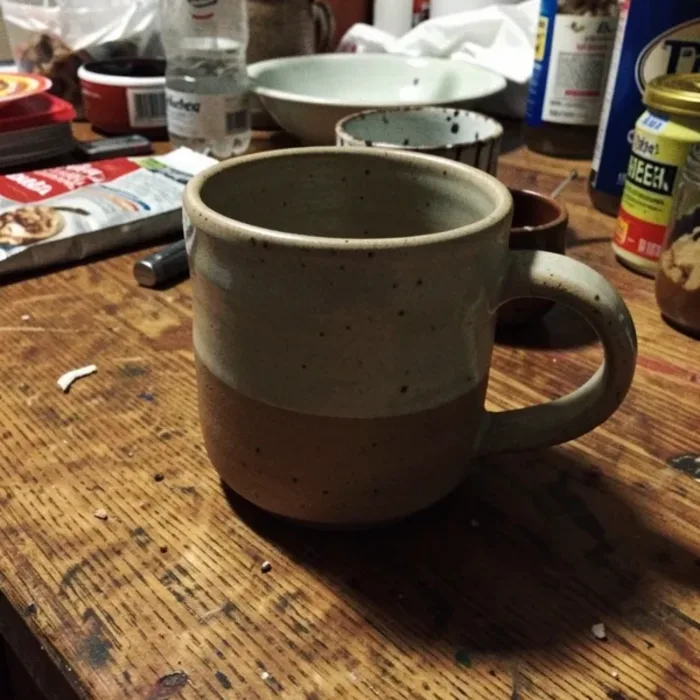
Kleap returns four re-drawn studio shots of your product: new pictures, not a pixel-precise edit, so check labels and details.
- TestedTested 6 times on 7 November 2026 with the prompt in the box and one phone photo: 6 of 6 returned 4 white packshots in 41 s to 55 s by Kleap's turn timer; 8 of the 24 JPEGs matched the mug's proportions within 10%. Times are Kleap's own timer for the AI's turn in our test (one run, or the median where we repeated it), not a promise: yours may take longer, and reading and checking the file comes on top.
- Free to startYour first try usually needs no account; to keep the result, Kleap asks for a free account, with no card. Each file uses Kleap usage, and the free plan's usage refills automatically.
- Using the boxDrop a product photo in the box (Kleap asks for one if you forget). It is saved in this project's files and sent to the image model as the reference; your photo itself is left as it is. AI can alter shape, small text and labels: compare each version with your product before you sell with it.
What is AI product photography?
AI product photography turns a phone photo of a product into marketing pictures, such as packshots on pure white. Kleap's AI product photography sends your photo to Seedream 5 and returns four redrawn JPEG versions in the chat. In our tests (6 runs, 24 JPEGs measured) most versions changed the product's proportions, so compare every one with the real product.
What this page makes: up to 4 JPEG packshots or scenes, redrawn from one phone photo of your product plus a sentence. What it is not: a retouch of your photo, a transparent cut-out or a catalogue batch tool. In our 6 runs, 8 of 24 JPEGs matched the mug's proportions within 10% on all five measures.
AI product photography turns a plain photo of a product into marketing pictures: a clean white packshot for a shop listing, a lifestyle scene on a kitchen counter, or the product held by a model. Kleap's AI product photography returns up to four redrawn JPEG versions from one phone photo of your product. The product is redrawn, so its shape and label are not guaranteed: in our six runs of the box prompt, 8 of 24 JPEGs matched the mug's proportions within 10%, and 12 others drew it more than 10% wider at the rim. You pick among the versions and compare each with the real product before you sell with it. Attach the photo in the chat's photo studio, describe the setting, and download the JPEG files or place them on the product page of your Kleap website. There is no brush or mask, no batch processing of a whole catalogue and no transparent cut-out.
Product photos, photo editor or headshot?
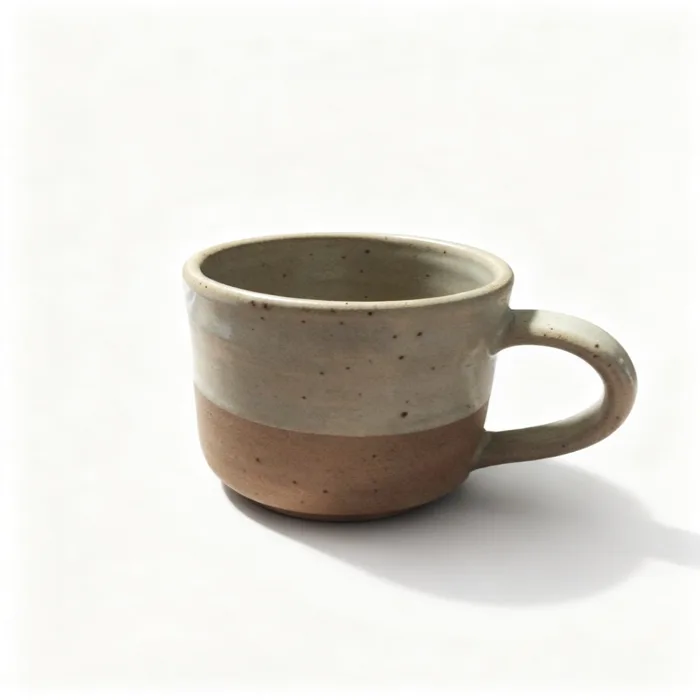
This page is for an object you sell. The before and after on it is the first of six runs of the box prompt on the same phone photo: the mug stayed a two-tone mug on pure white in all of them, but only 8 of the 24 JPEGs matched its proportions within 10%, and 12 others drew it more than 10% wider at the rim. That is why every version needs a check against the real product before it goes on a shop page.
For a person, use the AI headshot generator. To change any other scene, use the AI photo editor online. Kleap returns JPEG files; it does not cut out a transparent PNG.
Checked on 7 November 2026 by the Kleap product team. Test: “Turn my attached product photo into e-commerce packshots. (details on the next line)”, 4 JPEG photos (Seedream 5), 51 s by Kleap's turn timer.
Measured on
One real run of the prompt in the box above, unchanged: a fresh project, the real Kleap interface, a test account. Every number on this page comes from that run and its delivered file. Times are Kleap's own turn timer, shown under the reply in the chat. One run, not an average.
- Kleap's turn timer, 6 runs
- 41 s to 55 s
- Versions per run
- 4
- Mug's proportions within 10%
- 8 of 24 JPEGs
- Format
- JPEG, no transparent PNG
See what this prompt creates
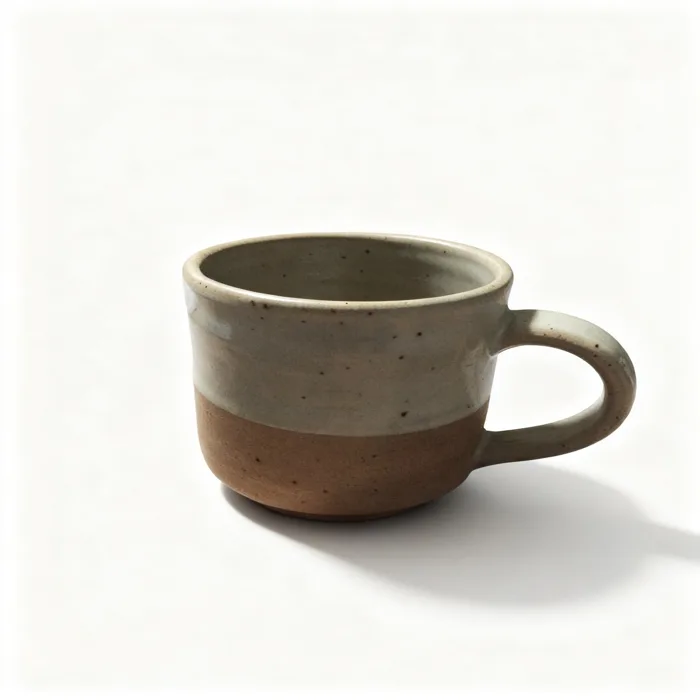
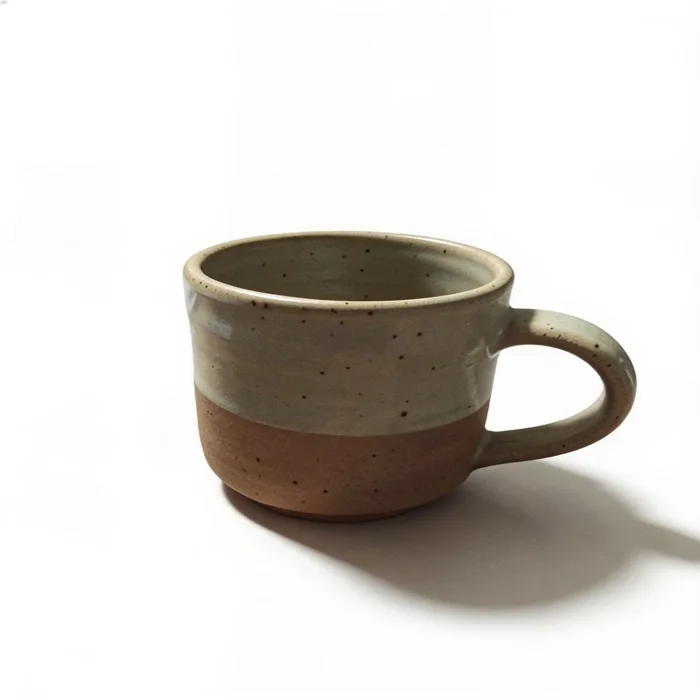
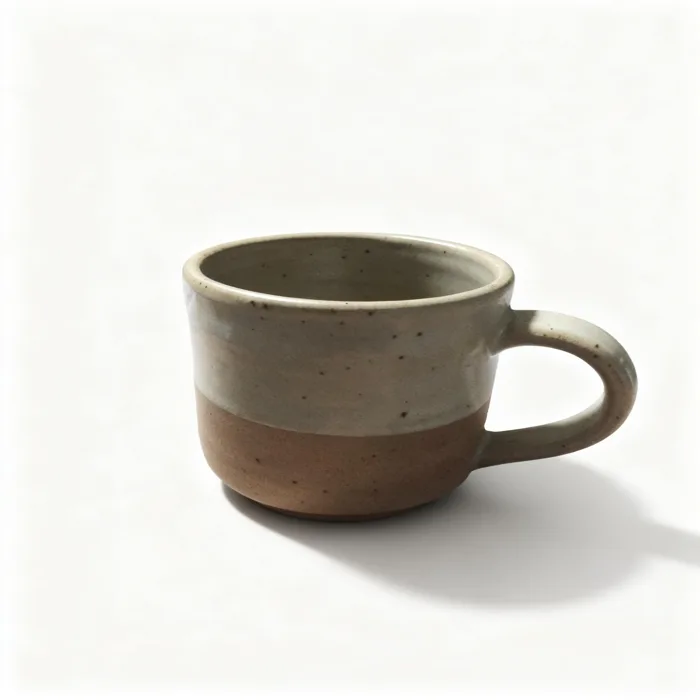
Real output of the prompt in the box above, generated with Kleap on 7 November 2026, rendered from the delivered file. Not a mockup. From one cluttered phone photo of a mug and the prompt in the box, sent as it is, Kleap returned 4 packshots in 51 s by Kleap's turn timer, all made with Seedream 5 (the first of six runs, not picked): the mug alone on pure white with soft light and a soft shadow. The two-tone glaze over bare clay, the speckles and the handle on the right carry over in all four. Measured against the test photo at the same height, version 4 matches its proportions within 10%; versions 1 to 3 come out wider and squatter, closer to a cup than to this mug. Across the six runs, 8 of 24 JPEGs matched them on all five measures and 5 of 6 runs had at least one; one version had its handle cut off by the frame and one came from another model (Nano Banana). It is a new picture of a similar mug, not your photo cleaned up: compare every version with the real product before you list one.
What we checked in the delivered file
- 4 JPEG files in this run, each labelled Seedream 5 in the chat; pure white background and a soft shadow in all 4.
- Each version measured against the test photo at the same height (silhouette width, rim width, handle reach, handle height, glaze line): this run, 1 of 4 within 10% on all five; all 6 runs, 8 of 24; at least one such version in 5 of 6 runs.
- The misses are mostly wider: 12 of 24 JPEGs measured more than 10% wider at the rim than the test photo, and 1 of 24 more than 10% narrower. One version cut the handle off at the frame's edge; one came from Nano Banana instead of Seedream 5.
- The glaze line sits where it does on the real mug in 23 of 24 JPEGs; the colours come out lighter than in the dim kitchen photo.
Show the exact prompt
Turn my attached product photo into e-commerce packshots. Details: pure white background, soft studio light, a subtle shadow.
How we tested the AI Product Photography, and when to use something else
How this page was tested
- We attached a phone photo of a real product and sent the box prompt as written.
- We compared the label, the shape and the colour of each version with the original.
- The versions come back as JPEG files in the chat, each with a download button.
Good for
- Clean packshots for a shop page or a marketplace listing
- Turning one casual photo into a white-background image
- Trying a few versions before you pick one
Use something else for
- Batches of a whole catalogue at once.
- Exact small text on labels: check it, it can drift.
- A transparent cut-out PNG.
The shots a product page needs
White-background packshots
Clean listing images for your shop or a marketplace.
Product in context
The same product on a table, a shelf or a counter, the way a customer would use it.
Product on a model
Clothing, jewellery, bags or cosmetics worn or held in a lifestyle photo.
Close-ups and macro detail
Texture and detail shots that fill the gaps in a product gallery.
Colour and style variants
Show the product in other colours or seasonal settings for a collection page.
Ad visuals
Bolder concept images for social ads and banners.
From one snapshot to a set of product shots
Attach a clear product photo
Photograph the product in good light with its whole shape visible. A tidy phone picture is enough.
Describe the shot
Packshot, kitchen counter, outdoors, close-up or on a model. Pick one, or send several requests.
Choose and reuse
Kleap returns several versions. Save them for your shop, or use them in the website Kleap builds for you.
How Kleap compares
Facts from each tool's own page, read on 9 November 2026 (follow the source link to check). Kleap's row describes what the example above shows.
Which tool for which case
Pick Claid when you need studio scenes at scale, or its precise mode to keep the product's placement. Pick Photio when you want to brush over an area to change and keep the rest of your own photo. The second top result is a Medium list, not a tool. Pick Kleap when a few redrawn white-background or lifestyle packshots from one phone photo are enough, and you check the shape and label against the real product.
| Tool | What you get | Free path | Best at |
|---|---|---|---|
| Kleap | Up to 4 packshot or scene versions as JPEG | Your first try usually needs no account; to keep the result, Kleap asks for a free account, with no card. Pro from $25/month (see /pricing). | Ask in the same chat to place them on a Kleap shop page (a follow-up message, not a button) |
| Google's US top 3 for “ai product photography”, read 9 November 2026 | |||
| Claid AI PhotoshootSource, checked 9 Nov 2026 | Product scenes from a single photo; a precise mode keeps the product's placement | Try free: up to 10 AI Photoshoot generations | API for thousands of images |
| PhotioSource, checked 9 Nov 2026 | Backgrounds, retouching, frame expansion and upscaling of your product photos | Free (its page title) | Brush over an area to remove or replace; edits by chat |
| Category leaders (not in this SERP, read 9 November 2026) | |||
| PhotoroomSource, checked 9 Nov 2026 | Background remover and product pictures; listing images and videos | “Start for free” (home page button) | Batch Edit for many product photos at once |
Start free. Upgrade when you need more.
Your first try usually needs no account; to keep the result, Kleap asks for a free account, with no card. Files and images use your Kleap usage: free usage refills over time, and paid plans add much more.
Free
- Free usage that refills
- Free account to save your results and find them again
Pro
- Much more usage
- Custom domain for your Kleap websites
Product pictures without a studio day
Good product images sell: a plain white packshot for the listing, a lifestyle scene for the ad, a close-up for the detail page. Booking a studio for each of them is slow and expensive for a small shop. Kleap's photo studio starts from the picture you took on your phone and builds the other shots around the product.
Each packshot is a new picture generated from your photo, so the shape, the colours or the label can shift. Always compare the result with your real product. If a detail has shifted, say so and ask for another version.
Questions, answered.
How did you measure whether the product stayed the same?
We ran the box prompt 6 times with the same phone photo of a mug and measured each of the 24 JPEGs at the same height as the photo: silhouette width, rim width, handle reach, handle height and glaze line. A version counted as a match when all five were within 10%: 8 of 24 did, and 5 of the 6 runs had at least one. It is one product and a small sample, not a rate for every product.
Will the product look the same?
Not exactly. The picture is redrawn from your photo: in our six test runs, 8 of 24 JPEGs matched the mug's proportions within 10%, and 12 others drew it more than 10% wider at the rim. Labels and small text can change too, so compare every version with your real product before you publish it.
Can I get a white-background packshot?
Yes. Ask for a pure white background with soft studio light and a subtle shadow. That is the usual format for shop and marketplace listings, but check each marketplace's own image rules.
Can it show my product on a person?
Yes, for products that are worn or held, such as clothing, jewellery, bags and cosmetics. Describe the model, the setting and the outfit, and check how the product looks on them.
What kind of product photo should I start with?
Use a sharp picture in good light where the whole product is visible and nothing covers it. A sharp, well-lit photo gives the model more to work from.
Will my label or logo text stay exactly the same?
Not guaranteed. Text, logos and labels are redrawn with the rest of the picture and can come out misspelled or moved. Our test mug had no label: its glaze line stayed in place in 23 of 24 JPEGs, which says nothing about printed text. Check every word on the packaging before you list a version.
Can I get a transparent PNG or a whole catalogue at once?
No to both. Kleap returns JPEG files with the background drawn in, up to four per request, one request at a time. For transparent cut-outs or hundreds of products, a dedicated tool such as Photoroom is the better pick.
Related tools
Your product, in every setting you can describe.
Attach one product photo and ask for the shots your page needs. Check shape, colours and label against the real product before you list it.
Written by the Kleap product team. Checked on 9 November 2026 against the generated files and runs shown on this page.