6 Best Free QR Kode Generators to Create Custom Codes Instantly

The best free code generators offer unlimited scans, custom designs, and high-resolution downloads without watermarks. However, only three of the six tools reviewed here deliver on all three promises.
- QRCode Monkey and Canva provide lifetime free access with full customization and vector exports.
- Most free platforms hide scan limits or force watermarks after 14 days; check the fine print before committing.
- Adobe Express and Tiger require account creation but offer seasoned templates worth the two-minute signup.
Your marketing campaign goes live tomorrow. You need 500 codes printed on flyers, and the free tool you picked last week just slapped a giant watermark across every design.
Free code generators promise instant custom codes. However, the reality involves hidden paywalls, resolution limits that ruin print quality, and scan tracking that disappears after seven days. Most small business owners discover these restrictions only after committing to a platform, when redesigning costs hours they don't have.
The catch? Only a handful of truly free tools exist.
The rest use free trial bait-and-switch tactics that force upgrades the moment you need bulk downloads or analytics.
This breakdown covers six platforms: the unlimited customization of QRCode Monkey; Canva's design ecosystem integration; Adobe Express's qualified templates; the no-frills speed of Code Generator; Flowcode's premium-lite approach; and Tiger's feature-rich free tier. You'll see which tools genuinely deliver free forever access, which hide costs behind account walls, and the specific limitations that matter for print versus digital campaigns.
The side-by-side comparison reveals pricing traps most reviews ignore, like the difference between free downloads and free high-resolution downloads (spoiler: it's a 300 DPI gap that ruins printed materials).
What Makes a Great Free Code Generator?
The dealbreaker? Client-side generation.
Most free tools upload your data to their servers, meaning your WiFi passwords, contact details, and URLs pass through unknown systems. Client-side generators like Kleap process everything in your browser, never touching external servers. This architectural difference separates privacy-respecting tools from data-harvesting platforms disguised as 'free' services.
Core Features That Matter Most
Three non-negotiables separate genuine free tools from bait-and-switch platforms: unlimited generation without watermarks, vector format downloads (SVG for print scaling), and multiple types beyond basic URLs. Kleap delivers all three, plus logo embedding and error correction tweaks, features competitors lock behind paywalls.
The PNG versus SVG choice matters more than most realize: PNG pixelates on billboards, while SVG scales infinitely.
Limitations to Watch Out For
Static codes can't be edited post-creation. Generate a URL code, print 5,000 flyers, and discover a typo?
You're reprinting. Dynamic codes solve this but typically require paid accounts.
The free tier trade-off: permanent codes with zero flexibility versus editable codes with monthly fees.
Try it — build your site while you read
Describe what you want and get a live, publishable site in seconds. Free to start, no code.
Join 200,000+ makers building real websites with Kleap.
QRCode Monkey, Unlimited Customization Without Watermarks
QRCode Monkey delivers the most aggressive customization toolkit in the free generator space. It offers zero watermarks, unlimited scans, and brand-control features that most paid platforms can't match. While tools like 100 free qr code generator focus on basic functionality, QRCode Monkey targets marketing teams who need codes that actually look like their brand.
The catch? You sacrifice dynamic editing; once generated, the destination URL is locked. However, for static campaigns, business cards, product packaging, and event posters, that's rarely a dealbreaker.
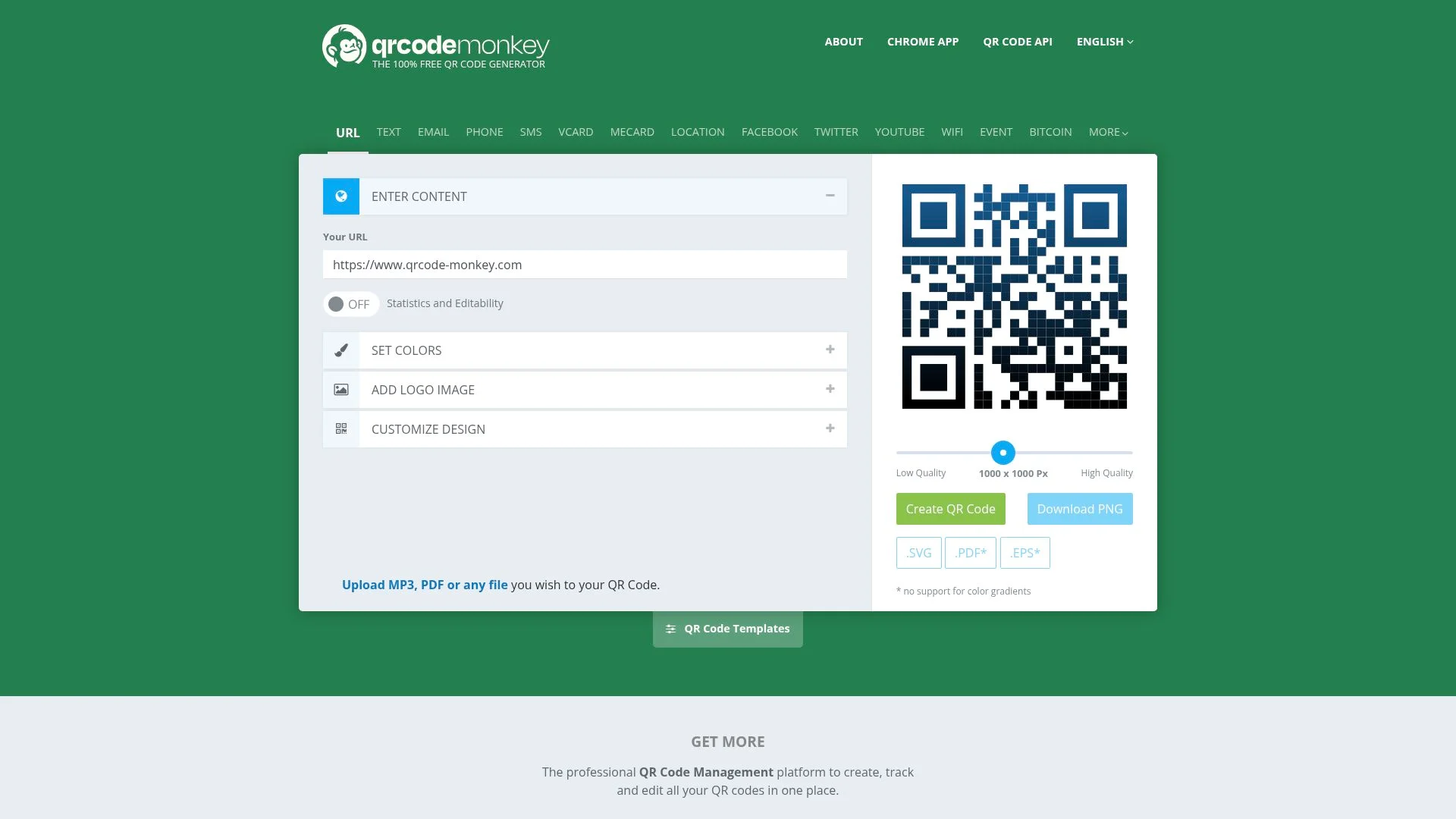
Best Use Cases for QRCode Monkey
Perfect for print-heavy campaigns where brand consistency matters more than post-launch flexibility. Marketing agencies use it for client deliverables because the high-resolution SVG and EPS exports keep crisp edges at any scale, which is fundamental for billboards or magazine ads.
Event organizers generate batches for conference badges, knowing codes work permanently without subscription dependencies.
Avoid it for campaigns needing A/B testing or URL changes post-distribution; dynamic tracking needs paid alternatives.
Canva QR Code Generator, Design Integration Made Simple
The real problem?
You're already designing a poster. You need a QR code right there, but the workflow forces you to export, generate elsewhere, and re-import. Canva fixes this with a native app that drops QR codes directly into your canvas.
Zero context-switching. But here's what nobody mentions: Canva's QR tool only works inside Canva.
No standalone generation. No bulk creation.
If you need how to create a qr code outside the design environment, you're stuck.

Creating QR Codes Within Your Designs
The workflow is to open Canva, click Apps, search "QR Code," paste your URL, and adjust colors to match your brand palette. Done.
The code appears as an editable object that you can resize, rotate, and position like any graphic element. This matters for event flyers where the QR code needs to sit precisely between sponsor logos and registration details.
Canva's approach eliminates the export-import dance that breaks creative flow.
Kleap tip: Test your Canva QR codes at actual print size before sending files to the printer; Canva's preview doesn't always reveal scanning issues that emerge at small dimensions.
When Canva's QR Generator Falls Short
The limitations hit fast. There is no SVG export in the free tier.
No logo embedding. No error correction level control, which is deal-breaking when your QR code will appear on textured paper or fabric.
Canva forces you into its ecosystem: generate a code; it lives in that design file, period. If you need the same QR code for a website,
generate it again elsewhere.
For everyone else, a dedicated generator offers more control.
Adobe Express Code Generator: Professional Quality in Seconds
Adobe Express delivers instant code generation without the Creative Cloud subscription wall, contrary to what most assume about Adobe tools. There is zero signup required, zero watermarks, and unlimited codes.
The catch is that customization stops at basic color changes and size adjustments.
For quick client deliverables where brand consistency matters less than speed, QRCode Monkey works. For vcf code generation with custom styling, you'll hit limitations fast.

Why Creative Professionals Choose Adobe Express
The real draw isn't the QR generator itself; it's the 30-second workflow from QR creation to final asset export. Generate your code, drop it into an Express template, resize for Instagram Stories or print flyers, and export as PNG or SVG.
One platform, three clicks. Most competitors force you to bounce between tools: generate the code on QR Planet, import it to Canva, resize, and export.
Adobe collapses that into a single browser tab, which matters when you're juggling five client projects before lunch.
Integration With Adobe Creative Cloud
Paid Creative Cloud subscribers get automatic asset syncing, and your generated codes appear instantly in Photoshop, Illustrator, and InDesign libraries. Free users still access the generator but miss the cross-app sync, which defeats the ecosystem advantage pitch.
Watch out: Express creates static codes only. There is no scan tracking and no editable destination URLs after creation.
The moment you print that flyer, the link becomes permanent.
QR Code Generator (qr-code-generator.com), simplicity for Quick Tasks
Most free QR code tools bury you in feature bloat. QR Code Generator (qr-code-generator.com) does the opposite: you get a working code in under 30 seconds, with no signup and no watermark.
The catch? Static codes only in the free tier. Once generated, the destination URL cannot be edited.
For a business idea AI project needing quick event flyers or product tags, that's perfect. For campaigns that require URL updates after printing, it becomes a liability.
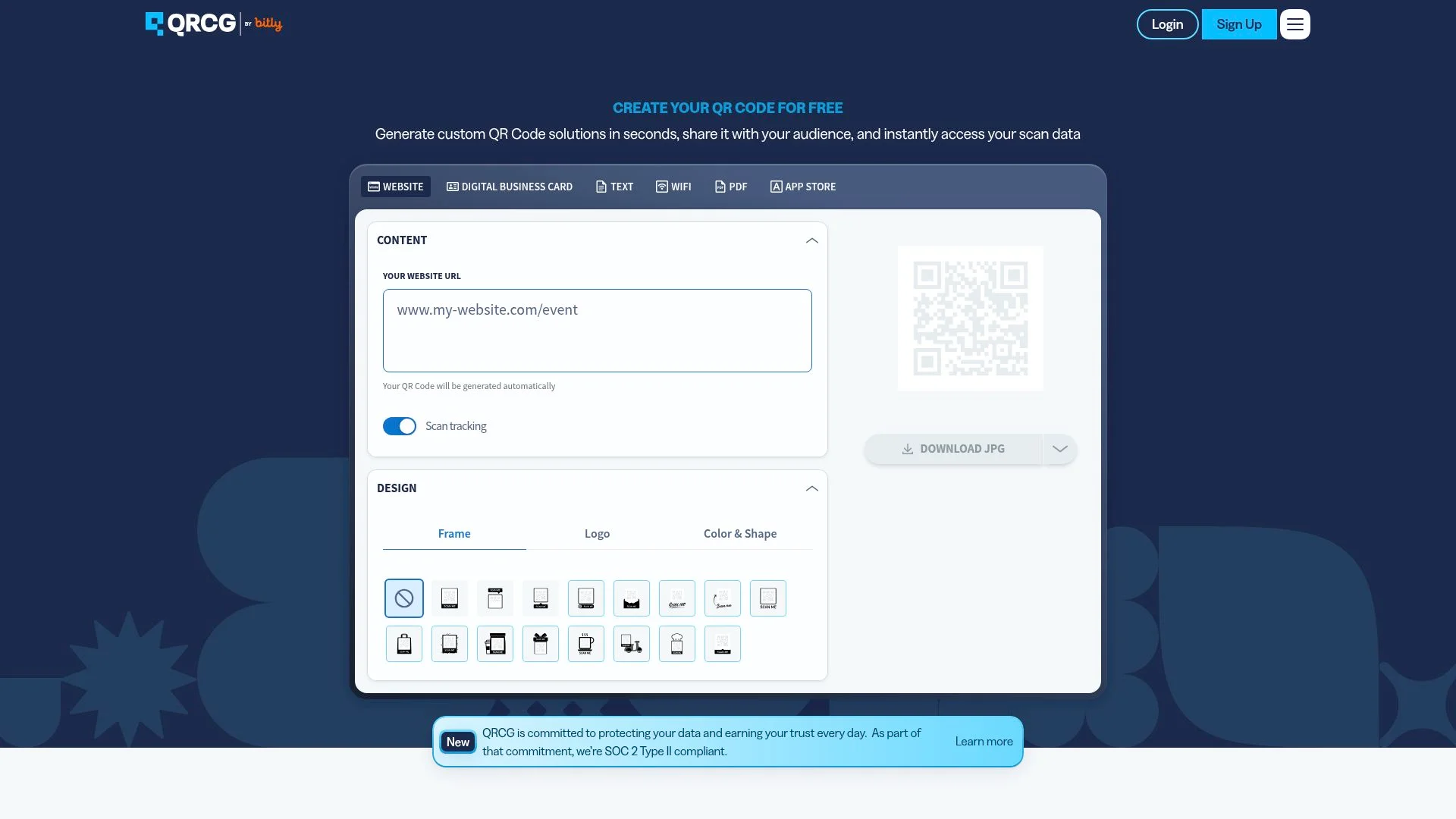
The Fastest Path to a Working Code
The free tier supports URL, text, email, phone, SMS, and vCard formats with basic color customization and standard-resolution PNG downloads. What surprises users is the error correction level selector.
Most competitors hide this behind premium tiers.
Premium Features Worth Considering
The paid version releases dynamic codes (editable URLs after printing), scan analytics, and batch generation, which are essential for marketing agencies running multi-location campaigns. Pricing sits around the industry standard, but the free tier remains genuinely unlimited with zero scanning caps, unlike QR.io's 100-scan monthly limit.
Flowcode, Premium Features With Free Tier Limitations
Flowcode's signature circular design catches the eye; think Apple Store displays, not cluttered checkout counters. The free tier delivers basic code generation with unlimited scans, but here's the trap: every code carries Flowcode branding, and analytics stop at surface-level scan counts.
When you need custom domains, white-labeling, or granular location data, you hit the paywall. Most teams discover this three weeks in, right when their campaign scales.
What Separates Flowcode From Standard Generators
The circular aesthetic isn't just branding; it's a psychological trigger.
But the real differentiation lies in the backend: dynamic code infrastructure that lets you swap destination URLs without reprinting materials. Free users get this feature, yet with a critical constraint of only five dynamic codes per account.
Enterprise clients pay $500+ monthly for unlimited dynamic codes plus team collaboration tools that marketing agencies actually need.
Understanding the Free vs Paid Divide
The free-to-paid boundary centers on control and intelligence. Free accounts generate codes that work permanently with no expiration, a genuine advantage over competitors like Bitly that sunset free dynamic codes after 30 days.
Yet Flowcode restricts custom domains and removes branding only at the $29/month tier. Analytics remain the sharpest dividing line. Free users see total scans, while paid users access device type, geographic clusters, and time-of-day patterns that refine campaign timing.
For rapid testing before committing budget, consider AI website builder free online platforms that integrate QR generation without tier restrictions.
Kleap tip: Generate 5 test codes in Flowcode's free tier, track which circular design variant drives scans, then migrate high-performers to a paid plan only after validating engagement; don't pay for analytics on codes nobody scans.
QR Tiger, Feature-Rich Platform With Generous Free Access
QR Tiger offers three free dynamic codes in its no-cost tier, a rarity when most platforms lock dynamic functionality behind paywalls. Static codes remain unlimited and permanent, supporting URLs, vCards, WiFi credentials, and SMS messages with full customization: logo uploads, color changes, and corner shape modifications.
The catch? Advanced analytics and bulk generation require the paid tier starting at $7 monthly.
For testing dynamic codes before committing to a subscription, this free allocation proves invaluable.
Who Benefits Most From QR Tiger
Small businesses planning to scale benefit most. You get static codes for permanent use cases, such as menus, product labels, and business cards, while testing dynamic codes for time-sensitive campaigns.
The platform's documentation walks you through error correction levels and frame customization, details that competitors bury in help centers. Marketing agencies running pilot campaigns for clients can validate tracking capabilities before proposing paid plans.
One limitation surfaces immediately: the three-dynamic-code cap means you can't A/B test multiple campaign variations simultaneously without upgrading.
What Industry Experts Won't Tell You About Free Code Tools
Most free code platforms monetize your data in ways they'd rather not advertise. The uncomfortable truth? Many generators track every scan destination, log IP addresses, and sell aggregated behavior patterns to advertising networks.
All this is buried in terms of service you never read. Some collect email addresses during 'optional' registration, then sell those lists to third-party marketing firms within 90 days.
The Hidden Data Collection Practices
Client-side generation changes everything. Tools like Kleap process codes entirely in your browser, so your data never touches external servers, meaning zero tracking infrastructure.
Contrast that with server-based generators that log every URL you encode, building profiles of your business activities and customer destinations. Static codes stay permanently free precisely because they contain no tracking capability: the data lives in the code itself, not on someone's analytics dashboard.
Why Some Free Tools Push Premium Upgrades Aggressively
The upgrade trap hits after you've invested hours customizing designs. Suddenly, bulk generation requires a paid tier.
High-resolution downloads are premium only.
The bait-and-switch works because switching costs feel higher than the subscription fee.
How Do These Free QR Code Generators Compare Side-by-Side?
The real divide isn't features; it's control. QRCode Monkey and Kleap deliver unlimited customization with zero watermarks, while Canva and Adobe Express lock advanced styling behind paywalls.
The catch? Registration requirements split the field: Kleap processes everything client-side in your browser (zero signup, zero data collection), whereas QR Tiger and Flowcode demand email addresses before you generate a single code.
For print campaigns requiring SVG exports, only three tools deliver: QRCode Monkey, Kleap, and Adobe Express. The rest cap you at PNG, which pixelates on large-format posters.
Feature Comparison Across All Six Tools
Pricing and Upgrade Paths Explained
Static codes stay free forever across all six platforms; the upsells target dynamic codes (editable after printing) and analytics. Flowcode's free tier stamps every code with branding; removing it costs 25 dollars monthly.
QR Tiger offers three free dynamic codes, then jumps to 7 dollars monthly for tracking. The best move for retail product packaging?
Kleap or QRCode Monkey, permanent codes, no strings attached. Running a tracked campaign?
QR Tiger's free tier gives you three test codes before committing budget.
FAQ - Frequently Asked Questions
Can I create QR codes for free without watermarks?
Yes, several generators let you create clean QR codes with zero branding. QR Code Generator, Flowcode, and QRTiger all offer watermark-free static codes on their free tiers.
The catch? Dynamic codes (the ones you can edit after printing) usually require a paid plan to remove watermarks.
Static codes stay clean forever, but you can't change the destination URL once generated.
What's the difference between static and dynamic codes?
Static codes embed the URL directly into the pattern; scan it, and your phone reads the destination straight from the pixels. If you change your mind about where it points, dynamic codes use a redirect layer.
You'll need to generate and print a new code.
The pattern points to a short URL that forwards to your actual destination. Static codes work forever with zero maintenance.
Dynamic codes give you analytics and editing power, but they rely on the generator's server staying online. If the service shuts down or your account expires, the code stops working.
Do free QR code generators expire or stop working?
Static codes never expire. They're just encoded data, no server, no subscription, and no expiration date.
Print one today, scan it in 2035, and it still works.
Dynamic codes are a different story. Free-tier dynamic codes from QRTiger expire after 500 scans or 30 days of inactivity, whichever comes first.
Bitly's free QR codes stay active as long as your account remains open, but if you close your account, the redirect dies.
The hidden risk? Generator companies can shut down or change their terms.
Unitag closed its free tier in 2023, breaking thousands of codes overnight. For business-critical applications, static codes eliminate this dependency entirely.
Can I add my logo to a free code?
Most free generators lock logo uploads behind a paywall. Code Generator charges $5/month for logo customization, and Flowcode requires their $10/month plan. The workaround is to generate a clean code, then use image editing software to overlay your logo manually.
Codes have built-in error correction that handles some visual obstruction, but if you cross that threshold, scanning reliability drops fast.
Which free QR code generator is best for business cards?
For business cards, you want a static vCard code with zero dependencies. QR Code Generator handles vCard formats cleanly and lets you embed contact details (name, phone, email, company) without requiring an account.
Download the SVG or EPS vector format; never use PNG for print materials. Vector formats scale infinitely without pixelation, which matters when your card gets printed at 300 DPI or higher.
A pixelated QR code on a business card screams amateur.
Are free QR code generators safe for commercial use?
Static codes carry zero legal risk; you're just encoding data into a scannable pattern, the same as printing a phone number. No license restrictions, no terms of service violations.
Dynamic codes require reading the fine print. Some generators prohibit commercial use on free tiers or claim ownership of analytics data.
QRTiger's free plan explicitly allows commercial use but limits you to three dynamic codes total.
The bigger risk is dependency. Build a marketing campaign around free dynamic codes, and you're betting the generator won't change terms, raise prices, or shut down.
I've seen companies lose thousands of printed materials when a generator pivoted to paid-only. For anything permanent or high-volume, static codes eliminate this exposure entirely.
Start Creating Your Free QR Code in Under 60 Seconds
You now have six battle-tested options for generating free QR codes, each one solving a different problem. QRCode Monkey handles unlimited customization without watermarks.
Canva integrates QR code generation directly into your design workflow.
Pick the generator that matches your immediate need. Are you testing a campaign idea?
Start with QRCode Monkey's instant preview. Are you building branded materials?
Open Canva and add a QR code to your existing design.
Are you building something more ambitious than a simple QR code? Kleap's AI-powered platform lets you create complete websites and applications in minutes, with no coding required.
Perfect for when your free QR code needs to point somewhere worth clicking.
Visit Kleap.co to see how fast you can ship your next project.
Your first QR code is 60 seconds away. Start now.


