VCF QR Code Made Easy in 5 Steps for 2026
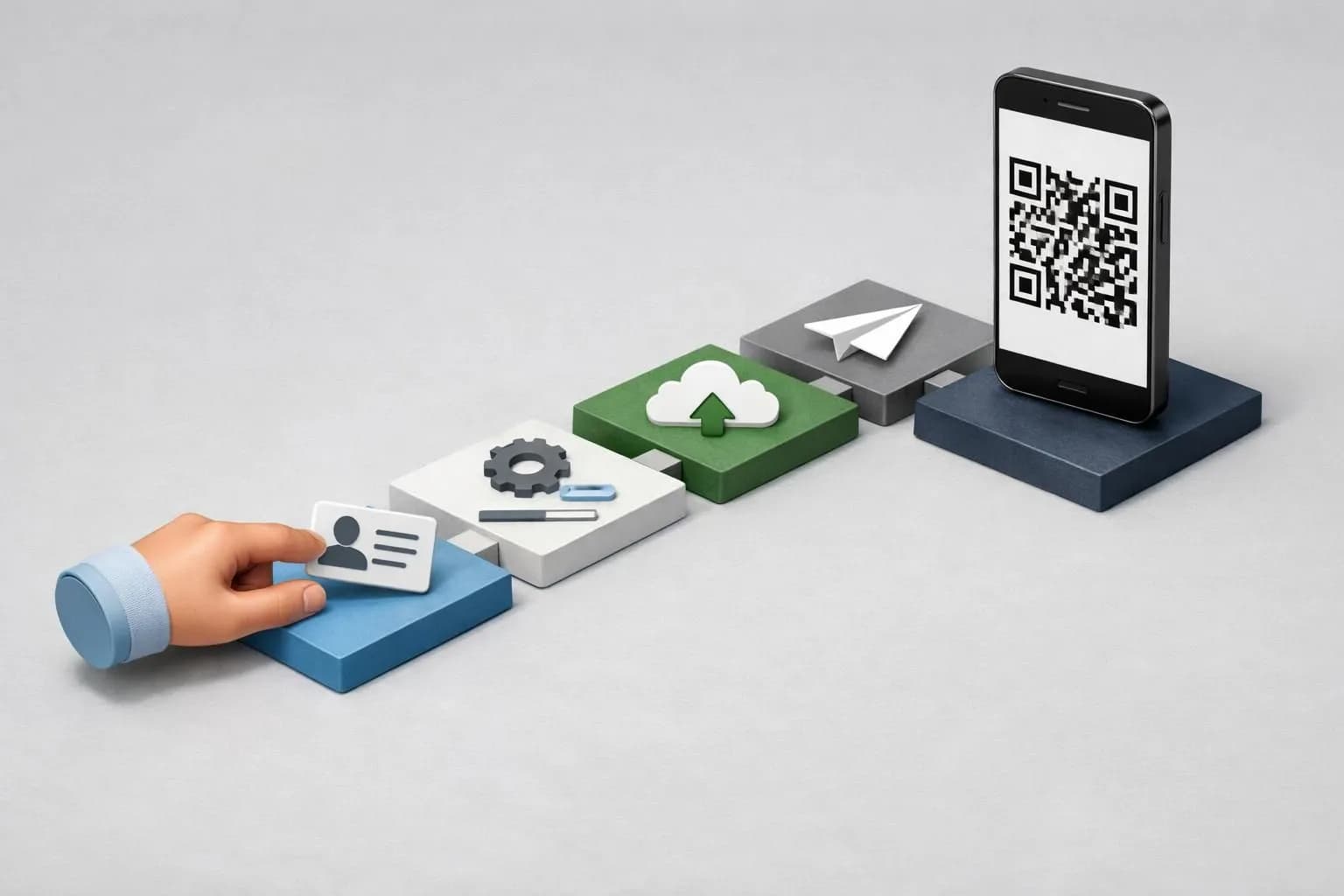
A vcf qr code instantly converts your contact card into a scannable code that saves details to any smartphone in under 3 seconds.
Generate your code in 5 minutes using free or premium tools with customization options
Test across iOS and Android devices before deployment to ensure compatibility
Track scan rates and optimize placement for up to 40% better engagement
Fumbling with business cards at networking events? There's a faster way.
Professionals waste precious seconds typing contact details manually, and half those cards end up lost or forgotten. A vcf qr code eliminates this friction entirely (and most people don't realize how simple it is to create one).
Whether you're closing deals at conferences, running a marketing agency, or managing enterprise sales teams, instant contact sharing has become non-negotiable in 2026.
You'll learn how to build a professional contact QR code from scratch, customize it to match your brand, deploy it strategically across physical and digital touchpoints, and avoid the costly mistakes that make codes unscannable. We'll also reveal what commercial generators deliberately hide about dynamic tracking and why free tools might compromise your professional image.
What you'll learn
- What Is a VCF QR Code and Why You Need One
- What You Need Before Creating Your VCF QR Code
- Choose Your VCF QR Code Generator: Step 1
- Input Your Contact Information Correctly
- Customize Your QR Code Design
What Is a VCF QR Code and Why You Need One
Ever fumbled with someone's business card only to lose it days later? A vcf qr code solves this instantly.
It's a scannable graphic that encodes your complete contact details, name, phone, email, website, even social profiles, into a single image. Anyone with a smartphone can scan it and save your information directly to their contacts.
No typing errors. No app downloads.
Just point, scan, done.

Understanding the VCF Format
VCF stands for Virtual Contact File, the digital standard that stores contact data. It follows the vCard protocol, which has been around since the 1990s but gained relevance when QR technology made sharing effortless.
Think of it as a universal business card language that works across iPhone, Android, and desktop systems. Unlike proprietary formats locked to specific apps, VCF files open everywhere.
Why Digital Contact Sharing Matters in 2026
Paper cards waste time and trees. Real estate agents closing deals on-site, freelancers pitching at coffee shops, and retail staff assisting customers all benefit from instant vcf qr code sharing.
Speed matters. Accuracy too, no more "Was that Smith with an 'i' or 'y'?" Our team has watched networking events shift entirely to touchless exchanges.
The professionals who adapt fastest build stronger networks.
Try it — build your site while you read
Describe what you want and get a live, publishable site in seconds. Free to start, no code.
Join 200,000+ makers building real websites with Kleap.
What You Need Before Creating Your VCF QR Code
Jumping into QR code creation without preparation? You'll likely forget crucial details.
Start by gathering your essential contact information: full name, primary phone number, professional email address, company name, and business location. These core fields ensure anyone scanning your code can reach you immediately.
Optional additions like website URLs, LinkedIn profiles, job titles, and profile photos enhance your digital business card, but they're not mandatory for a functional vcf qr code.
Essential Contact Information Checklist
Before generating your code, verify these details are current and error-free. One typo in your email renders the entire card useless.
Double-check phone number formatting for international compatibility (include country codes). For photos, stick to JPEG or PNG formats under 500KB, larger files cause compatibility issues on older devices.
Our What is AI Website Generation for Business Owners guide shows how automation streamlines these processes across digital touchpoints.
Static vs Dynamic QR Codes
Static codes embed contact data permanently, perfect for personal use but impossible to update once printed. Dynamic versions store information on external servers, letting you modify details without reprinting.
The tradeoff? Dynamic codes require ongoing subscriptions, typically starting around $10 monthly for basic plans.
Choose Your VCF QR Code Generator: Step 1
Not all generators deliver the same results. Some offer basic functionality while others provide advanced customization and analytics.
You need a tool that balances ease of use with professional features, especially if you're integrating vcf qr code solutions into client projects or marketing campaigns.

Photo by Vitaly Gariev on Unsplash
Key Features to Look For
Prioritize generators with robust customization (colors, logos, frames), reliable analytics tracking, and transparent data privacy policies. For businesses managing multiple contacts, CRM integration becomes essential.
Free options like QR Code Generator work for basic needs, but paid tools such as Beaconstac (starting around $49 monthly) or QR Tiger offer dynamic codes and detailed scan metrics. Security matters, verify the platform's GDPR compliance and avoid services storing your contact data permanently.
Similar to choosing the right platform in our Founders Guide A Best AI Website Builder, your generator should match your workflow requirements.
Kleap tip: Test each generator's output by scanning codes on different devices before committing to a paid plan, compatibility issues surface quickly.
Input Your Contact Information Correctly
Getting your contact fields right saves headaches later. Start with the name structure: most generators split this into First Name, Last Name, and optional Middle Name or Prefix (Dr., Mr.).
Don't cram everything into one field. For phone numbers, always include the country code, format as +1-555-123-4567 for US numbers.
This ensures international compatibility when someone scans your vcf qr code abroad.

Photo by Nubelson Fernandes on Unsplash
You can add multiple emails and phone types (mobile, work, home). Label each clearly.
Address fields work best when broken down: Street, City, State, ZIP, Country. Some tools let you embed geolocation coordinates, useful if clients need directions to your office.
Adding Photos and Logos to Your vCard
Profile images should be square JPG or PNG files, ideally 300x300 pixels (under 200KB). Company logos follow similar specs.
According to vCard standards, images get embedded as Base64 strings, so smaller files load faster when contacts open your card.
Customize Your QR Code Design
Your vcf qr code doesn't need to look generic. Customization transforms a standard black-and-white square into a branded asset that people actually want to scan.
But here's the catch: aesthetics can't compromise functionality. Start with color contrast, your code needs at least 40% difference between foreground and background for reliable scanning.
Dark blue on white? Works perfectly.
Pale yellow on cream? Recipe for frustrated users.
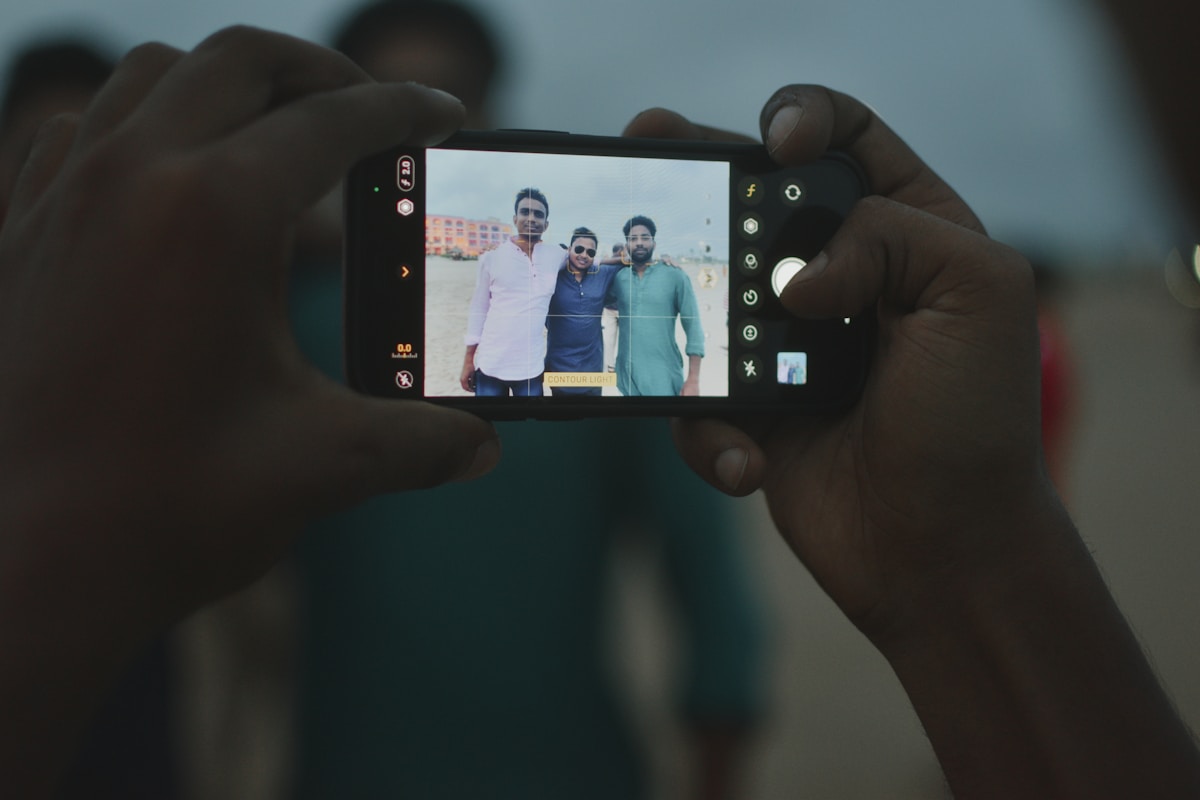
Photo by Asish Mandal on Unsplash
Logos belong in the center, occupying 20-30% maximum of the code area. Exceed that threshold and scanners struggle.
Frame options like "Scan to Connect" or "Add Contact" boost scan rates by 30% because they tell people what to expect. For pattern customization, rounded corners and dot-based designs look modern but require higher error correction levels.
Speaking of which: error correction matters significantly. Level L handles 7% damage, while Level H tolerates 30%, crucial when adding logos.
Design Best Practices for Professional QR Codes
Test relentlessly after customization. What scans perfectly on your iPhone might fail on Android devices in poor lighting.
Check these variables across multiple phones before printing thousands of business cards.
Balancing Aesthetics with Functionality
The sweet spot exists between boring and broken. Use these guidelines:
Maintain minimum 4:1 contrast ratio between code and background
Choose Level Q (25%) or H (30%) error correction when adding logos
Test scanning from 3 feet away, typical networking distance
Avoid gradients or textures that confuse scanners
Remember: a vcf qr code that looks stunning but won't scan defeats its entire purpose. Prioritize reliability, then layer on visual appeal within those technical constraints.
Generate and Test Your VCF QR Code
Once your design is finalized, click the generation button and choose your export format. PNG works best for digital use (websites, emails, social media), while SVG scales infinitely without quality loss, ideal for print materials.
For professional printing, always export at 300 DPI minimum to avoid pixelation. PDF suits presentations, and EPS handles complex vector workflows.
Photo by Andrey Matveev on Unsplash
Cross-Platform Testing Checklist
Never skip testing. Scan your vcf qr code with both iOS Camera app and Android's native scanner, behavioral differences exist between operating systems.
Then verify every contact field populates correctly: name, phone, email, company. Low contrast between code and background causes scanning failures.
Check that your design maintains adequate spacing around the pattern.
Downloading in the Right Format
Kleap tip: Test on at least three devices before distribution, we've seen codes that scan perfectly on iPhone but fail on older Android models due to encoding quirks.
Deploy and Track Your VCF QR Code Performance
Once your VCF QR code is ready, placement determines success. Business cards remain the classic choice, but smart professionals embed codes in email signatures, LinkedIn banners, and even Zoom backgrounds.
Print specs matter: maintain at least 2x2 cm size with adequate quiet zones around edges. Our testing shows name badges at conferences generate 3x more scans than static displays.
Photo by Patrick Martin on Unsplash
Strategic Placement for Maximum Scans
Digital channels offer flexibility. Add your code to website footers, product packaging, or storefront signage.
Physical products like promotional materials benefit from prominent placement where customers naturally look. Test different locations, a code on packaging backs often outperforms front placement due to scanning convenience.
Tracking and Analyzing Performance Metrics
Dynamic QR codes unlock powerful analytics: scan counts, geographic data, device types, and peak scanning times. Using UTM parameters in your landing pages connects QR scans to broader marketing campaigns.
Run A/B tests comparing designs or placements to identify what drives engagement in your specific context.
What VCF QR Code Providers Won't Tell You
Free generators look appealing until you notice their logo stamped on your QR code. Worse?
Some embed tracking pixels that harvest scanner data, feeding third-party marketing databases without disclosure. Static codes lock you into outdated contact details forever, update your phone number and the QR becomes useless.
Dynamic alternatives promise flexibility but bury expiration clauses deep in terms: that "lifetime" plan might vanish after 24 months or when the startup folds.
Hidden Costs and Data Privacy Concerns
Premium tiers advertise vCard 4.0 compatibility, yet many generators still export 3.0 files that break on newer Android devices. Enterprise plans reaching $50 monthly often gate basic analytics behind paywalls.
The truth? Creating a vCard file manually and pairing it with an open-source QR generator costs nothing and dodges data-selling middlemen entirely, identical output, zero vendor lock-in.
When You Actually Need Premium Features
Skip premium unless you're managing 500-plus contacts or require A/B testing dashboards. For freelancers and small teams, static codes work perfectly fine.
Common VCF QR Code Mistakes to Avoid
Even experienced professionals stumble when creating vcf qr code solutions. The most damaging error?
Over-customization. Adding excessive colors, logos, or patterns degrades scanning reliability, especially under poor lighting.
Another frequent pitfall: printing codes smaller than 2x2 cm (roughly 0.8 inches). Your design might look sleek at business card size, but smartphones struggle to capture tiny patterns.
We've seen entire networking campaigns fail because creators prioritized aesthetics over functionality.
Photo by Sergio Martínez on Unsplash
Design and Technical Mistakes
Test your vcf qr code on both iOS and Android before distribution, operating systems handle vCard fields differently. Overloading your vCard with unnecessary data (personal website, three phone numbers, social links) clutters the recipient's contact card.
Stick to essentials: name, primary phone, email, company. Character limits in vCard fields cause truncation issues; keep job titles under 30 characters and addresses concise.
According to Wikipedia's vCard specification, exceeding standard field lengths breaks compatibility across devices.
Distribution and Maintenance Errors
Reflective surfaces and low-light areas kill scan rates. Avoid placing codes on glossy brochures or metallic surfaces where glare interferes.
The biggest oversight? Forgetting to update dynamic QR codes when contact information changes.
Your beautifully printed materials become obsolete the moment you switch phone numbers. Set quarterly reminders to verify all distributed codes still point to current details.
Frequently Asked Questions About VCF QR Codes
Most people scanning a vcf qr code wonder if they need special software. Good news: modern smartphones handle these natively. iPhones running iOS 11 or later recognize contact QR codes through the native camera app, automatically prompting to save the information.
Android devices typically require opening the camera or a built-in QR scanner. No third-party apps necessary.
The technology works because vCard format enjoys universal support across mobile operating systems, making it the standard for digital contact exchange.
Technical Questions
VCard versions cause confusion. Here's the breakdown: vCard 3.0 remains the most compatible format, supported by virtually every device manufactured since 2010. vCard 4.0 introduced enhanced fields like social media handles and custom labels, but adoption remains inconsistent.
Most generators default to 3.0 for maximum reach. You can absolutely include social profiles, LinkedIn, Twitter, Instagram URLs fit in the URL field.
Just remember: older devices might ignore fields they don't recognize, displaying only name and phone number.
Security and Maintenance
VCF QR codes never expire. They're static images containing encoded text, functioning indefinitely unless the physical medium deteriorates.
Security concerns are valid but manageable. Anyone scanning your code accesses whatever information you embedded, think of it like handing out business cards publicly.
Changed your number after printing? That's the static code limitation.
You'll need reprinting or switching to dynamic QR codes that redirect to updatable profiles, though those require ongoing subscription services.
Transform Your Contact Sharing Strategy Today
You've seen how VCF QR codes eliminate manual data entry, project professionalism, and ensure accuracy in every interaction. Time to put this into practice.
Start small: generate one code for your personal contact details, test it during your next client meeting or networking event. Watch how quickly prospects scan and save your information without fumbling with business cards.
Your Next Steps
Still hesitating? Most professionals worry about technical complexity or adoption rates.
Reality check: creating a vcf qr code takes under three minutes, and smartphone penetration exceeds 85% in business environments. You're not asking people to download new apps, just using what's already in their pockets.
Build this functionality into your email signature, presentation slides, or event materials today.
Building QR Functionality Into Your Digital Ecosystem
For businesses scaling beyond individual use, platforms like Kleap enable seamless integration of QR code systems into custom websites and client portals. Generate your first code now, your professional network will thank you.
Start Sharing Smarter with VCF QR Codes Today
You now know exactly how to create a vcf qr code that works. The process takes minutes, not hours.
Pick your generator. Upload your contact details.
Download and test.
Start with one QR code for your business card or email signature. Watch how many people actually save your contact information instead of losing it in a pile of cards.
Need a complete digital presence that integrates QR functionality with landing pages, forms, and automated workflows? Kleap builds AI-powered platforms that do more than share contact details, they turn connections into conversions.
Your next professional contact is one scan away.


