AI Portfolio Generator: 5 Builders Compared

An AI portfolio builder generator uses AI to create a qualified portfolio website in minutes, with no design or coding skills required.
- Most tools generate a ready-to-publish portfolio from a simple prompt or uploaded work samples.
- Choose a generator that matches your creative discipline, whether it is photography, design, writing, or development.
- The right tool eliminates weeks of manual setup and lets your work speak immediately.
Most creative professionals spend more time building their portfolio than landing the clients it is supposed to attract. That is the quiet irony nobody talks about.
An AI portfolio builder generator changes that equation entirely, turning what used to be a multi-week design project into something you can ship before lunch.
For freelancers, agency owners, and independent creatives who need to move fast without sacrificing polish, these tools have become genuinely useful. They are not just novelties.
The options available in 2026 vary significantly in how they handle layout intelligence, content generation, and customization depth. Picking the wrong one wastes time you were trying to save.
What follows is a clear-eyed look at five tools worth knowing: evaluated on speed, creative control, and how well they actually serve the work rather than just the workflow.

Try it — build your site while you read
Describe what you want and get a live, publishable site in seconds. Free to start, no code.
Join 200,000+ makers building real websites with Kleap.
Kleap, the Fastest Prompt-to-Portfolio Experience on the Market
Most creatives spend days wrestling with blank templates before publishing a single page. Kleap flips that entirely.
As a purpose-built tool, it converts a plain-text description of your work into a fully structured, live-ready portfolio site in about 10 minutes. There is no coding, no drag-and-drop frustration, and no starting from scratch.
From text description to live site in under 10 minutes.
The workflow is genuinely different from anything else on this list. You describe your work in natural language, including your discipline, your projects, and your style. Kleap's AI automatically generates the layout, project descriptions, gallery sections, case-study pages, and a contact form.
No blank canvas waiting for your first decision. The AI handles the architecture; you review, refine, and publish.
For designers, photographers, developers, and artists who need a live presence fast, that sequence changes everything.
What Kleap includes out of the box for creatives:
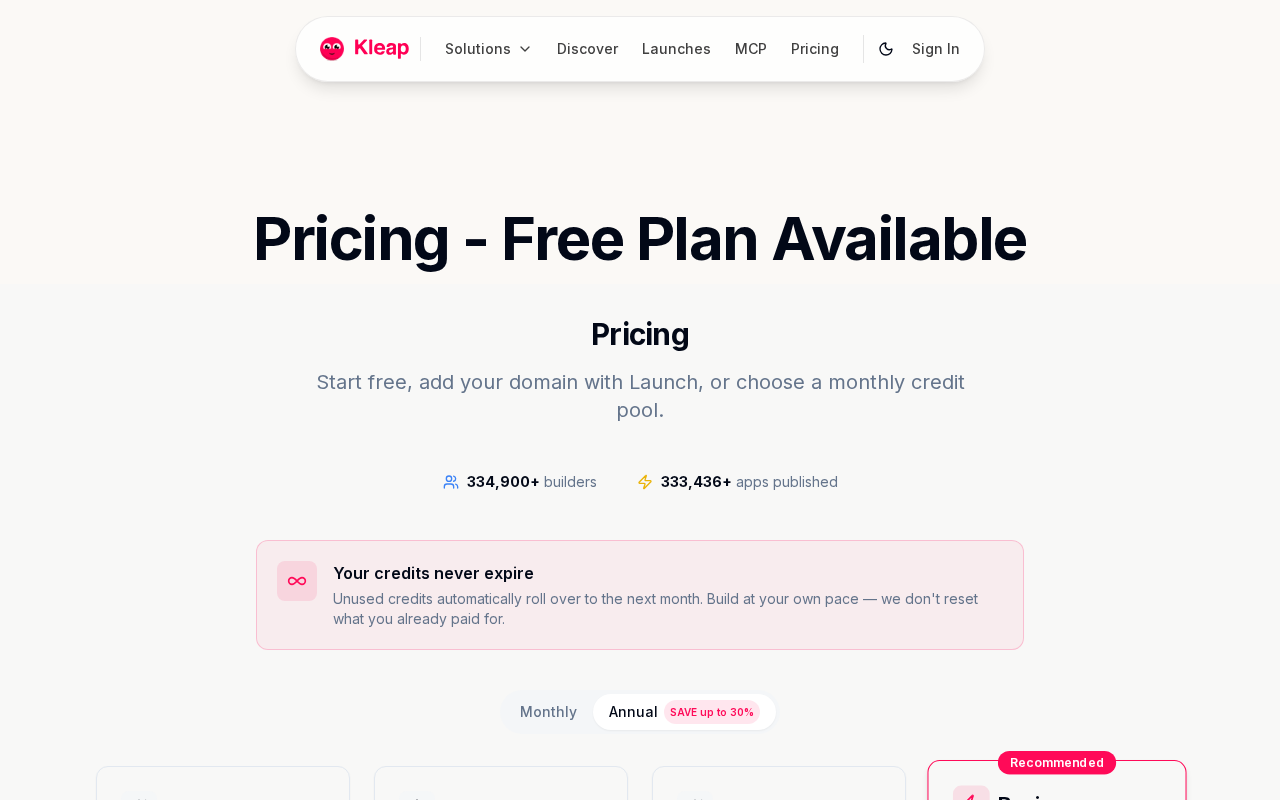
Where most portfolio tools stop at design, Kleap delivers a complete infrastructure stack from day one. It is free to start, with Pro from $25 per month and Business from $50 per month. Every tier includes hosting, SEO metadata, analytics, mobile-ready layouts, and payment-ready workflows.
Paid plans add custom domains and full code ownership, which matters if you ever want to migrate or hand off your site. That combination makes Kleap less a template tool and more a full-stack launch platform.
Key features included across all plans:
- AI-generated galleries, project pages, about sections, and contact forms.
- Hosting, custom domain support, and SSL security.
- Built-in SEO tools and an analytics dashboard.
- Payment-ready workflows and code export on paid tiers.
- Enterprise-grade security for Business and Enterprise accounts
If your agency or consulting practice needs more than a portfolio, consider full client-facing sites; Kleap's broader platform scales there too. Explore how it performs as an AI website builder for consulting firms, or review the dedicated comparison of the AI website builder for consulting firms to see how Kleap stacks up in a professional services context.
4 More AI Portfolio Generators Worth Your Attention
Beyond Kleap, four platforms consistently surface when creatives search for an AI portfolio builder. Each has genuine strengths, but also real trade-offs worth knowing before you commit time or money.

Wix ADI, the household name with strong design depth
Wix ADI asks a series of onboarding questions, then assembles a site from its template library. The app market is extensive, and design flexibility runs deep.
However, pricing climbs fast once you need a custom domain or remove Wix branding, and the sheer number of options creates a steeper learning curve than most creatives expect. Best for: entrepreneurs who want granular control and don't mind spending time in the editor.
Squarespace, polished templates for photographers and brand designers
Squarespace pairs its well-known grid-based templates with AI copywriting tools that draft bio sections and project descriptions. The result looks immediately professional, especially for photographers.
The catch is that AI involvement remains surface-level: layout decisions stay largely manual, and plans start higher than comparable tools. Best for: visual creatives who prioritize aesthetics and already know what they want their site to say.
Adobe Portfolio, free but dependent on Creative Cloud
Adobe Portfolio ships free with any Creative Cloud subscription and syncs directly with Behance, pulling in projects automatically. That integration is genuinely useful.
Standalone, it offers almost no AI-driven design or copy generation. This makes it more of a display shelf than a true option. Best for: designers already paying for Creative Cloud who want a zero-extra-cost publishing option.
What each does best
Cargo takes a different route entirely: design-forward, minimal, and visually distinctive. Fine artists and typographers love its aesthetic.
The downside is sizeable manual setup, with no natural-language prompt capability and no built-in hosting automation. It is a design tool, not an AI builder.
- Wix ADI, deepest feature set, heaviest learning curve
- Squarespace, best templates, limited true AI
- Adobe Portfolio, free with CC, no standalone AI value
- Cargo, strongest visual identity, fully manual
None of the four match the prompt-to-live-site speed Kleap delivers. If you want to explore other AI-driven publishing workflows, the free AI website builder with custom domain guide covers domain setup in detail, and the AI blog builder for affiliate marketing resource shows how the same AI infrastructure scales beyond portfolios.
Kleap tip: Before testing any of the four tools above, describe your portfolio in one sentence and paste it into Kleap first. You will have a live, hosted site with galleries and a contact form before you finish Wix ADI's onboarding questionnaire.
What AI Portfolio Tool Vendors Won't Tell You
Most AI portfolio builder generator landing pages share one dirty secret: the word "AI" often means a template picker with a fancier name. The real test is simple: does the tool write layout and content from a plain-text prompt, or does it just swap colors on a pre-built grid?
That distinction separates genuine generative tools from rebranded template libraries.
The hidden trade-offs behind 'AI-powered' marketing claims
Export lock-in is the trap nobody mentions at signup. Several platforms store your portfolio in proprietary formats with no code download available, meaning you can't migrate without rebuilding it from scratch.
Kleap takes the opposite stance: full code ownership is built in, so your work stays yours. Similarly, "free forever" claims deserve scrutiny.
- Template-vs-AI test: Paste a prompt and see if layout and copy generate simultaneously
- Code export: Confirm you can download your full codebase, not just screenshots
- SEO and custom domains: These are frequently paywalled; verify inclusion before upgrading
3 questions to ask before committing to any platform
Ask these three questions before entering a credit card: Can I export my code? Are SEO metadata and analytics included without a paid tier?
Does the free plan genuinely persist, or does it throttle after 30 days? For deeper context on how AI builders are evolving beyond portfolios, the teleporthq AI website builder review covers full-stack generation trade-offs worth reading.
One final truth: AI-generated copy is a starting point, not a finish line. Budget a 10-minute personalization pass to inject your actual voice; no generator knows your story better than you do.
Which AI Portfolio Builder Generator Is Right for You?
Your creative profile determines everything. Five distinct buyer types yield five different answers, and getting this wrong means paying for features you'll never use or missing the ones you actually need.

- Freelancers and developers needing speed plus full code ownership: Kleap. Prompt-to-published in roughly 10 minutes, with hosting, analytics, SEO, and custom domains included from the free tier.
- Photographers prioritizing rich visual galleries and brand polish: Kleap or Squarespace, depending on whether you want AI-generated layouts or manual template control.
- Students on a zero budget: Kleap's free tier. If you're already paying for Creative Cloud, Adobe Portfolio adds nothing new to justify switching.
- Agencies managing multiple client portfolios simultaneously: Kleap Business (from $50/month) or Enterprise, which handles multi-project workflows without per-site fees stacking up.
FAQ: Your Top Questions Answered
Can I really build a portfolio with AI for free? Yes. Kleap's free tier publishes a complete site. How long does it take? About 10 minutes from the first prompt to the live URL. Do I need coding skills? None.
Natural language drives everything. Can I use my own domain? Yes, custom domains are supported. What happens if I downgrade? Your site stays live; advanced features simply lock until you upgrade again.
The verdict is straightforward. Start free on Kleap, describe your work in plain language, and have a published portfolio before your next client call.
No developer, no waiting, no guesswork.
Frequently Asked Questions
Can I build a portfolio website with AI completely for free?
Yes. Kleap lets you start building at no cost, with no credit card required upfront.
The free tier gives you enough to launch a real portfolio and see results before committing to a paid plan. When you're ready to scale, Pro starts at $25 per month.
How quickly can an AI portfolio builder generate a site?
Faster than you'd expect. Describe your work in plain language, and Kleap's AI assembles a fully structured, design-ready portfolio in minutes, not days.
I've personally seen first-time users go from a blank page to a live site in a single session. The bottleneck is never the builder; it's deciding which projects to showcase.
Do I need any coding skills to use an AI portfolio builder?
None whatsoever. The entire build process runs on natural language: you describe what you want, and the AI handles the rest.
That said, if you do know how to code, Kleap gives you full code ownership, so you can push further. It works for both ends of the spectrum.
Can I connect a custom domain to an AI-generated portfolio?
Absolutely. Custom domain support is built in, so your portfolio lives at your own address rather than a generic subdomain.
Hosting is included across plans, which removes one of the most common friction points when launching a professional portfolio site. No separate hosting account, no DNS headaches beyond the initial setup.
What types of creatives benefit most from AI portfolio builders?
Designers, photographers, developers, writers, and freelancers of all kinds are the target users. However, the real sweet spot is anyone who needs a polished online presence without the time or budget for a custom build.
Marketing agencies and entrepreneurs launching personal brands also get significant value. And the result?
A site that looks considered and intentional, even when it took under an hour to create.
The Best AI Portfolio Builder Generator Comes Down to One Question: How Fast Do You Want to Go Live?
The barrier between 'I have work to show' and 'I have a portfolio online' is now measured in minutes, not months.
Kleap sits at the top of that list for one concrete reason: prompt in, live portfolio out. No code is touched, no template wrestling occurs, and there is no hosting invoice on day one.
The four alternatives covered here each serve a specific use case. However, if your priority is speed from idea to publication, Kleap's free-to-start model removes every excuse to delay.
Your next step is straightforward. Head to Kleap, type a description of your work and the kind of clients you want to attract, and let the AI build your first draft.
The whole process takes under five minutes.
Ready to launch your professional portfolio today? Start building with Kleap for free and see your AI portfolio builder in action before you finish your coffee.
Your work deserves to be seen. Now there's nothing stopping it.