Employee directory app
List the fields you need. Kleap builds the directory your team can search.
- TestedIn our test on 6 Nov 2026, the request in the box gave a working employee directory app 600 seconds after Create. Times are Kleap's own timer for the AI's turn in our test (one run, or the median where we repeated it), not a promise: yours may take longer, and reading and checking the file comes on top.
- Free to startNo card. Your first try usually needs no account; Kleap asks you to sign up, free, to keep the app. Building uses Kleap usage, and the free plan’s usage refills automatically.
- Using the boxThe box holds a sample directory. Press Create to build it, or describe your own teams and fields.
What is an employee directory?
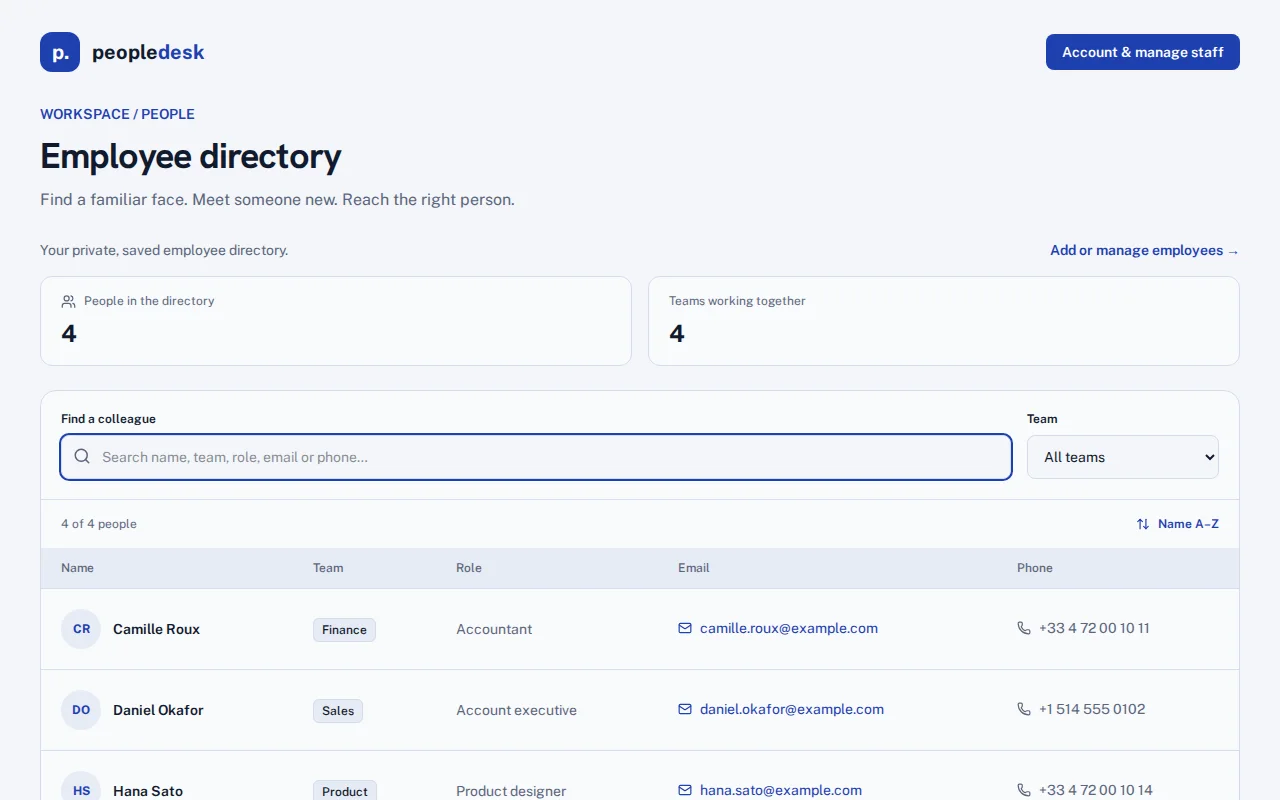
An employee directory is the one place where a team finds who does what and how to reach them. From this page, Kleap builds the directory as a small web app your team can search, not a spreadsheet of names. In our test, one sentence gave a working directory in 600 seconds: a searchable list with name, team, role, email and phone, a team filter, sorting by name, and an account page where a signed-in admin adds, edits and removes people. Records are saved in the app's database and are private to the account that adds them; signed out, the app shows eight sample people it labels as fictional. We added four employees and found one by typing "sales". It does not sync with Google Workspace or an HR tool. Ask in the same chat for photos, an org chart or staff log-ins, then publish it.
Checked on 6 November 2026 by the Kleap product team. Test: “Build an employee directory web app with a searchable list of staff showing their name, team, role, email and phone.”, web app, 600 s to the end of the turn that built the app.
Measured on
One real run of the prompt above: a fresh project, the real Kleap interface, a test account. Times run from the request reaching Kleap to the end of the turn that built the app. One run, not an average.
- Time to the working app
- 600 s
- Screens
- 2 (directory, manage staff)
- Database tables used
- 1 (employee records)
See what this prompt creates
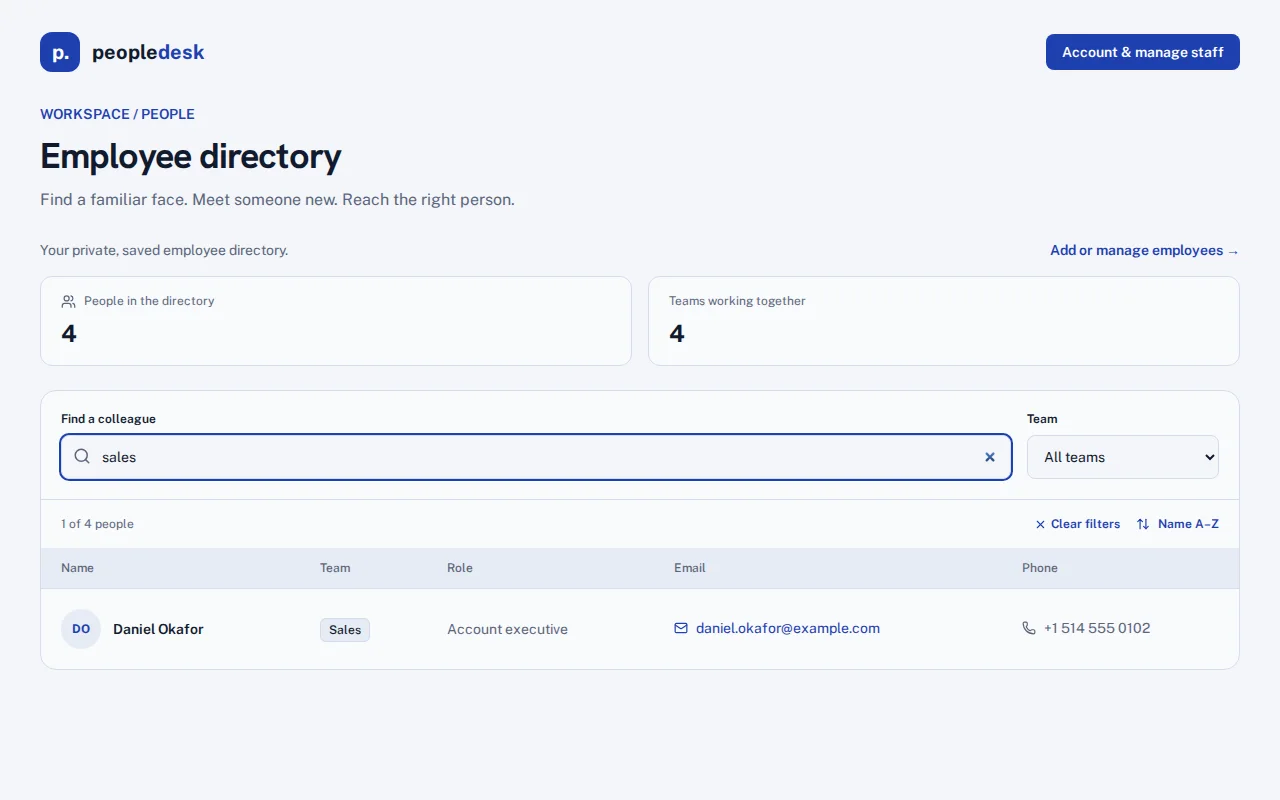
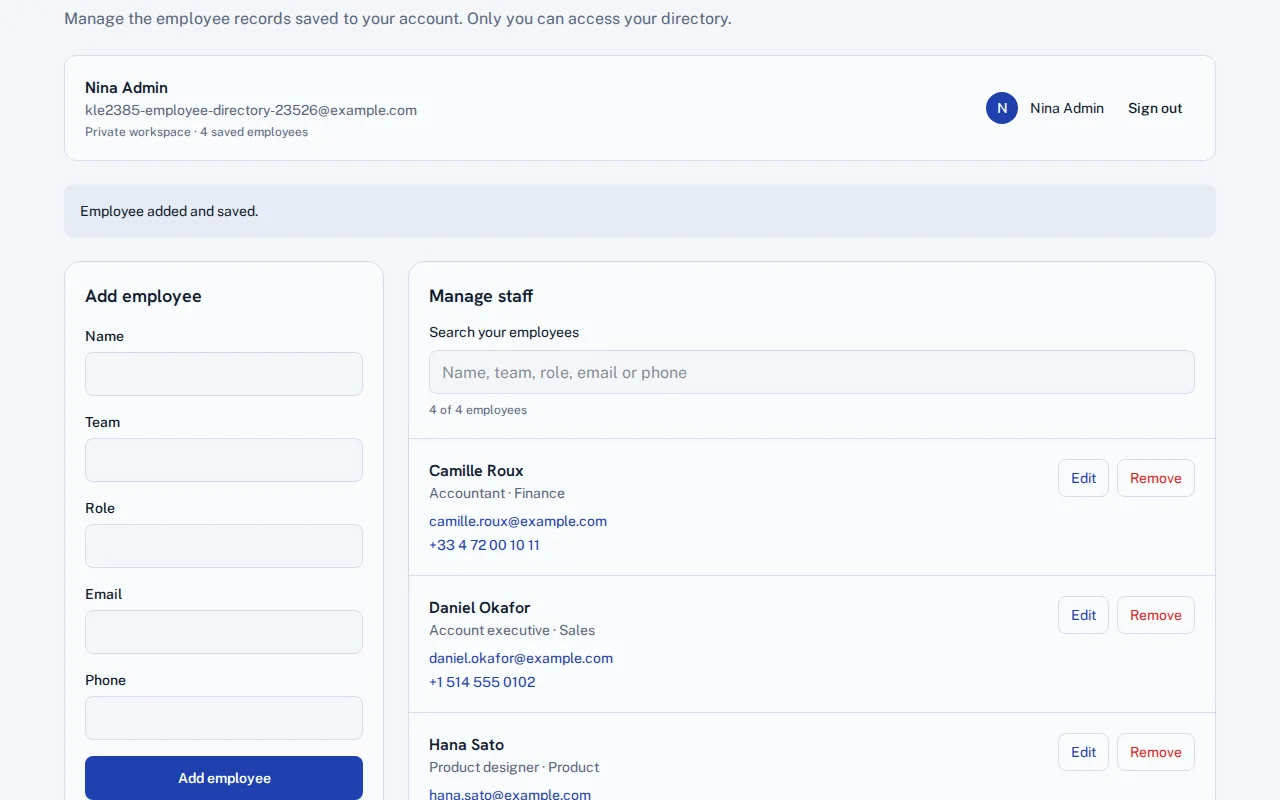
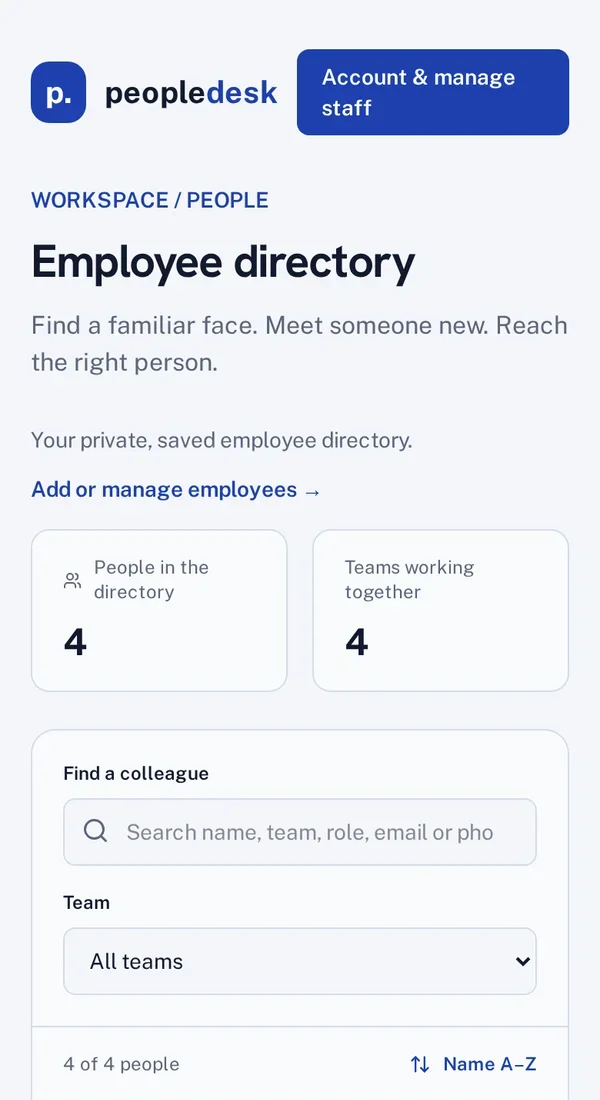
Real screenshots of the app Kleap built from the prompt in the box above, on 6 November 2026, in the Kleap preview. Not a mockup. With the request in the box, Kleap built a directory app called peopledesk in 600 seconds. We created an account and added four people across Finance, Sales, Product and Support; the directory listed all four with team, role, email and phone, and typing "sales" in the search left one. Signed out, it shows eight sample people it labels as fictional.
What we checked in the app’s code
- Search across name, team, role, email and phone, a team filter and sorting by name (StaffDirectory.tsx).
- An account page to add, edit, search and remove employees (EmployeeManager.tsx), each with name, team, role, email and phone, all required.
- Records saved in one table, employee_records, private to the signed-in account that adds them.
- Signed out, the app shows 8 sample people under a "Sample directory: fictional staff" notice.
- We added 4 employees: the directory showed 4 people in 4 teams, and the search "sales" left 1 of 4.
Show the exact prompt
Build an employee directory web app with a searchable list of staff showing their name, team, role, email and phone.
Directories for every kind of team
Company directory
Everyone by team and office, with contacts.
Org chart profiles
Each person's manager and direct reports.
Who-to-ask list
Search by topic to find the right person.
School staff list
Teachers by subject, rooms and office hours.
Volunteer directory
Skills, availability and city.
From staff list to directory in three steps
Describe the fields
What each profile shows, how people search and who can edit.
Kleap builds the app
It writes the list, the search and the profile pages, and creates the table of people.
Add your people
Add real profiles in the preview, ask for any change, then publish it for the team.
How Kleap compares
Facts from each tool's own page, read on 6 November 2026 (follow the source link to check). Kleap's row describes what the example above shows.
Which tool for which case
Pick a Notion employee directory template when your team already works in Notion and a database page is enough. Pick Manus when you want a directory exported as a PDF, a CSV or a web page. Pick Kleap when you want a directory app of your own, with search, profiles and sign-in, which you change by asking.
| Tool | What you get | Free path | Best at |
|---|---|---|---|
| Kleap | A working, searchable employee directory web app | Your first try usually needs no account; to keep the result, Kleap asks for a free account, with no card. Pro from $25/month (see /pricing). | Edit it by chat, publish it on a kleap.io address or your own domain |
| Google's US top 3 for “employee directory”, read 6 November 2026 | |||
| Notion employee directory templatesSource, checked 6 Nov 2026 | Directory templates inside a Notion workspace | Templates in the Notion Marketplace | Searchable by name, department or a custom field |
| Manus employee directorySource, checked 6 Nov 2026 | A directory exported as PDF, CSV or an interactive web page | Free daily credits | Embed in an intranet or share a link |
Start free. Upgrade when you need more.
Your first try usually needs no account; to keep the result, Kleap asks for a free account, with no card. Files and images use your Kleap usage: free usage refills over time, and paid plans add much more.
Free
- Free usage that refills
- Free account to save your results and find them again
Pro
- Much more usage
- Custom domain for your Kleap websites
Why give your team its own directory?
Once a team passes twenty people, nobody knows who handles invoices in Montreal or who to ask about the API. A spreadsheet of names helps for a month. A directory people can search by name, team or topic, with one profile per person, stays useful because it is the first place everyone looks.
Kleap builds the directory as a web app and keeps the people in its database. It fits next to other internal tools; see how to build internal tools with AI. A rota for the same people is an employee scheduling app away.
Questions, answered.
Can I keep the employee directory private to staff?
Yes, if you ask for sign-in, as in the full example. Test it signed out before you add real phone numbers.
Can I import my staff list?
Add people on the app's manage page, one at a time; a CSV import is something you ask Kleap to build. In our test we added four by hand.
Does it sync with Google Workspace or our HR tool?
No. People are added and edited in the app; nothing syncs on its own.
Can it show who reports to whom?
Ask for a manager field and a profile page that lists direct reports, as in the full example.
Can people edit their own profile?
Only if you describe it: each person signs in and edits their own entry, and admins edit everyone. Check the rules with two accounts.
Does it work on phones?
Kleap builds the layout for phones and computers; check it on a phone in the preview.
Find anyone in seconds.
List the fields and Kleap builds the directory. Try it without an account; sign up free when Kleap asks, to keep it.
Written by the Kleap product team. Checked on 9 November 2026 against the generated files and runs shown on this page.